第1关:OpenCV图像平滑
·
任务描述
为了完成本关任务,你需要掌握:OpenCV的各种平滑处理。
相关知识
1. 高斯平滑
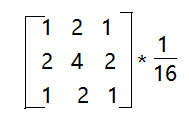
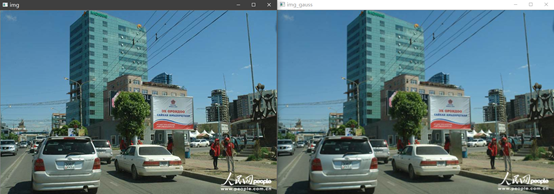
高斯平滑即采用高斯卷积核对图像矩阵进行卷积操作。高斯卷积核是一个近似服从高斯分布的矩阵,随着距离中心点的距离增加,其值变小。这样进行平滑处理时,图像矩阵中锚点处像素值权重大,边缘处像素值权重小,下为一个3*3的高斯卷积核:
高斯平滑处理:
dst = cv2.GaussianBlur(src,ksize,sigmaX,sigmay,borderType)
参数说明:
src: 输入图像矩阵,可为单通道或多通道,多通道时分别对每个通道进行卷积dst:输出图像矩阵,大小和数据类型都与src相同ksize:高斯卷积核的大小,宽,高都为奇数,且可以不相同sigmaX: 一维水平方向高斯卷积核的标准差 (该代码使用1)sigmaY: 一维垂直方向高斯卷积核的标准差,默认值为0,表示与sigmaX相同borderType:填充边界类型
原版英文解释
GaussianBlur(src, ksize, sigmaX[, dst[, sigmaY[, borderType]]]) -> dst. @brief Blurs an image using a Gaussian filter... The function convolves the source image with the specified Gaussian kernel. In-place filtering is. supported... @param src input image; the image can have any number of channels, which are processed. independently, but the depth should be CV_8U, CV_16U, CV_16S, CV_32F or CV_64F.. @param dst output image of the same size and type as src.. @param ksize Gaussian kernel size. ksize.width and ksize.height can differ but they both must be. positive and odd. Or, they can be zero's and then they are computed from sigma.. @param sigmaX Gaussian kernel standard deviation in X direction.. @param sigmaY Gaussian kernel standard deviation in Y direction; if sigmaY is zero, it is set to be. equal to sigmaX, if both sigmas are zeros, they are computed from ksize.width and ksize.height,. respectively (see #getGaussianKernel for details); to fully control the result regardless of. possible future modifications of all this semantics, it is recommended to specify all of ksize,. sigmaX, and sigmaY.. @param borderType pixel extrapolation method, see #BorderTypes.. @sa sepFilter2D, filter2D, blur, boxFilter, bilateralFilter, medianBlur
2. 均值平滑
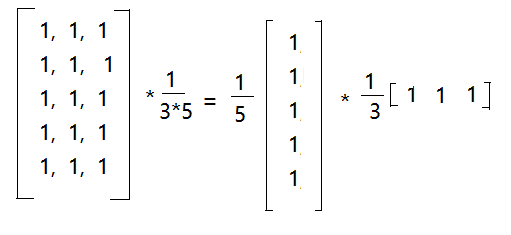
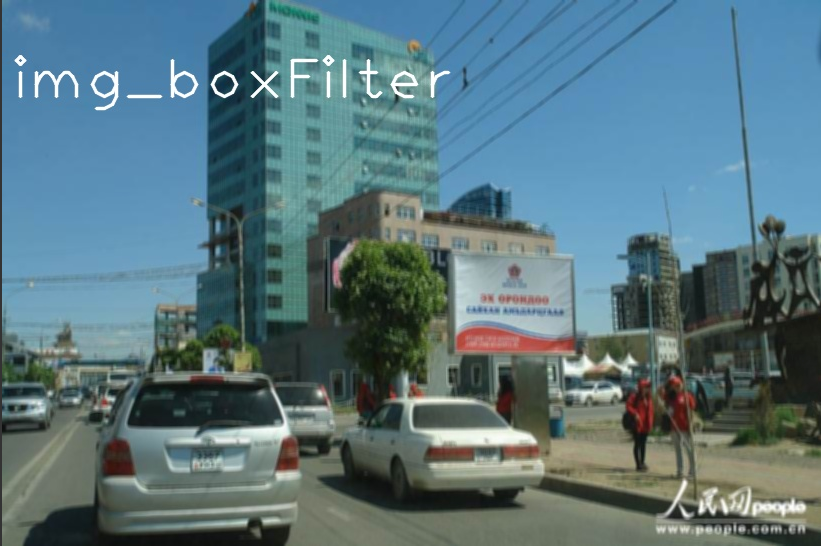
高斯卷积核,对卷积框中像素值赋予不同权重,而均值平滑赋予相同权重,一个3*5的均值卷积核如下:
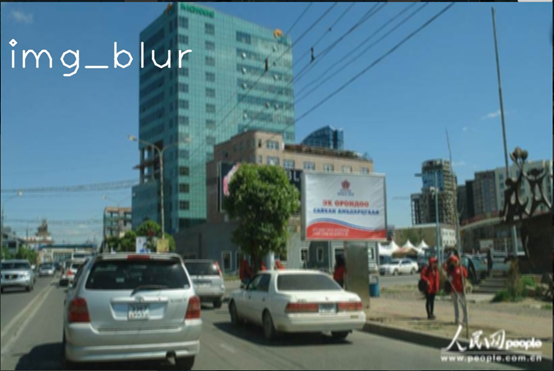
opencv的boxFilter()函数和blur()函数都能用来进行均值平滑。
cv2.boxFilter(src,ddepth,ksize,dst,anchor,normalize,borderType)
参数说明:
src: 输入图像对象矩阵,ddepth:数据格式,位深度-1代表使用原图深度ksize:高斯卷积核的大小,格式为(宽,高)dst:输出图像矩阵,大小和数据类型都与src相同anchor:卷积核锚点,默认(-1,-1)表示卷积核的中心位置normalize:是否归一化borderType:填充边界类型
cv2.blur(src,ksize,dst,anchor,borderType)
参数说明:
src: 输入图像对象矩阵,可以为单通道或多通道ksize:高斯卷积核的大小,格式为(宽,高)dst:输出图像矩阵,大小和数据类型都与src相同anchor:卷积核锚点,默认(-1,-1)表示卷积核的中心位置borderType:填充边界类型
原版英文注解:
boxFilter(src, ddepth, ksize[, dst[, anchor[, normalize[, borderType]]]]) -> dst. @brief Blurs an image using the box filter.. The function smooths an image using the kernel:. \f[\texttt{K} = \alpha \begin{bmatrix} 1 & 1 & 1 & \cdots & 1 & 1 \\ 1 & 1 & 1 & \cdots & 1 & 1 \\ \hdotsfor{6} \\ 1 & 1 & 1 & \cdots & 1 & 1 \end{bmatrix}\f]. where. \f[\alpha=\fork{\frac{1}{\texttt{ksize.width*ksize.height}}}{when \texttt{normalize=true}}{1}{otherwise}\f]. Unnormalized box filter is useful for computing various integral characteristics over each pixel. neighborhood, such as covariance matrices of image derivatives (used in dense optical flow. algorithms, and so on). If you need to compute pixel sums over variable-size windows, use #integral.. @param src input image.. @param dst output image of the same size and type as src.. @param ddepth the output image depth (-1 to use src.depth()).. @param ksize blurring kernel size.. @param anchor anchor point; default value Point(-1,-1) means that the anchor is at the kernel center.. @param normalize flag, specifying whether the kernel is normalized by its area or not.. @param borderType border mode used to extrapolate pixels outside of the image, see #BorderTypes. @sa blur, bilateralFilter, GaussianBlur, medianBlur, integralblur(src, ksize[, dst[, anchor[, borderType]]]) -> dst. @brief Blurs an image using the normalized box filter.. The function smooths an image using the kernel:. \f[\texttt{K} = \frac{1}{\texttt{ksize.width*ksize.height}} \begin{bmatrix} 1 & 1 & 1 & \cdots & 1 & 1 \\ 1 & 1 & 1 & \cdots & 1 & 1 \\ \hdotsfor{6} \\ 1 & 1 & 1 & \cdots & 1 & 1 \\ \end{bmatrix}\f]. The call `blur(src, dst, ksize, anchor, borderType)` is equivalent to `boxFilter(src, dst, src.type(),anchor, true, borderType)`.. @param src input image; it can have any number of channels, which are processed independently, but. the depth should be CV_8U, CV_16U, CV_16S, CV_32F or CV_64F.. @param dst output image of the same size and type as src.. @param ksize blurring kernel size.. @param anchor anchor point; default value Point(-1,-1) means that the anchor is at the kernel center.. @param borderType border mode used to extrapolate pixels outside of the image, see #BorderTypes. @sa boxFilter, bilateralFilter, GaussianBlur, medianBlur
3. 中值平滑
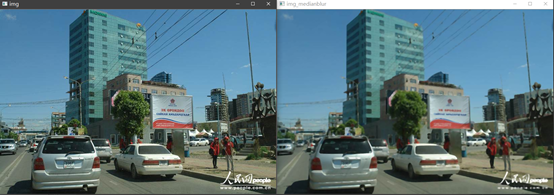
是对核中所有像素值排序得到中间值,用该中间值来代替锚点值。 opencv中利用medianBlur()来进行中值平滑。
cv2.medianBlur(src,ksize,dst)
参数说明:
src: 输入图像对象矩阵,可以为单通道或多通道ksize:核的大小,格式为 3 #注意不是(3,3) 该处(5)dst:输出图像矩阵,大小和数据类型都与src相同
原版英文注解
medianBlur(src, ksize[, dst]) -> dst. @brief Blurs an image using the median filter.. The function smoothes an image using the median filter with the \f$\texttt{ksize} \times. \texttt{ksize}\f$ aperture. Each channel of a multi-channel image is processed independently.. In-place operation is supported.. @note The median filter uses #BORDER_REPLICATE internally to cope with border pixels, see #BorderTypes. @param src input 1-, 3-, or 4-channel image; when ksize is 3 or 5, the image depth should be. CV_8U, CV_16U, or CV_32F, for larger aperture sizes, it can only be CV_8U.. @param dst destination array of the same size and type as src.. @param ksize aperture linear size; it must be odd and greater than 1, for example: 3, 5, 7 .... @sa bilateralFilter, blur, boxFilter, GaussianBlur
4. 双边滤波
相比于上面几种平滑算法,双边滤波在平滑的同时还能保持图像中物体的轮廓信息。双边滤波在高斯平滑的基础上引入了灰度值相似性权重因子,所以在构建其卷积核核时,要同时考虑空间距离权重和灰度值相似性权重。在进行卷积时,每个位置的邻域内,根据和锚点的距离d构建距离权重模板,根据和锚点灰度值差异r构建灰度值权重模板,结合两个模板生成该位置的卷积核。
opencv中的bilateralFilter()函数实现了双边滤波,其参数对应如下:
dst = cv2.bilateralFilter(src,d,sigmaColor,sigmaSpace,borderType)
参数说明:
src: 输入图像对象矩阵,可以为单通道或多通道d: 用来计算卷积核的领域直径,如果d<=0,从sigmaSpace计算dsigmaColor: 颜色空间过滤器的sigma值,这个参数的值越大,表明该像素邻域内有越宽广的颜色会被混合到一起,产生较大的半相等颜色区域。(该代码使用0.2)sigmaSpace: 坐标空间中滤波器的sigma值,如果该值较大,则意味着颜色相近的较远的像素将相互影响,从而使更大的区域中足够相似的颜色获取相同的颜色。当d>0时,d指定了邻域大小且与sigmaSpace五官,否则d正比于sigmaSpace. (该代码使用40)
编程要求
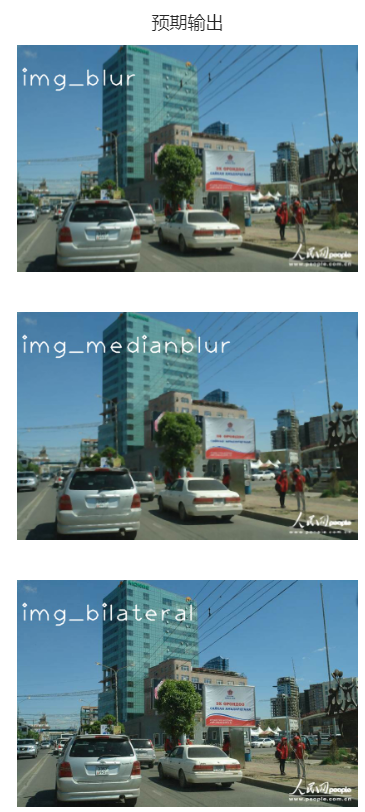
补全右侧代码,对原图进行下面操作后输出: 1.高斯平滑 2.均值平滑 3.中值平滑 4.双边滤波
测试说明
平台会对你编写的代码进行测试:
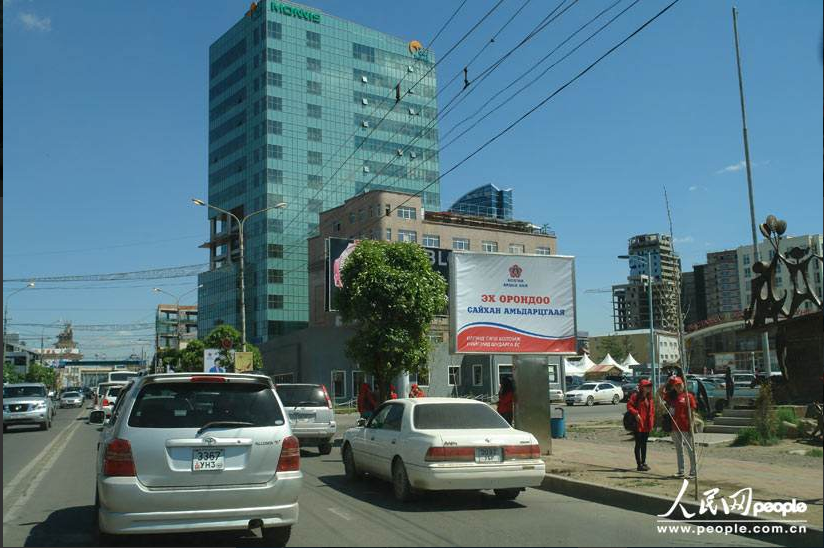
测试输入:
输出:
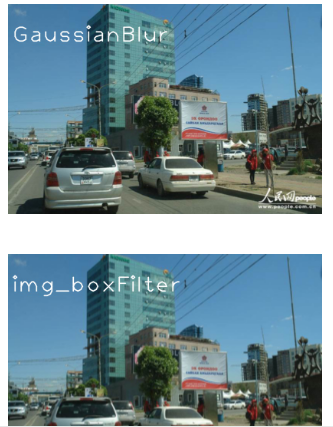
开始你的任务吧,祝你成功!
import cv2

img = cv2.imread('home/OpenCV_ph/img/timg2.jpg')

def img_gauss_us():
    # 任务1 高斯平滑,高斯卷积核的大小,宽,高为 (3,3),标准差为1
    img_gauss = cv2.GaussianBlur(img, (3, 3), 1)

    cv2.putText(img_gauss, 'GaussianBlur', (10, 100), cv2.FONT_HERSHEY_PLAIN, 4, (255, 255, 255), 2, cv2.LINE_AA)
    cv2.imwrite('home/OpenCV_ph/img_out/img_gauss_us.jpg', img_gauss)
    return img_gauss

def boxFilter_and_blur_us():
    # 任务2 均值平滑,使用opencv的boxFilter()函数和blur()函数进行均值平滑
    # boxFilter()函数均值平滑深度为-1,宽高(3,5)
    # blur()函数均值平滑,宽高(3,5)
    img_blur = cv2.blur(img, (3, 5))
    img_boxFilter = cv2.boxFilter(img, -1, (3, 5))

    cv2.putText(img_blur, 'img_blur', (10, 100), cv2.FONT_HERSHEY_PLAIN, 4, (255, 255, 255), 2, cv2.LINE_AA)
    cv2.putText(img_boxFilter, 'img_boxFilter', (10, 100), cv2.FONT_HERSHEY_PLAIN, 4, (255, 255, 255), 2, cv2.LINE_AA)
    cv2.imwrite('home/OpenCV_ph/img_out/boxFilter_and_blur_us1.jpg', img_blur)
    cv2.imwrite('home/OpenCV_ph/img_out/boxFilter_and_blur_us2.jpg', img_boxFilter)
    return img_blur, img_boxFilter

def img_medianblur_us():
    # 任务3 中值平滑,核的大小,格式为5
    img_medianblur = cv2.medianBlur(img, 5)

    cv2.putText(img_medianblur, 'img_medianblur', (10, 100), cv2.FONT_HERSHEY_PLAIN, 4, (255, 255, 255), 2, cv2.LINE_AA)
    cv2.imwrite('home/OpenCV_ph/img_out/img_medianblur_us.jpg', img_medianblur)
    return img_medianblur

def img_bilateral_us():
    # 任务4 双边滤波,卷积核的领域直径0(自动计算),颜色空间滤波器标准偏差值0.2,坐标空间中滤波器标准偏差值40
    img_bilateral = cv2.bilateralFilter(img, 0, 0.2, 40)

    cv2.putText(img_bilateral, 'img_bilateral', (10, 100), cv2.FONT_HERSHEY_PLAIN, 4, (255, 255, 255), 2, cv2.LINE_AA)
    cv2.imwrite('home/OpenCV_ph/img_out/img_bilateral_us.jpg', img_bilateral)
    return img_bilateral

# 调用函数以执行图像处理任务(可选)
# img_gauss_us()
# boxFilter_and_blur_us()
# img_medianblur_us()
# img_bilateral_us()
有“AI”的1024 = 2048,欢迎大家加入2048 AI社区
更多推荐
 9
9 0
0- 0


 已为社区贡献4条内容

所有评论(0)