MCP相关概念
what is MCP?
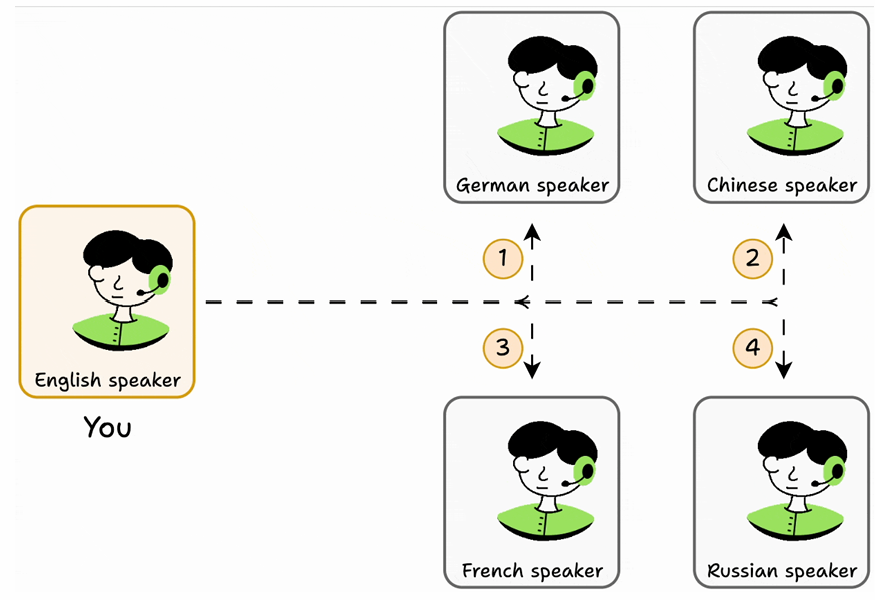
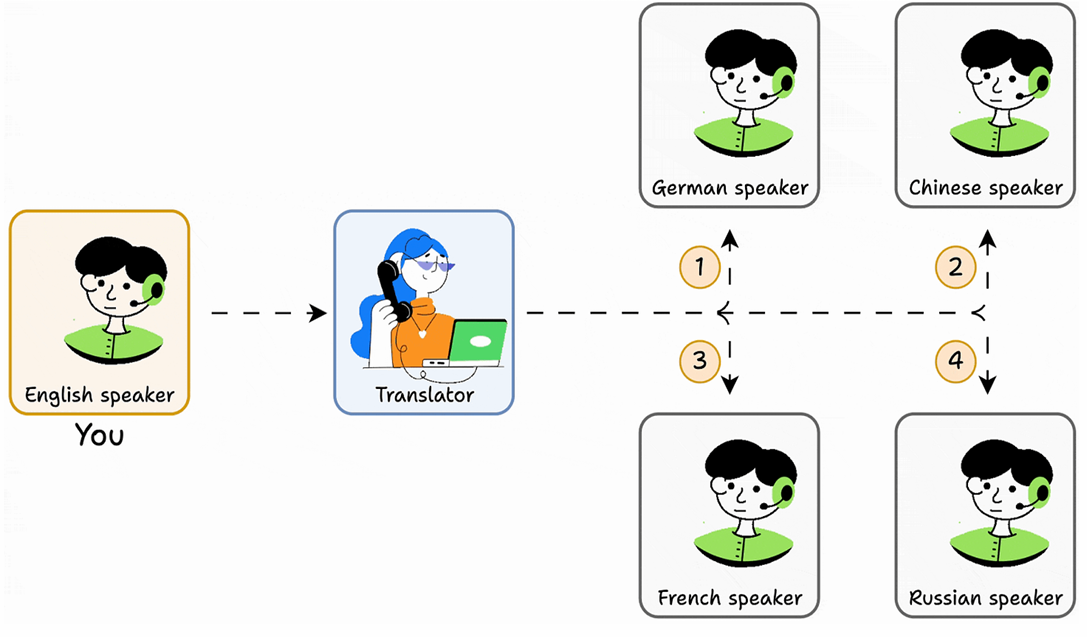
Model context protocol (MCP) is a standardized interface and framework that
allows AI models to seamlessly interact with external tools, resources, and
environments.
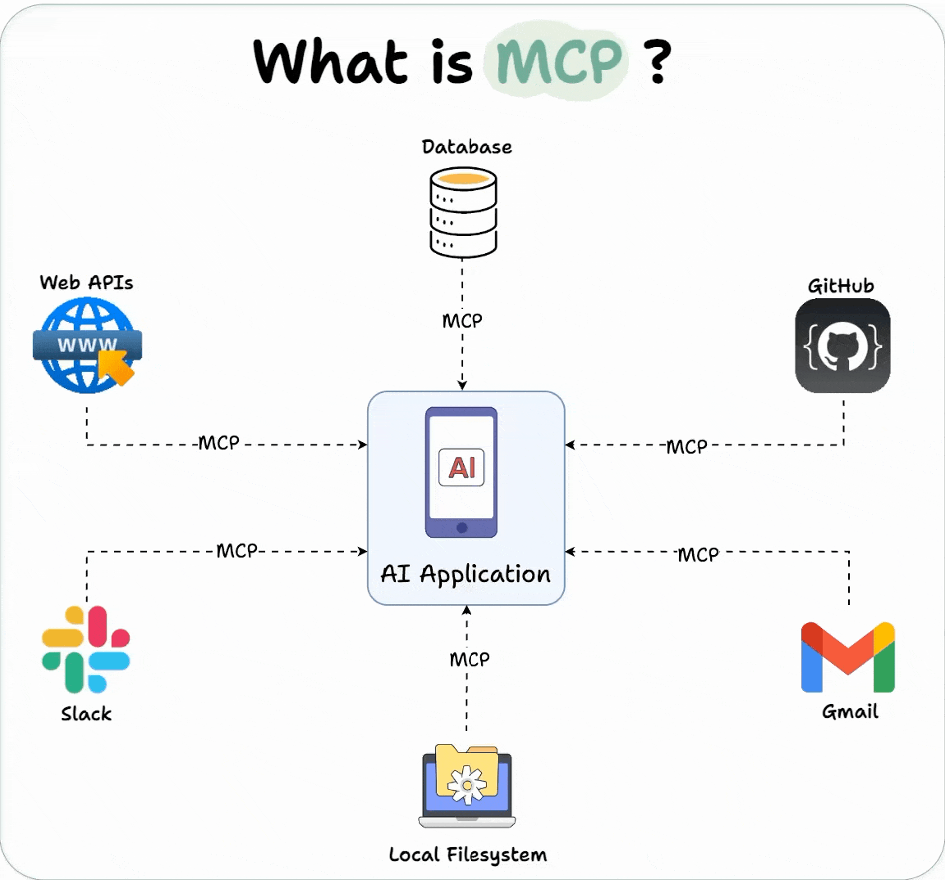
MCP acts as a universal connector for AI systems to capabilities (tools, etc.), similar to how USB-C standardizes connections between electronic devices.
Why was MCP created?
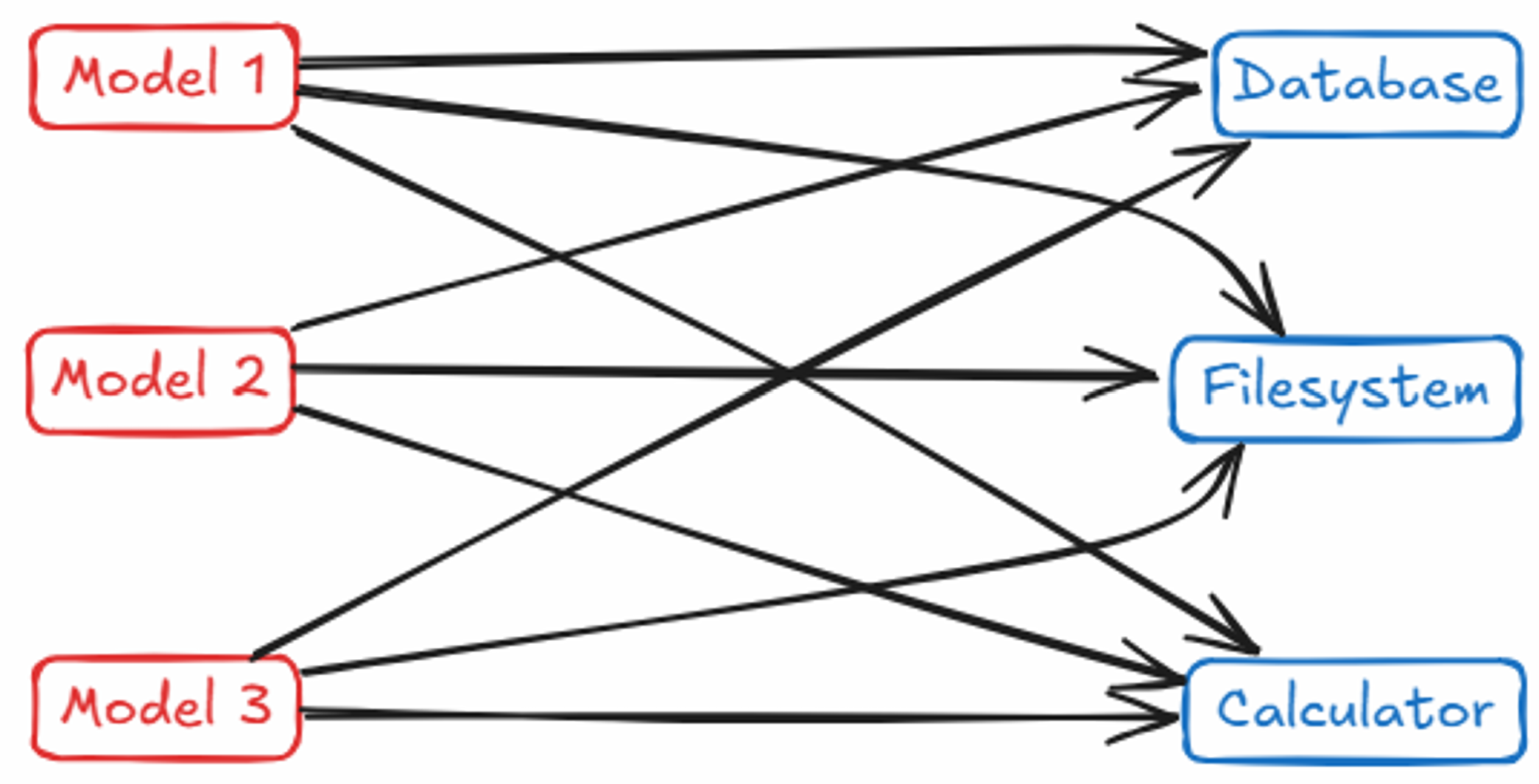
The problem
M×N integration problem
The solution
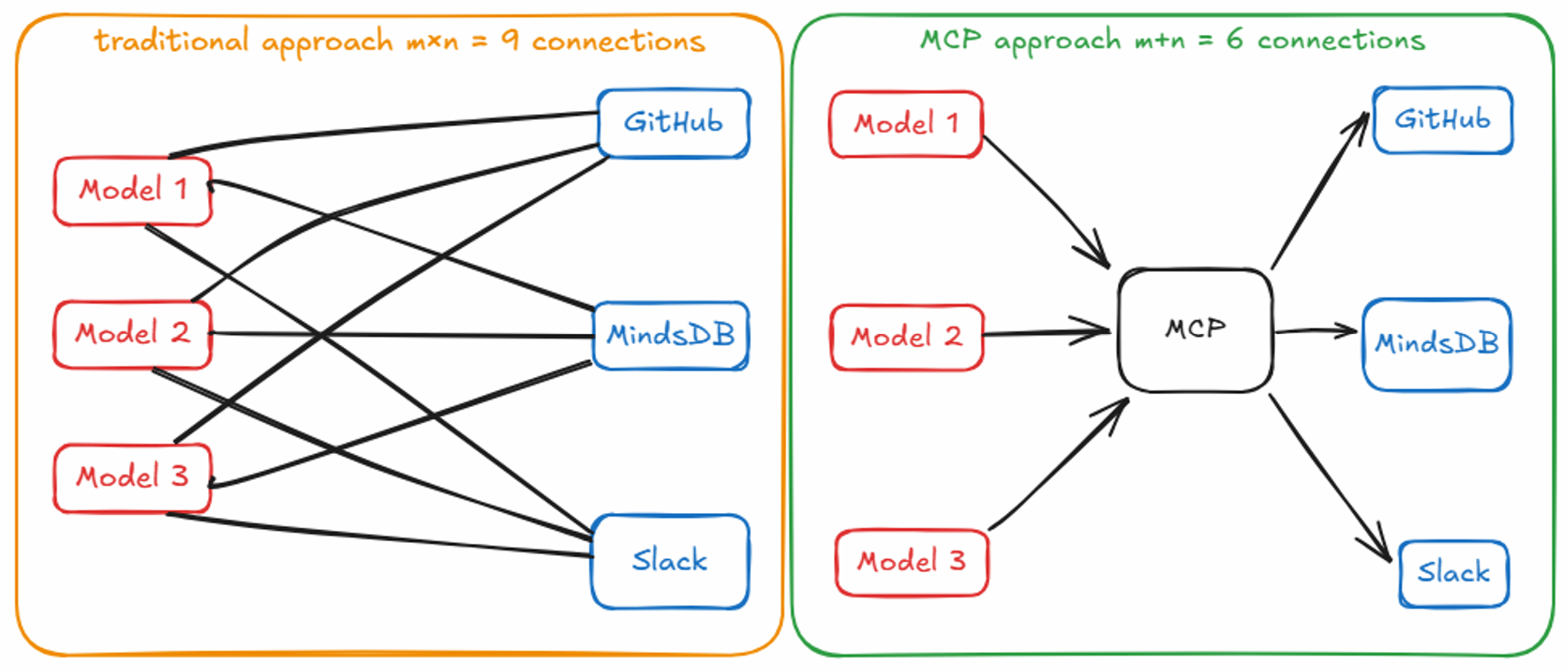
work flow:
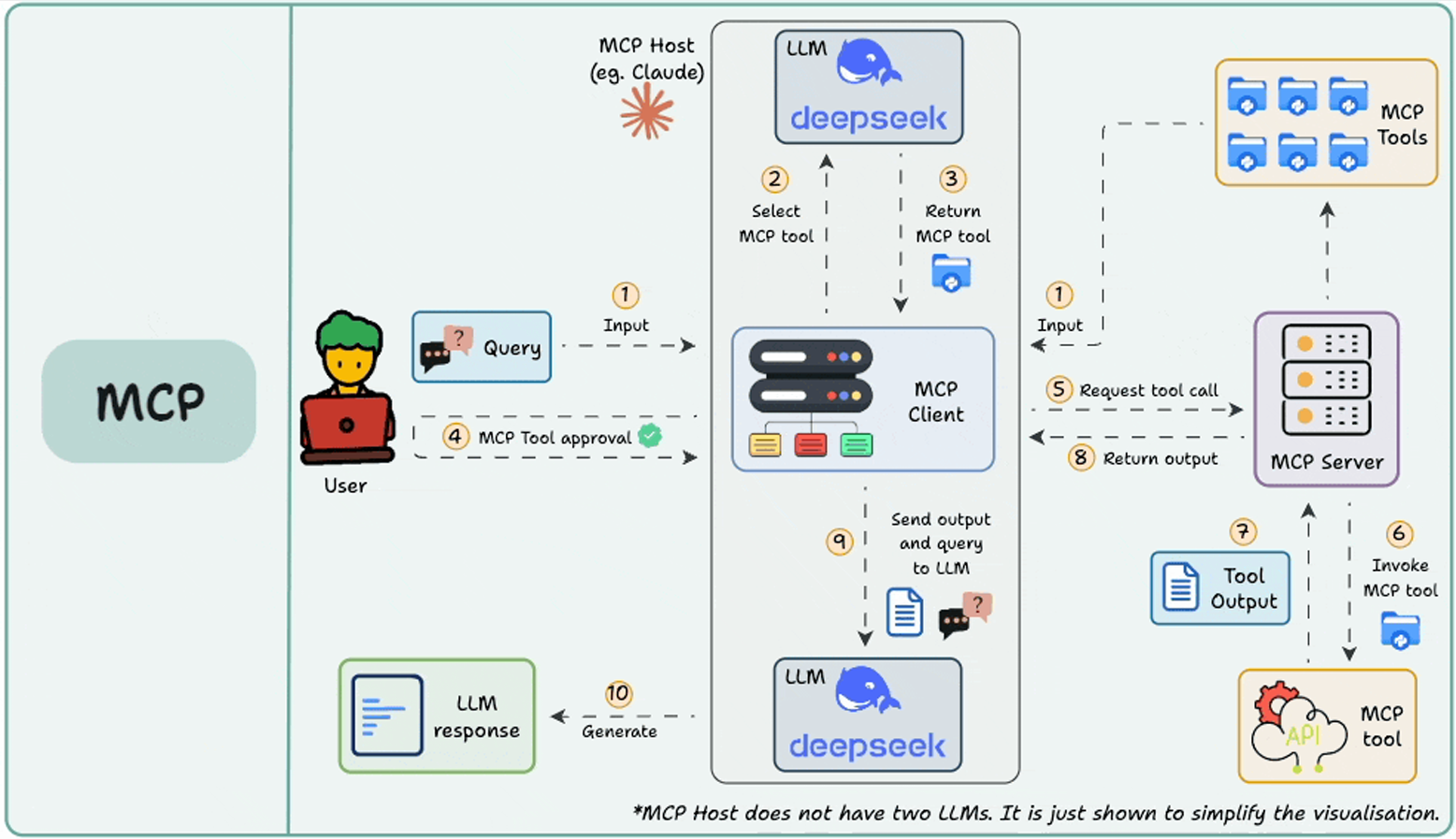
MCP Architecture Overview
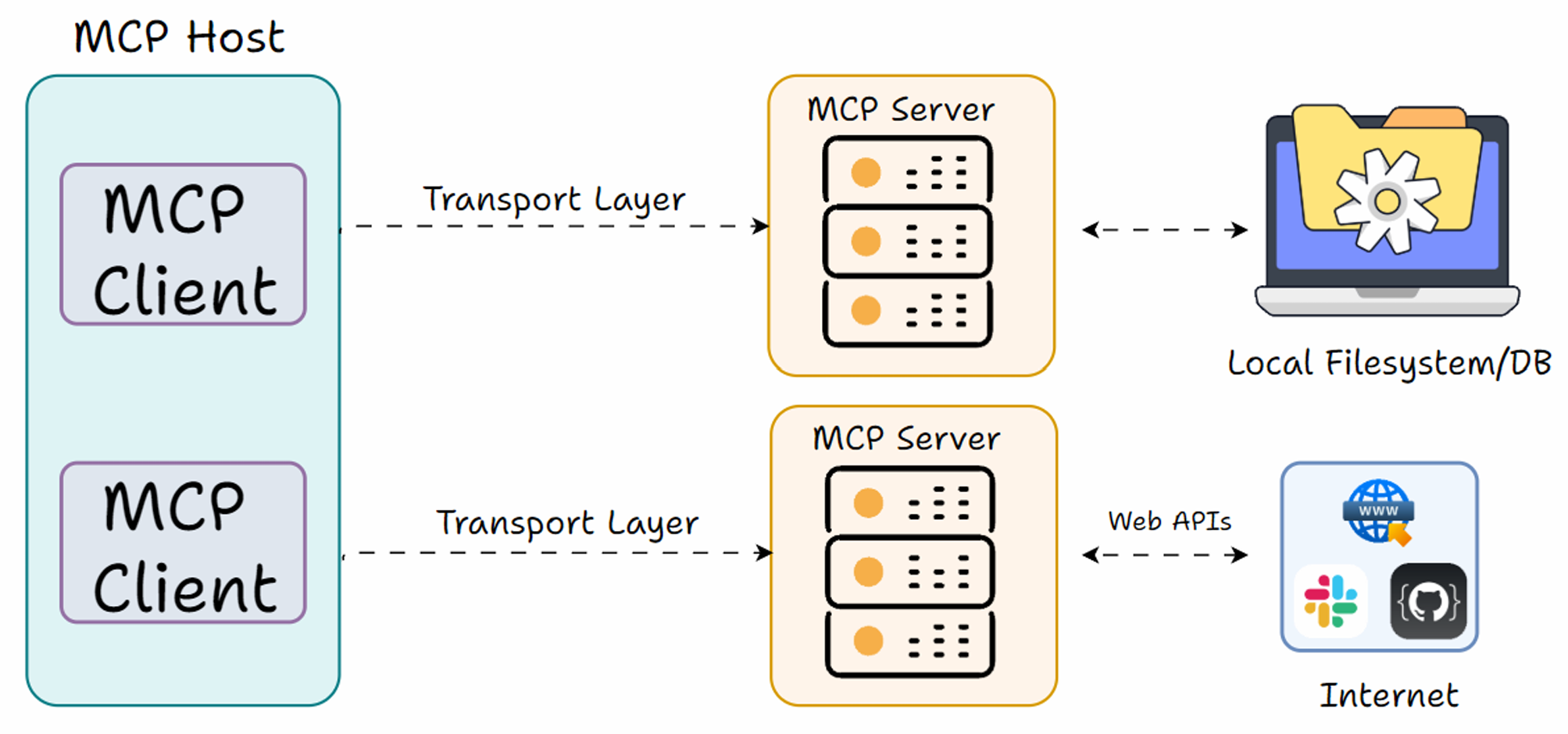
three main roles to understand: the Host, the Client, and the Server
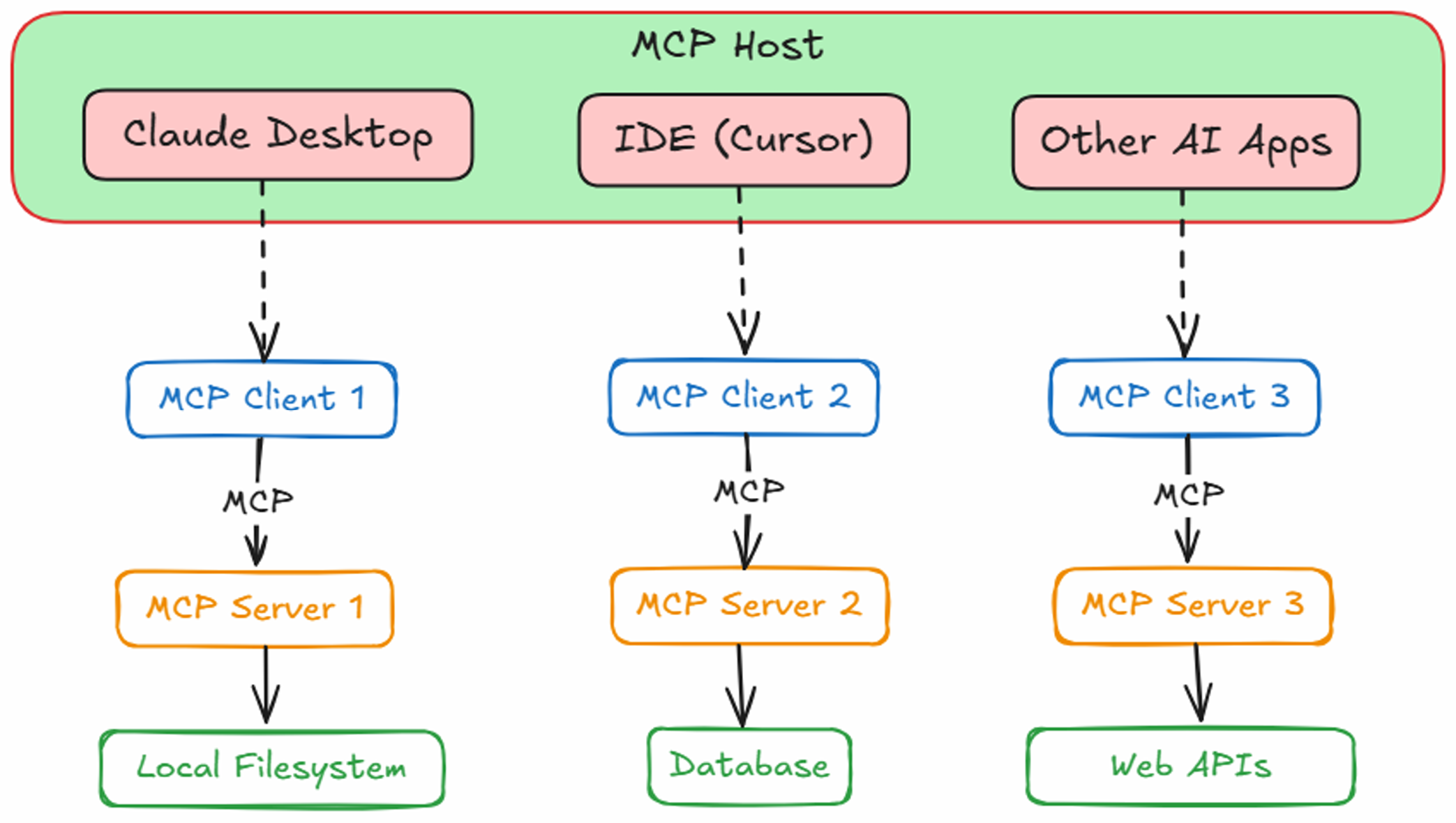
Host
The Host is the user-facing AI application, the environment where the AI model lives and interacts with the user.
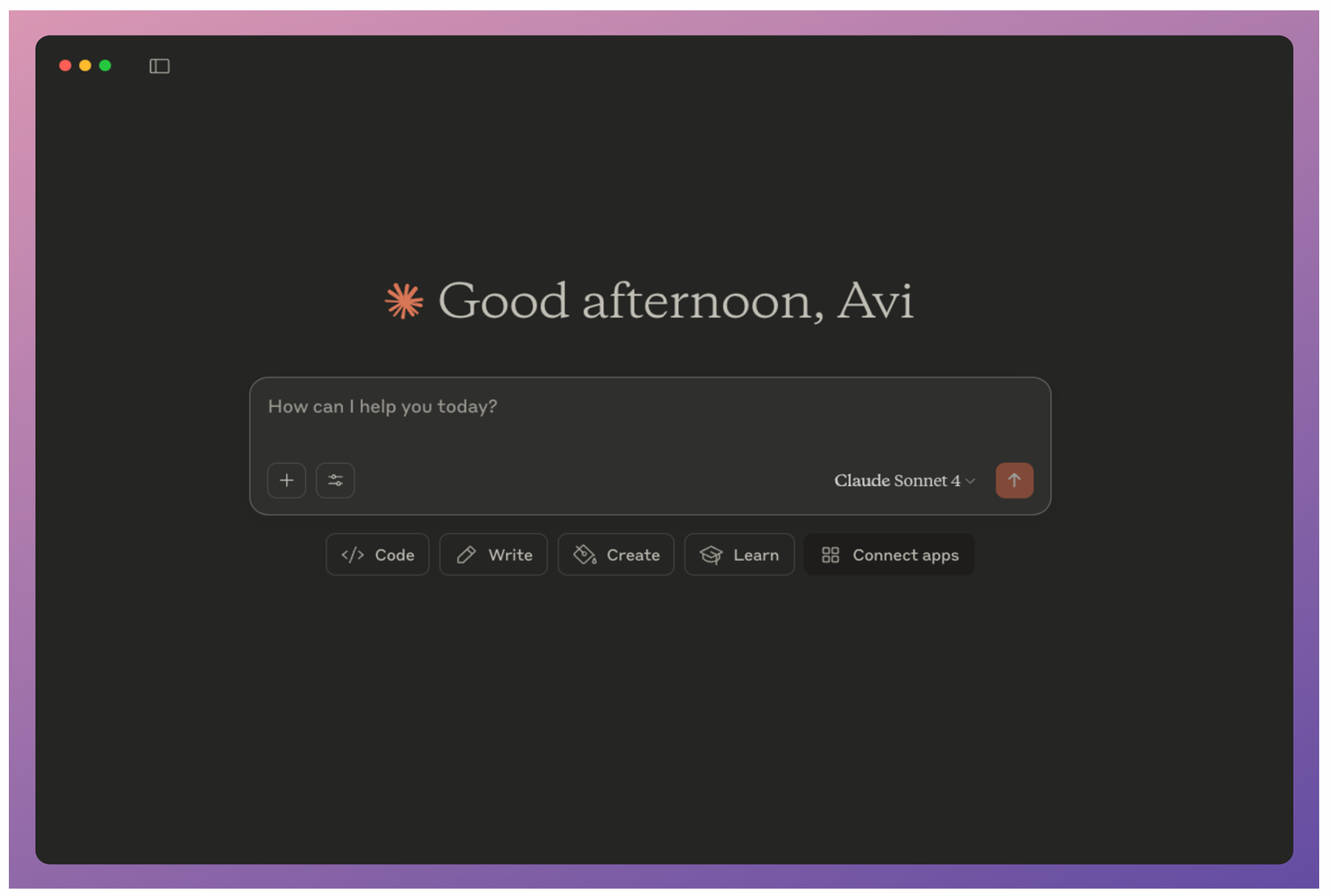
Client
While the Host decides what to do, the Client knows how to speak MCP to actually carry out those instructions with the server.
Server
The MCP Server is the external program or service that actually provides the capabilities (tools, data, etc.) to the application.
An MCP Server can be thought of as a wrapper around some functionality, which exposes a set of actions or resources in a standardized way so that any MCP Client can invoke them.
The key is that the Server advertises what it can do in a standard format (so the client can query and understand available tools) and will execute requests coming from the client, then return results.
Tools, Resources and Prompts
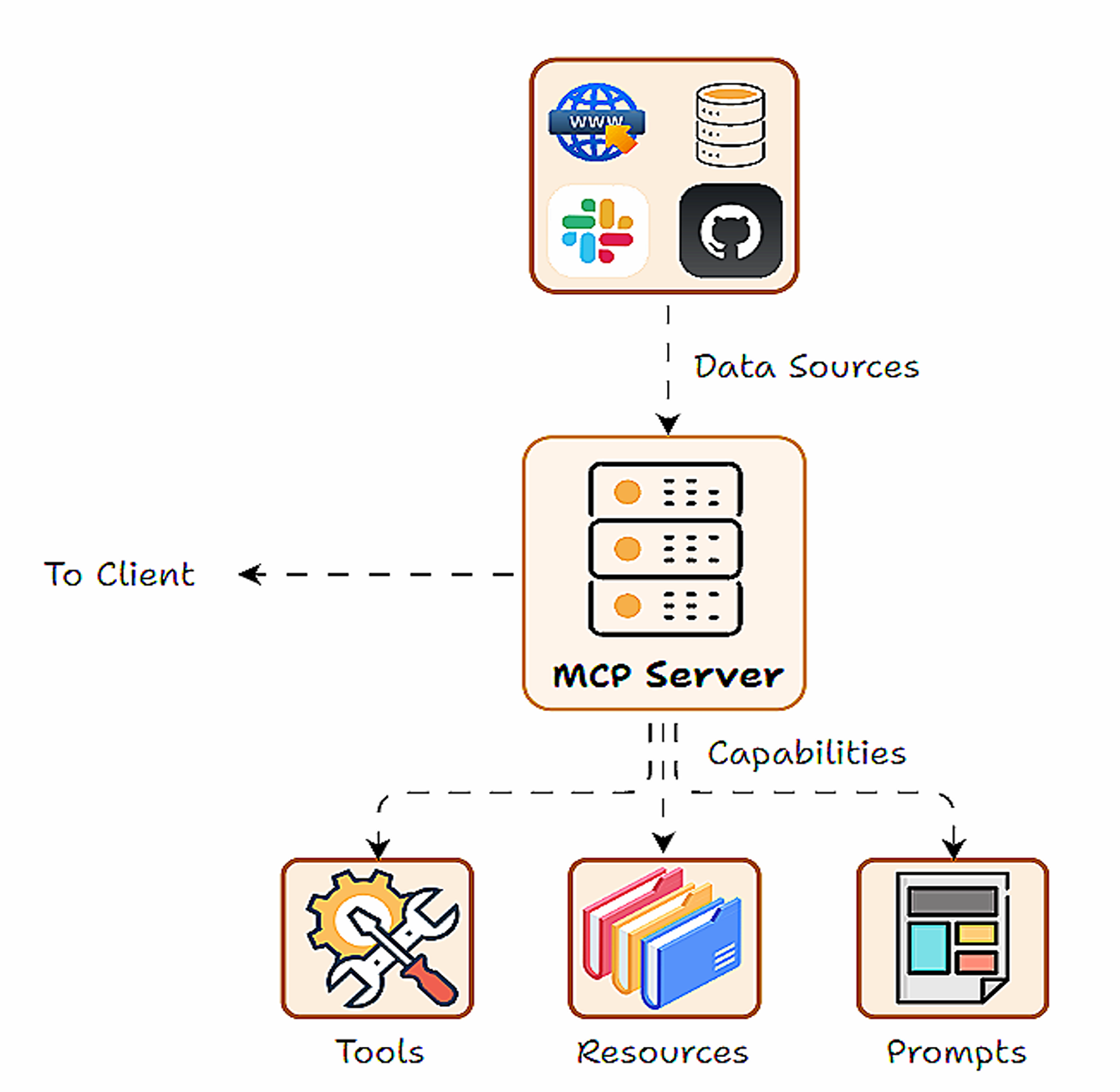
Tools, prompts and resources form the three core capabilities of the MCP framework. Capabilities are essentially the features or functions that the server makes available.
- Tools: Executable actions or functions that the AI (host/client) can invoke (often with side effects or external API calls).
- Resources: Read-only data sources that the AI (host/client) can query for information (no side effects, just retrieval).
- Prompts: Predefined prompt templates or workflows that the server can supply.
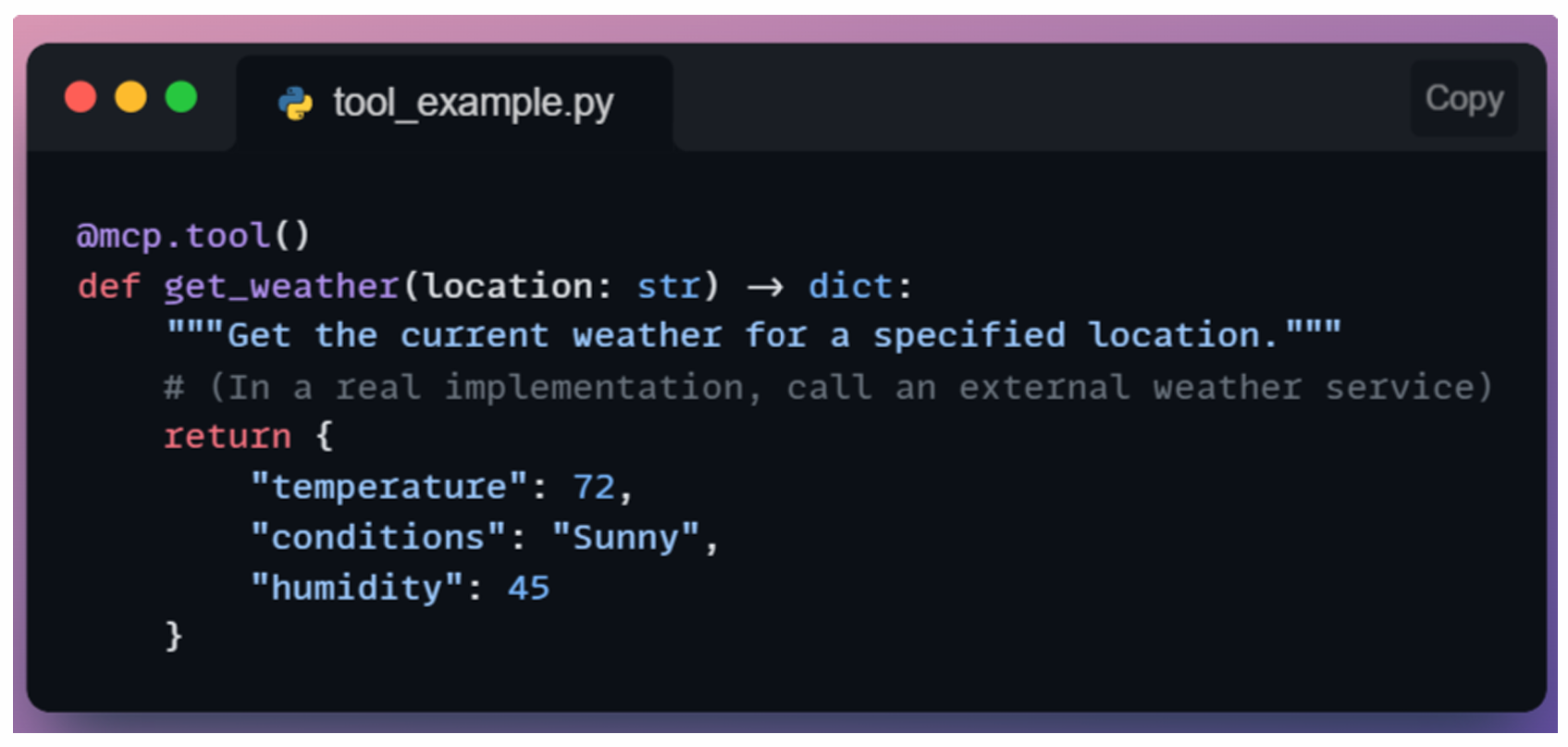
Tools
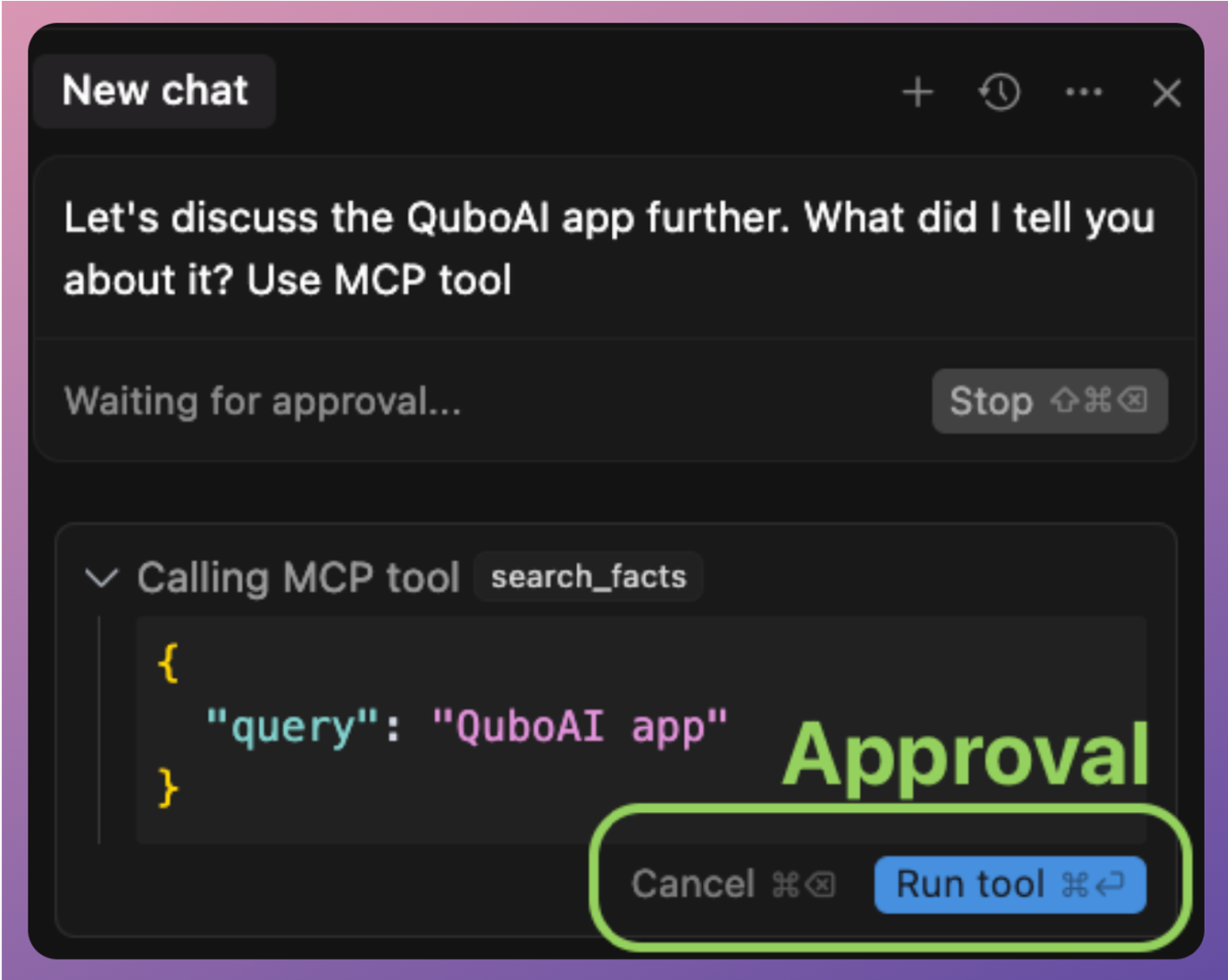
Tools are what they sound like: functions that do something on behalf of the AI model. These are typically operations that can have effects or require computation beyond the AI’s own capabilities.
Importantly, Tools are usually triggered by the AI model’s choice, which means the LLM (via the host) decides to call a tool when it determines it needs that functionality.
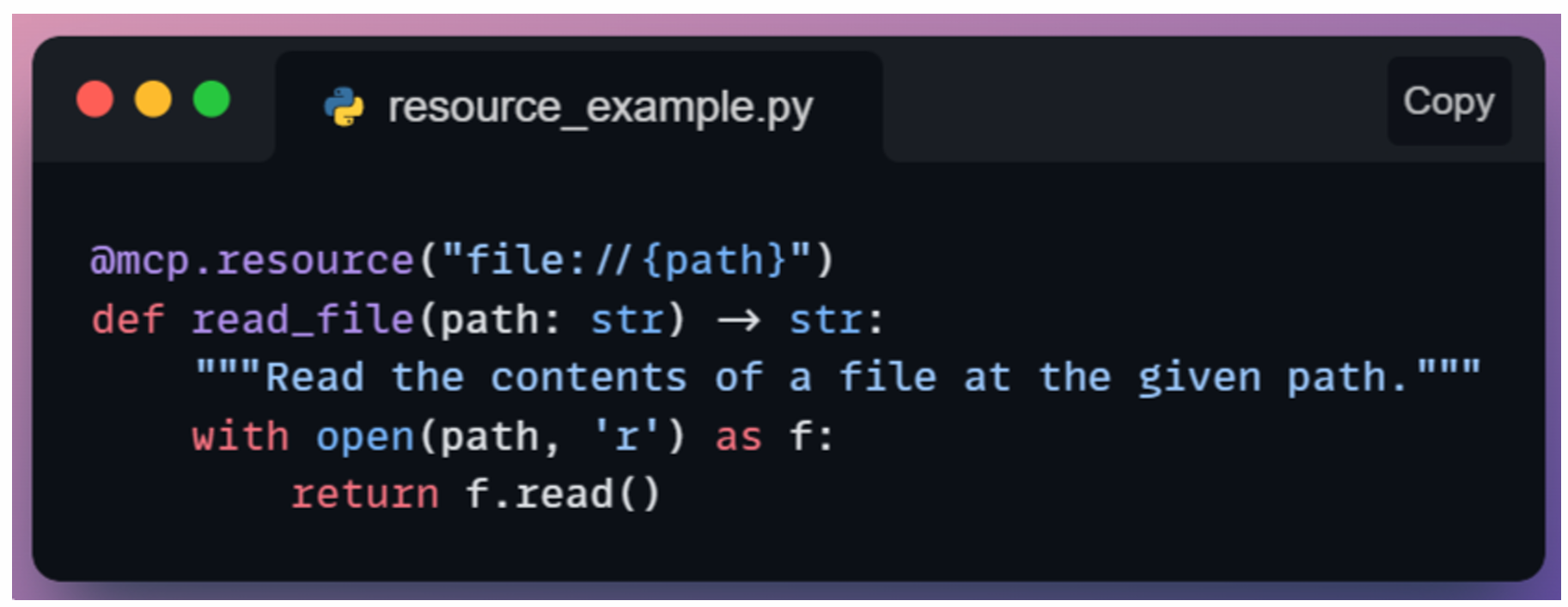
Resources
Resources provide read-only data to the AI model.These are like databases or knowledge bases that the AI can query to get information, but not modify.
Unlike tools, resources typically do not involve heavy computation or side effects, since they are often just information lookup.
Another key difference is that resources are usually accessed under the host application’s control (not spontaneously by the model). In practice, this might mean the Host knows when to fetch a certain context for the model.
For instance, if a user says, “Use the company handbook to answer my question,” the Host might call a resource that retrieves relevant handbook sections and feeds them to the model.
Resources could include a local file’s contents, a snippet from a knowledge base or documentation, a database query result (read-only), or any static data like configuration info.
Prompts
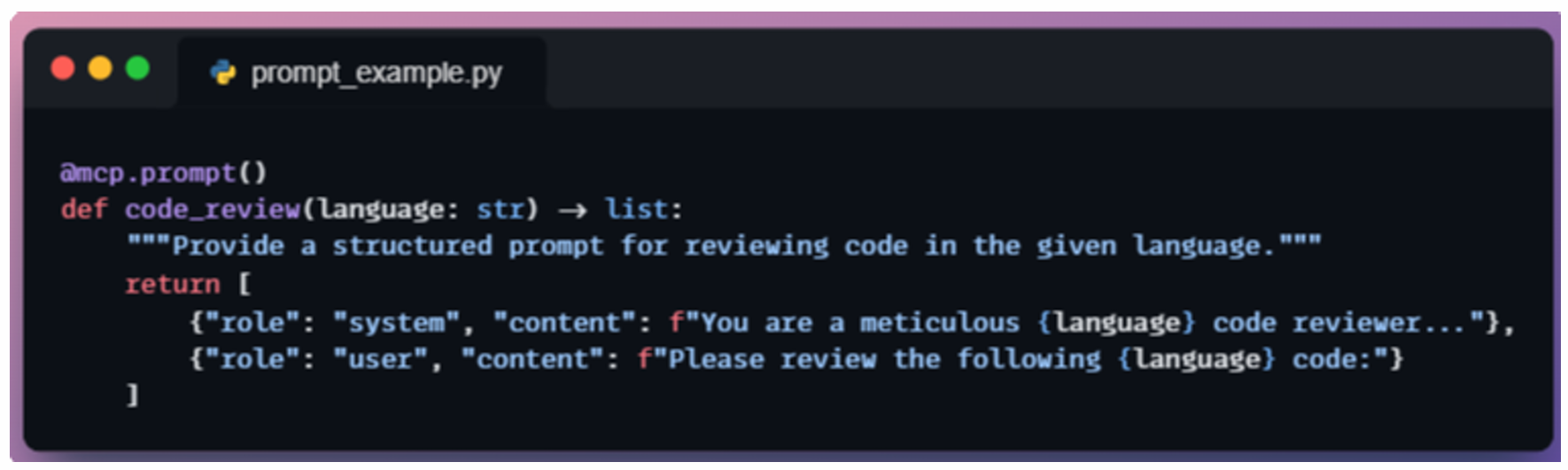
Prompts in the MCP context are a special concept: they are predefined prompt templates or conversation flows that can be injected to guide the AI’s behavior.
The user might pick a prompt/template from a UI (e.g., “Summarize this document” template), which the host then fetches from the server.
The model doesn’t spontaneously decide to use prompts the way it does tools.
Rather, the prompt sets the stage before the model starts generating. In that sense, prompts are often fetched at the beginning of an interaction or when the user chooses a specific “mode”.
MCP Projects
100% local MCP Client
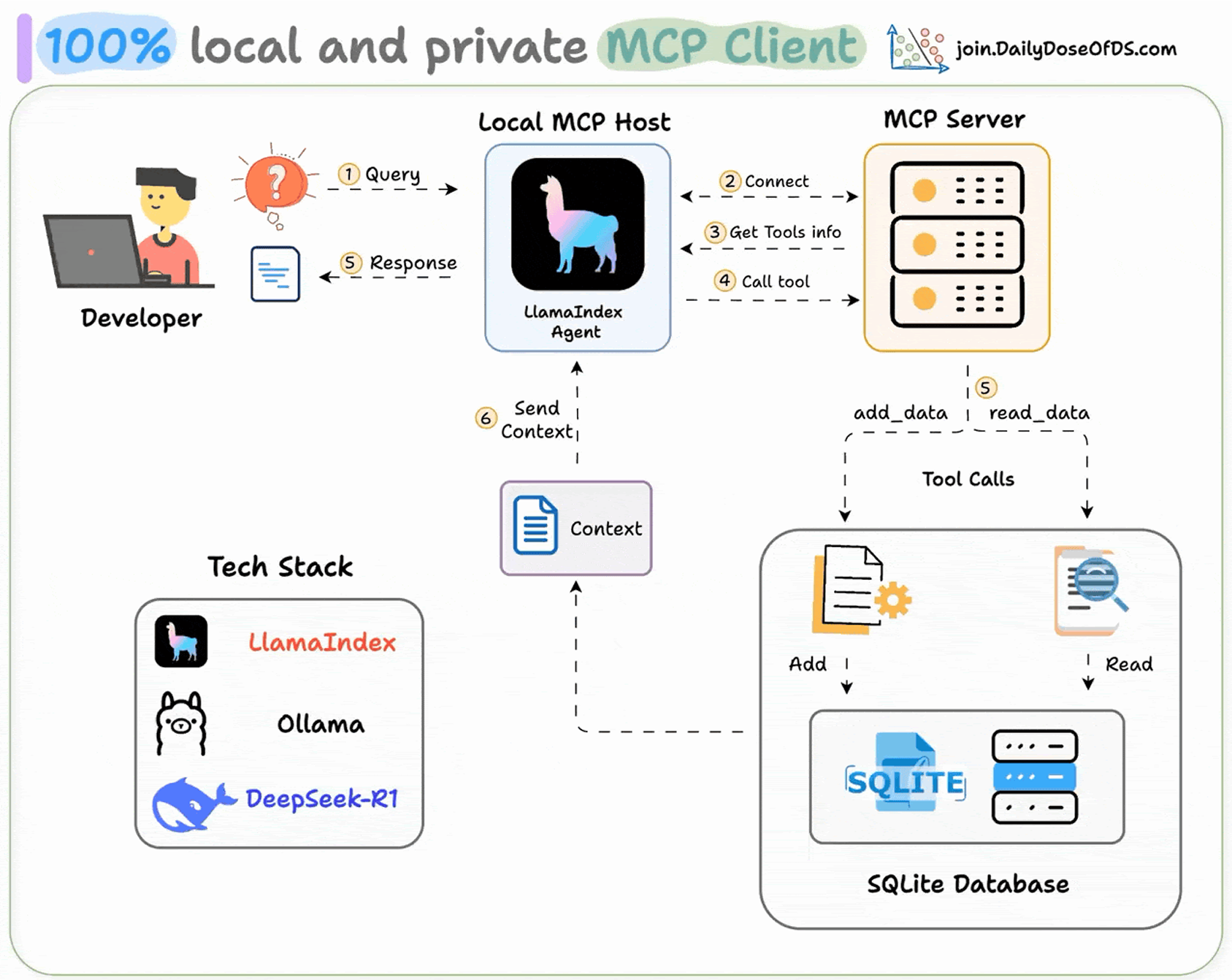
Tech stack:
- Llamaindex to build the MCP-powered Agent
- Ollama to locally serve Deepseek-R1.
- LightningAI for development and hosting
Workflow:
- User submits a query.
- Agent connects to the MCP server to discover tools
- Based on the query, agent invokes the right tool and get context
- Agent returns a context-aware response.
- Build an SQLite MCP Server
- Set Up LLM
- Define system prompt
- Define the Agent
- Define Agent Interaction
- Initialize MCP Client and the Agent
- Run the Agent
MCP-powered Agentic RAG
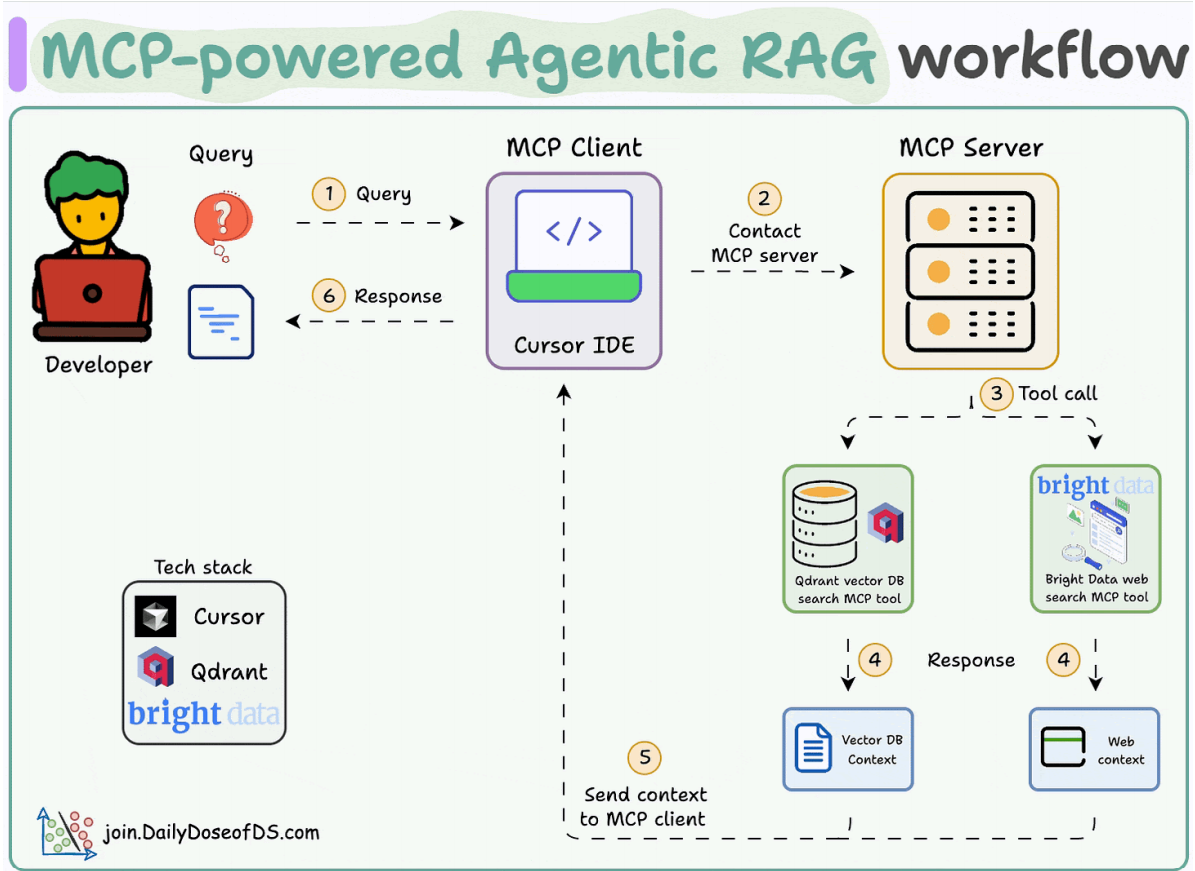
Tech stack:
- Bright Data to scrape the web at scale
- Qdrant as the vector DB.
- Cursor as the MCP client.
Workflow
- The user inputs a query through the MCP client (Cursor).
- The client contacts the MCP server to select a relevant tool.
- The tool output is returned to the client to generate a response
- Launch an MCP server
- Vector DB MCP tool
- Web search MCP tool
- Integrate MCP server with Cursor

有“AI”的1024 = 2048,欢迎大家加入2048 AI社区
更多推荐

 23
23 0
0- 0


 已为社区贡献2条内容

所有评论(0)