照猫画虎:tensorboard、tensorflow版本卸载、安装、显示不出来问题
下载网址:
https://tensorflow.google.cn/install/gpu
参考:照猫画虎啊
https://blog.csdn.net/qq_42535133/article/details/105381980
第一步:查看:
- win+r
- cmd
- pip list == 此时能看到tensorflow、tensorboard
- activate tensorflow
- conda list / pip list == 此时也能看到tensorflow、tensorboard
- pip uninstall tensorflow
(tensorflow)
pip uninstall tensorflow
WARNING: Skipping tensorflow as it is not installed.
第二步:卸载
- win+r
- cmd
- pip uninstall tensorflow
第三步:删除包
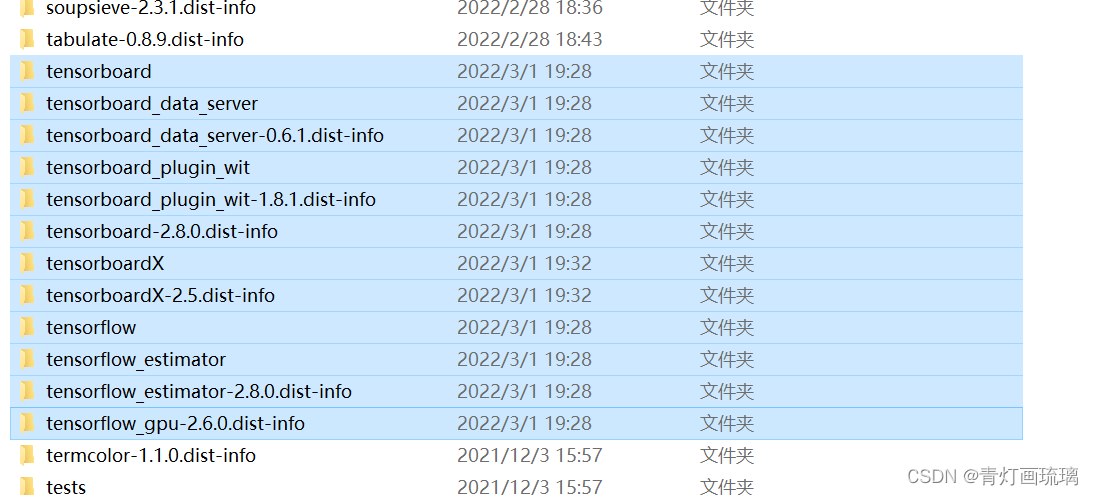
检查
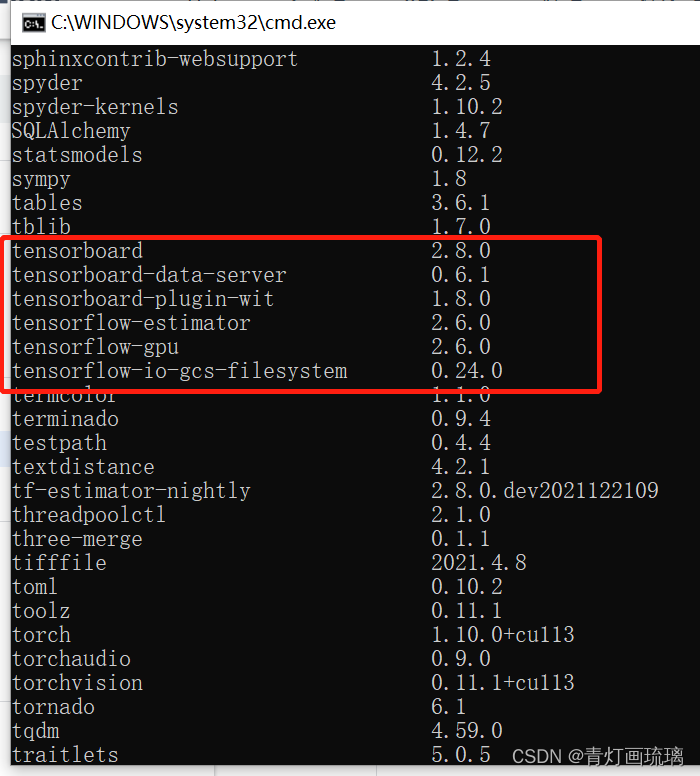
pip list
pip 里面的!依旧还在mmp!不知道为啥?知道了留下言
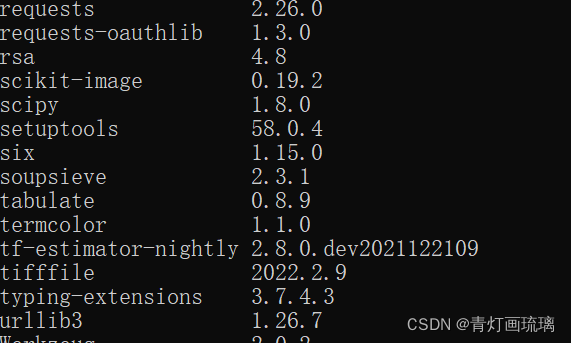
但是,但是,tensorflow里面的不在了。
安装
想安装1打头tensorflow有的
pip install tensorflow-gpu==1.15 # GPU
报错了
ERROR: Could not find a version that satisfies the requirement tensorflow-gpu1.15 (from versions: 2.2.0, 2.2.1, 2.2.2, 2.2.3, 2.3.0, 2.3.1, 2.3.2, 2.3.3, 2.3.4, 2.4.0, 2.4.1, 2.4.2, 2.4.3, 2.4.4, 2.5.0, 2.5.1, 2.5.2, 2.5.3, 2.6.0, 2.6.1, 2.6.2, 2.6.3, 2.7.0rc0, 2.7.0rc1, 2.7.0, 2.7.1, 2.8.0rc0, 2.8.0rc1, 2.8.0)
ERROR: No matching distribution found for tensorflow-gpu1.15
链接在此:
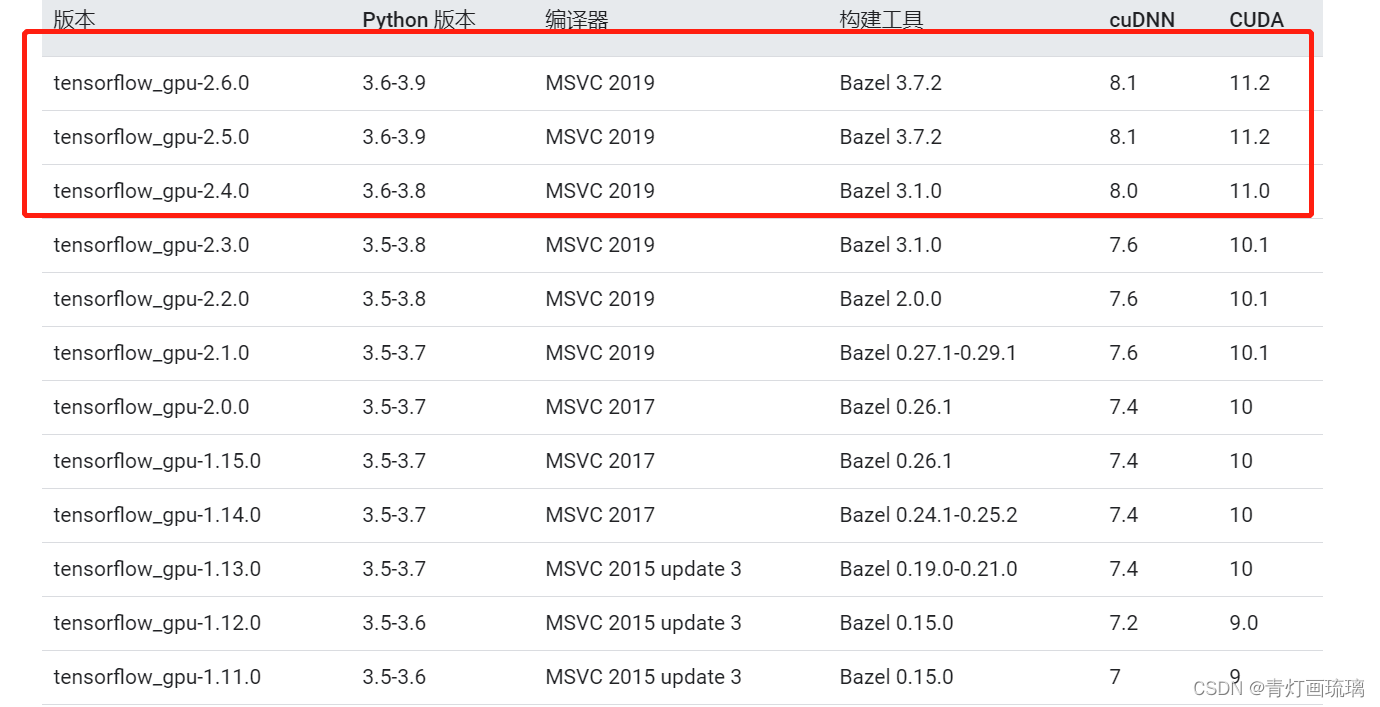
https://tensorflow.google.cn/install/source_windows#gpu
完蛋打击 cuda11的就是2.多的tensorflow版本!!!!MMP

有“AI”的1024 = 2048,欢迎大家加入2048 AI社区
更多推荐

 4
4 0
0- 0


 已为社区贡献2条内容

所有评论(0)