微信公众号单线程内容爬取——案例一
这里用的软件是PyCharm 2025.2.1、第三方库(requests、numpy、beautifulsoup4、python-docx)
# 在终端内一次性安装所有需要的第三方库
pip install numpy requests beautifulsoup4 python-docx -i https://pypi.tuna.tsinghua.edu.cn/simple
1、先关注“python小屋公众号”,并从微信上获取到历史文章的文章页链接。
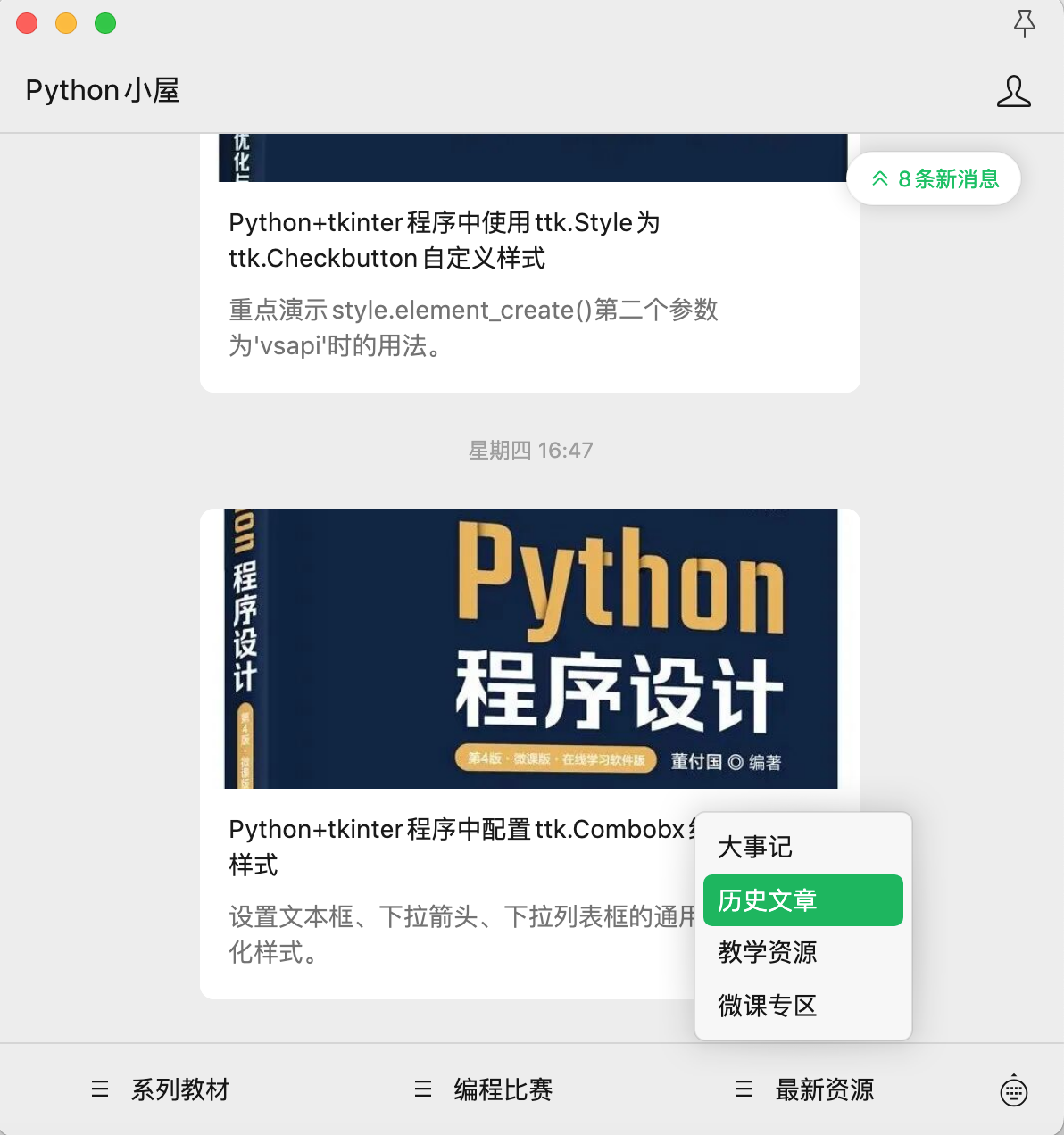
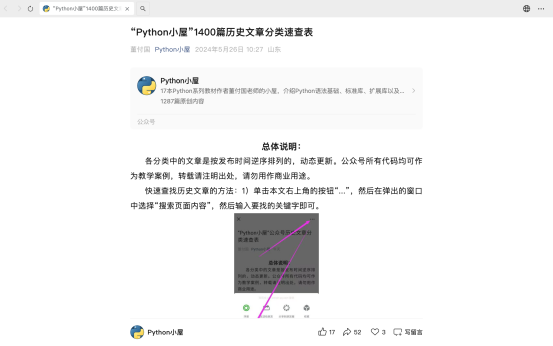
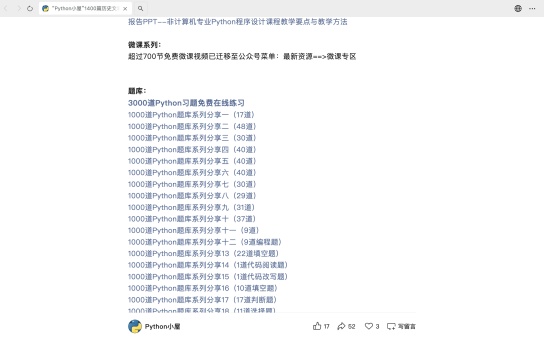
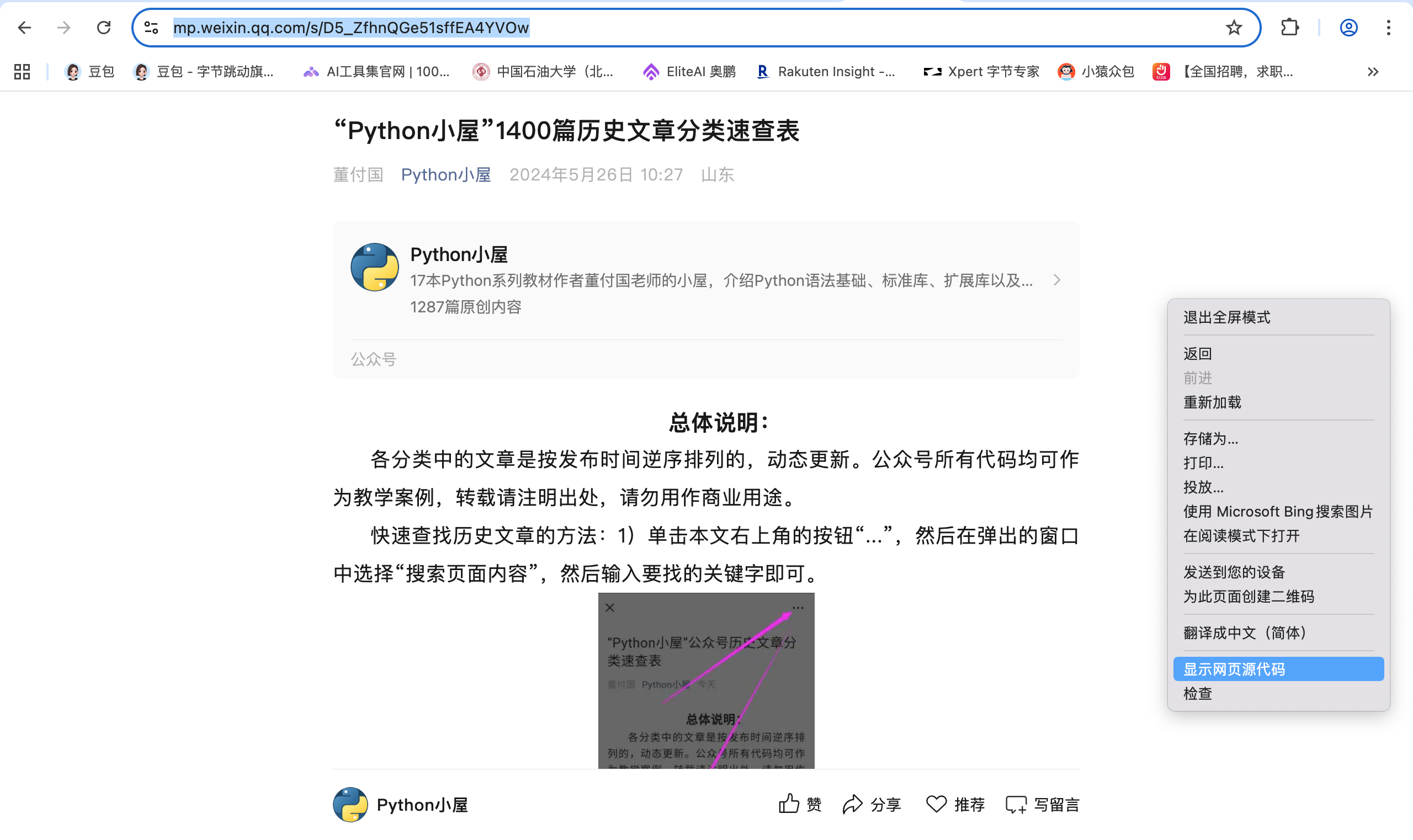
微信右上角三个点里然后复制文章链接到浏览器,我这里用的是Chrome浏览器。粘贴好链接然后进入。https://mp.weixin.qq.com/s/D5_ZfhnQGe51sffEA4YVOw
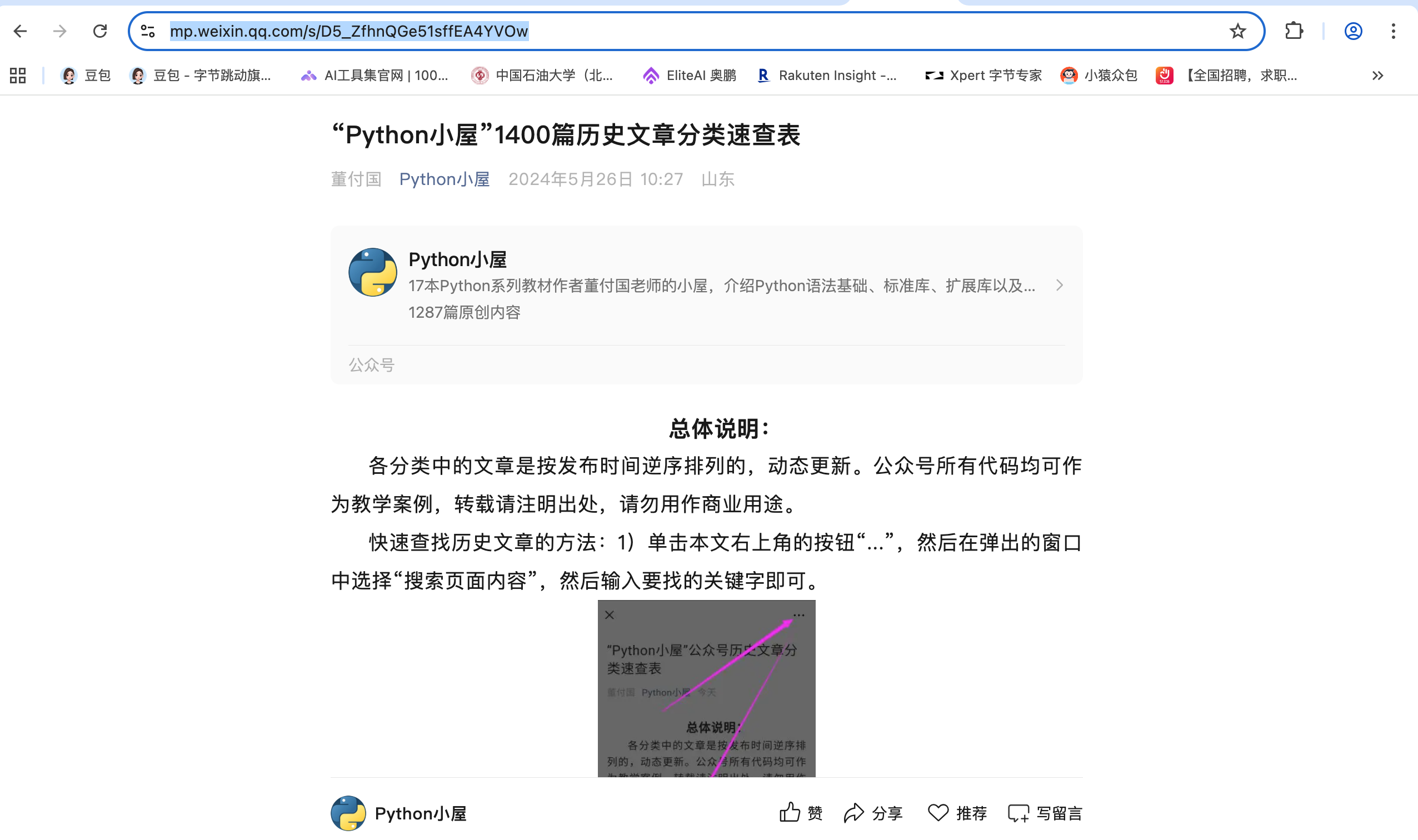
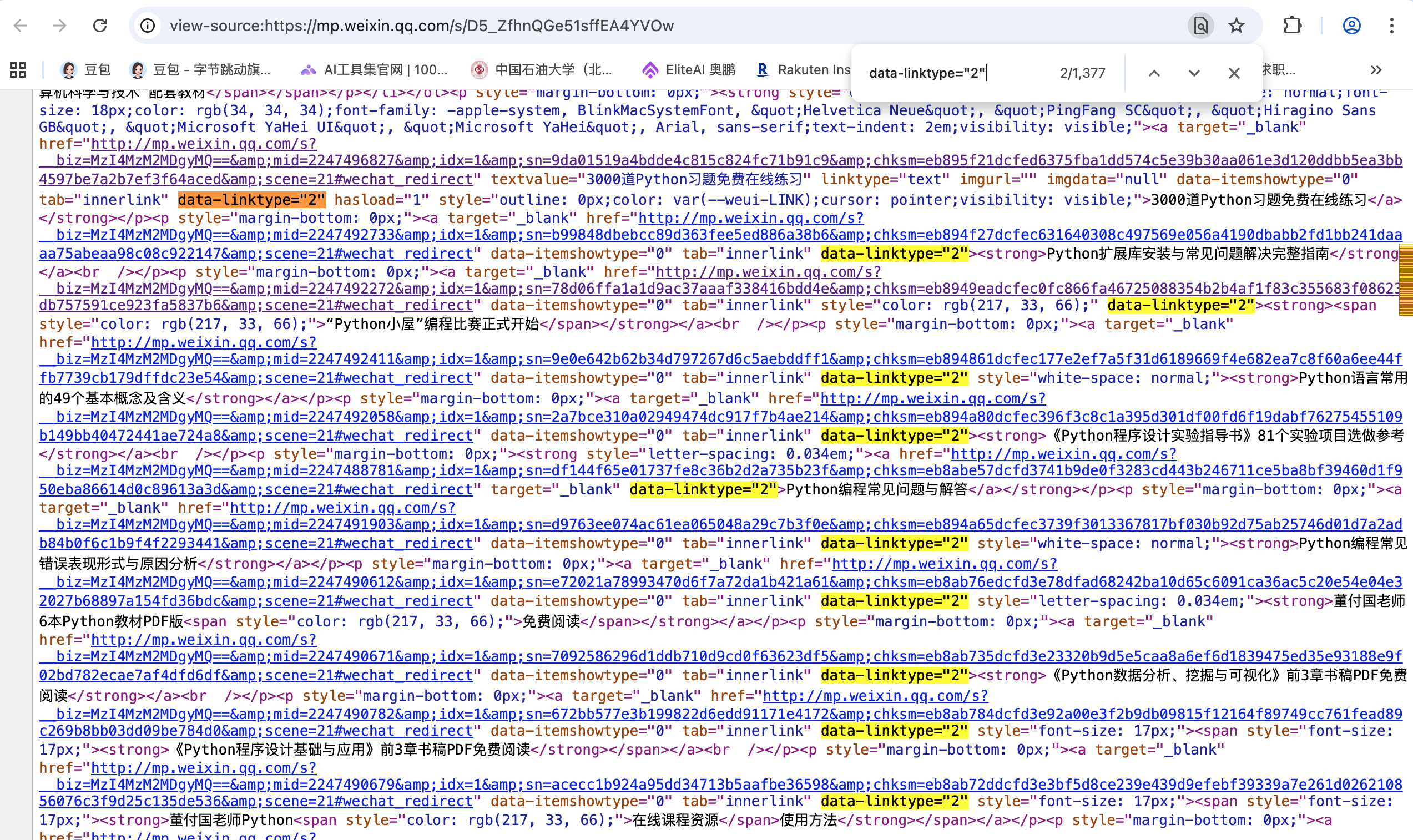
然后鼠标右键,找到显示页面源代码,我们先分析所有历史文章的超链接在源代码的什么位置,这里优先定位超链接部分,通过页面查找快捷键(contral+F/command+F),输入一段正文内容,迅速定位。
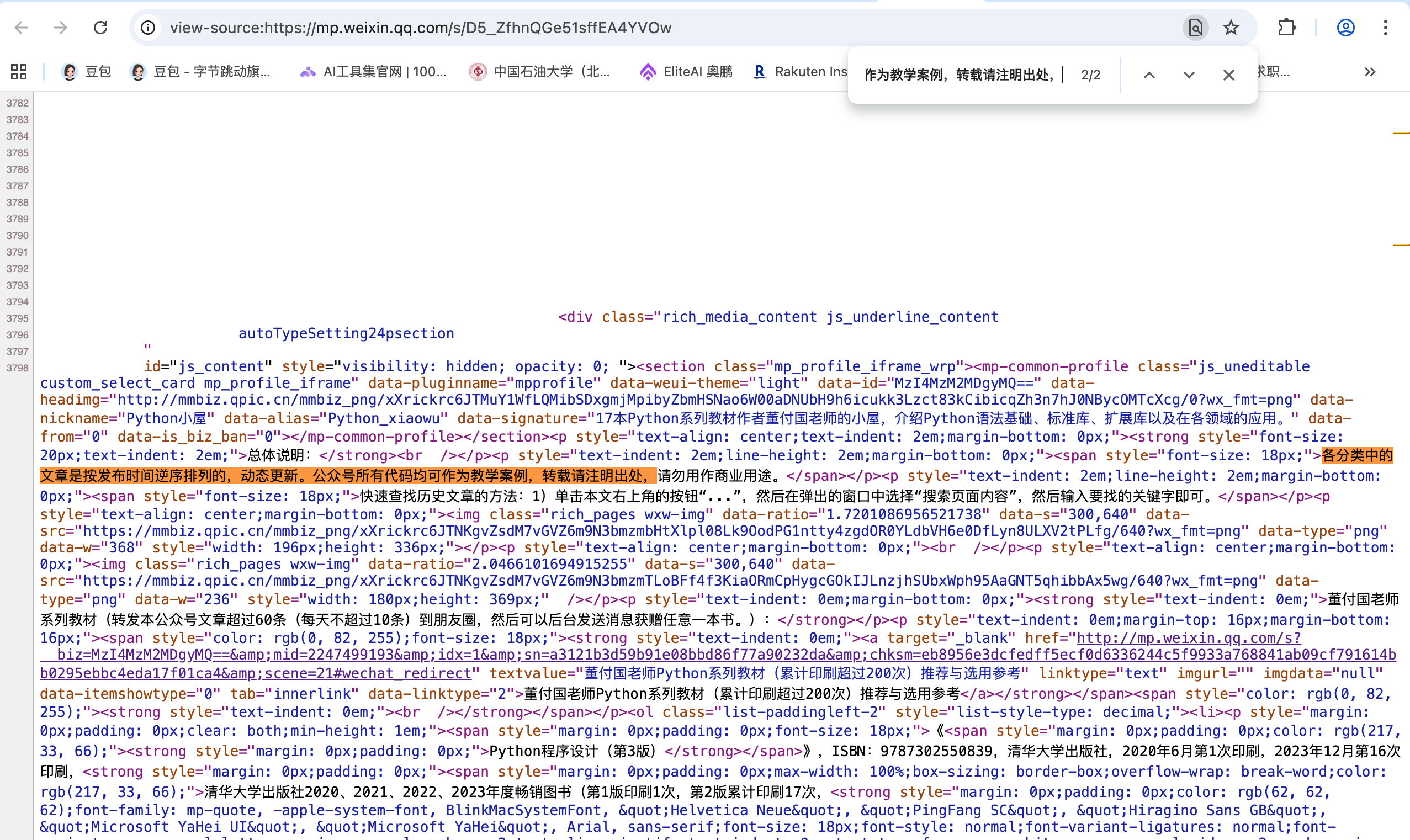
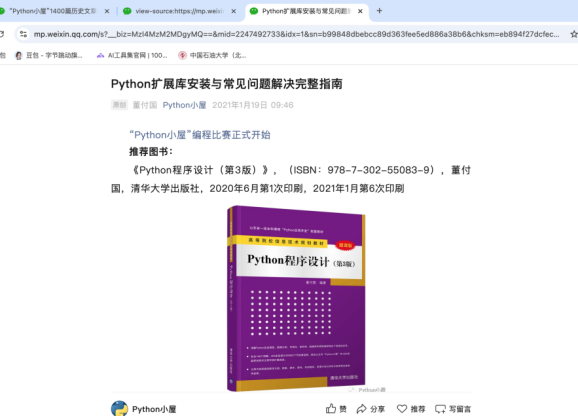
找到超链接部分,我们来分析一下这段代码的构成,这里先从<a>标签范围定位:<a target="_blank" href="http://mp.weixin.qq.com/s?__biz=MzI4MzM2MDgyMQ==&mid=2247492733&idx=1&sn=b99848dbebcc89d363fee5ed886a38b6&chksm=eb894f27dcfec631640308c497569e056a4190dbabb2fd1bb241daaaa75abeaa98c08c922147&scene=21#wechat_redirect" data-itemshowtype="0" tab="innerlink" data-linktype="2"><strong>Python扩展库安装与常见问题解决完整指南</strong></a><br /></p><p style="margin-bottom: 0px;">这里可以发现,herf=“链接”的形式,并且这个链接是可以直接到达目标文章。
这就可以在后面直接用BeautifulSoup来进行提取。然后我们在看文章标题名。同样是被<a>标签所包围,且一个<a>标签包围一段超链接信息。那么我们就得找所有的<a>标签下的文本。这就需要找到<a>的最大的父节点。通过往上寻找,最终找到全局唯一的id与class。id="js_content。并且找到最大的父节点:<div>。
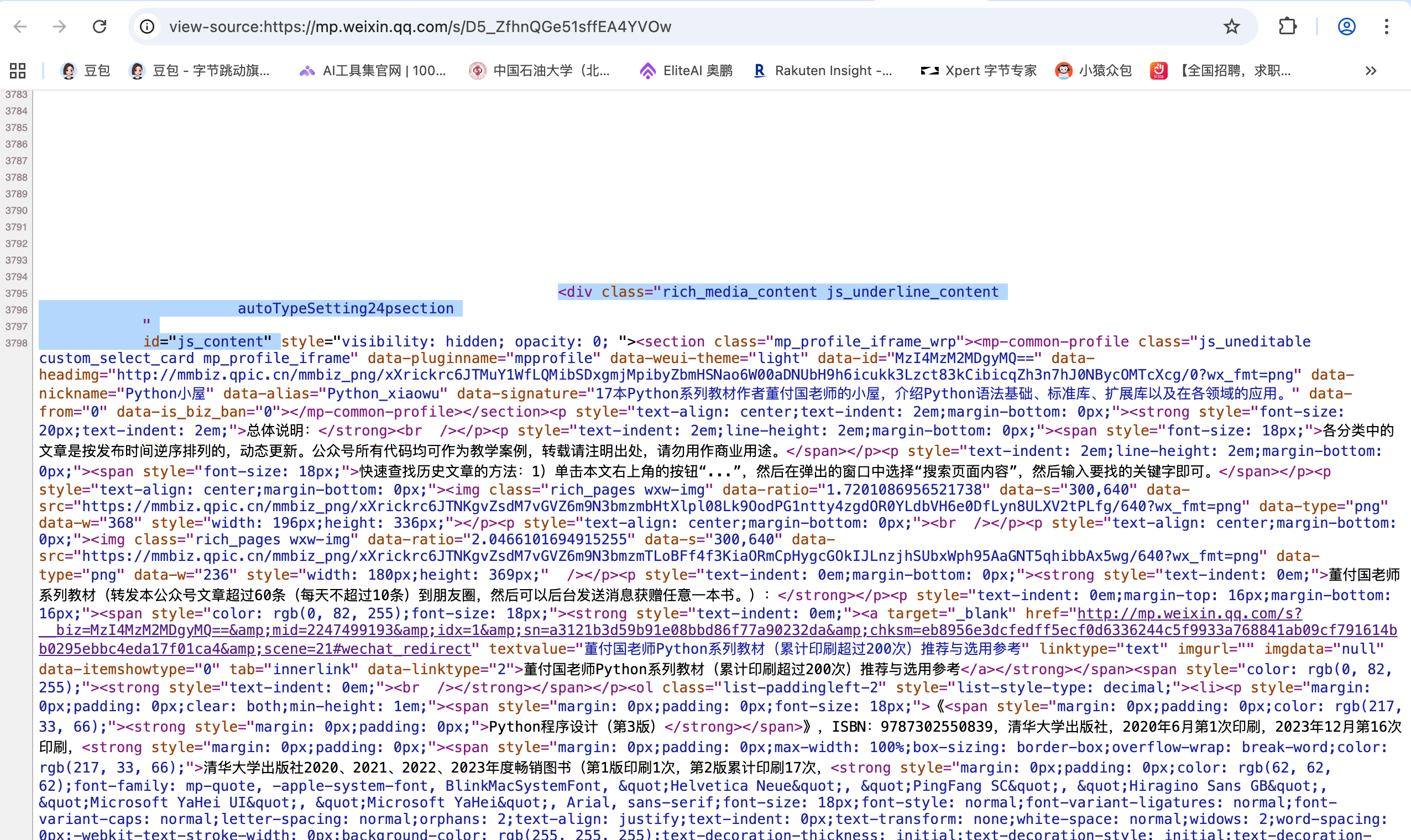
这样我们就可以定位到包含所以文章链接的总板块。我们用BeautifulSoup来提取标签内所有的text与herf。代码为:
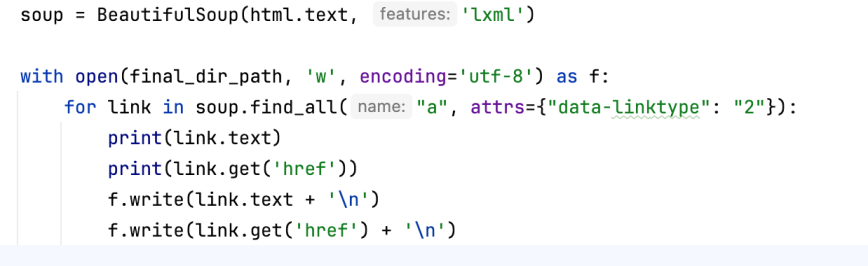
这里soup.find_all("a", attrs={"data-linktype": "2"})中的“"a", attrs={"data-linktype": "2"”也是每一段由<div>包裹的<a>下的固定值,并且是每一个超链接都有的固定字符串,因此可用做索引。
随后用requests.get().text可获取页面源文件,url就是开头提到的python小屋历史文章网页链接,header则是请求头,用于把requests请求伪装成浏览器:
html = requests.get(
    url,
    headers=headers,
    timeout=20,
    verify=False,
    stream=True
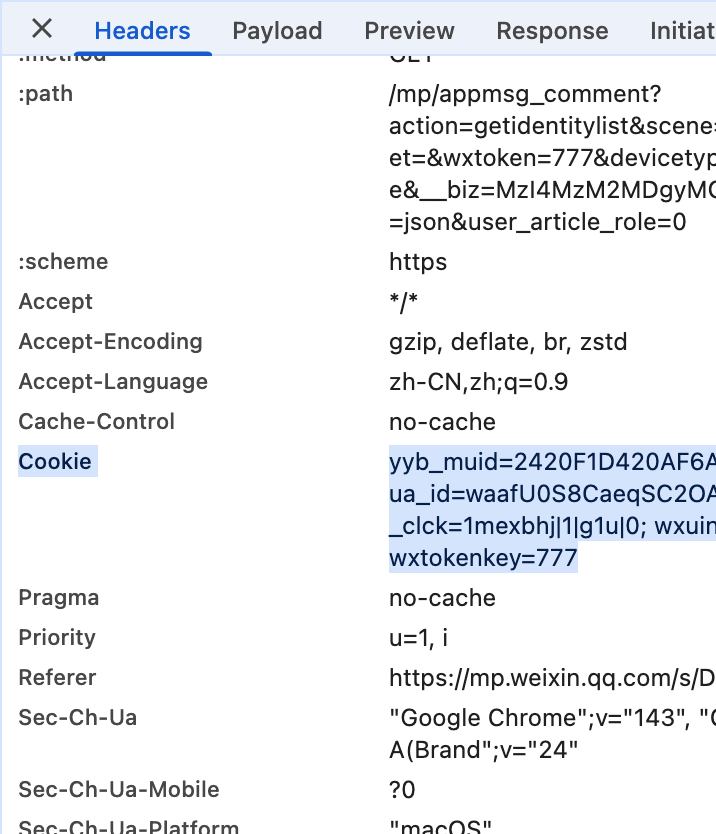
)再看heanders中的参数,最重要的是user-agent与cookie。user-agent则是你发出信号的设备信息,每台设备不一样,这需要自己去查看,代表请求的真实性。cookie则是网页登陆的信息,像微信等大型平台往往需要登陆或关注才能浏览里边的信息,而cookie则是正常登陆状态的信息标记。
headers = {
    "user-agent": "你的user-agen",
    'Referer': 'https://mp.weixin.qq.com/s/D5_ZfhnQGe51sffEA4YVOw',
    "cookie": "你的cookie",
    'Accept': 'text/html,application/xhtml+xml,application/xml;q=0.9,image/webp,*/*;q=0.8',
    'Accept-Encoding': 'gzip, deflate, br, zstd',
    'Accept-Language': 'zh-CN,zh;q=0.9',
    'Connection': 'keep-alive',
    'Cache-Control': 'max-age=0'
}要找到这两个信息,接下来回答历史我文章界面。右键选中“检查”,找到Network,在找到Frtch/XHR刷新网页,找到appmsg开头文件。如果有多个,就看Request Method是否为“GET”,保证是get请求而不是post请求。
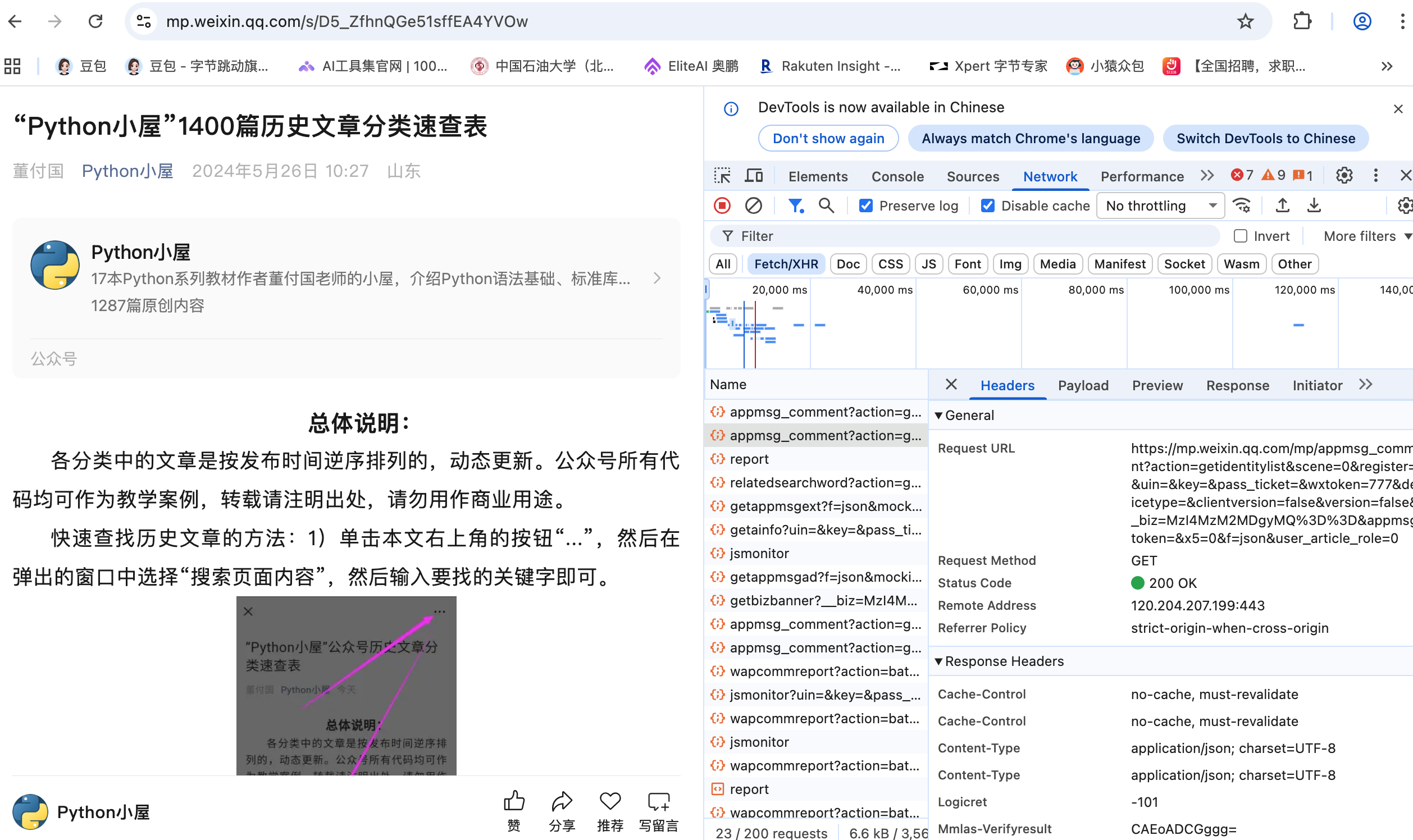
接下来分析,从多个Reqests Headers中找到user-agent与cookie.然后如代码所示填入代码。其中,cookie是会随时间而变化的,可能是一天就变了,这点随时注意。这里设置headers主要目的是为了反爬,保证requests能正常访问网页。
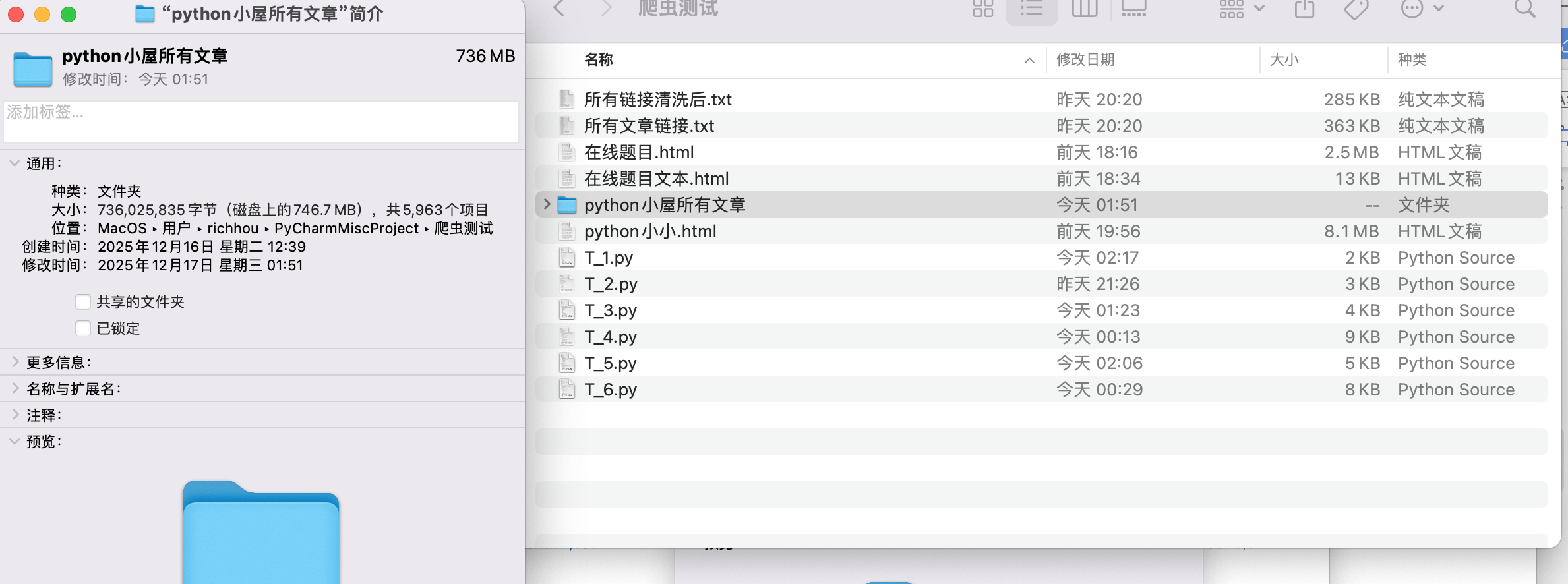
2、获取所有文章“标题+链接”信息后保存到文件夹内,利用os以及循环与文件写入函数,获得“所以文章链接.txt”,可以着手获取其中所有的文章。
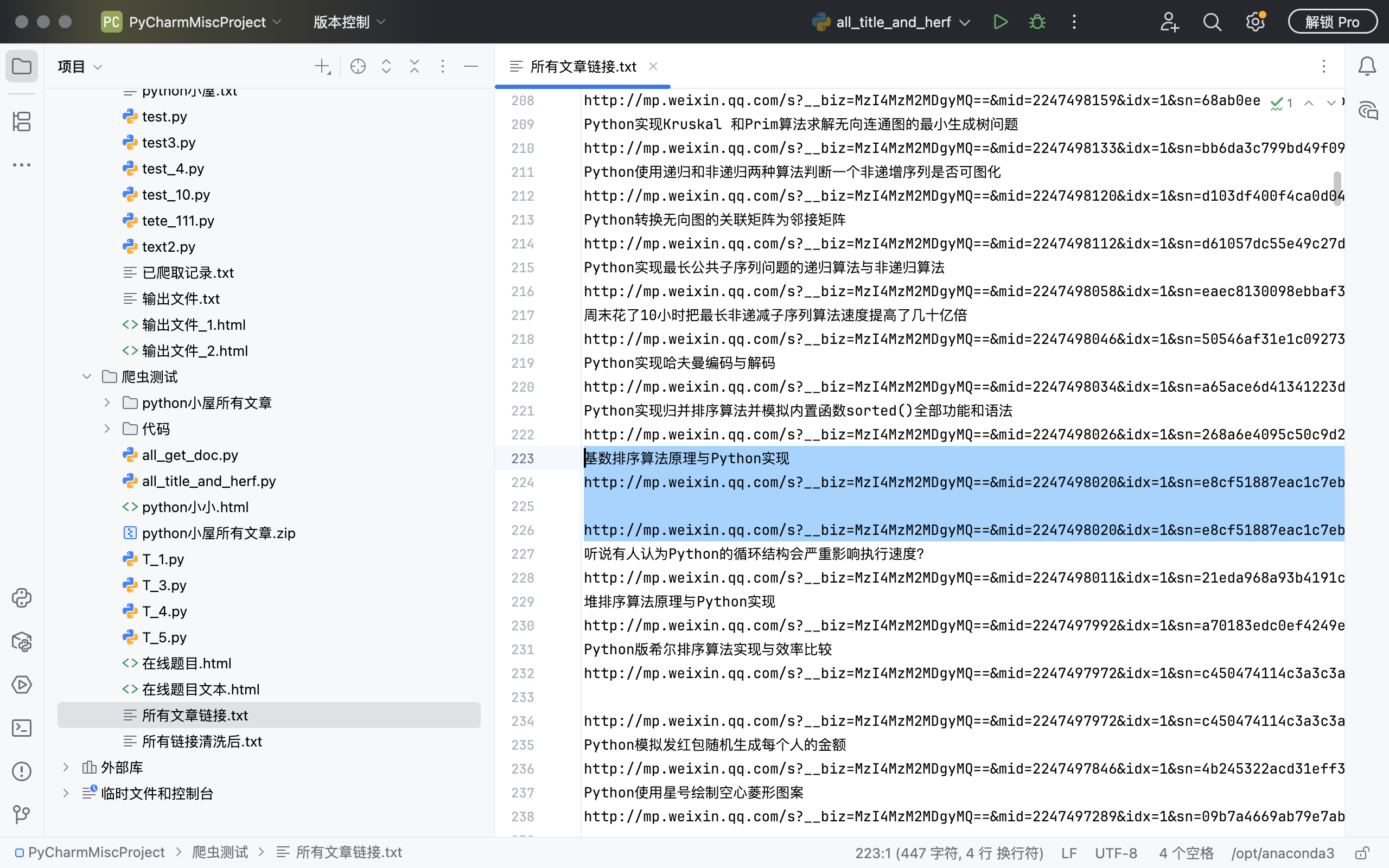
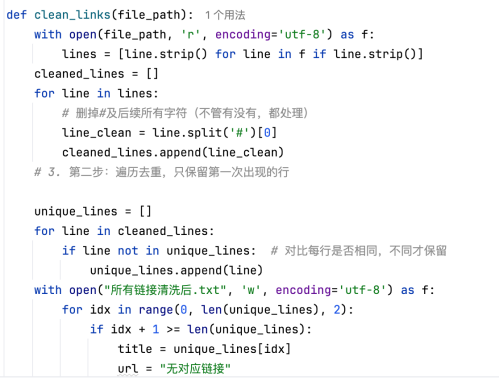
值得注意的是,这里有的链接是重复的,为此还需要进行清洗,清除重复的链接,观察到重复的原因与后缀等有关,借助python列表中的函数以及循环判断语句,完成清洗。清洗完后,保存为“所有链接清洗后。txt”,等待遍历。
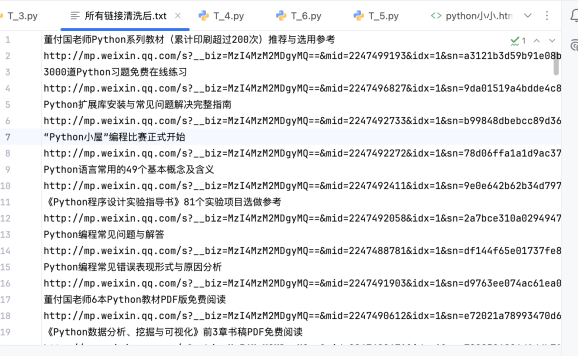
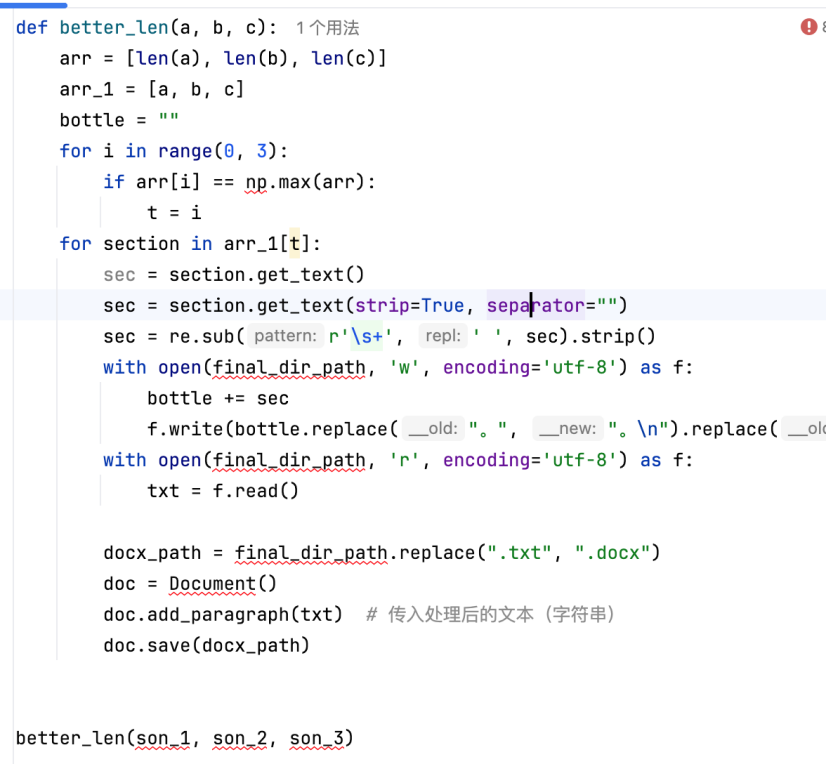
接下来就是分析如何找到正文所在范围。通过在多个源文件中查找,发现在"div", attrs={"class": "rich_media"}中可获得文章正文,这是最大的父板块。进一步找子板块发现,所有文章不会是同一个子板块,但是一共由三个子板块所包。<p>、<span>、<section>,在beautifulsoup中设置三种查找正文的模式,这里设置的我设置的比较粗糙:
son_1 = father.find_all("p")
son_2 = father.find_all("span")
son_3 = father.find_all("section")这三种模式处理出来的文本各不相同,有的用<p>获取,但有的则是用<span>或<section>获取,为此我准备了一个选择判断器,谁获取的文字数最多,就选择哪一种为文字获取器。
由于文章中还有图片,所以还需要获取网页源文件中的图片链接。图片链接主要以img为主,这些图片都需要对应链接下载到本地。

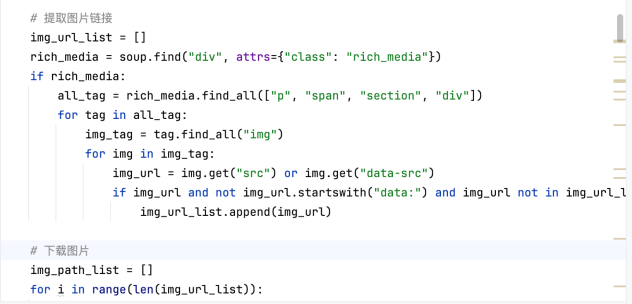
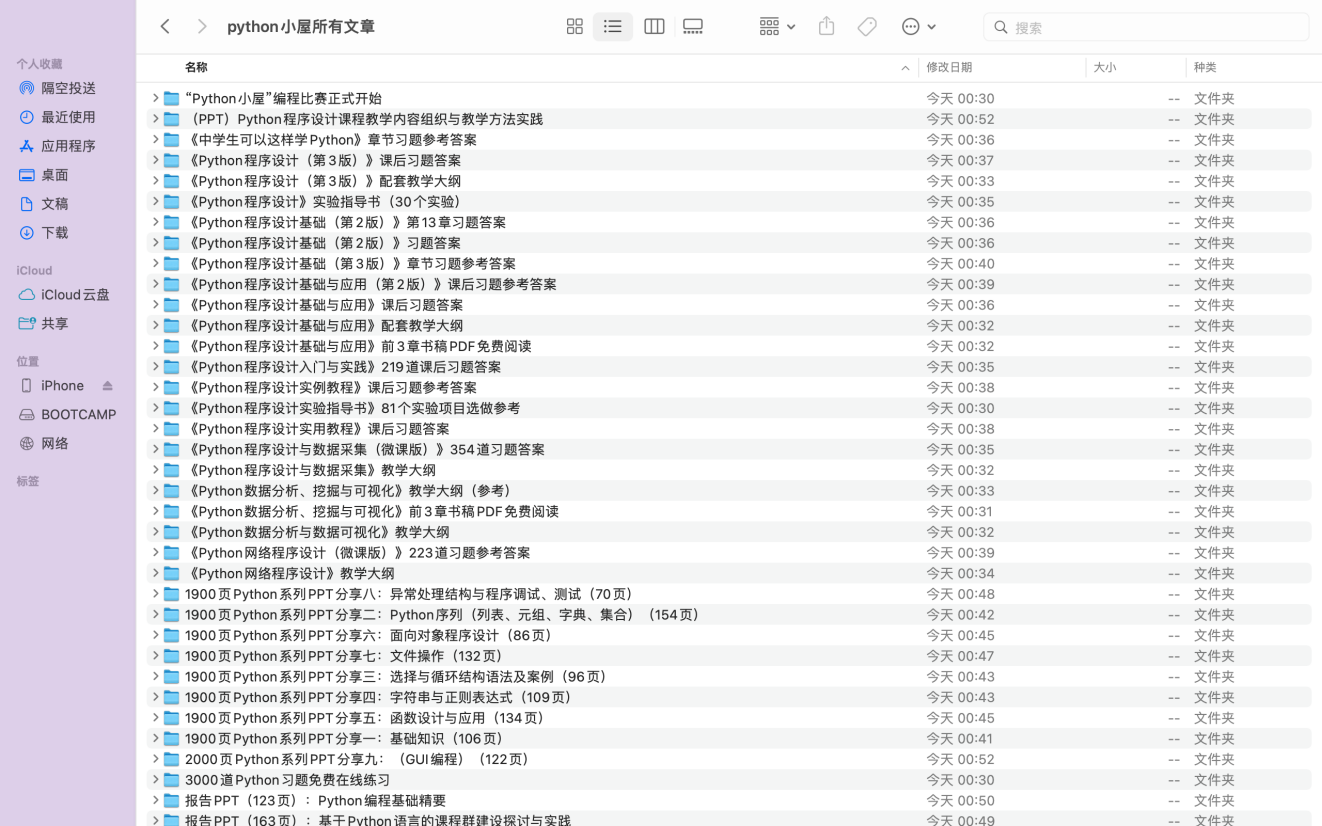
所获取到的图片链接完整且能打开,创建文件夹,文件夹随“所有链接清洗后。txt”里的文章名而建立层层文件。利用os库建立储存文件目录及文件夹。
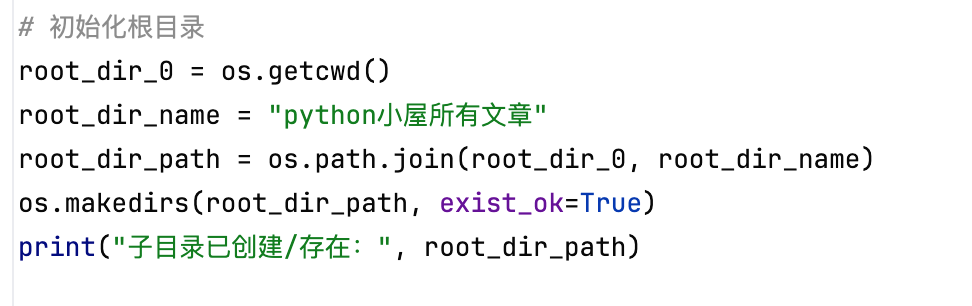
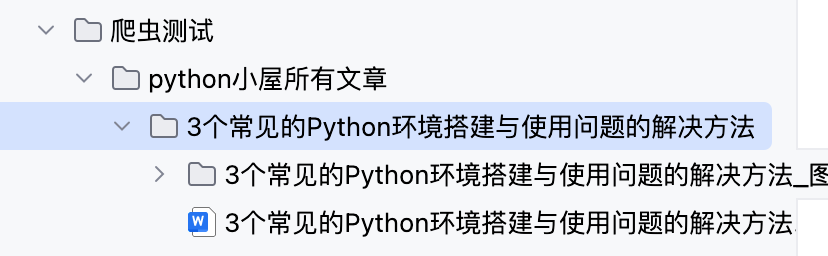
包含了文档文件所在夹及图片缓存夹。文字用doc.add_paragraph()插入文档,图片用doc.add_picture(),从缓存区插入图片到对应文档。


文档顺利提取。
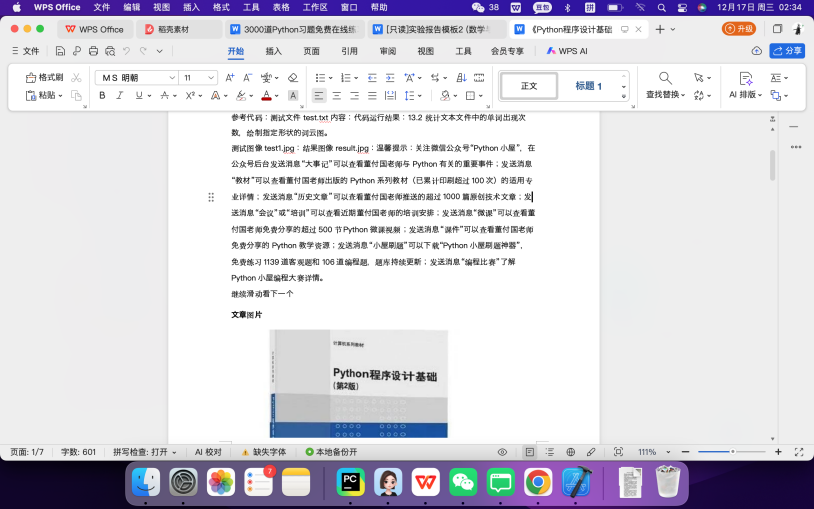
正文提取优化算法:定位div.rich_media正文容器,同时提取<p>、<span>、<section>三类标签文本,通过 numpy 计算文本长度最大值选择最优提取路径;用正则re.sub(r'\s+', ' ', sec)去除多余空格,集合去重避免重复内容,按 “。” 分段换行提升可读性。同时对图片运用图片处理算法:提取 img 标签的 src/data-src 属性获取图片链接,过滤非标准格式(自动转为 jpg),通过 requests 下载至 “文章标题_图片” 文件夹,等待插入word文档。
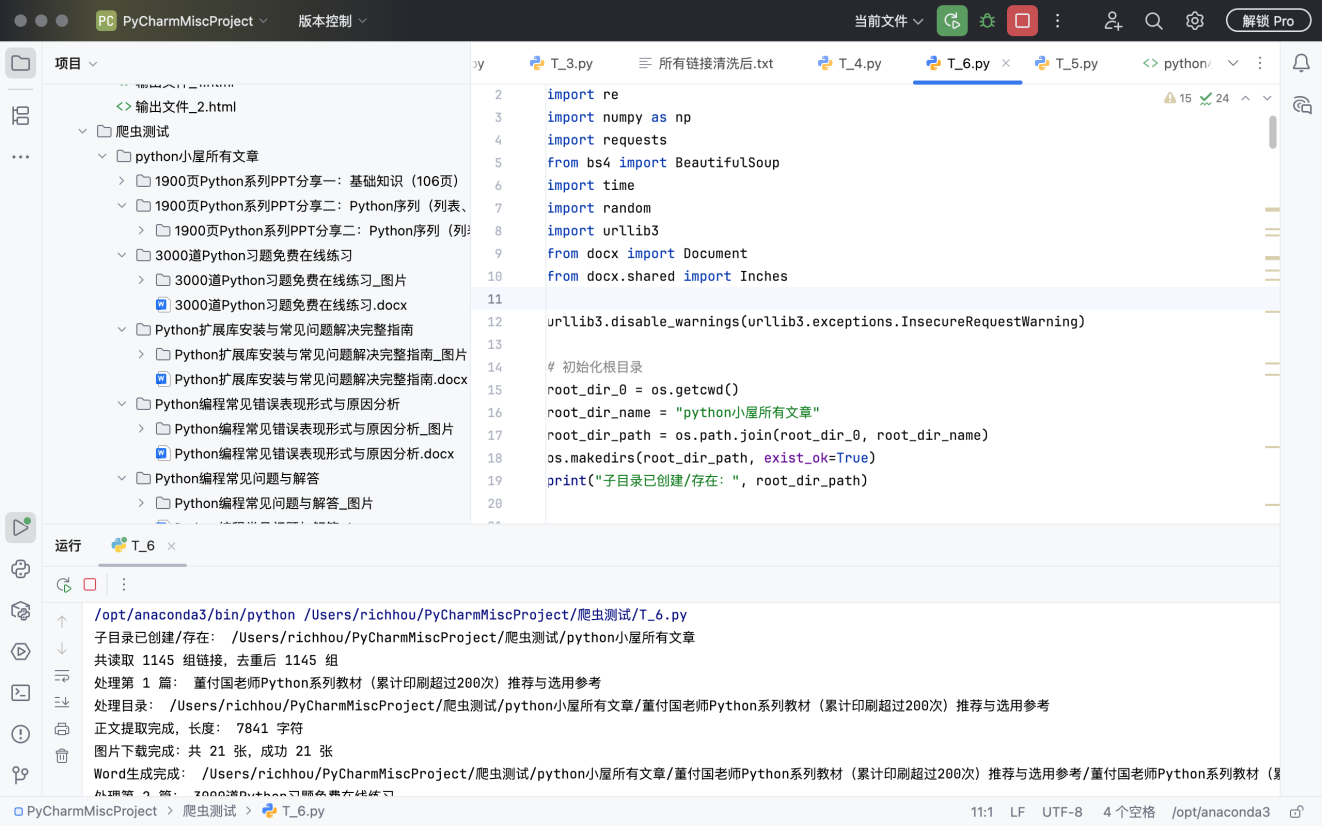
所跑出的文章全部转成word,用的是python里处理docx也就是word格式的库from docx import Document。这个库的作用就是能让python创建word文档,能对文字进行增删查改,调节文字对状态,譬如居中对齐、字体放大等。并且还能插入图片,利用from docx.shared import Inches还能设置图片的尺寸,我这里默认的5英尺。完成后打印信息提示:

这里的文件生成算法用的模块化目录结构设计,通过 os.makedir且进行三级目录的创建(根目录→文章子目录→图片文件夹),适配不同系统分隔符;批量处理时加入time.sleep(random.uniform(0.5, 1))控制爬取频率,提升稳定性,这里根目录读取的是与运行代码在同一层级的目录。
你好
代码一:
运行爬取历史文章标题及链接并清洗的代码
import os
import re
import numpy as np
import requests
from bs4 import BeautifulSoup
import time
import random
import urllib3
import os
from docx import Document
from docx.shared import Inches
import shutil


root_dir_0 = os.getcwd()
root_dir_name = "python小屋所有文章"
root_dir_path = os.path.join(root_dir_0, root_dir_name)
os.makedirs(root_dir_path, exist_ok=True)
print(f"子目录已创建/存在:{root_dir_path}")


url = "https://mp.weixin.qq.com/s/D5_ZfhnQGe51sffEA4YVOw"
def get_h(url,title):
    urllib3.disable_warnings(urllib3.exceptions.InsecureRequestWarning)
    headers = {
        # 核心身份标识
        "user-agent": "你的user-agent",
        'Referer': 'https://mp.weixin.qq.com/s/D5_ZfhnQGe51sffEA4YVOw',
        "cookie": "你的cookie",
        # 告诉服务器接收HTML格式
        'Accept': 'text/html,application/xhtml+xml,application/xml;q=0.9,image/webp,*/*;q=0.8',
        # 接收压缩格式(requests会自动解压)
        'Accept-Encoding': 'gzip, deflate, br, zstd',
        # 中文语言
        'Accept-Language': 'zh-CN,zh;q=0.9',
        # 保持连接
        'Connection': 'keep-alive',
        # 模拟浏览器缓存策略
        'Cache-Control': 'max-age=0'
    }
    html = requests.get(
        url,
        headers=headers,
        timeout=20,
        verify=False,
        stream=True
    )
    html.raw.decode_content = True
    time.sleep(2)


    def word_path(title):
        name = f"{title}"
        title = f"{title}.txt"
        # 拼接「当前目录 + 子目录」的完整路径(自动适配系统分隔符)
        first_dir_path = os.path.join(root_dir_path,name)
        os.makedirs(first_dir_path, exist_ok=True)
        final_dir_path = os.path.join(first_dir_path, title)

        print(f"子目录已创建/存在:{final_dir_path}")
        soup = BeautifulSoup(html.text, 'lxml')

        with open(final_dir_path, 'w', encoding='utf-8') as f:
            for link in soup.find_all("a", attrs={"data-linktype": "2"}):
                print(link.text)
                print(link.get('href'))
                f.write(link.text + '\n')
                f.write(link.get('href') + '\n')

    word_path(f"{title}")


def clean_links(file_path):
    with open(file_path, 'r', encoding='utf-8') as f:
        lines = [line.strip() for line in f if line.strip()]
    cleaned_lines = []
    for line in lines:
        # 删掉#及后续所有字符(不管有没有,都处理)
        line_clean = line.split('#')[0]
        cleaned_lines.append(line_clean)
    # 3. 第二步:遍历去重,只保留第一次出现的行

    unique_lines = []
    for line in cleaned_lines:
        if line not in unique_lines:  # 对比每行是否相同,不同才保留
            unique_lines.append(line)
    with open("所有链接清洗后.txt", 'w', encoding='utf-8') as f:
        for idx in range(0, len(unique_lines), 2):
            if idx + 1 >= len(unique_lines):
                title = unique_lines[idx]
                url = "无对应链接"
            else:
                title = unique_lines[idx]
                url = unique_lines[idx + 1]
            f.write(title + '\n')
            f.write(url + '\n')

    return unique_lines


if __name__ == "__main__":
    get_h(url,"所有文章链接")
    source_file = os.path.join(root_dir_path, "所有文章链接", "所有文章链接.txt")
    target_dir = root_dir_0
    # 3. 检查源文件是否存在(避免复制失败)
    if os.path.exists(source_file):
        # 复制文件到根目录(保留元数据,推荐)
        shutil.copy2(source_file, target_dir)
        print(f"文件已复制到根目录:{os.path.join(target_dir, os.path.basename(source_file))}")
    else:
        print(f"源文件不存在:{source_file}")

    clean_links(source_file)
代码二:遍历清洗后的所有标题与链接,并爬取文章内容
包括文字与图片代码
import os
import re
import numpy as np
import requests
from bs4 import BeautifulSoup
import time
import random
import urllib3
from docx import Document
from docx.shared import Inches

urllib3.disable_warnings(urllib3.exceptions.InsecureRequestWarning)

# 初始化根目录
root_dir_0 = os.getcwd()
root_dir_name = "python小屋所有文章"
root_dir_path = os.path.join(root_dir_0, root_dir_name)
os.makedirs(root_dir_path, exist_ok=True)
print("子目录已创建/存在:", root_dir_path)


# 图片下载函数
def down_img(soup, article_dir, article_title):
    headers = {
        "user-agent": "你的user-agent",
        'Referer': 'https://mp.weixin.qq.com/s/D5_ZfhnQGe51sffEA4YVOw',
        "cookie": "你的cookie",
        'Accept': 'text/html,application/xhtml+xml,application/xml;q=0.9,image/webp,*/*;q=0.8',
        'Accept-Encoding': 'gzip, deflate, br, zstd',
        'Accept-Language': 'zh-CN,zh;q=0.9',
        'Connection': 'keep-alive',
        'Cache-Control': 'max-age=0'
    }
    # 处理标题特殊字符
    title_clean = re.sub(r'[\\/:*?"<>|]', '_', article_title)
    img_dir = os.path.join(article_dir, title_clean + "_图片")
    os.makedirs(img_dir, exist_ok=True)

    # 提取图片链接
    img_url_list = []
    rich_media = soup.find("div", attrs={"class": "rich_media"})
    if rich_media:
        all_tag = rich_media.find_all(["p", "span", "section", "div"])
        for tag in all_tag:
            img_tag = tag.find_all("img")
            for img in img_tag:
                img_url = img.get("src") or img.get("data-src")
                if img_url and not img_url.startswith("data:") and img_url not in img_url_list:
                    img_url_list.append(img_url)

    # 下载图片
    img_path_list = []
    for i in range(len(img_url_list)):
        idx = i + 1
        img_url = img_url_list[i]
        try:
            resp = requests.get(img_url, headers=headers, timeout=10, verify=False)
            resp.raise_for_status()
            img_suffix = img_url.split(".")[-1].split("?")[0]
            if img_suffix not in ["jpg", "png", "gif", "jpeg"]:
                img_suffix = "jpg"
            img_name = title_clean + "_图片" + str(idx) + "." + img_suffix
            img_path = os.path.join(img_dir, img_name)
            with open(img_path, 'wb') as f:
                f.write(resp.content)
            img_path_list.append(img_path)
        except:
            continue
    print("图片下载完成:共", len(img_url_list), "张,成功", len(img_path_list), "张")
    return img_path_list


# 图片插入Word函数
def add_img_to_doc(doc, img_list):
    if not img_list:
        print("无可用图片,跳过插入")
        return
    doc.add_paragraph("文章图片").runs[0].bold = True
    for i in range(len(img_list)):
        idx = i + 1
        img_path = img_list[i]
        if os.path.exists(img_path):
            try:
                doc.add_picture(img_path, width=Inches(5))
                doc.add_paragraph("")
            except:
                continue


# 正文提取核心函数
def get_h(title, url):
    # 处理标题特殊字符
    title_clean = re.sub(r'[\\/:*?"<>|]', '_', title)
    headers = {
        "user-agent": "Mozilla/5.0 (Macintosh; Intel Mac OS X 10_15_7) AppleWebKit/537.36 (KHTML, like Gecko) Chrome/142.0.0.0 Safari/537.36",
        'Referer': 'https://mp.weixin.qq.com/s/D5_ZfhnQGe51sffEA4YVOw',
        "cookie": "yyb_muid=2420F1D420AF6AC813D1E7A421EC6B35; poc_sid=HO2dOmmj5KwzTZT0qw4IdhEYapezWFoeeUGOi7_Y; ua_id=waafU0S8CaeqSC2OAAAAAIg_Ni1qzZ6AhnkR6viTigU=; _clck=1mexbhj|1|g1u|0; wxuin=65704866967272; rewardsn=; wxtokenkey=777",
        'Accept': 'text/html,application/xhtml+xml,application/xml;q=0.9,image/webp,*/*;q=0.8',
        'Accept-Encoding': 'gzip, deflate, br, zstd',
        'Accept-Language': 'zh-CN,zh;q=0.9',
        'Connection': 'keep-alive',
        'Cache-Control': 'max-age=0'
    }

    try:
        response = requests.get(url, headers=headers, timeout=20, verify=False)
        html_source = response.text
    except:
        print("请求失败:", url)
        return

    soup = BeautifulSoup(html_source, "lxml")
    father = soup.find("div", attrs={"class": "rich_media"})
    if not father:
        print("无正文容器:", title_clean)
        return

    son_1 = father.find_all("p")
    son_2 = father.find_all("span")
    son_3 = father.find_all("section")


    def word_path():
        # 路径拼接
        first_dir_path = os.path.join(root_dir_path, title_clean)
        os.makedirs(first_dir_path, exist_ok=True)
        print("处理目录:", first_dir_path)


        def better_len(a, b, c):
            # 展开循环
            arr = [len(a), len(b), len(c)]
            arr_1 = [a, b, c]
            bottle = ""
            t = 0
            for i in range(0, 3):
                if arr[i] == np.max(arr):
                    t = i
            # 提取正文
            text_set = set()
            for section in arr_1[t]:
                sec = section.get_text()
                sec = section.get_text(strip=True, separator="")
                sec = re.sub(r'\s+', ' ', sec).strip()
                if sec and sec not in text_set:
                    text_set.add(sec)
                    bottle += sec
            # 文本处理(按你的逻辑)
            bottle = bottle.replace("。", "。\n").replace("董付国Python小屋", "")
            print("正文提取完成,长度:", len(bottle), "字符")
            return bottle

        # 提取正文
        content = better_len(son_1, son_2, son_3)

        # 生成Word
        docx_path = os.path.join(first_dir_path, title_clean + ".docx")
        doc = Document()
        doc.add_paragraph(content)

        # 下载并插入图片
        img_list = down_img(soup, first_dir_path, title_clean)
        add_img_to_doc(doc, img_list)

        # 保存Word
        doc.save(docx_path)
        print("Word生成完成:", docx_path)

    word_path()


if __name__ == "__main__":
    # 检查文件是否存在(简单异常)
    link_file = "所有链接清洗后.txt"
    if not os.path.exists(link_file):
        print("错误:找不到", link_file, "文件!")
        exit(1)

    # 读取链接
    list = []
    with open(link_file, 'r', encoding='utf-8') as f:
        f_read = f.read
        for i in f_read().splitlines():
            list.append(i)

    # 链接去重
    processed_url = []
    link_list = []
    for i in range(0, len(list), 2):
        if i + 1 >= len(list):
            continue
        title = list[i]
        url = list[i + 1]
        if url == "无对应链接":
            continue
        if url not in processed_url:
            processed_url.append(url)
            link_list.append([title, url])

    print("共读取", len(list) // 2, "组链接,去重后", len(link_list), "组")

    # 遍历处理
    for i in range(len(link_list)):
        idx = i + 1
        title = link_list[i][0]
        url = link_list[i][1]
        print("处理第", idx, "篇:", title)
        try:
            get_h(title, url)
            time.sleep(random.uniform(0.5, 1))
        except:
            print("处理失败:", title)
            continue

    print("所有文章处理完成!")
这个方法是单线程,下载的比较慢,文档的话排版这一块儿还可以继续精进,这需要更加了解前端的知识以及docx库的运用。整体来说还能更加精进。
注意:文件储存地是代码所在文件夹中。还有注意自己的“user-agent”与“cookie”。

有“AI”的1024 = 2048,欢迎大家加入2048 AI社区
更多推荐


 1
1 0
0- 0


 已为社区贡献1条内容

所有评论(0)