ADS基板控件MSUB无法放置解决办法
·
版本:ADS2023 Update1
在仿真匹配网络的时候,发现放置MSUB控件时,有error提示,如下图所示:

ERROR: Error placing component "ads_tlines:MSUB:symbol"
Library "MW8P9040N_lib" has layout layers defined, but the units and resolution are not defined. Please use the Technology Dialog to complete the layout technology before creating a layout or substrate.
解决方法:
先关闭该原理图,回到工程目录下,

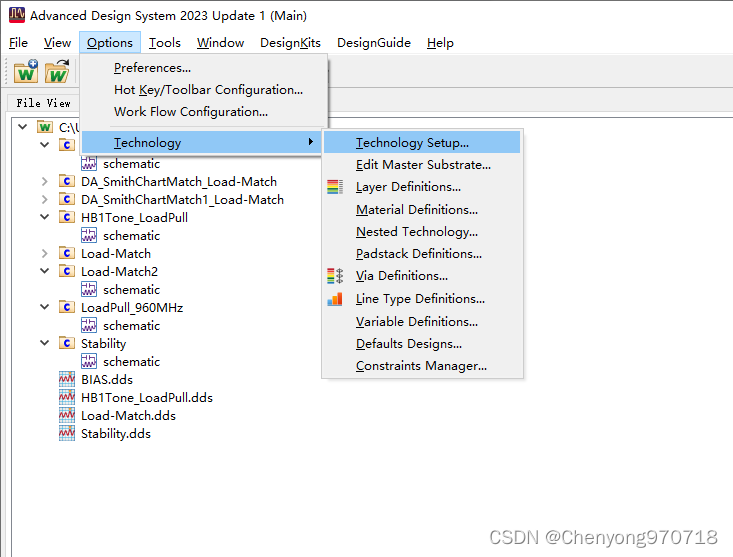
菜单栏中选择Option——Technology——Technology Setup,
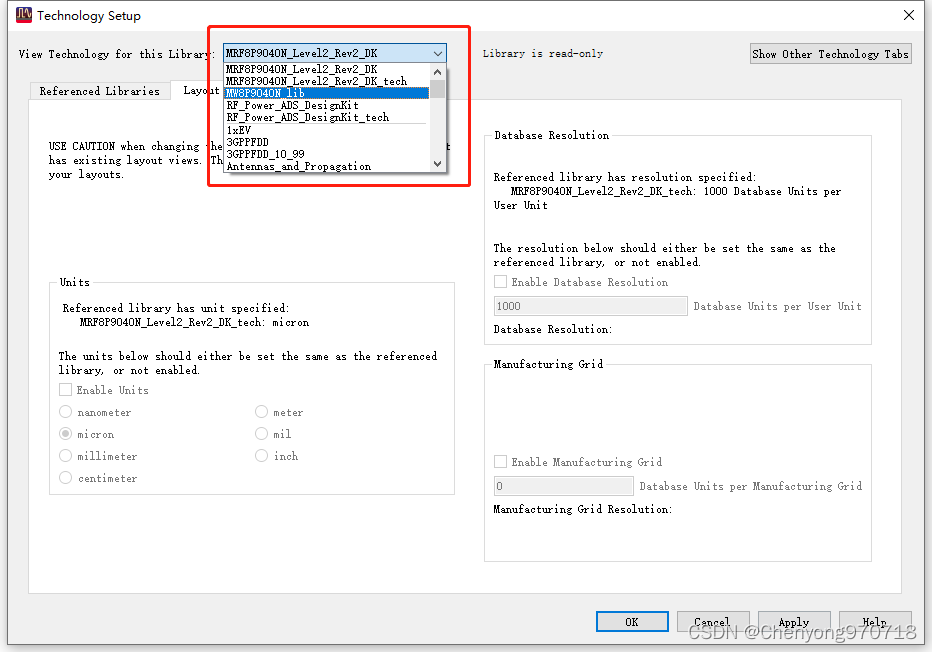
进入后,下拉菜单中,找到你的工程名
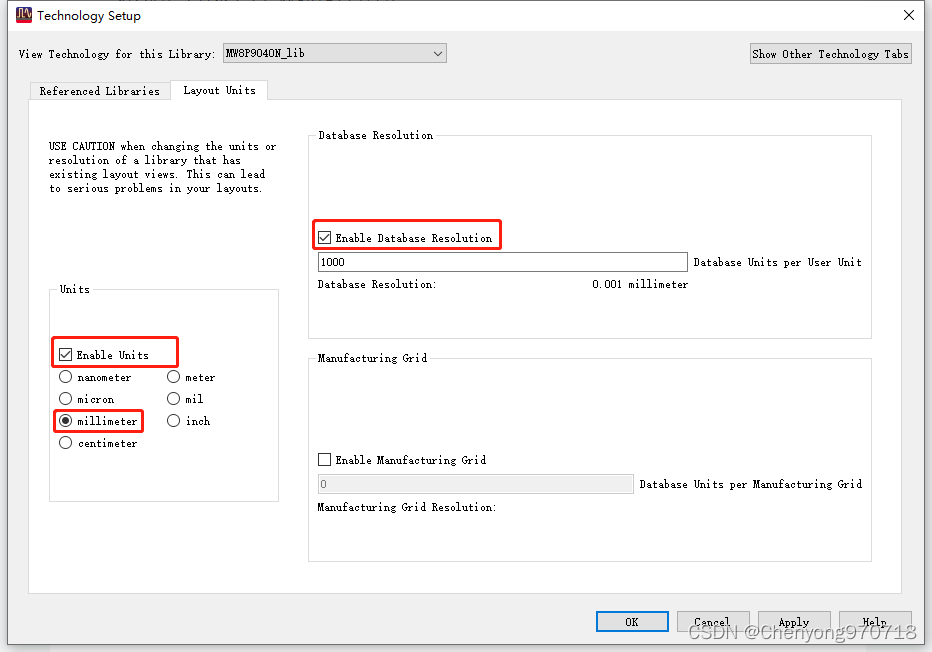
选中他,将Units和Resolution打勾,并勾选你想要的单位,点击OK
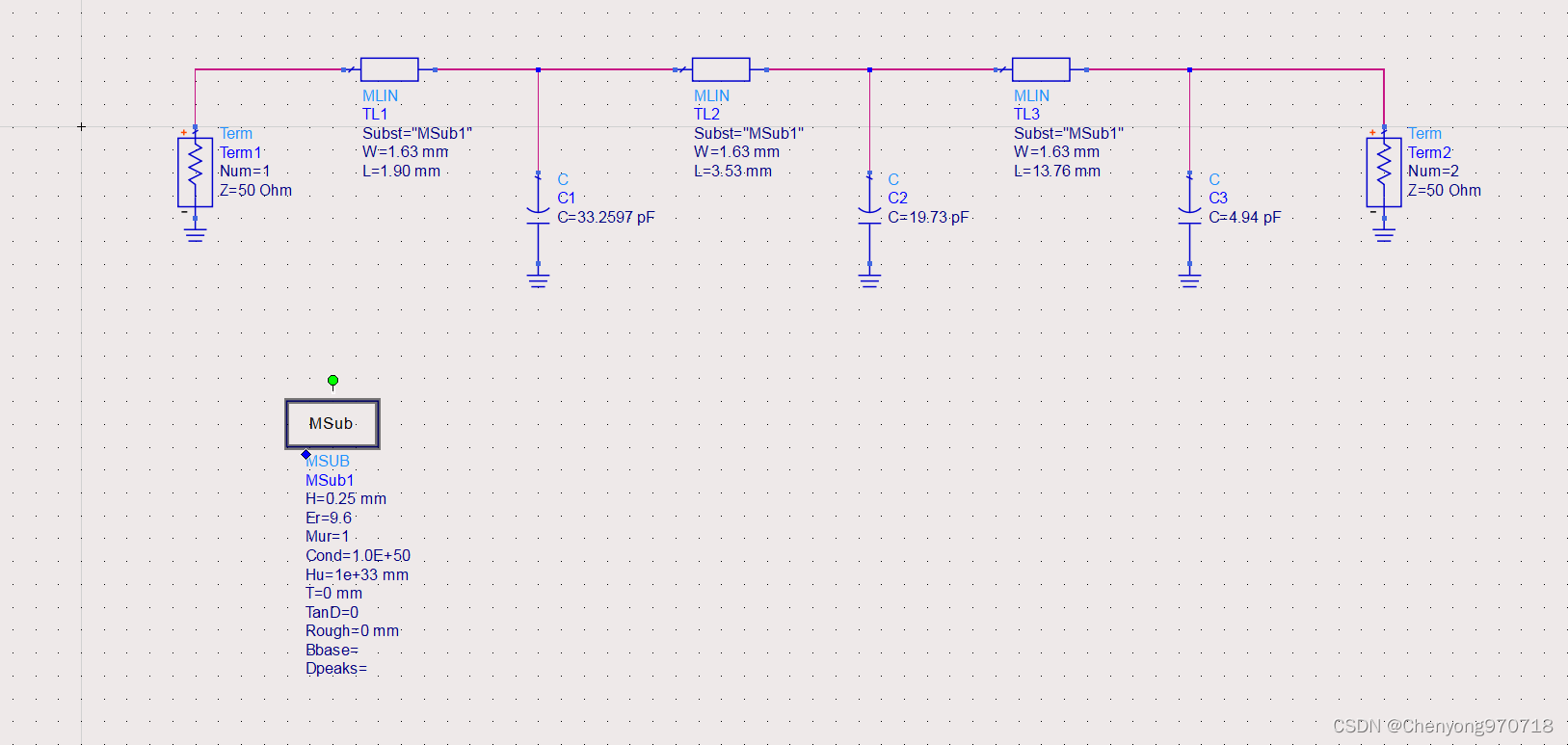
回到原理图中,放置MSUB

有“AI”的1024 = 2048,欢迎大家加入2048 AI社区
更多推荐

 33
33 0
0- 0


 已为社区贡献1条内容

所有评论(0)