亲测-.解决ADS导 allegro BRD文件错误【The cadence allegro “extracta“ utility was not found】
解决ADS 导入allegro BRD文件错误,【The cadence allegro "extracta" utility was not found. Cadence Allegro PCBDesigner must be installed to import a *.brd file.】
·
解决ADS 导入allegro BRD文件错误,【The cadence allegro “extracta” utility was not found. Cadence Allegro PCB Designer must be installed to import a *.brd file.】
Allegro 版本17.2
其实问题是ADS找不到allegro 路径下的extracta.exe执行程序
首先找到allegro路径下的extracta.exe,我的是在如下路径
C:\cadence_SPB_install_path\Cadence\Cadence_SPB_17.2-2016\tools\bin\extracta.exe
然后将该路径添加到系统环境变量里面,如下图所示两个地方
CDSROOT变量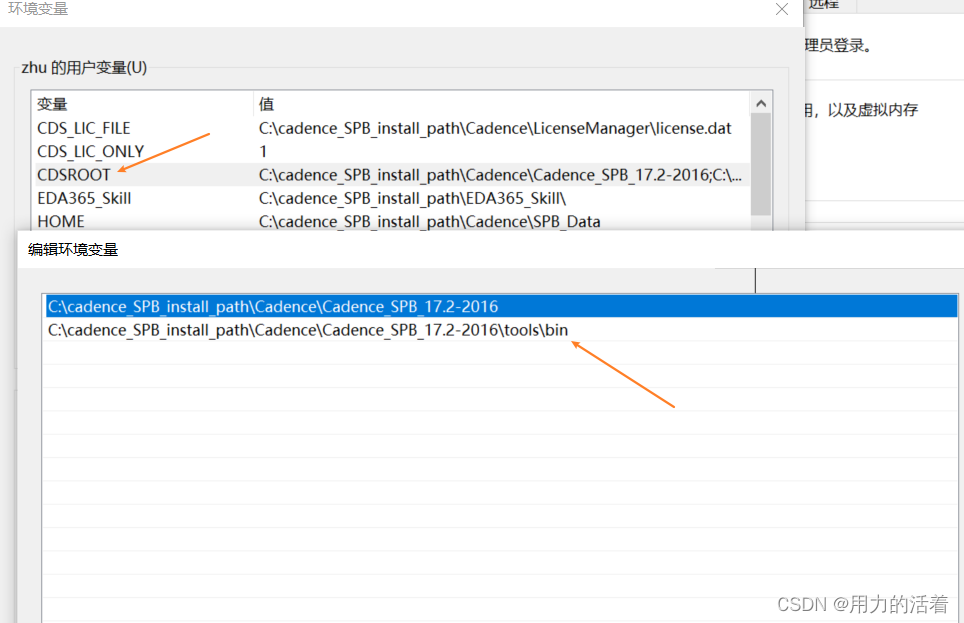
path变量有3个路径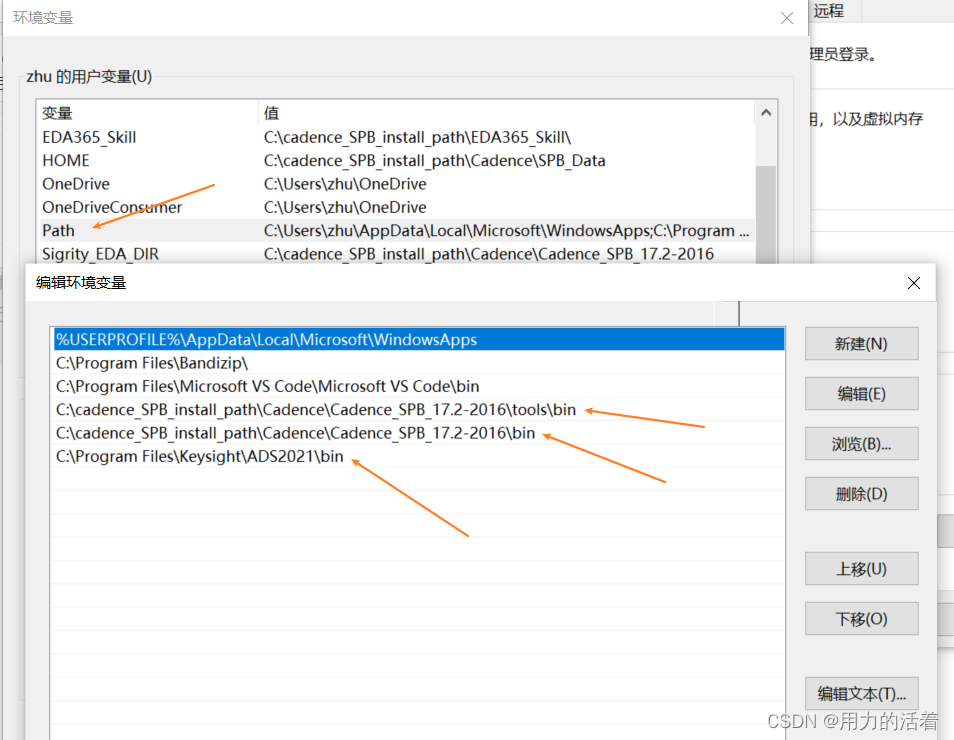
重启ADS就可以成功导入pcb文件到ADS里面了

有“AI”的1024 = 2048,欢迎大家加入2048 AI社区
更多推荐


 9
9 0
0- 0


 已为社区贡献2条内容

所有评论(0)