VSCode警告Import “numpy“ could not be resolved 处理方案
·
可能原因一:编译环境没有选好
解决方案:
Ctrl + Shift + P
找到python 解释器
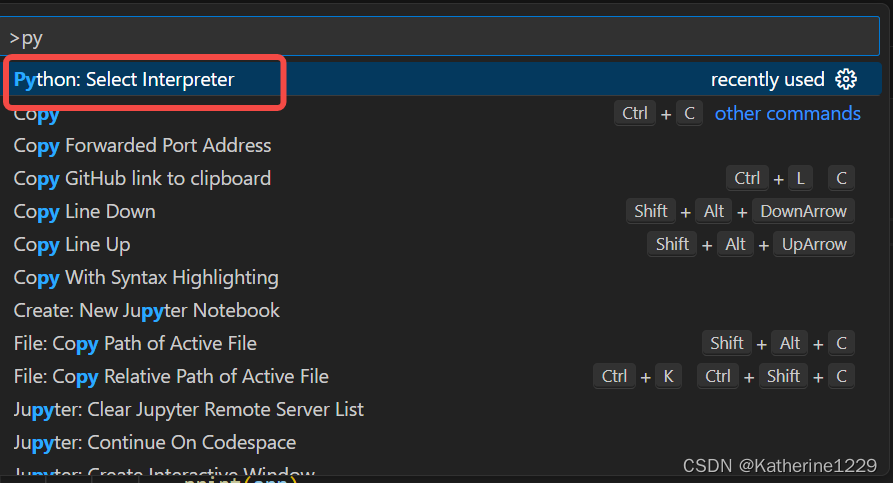
选择合适的解释器
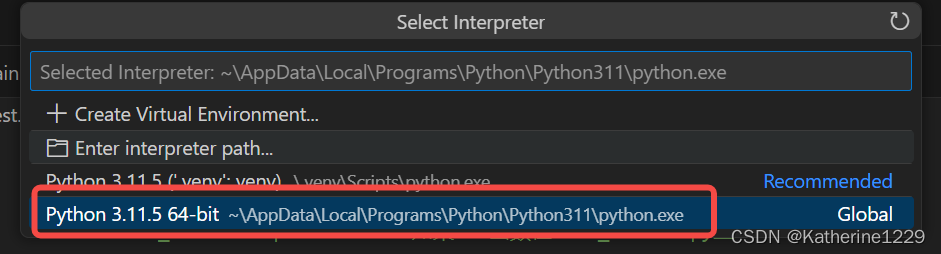
右下角看结果

可能原因二:未安装对应的包
解决方案
在Terminal中,进入python安装的路径,然后执行安装包的命令
1、找到python 安装路径,输入“cmd”找到终端
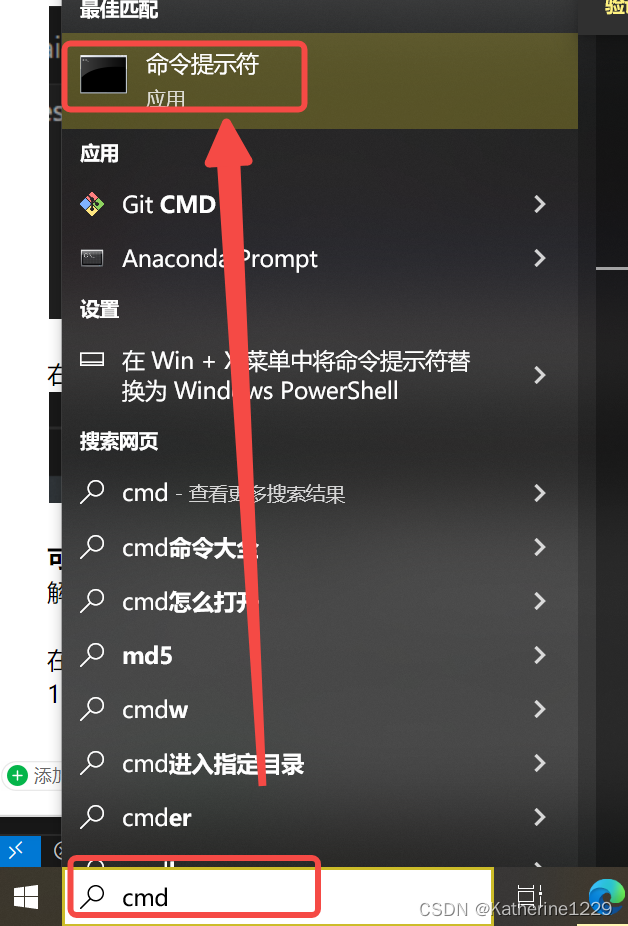
终端输入 “where python”
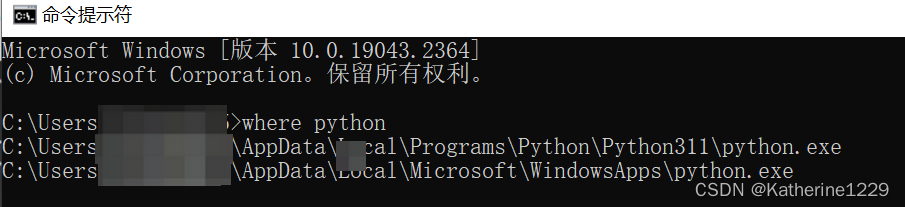
2、Terminal中切换到python安装路径,使用命令“cd XXXX”
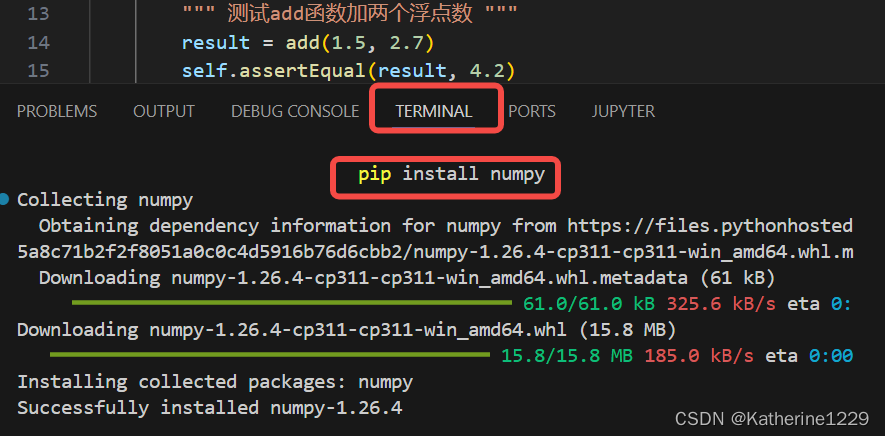
3、执行安装命令 pip install numpy
PS:其他包安装命令
pip install pandas
pip install opencv-python

有“AI”的1024 = 2048,欢迎大家加入2048 AI社区
更多推荐
 7
7 0
0- 0


 已为社区贡献3条内容

所有评论(0)