Hermes Agent WSL2 安装完整指南
日期:2026-07-09 系统:Windows 10 Home China (19045) 最终状态:✅ 成功运行,接入 DeepSeek API
一、WSL2 修复
1.1 问题现象
启动 WSL 时报错:
当前计算机配置不支持 WSL2。
请启用"虚拟机平台"可选组件,并确保在 BIOS 中启用虚拟化。
错误代码: Wsl/Service/CreateInstance/CreateVm/HCS/HCS_E_HYPERV_NOT_INSTALLED
1.2 排查过程
步骤1:确认 WSL 已安装,版本正常:
wsl --version
输出:WSL 版本 2.3.24.0,内核版本 5.15.153.1-2
步骤2:检查"虚拟机平台"组件:
Get-WindowsOptionalFeature -Online -FeatureName VirtualMachinePlatform | Select FeatureName, State
→ 状态为 Enabled,正常
步骤3:检查 Hypervisor 是否运行:
Get-ComputerInfo -Property HyperVisorPresent
→ HyperVisorPresent 为 False ← 根本原因
硬件条件全部满足(四个 HyperVRequirement 均为 True),但 Hyper-V 虚拟机监控程序未在系统启动时加载。
1.3 解决方案
以管理员身份执行:
bcdedit /set hypervisorlaunchtype auto
重启电脑后验证:
Get-ComputerInfo -Property HyperVisorPresent
→ 输出 True,WSL2 恢复正常。
⚠️ 注意:如果你使用 VMware / VirtualBox / 安卓模拟器等第三方虚拟化软件,设置
hypervisorlaunchtype auto后它们可能无法同时使用。如需切换回来,执行bcdedit /set hypervisorlaunchtype off(但会同时禁用 WSL2)。
二、Hermes Agent 安装
2.1 环境确认
WSL 中的 Ubuntu 环境:
lsb_release -a
→ Ubuntu 22.04.5 LTS (jammy)
2.2 安装依赖
sudo apt update && sudo apt upgrade -y
sudo apt install -y git curl xz-utils ca-certificates build-essential
2.3 安装 Hermes(遇到问题及解决)
尝试1:官方安装脚本
curl -fsSL https://raw.githubusercontent.com/NousResearch/hermes-agent/main/scripts/install.sh | bash
❌ 失败:curl: (7) Failed to connect to raw.githubusercontent.com port 443 → DNS 污染/GFW 阻断
尝试2:镜像代理
curl -fsSL https://ghfast.top/https://raw.githubusercontent.com/NousResearch/hermes-agent/main/scripts/install.sh | bash
✅ 安装脚本成功启动,但随后 git clone 再次失败
尝试3:git clone 各种方式
| 方式 | 命令 | 结果 |
|---|---|---|
| HTTPS 直连 | git clone https://github.com/NousResearch/hermes-agent.git | ❌ gnutls_handshake() failed |
| 镜像代理 | git clone https://mirror.ghproxy.com/... | ❌ gnutls_handshake() failed |
| 切换 SSL 后端 | git config --global http.sslBackend openssl | ❌ 不支持(仅 gnutls) |
| SSH | git clone git@github.com:... | ❌ 未配置 SSH 密钥 |
| ZIP 下载 | curl -o /tmp/hermes.zip https://github.com/...main.zip | ❌ Connection reset by peer |
最终方案:Windows 下载 + WSL 手动部署
步骤1:在 Windows 浏览器中下载 ZIP 包
https://github.com/NousResearch/hermes-agent/archive/refs/heads/main.zip
下载到 C:\Users\30106\Downloads\hermes-agent-main.zip
步骤2:复制到 WSL 并解压
cp /mnt/c/Users/30106/Downloads/hermes-agent-main.zip /tmp/hermes.zip
sudo apt install -y unzip
unzip /tmp/hermes.zip -d /home/your_username/.hermes/
mv /home/your_username/.hermes/hermes-agent-main /home/your_username/.hermes/hermes-agent
步骤3:初始化为 git 仓库(安装脚本要求)
cd /home/your_username/.hermes/hermes-agent
git config --global user.email "your_email@example.com"
git config --global user.name "your_username"
git init
git add -A
git commit -m "init"
git remote add origin https://github.com/NousResearch/hermes-agent.git
步骤4:安装 Python 依赖
~/.hermes/bin/uv sync
等待依赖下载完成(约2-3分钟)。
步骤5:验证安装
~/.hermes/bin/uv run hermes --version
→ Hermes Agent v0.18.2 (2026.7.7.2) ✅
三、配置 DeepSeek API
3.1 配置文件
~/.hermes/.env:
OPENAI_API_KEY=你的DeepSeek_API_Key
DEEPSEEK_API_KEY=你的DeepSeek_API_Key
DEEPSEEK_BASE_URL=https://api.deepseek.com/v1
HERMES_DISABLE_LAZY_INSTALLS=1
~/.bashrc(关键!必须在 shell 层面设置):
export HTTPX_DISABLE_HTTP2=1
~/.hermes/config.yaml(关键配置项):
model: default: deepseek-v4-flash provider: deepseek base_url: https://api.deepseek.com/v1 display: streaming: false # DeepSeek 流式传输在 WSL 中不稳定,关闭 tool_progress: all show_reasoning: false compact: false agent: max_turns: 150 terminal: backend: local timeout: 180
3.2 可用模型
通过 curl https://api.deepseek.com/v1/models 查询到的可用模型:
| 模型 ID | 说明 |
|---|---|
deepseek-v4-flash | 快速模型(推荐日常使用) |
deepseek-v4-pro | 专业模型(复杂任务) |
也支持旧版模型名:deepseek-chat、deepseek-reasoner
四、遇到的问题及修复
问题1:edge-tts 延迟安装导致卡死
现象:运行 hermes chat 时无响应,一直卡住
原因:TTS 功能的 edge-tts 包在首次使用时触发 lazy install,但 WSL 无法访问 PyPI,导致 pip install 无限挂起
日志特征:
INFO tools.lazy_deps: Lazy-installing edge-tts==7.2.7 for feature 'tts.edge'
此条日志重复出现 17 次
解决方案:在 .env 中添加环境变量
HERMES_DISABLE_LAZY_INSTALLS=1
这会禁用所有运行时自动安装行为,缺失的可选功能工具会直接标记为不可用,不会阻塞主体功能。
问题2:流式传输连接失败(核心问题)
现象:第一次简单对话正常,后续 API 调用持续重试 3 次后全部失败
日志特征:
agent.chat_completion_helpers: Streaming failed before delivery: Connection error.
API call failed (attempt 3/3) error_type=APIConnectionError
⚠ API call failed (attempt 1/3): APIConnectionError
   🔌 Provider: deepseek  Model: deepseek-chat
   🌐 Endpoint: https://api.deepseek.com/v1
   📝 Error: Connection error.
排查过程:
-
curl非流式请求 → ✅ 成功 -
curl流式请求 → ✅ 成功 -
Python OpenAI SDK 流式请求 → ❌ 超时
-
Python OpenAI SDK 非流式请求 → ✅ 成功
根因定位:Python 的 httpx 库默认使用 HTTP/2,WSL 环境下 HTTP/2 流式连接 DeepSeek API 存在兼容性问题。curl 默认走 HTTP/1.1 所以没问题。
验证命令:
# 强制 HTTP/1.1 后,Python 流式请求成功
export HTTPX_DISABLE_HTTP2=1
python -c "
from openai import OpenAI
client = OpenAI(api_key='...', base_url='https://api.deepseek.com/v1')
stream = client.chat.completions.create(model='deepseek-chat', messages=[{'role':'user','content':'hi'}], stream=True, max_tokens=20)
for chunk in stream:
    print(getattr(chunk.choices[0].delta, 'content', '') or '', end='')
"
# 输出:Hello! How can I help you today?
最终解决方案:在 shell 层面设置环境变量(必须在 Python 启动前生效)
# 写入 ~/.bashrc,每次打开 WSL 自动生效
echo 'export HTTPX_DISABLE_HTTP2=1' >> ~/.bashrc
source ~/.bashrc
⚠️ 关键细节:不能只写在
~/.hermes/.env中,因为 Hermes 加载.env时 httpx 库已经初始化完毕,无法再禁用 HTTP/2。必须通过 shell 环境变量提前设置。
问题3:command not found
现象:hermes: command not found
解决方案:添加别名
echo "alias hermes='~/.hermes/bin/uv run hermes'" >> ~/.bashrc
source ~/.bashrc
五、日常使用
5.1 启动 Hermes
# 进入 WSL wsl # 交互聊天模式 hermes # 单次问答 hermes -z "你的问题" chat
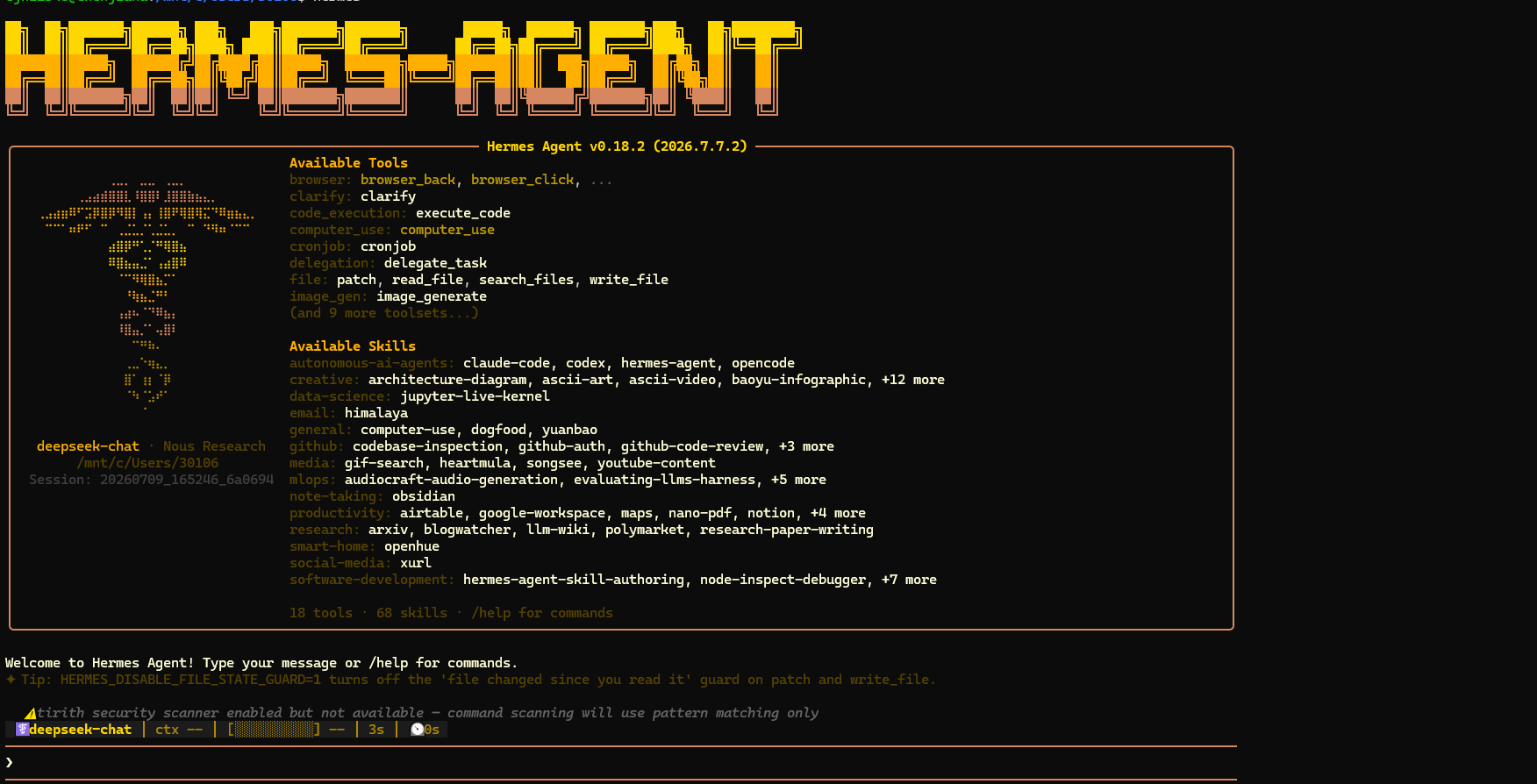
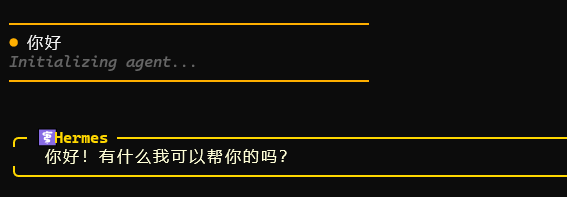
5.2 常用命令
| 命令 | 说明 |
|---|---|
hermes | 进入交互聊天 |
hermes -z "..." chat | 单次提问 |
hermes doctor | 系统诊断 |
hermes config | 查看/修改配置 |
hermes model | 切换模型 |
hermes version | 查看版本 |
cat ~/.hermes/config.yaml | 查看配置文件 |
5.3 切换模型
编辑 ~/.hermes/config.yaml,修改 model.default 字段:
model:
  default: deepseek-v4-pro    # 切换为专业模型
六、关键文件路径
| 文件/目录 | 路径 | 说明 |
|---|---|---|
| 安装目录 | ~/.hermes/hermes-agent/ | Hermes 源代码 |
| 配置文件 | ~/.hermes/config.yaml | 主配置 |
| 环境变量 | ~/.hermes/.env | API Key 等密钥 |
| 日志目录 | ~/.hermes/logs/ | 运行日志 |
| 会话数据 | ~/.hermes/sessions/ | 对话历史 |
| 记忆存储 | ~/.hermes/memories/ | Agent 记忆 |
| 可执行链接 | ~/.hermes/bin/hermes | Hermes 入口 |
七、注意事项
-
API Key 安全:API Key 存储在
~/.hermes/.env中,Hermes 会自动对日志中的 Key 进行脱敏处理(security.redact_secrets: true) -
网络限制:WSL 环境中 GitHub 和 PyPI 访问受限,不要启用 lazy install;如需安装额外工具,通过 Windows 下载后传入 WSL
-
WSL 重启:如遇到异常,可尝试
wsl --shutdown后重新进入 -
模型兼容性:Hermes v0.18.2 原生支持 DeepSeek provider,无需使用 custom provider 模式
-
流式输出:当前 DeepSeek + WSL 组合下 streaming 不稳定,建议保持关闭
八、版本信息
| 组件 | 版本 |
|---|---|
| Windows | 10.0.19045.6466 |
| WSL | 2.3.24.0 |
| 内核 | 5.15.153.1-2 |
| Ubuntu | 22.04.5 LTS |
| Python | 3.11.15 |
| Hermes Agent | v0.18.2 |
| DeepSeek 模型 | deepseek-v4-flash |

有“AI”的1024 = 2048,欢迎大家加入2048 AI社区
更多推荐

 6
6 0
0- 0


 已为社区贡献3条内容

所有评论(0)