17-OpenClaw-飞书与Email链路标准排障清单
本文提供了Windows系统下OpenClaw飞书与Email链路的标准排障流程。主要内容包括:1) 通过症状快速定位问题;2) 详细排障步骤,从Gateway状态检查到邮件技能验证;3) 常见错误处理方法;4) 邮件内容不完整的优化建议;5) 一键巡检命令;6) 最终验收标准;7) 安全注意事项。重点解决飞书消息无回复、角色错乱、邮件发送失败等问题,特别强调清理僵尸进程和端口占用的关键修复点,并
·
OpenClaw 飞书与 Email 链路标准排障清单(Windows)
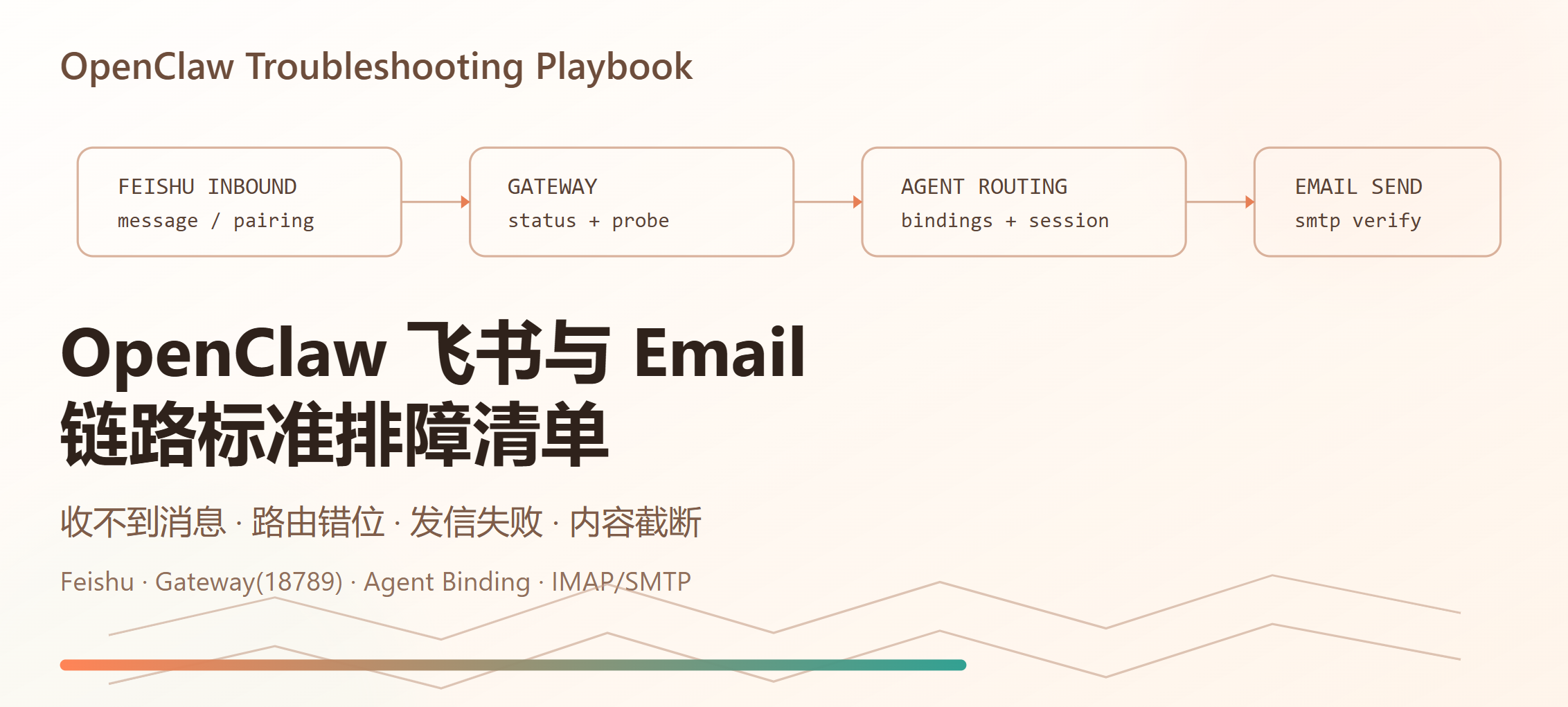
适用场景:你在飞书里给 OpenClaw 机器人发消息后无回复、回复角色不对、提示不能发邮件、或邮件发送不完整。
1. 先看症状,快速定位
| 症状 | 高概率原因 | 优先检查 |
|---|---|---|
| 飞书发消息无回复 | Gateway 没在跑 / 端口被僵尸进程占用 / 配对未通过 | gateway status、端口占用、pairing |
| 有回复但人格/身份错(比如该走 assistant-agent 却走 main) | 路由未命中、旧进程未重载配置 | config.get + channels logs |
| 能总结内容但说“不能直接发邮件” | 未命中带邮件技能的 Agent / SMTP 技能配置缺失 | agent 路由、skills 列表、邮件自检 |
| 邮件发出但内容截断 | 模型输出过长、发送内容未分段、格式复杂 | 控制长度、先落地文件再发 |
gateway closed (1006) |
Gateway 进程异常或连接被中断 | 重启并验证监听进程 |
2. 标准排障流程(按顺序执行)
Step 1:确认 Gateway 存活
openclaw gateway status
期望:
RPC probe: okListening: 127.0.0.1:18789
如果异常,继续执行 Step 2。
Step 2:清理僵尸进程并干净重启(Windows)
openclaw gateway stop
$conn = Get-NetTCPConnection -LocalPort 18789 -State Listen -ErrorAction SilentlyContinue | Select-Object -First 1
if ($conn) { taskkill /PID $conn.OwningProcess /F }
openclaw gateway start
openclaw gateway status
重点:
- 这是本次实战里最关键修复点。
- 之前出现过“服务已重启但旧
node进程还占着 18789”,导致配置看起来正确、实际不生效。
Step 3:确认当前监听进程是新进程
$conn = Get-NetTCPConnection -LocalPort 18789 -State Listen | Select-Object -First 1
Get-Process -Id $conn.OwningProcess | Select-Object Id,ProcessName,StartTime,Path
期望:
ProcessName=nodeStartTime是你刚重启后的时间。
Step 4:检查飞书账号与 Agent 路由配置
openclaw channels list --json
openclaw channels status --json
openclaw gateway call config.get --json
重点看两处:
channels.feishu.accounts.assistant.agentId是否是目标 Agent(如assistant-agent)- 顶层
bindings是否存在飞书accountId或peer到目标 Agent 的绑定
Step 5:检查入站日志是否命中目标 Agent
openclaw channels logs --channel feishu --json --lines 200
重点日志关键字:
received message from ...dispatching to agent (session=agent:assistant-agent:main)(示例)
如果仍看到 agent:main:main,说明路由未命中或仍是旧进程。
Step 6:检查配对状态(首次 DM 必做)
飞书首次会收到类似:
OpenClaw: access not configuredPairing code: XXXXXXXX
批准命令:
openclaw pairing approve feishu <PAIRING_CODE>
Step 7:验证 Email 技能链路
-
在飞书发最小测试请求:
请发送测试邮件到 xxx@qq.com,主题 test,正文 hello -
如果回复“不能直接发邮件”,回看:
- 是否命中正确 Agent(Step 5)
- 该 Agent 是否启用了邮件技能(如
imap-smtp-email)
3. 常见错误与对应处理
3.1 gateway closed (1006 abnormal closure)
处理:
- 执行 Step 2 干净重启
- 再执行
openclaw gateway status确认RPC probe: ok
3.2 openclaw gateway run --force 报 lsof not found
说明:Windows 默认无 lsof,--force 依赖它。
处理:按 Step 2 手动清端口 + 重启,不用 --force。
3.3 飞书回复“access not configured”
说明:未完成 pairing。
处理:用 pairing code 执行批准命令(Step 6)。
3.4 发送附件失败,日志出现 path-not-allowed
典型报错:
Local media path is not under an allowed directory
处理:
- 把文件放到 OpenClaw 允许目录(工作区/媒体目录)后再发;
- 或先转成纯文本消息发送。
3.5 ClawHub 安装 skill 失败:Rate limit exceeded
处理建议:
- 稍后重试
- 换网络/时段
- 先本地准备手动安装方案(仓库安装或离线包)
4. 邮件内容“发出但不完整”的处理建议
-
先限制输出长度:
“正文控制在 800~1200 字,不要超长链接列表” -
分两步执行:
- 第一步:让 Agent 只产出摘要(结构化)
- 第二步:明确“按摘要发送邮件,不再二次扩写”
- 复杂内容先落地再发:
- 先生成
markdown/html文件 - 再让 Agent 发送“摘要 + 附件”
5. 一键巡检命令(建议收藏)
openclaw gateway status
openclaw channels status --json
openclaw channels list --json
openclaw gateway call config.get --json
openclaw channels logs --channel feishu --json --lines 120
openclaw sessions --all-agents --active 240 --json
6. 验收标准(最终判定成功)
- 飞书发“你是谁”,返回目标 Agent 身份(如“小爪”)
- 日志显示
dispatching to agent (session=agent:assistant-agent:main)(或你的目标 Agent) - 邮件测试可成功送达收件箱
- 复测两次以上结果稳定
7. 安全提醒(必须)
App Secret、OpenAI API Key、邮箱授权码不要写进公开仓库- 不要把明文密钥发到群聊或博客截图
- 发布前检查
openclaw.json、日志、命令历史中是否含密钥

有“AI”的1024 = 2048,欢迎大家加入2048 AI社区
更多推荐

 0
0 0
0- 0


 已为社区贡献26条内容

所有评论(0)