基于YOLOv8/v10/v11/v12与SpringBoot的前后端分离花生种子霉变识别检测系统(DeepSeek智能分析+web交互界面)
本项目旨在开发一个基于深度学习与Web技术的前后端分离式花生种子霉变智能识别与检测系统。系统核心采用先进的YOLOv8/v10/v11/v12系列目标检测模型,对花生种子图像进行高效、精准的二分分类(‘with mold’ 霉变 / ‘without mold’ 正常)。后端使用SpringBoot框架构建RESTful API,前端提供友好的Web交互界面,实现了用户管理、多模态检测(图像、视频
项目摘要
本项目旨在开发一个基于深度学习与Web技术的前后端分离式花生种子霉变智能识别与检测系统。系统核心采用先进的YOLOv8/v10/v11/v12系列目标检测模型,对花生种子图像进行高效、精准的二分分类(‘with mold’ 霉变 / ‘without mold’ 正常)。后端使用SpringBoot框架构建RESTful API,前端提供友好的Web交互界面,实现了用户管理、多模态检测(图像、视频、实时摄像头)、AI分析结果可视化与数据管理等功能。创新性地集成DeepSeek智能分析以增强检测能力,并将所有识别记录与用户信息持久化至MySQL数据库。该系统为农业品质控制提供了一套自动化、可视化的解决方案,有效提升了花生霉变检测的效率和准确性。
引言
在农业生产与食品加工领域,花生作为一种重要的经济作物和油料作物,其储存期间的霉变问题不仅会造成巨大的经济损失,更会因产生的黄曲霉素等有害物质严重威胁人畜健康。传统的人工目视检测方法效率低下、主观性强且易疲劳,难以满足大规模、高标准的质检需求。近年来,深度学习技术,特别是以YOLO系列为代表的目标检测算法,在图像识别领域取得了突破性进展,为自动化视觉检测提供了新的技术路径。
为此,我们设计并实现了这个基于YOLOv8/v10/v11/v12与SpringBoot的前后端分离花生种子霉变识别检测系统。本系统旨在通过集成最先进的深度学习模型与现代化的Web开发框架,构建一个功能完备、操作便捷、响应迅速的在线检测平台。它不仅支持多种检测模式和模型的灵活切换,还通过数据可视化和智能记录管理,为用户提供了从检测到分析的完整工作流,有望在农产品质量安全监测中发挥重要作用。
项目背景与介绍
1. 背景介绍
花生霉变是贯穿于其采收、储存、运输和加工各个环节的全球性难题。霉变花生是黄曲霉素的主要来源,而黄曲霉素是世界卫生组织划定的一类致癌物,具有强烈的毒性和致癌性。因此,对花生进行快速、准确的霉变检测,是实现农产品安全溯源、保障消费者健康、减少产后损失的关键环节。
随着计算机视觉和人工智能技术的飞速发展,基于深度学习的智能检测方法正逐步取代传统方法。其中,YOLO模型因其卓越的实时性和高精度而备受青睐。从YOLOv8到不断涌现的v10、v11、v12等版本,其性能持续优化,为复杂场景下的细粒度目标检测提供了强有力的技术支撑。同时,SpringBoot作为Java领域最流行的企业级开发框架,其简化配置、快速开发的特点非常适合构建稳健的后端服务。前后端分离的架构模式则确保了系统的可扩展性、可维护性以及良好的用户体验。
2. 系统介绍
本项目是一个集成了最新YOLO系列模型与SpringBoot框架的全栈Web应用,核心目标是实现花生种子霉变的智能化识别与检测。
系统核心特性如下:
-
先进的检测模型:系统支持在YOLOv8, v10, v11, v12四种模型间动态切换,允许用户根据对精度和速度的不同需求选择最合适的模型,数据集针对“有霉变”和“无霉变”两类进行训练。
-
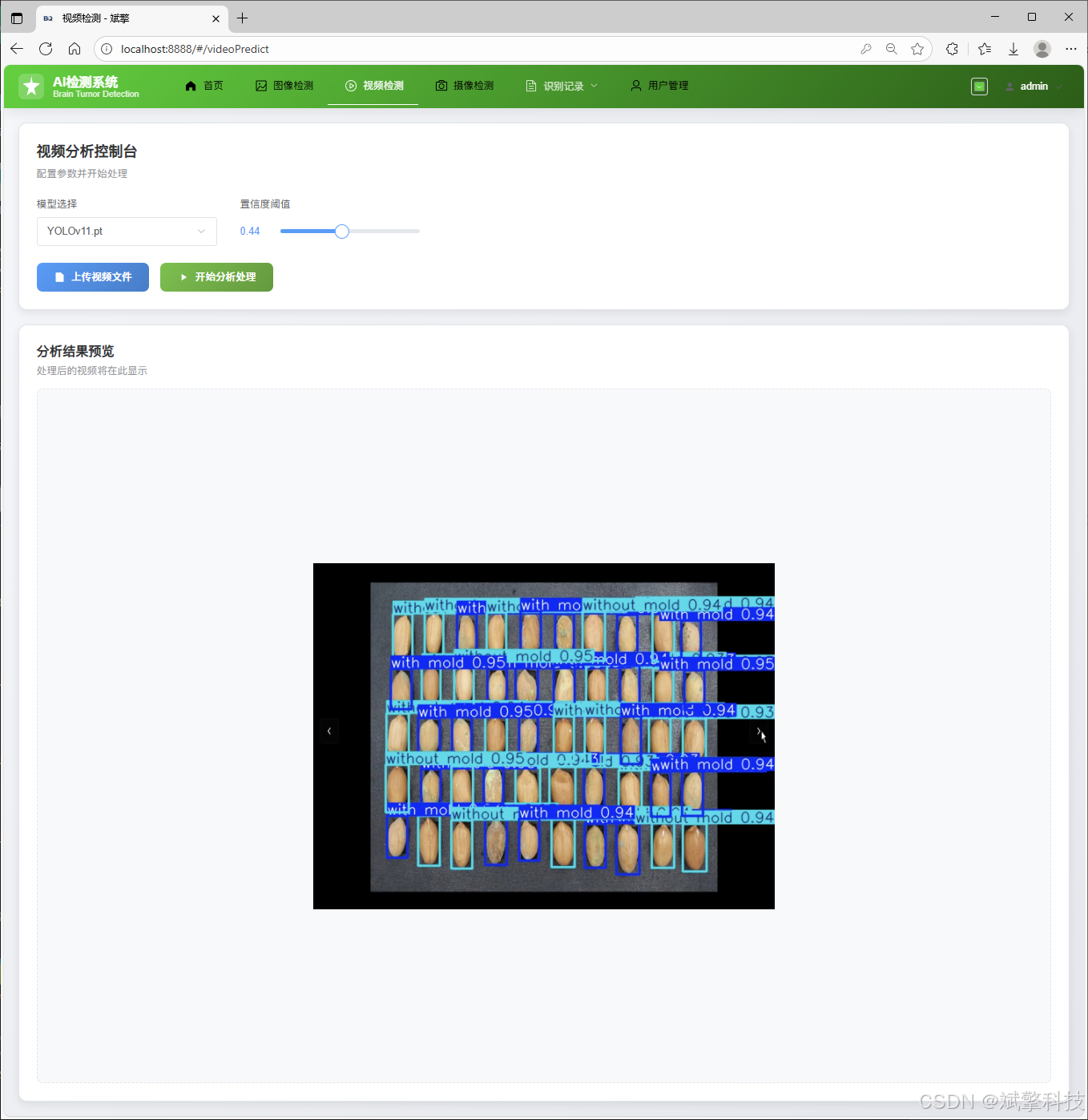
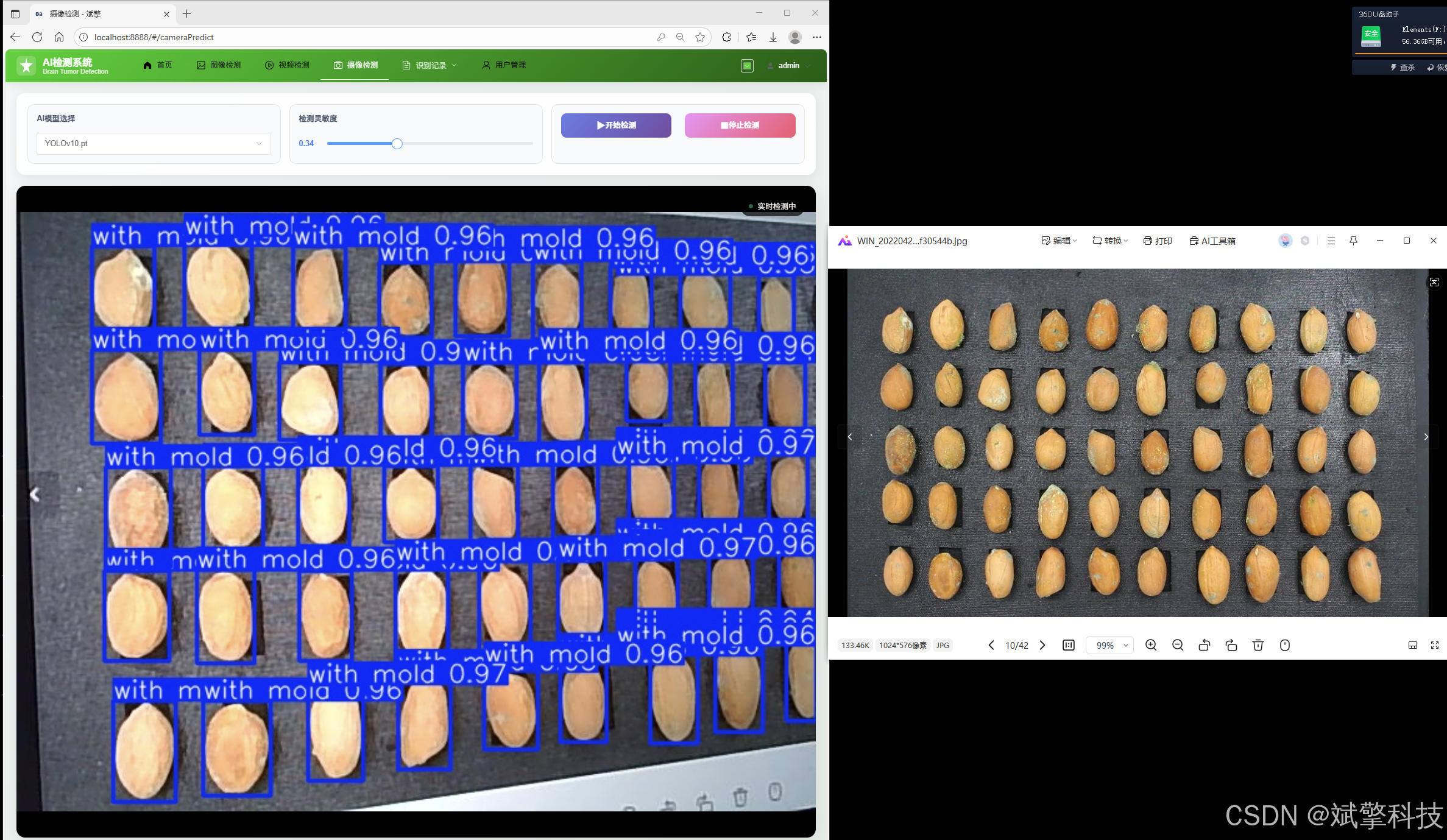
多模态检测功能:全面支持图像上传检测、视频文件分析以及摄像头实时流检测,覆盖了主要的应用场景。
-
强大的Web交互平台:采用前后端分离架构,后端SpringBoot提供稳定的API服务,前端界面提供直观的操作体验。功能包括:
-
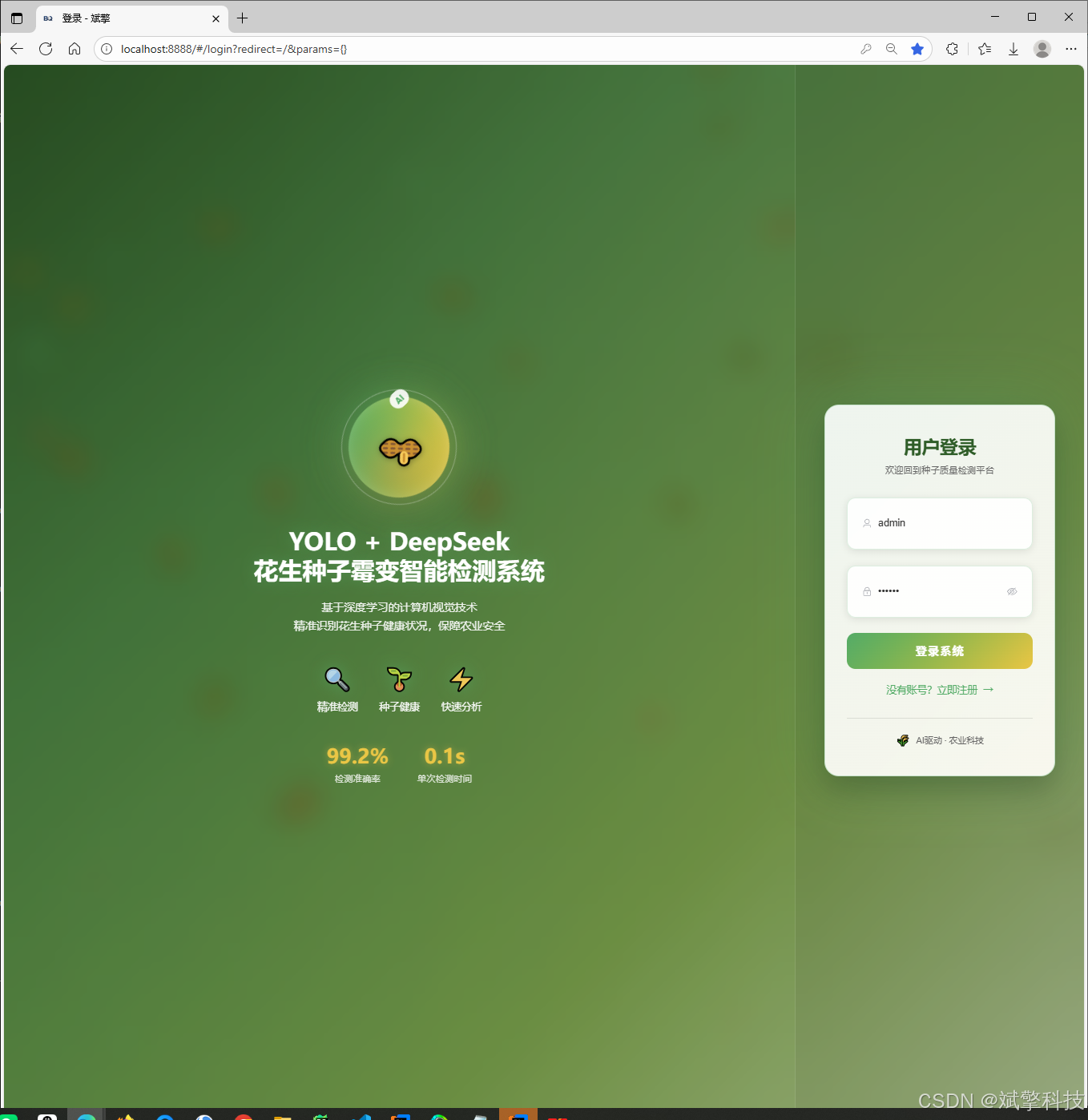
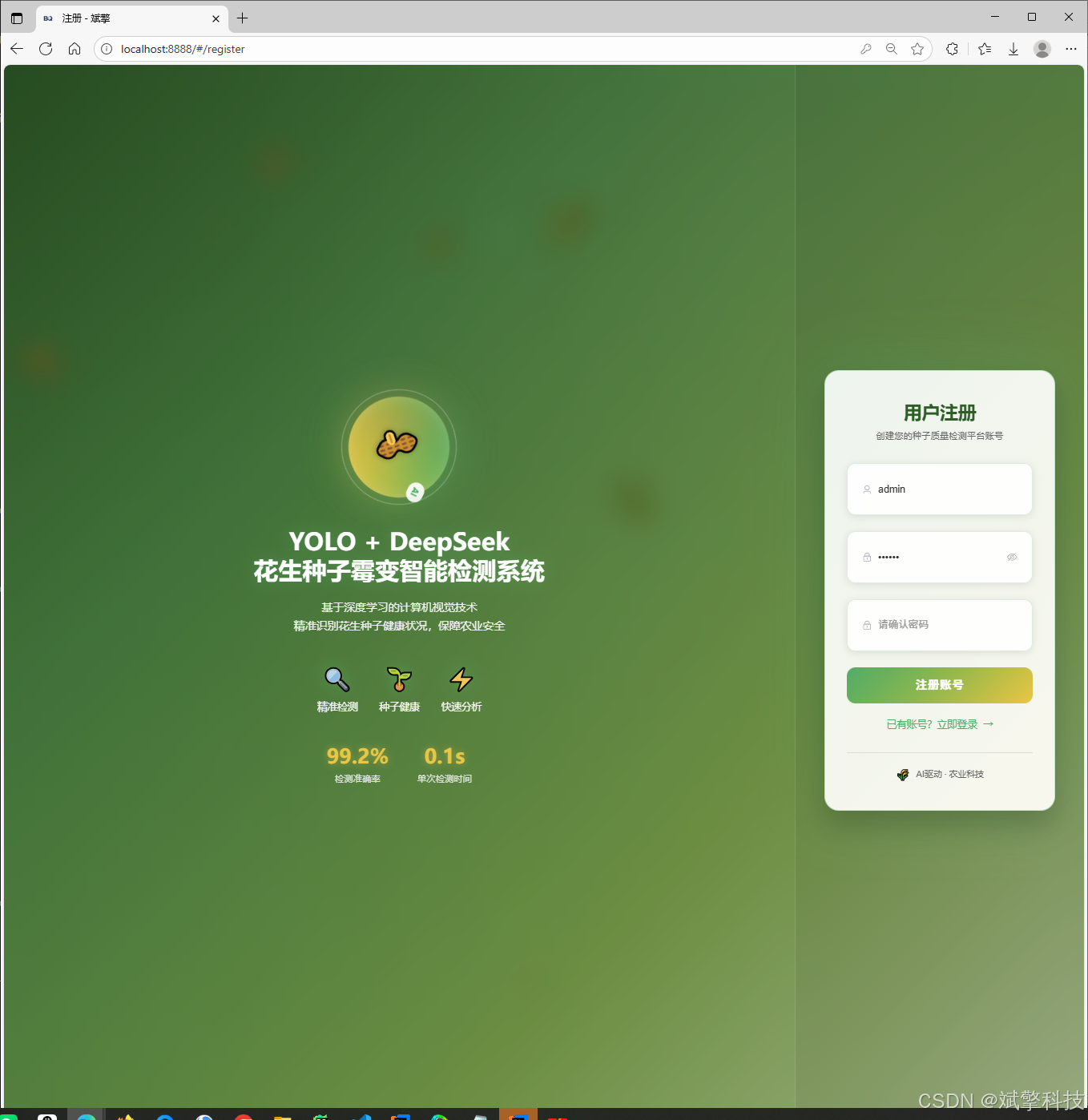
用户体系:完整的登录/注册(含密码安全检测)、个人中心(信息修改)、以及管理员对用户的管理模块。
-
数据管理:所有检测结果(图片、视频、摄像头)均保存至MySQL数据库,并提供独立的记录管理页面进行查看、追溯和管理。
-
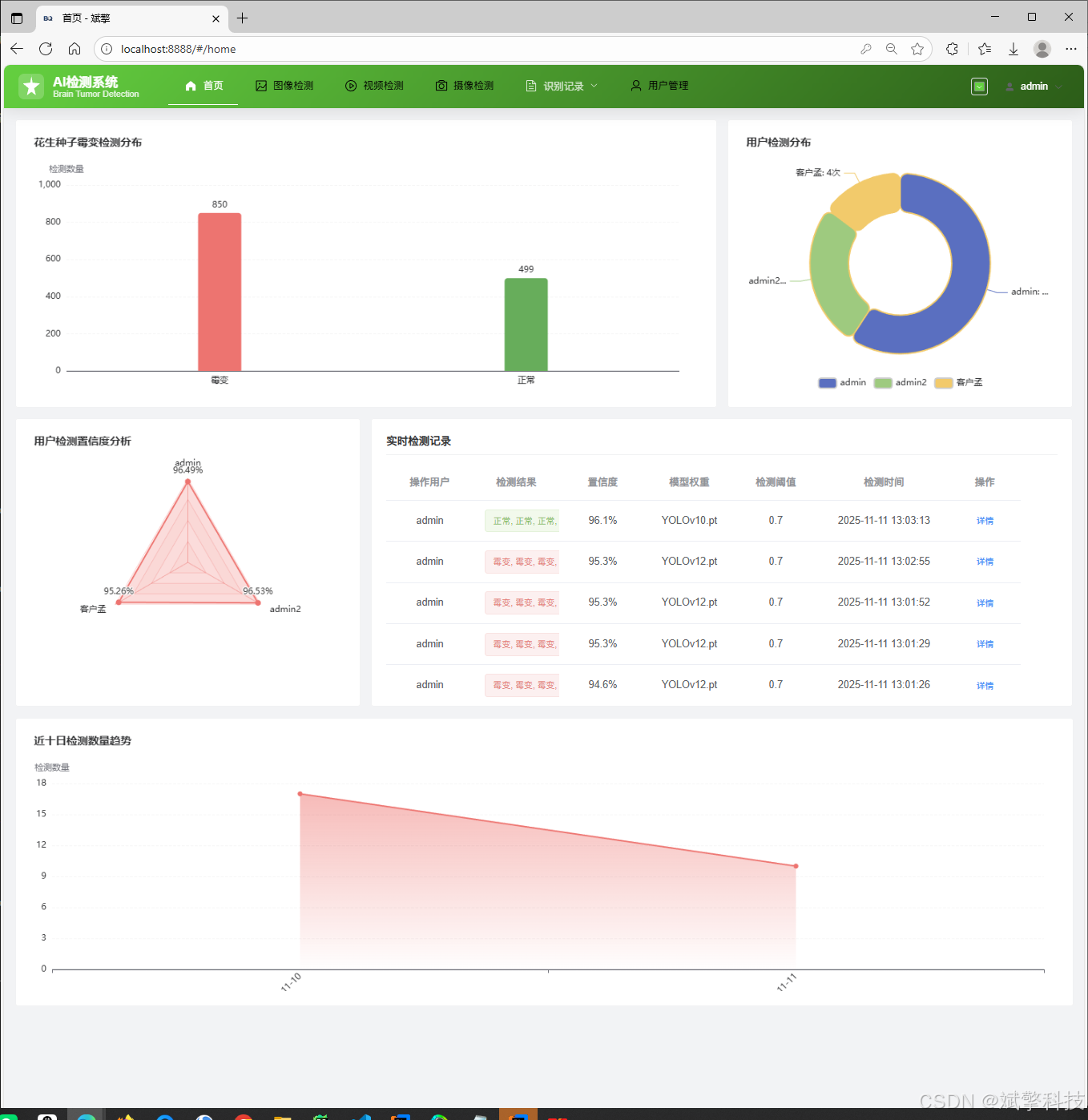
信息可视化:通过图表等形式对检测数据进行可视化展示,便于用户进行统计分析。
-
增强的AI分析:集成DeepSeek智能分析功能,为图像检测提供更深入的洞察。
-
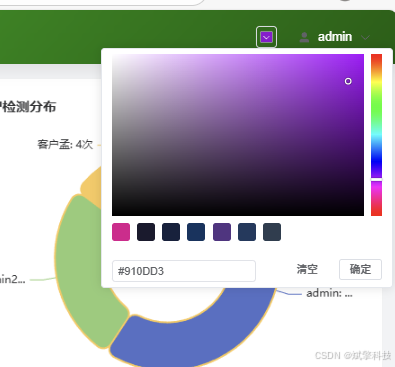
个性化设置:支持更换导航栏背景颜色等界面自定义选项,提升用户体验。
-
项目源码+数据集下载链接
完整代码在哔哩哔哩视频下方简介内获取:
基于YOLOv8/v10/v11/v12与SpringBoot的前后端分离花生种子霉变识别检测系统(DeepSeek智能分析+web交互界面)_哔哩哔哩_bilibili
 https://www.bilibili.com/video/BV1gACtBTEHe/?spm_id_from=333.1387.homepage.video_card.click&vd_source=549d0b4e2b8999929a61a037fcce3b0f
https://www.bilibili.com/video/BV1gACtBTEHe
目录
功能模块
✅ 用户登录注册:支持密码检测,保存到MySQL数据库。
✅ 支持四种YOLO模型切换,YOLOv8、YOLOv10、YOLOv11、YOLOv12。
✅ 信息可视化,数据可视化。
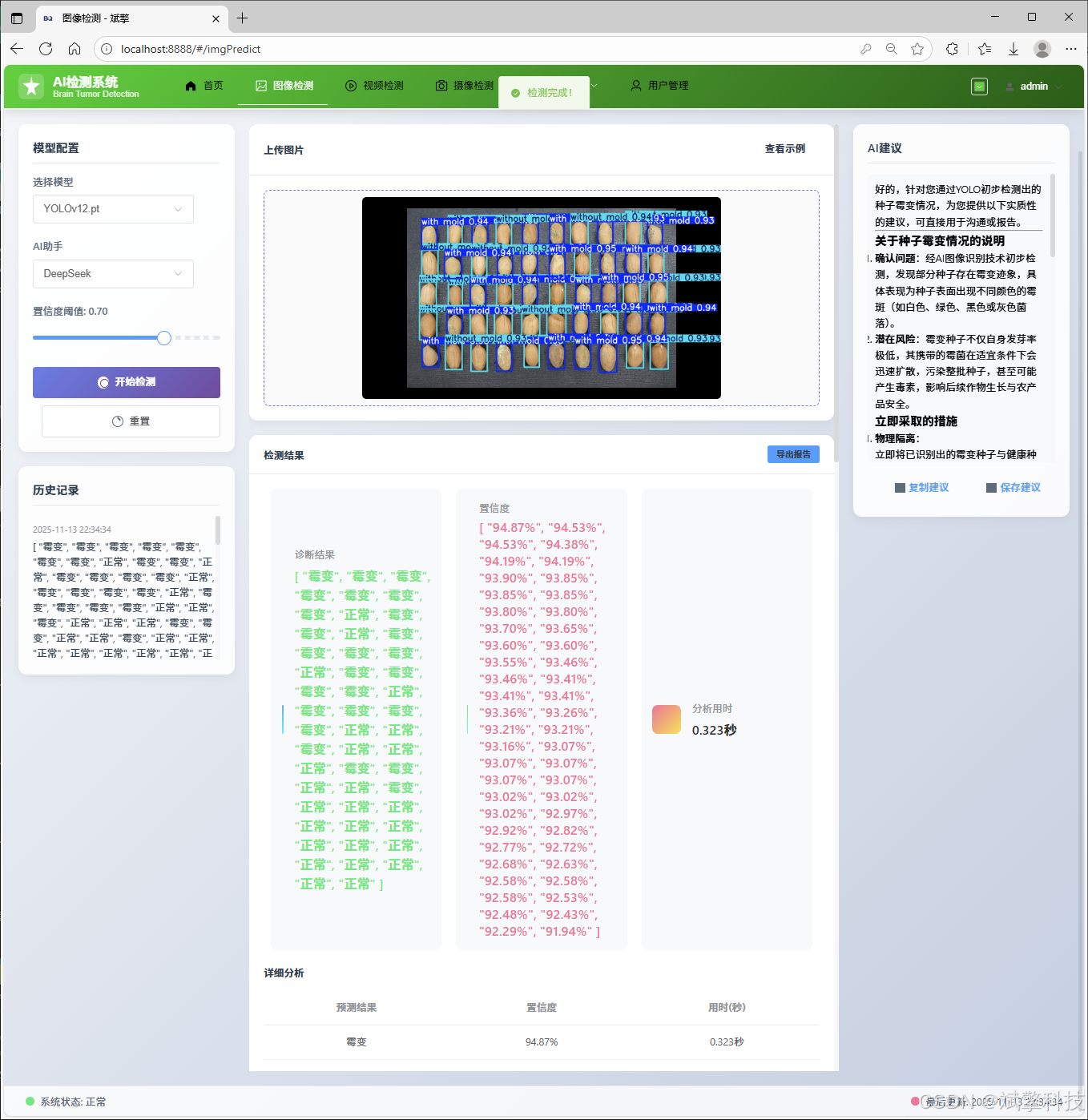
✅ 图片检测支持AI分析功能,deepseek
✅ 支持图像检测、视频检测和摄像头实时检测,检测结果保存到MySQL数据库。
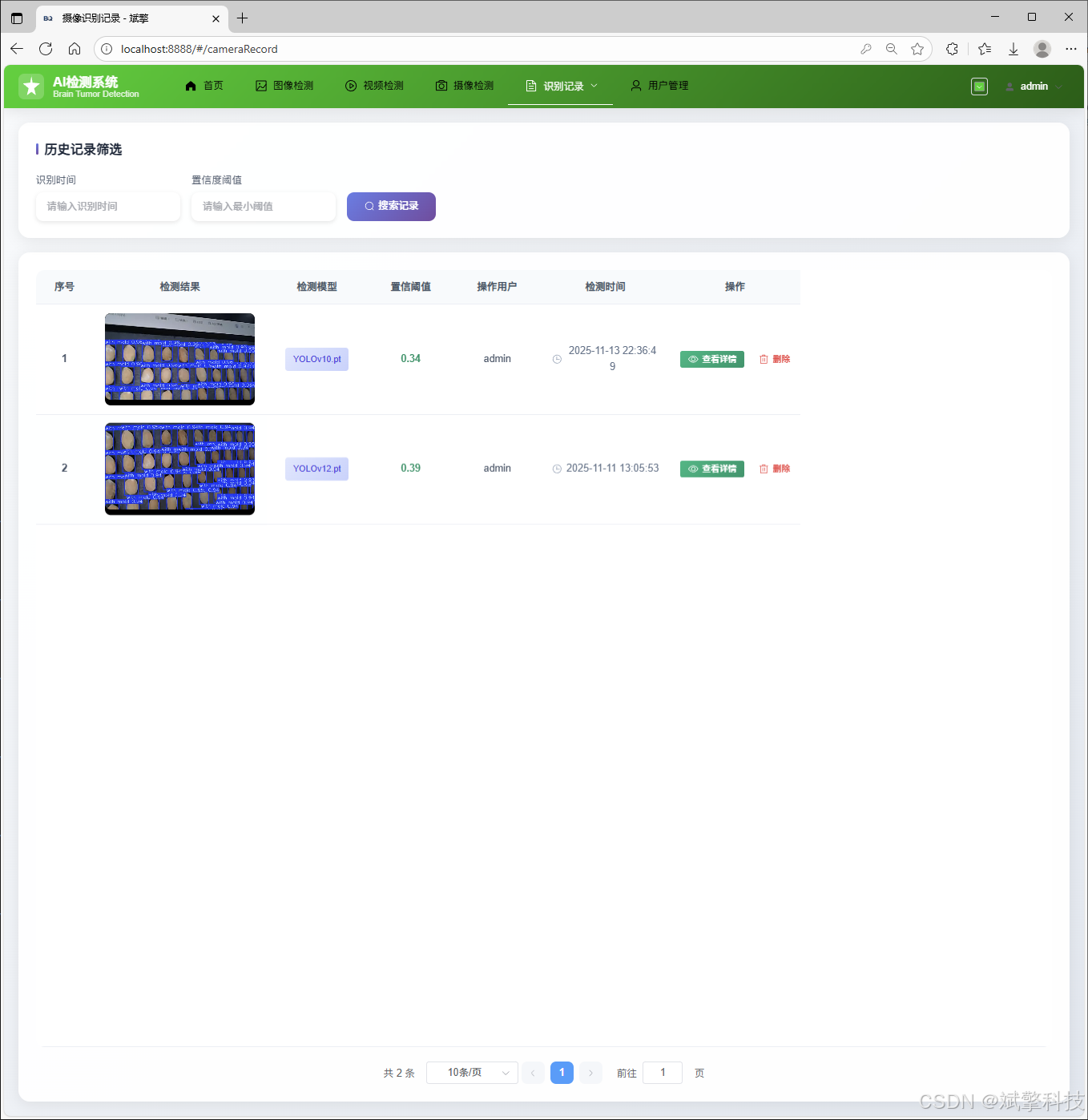
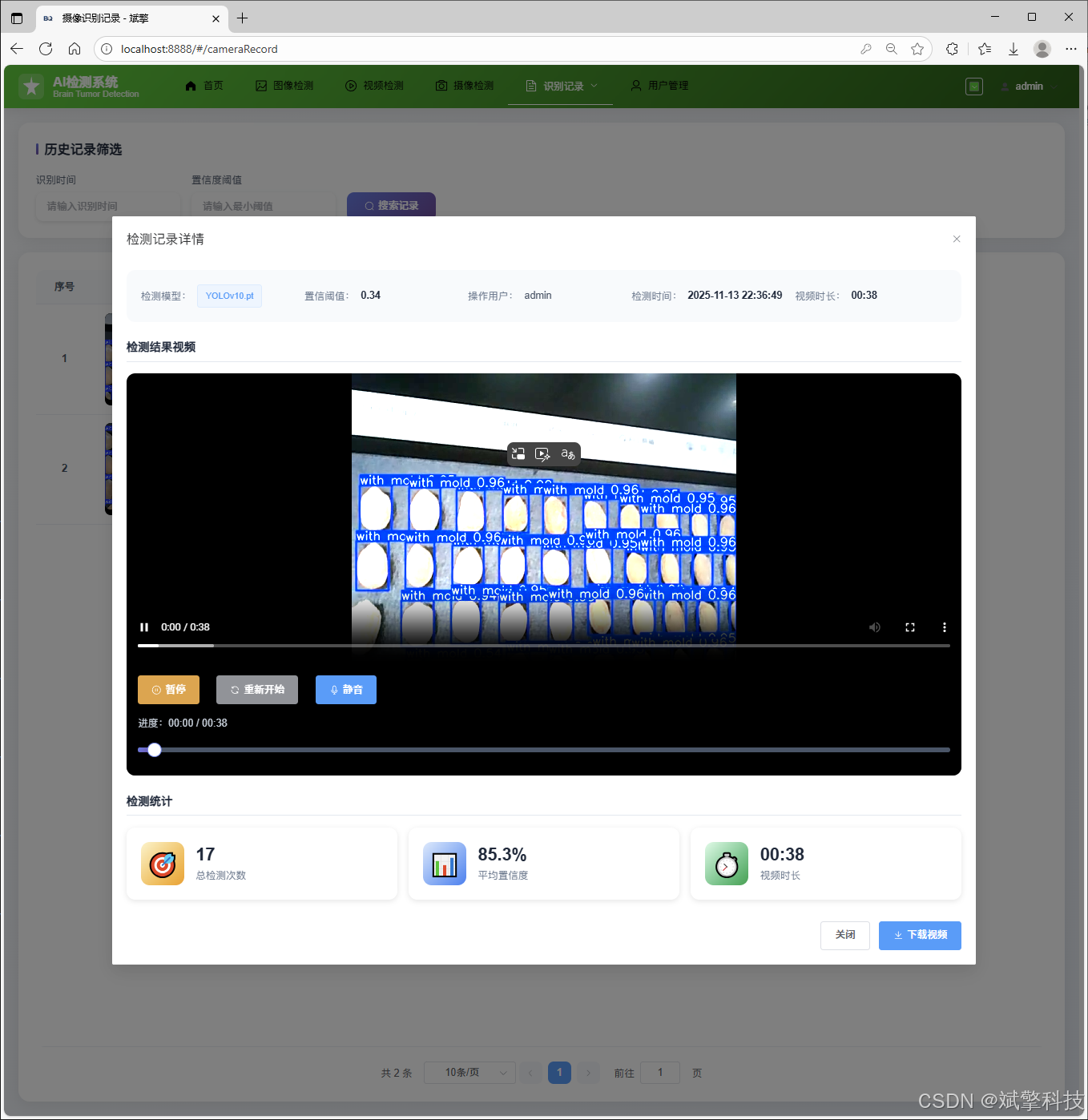
✅ 图片识别记录管理、视频识别记录管理和摄像头识别记录管理。
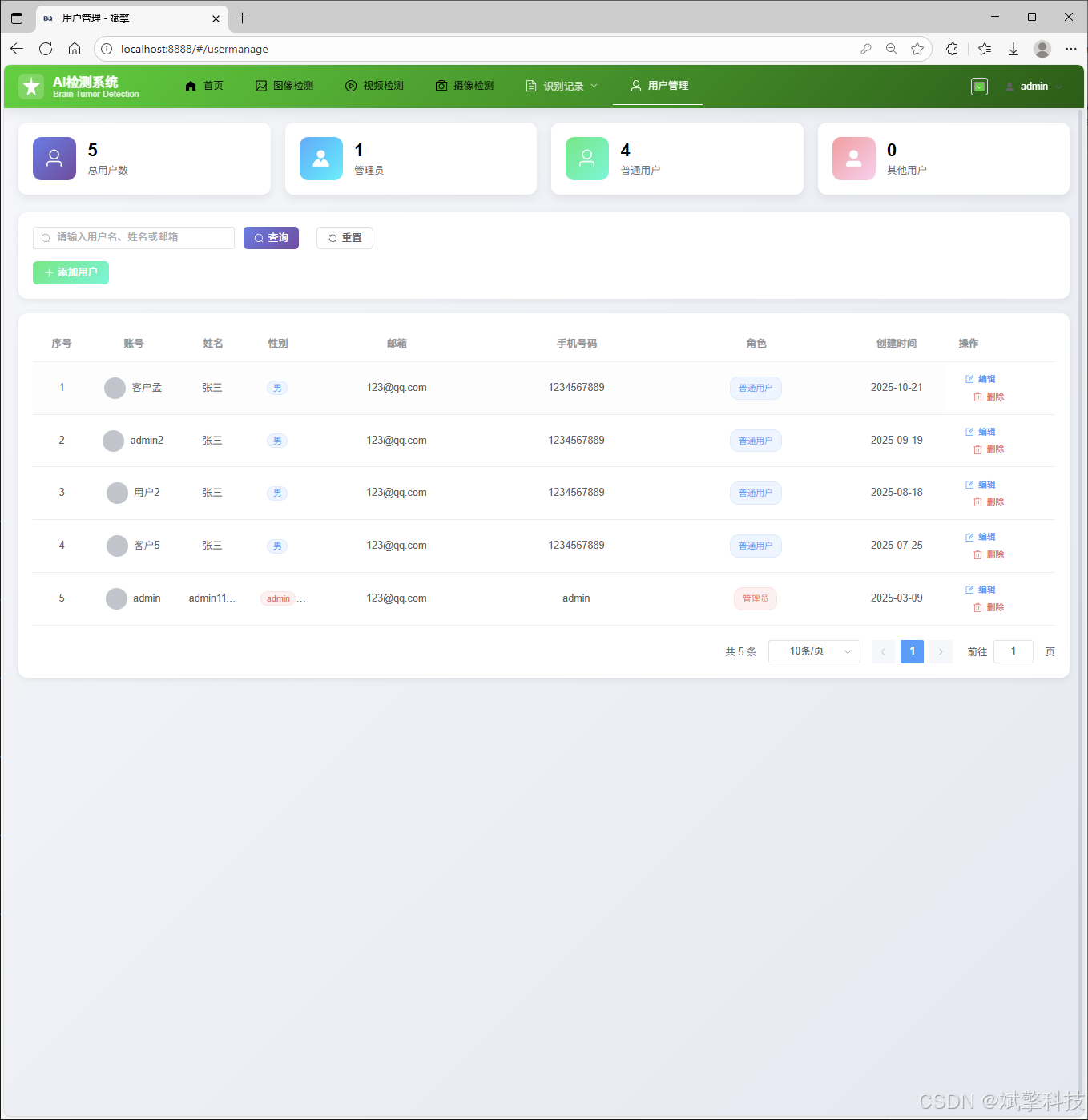
✅ 用户管理模块,管理员可以对用户进行增删改查。
✅ 个人中心,可以修改自己的信息,密码姓名头像等等。
✅ 支持更换导航栏背景颜色
登录注册模块
可视化模块
更换导航栏背景颜色
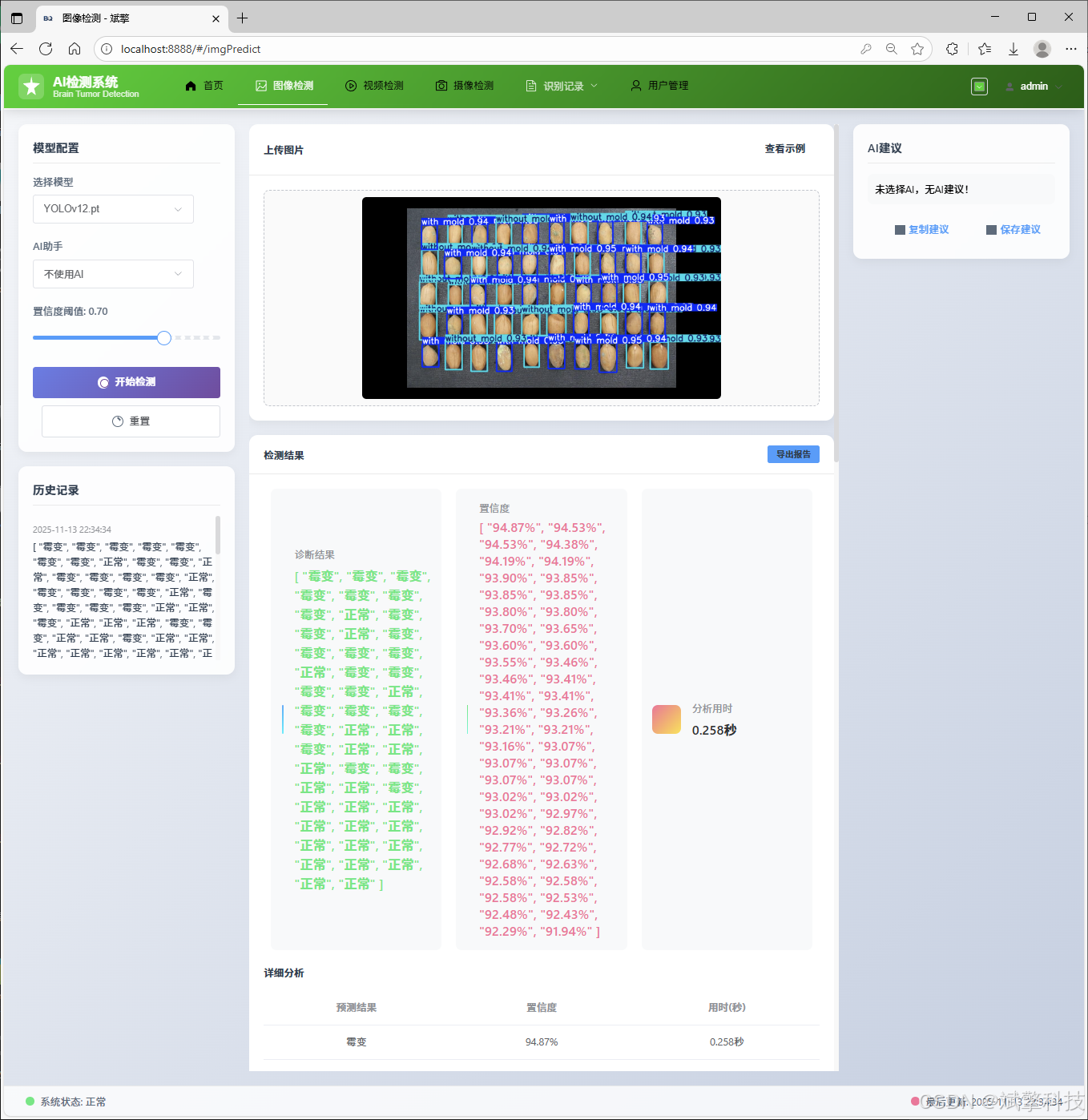
图像检测模块
-
YOLO模型集成 (v8/v10/v11/v12)
-
DeepSeek多模态分析
-
支持格式:JPG/PNG/MP4/RTSP
视频检测模块
实时检测模块
图片识别记录管理
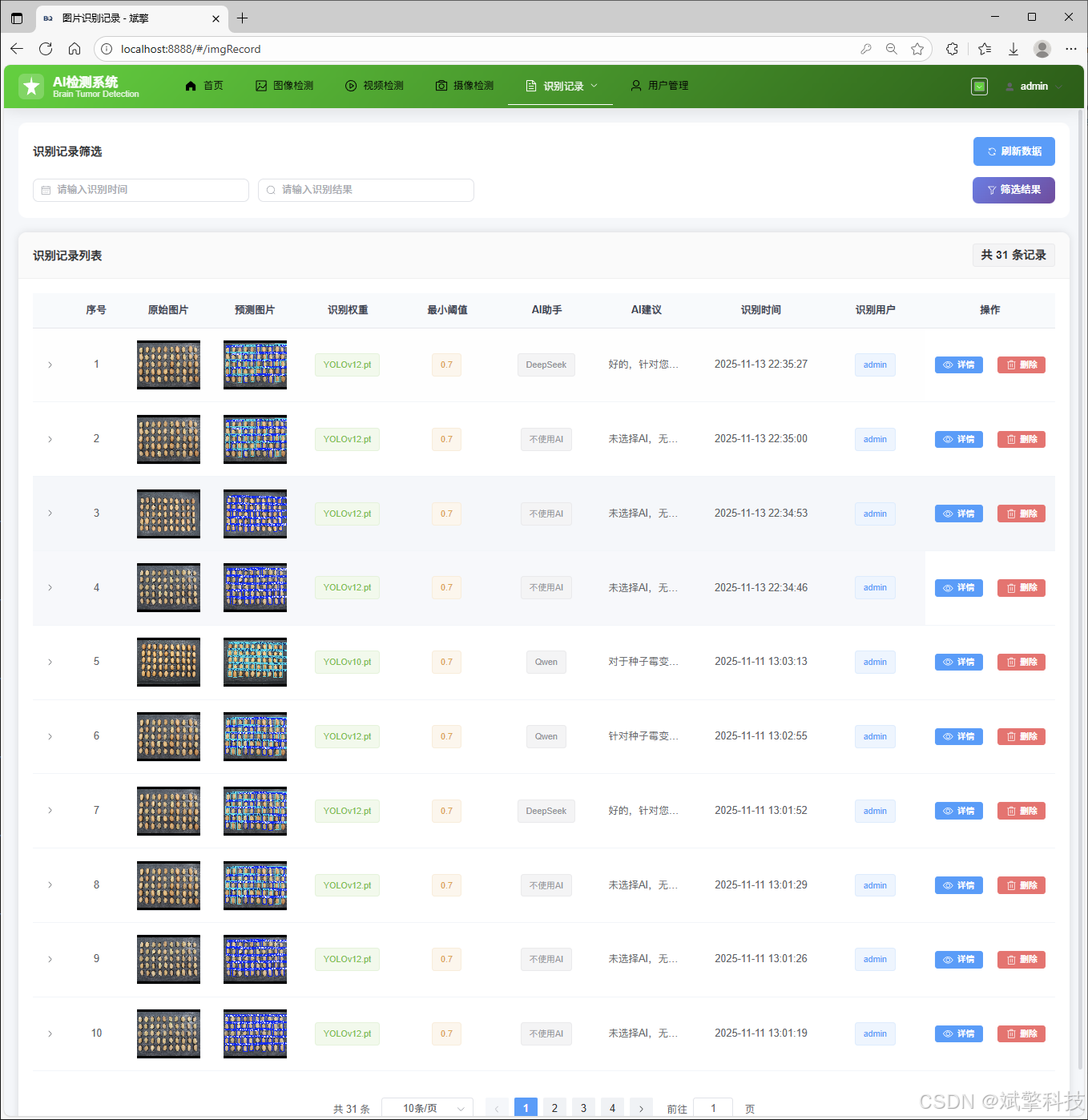
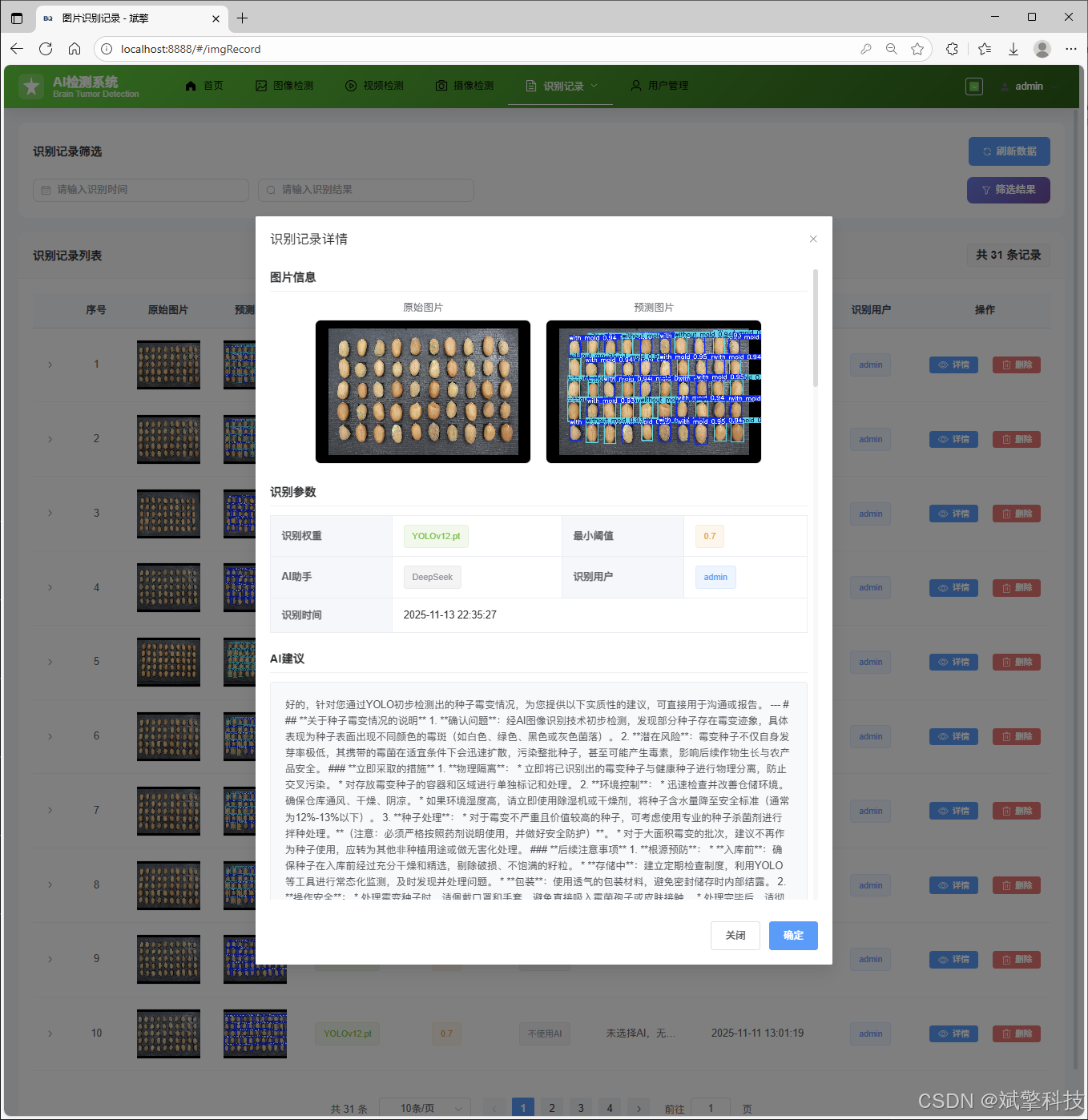
视频识别记录管理
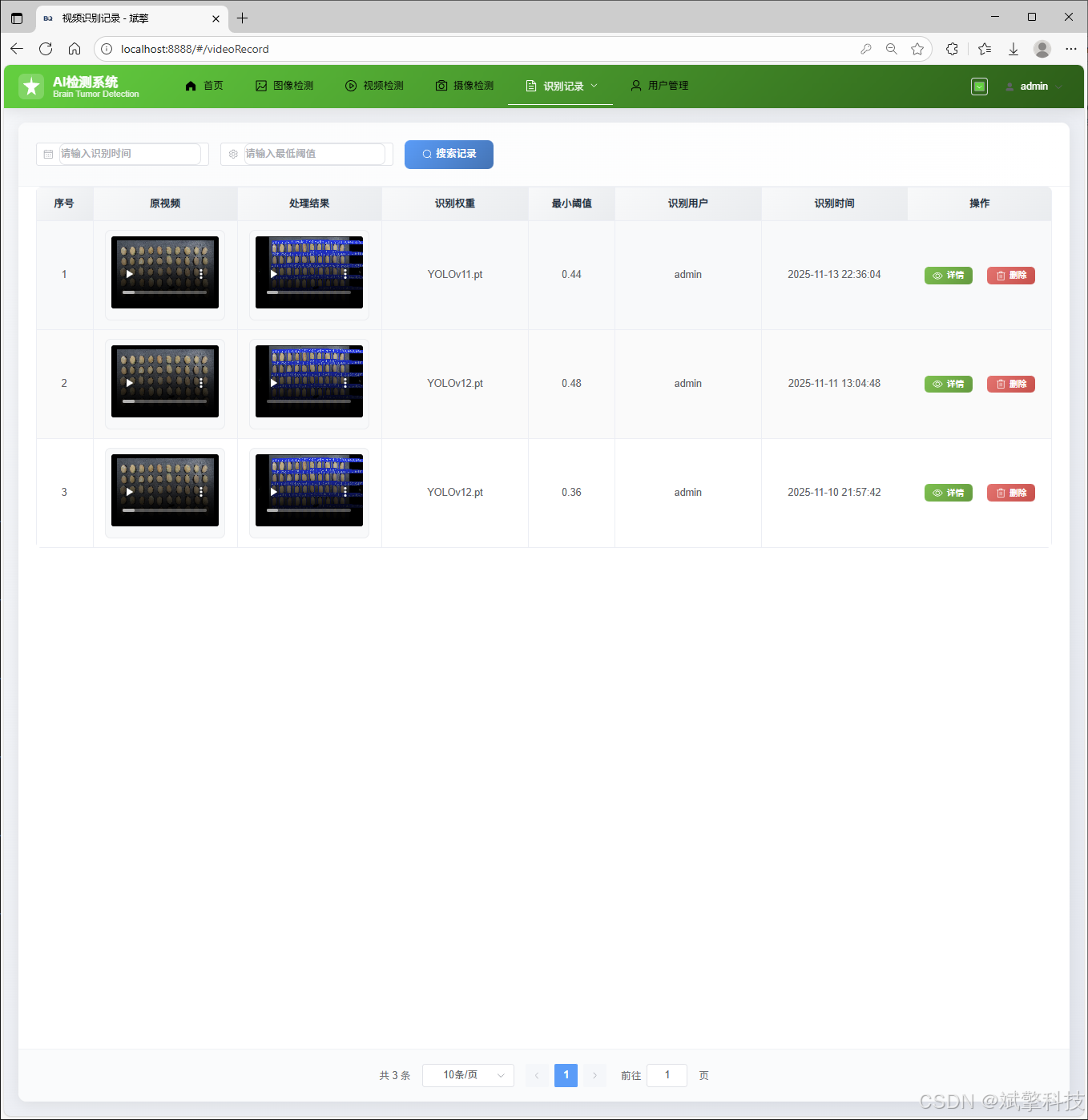
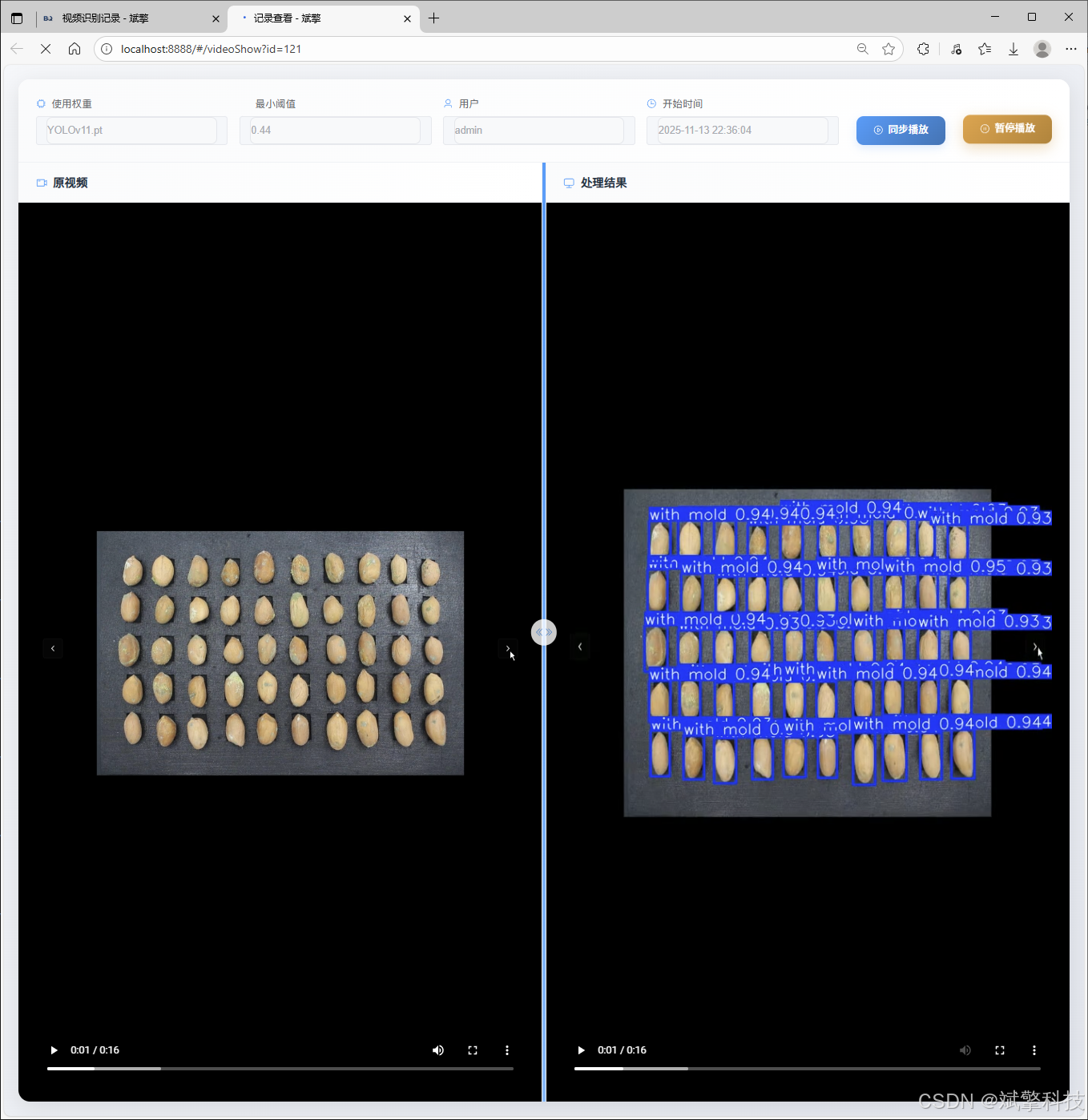
摄像头识别记录管理
用户管理模块
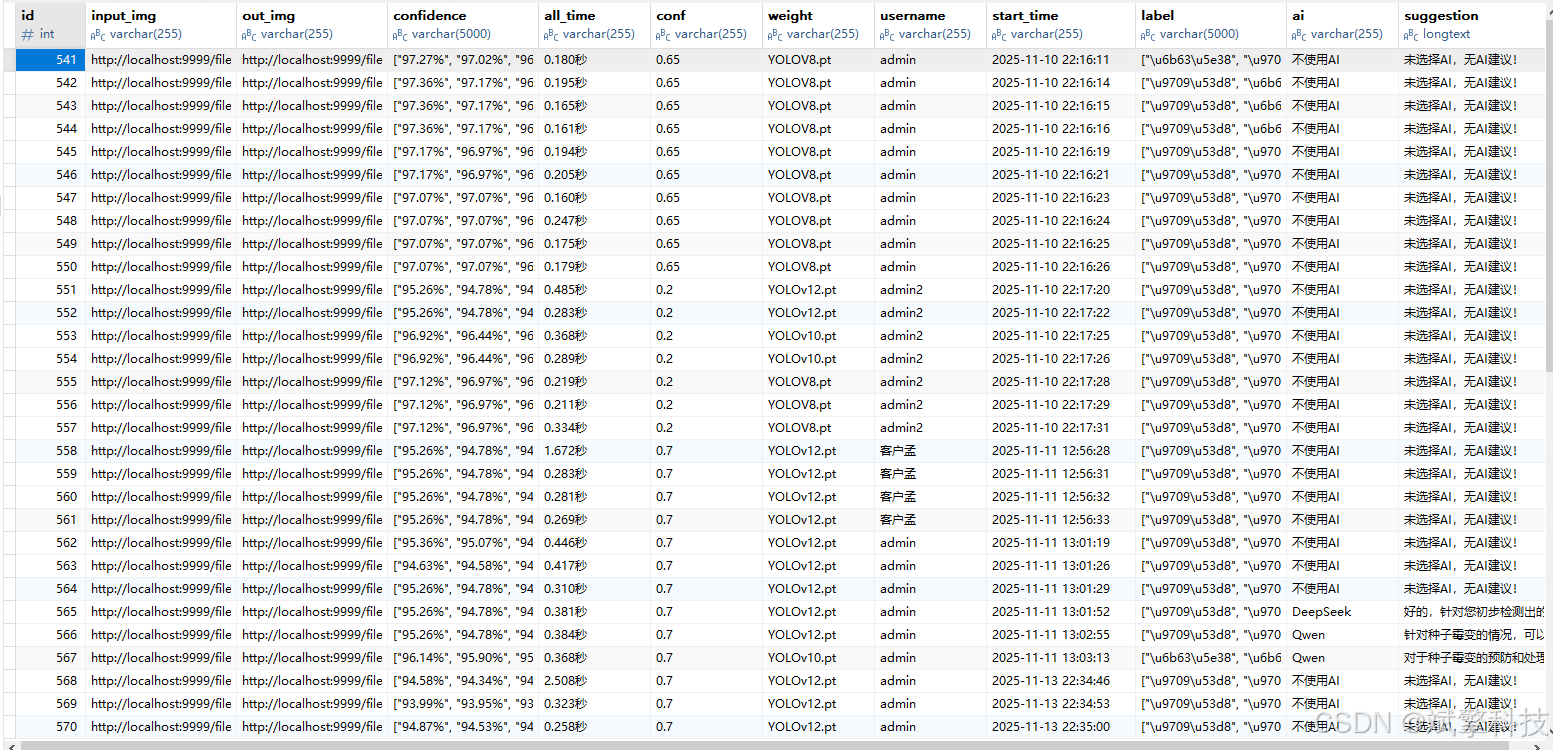
数据管理模块(MySQL表设计)
-
users- 用户信息表

-
imgrecords- 图片检测记录表
-
videorecords- 视频检测记录表

-
camerarecords- 摄像头检测记录表

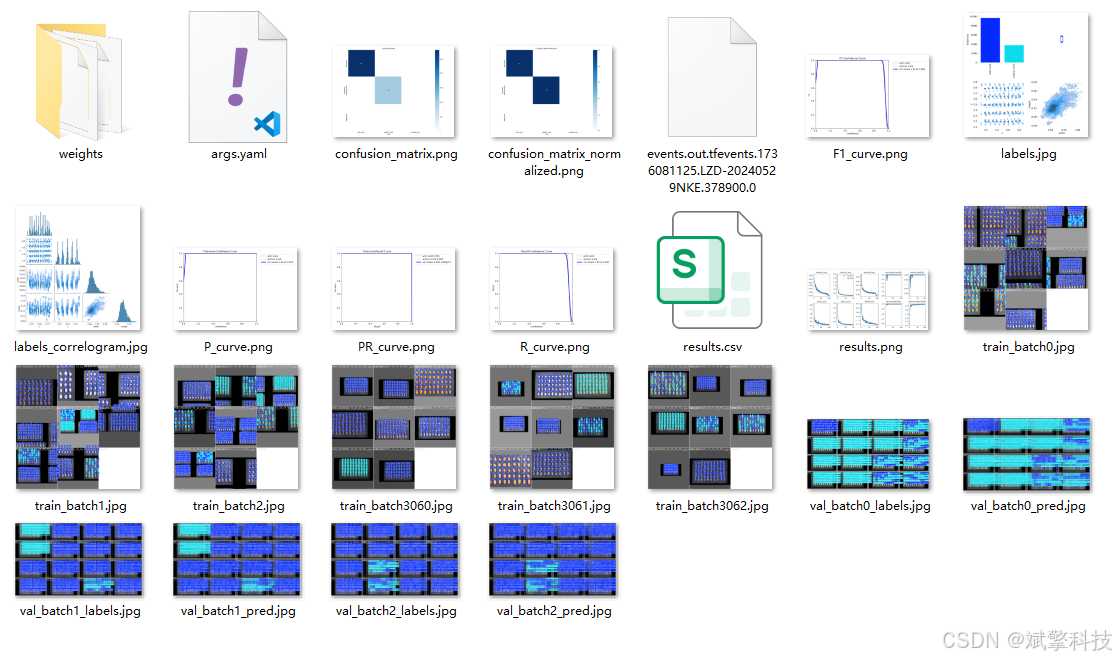
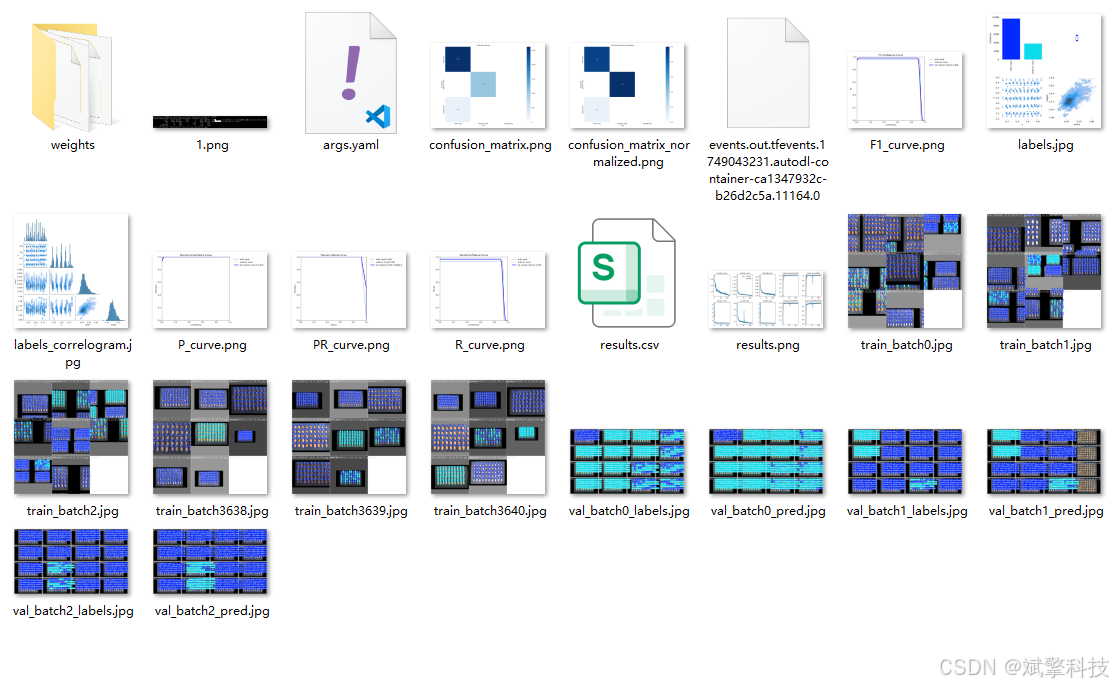
模型训练结果
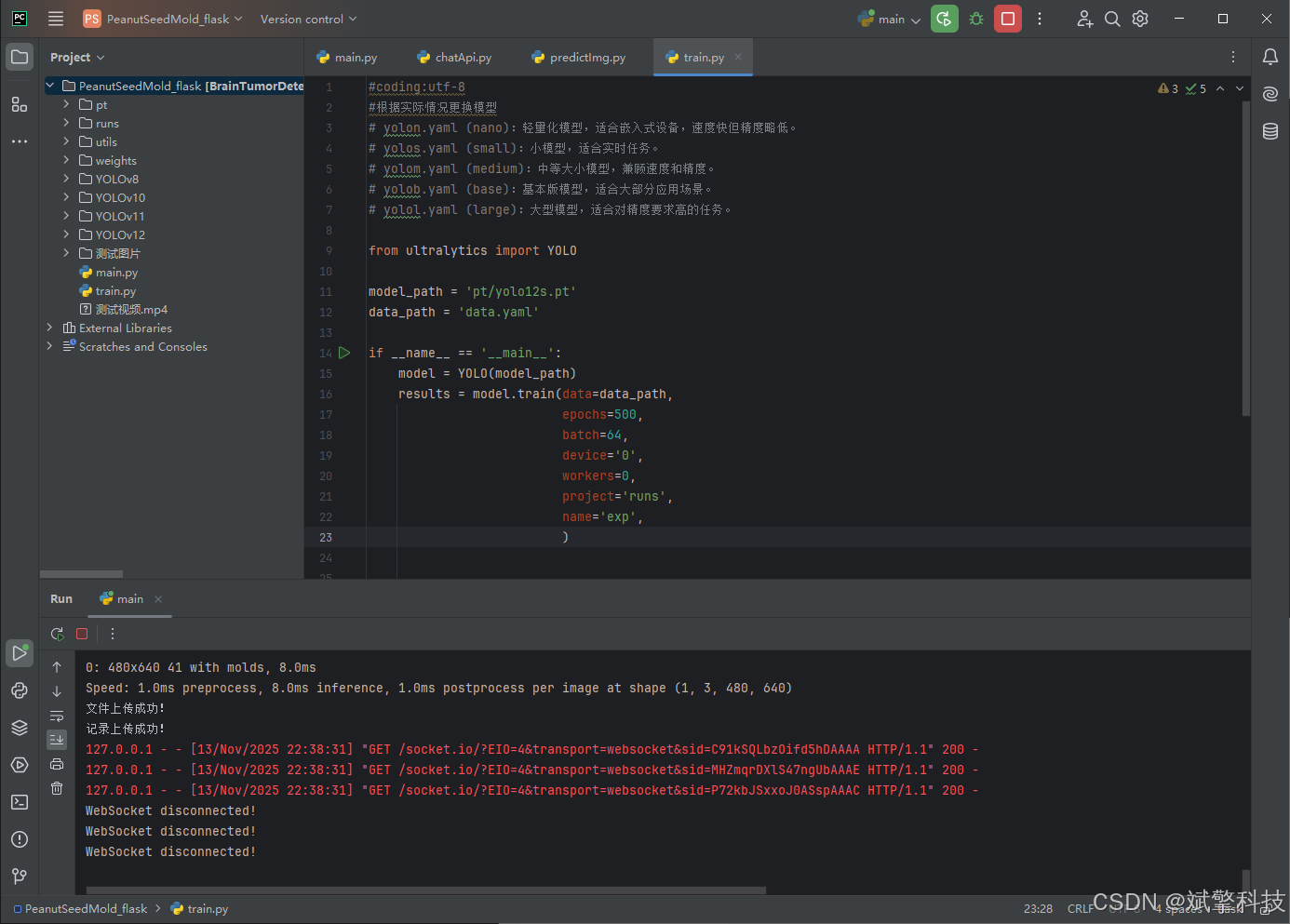
#coding:utf-8
#根据实际情况更换模型
# yolon.yaml (nano):轻量化模型,适合嵌入式设备,速度快但精度略低。
# yolos.yaml (small):小模型,适合实时任务。
# yolom.yaml (medium):中等大小模型,兼顾速度和精度。
# yolob.yaml (base):基本版模型,适合大部分应用场景。
# yolol.yaml (large):大型模型,适合对精度要求高的任务。

from ultralytics import YOLO

model_path = 'pt/yolo12s.pt'
data_path = 'data.yaml'

if __name__ == '__main__':
    model = YOLO(model_path)
    results = model.train(data=data_path,
                          epochs=500,
                          batch=64,
                          device='0',
                          workers=0,
                          project='runs',
                          name='exp',
                          )
YOLOv8
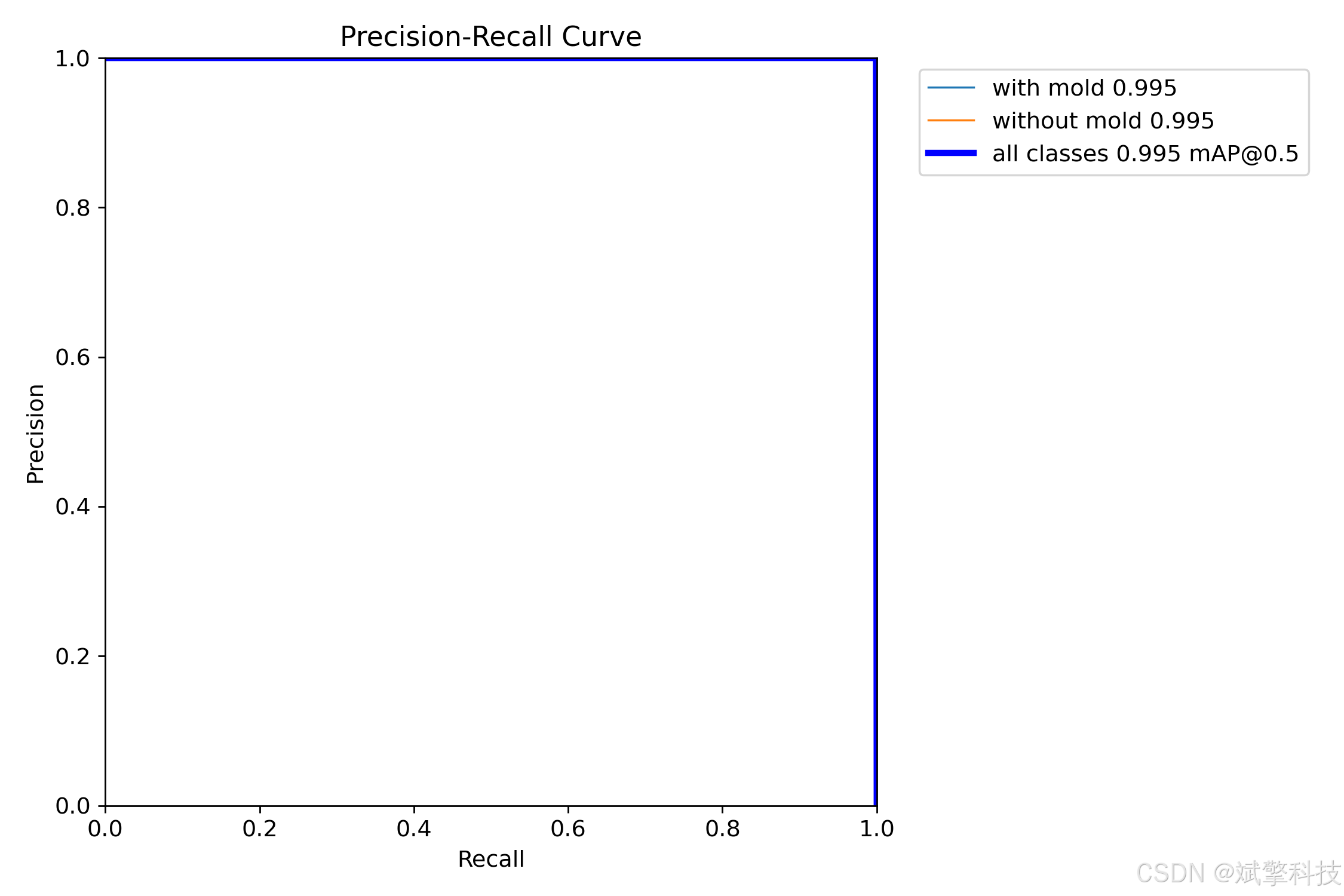
YOLOv10
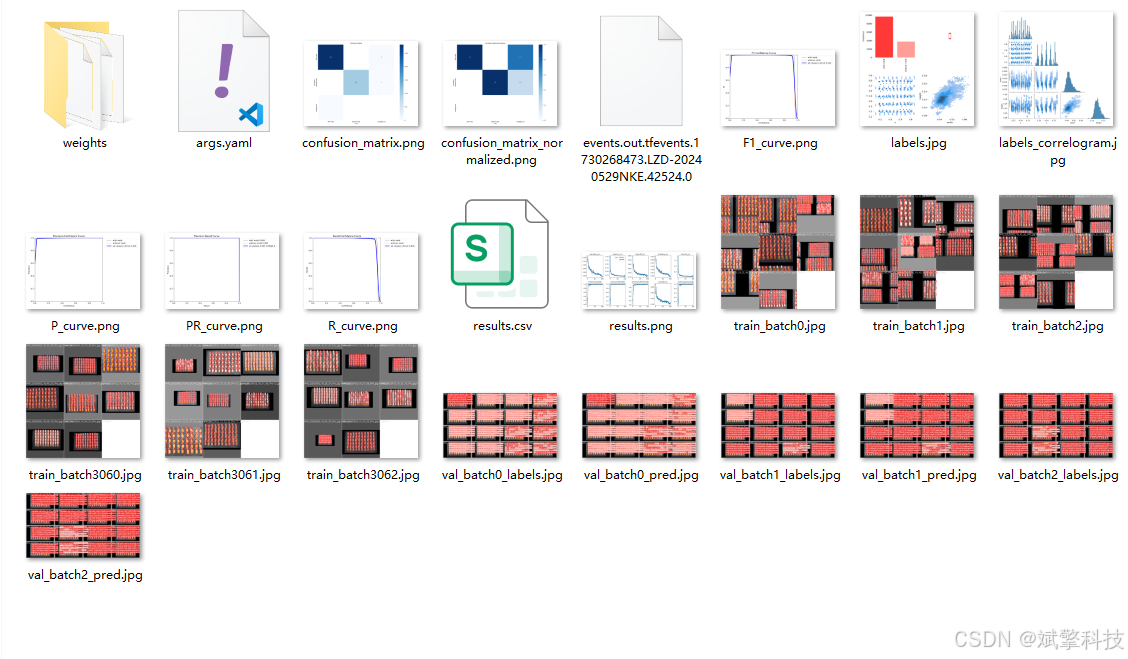
YOLOv11
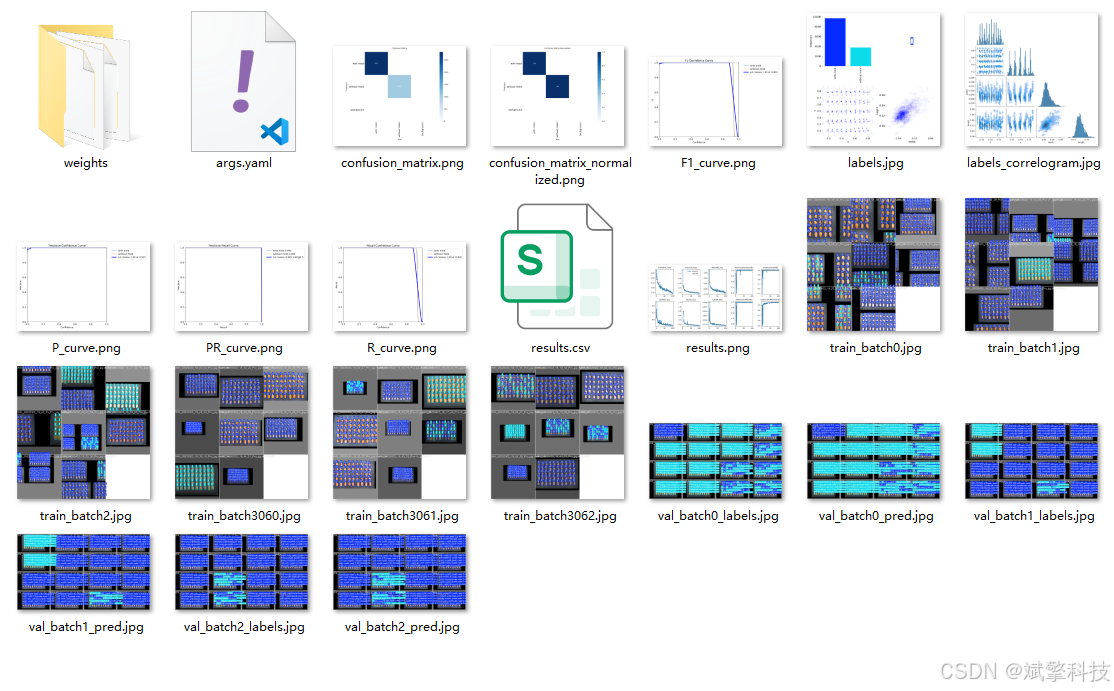
YOLOv12
前端代码展示
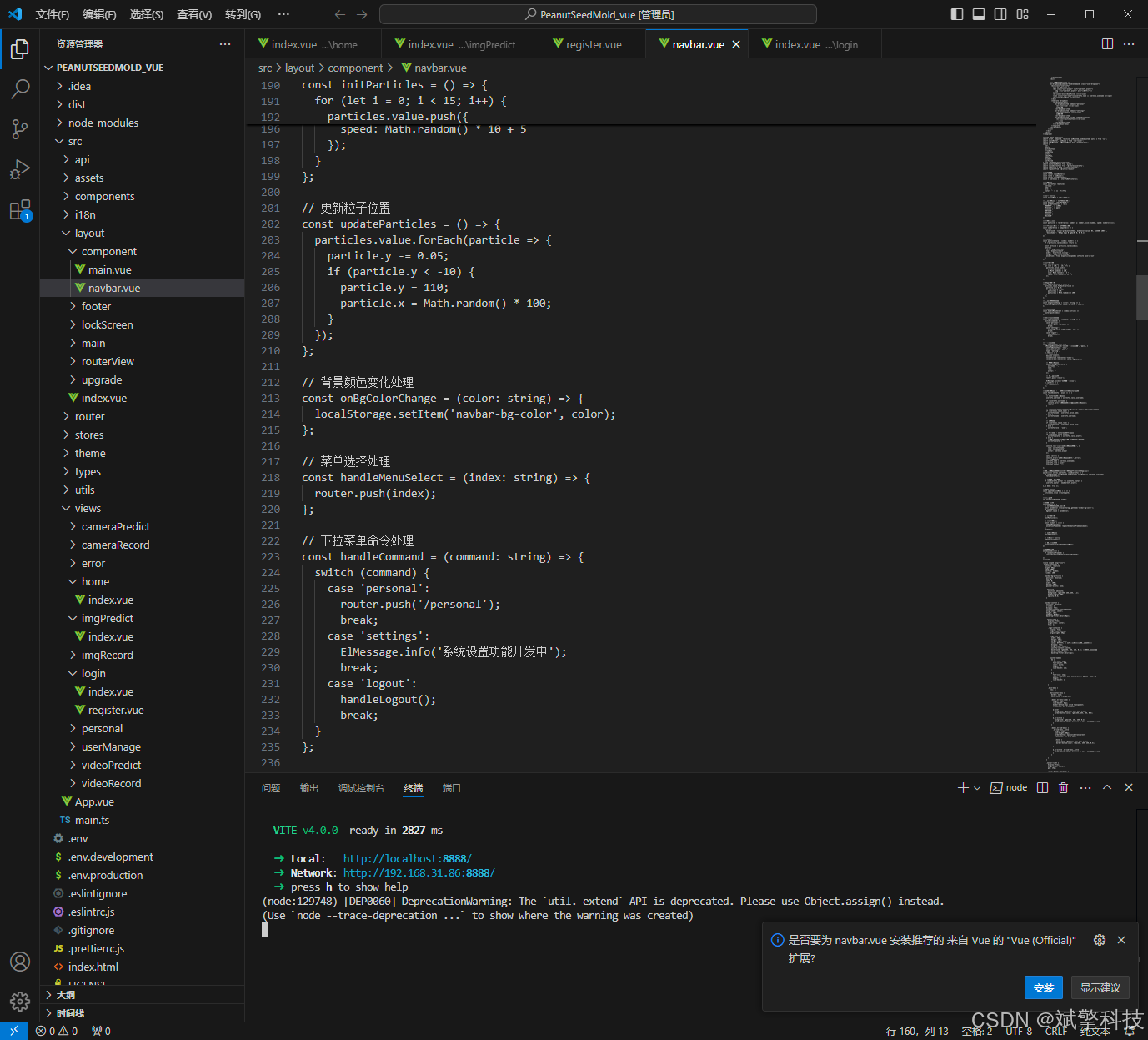
部分代码
<template>
	<div class="recognition-container">
		<div class="recognition-content">
			<!-- 搜索区域 -->
			<div class="search-section">
				<el-card shadow="hover" class="search-card">
					<div class="search-header">
						<h3>识别记录筛选</h3>
						<el-button type="primary" @click="getTableData()" class="refresh-btn">
							<el-icon><ele-Refresh /></el-icon>
							刷新数据
						</el-button>
					</div>
					<div class="search-controls">
						<div class="search-inputs">
							<el-input
								v-model="state.tableData.param.search1"
								size="default"
								placeholder="请输入识别时间"
								class="search-field"
								clearable>
								<template #prefix>
									<el-icon><ele-Calendar /></el-icon>
								</template>
							</el-input>
							<el-input
								v-model="state.tableData.param.search2"
								size="default"
								placeholder="请输入识别结果"
								class="search-field"
								clearable>
								<template #prefix>
									<el-icon><ele-Search /></el-icon>
								</template>
							</el-input>
						</div>
						<el-button
							size="default"
							type="primary"
							class="search-btn"
							@click="getTableData()">
							<el-icon><ele-Filter /></el-icon>
							筛选结果
						</el-button>
					</div>
				</el-card>
			</div>

			<!-- 数据表格区域 -->
			<div class="data-section">
				<el-card shadow="hover" class="table-card">
					<template #header>
						<div class="table-header">
							<span>识别记录列表</span>
							<div class="table-stats">
								<el-tag type="info">共 {{ state.tableData.total }} 条记录</el-tag>
							</div>
						</div>
					</template>

					<el-table
						:data="state.tableData.data"
						style="width: 100%"
						class="recognition-table"
						v-loading="state.tableData.loading">
						<el-table-column type="expand">
							<template #default="props">
								<div class="detail-panel">
									<h4 class="detail-title">详细识别结果</h4>
									<el-table
										:data="props.row.family"
										class="nested-table"
										empty-text="暂无详细数据">
										<el-table-column prop="label" label="识别结果" align="center" />
										<el-table-column prop="confidence" label="置信度" show-overflow-tooltip align="center">
											<template #default="scope">
												<el-progress
													:text-inside="true"
													:stroke-width="20"
													:percentage="Math.round(scope.row.confidence * 100)"
													:status="getConfidenceStatus(scope.row.confidence)"
													style="width: 120px; margin: 0 auto;" />
											</template>
										</el-table-column>
										<el-table-column prop="startTime" label="识别时间" align="center" />
									</el-table>
								</div>
							</template>
						</el-table-column>
						<el-table-column prop="num" label="序号" width="80" align="center" />
						<el-table-column prop="inputImg" label="原始图片" width="120" align="center">
							<template #default="scope">
								<div class="img-wrapper" @click="previewImage(scope.row.inputImg, '原始图片')">
									<img :src="scope.row.inputImg" alt="原始图片" />
									<div class="img-overlay">
										<el-icon><ele-ZoomIn /></el-icon>
									</div>
								</div>
							</template>
						</el-table-column>
						<el-table-column prop="outImg" label="预测图片" width="120" align="center">
							<template #default="scope">
								<div class="img-wrapper" @click="previewImage(scope.row.outImg, '预测图片')">
									<img :src="scope.row.outImg" alt="预测图片" />
									<div class="img-overlay">
										<el-icon><ele-ZoomIn /></el-icon>
									</div>
								</div>
							</template>
						</el-table-column>
						<el-table-column prop="weight" label="识别权重" show-overflow-tooltip align="center">
							<template #default="scope">
								<el-tag v-if="scope.row.weight" type="success">{{ scope.row.weight }}</el-tag>
								<span v-else class="empty-text">-</span>
							</template>
						</el-table-column>
						<el-table-column prop="conf" label="最小阈值" show-overflow-tooltip align="center">
							<template #default="scope">
								<el-tag v-if="scope.row.conf" type="warning">{{ scope.row.conf }}</el-tag>
								<span v-else class="empty-text">-</span>
							</template>
						</el-table-column>
						<el-table-column prop="ai" label="AI助手" show-overflow-tooltip align="center">
							<template #default="scope">
								<el-tag v-if="scope.row.ai" type="info">{{ scope.row.ai }}</el-tag>
								<span v-else class="empty-text">-</span>
							</template>
						</el-table-column>
						<el-table-column prop="suggestion" label="AI建议" show-overflow-tooltip align="center">
							<template #default="scope">
								<div class="suggestion-cell">
									<span v-if="scope.row.suggestion" :title="scope.row.suggestion">
										{{ scope.row.suggestion }}
									</span>
									<span v-else class="empty-text">-</span>
								</div>
							</template>
						</el-table-column>
						<el-table-column prop="startTime" label="识别时间" width="180" align="center" />
						<el-table-column prop="username" label="识别用户" show-overflow-tooltip align="center">
							<template #default="scope">
								<el-tag v-if="scope.row.username" type="primary">{{ scope.row.username }}</el-tag>
								<span v-else class="empty-text">-</span>
							</template>
						</el-table-column>
						<el-table-column label="操作" width="180" fixed="right" align="center">
							<template #default="scope">
								<div class="action-buttons">
									<el-button
										size="small"
										type="primary"
										@click="onViewDetail(scope.row)"
										class="view-btn">
										<el-icon><ele-View /></el-icon>
										详情
									</el-button>
									<el-button
										size="small"
										type="danger"
										@click="onRowDel(scope.row)"
										class="delete-btn">
										<el-icon><ele-Delete /></el-icon>
										删除
									</el-button>
								</div>
							</template>
						</el-table-column>
					</el-table>

					<!-- 分页 -->
					<el-pagination
						@size-change="onHandleSizeChange"
						@current-change="onHandleCurrentChange"
						class="pagination-bar"
						:pager-count="5"
						:page-sizes="[10, 20, 30]"
						v-model:current-page="state.tableData.param.pageNum"
						background
						v-model:page-size="state.tableData.param.pageSize"
						layout="total, sizes, prev, pager, next, jumper"
						:total="state.tableData.total">
					</el-pagination>
				</el-card>
			</div>
		</div>

		<!-- 详情弹窗 -->
		<el-dialog
			v-model="state.detailDialog.visible"
			:title="state.detailDialog.title"
			width="800px"
			align-center
			class="detail-dialog">
			<div class="detail-content" v-if="state.detailDialog.data">
				<div class="detail-section">
					<h3 class="section-title">图片信息</h3>
					<div class="image-comparison">
						<div class="image-item">
							<p class="image-label">原始图片</p>
							<img :src="state.detailDialog.data.inputImg" alt="原始图片" class="detail-image" />
						</div>
						<div class="image-item">
							<p class="image-label">预测图片</p>
							<img :src="state.detailDialog.data.outImg" alt="预测图片" class="detail-image" />
						</div>
					</div>
				</div>

				<div class="detail-section">
					<h3 class="section-title">识别参数</h3>
					<el-descriptions :column="2" border>
						<el-descriptions-item label="识别权重">
							<el-tag v-if="state.detailDialog.data.weight" type="success">
								{{ state.detailDialog.data.weight }}
							</el-tag>
							<span v-else class="empty-text">-</span>
						</el-descriptions-item>
						<el-descriptions-item label="最小阈值">
							<el-tag v-if="state.detailDialog.data.conf" type="warning">
								{{ state.detailDialog.data.conf }}
							</el-tag>
							<span v-else class="empty-text">-</span>
						</el-descriptions-item>
						<el-descriptions-item label="AI助手">
							<el-tag v-if="state.detailDialog.data.ai" type="info">
								{{ state.detailDialog.data.ai }}
							</el-tag>
							<span v-else class="empty-text">-</span>
						</el-descriptions-item>
						<el-descriptions-item label="识别用户">
							<el-tag v-if="state.detailDialog.data.username" type="primary">
								{{ state.detailDialog.data.username }}
							</el-tag>
							<span v-else class="empty-text">-</span>
						</el-descriptions-item>
						<el-descriptions-item label="识别时间" :span="2">
							{{ state.detailDialog.data.startTime || '-' }}
						</el-descriptions-item>
					</el-descriptions>
				</div>

				<div class="detail-section">
					<h3 class="section-title">AI建议</h3>
					<el-card shadow="never" class="suggestion-card">
						<div v-if="state.detailDialog.data.suggestion" class="suggestion-content">
							{{ state.detailDialog.data.suggestion }}
						</div>
						<div v-else class="empty-text">暂无AI建议</div>
					</el-card>
				</div>

				<div class="detail-section">
					<h3 class="section-title">详细识别结果</h3>
					<el-table
						:data="state.detailDialog.data.family"
						class="detail-table"
						empty-text="暂无详细数据">
						<el-table-column prop="label" label="识别结果" align="center" />
						<el-table-column prop="confidence" label="置信度" align="center" width="150">
							<template #default="scope">
								<div class="confidence-cell">
									<el-progress
										:text-inside="true"
										:stroke-width="20"
										:percentage="Math.round(scope.row.confidence * 100)"
										:status="getConfidenceStatus(scope.row.confidence)"
										style="width: 120px;" />
									<span class="confidence-value">{{ (scope.row.confidence * 100).toFixed(1) }}%</span>
								</div>
							</template>
						</el-table-column>
						<el-table-column prop="startTime" label="识别时间" align="center" width="180" />
					</el-table>
				</div>
			</div>

			<template #footer>
				<span class="dialog-footer">
					<el-button @click="state.detailDialog.visible = false">关闭</el-button>
					<el-button type="primary" @click="state.detailDialog.visible = false">
						确定
					</el-button>
				</span>
			</template>
		</el-dialog>

		<!-- 图片预览弹窗 -->
		<el-dialog
			v-model="state.previewDialog.visible"
			:title="state.previewDialog.title"
			width="60%"
			align-center
			class="image-preview-dialog">
			<div class="preview-content">
				<img :src="state.previewDialog.imageUrl" :alt="state.previewDialog.title" class="preview-image" />
			</div>
		</el-dialog>
	</div>
</template>

<script setup lang="ts">
import { defineAsyncComponent, reactive, onMounted, ref } from 'vue';
import { ElMessageBox, ElMessage } from 'element-plus';
import request from '/@/utils/request';
import { useUserInfo } from '/@/stores/userInfo';
import { storeToRefs } from 'pinia';

const stores = useUserInfo();
const { userInfos } = storeToRefs(stores);

const state = reactive({
	tableData: {
		data: [] as any,
		total: 0,
		loading: false,
		param: {
			search: '',
			search1: '',
			search2: '',
			pageNum: 1,
			pageSize: 10,
		},
	},
	detailDialog: {
		visible: false,
		title: '识别记录详情',
		data: null as any,
	},
	previewDialog: {
		visible: false,
		title: '',
		imageUrl: '',
	},
});

// 获取表格数据
const getTableData = () => {
	state.tableData.loading = true;
	if (userInfos.value.userName != 'admin') {
		state.tableData.param.search = userInfos.value.userName;
	}
	request
		.get('/api/imgRecords', {
			params: state.tableData.param,
		})
		.then((res) => {
			if (res.code == 0) {
				state.tableData.data = [];
				setTimeout(() => {
					state.tableData.loading = false;
				}, 500);
				for (let i = 0; i < res.data.records.length; i++) {
					const confidences = JSON.parse(res.data.records[i].confidence);
					const labels = JSON.parse(res.data.records[i].label);
					const transformedData = transformData(res.data.records[i], confidences, labels);
					transformedData["num"] = i + 1 + (state.tableData.param.pageNum - 1) * state.tableData.param.pageSize;
					state.tableData.data[i] = transformedData;
				}
				state.tableData.total = res.data.total;
			} else {
				ElMessage({
					type: 'error',
					message: res.msg,
				});
			}
		});
};

// 数据转换
const transformData = (originalData: any, confidences: any, labels: any) => {
    const family = labels.map((label: string, index: number) => ({
        label: label,
        confidence: confidences[index],
        startTime: originalData.startTime
    }));

    const result = {
		id: originalData.id,
        inputImg: originalData.inputImg,
        outImg: originalData.outImg,
        weight: originalData.weight,
        allTime: originalData.allTime,
        conf: originalData.conf,
        startTime: originalData.startTime,
        username: originalData.username,
		ai: originalData.ai,
		suggestion: originalData.suggestion,
        family: family
    };

    return result;
}

// 查看详情
const onViewDetail = (row: any) => {
	state.detailDialog.data = row;
	state.detailDialog.visible = true;
};

// 图片预览
const previewImage = (imageUrl: string, title: string) => {
	state.previewDialog.imageUrl = imageUrl;
	state.previewDialog.title = title;
	state.previewDialog.visible = true;
};

// 获取置信度状态
const getConfidenceStatus = (confidence: number) => {
	if (confidence >= 0.8) return 'success';
	if (confidence >= 0.6) return 'warning';
	return 'exception';
};

// 删除记录
const onRowDel = (row: any) => {
	ElMessageBox.confirm(`此操作将永久删除该识别记录,是否继续?`, '提示', {
		confirmButtonText: '确认',
		cancelButtonText: '取消',
		type: 'warning',
	})
	.then(() => {
		request.delete('/api/imgRecords/' + row.id).then((res) => {
			if (res.code == 0) {
				ElMessage({
					type: 'success',
					message: '删除成功!',
				});
				getTableData();
			} else {
				ElMessage({
					type: 'error',
					message: res.msg,
				});
			}
		});
	})
	.catch(() => {});
};

// 分页改变
const onHandleSizeChange = (val: number) => {
	state.tableData.param.pageSize = val;
	getTableData();
};

// 分页改变
const onHandleCurrentChange = (val: number) => {
	state.tableData.param.pageNum = val;
	getTableData();
};

// 页面加载时
onMounted(() => {
	getTableData();
});
</script>

<style scoped lang="scss">
.recognition-container {
	padding: 20px;
	background: #f5f7fa;
	min-height: calc(100vh - 84px);

	.recognition-content {
		max-width: 100%;
		margin: 0 auto;
	}

	.search-section {
		margin-bottom: 20px;

		.search-card {
			border-radius: 12px;
			border: none;

			:deep(.el-card__body) {
				padding: 20px;
			}

			.search-header {
				display: flex;
				justify-content: space-between;
				align-items: center;
				margin-bottom: 16px;

				h3 {
					margin: 0;
					color: #303133;
					font-size: 16px;
					font-weight: 600;
				}

				.refresh-btn {
					background: #409EFF;
					border: none;
					border-radius: 6px;
				}
			}

			.search-controls {
				display: flex;
				align-items: center;
				justify-content: space-between;
				gap: 16px;

				.search-inputs {
					display: flex;
					gap: 12px;
					flex: 1;

					.search-field {
						flex: 1;
						max-width: 300px;

						:deep(.el-input__wrapper) {
							border-radius: 8px;
						}
					}
				}

				.search-btn {
					background: linear-gradient(135deg, #667eea 0%, #764ba2 100%);
					border: none;
					border-radius: 8px;
					padding: 0 20px;
					height: 36px;

					&:hover {
						background: linear-gradient(135deg, #5a6fd8 0%, #6a4190 100%);
						transform: translateY(-1px);
						box-shadow: 0 4px 12px rgba(102, 126, 234, 0.3);
					}
				}
			}
		}
	}

	.data-section {
		.table-card {
			border-radius: 12px;
			border: none;

			:deep(.el-card__header) {
				border-bottom: 1px solid #f0f0f0;
				padding: 16px 20px;
				background: #fafafa;
			}

			.table-header {
				display: flex;
				justify-content: space-between;
				align-items: center;

				span {
					font-size: 16px;
					font-weight: 600;
					color: #303133;
				}
			}
		}

		.recognition-table {
			:deep(th) {
				background: #f8fafc;
				color: #374151;
				font-weight: 600;
				border-bottom: 1px solid #e5e7eb;
			}

			:deep(td) {
				border-bottom: 1px solid #f1f5f9;
			}

			:deep(.el-table__row:hover) {
				background: #f8fafc;
			}

			.img-wrapper {
				position: relative;
				display: flex;
				justify-content: center;
				align-items: center;
				padding: 4px;
				cursor: pointer;
				border-radius: 6px;
				overflow: hidden;

				&:hover {
					.img-overlay {
						opacity: 1;
					}

					img {
						transform: scale(1.05);
					}
				}

				img {
					width: 100px;
					height: 70px;
					object-fit: cover;
					border-radius: 4px;
					border: 1px solid #e5e7eb;
					transition: transform 0.3s ease;
				}

				.img-overlay {
					position: absolute;
					top: 0;
					left: 0;
					right: 0;
					bottom: 0;
					background: rgba(0, 0, 0, 0.5);
					display: flex;
					justify-content: center;
					align-items: center;
					opacity: 0;
					transition: opacity 0.3s ease;

					.el-icon {
						color: white;
						font-size: 24px;
					}
				}
			}

			.suggestion-cell {
				max-width: 200px;
				overflow: hidden;
				text-overflow: ellipsis;
				white-space: nowrap;
			}

			.empty-text {
				color: #909399;
				font-style: italic;
			}

			.action-buttons {
				display: flex;
				gap: 8px;
				justify-content: center;

				.view-btn, .delete-btn {
					border-radius: 4px;
				}
			}
		}

		.detail-panel {
			padding: 16px;
			background: #f8fafc;
			border-radius: 8px;
			margin: 8px;

			.detail-title {
				margin: 0 0 12px 0;
				color: #374151;
				font-size: 15px;
				font-weight: 600;
			}

			.nested-table {
				background: white;
				border-radius: 6px;
				overflow: hidden;

				:deep(th) {
					background: #f1f5f9;
				}

				.confidence-cell {
					display: flex;
					align-items: center;
					justify-content: center;
					gap: 8px;
				}
			}
		}

		.pagination-bar {
			margin-top: 20px;
			justify-content: center;
			padding: 16px;
		}
	}

	// 详情弹窗样式
	.detail-dialog {
		.detail-content {
			max-height: 60vh;
			overflow-y: auto;
			padding-right: 8px;

			.detail-section {
				margin-bottom: 24px;

				.section-title {
					font-size: 16px;
					font-weight: 600;
					margin-bottom: 12px;
					color: #303133;
					padding-bottom: 8px;
					border-bottom: 1px solid #f0f0f0;
				}
			}

			.image-comparison {
				display: flex;
				gap: 20px;
				justify-content: center;

				.image-item {
					text-align: center;

					.image-label {
						margin-bottom: 8px;
						font-weight: 500;
						color: #606266;
					}

					.detail-image {
						width: 300px;
						height: 200px;
						object-fit: cover;
						border-radius: 8px;
						border: 1px solid #e5e7eb;
					}
				}
			}

			.suggestion-card {
				background: #f8f9fa;
				border: 1px solid #e9ecef;

				.suggestion-content {
					line-height: 1.6;
					color: #495057;
				}
			}

			.detail-table {
				:deep(th) {
					background: #f8f9fa;
				}

				.confidence-cell {
					display: flex;
					align-items: center;
					gap: 8px;

					.confidence-value {
						font-weight: 500;
						color: #409EFF;
					}
				}
			}
		}
	}

	// 图片预览弹窗样式
	.image-preview-dialog {
		.preview-content {
			display: flex;
			justify-content: center;
			align-items: center;

			.preview-image {
				max-width: 100%;
				max-height: 70vh;
				object-fit: contain;
				border-radius: 8px;
			}
		}
	}
}

@media (max-width: 768px) {
	.recognition-container {
		padding: 12px;

		.search-section {
			.search-card {
				.search-controls {
					flex-direction: column;
					align-items: stretch;

					.search-inputs {
						flex-direction: column;

						.search-field {
							max-width: 100%;
						}
					}
				}
			}
		}

		.data-section {
			.recognition-table {
				:deep(.el-table) {
					overflow-x: auto;
				}
			}
		}

		.detail-dialog {
			.image-comparison {
				flex-direction: column;
				align-items: center;
			}
		}
	}
}
</style>
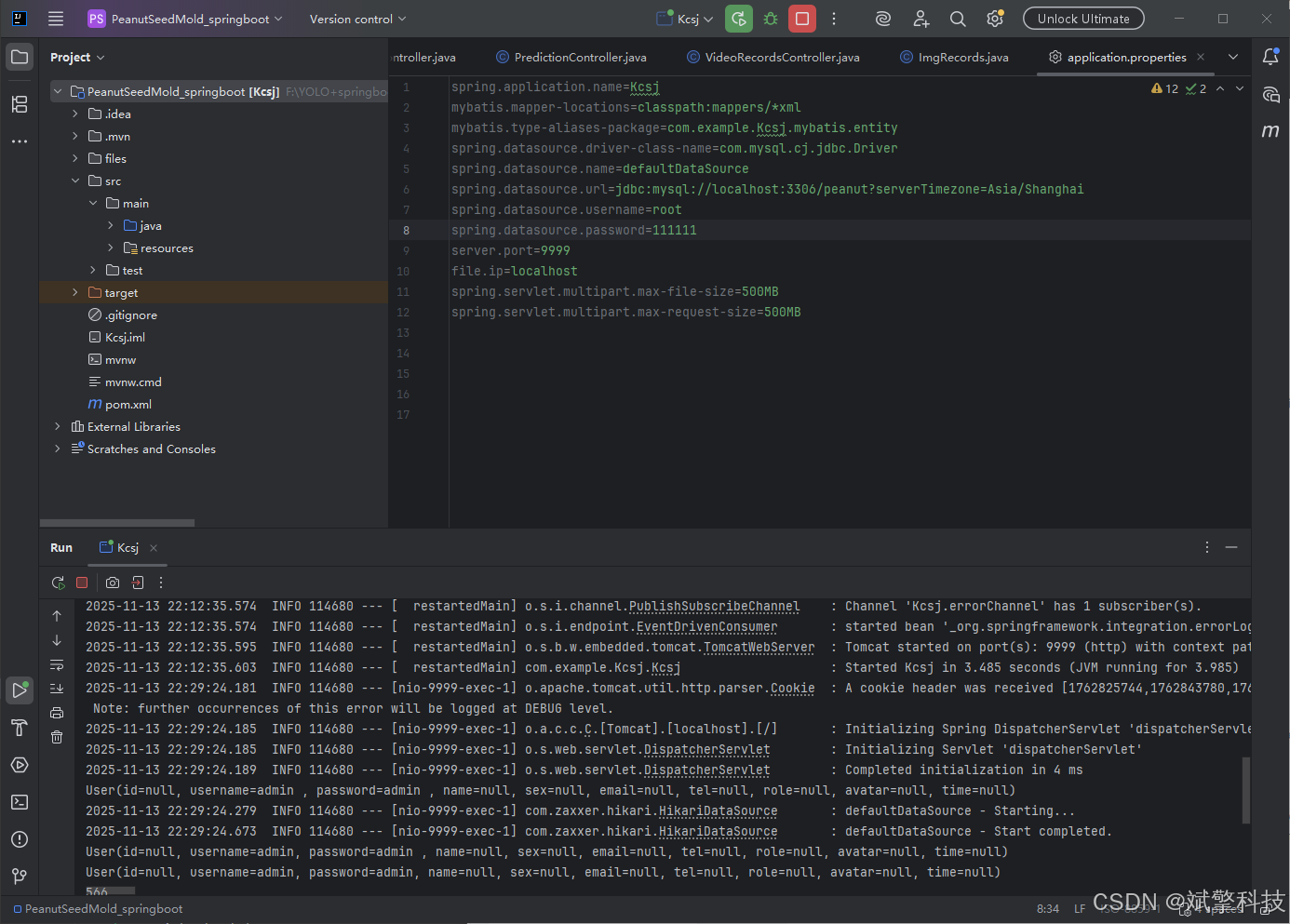
后端代码展示
项目源码+数据集
哔哩哔哩视频下方简介内获取:
基于YOLOv8/v10/v11/v12与SpringBoot的前后端分离花生种子霉变识别检测系统(DeepSeek智能分析+web交互界面)_哔哩哔哩_bilibili

有“AI”的1024 = 2048,欢迎大家加入2048 AI社区
更多推荐

 9
9 0
0- 0



 已为社区贡献39条内容

所有评论(0)