20260116让天启AIO-3576Q38开发板在天启Android14下适配摄像头模块8ms1m为4K录像
本文记录了在天启AIO-3576Q38开发板上适配8ms1m摄像头模块的过程。主要内容包括:1) 在Android14环境下成功实现8M拍照功能;2) 修改配置文件支持4K录像,但出现CSI接口异常;3) 提供了完整的SDK获取方式和编译步骤;4) 详细记录了系统日志中的错误信息。开发过程中遇到的主要问题是4K录像时出现"csisizeerr"错误,表现为尺寸信息读取失败。文章
adb root
adb remount
adb push ov5645.txt /vendor/etc/media_profiles_V1_0.xml
20260116让天启AIO-3576Q38开发板在天启Android14下适配摄像头模块8ms1m为4K录像
2026/1/16 9:49
缘起:给飞凌OK3588-C开发板适配Rockchip原厂的Android14后,需要适配CAM3接口的摄像头OV5645。
给飞凌OK3588-C开发板适配Rockchip原厂的Android14后,需要适配CTP触摸屏FT5X06。
当你把荣品RD-RK3588开发板重新适配一把,就相当于从头做了一个项目:【荣品RD-RK3588开发板】。
当然,开发板的功能都是好的,你免除了调试的过程,也就没有解决相关硬件出错的经验/机会了!
https://wiki.t-firefly.com/CAM-8MS1M/cam-8ms1m.html
800W单目摄像头
YUV的话,我们适配的只有这个
开发板收到。今天 要进行全接口功能测试。请提供 测试 步骤?
请提供 icore-3576JQ38开发板的 全套SDK(Andorid14/Buildroot Linux-6.1内核?)?
链接: https://pan.baidu.com-s/1ixM4N83KRiArLLKPkgCyVg
提取码: 1234
收到。应该 3576的 buildroot。
Android14也发一下。方便我司比对。
Baidu Drive: 链接:https://pan.baidu.com-s/1G9o8UTuO3Zkyq7YW4452_w?pwd=1234 PASSWD:1234
再更新bundle后选中rk3576_firefly_aio_3576q38-userdebug后编译
我在官网看了一下。没有 看到 Buildroot/Linux的预编译固件呀?
https://wiki.t-firefly.com/zh_CN/AIO-3576Q38/linux_compile.html
1.3.2. 编译前配置
一、天启AIO-3576Q38开发板在天启Android14下是不能启动的,刷机就进入MASKROM模式。
更新为天启的buildroot的rkbin目录即可!【整体替换】
二、天启AIO-3576Q38开发板在天启Buildroot下无法打开摄像头模块8ms1m
1、将摄像头 接入 哪一个接口?CSI1/2 还是CSI3/4
还是都可以?
2、SDK中的DTS需要 改不?默认 有加入 摄像头吗?
默认有加的
CSI3/4不能用
其他都可以
按个试一下 /dev/video节点。都不能显示呀!
Microsoft Windows [版本 10.0.19045.6466]
(c) Microsoft Corporation。保留所有权利。
C:\Users\QQ>adb shell
* daemon not running; starting now at tcp:5037
* daemon started successfully
root@rk3576-buildroot:/# v4l2-ctl --list-devices
rkisp-statistics (platform: rkisp):
/dev/video28
/dev/video29
rkcif-mipi-lvds (platform:rkcif-mipi-lvds):
/dev/media0
rkcif-mipi-lvds1 (platform:rkcif-mipi-lvds1):
/dev/media1
rkisp_mainpath (platform:rkisp-vir1):
/dev/video22
/dev/video23
/dev/video24
/dev/video25
/dev/video26
/dev/video27
/dev/video30
/dev/media2
rkvpss_scale0 (platform:rkvpss-vir1):
/dev/video32
/dev/video33
/dev/video34
/dev/video35
/dev/media3
Failed to open /dev/video0: No such device
root@rk3576-buildroot:/#
三、天启AIO-3576Q38开发板在天启Android14下测试摄像头模块8ms1m拍照修改为8M,录像为480p
刷机了 你们提供的Android14,我默认编译的固件 摄像头可以亮。
拍照分辨率 最大8M?
录像 分辨率?最大4K。
请帮忙修改一下!
【重新/更新编译Android14】让天启AIO-3576Q38开发板在天启Android14下适配摄像头模块8ms1m为8M拍照
改下hardware/rockchip/camera/etc/camera/camera3_profiles_rk3576.xml
xc7160里面的scaler.availableStreamConfigurations
scaler.availableMinFrameDurations
scaler.availableStallDurations
sensor.info.activeArraySize , 改成3840x2160
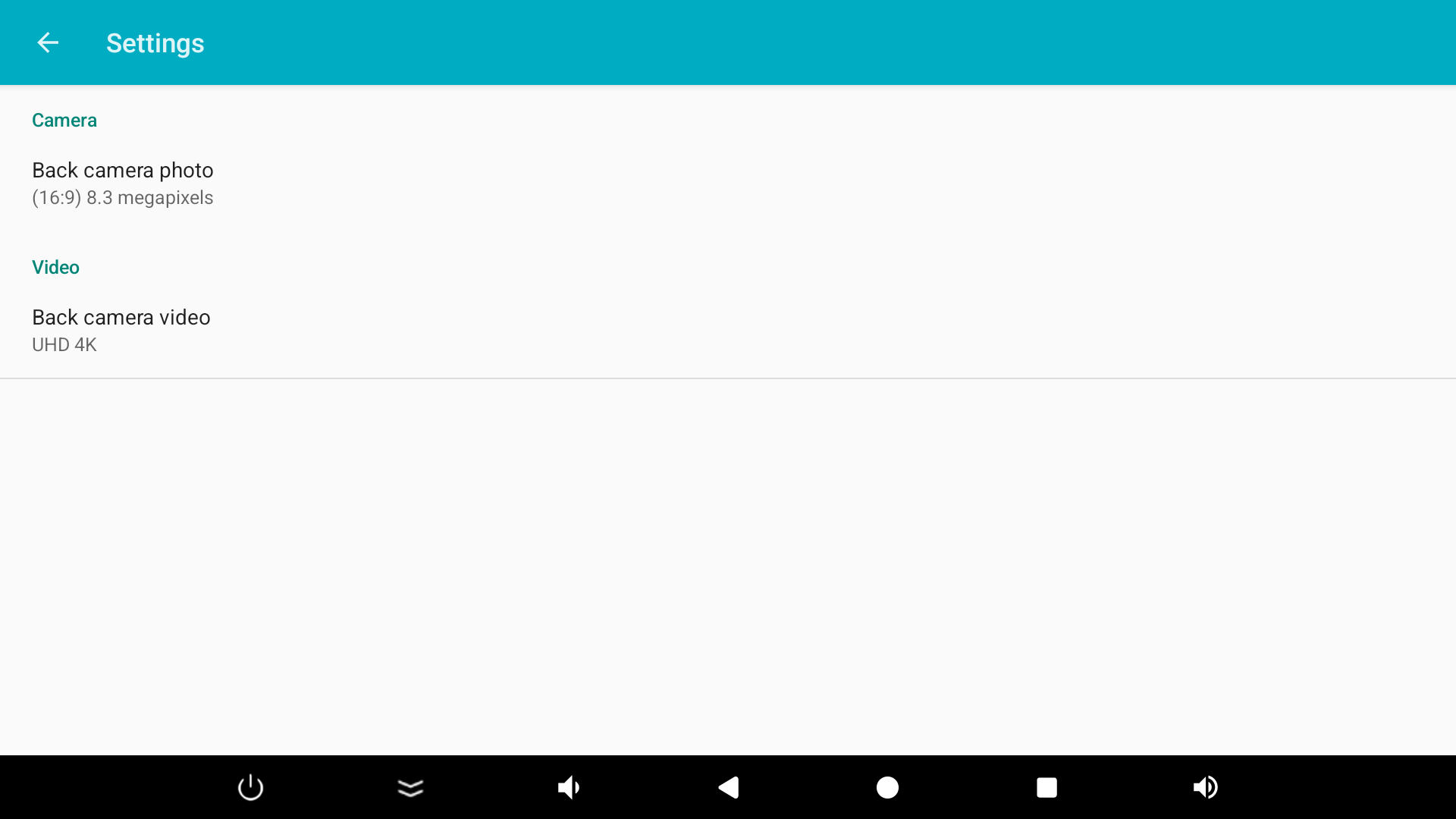
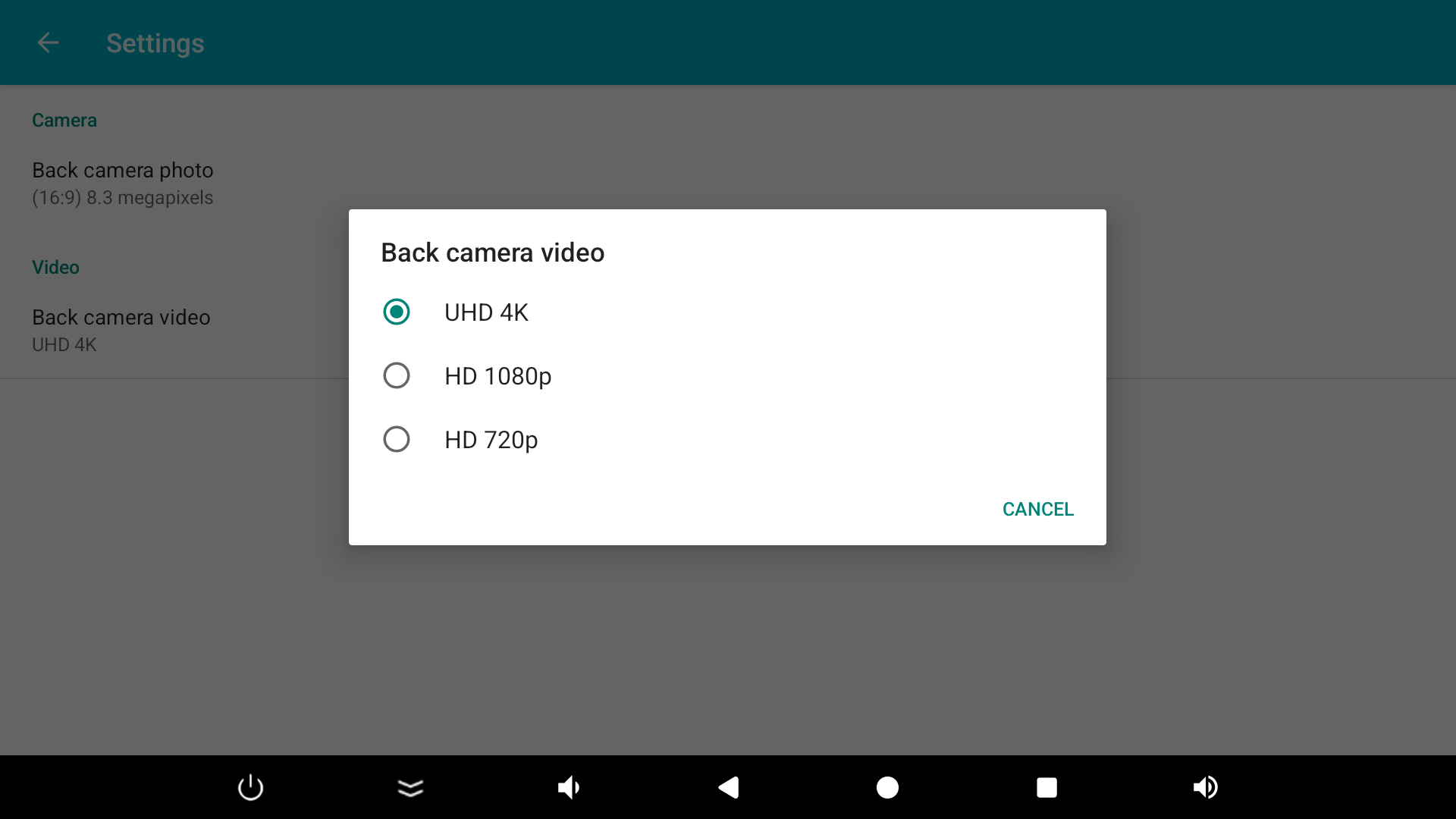
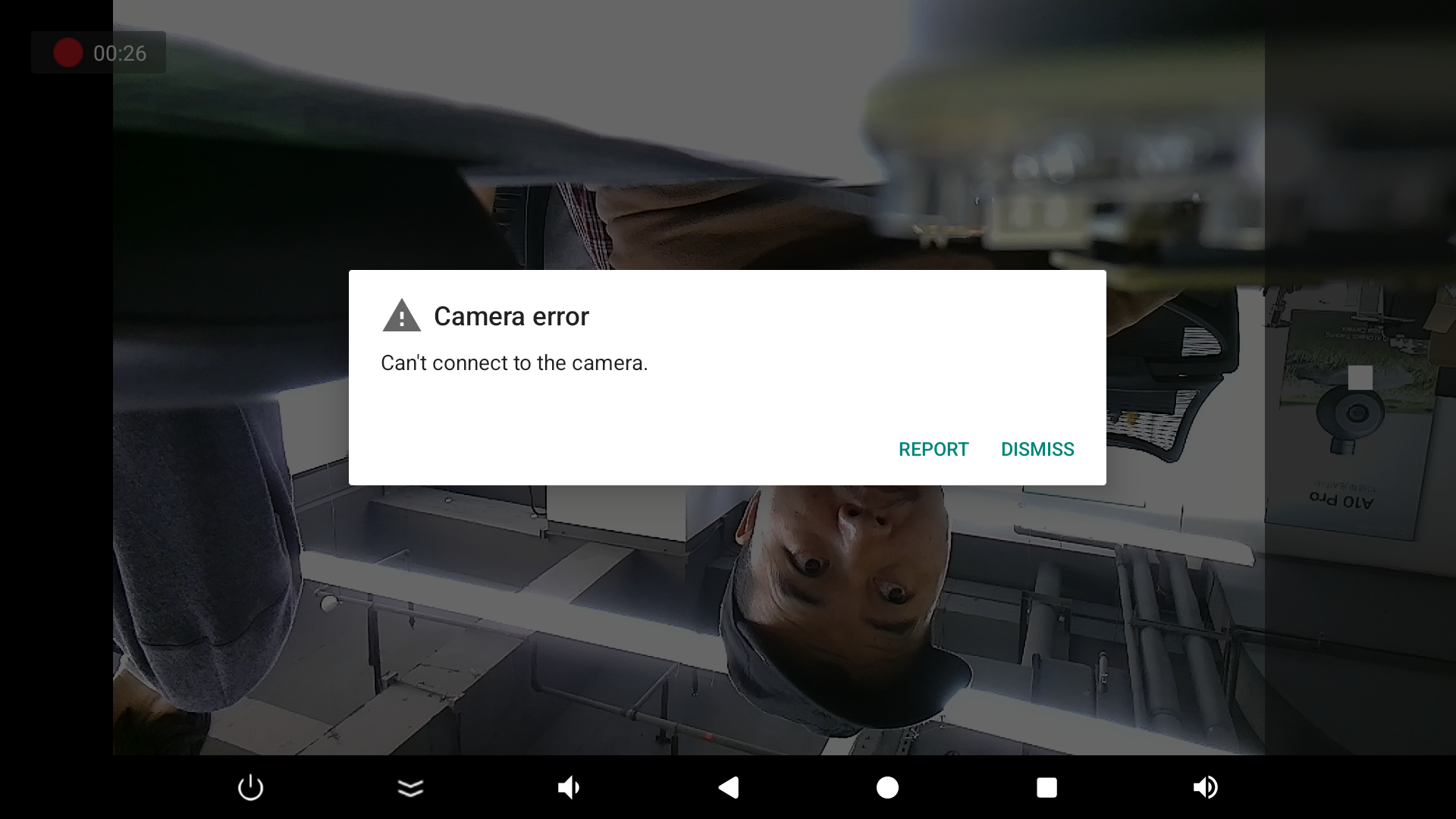
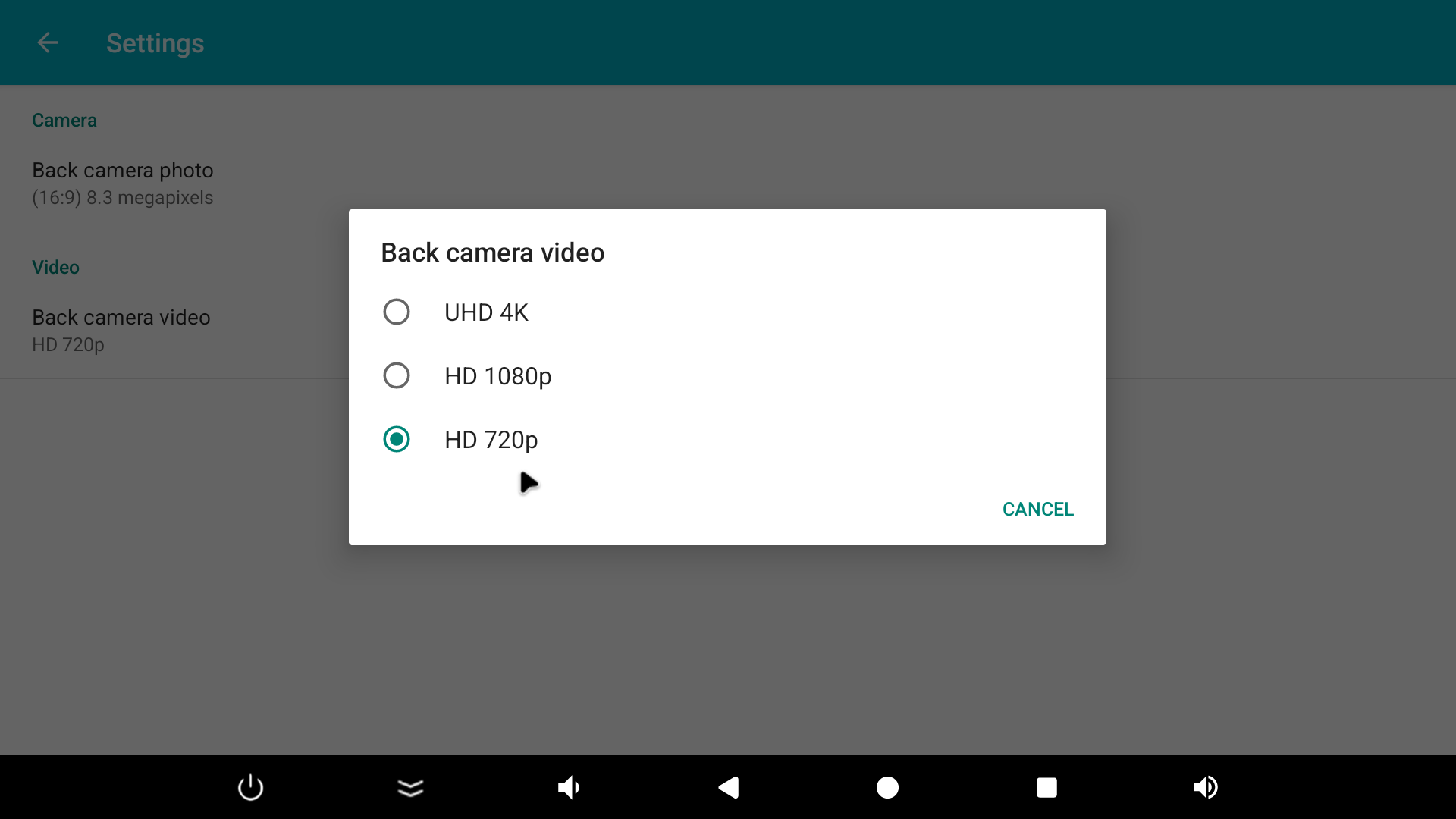
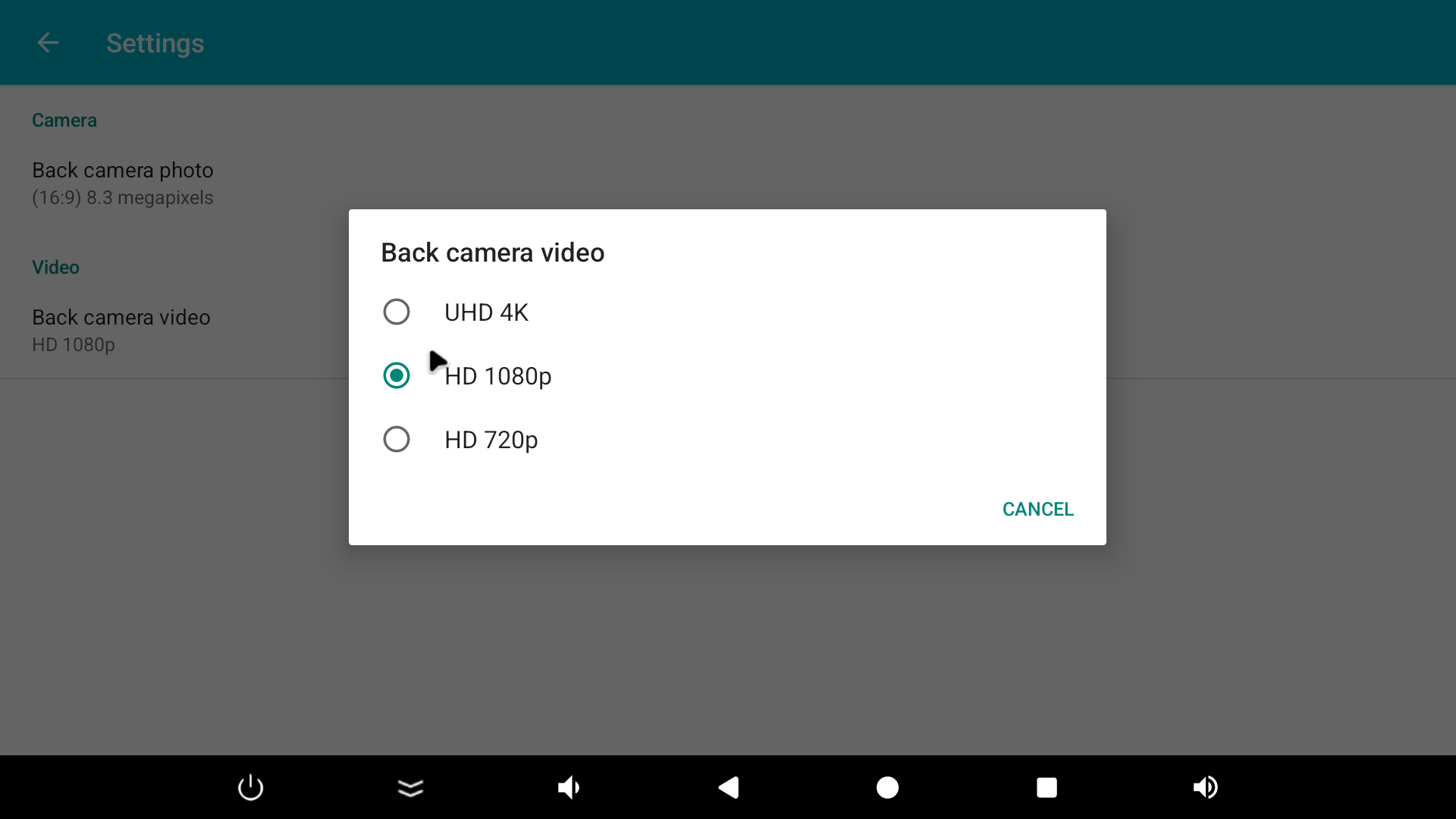
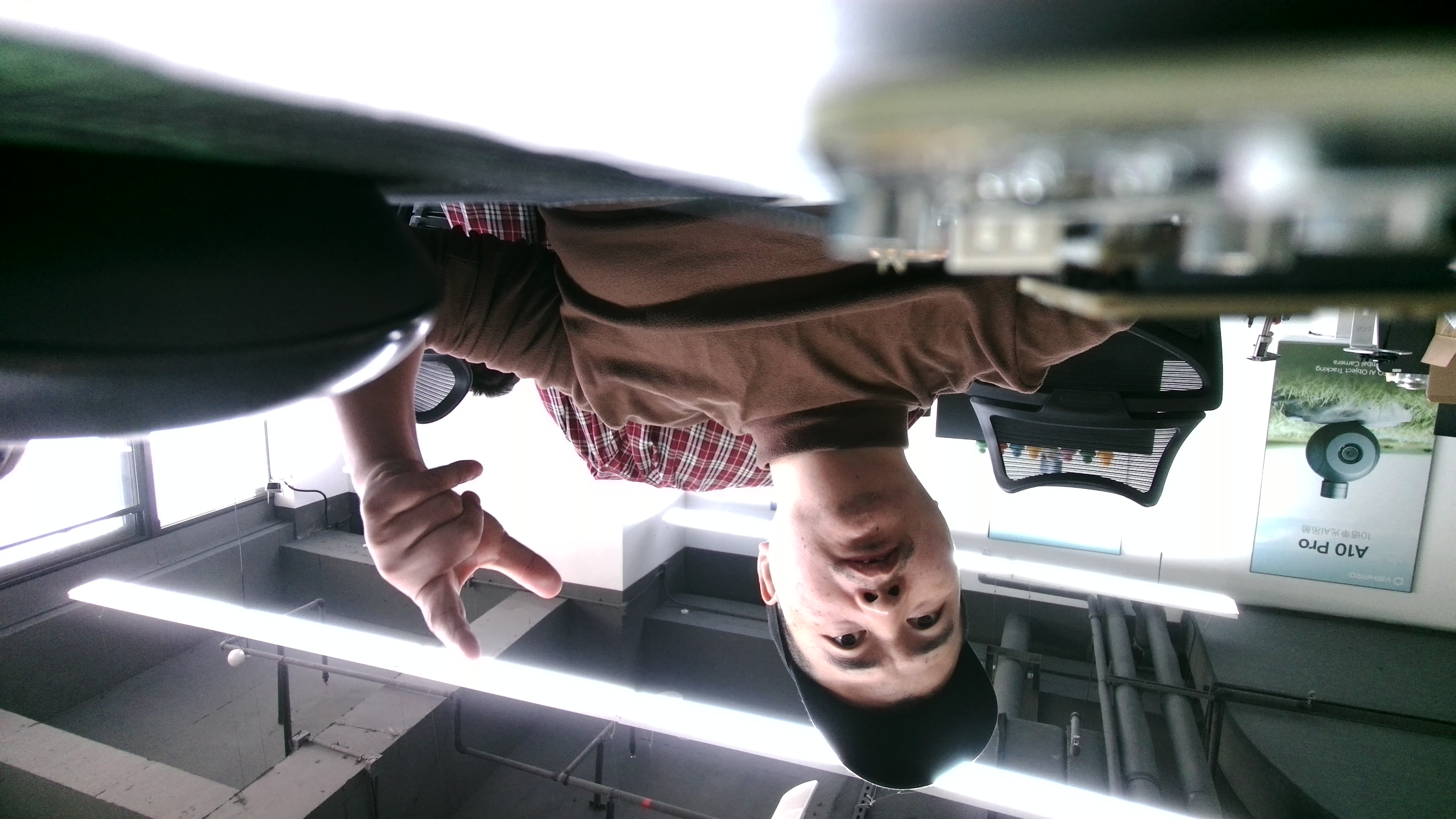
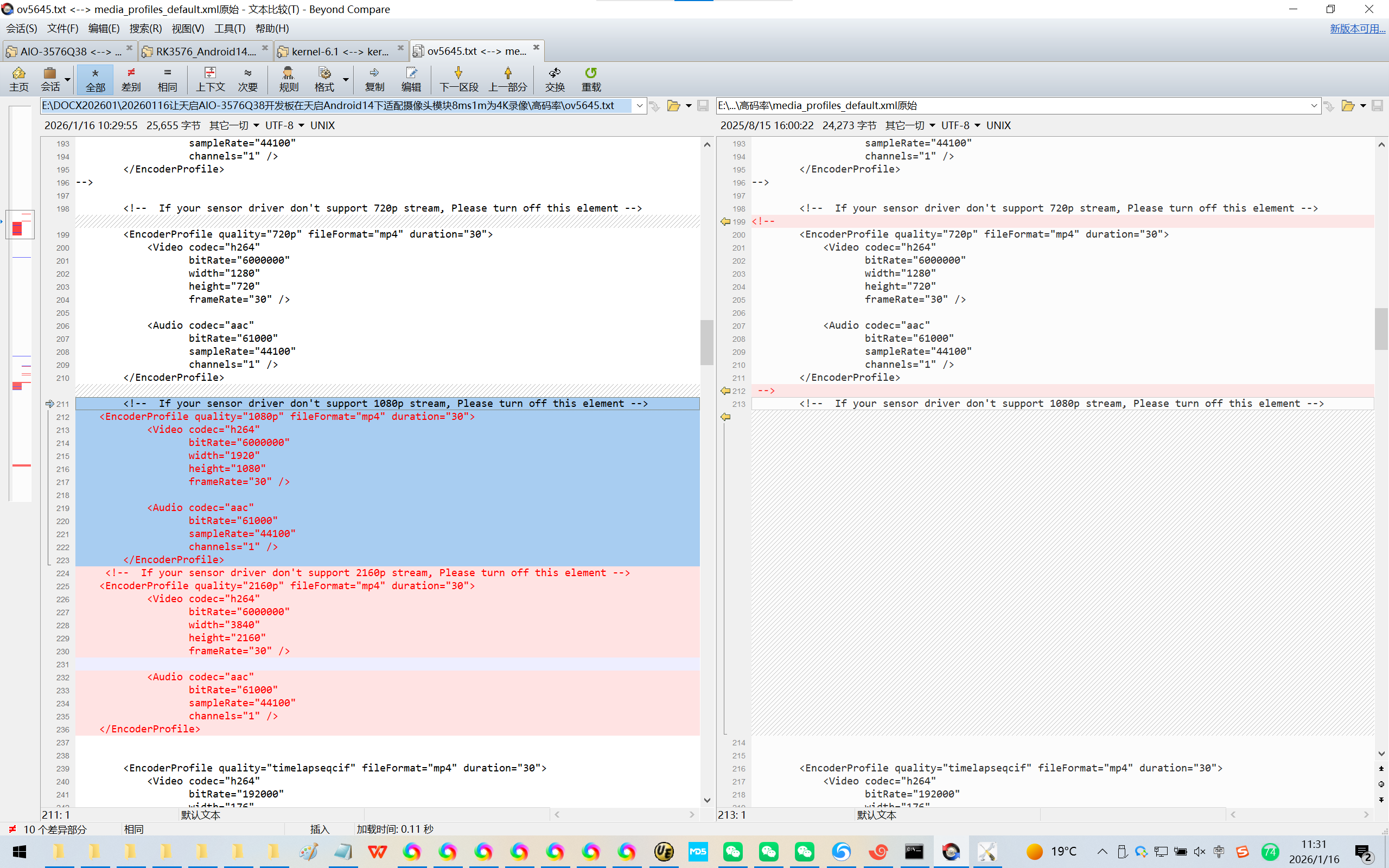
四、替换掉:/vendor/etc/media_profiles_V1_0.xml,增加720p/1080p/4K分辨率录像。其中4K分辨率录像异常了!
adb root
adb remount
Microsoft Windows [版本 10.0.19045.6466]
(c) Microsoft Corporation。保留所有权利。
C:\Users\QQ>cd E:\DOCX202601\20260116让天启AIO-3576Q38开发板在天启Android14下适配摄像头模块8ms1m为4K录像\高码率
C:\Users\QQ>e:
E:\DOCX202601\20260116让天启AIO-3576Q38开发板在天启Android14下适配摄像头模块8ms1m为4K录像\高码率>dir
驱动器 E 中的卷是 新加卷
卷的序列号是 022F-63CD
E:\DOCX202601\20260116让天启AIO-3576Q38开发板在天启Android14下适配摄像头模块8ms1m为4K录像\高码率 的目录
2026/01/16 10:28 <DIR> .
2026/01/16 10:28 <DIR> ..
2026/01/16 10:29 25,897 gc2093.txt
2026/01/16 09:56 62,498 media_profiles_default (1).xml
2025/08/15 16:00 24,273 media_profiles_default.xml原始
2026/01/14 13:38 25,652 media_profiles_default.xml码率15Mbps
2026/01/14 15:49 25,654 media_profiles_default.xml码率30Mbps
2026/01/14 09:36 25,656 media_profiles_default.xml高码率
2026/01/16 09:56 4,180 media_profiles_default2.xml
2025/08/15 16:00 24,273 media_profiles_default原始.xml
2025/12/10 09:22 25,647 media_profiles_default配置成为4K了.xml
2026/01/16 10:29 25,655 ov5645.txt
10 个文件 269,385 字节
2 个目录 276,735,832,064 可用字节
E:\DOCX202601\20260116让天启AIO-3576Q38开发板在天启Android14下适配摄像头模块8ms1m为4K录像\高码率>adb push ov5645.txt /vendor/etc/media_profiles_V1_0.xml
ov5645.txt: 1 file pushed, 0 skipped. 0.5 MB/s (25655 bytes in 0.046s)
E:\DOCX202601\20260116让天启AIO-3576Q38开发板在天启Android14下适配摄像头模块8ms1m为4K录像\高码率>
替换Android系统里的/vendor/etc/camera/camera3_profiles.xml
【感觉通过adb推进不行,更新编译之后有用!】
https://wiki.t-firefly.com/zh_CN/AIO-3576Q38/android_compile_android14.0_firmware.html
3.2.2. 分步编译
编译 kernel:
cd ~/proj/RK3576_Android14.0/kernel-6.1
export PATH=../prebuilts/clang/host/linux-x86/clang-r487747c/bin:$PATH
alias msk='make CROSS_COMPILE=aarch64-linux-gnu- LLVM=1 LLVM_IAS=1'
msk ARCH=arm64 firefly_defconfig android-14.config rk3576.config
msk ARCH=arm64 BOOT_IMG=../rockdev/Image-rk3576_firefly_aio_3576q38/boot.img rk3576-firefly-aio-3576q38.img -j8
编译 uboot:
cd ~/proj/RK3576_Android14.0/u-boot/
make rk3576_defconfig
./make.sh --spl-new
编译 Android:
cd ~/proj/RK3576_Android14.0/
source build/envsetup.sh
lunch rk3576_firefly_aio_3576q38-userdebug
make installclean
make -j8
./mkimage.sh
3.2.3. 打包成统一固件 update.img
编译完可以用Firefly官方的脚本打包成统一固件,执行如下命令:
./FFTools/mkupdate/mkupdate.sh -l rk3576_firefly_aio_3576q38-userdebug
打包完成后将在rockdev/Image-rk3576_firefly_aio_3576q38/ 目录下生成统一固件: product名XXX_XXX_日期XXX.img
在 Windows 下打包统一固件 update.img 也很简单,将编译生成的文件拷贝到 AndroidTool 的 rockdev\Image 目录中,然后运行 rockdev 目录下的 mkupdate.bat 批处理文件即可创建 update.img 并存放到 rockdev\Image 目录里。
五、录像效果图:
:/ # cd /ven
vendor/ vendor_dlkm/
:/ # cd /vendor/etc/
:/vendor/etc #
:/vendor/etc # ls -l
total 648
-rw-r--r-- 1 root root 5593 2026-01-15 09:47 HwComposerEnv.xml
-rw-r--r-- 1 root root 119024 2026-01-15 09:47 NOTICE.xml.gz
-rw-r--r-- 1 root root 2090 2026-01-15 09:47 a2dp_audio_policy_configuration_7_0.xml
-rw-r--r-- 1 root root 7544 2026-01-15 09:47 audio_effects.xml
-rw-r--r-- 1 root root 8411 2026-01-15 09:47 audio_policy_configuration.xml
-rw-r--r-- 1 root root 8929 2026-01-15 09:47 audio_policy_configuration_singlehal.xml
-rw-r--r-- 1 root root 10643 2026-01-15 09:47 audio_policy_volumes_drc.xml
drwxr-xr-x 2 root shell 4096 2026-01-15 09:47 bluetooth
-rw-r--r-- 1 root root 2099 2026-01-15 09:47 bluetooth_audio_policy_configuration_7_0.xml
drwxr-xr-x 4 root shell 4096 2026-01-15 09:47 camera
-rw-r--r-- 1 root root 2032 2026-01-15 09:47 cfg_rockchip_default.xml
-rw-r--r-- 1 root root 358 2026-01-15 09:46 cgroups.json
-rw-r--r-- 1 root root 5133 2026-01-15 09:47 default_volume_tables.xml
-rw-r--r-- 1 root root 238 2026-01-15 09:47 display_settings.xml
-rw-r--r-- 1 root root 4206 2026-01-15 09:47 external_camera_config.xml
drwxr-xr-x 2 root shell 8192 2026-01-15 09:47 firmware
-r--r--r-- 1 root root 0 2026-01-15 09:46 fs_config_dirs
-r--r--r-- 1 root root 0 2026-01-15 09:46 fs_config_files
-rw-r--r-- 1 root root 3523 2026-01-15 09:47 fstab.rk30board
-rw-r--r-- 1 root root 436 2026-01-15 09:46 fstab_swap.ext1024
-rw-r--r-- 1 root root 436 2026-01-15 09:46 fstab_swap.ext2048
-rw-r--r-- 1 root root 435 2026-01-15 09:46 fstab_swap.ext256
-rw-r--r-- 1 root root 436 2026-01-15 09:46 fstab_swap.ext4096
-rw-r--r-- 1 root root 435 2026-01-15 09:46 fstab_swap.ext512
-rw-r--r-- 1 root root 390 2026-01-15 09:46 fstab_swap.extnone
drwxr-xr-x 2 root shell 4096 2026-01-15 09:47 graphic
-rw-r--r-- 1 root root 0 2026-01-15 09:46 group
drwxr-xr-x 3 root shell 4096 2026-01-15 09:47 init
-rw-r--r-- 1 root root 0 2026-01-15 09:47 linker.config.pb
-rw-r--r-- 1 root root 799 2026-01-15 09:47 media_codecs.xml
-rw-r--r-- 1 root root 5098 2026-01-15 09:47 media_codecs_c2_base.xml
-rw-r--r-- 1 root root 3715 2026-01-15 09:47 media_codecs_google_c2.xml
-rw-r--r-- 1 root root 8090 2026-01-15 09:47 media_codecs_performance.xml
-rw-r--r-- 1 root root 24273 2026-01-15 09:47 media_profiles_V1_0.xml
-rw-r--r-- 1 root root 389 2026-01-15 09:46 mkshrc
-rw-r--r-- 1 root root 386 2026-01-15 09:47 package_uimode_config.xml
-rw-r--r-- 1 root root 0 2026-01-15 09:46 passwd
drwxr-xr-x 2 root shell 4096 2026-01-15 09:47 permissions
-rw-r--r-- 1 root root 268905 2026-01-15 09:47 pq_setting_config.json
-rw-r--r-- 1 root root 13 2026-01-15 09:47 public.libraries.txt
-rw-r--r-- 1 root root 2105 2026-01-15 09:47 r_submix_audio_policy_configuration.xml
drwxr-xr-x 4 root shell 4096 2026-01-15 09:46 res
-rw-r--r-- 1 root root 651 2026-01-15 09:47 rockchip_forbid_packages.xml
drwxr-xr-x 2 root shell 4096 2026-01-15 09:47 seccomp_policy
drwxr-xr-x 2 root shell 4096 2026-01-15 09:47 selinux
-rw-r--r-- 1 root root 2425 2026-01-15 09:46 task_profiles.json
-rw-r--r-- 1 root root 9516 2026-01-15 09:47 ueventd.rc
-rw-r--r-- 1 root root 2237 2026-01-15 09:47 usb_audio_policy_configuration.xml
drwxr-xr-x 2 root shell 12288 2026-01-15 09:46 usb_modeswitch.d
drwxr-xr-x 3 root shell 4096 2026-01-15 09:47 vintf
drwxr-xr-x 2 root shell 4096 2026-01-15 09:47 wifi
:/vendor/etc #
:/vendor/etc #
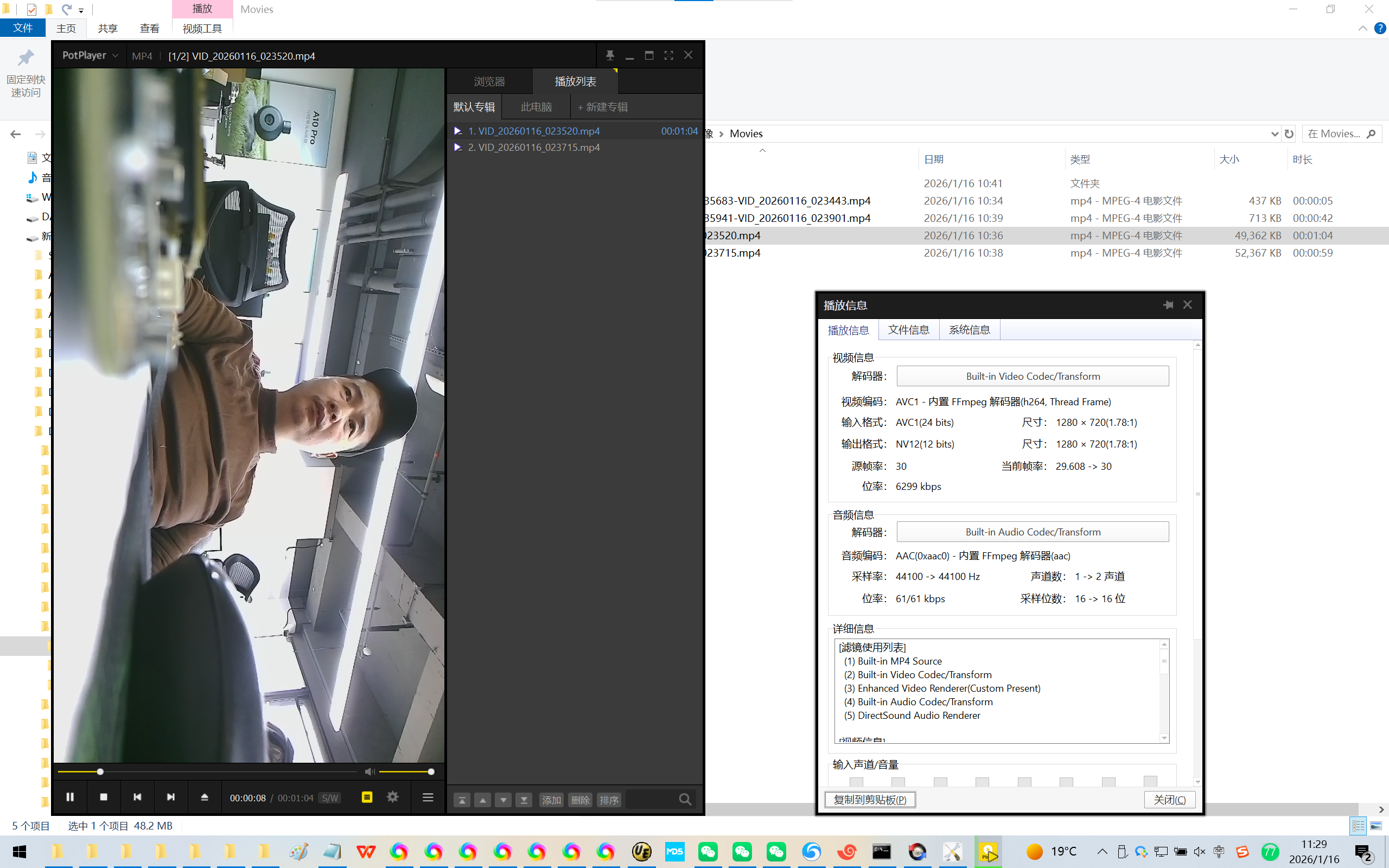
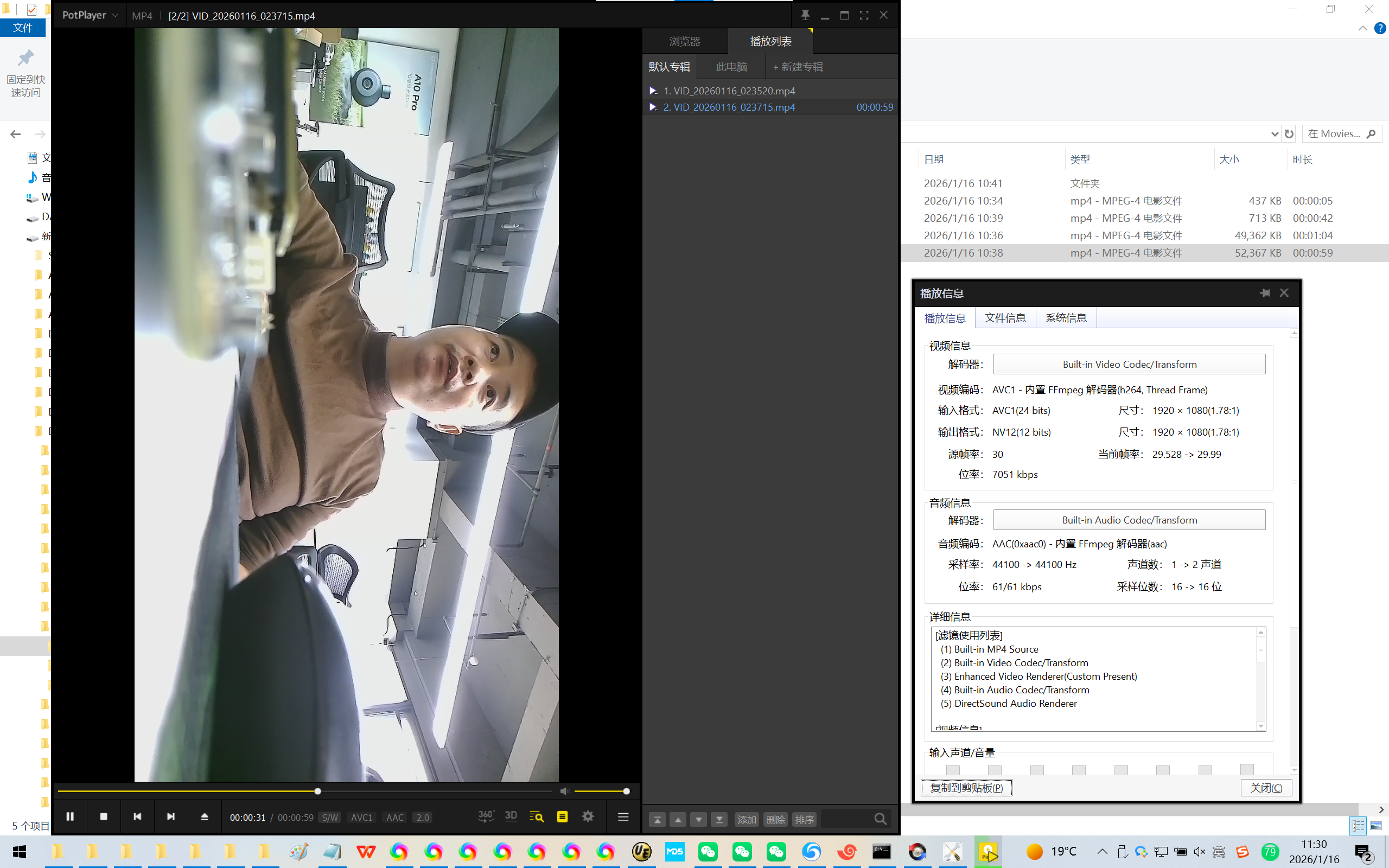
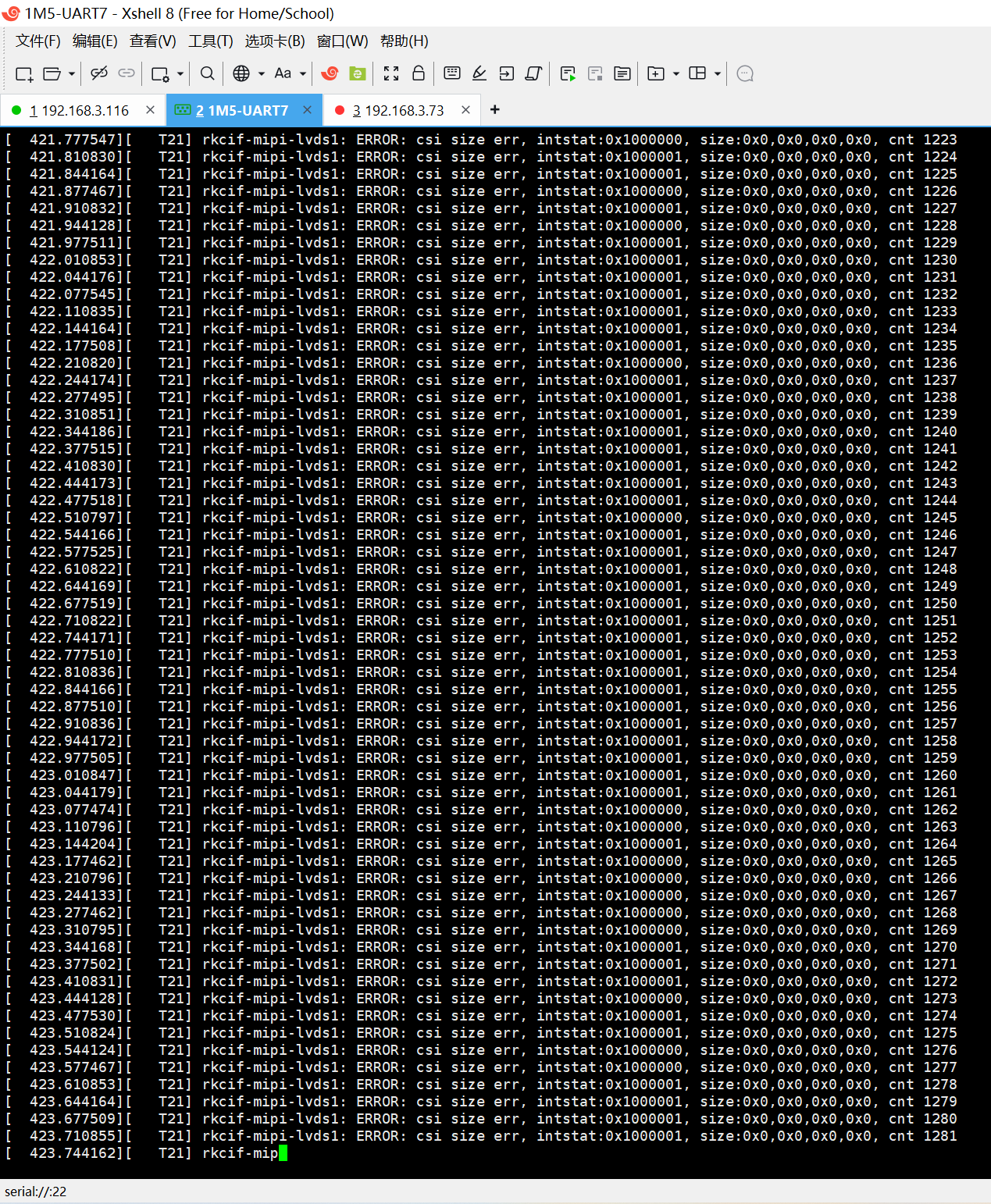
4K异常了
[ 444.077463][ T6] rkcif-mipi-lvds1: ERROR: csi size err, intstat:0x1000000, size:0x0,0x0,0x0,0x0, cnt 1893
[ 444.110818][ T6] rkcif-mipi-lvds1: ERROR: csi size err, intstat:0x1000001, size:0x0,0x0,0x0,0x0, cnt 1894
[ 444.144161][ T6] rkcif-mipi-lvds1: ERROR: csi size err, intstat:0x1000001, size:0x0,0x0,0x0,0x0, cnt 1895
[ 444.177464][ T6] rkcif-mipi-lvds1: ERROR: csi size err, intstat:0x1000000, size:0x0,0x0,0x0,0x0, cnt 1896
[ 444.208754][ T785] binder: 705:785 ioctl 400c620e 75b23f4658 returned -11
[ 444.210789][ T6] rkcif-mipi-lvds1: ERROR: csi size err, intstat:0x1000000, size:0x0,0x0,0x0,0x0, cnt 1897
[ 444.244184][ T6] rkcif-mipi-lvds1: ERROR: csi size err, intstat:0x1000001, size:0x0,0x0,0x0,0x0, cnt 1898
[ 444.277497][ T6] rkcif-mipi-lvds1: ERROR: csi size err, intstat:0x1000001, size:0x0,0x0,0x0,0x0, cnt 1899
[ 444.310819][ T6] rkcif-mipi-lvds1: ERROR: csi size err, intstat:0x1000001, size:0x0,0x0,0x0,0x0, cnt 1900
[ 444.344165][ T6] rkcif-mipi-lvds1: ERROR: csi size err, intstat:0x1000001, size:0x0,0x0,0x0,0x0, cnt 1901
[ 444.377460][ T6] rkcif-mipi-lvds1: ERROR: csi size err, intstat:0x1000000, size:0x0,0x0,0x0,0x0, cnt 1902
[ 444.410826][ T6] rkcif-mipi-lvds1: ERROR: csi size err, intstat:0x1000000, size:0x0,0x0,0x0,0x0, cnt 1904
[ 444.444158][ T6] rkcif-mipi-lvds1: ERROR: csi size err, intstat:0x1000001, size:0x0,0x0,0x0,0x0, cnt 1905
[ 444.477492][ T6] rkcif-mipi-lvds1: ERROR: csi size err, intstat:0x1000001, size:0x0,0x0,0x0,0x0, cnt 1906
[ 444.510820][ T6] rkcif-mipi-lvds1: ERROR: csi size err, intstat:0x1000001, size:0x0,0x0,0x0,0x0, cnt 1907
[ 444.544160][ T6] rkcif-mipi-lvds1: ERROR: csi size err, intstat:0x1000001, size:0x0,0x0,0x0,0x0, cnt 1908
[ 444.577495][ T6] rkcif-mipi-lvds1: ERROR: csi size err, intstat:0x1000001, size:0x0,0x0,0x0,0x0, cnt 1909
[ 444.610829][ T6] rkcif-mipi-lvds1: ERROR: csi size err, intstat:0x1000001, size:0x0,0x0,0x0,0x0, cnt 1910
[ 444.644182][ T6] rkcif-mipi-lvds1: ERROR: csi size err, intstat:0x1000001, size:0x0,0x0,0x0,0x0, cnt 1911
[ 444.677456][ T6] rkcif-mipi-lvds1: ERROR: csi size err, intstat:0x1000000, size:0x0,0x0,0x0,0x0, cnt 1912
[ 444.710831][ T6] rkcif-mipi-lvds1: ERROR: csi size err, intstat:0x1000001, size:0x0,0x0,0x0,0x0, cnt 1913
[ 444.744156][ T6] rkcif-mipi-lvds1: ERROR: csi size err, intstat:0x1000001, size:0x0,0x0,0x0,0x0, cnt 1914
[ 444.777516][ T6] rkcif-mipi-lvds1: ERROR: csi size err, intstat:0x1000001, size:0x0,0x0,0x0,0x0, cnt 1915
[ 444.810792][ T6] rkcif-mipi-lvds1: ERROR: csi size err, intstat:0x1000000, size:0x0,0x0,0x0,0x0, cnt 1916
[ 444.844158][ T6] rkcif-mipi-lvds1: ERROR: csi size err, intstat:0x1000001, size:0x0,0x0,0x0,0x0, cnt 1917
[ 444.877457][ T6] rkcif-mipi-lvds1: ERROR: csi size err, intstat:0x1000000, size:0x0,0x0,0x0,0x0, cnt 1918
[ 444.910823][ T6] rkcif-mipi-lvds1: ERROR: csi size err, intstat:0x1000001, size:0x0,0x0,0x0,0x0, cnt 1919
[ 444.944160][ T6] rkcif-mipi-lvds1: ERROR: csi size err, intstat:0x1000001, size:0x0,0x0,0x0,0x0, cnt 1920
[ 444.977490][ T6] rkcif-mipi-lvds1: ERROR: csi size err, intstat:0x1000001, size:0x0,0x0,0x0,0x0, cnt 1921
[ 445.010828][ T6] rkcif-mipi-lvds1: ERROR: csi size err, intstat:0x1000001, size:0x0,0x0,0x0,0x0, cnt 1922

有“AI”的1024 = 2048,欢迎大家加入2048 AI社区
更多推荐
 13
13 0
0- 0


 已为社区贡献46条内容

所有评论(0)