Ubuntu系统的docker安装和GPU支持,国内可下载的AI镜像,AI助手
使用docker AI镜像可以避免繁琐的AI环境安装配置过程,下面是具体操作流程,还有国内可以的镜像资源以及免费答疑机器人。
使用docker AI镜像可以避免繁琐的AI环境安装配置过程,下面是具体操作流程。
docker安装
更新软件包列表
sudo apt update
安装Docker所需依赖包。
sudo apt-get -y install ca-certificates curl
创建/etc/apt/keyrings目录,并下载Docker的官方GPG密钥到该目录。
Ubuntu 18/22/20Debian 11/12
sudo install -m 0755 -d /etc/apt/keyrings
sudo curl -fsSL http://mirrors.aliyun.com/docker-ce/linux/ubuntu/gpg -o /etc/apt/keyrings/docker.asc
sudo chmod a+r /etc/apt/keyrings/docker.asc
将Docker仓库添加到系统的软件源列表。
Ubuntu 18/22/20
echo
“deb [arch=$(dpkg --print-architecture) signed-by=/etc/apt/keyrings/docker.asc] http://mirrors.aliyun.com/docker-ce/linux/ubuntu
KaTeX parse error: Expected 'EOF', got '&' at position 20: …etc/os-release &̲& echo "VERSION_CODENAME”) stable" |
sudo tee /etc/apt/sources.list.d/docker.list > /dev/null
更新软件包列表。
sudo apt update
安装Docker。
sudo apt-get install -y docker-ce docker-ce-cli containerd.io
查看docker版本信息。
docker -v
启动Docker守护进程并设置开机自启动。
执行以下命令,启动Docker服务,并设置开机自启动。
sudo systemctl start docker
sudo systemctl enable docker
执行以下命令,查看Docker是否启动。
sudo systemctl status docker
实现GPU支持
官方文档:https://docs.nvidia.com/datacenter/cloud-native/container-toolkit/latest/install-guide.html
Installing with Apt,Configure the production repository:
curl -fsSL https://nvidia.github.io/libnvidia-container/gpgkey | sudo gpg --dearmor -o /usr/share/keyrings/nvidia-container-toolkit-keyring.gpg && curl -s -L https://nvidia.github.io/libnvidia-container/stable/deb/nvidia-container-toolkit.list | sed ‘s#deb https://#deb [signed-by=/usr/share/keyrings/nvidia-container-toolkit-keyring.gpg] https://#g’ | sudo tee /etc/apt/sources.list.d/nvidia-container-toolkit.list
sudo apt-get update
Install the NVIDIA Container Toolkit packages:
sudo apt-get install -y nvidia-container-toolkit
Configuring Docker
Configure the container runtime by using the nvidia-ctk command:
sudo nvidia-ctk runtime configure --runtime=docker
The nvidia-ctk command modifies the /etc/docker/daemon.json file on the host. The file is updated so that Docker can use the NVIDIA Container Runtime.
Restart the Docker daemon:
sudo systemctl restart docker
测试镜像
docker run -ti --gpus all --rm ac2-registry.cn-hangzhou.cr.aliyuncs.com/ac2/pytorch:2.2.0.1-3.2304-cu121
执行:
pip3 list
python3
import torch
torch.cuda.is_available()
离线安装nvidia container的软件:
https://mirrors.aliyun.com/github/releases/NVIDIA/nvidia-container-toolkit/v1.18.1/?spm=a2c6h.25603864.0.0.663a1c5eXgWDuK
国内可用的AI开发环境镜像:
https://cr.console.aliyun.com/cn-hangzhou/instances/artifact
该页面下的制品中心
免费答疑机器人
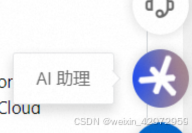
安装过程中遇到问题可以咨询制品中心右下角的AI助理:

有“AI”的1024 = 2048,欢迎大家加入2048 AI社区
更多推荐
 5
5 0
0- 0


 已为社区贡献1条内容

所有评论(0)