点餐系统装上了“DeepSeek大脑”:基于 Spring AI + PgVector 的 RAG 落地指南
大家好,我是 Sail, pgsql版本的AI点餐已经完成了,代码已经提交到仓库,支持本地deepseeker1.5b模型(我电脑960显卡- -)和deepseeker API。
前段时间,我开源了 [Sail-Food 扬帆点餐系统] 的基础版,收到了很多朋友反馈。大部分同学觉得界面丝滑、部署简单,非常适合做毕设活商用,有同学说建议我弄个多商户版本的。这块后面看时间会考虑加pgsql版本的。
基于 Spring AI + PostgreSQL (pgvector) + DeepSeek,给系统加上了一个 “AI 智能导购” 功能。
今天就来复盘一下,我是如何在 Java 生态 下落地 RAG(检索增强生成)技术的。
💡 架构设计:为什么选 PostgreSQL 而不是 Milvus?
在设计 AI 功能时,我面临一个选择:向量数据存哪里?
市面上主流方案是 MySQL (业务) + Milvus/Elasticsearch (向量)。
但我果断放弃了,选择了 PostgreSQL All-in-One 方案。
架构师的思考:
-
运维成本: 对于中小项目,多维护一个 ES 或 Milvus 是灾难。PG 安装一个 pgvector 插件就能存向量,且支持 ACID 事务。
-
数据一致性: 菜品改了价格,向量库也要改。在同一个库里,一个事务就能搞定;分库的话还得搞分布式事务或 MQ,太重。
-
混合查询能力: PG 支持 SQL 过滤 + 向量相似度 联合查询(比如:推荐 20 元以下 + 适合小孩吃的菜),这是独立向量库很难做到的。
最终架构图:
codeMermaid
graph LR
User[用户提问] --> App[后端 SpringBoot]
App --> DeepSeek_1.5B[意图识别 (本地/云端)]
DeepSeek_1.5B --是点餐--> OrderService[下单逻辑]
DeepSeek_1.5B --是咨询--> RAG[RAG 检索服务]
RAG --语义检索--> PG[PostgreSQL (pgvector)]
PG --返回相似菜品--> RAG
RAG --组装Prompt--> DeepSeek_V3[DeepSeek V3 API]
DeepSeek_V3 --生成回答--> User
🛠️ 核心代码实战
1. 依赖引入 (Maven)
拥抱官方生态,使用 spring-ai。
codeXml
       <!--  PGVector -->
        <dependency>
            <groupId>org.springframework.ai</groupId>
            <artifactId>spring-ai-pgvector-store</artifactId>
        </dependency>

        <!--Ollama -->
        <dependency>
            <groupId>org.springframework.ai</groupId>
            <artifactId>spring-ai-ollama-spring-boot-starter</artifactId>
        </dependency>

    <!-- 接入deepseek API -->
        <dependency>
            <groupId>org.springframework.ai</groupId>
            <artifactId>spring-ai-openai-spring-boot-starter</artifactId>
        </dependency>
2. 数据向量化 (Embedding)
我们需要把菜品的描述(名称、口味、食材)转换成向量存入数据库。
技巧: 不要只存菜名!要拼装成一段“人话”。
codeJava
  @Async
    @Override
    public void syncAllProductsToVectorStore() {
        List<WyProducts> products = wyProductsMapper.selectWyProductsList(new WyProducts());
        //先删除数据
        jdbcTemplate.execute("DELETE FROM vector_store");
        List<Document> documents = new ArrayList<>();
        for (WyProducts p : products) {
            String aiDesc = String.format(
                    "菜名:%s,价格:%s元,分类:%s,介绍:%s",
                    p.getProductName(), p.getPrice(), p.getWyProductCategories().getCategoryName(),
                    (p.getDescription() == null ? "暂无详细介绍" : p.getDescription())
            );

            Map<String, Object> metadata = Map.of("id", p.getProductId(), "price", p.getPrice());
            documents.add(new Document(aiDesc, metadata));
        }
        // 3. 写入向量库
        vectorStore.add(documents);
        log.info("AI 数据同步完成,共 {} 条", documents.size());
    }
3. 智能问答实现 (Retrieval & Generation)
当用户提问时,先通过deepseeker解析出菜单的json ,如果能获取到json则返回给app,否则走Rag流程。
codeJava
public OrderIntentDTO parseOrder(String userMessage) {
        PromptTemplate promptTemplate = new PromptTemplate(INTENT_PROMPT);
        Prompt prompt = promptTemplate.create(Map.of("user_input", userMessage));
        System.out.println("发送给 AI 的完整 Prompt:\n" + prompt.getContents());
        String jsonResult = chatClient.prompt(prompt)
                .options(ChatOptionsBuilder.builder().withTemperature(0.0).build())
                .call()
                .content();
        try {
            jsonResult = jsonResult.replace("```json", "").replace("```", "").trim();
            log.info("jsonResult: " + jsonResult);
            OrderIntentDTO intent = JSON.parseObject(jsonResult,OrderIntentDTO.class);
            if ("ORDER".equals(intent.getType()) && intent.getItems() != null) {
                // 检查提取出的菜名是否在黑名单里
                boolean isInvalid = intent.getItems().stream()
                        .anyMatch(item -> INVALID_DISH_NAMES.contains(item.getName()));

                if (isInvalid) {
                    log.warn("AI 误将抽象词识别为菜名,强制回退为 QA 模式。原始内容: {}", intent);
                    intent.setType(IntentType.QA);
                    intent.setItems(null);
                }
            }

            return intent;
        } catch (Exception e) {
            System.out.println(e);
            return null; // 或者抛出业务异常,
        }
    }
📱 效果展示
场景一:通过AI点餐自动加入购物车
-
用户: “帮我来2份肉松崔崔卷”
-
截图如下:
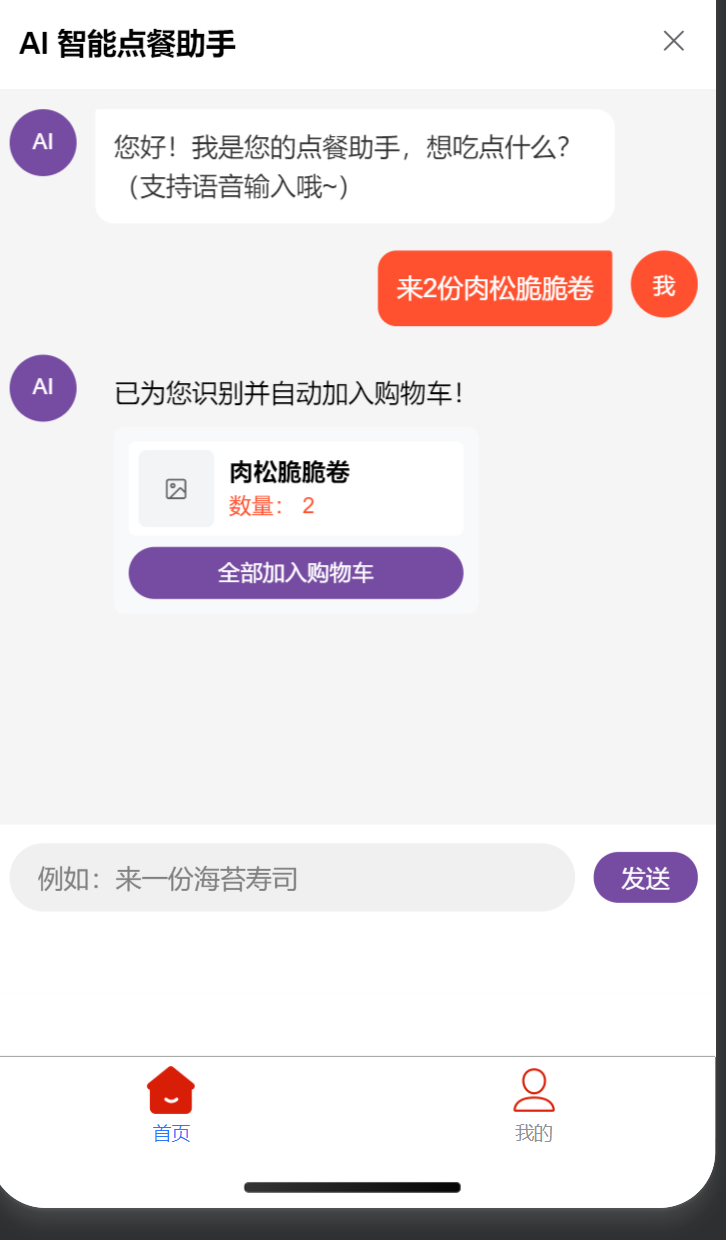
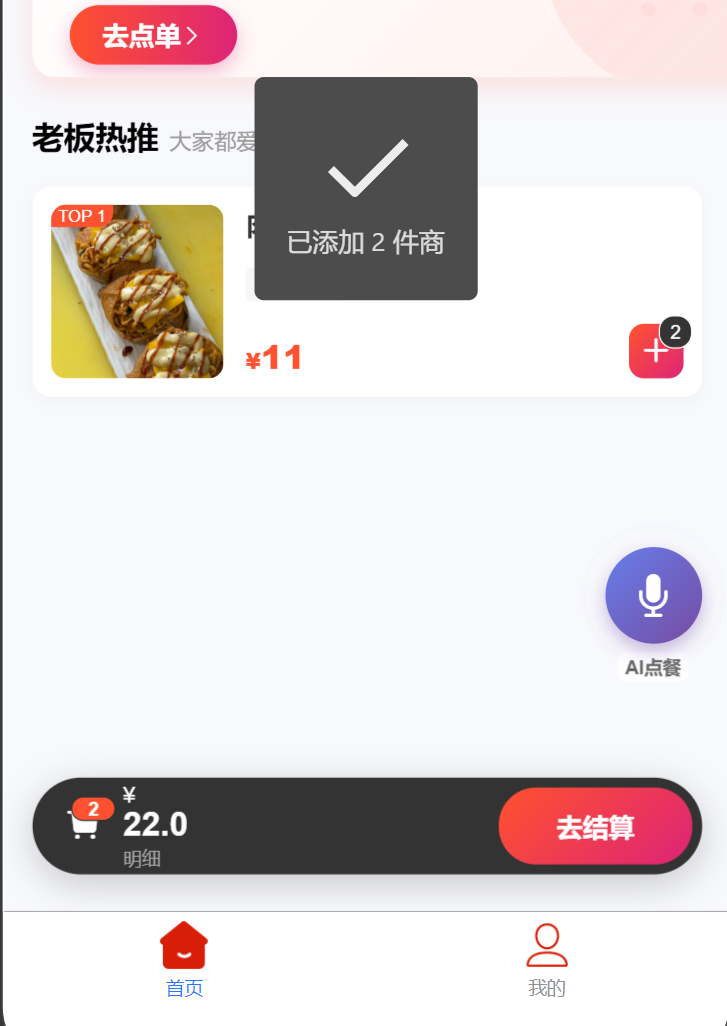
自动加入到购物车,用户点击结算就可以了。
场景二:
-
用户: “推荐点好吃的”
-
Ai回复截图:
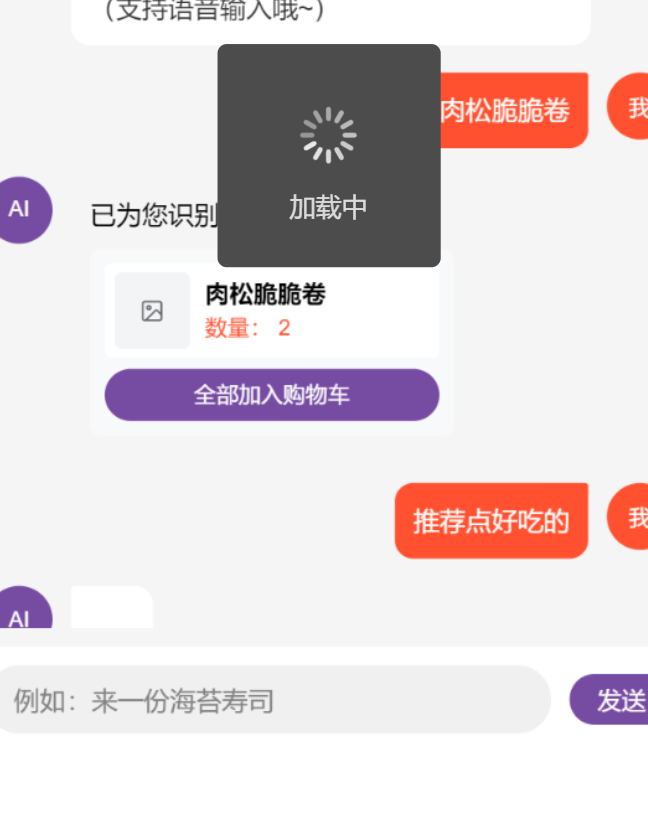
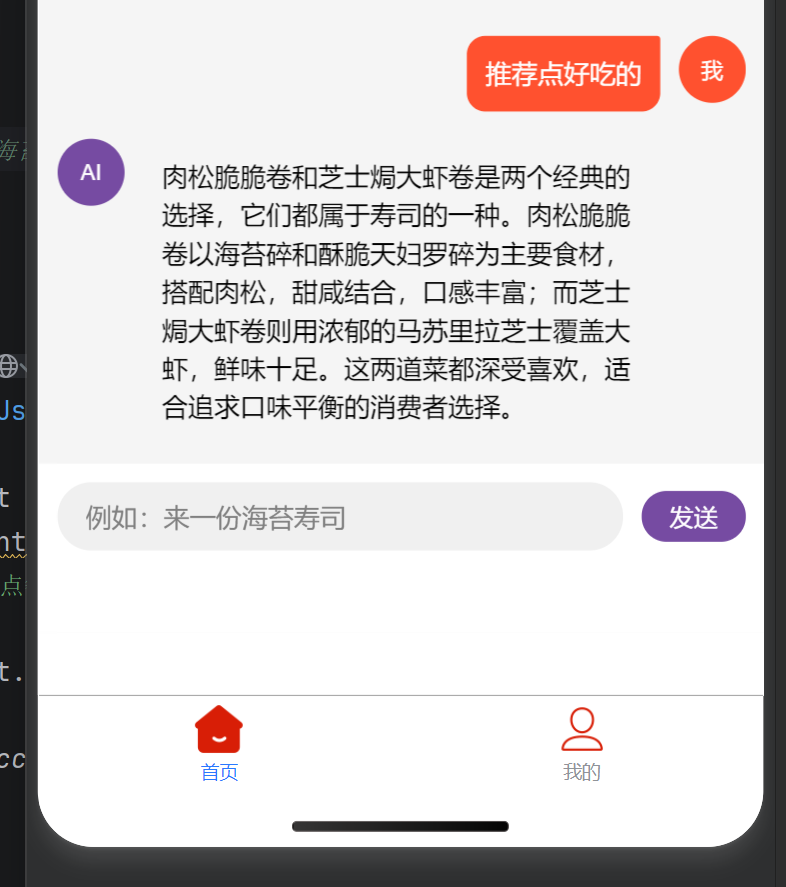
🧵 总结与预告
通过引入 PostgreSQL + AI,这个点餐系统瞬间从一个“死板的工具”变成了一个“懂你的助手”。
这不仅提升了用户体验,更是 Java 开发者转型 AI 全栈 的一次最佳实践。
我本地用的是deepseeker1.5B ,支持deepseeker API使用。
下一步计划:
快过年了。这段时间天冷,想休息一段时间,年前加个Redis Lua 库存扣减。
👇 源码获取
-
开源地址 (PostgreSQL 版): https://gitee.com/wyabsdai/sail-food
-
AI 旗舰版 / 架构交流: 欢迎关注我的主页或私信,一起探讨技术变现!
(我是 Sail,37岁的高级架构师。如果不写代码,我就得去摆摊了,所以点个关注支持一下吧!)

有“AI”的1024 = 2048,欢迎大家加入2048 AI社区
更多推荐


 16
16 0
0- 0


 已为社区贡献3条内容

所有评论(0)