【笔记】消除 “Model Downloader required aria2c,…” 提醒 & 安装和配置 aria2c
摘要: 本文介绍了如何消除Stable Diffusion WebUI启动时出现的"Model Downloader required aria2c"提示,并详细讲解了aria2c下载工具的安装配置方法。该提示是模型管理插件的友情提醒,不影响SD-WebUI正常使用。文章分步骤指导用户:1)下载aria2 Windows版;2)将其加入系统PATH环境变量;3)验证安装是否成功
【笔记】消除 Stable Diffusion WebUI 启动 “Model Downloader required aria2c, see tutorial https://www.youtube.com/watch?v=JnWQST4ay_E”提醒 & 安装和配置 aria2c
关键词:SD-WebUI、aria2、模型下载、Windows、PATH、加速下载
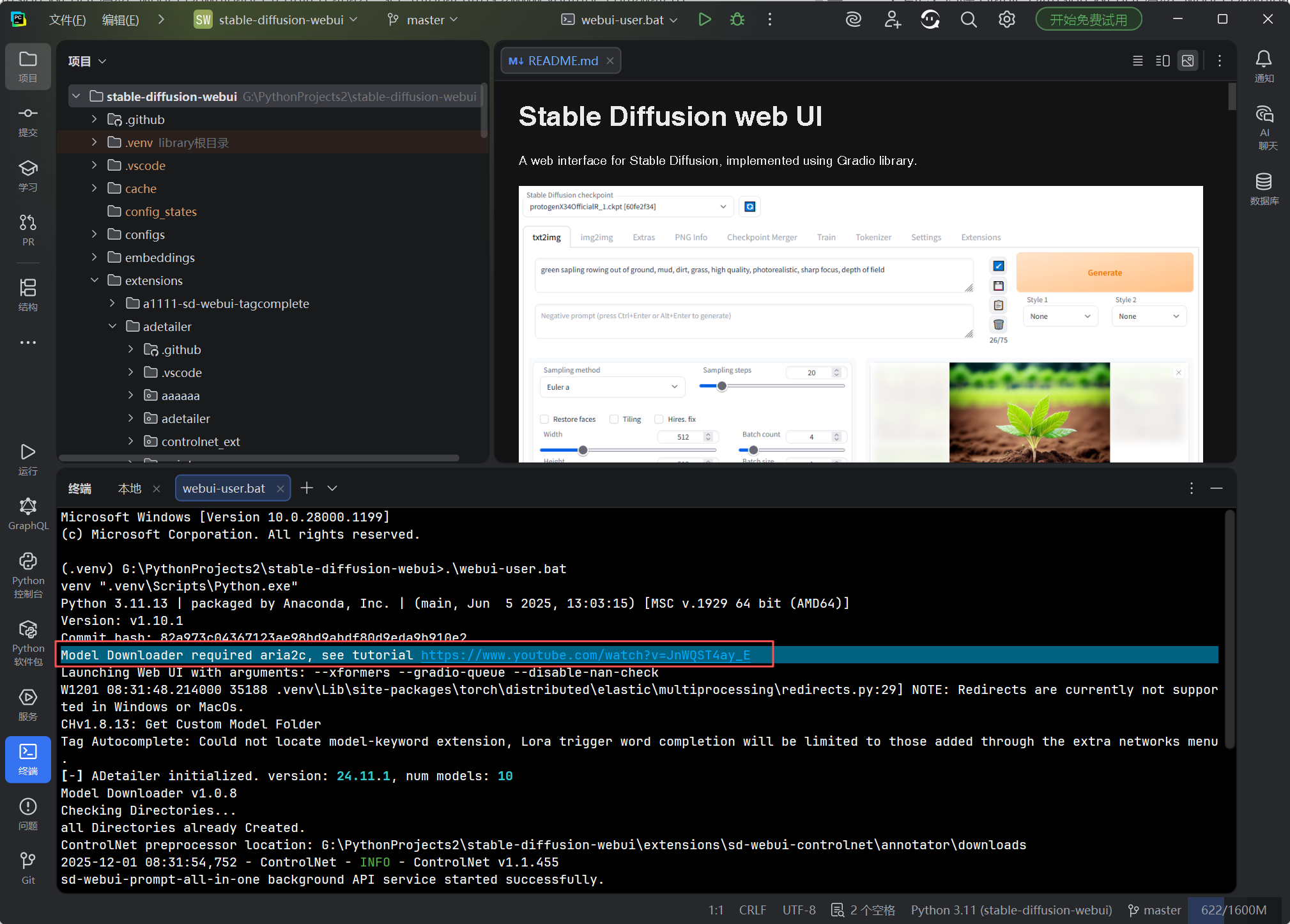
Microsoft Windows [Version 10.0.28000.1199]
© Microsoft Corporation. All rights reserved.(.venv) G:\PythonProjects2\stable-diffusion-webui>.\webui-user.bat
venv “.venv\Scripts\Python.exe”
Python 3.11.13 | packaged by Anaconda, Inc. | (main, Jun 5 2025, 13:03:15) [MSC v.1929 64 bit (AMD64)]
Version: v1.10.1
Commit hash: 82a973c04367123ae98bd9abdf80d9eda9b910e2
Model Downloader required aria2c, see tutorial https://www.youtube.com/watch?v=JnWQST4ay_E
Launching Web UI with arguments: --xformers --gradio-queue --disable-nan-check
W1201 08:31:48.214000 35188 .venv\Lib\site-packages\torch\distributed\elastic\multiprocessing\redirects.py:29] NOTE: Redirects are currently not supported in Windows or MacOs.
CHv1.8.13: Get Custom Model Folder
Tag Autocomplete: Could not locate model-keyword extension, Lora trigger word completion will be limited to those added through the extra networks menu.
[-] ADetailer initialized. version: 24.11.1, num models: 10
Model Downloader v1.0.8
Checking Directories…
all Directories already Created.
ControlNet preprocessor location: G:\PythonProjects2\stable-diffusion-webui\extensions\sd-webui-controlnet\annotator\downloads
2025-12-01 08:31:54,752 - ControlNet - INFO - ControlNet v1.1.455
sd-webui-prompt-all-in-one background API service started successfully.
Loading weights [7c819b6d13] from G:\PythonProjects2\stable-diffusion-webui\models\Stable-diffusion\majicMIX realistic 麦橘写实_v7.safetensors
Creating model from config: G:\PythonProjects2\stable-diffusion-webui\configs\v1-inference.yaml
CHv1.8.13: Set Proxy:
2025-12-01 08:31:58,963 - ControlNet - INFO - ControlNet UI callback registered.
Running on local URL: http://127.0.0.1:7860
Applying attention optimization: xformers… done.
Model loaded in 3.9s (create model: 0.3s, apply weights to model: 3.1s, calculate empty prompt: 0.4s).To create a public link, set
share=Trueinlaunch().
IIB Database file has been successfully backed up to the backup folder.
Startup time: 53.7s (prepare environment: 21.2s, import torch: 11.1s, import gradio: 4.1s, setup paths: 2.7s, initialize shared: 0.4s, other imports: 0.5s, load scripts: 7.0s, create ui: 1.3s, gradio launch: 3.3s, app_started_callback: 1.9s).
这句话只是模型管理插件作者设置的友情提醒:
Model Downloader required aria2c, see tutorial https://www.youtube.com/watch?v=JnWQST4ay_E
“模型 下载器 需要 aria2c,教程看 https://www.youtube.com/watch?v=JnWQST4ay_E”
不是报错,也不影响 SD-WebUI 正常启动。
- 如果我们打算用 内置模型下载器(Civitai 助手、HF Downloader 等),装一个 aria2c 可让多线程下载快很多;
- 不用模型下载器就完全无视这条提示,后续步骤会继续往下走。
想消除提示(推荐)
只需 3 分钟:让 Stable Diffusion WebUI 的模型下载器用上 aria2c(Windows 完整图文)
01 先弄明白:aria2c 是可选加速工具
Stable Diffusion WebUI 从 1.6+ 起内置了 Civitai Helper / HF Downloader 等模型下载模块。
它们优先调用系统里的 aria2c 进行多线程、断点续传,没有也不影响启动,只是会弹出一句:
Model Downloader required aria2c, see tutorial https://www.youtube.com/watch?v=JnWQST4ay_E
如果你经常拖 5 GB+ 的大模型,建议顺手装上,下载速度可提升 3~10 倍。
02 下载 aria2 Windows 版
-
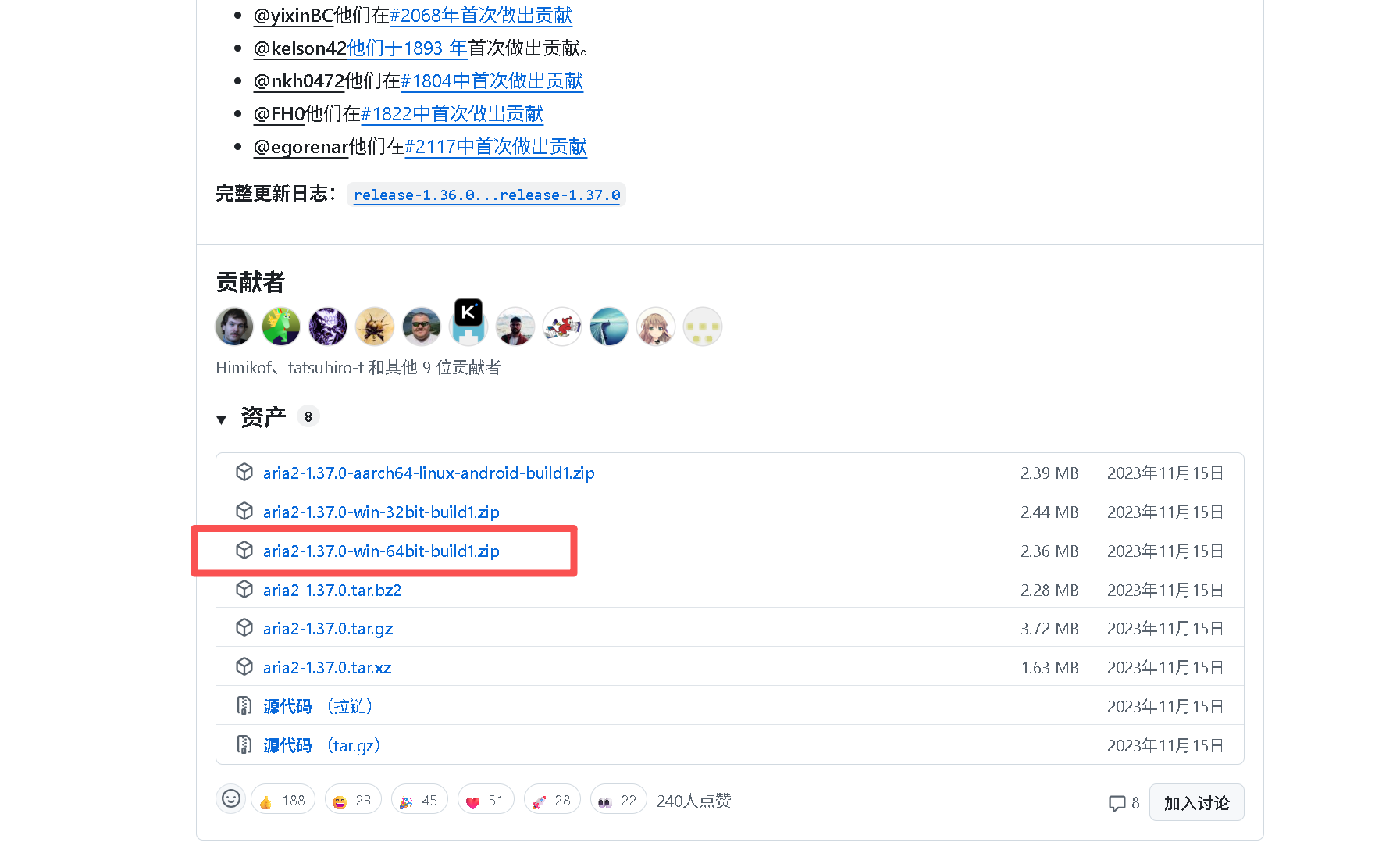
打开官方仓库 aria2 releases
-
找到 最新版 → 选择
aria2-1.x.x-win-64bit-build1.zip(32 位系统选-win-32bit) -
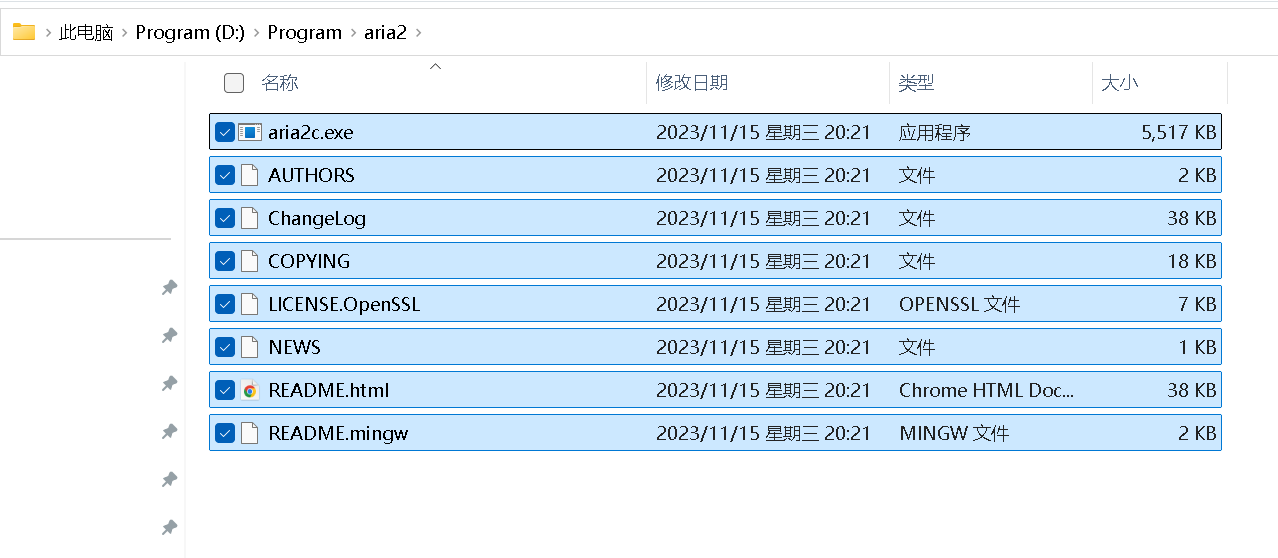
解压到 任意不含中文/空格的路径,例如
D:\aria2\
解压后应能看到:
D:\aria2\
 ├─ aria2c.exe
 ├─ aria2ctl.exe
 └─ README.html
 └─ 其他文件
03 把 aria2c 加入系统 PATH(永久生效)
图形法(最稳)
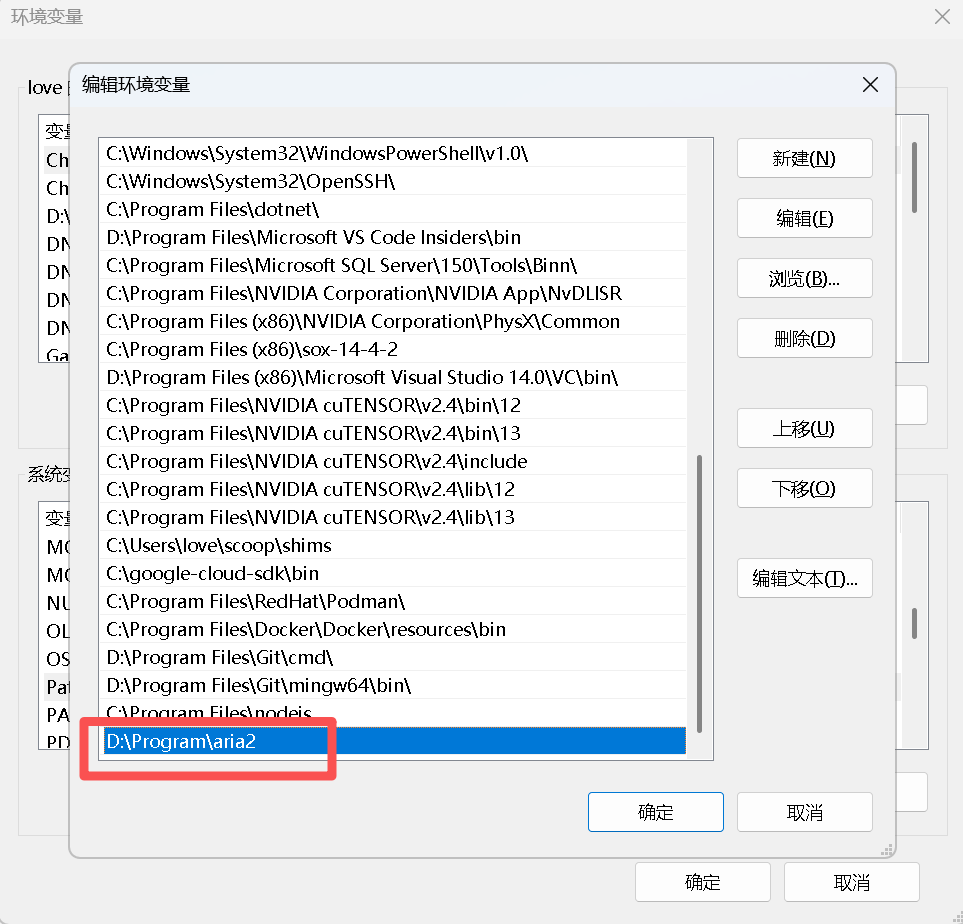
- Win + S → 输入 “编辑系统环境变量” → 环境变量
- 在 系统变量 区域选中
Path→ 编辑 → 新建 - 填入解压路径
D:\aria2
- 一路 确定 保存,关闭所有终端窗口。
PowerShell 一条命令(可选)
$p = [Environment]::GetEnvironmentVariable('Path','Machine')
[Environment]::SetEnvironmentVariable('Path',"$p;D:\aria2",'Machine')
04 验证安装是否成功
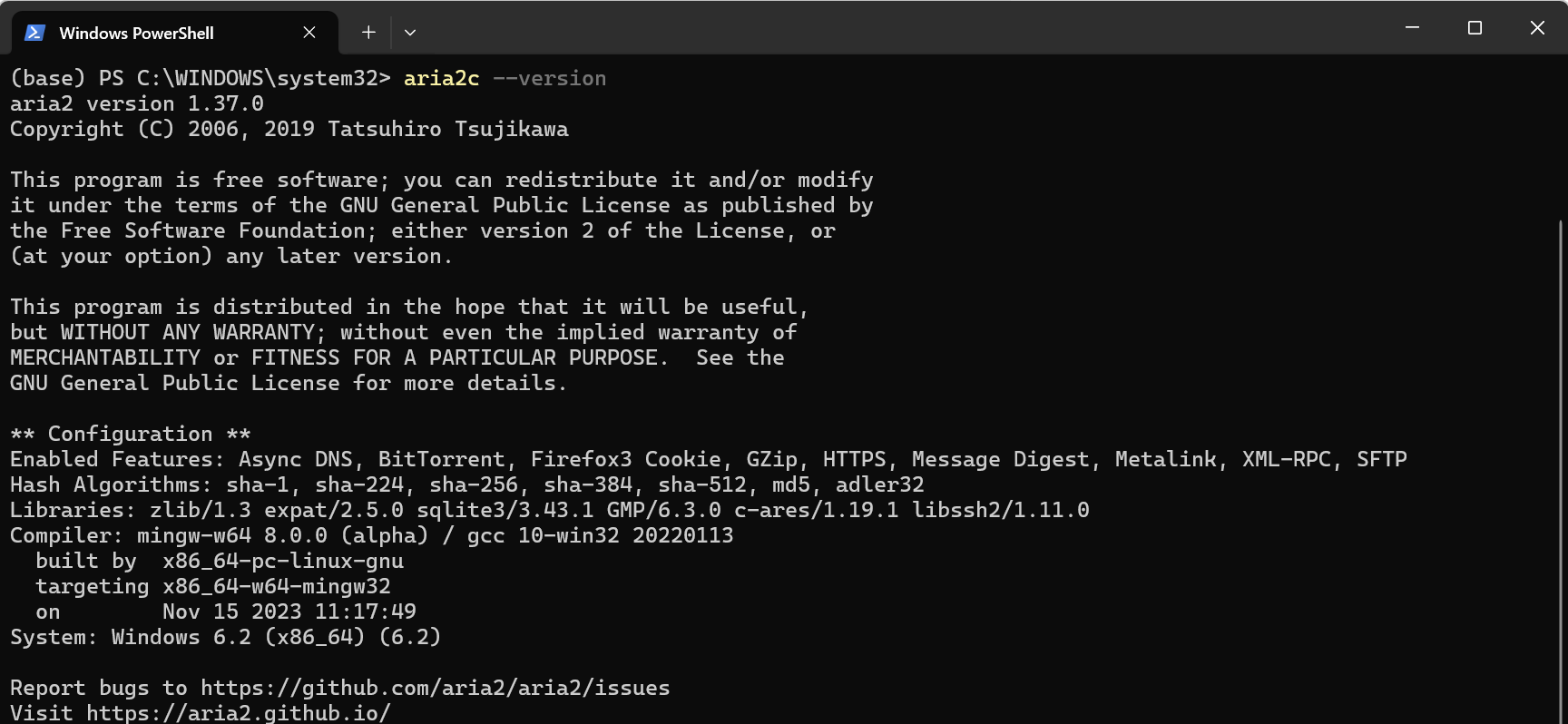
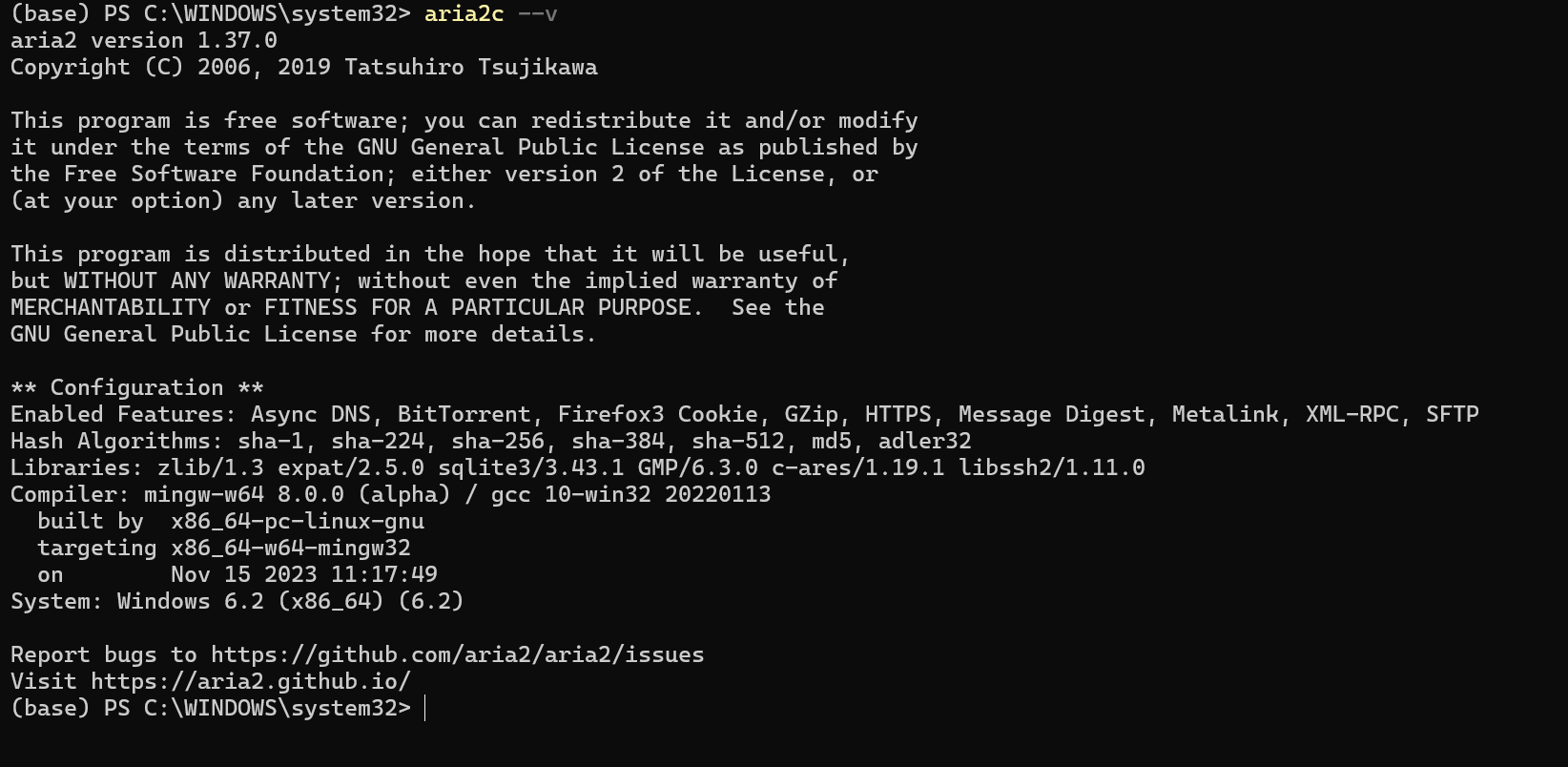
打开 新的 CMD / PowerShell:
aria2c --version
或
aria2c --v
若返回类似:
aria2 version 1.37.0
Copyright (C) 2006, 2019 Tatsuhiro Tsujikawa
说明系统已能全局调用 aria2c。
05 重启 SD-WebUI 使提示消失
- 完全关闭正在跑的
webui-user.bat(Ctrl + C 终止)。 - 要使环境变量生效,有些情况要重启 IDE 或电脑。
- 重新双击启动,滚动条不再出现 “Model Downloader required aria2c” 字样。
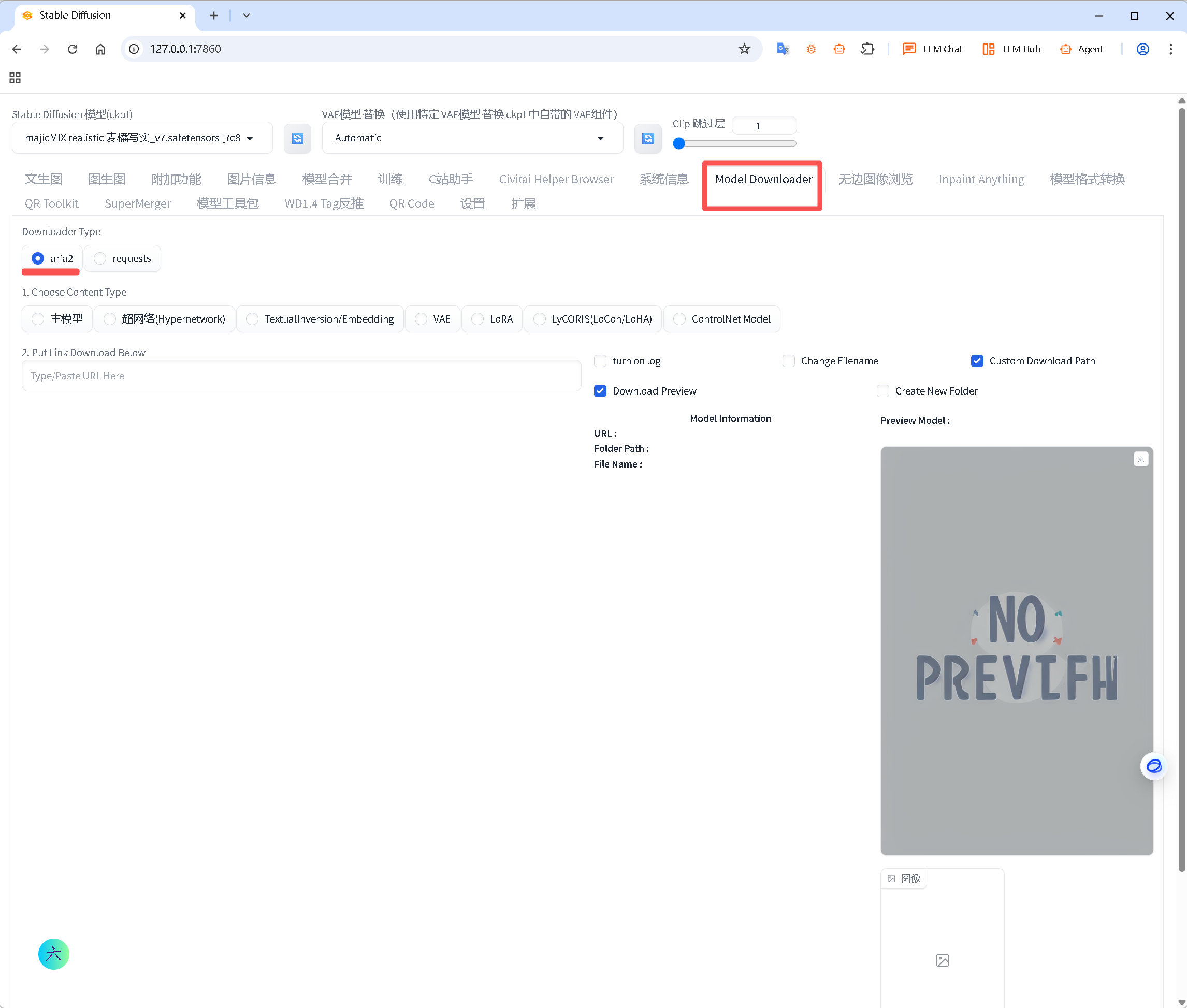
- 进入 Download Model 页面,会看到 “Use aria2” 复选框默认勾选,即代表成功。

06 常用 aria2c 参数(备用)
WebUI 内部已封装好调用,无需手动敲命令。如果想 standalone 下载,可:
aria2c -x16 -s16 -k1M -c https://example.com/model.ckpt
参数解释:
-x16最大 16 连接-s16分 16 段-k1M块大小 1 MB-c断点续传
07 一条龙 checklist
- 解压到无中文路径 →
D:\aria2 - 把
D:\aria2加入系统 Path - 新终端
aria2c --version有回显 - 重启 WebUI 后提示消失 / 出现 “Use aria2” 选项
全部打钩,大模型下载就能满带宽起飞!
08 小结
aria2c 是纯绿色可执行文件,唯一操作就是“解压 + 加 PATH”。
下次在任何需要加速下载的 Windows 工具(Hugging Face Hub、LoRA 下载器、Civitai 助手)都能直接受益。
一句话
只是温馨提示缺 aria2c,不是错误;继续让它跑,SD-WebUI 可以正常用,想提速就装 aria2 并把它目录加入 PATH。

有“AI”的1024 = 2048,欢迎大家加入2048 AI社区
更多推荐

 31
31 0
0- 0


 已为社区贡献53条内容

所有评论(0)