Python日志记录库——logaid
使用Python进行编写程序时,无可避免需要用到日志打印输出昨为debug,目前大多使用到内置的logging作为日志输出,但是使用较为繁琐。以似乎有了更好的python日志库被我找到了,它就是logaid—基于logging的升级改造的人性化日志助手。
·
文章目录
一. 概述
使用Python进行编写程序时,无可避免需要用到日志打印输出昨为debug,目前大多使用到内置的logging作为日志输出,但是使用较为繁琐。以似乎有了更好的python日志库被我找到了,它就是logaid—基于logging的升级改造的人性化日志助手。
logaid官方文档:https://github.com/BreezeSun/logaid
二、基本使用
2.1 安装
pip install logaid
2.2 日志输出
(1) 打印输出
from logaid import log

log.info('hello logaid')
log.warning('hello logaid')
log.error('hello logaid')
log.fatal('hello logaid')
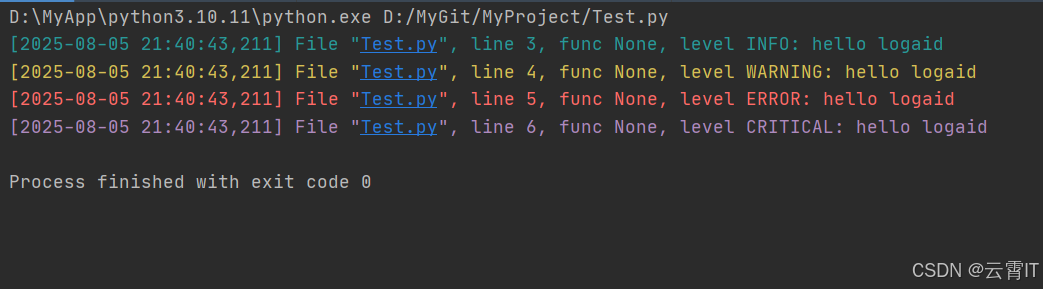
输出效果:
(1) 打印输出+保存
from logaid import log
log.init(filename='my.log')

log.info('hello logaid')
log.warning('hello logaid')
log.error('hello logaid')
log.fatal('hello logaid')
三、进阶功能
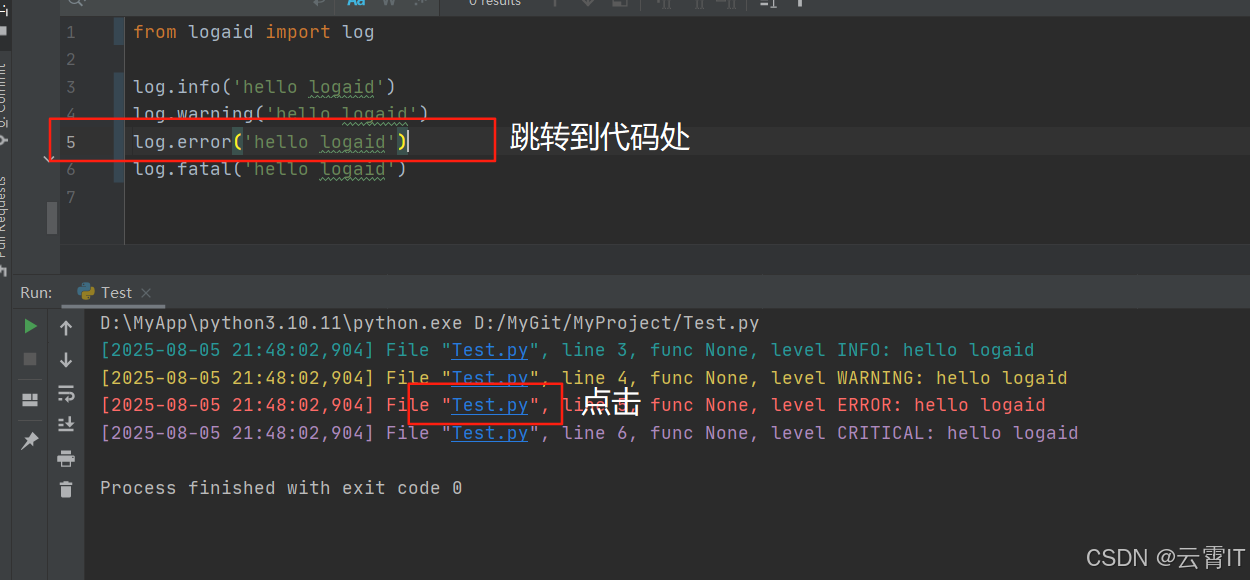
3.1 点击跳转
点击日志里面的文件名,即可跳转到相应的代码行处,及时快速定位到日志的出处,完成代码修改。
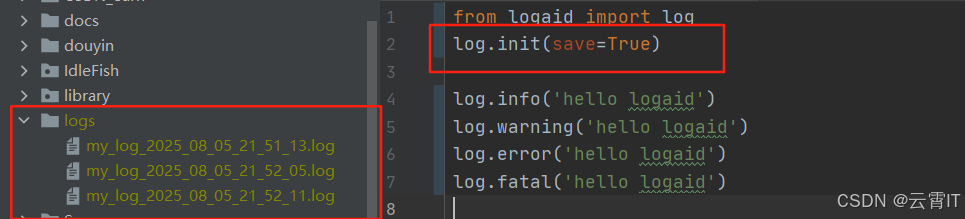
3.2 自动保存
打开自动保存功能,它会把日志保存到当前目录的logs
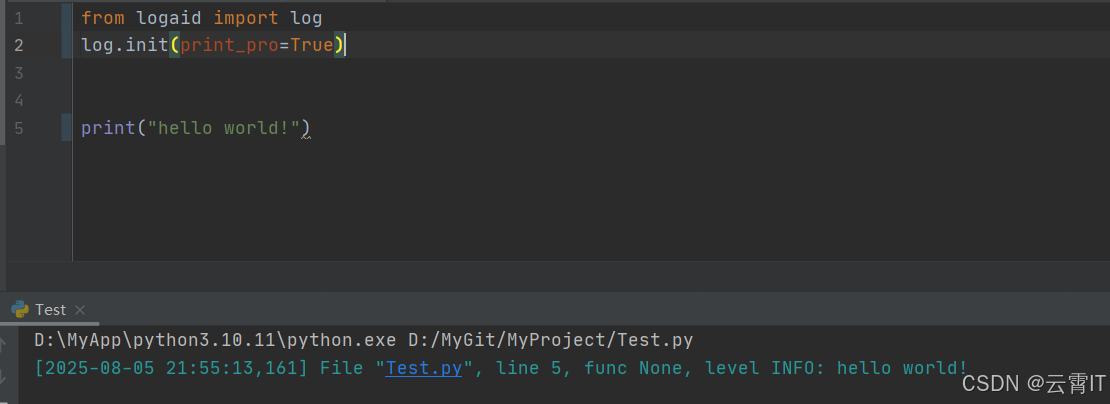
3.3 超级print
让系统的
log.info
3.4 发送邮箱
自定义发送邮箱通知!
from logaid import log
mailer = {
        'host': 'smtp.qq.com',
        'token': 'xxxxxxxxxxxx',    # IMAP/SMTP code
        'nickname':'LogAid',
        'sender': 'xxxxxx@qq.com',
        'receivers': ['xxxxxx@qq.com'],
        'subject': 'A log aid for you.',
        'open_level': ['ERROR','FATAL']   # More than WARNING valid.
    }
log.init(level='ERROR',mailer=mailer)

log.error('Exec appear error.')
log.email('Send email tip.')

有“AI”的1024 = 2048,欢迎大家加入2048 AI社区
更多推荐
 9
9 0
0- 0


 已为社区贡献2条内容

所有评论(0)