DeepSeek 生成随机炫酷点名器
·
指定目录创建3个文件,打开index.html看看效果吧(*Φ皿Φ*)
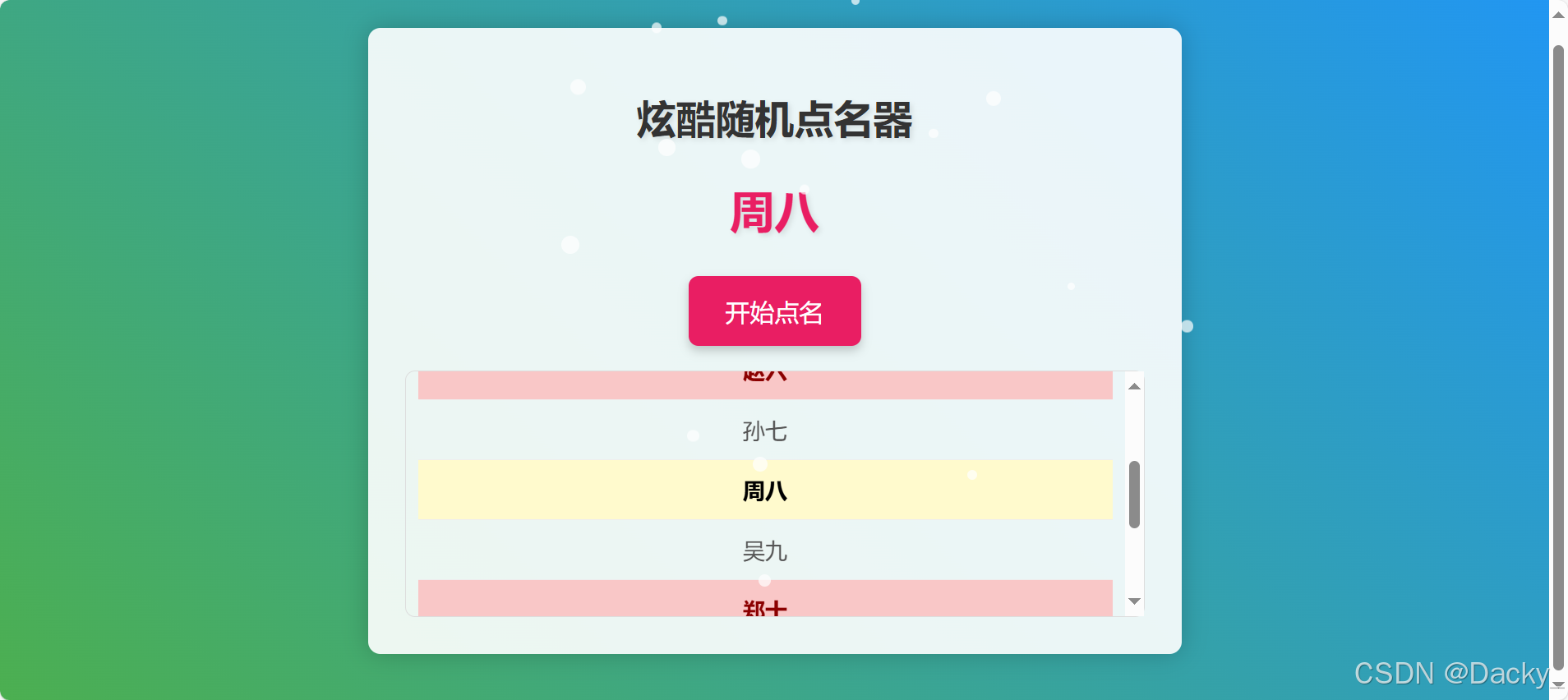
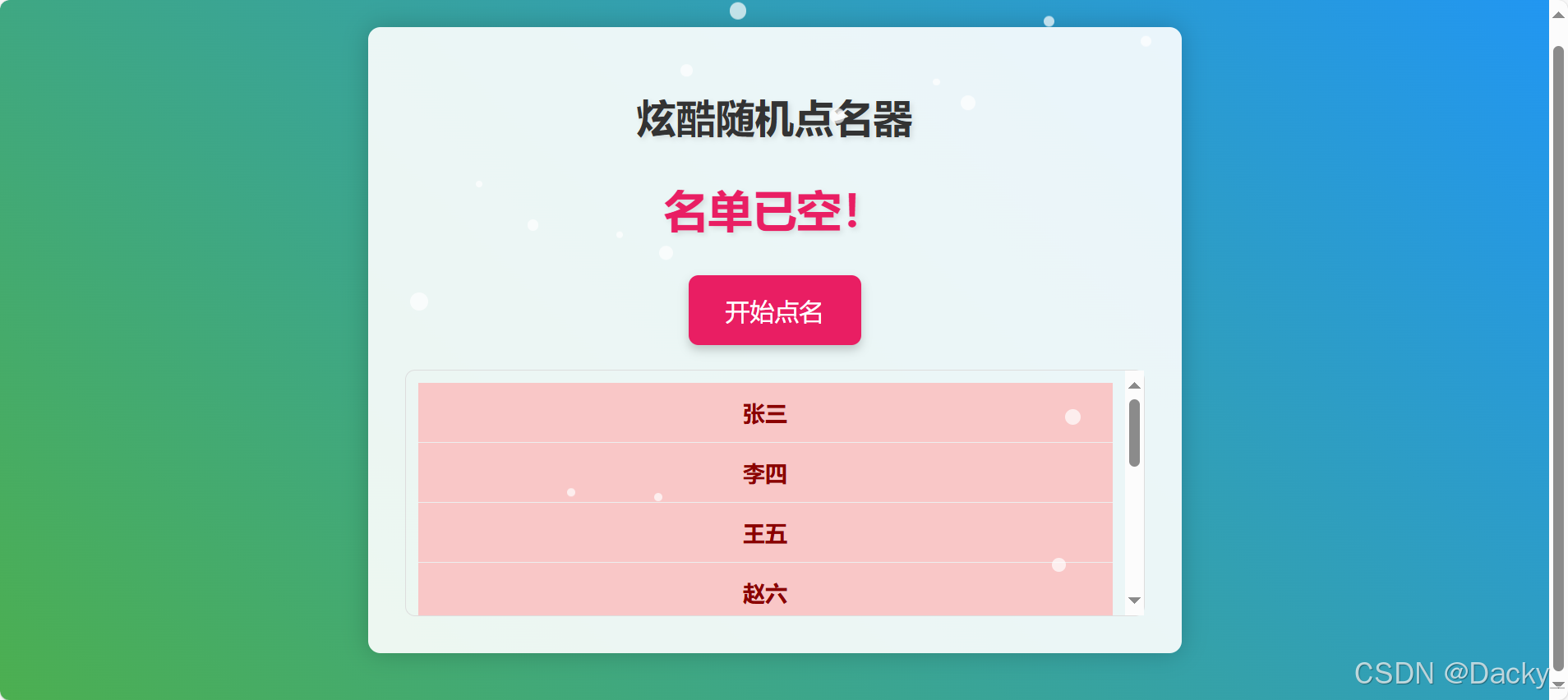
1. 创建index.html 展示文件
<!DOCTYPE html>
<html lang="zh-CN">
<head>
    <meta charset="UTF-8">
    <meta name="viewport" content="width=device-width, initial-scale=1.0">
    <title>炫酷随机点名器</title>
    <link rel="stylesheet" href="style.css">
</head>
<body>
    <div class="container">
        <h1>炫酷随机点名器</h1>
        <div id="nameDisplay">请点击开始</div>
        <button id="startButton">开始点名</button>
        <div class="nameListContainer">
            <ul id="nameList">
                <li>张三</li>
                <li>李四</li>
                <li>王五</li>
                <li>赵六</li>
                <li>孙七</li>
                <li>周八</li>
                <li>吴九</li>
                <li>郑十</li>
                <li>钱十一</li>
                <li>李十二</li>
                <li>王十三</li>
            </ul>
        </div>
    </div>
    <script src="script.js"></script>
</body>
</html>
2. 创建style.css 样式文件
body {
    font-family: 'Arial', sans-serif;
    display: flex;
    justify-content: center;
    align-items: center;
    min-height: 100vh;
    background: linear-gradient(45deg, #4CAF50, #2196F3);
    overflow: auto; /* 允许页面滚动 */
}

.container {
    background-color: rgba(255, 255, 255, 0.9);
    border-radius: 10px;
    padding: 30px;
    box-shadow: 0 0 20px rgba(0, 0, 0, 0.2);
    text-align: center;
    position: relative;
    z-index: 1;
    width: 80%; /* 容器宽度 */
    max-width: 600px; /* 容器最大宽度 */
}

h1 {
    margin-bottom: 30px;
    color: #333;
    text-shadow: 2px 2px 4px rgba(0, 0, 0, 0.1);
}

#nameDisplay {
    font-size: 36px;
    font-weight: bold;
    margin-bottom: 30px;
    color: #e91e63;
    text-shadow: 2px 2px 4px rgba(0, 0, 0, 0.1);
    min-height: 40px;
}

#startButton {
    padding: 15px 30px;
    background-color: #e91e63;
    color: white;
    border: none;
    border-radius: 8px;
    cursor: pointer;
    font-size: 20px;
    transition: background-color 0.3s ease;
    box-shadow: 0 4px 8px rgba(0, 0, 0, 0.2);
}

#startButton:hover {
    background-color: #c2185b;
}

/* 名字列表容器 */
.nameListContainer {
    width: 100%;
    height: 200px; /* 固定高度 */
    overflow-y: auto; /* 允许垂直滚动 */
    border: 1px solid #ddd;
    border-radius: 8px;
    padding: 10px;
    margin-top: 20px;
    box-sizing: border-box; /* 包含 padding 和 border */
}

#nameList {
    list-style: none;
    padding: 0;
    margin: 0;
    display: flex; /* 使用 Flexbox */
    flex-direction: column; /* 垂直排列 */
    height: auto; /* 自动高度 */
}

#nameList li {
    padding: 12px 16px;
    border-bottom: 1px solid #eee;
    font-size: 18px;
    color: #555;
    text-align: center; /* 居中显示 */
    flex-grow: 1; /* 自适应间隔 */
}

#nameList li:last-child {
    border-bottom: none;
}

/* 粒子效果 */
.particle {
    position: absolute;
    width: 10px;
    height: 10px;
    background-color: #fff;
    border-radius: 50%;
    opacity: 0.7;
    animation: float 5s linear infinite;
}

@keyframes float {
    0% {
        transform: translateY(0);
    }
    100% {
        transform: translateY(-100vh);
    }
}

/* 动画效果 */
#nameDisplay.animate {
    animation: pulse 0.5s ease;
}

@keyframes pulse {
    0% {
        transform: scale(1);
    }
    50% {
        transform: scale(1.2);
    }
    100% {
        transform: scale(1);
    }
}

/* 已点名的名字样式 */
.picked {
    background-color: #f9c7c7 !important; /* 浅红色背景 */
    color: #8b0000 !important; /* 深红色文字 */
    font-weight: bold; /* 加粗 */
}

/* 当前选中的名字样式 */
.currently-picked {
    background-color: #fffacd !important; /* 浅黄色背景 */
    color: #000000 !important; /* 黑色文字 */
    font-weight: bold; /* 加粗 */
}
3. 创建script.js 脚本文件
document.addEventListener('DOMContentLoaded', function() {
    const nameList = document.getElementById('nameList').getElementsByTagName('li');
    const nameDisplay = document.getElementById('nameDisplay');
    const startButton = document.getElementById('startButton');
    const nameListContainer = document.querySelector('.nameListContainer'); // 获取容器
    let names = [];
    let pickedNames = []; // 存储已点名的名字
    let currentlyPickedName = null; // 当前选中的名字

    // 将名字列表转换为数组
    for (let i = 0; i < nameList.length; i++) {
        names.push(nameList[i].textContent);
    }

    startButton.addEventListener('click', function() {
        if (names.length === 0) {
            nameDisplay.textContent = '名单已空!';
            return;
        }

        let intervalId;
        let counter = 0;
        const animationDuration = 2000; // 动画总时长,单位毫秒
        const intervalDelay = 50; // 每次切换名字的间隔,单位毫秒

        // 快速随机显示名字
        intervalId = setInterval(() => {
            const randomIndex = Math.floor(Math.random() * names.length);
            nameDisplay.textContent = names[randomIndex];
            counter += intervalDelay;

            if (counter >= animationDuration) {
                clearInterval(intervalId); // 停止快速切换

                // 显示最终选中的名字
                const finalRandomIndex = Math.floor(Math.random() * names.length);
                const selectedName = names[finalRandomIndex];
                const selectedLi = nameList[finalRandomIndex]; // 获取对应的 li 元素

                // 添加动画效果
                nameDisplay.classList.add('animate');
                setTimeout(() => {
                    nameDisplay.classList.remove('animate');
                    nameDisplay.textContent = selectedName;
                }, 500); // 动画持续时间

                // 从数组中移除已选择的名字,防止重复选择
                names.splice(finalRandomIndex, 1);

                // 将已选择的名字添加到已点名列表中
                pickedNames.push(selectedName);

                // 更新名字列表的样式
                updateNameListStyles(selectedName);

                // 滚动到选中的名字
                scrollToSelectedName(selectedLi);
            }
        }, intervalDelay);
    });

    // 更新名字列表的样式
    function updateNameListStyles(currentName) {
        for (let i = 0; i < nameList.length; i++) {
            const name = nameList[i].textContent;
            nameList[i].classList.remove('currently-picked'); // 移除当前选中样式
            if (pickedNames.includes(name)) {
                nameList[i].classList.add('picked');
            } else {
                nameList[i].classList.remove('picked');
            }
        }

        // 添加当前选中样式
        if (currentName) {
            const currentLi = Array.from(nameList).find(li => li.textContent === currentName);
            if (currentLi) {
                currentLi.classList.add('currently-picked');
            }
        }
    }

    // 滚动到选中的名字
    function scrollToSelectedName(element) {
        if (element) {
            const containerHeight = nameListContainer.offsetHeight;
            const elementHeight = element.offsetHeight;
            const elementTop = element.offsetTop;
            const scrollPosition = elementTop - nameListContainer.offsetTop - containerHeight / 2 + elementHeight / 2;

            // 确保滚动位置在有效范围内
            const maxScrollTop = nameListContainer.scrollHeight - containerHeight;
            const scrollTop = Math.max(0, Math.min(scrollPosition, maxScrollTop));

            nameListContainer.scrollTo({
                top: scrollTop,
                behavior: 'smooth' // 平滑滚动
            });
        }
    }

    // 创建粒子效果
    function createParticle() {
        const particle = document.createElement('div');
        particle.classList.add('particle');
        document.querySelector('.container').appendChild(particle);

        // 随机位置
        particle.style.left = Math.random() * 100 + '%';
        particle.style.top = Math.random() * 100 + '%';

        // 随机大小
        const size = Math.random() * 10 + 5;
        particle.style.width = size + 'px';
        particle.style.height = size + 'px';

        // 随机动画延迟
        particle.style.animationDelay = Math.random() * 2 + 's';

        // 移除粒子
        setTimeout(() => {
            particle.remove();
        }, 5000);
    }

    // 每隔一段时间创建粒子
    setInterval(createParticle, 200);
});

有“AI”的1024 = 2048,欢迎大家加入2048 AI社区
更多推荐



 3
3 0
0- 0


 已为社区贡献1条内容

所有评论(0)