卸载TensorFlow旧版本,安装新版本
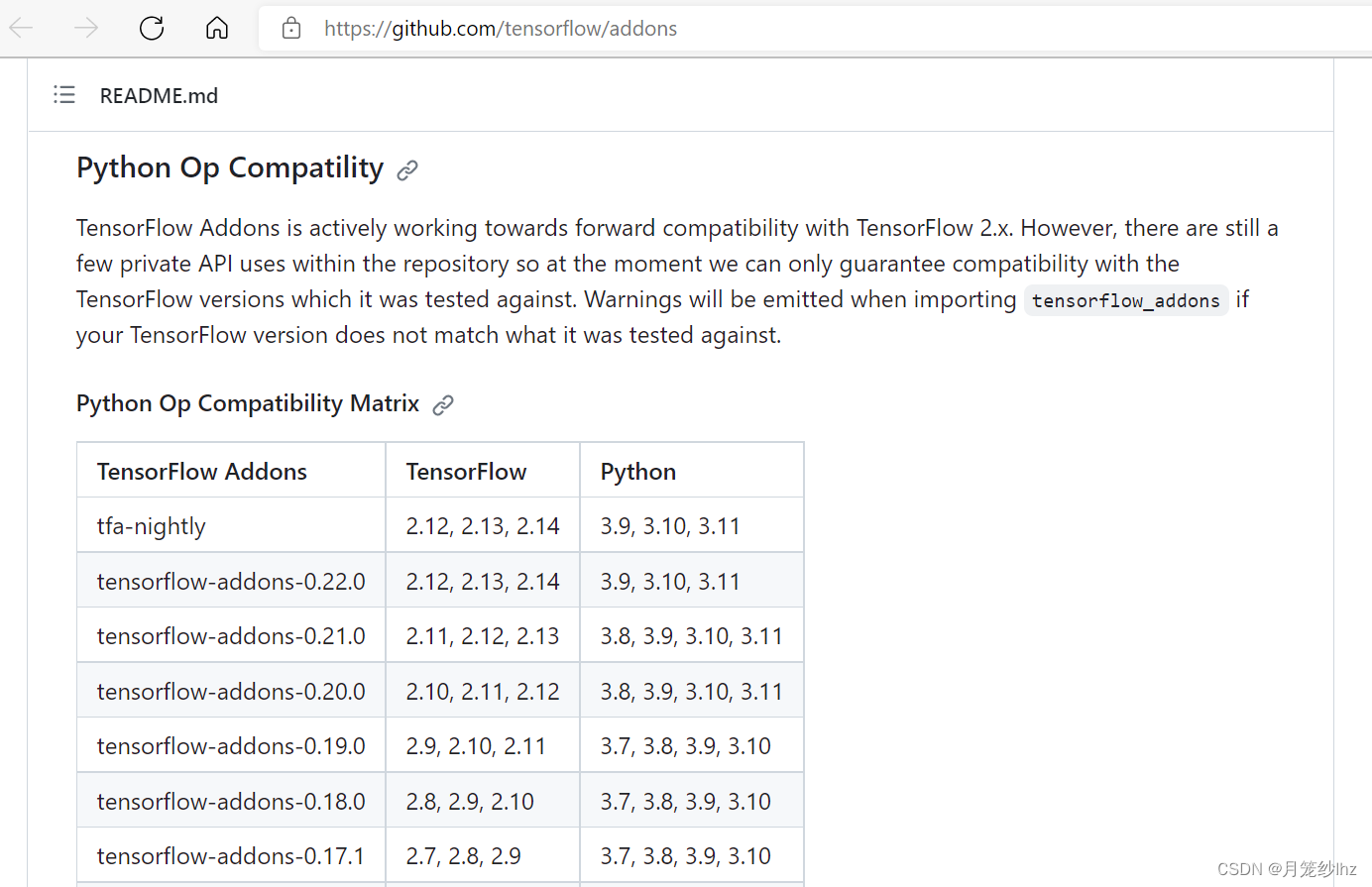
版本对应很重要,Anaconda-python-tensorflow(keras)-tensorflow-addons
我选了python 3.7,tensorflow 2.11.0(keras自动安装),tensorflow-addons 0.19.0
1、卸载旧版本
(1)Anaconda prompt 中激活tensorflow 环境:
conda activate tf2
(2)输入卸载命令
pip uninstall tensorflow
(3)移除环境
conda env remove --name tf
(4)本地安装目录下 手工删除Anaconda-env2s下 tf2文件夹
2、安装新版本
(1)创建环境
conda create -n tf2 python=3.7
(2)切换到安装的环境
conda activate tf2
(3)tf安装:(清华源镜像没有tensorflow了,用阿里源)
pip install tensorflow==2.11.0 -i https://mirrors.aliyun.com/pypi/simple(指定版本)
pip install tensorflow -i https://mirrors.aliyun.com/pypi/simple(PS:安装最新版本)
(4)安装tensorflow-addons
pip install tensorflow-addons==0.19.0
pip uninstall tensorflow-addons(ps:删除某个包的命令,这里不需要执行)
conda list(安装包列表命令)
(5)测试
在tf2环境下输入 python,进入python工作环境
输入查看安装版本:
import tensorflow as tf
print(tf.__version__)

有“AI”的1024 = 2048,欢迎大家加入2048 AI社区
更多推荐



 4
4 0
0- 0


 已为社区贡献1条内容

所有评论(0)