记录编译制作自己的CE(Cheat Engine)
·
相关网址
构建
在cheat-engine GitHub的首页readme文件中有明确的说明如何构建。下面的步骤是个人在记录自己的构建记录。
下载CE源码
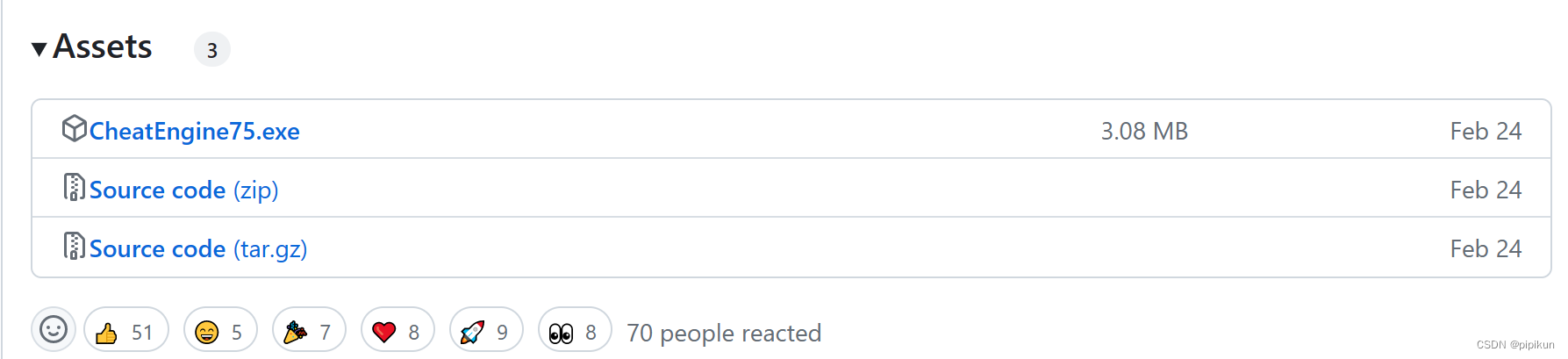
建议下载releases版本的源码进行编译。在releases页面,往下拉,一般可以查找到,像以下信息。下载Source code(zip)。
安装lazarus
从https://sourceforge.net/projects/lazarus/files/Lazarus%20Windows%2064%20bits/Lazarus%202.2.2/ 下载Lazarus 202.2.2 首先安装lazarus-2.2.2-fpc-3.2.2-win64.exe然后安装lazarus-2.2.2-fpc-3.2.2-cross-i386-win32-win64.exe。
lazarus语言切换到中文
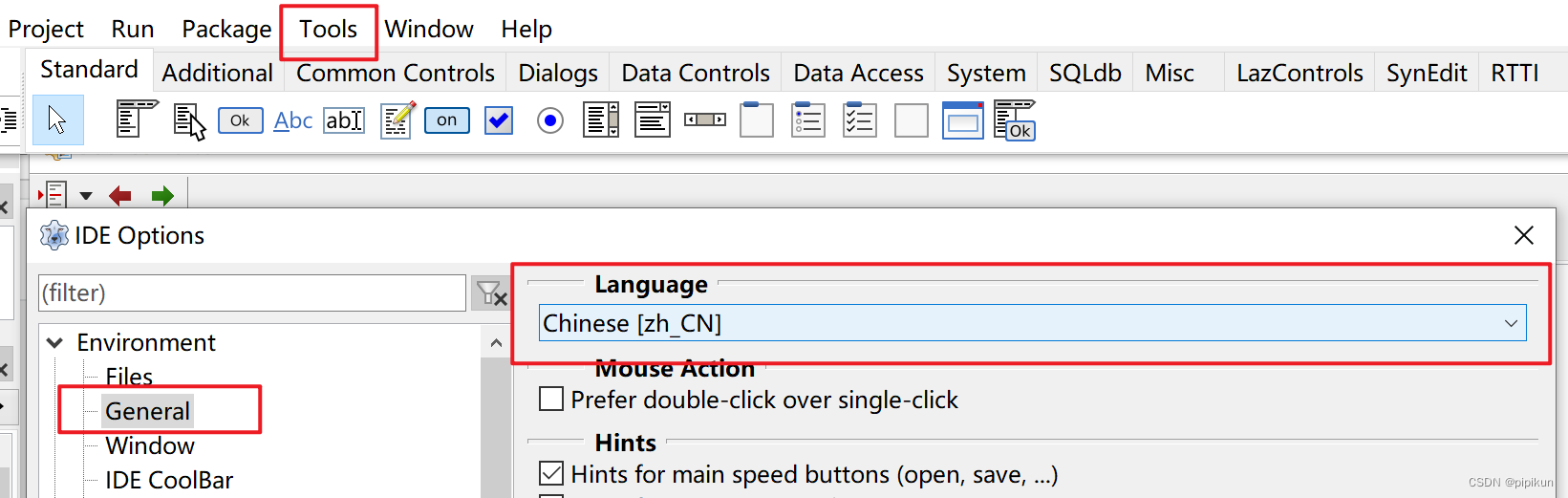
在lazarus软件的顶部,Tools >> Options打开设置界面。
IDE Options >>Environment>>General>>Language,选择Chinese [zh_CN]。确定后,重开软件。
使用lazarus打开工程
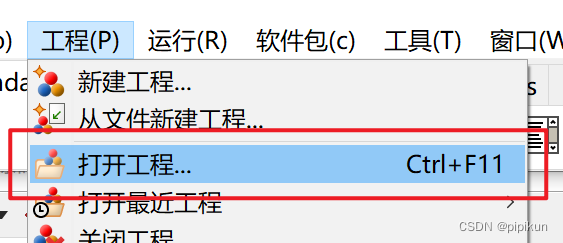
在软件顶部,工程 >> 打开工程
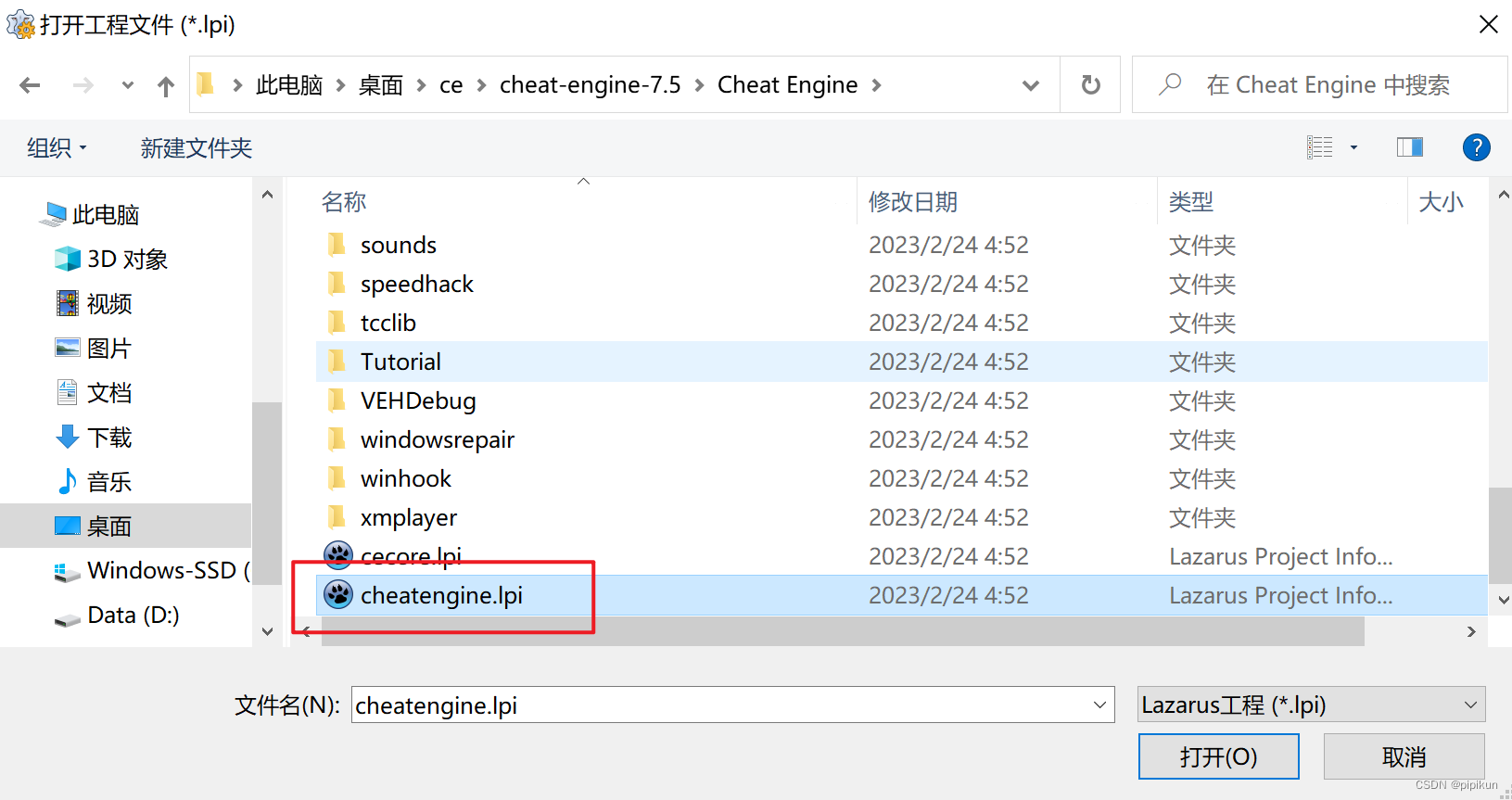
进入上面下载到的CE源码解压目录,未解压就先解压。选择工程文件cheatengine.lpi打开。
修改部分信息
在顶部,工程 >> 工程选项。修改应用程序标题可以修改进程名称,修改版本信息等等,可以安装自己的需求去修改。
构建出执行文件
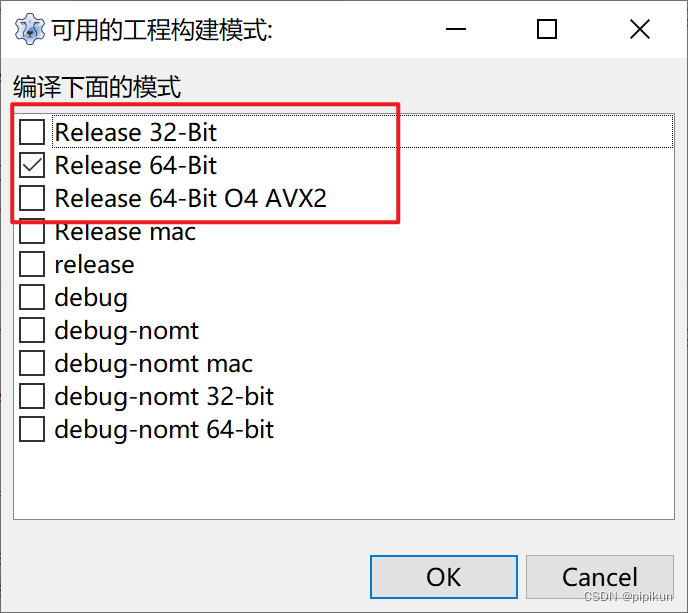
在顶部,运行 >> 编译多种模式。选择前面三种即可。
在使用某些插件的时候,需要先编译其他依赖项目
 speedhack.lpr: Compile both 32- and 64-bit DLL's for speedhack capability
 luaclient.lpr: Compile both 32- and 64-bit DLL's for {$luacode} capability
 DirectXMess.sln: Compile for 32-bit and 64-bit for D3D overlay and snapshot capabilities
 DotNetcompiler.sln: for the cscompile lua command
 monodatacollector.sln: Compile both 32-bit and 64-bit dll's to get Mono features to inspect the .NET environment of the process
 dotnetdatacollector.sln: Compile both 32- and 64-bit EXE's to get .NET symbols
 dotnetinvasivedatacollector.sln: Compile this managed .DLL to add support for runtime JIT support
 cejvmti.sln: Compile both 32- and 64-bit DLL's for Java inspection support
 tcclib.sln: Compile 32-32, 64-32 and 64-64 to add {$C} and {$CCODE} support in scripts
 vehdebug.lpr: Compile 32- and 64-bit DLL's to add support for the VEH debugger interface
 dbkkernel.sln: for kernelmode functions (settings->extra) You will need to build the no-sig version and either boot with unsigned driver support, or sign the driver yourself

有“AI”的1024 = 2048,欢迎大家加入2048 AI社区
更多推荐


 1
1 0
0- 0


 已为社区贡献2条内容

所有评论(0)