计算机 - - - 下载离线版Chrome谷歌浏览器
下载的文件名为ChromeStandaloneSetup64.exe。下载好后, 离线版Chrome安装程序大小为90MB左右。点击下载和安装 Google Chrome。双击程序即可安装Chrome浏览器。两个官网都可以下载官方的安装程序。百度搜索的是Chrome中国官网。点击备用 Chrome 安装程序。进入官网后选择支持, 点击支持。谷歌搜索的是Chrome官网。点击下载Chrome。
下载
两个官网都可以下载官方的安装程序
Chrome中国官网: https://www.google.cn/intl/zh-CN/chrome/
Chrome官网: https://www.google.com/chrome/
离线版Chrome下载地址: https://www.google.cn/intl/zh-CN/chrome/?standalone=1
百度搜索的是Chrome中国官网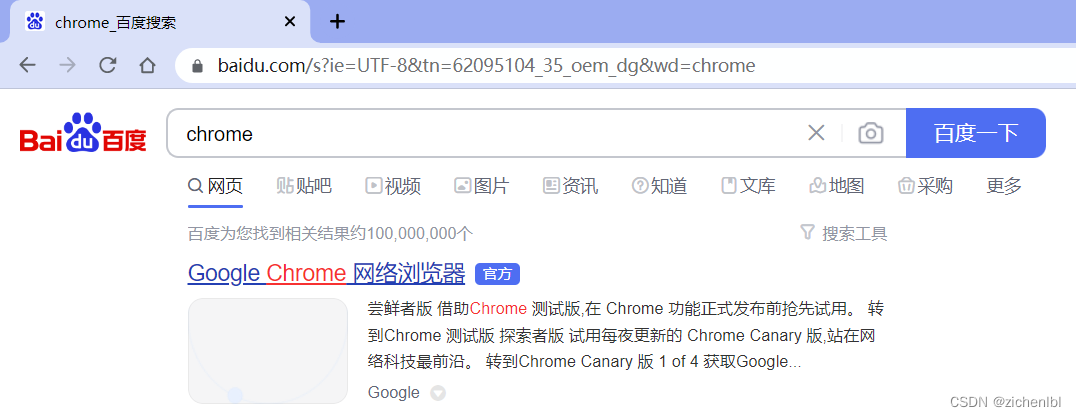
谷歌搜索的是Chrome官网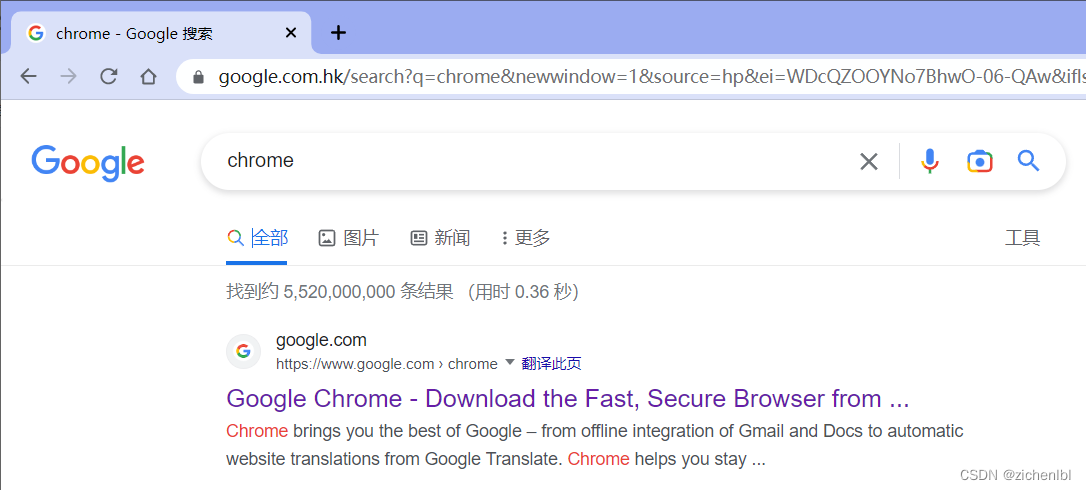
进入官网后选择支持, 点击支持(需要科学上网)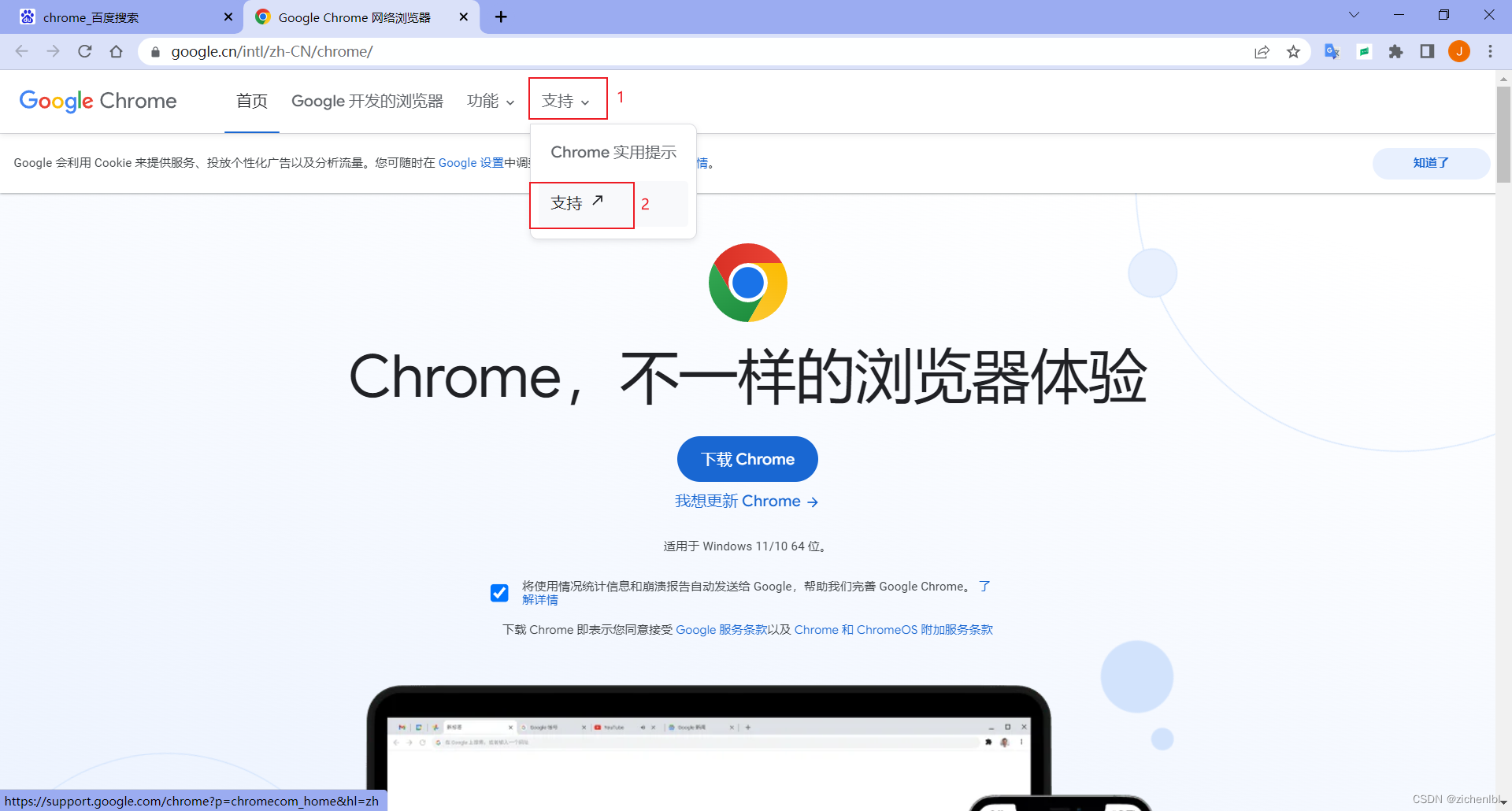
点击下载和安装 Google Chrome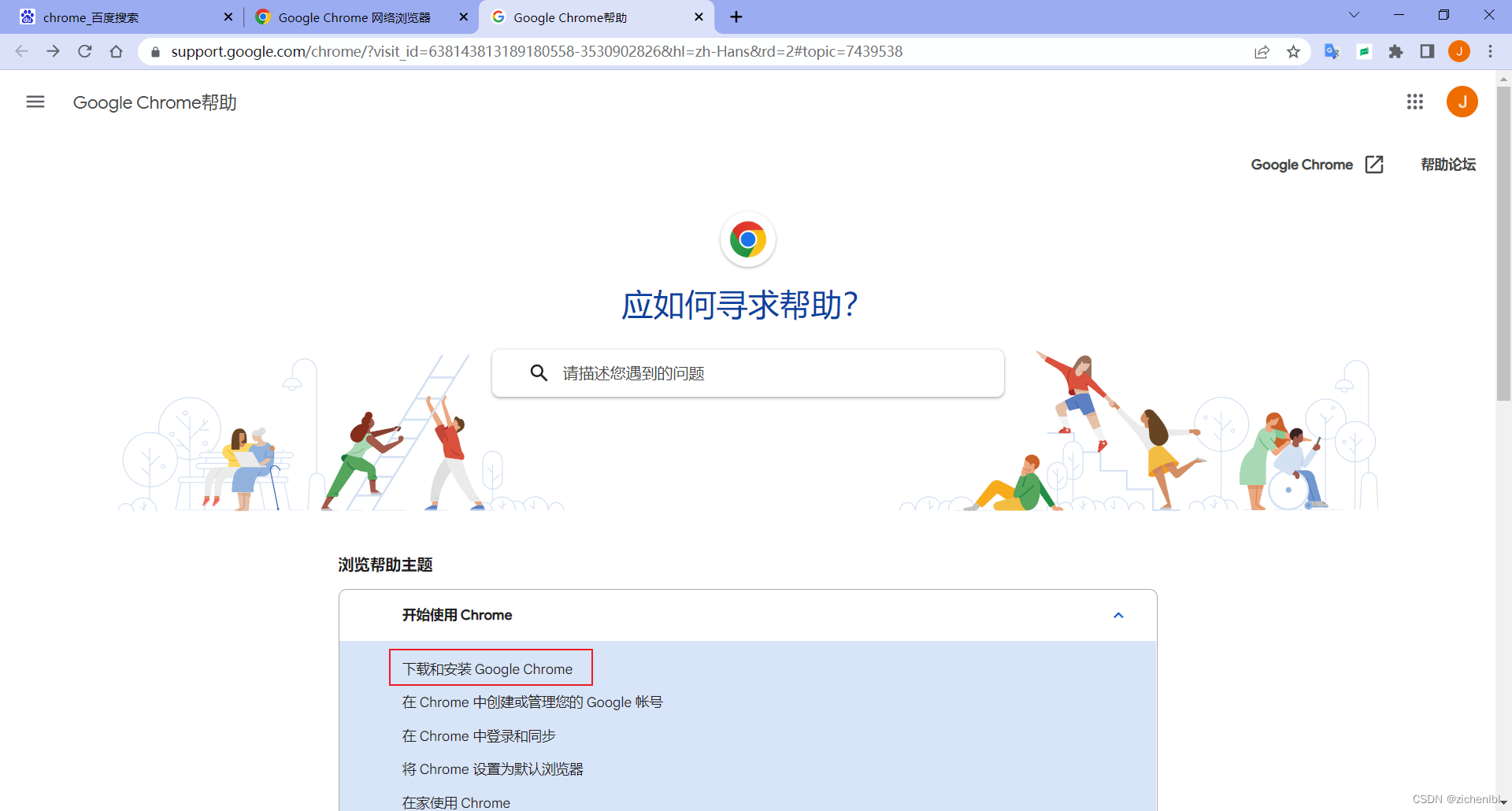
点击Windows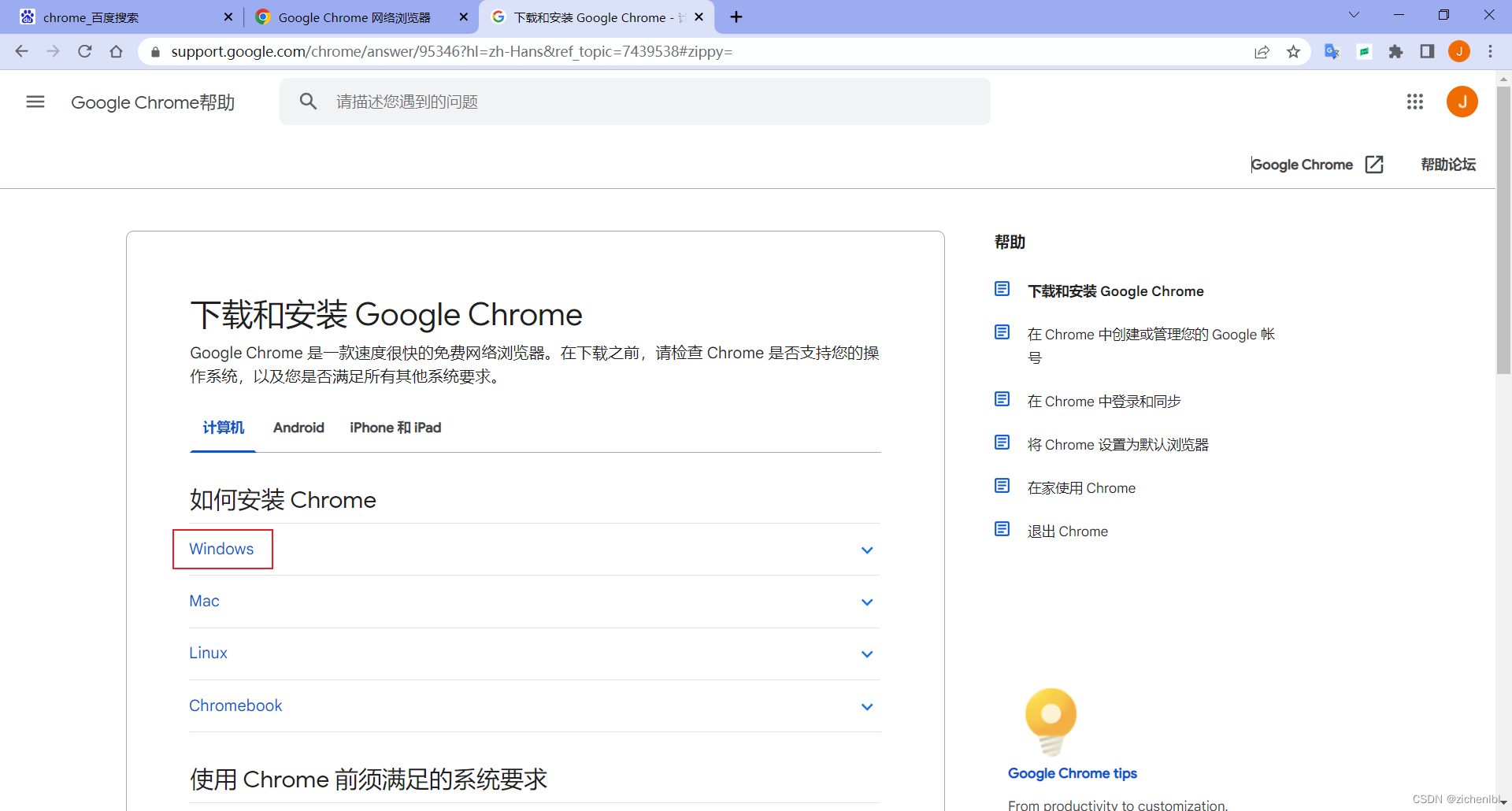
点击备用 Chrome 安装程序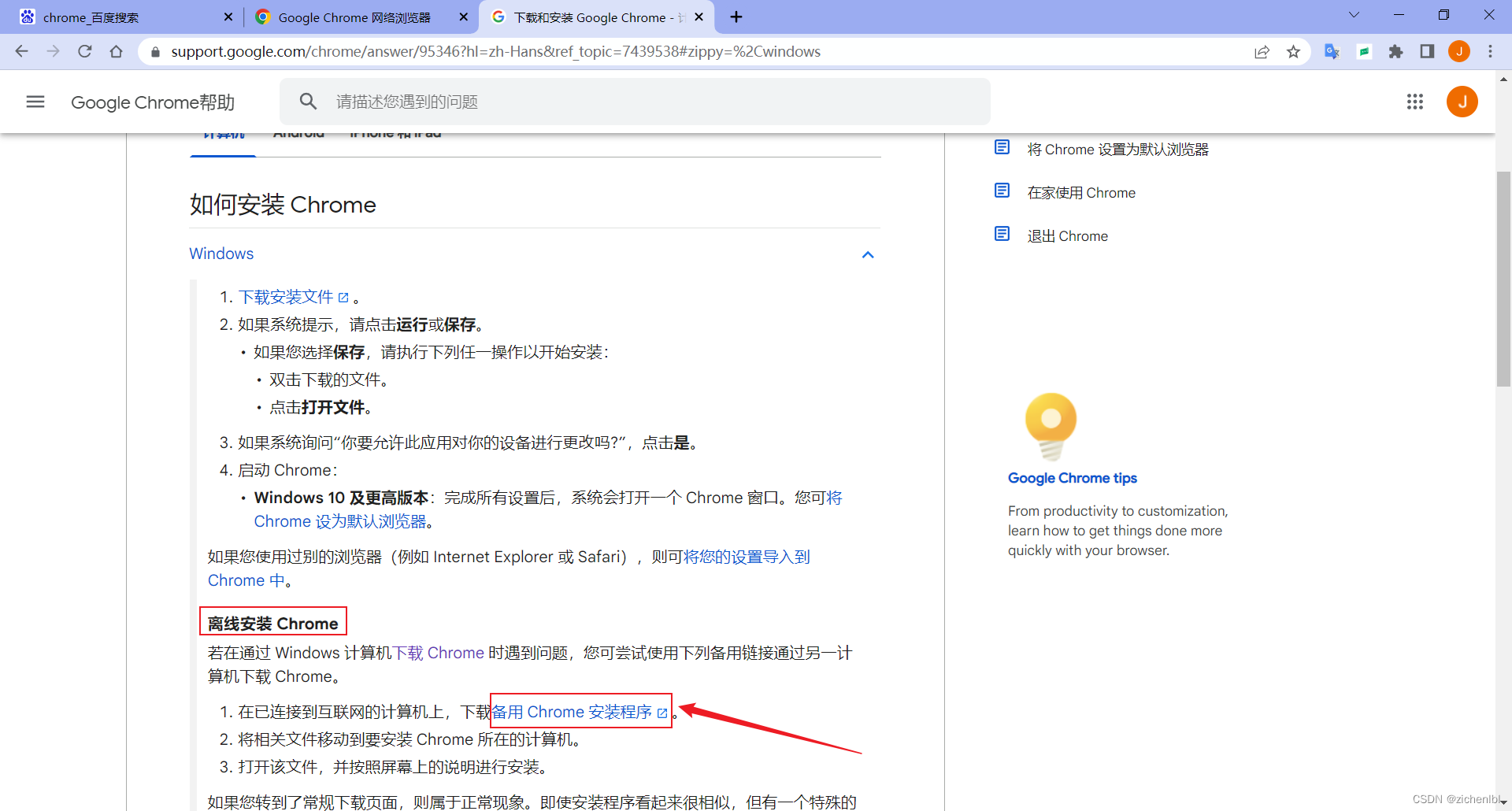
点击下载Chrome
无法科学上网可以把google.com修改成google.cn, 即打开https://www.google.cn/intl/zh-CN/chrome/?standalone=1页面下载Chrome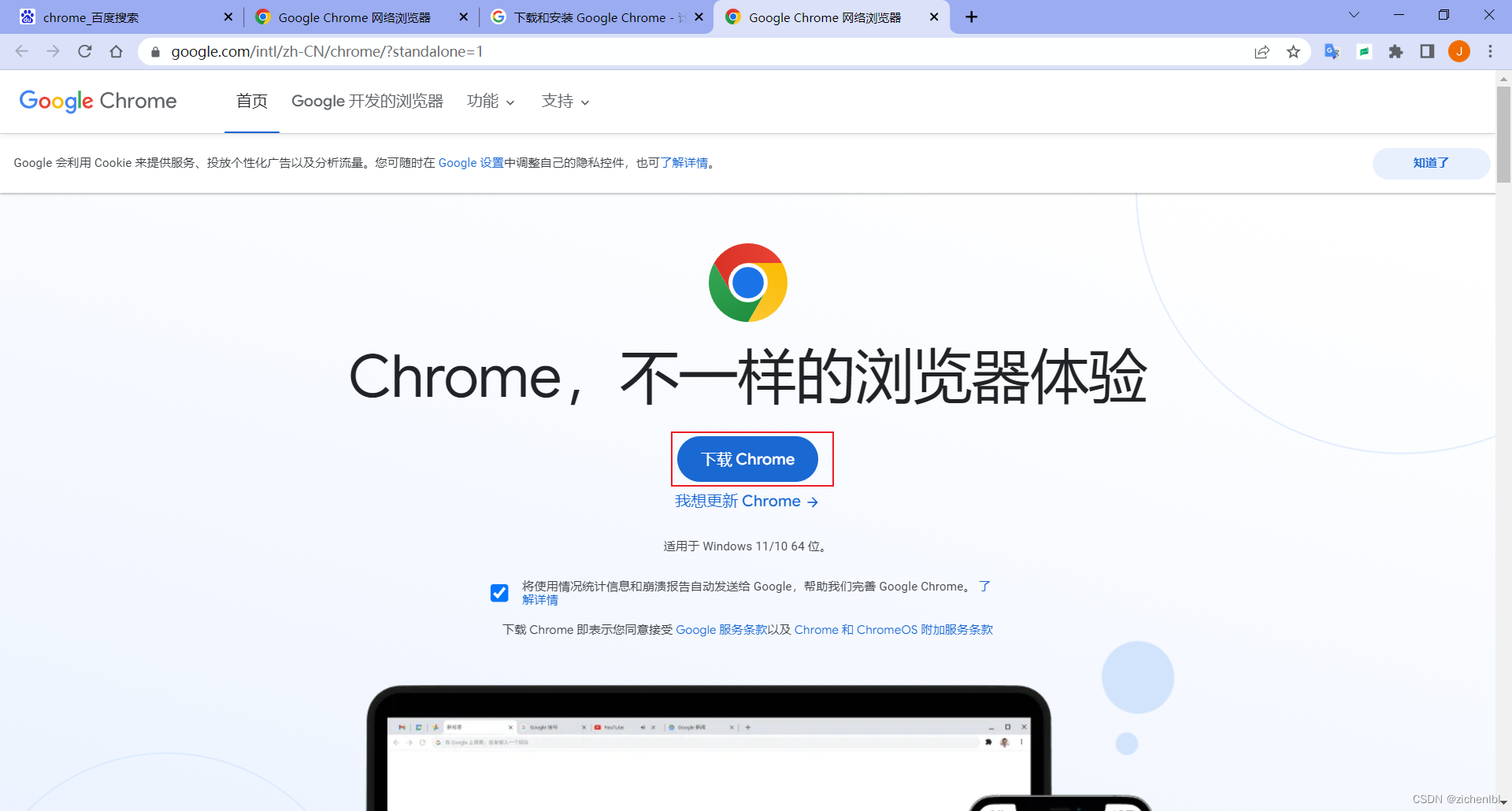
下载的文件名为ChromeStandaloneSetup64.exe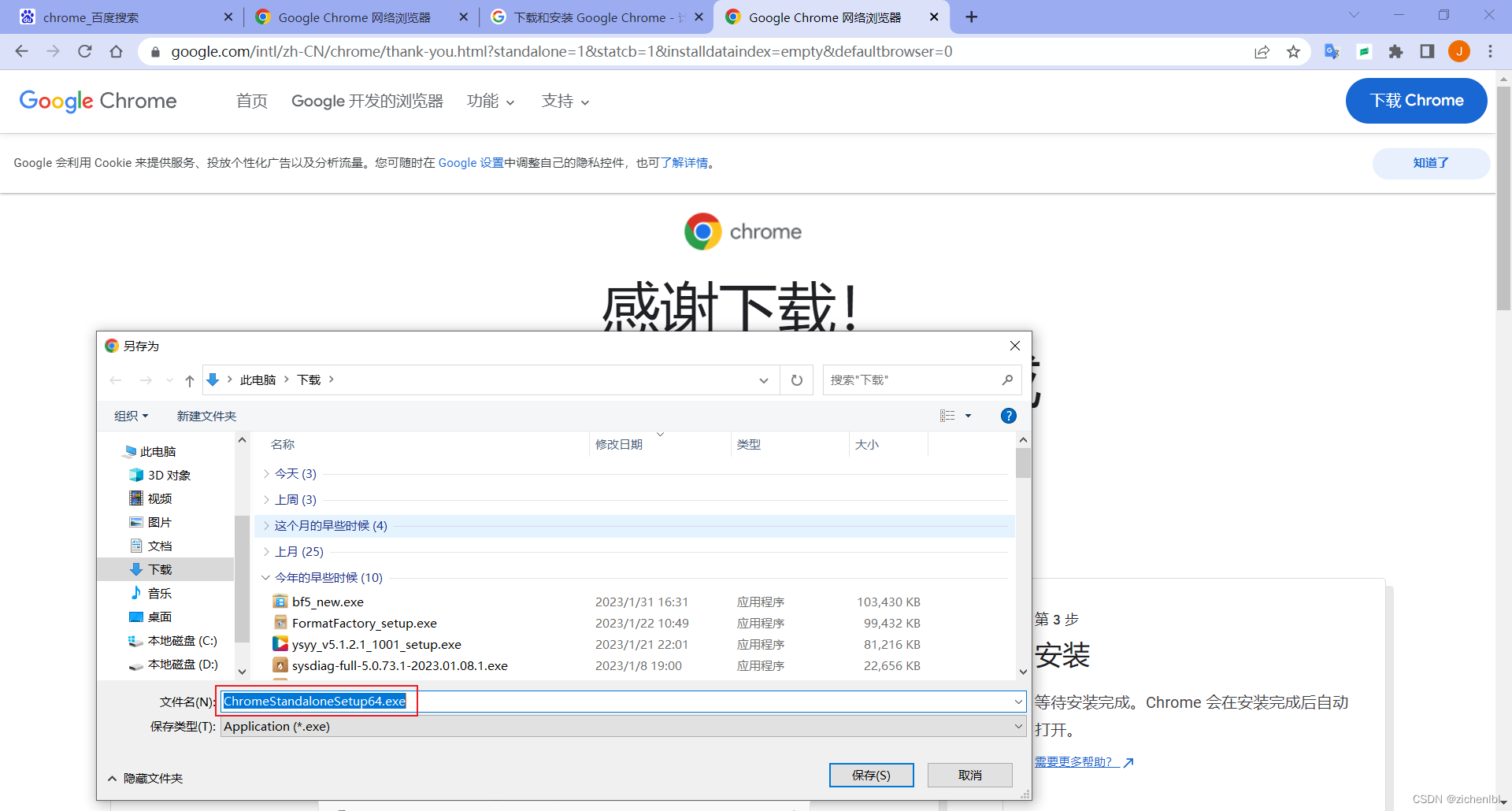
下载好后, 离线版Chrome安装程序大小为90MB左右
双击程序即可安装Chrome浏览器

有“AI”的1024 = 2048,欢迎大家加入2048 AI社区
更多推荐

 2
2 0
0- 0


 已为社区贡献4条内容

所有评论(0)