org.gradle.api.internal.artifacts.ivyservice.DefaultLenientConfiguration$ArtifactResolveException: C
org.gradle.api.internal.artifacts.ivyservice.DefaultLenientConfiguration$ArtifactResolveException
·
1,之前做的一个项目由于最近一直没有运行编译,今天来运行编译的时候报如下错误:
Caused by: org.gradle.api.internal.artifacts.ivyservice.DefaultLenientConfiguration$ArtifactResolveException: Could not resolve all files for configuration ':app:D64DebugCompileClasspath'.2,导致原因分析:
要么是 Gradle 版本过低,需要升级到更高的版本;要么是某些依赖项未能成功下载。
3,解决方式:
(1):替换配置的仓库
在项目下的build.gradle首先将jcenter()进行注释,配置国内的仓库
maven { url 'https://maven.aliyun.com/repository/public' } // 如果在中国使用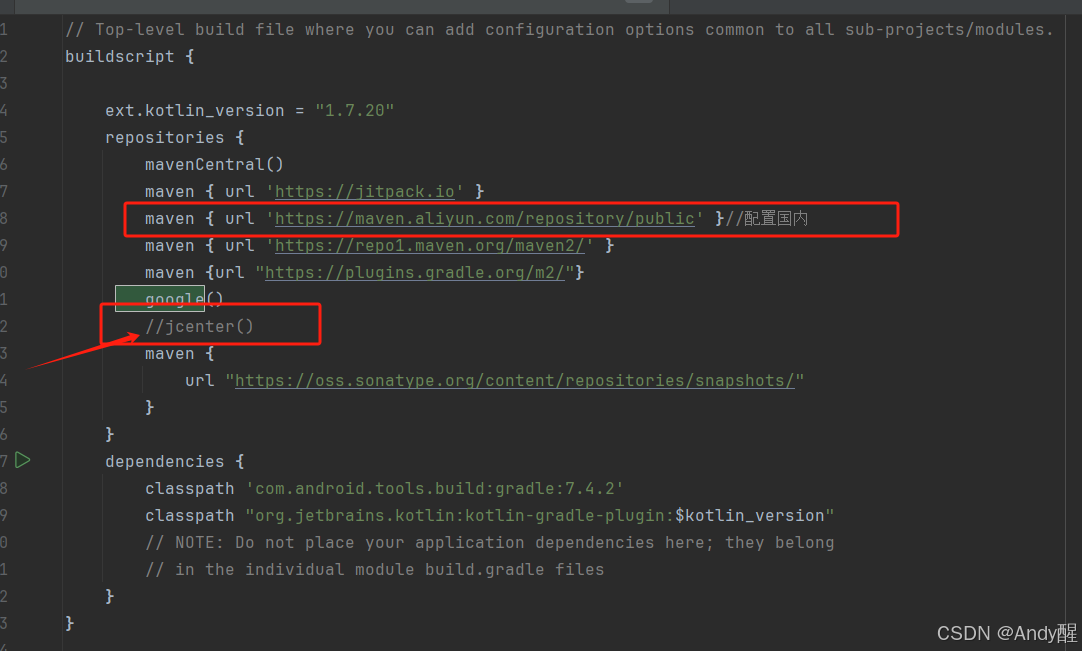
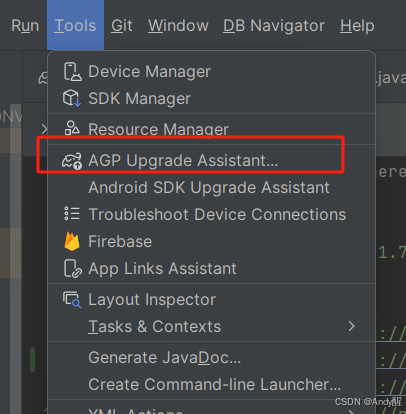
(2):更新gradle的版本,通过tools -》AGP Upgrade Assistant 自动更新
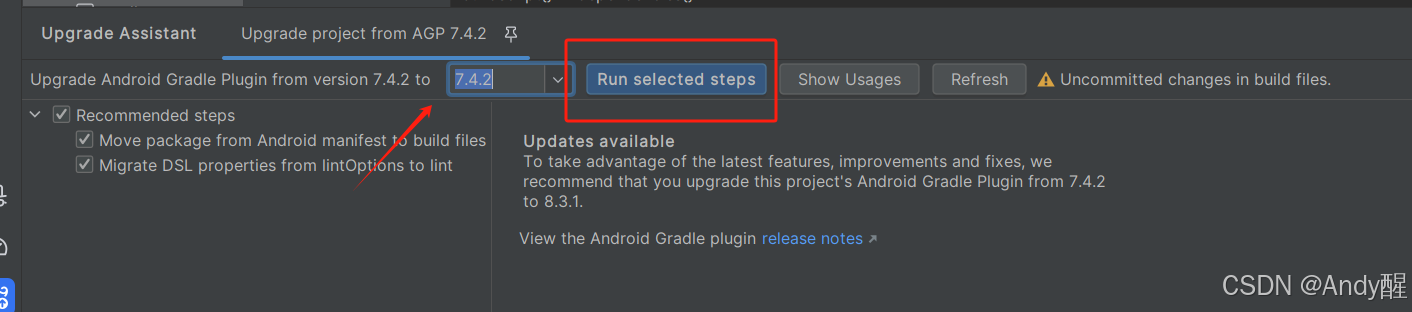
1,在gradle-wrapper.properties下查看提高gradle的版本
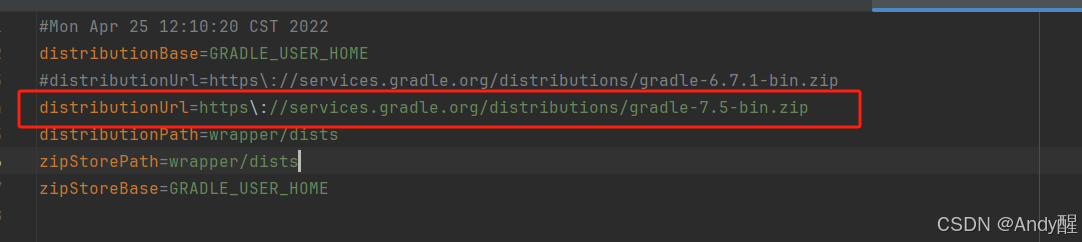
distributionUrl=https\://services.gradle.org/distributions/gradle-7.5-bin.zip2,与此同时gradle的版本(build.gradle)


有“AI”的1024 = 2048,欢迎大家加入2048 AI社区
更多推荐


 4
4 0
0- 0


 已为社区贡献1条内容

所有评论(0)