Pycharm打开终端时报错:Cannot open Local,Failed to start[powershell.exe]
·
在使用pycharm时 ,发现终端用不了,一直显示 can't open local,具体报错情况如下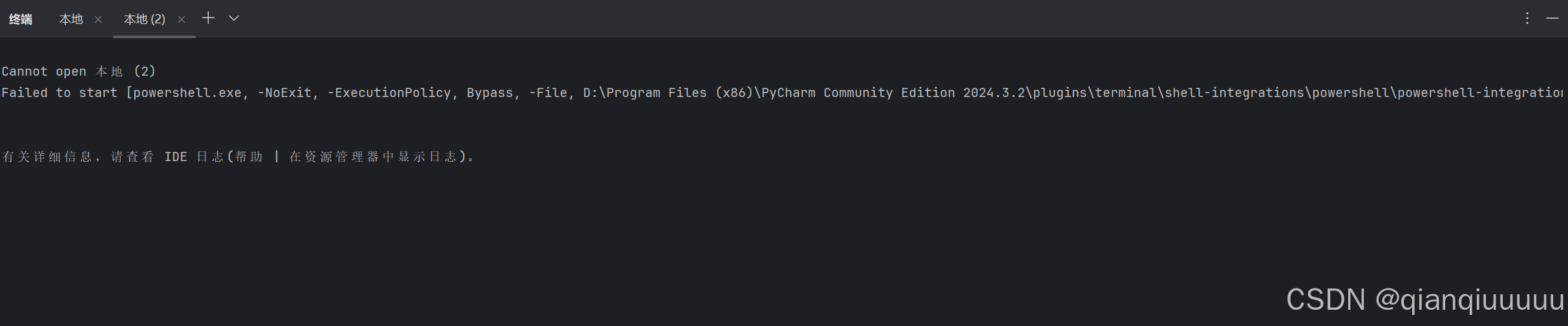 从错误信息来看,PyCharm 在尝试启动 PowerShell 终端时遇到了问题。具体来说,它无法执行位于
 D:\Program Files (x86)\PyCharm Community Edition 2024.3.2\plugins\terminal\shell-integrations\powershell\powershell-integration.ps1 的 PowerShell 脚本。
面对此问题,我尝试了以下方法:
1.检查环境变量
确保 PyCharm 的环境变量配置正确,特别是 Path 变量。如果 Path 变量中缺少必要的路径,可能会导致 PowerShell 无法正确启动。
2.修改设置中的shell path路径
英文版pycharm:file -> settings -> Tools -> Terminal -> Shell path
中文版pycharm:文件 -> 设置 -> 工具 -> 终端 -> Shell路径
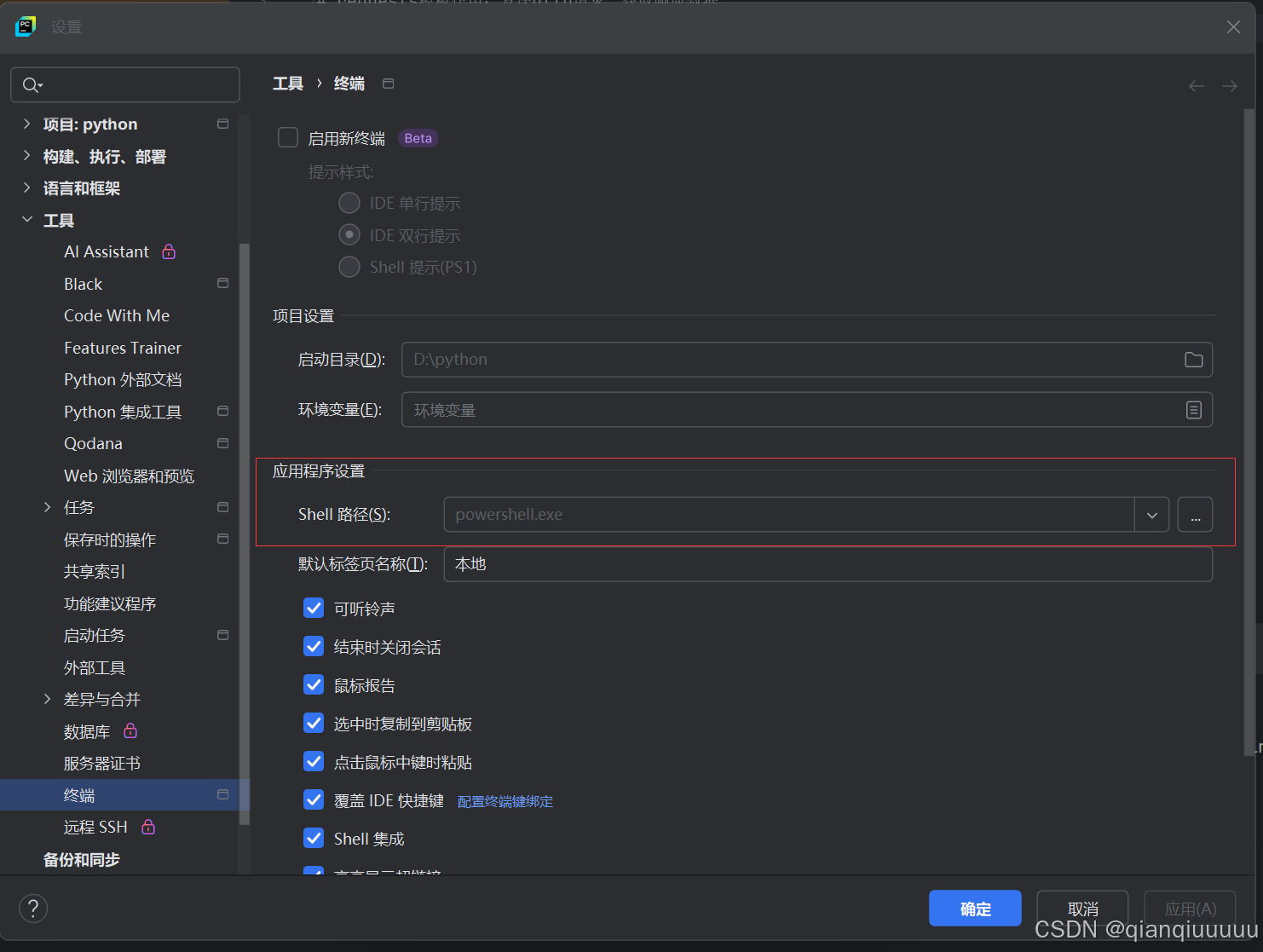
可以在应用程序设置中的Shell路径中将路径补充完整
C:\Windows\System32\WindowsPowerShell\v1.0\powershell.exe

此时设置完之后重新打开一下pycharm 就可以了


有“AI”的1024 = 2048,欢迎大家加入2048 AI社区
更多推荐


 22
22 0
0- 0


 已为社区贡献1条内容

所有评论(0)