【Python学习】seaborn模块的使用
1、模块导入import matplotlib.pyplot as pltimport seaborn as sns2、线图绘制(1)全量数据数据准备sns.lineplot(data=spotify_data)(2)某一列数据sns.lineplot(data=spotify_data[‘Shape of You’], label=“Shape of You”)sns.lineplot(data
1、模块导入
import matplotlib.pyplot as plt
import seaborn as sns
2、线图绘制
(1)全量数据
数据准备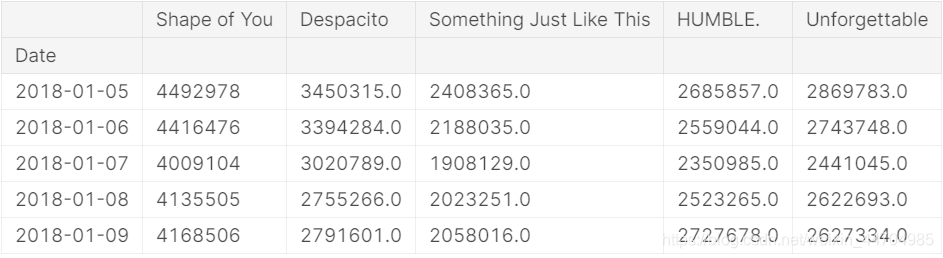
sns.lineplot(data=spotify_data)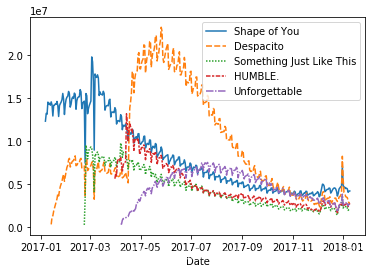
(2)某一列数据
sns.lineplot(data=spotify_data[‘Shape of You’], label=“Shape of You”)
sns.lineplot(data=spotify_data[‘Despacito’], label=“Despacito”)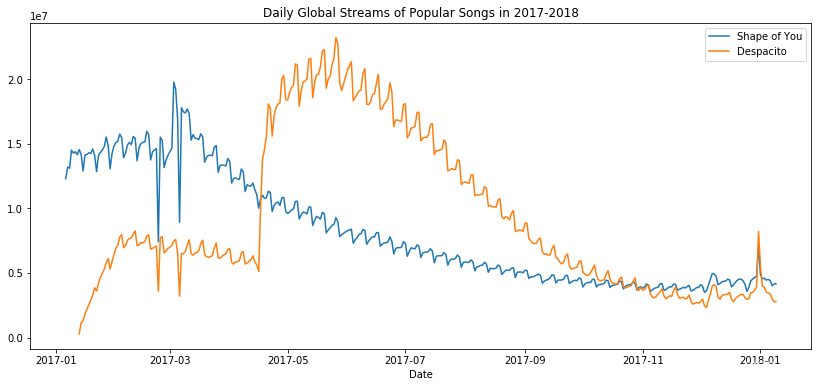
3、直方图绘制
数据准备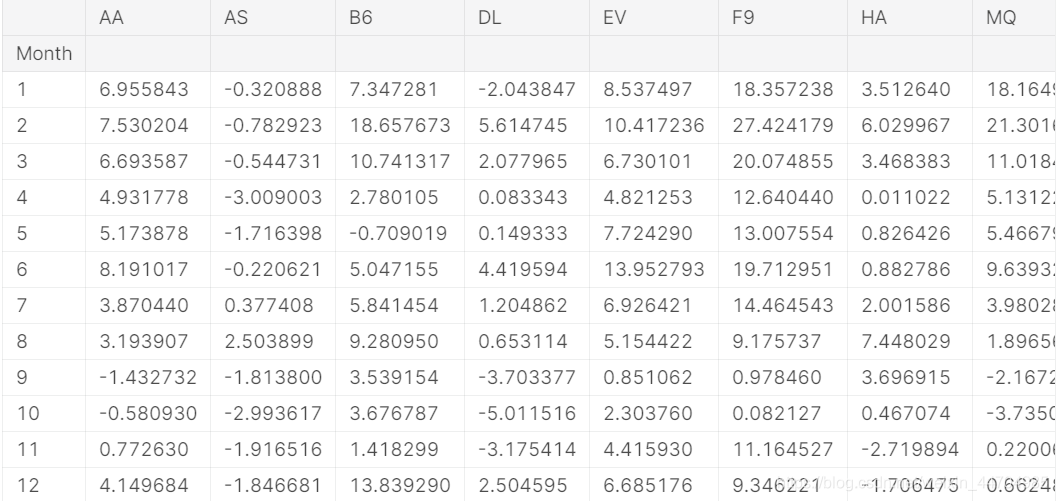
sns.barplot(x=flight_data.index, y=flight_data[‘NK’])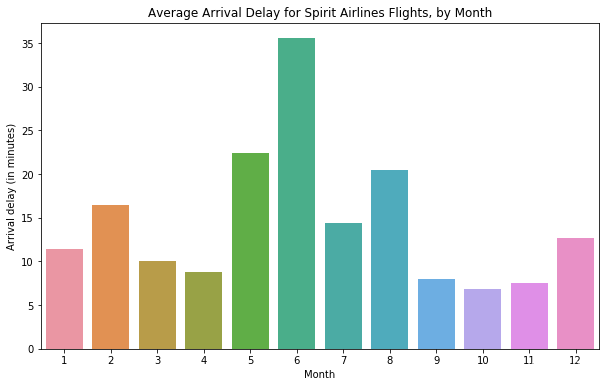
4、热图绘制
数据准备
sns.heatmap(data=flight_data, annot=True)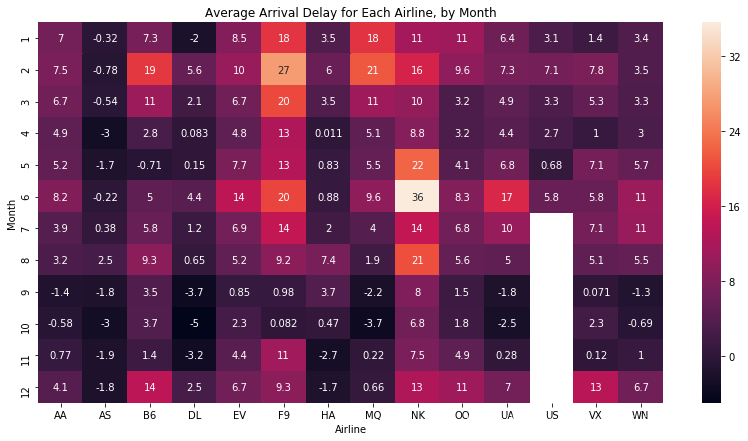
5、箱索图绘制
数据准备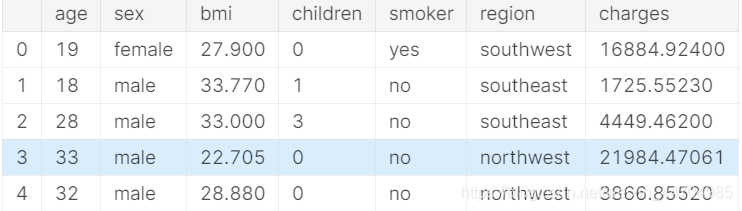
sns.swarmplot(x=insurance_data[‘smoker’],y=insurance_data[‘charges’])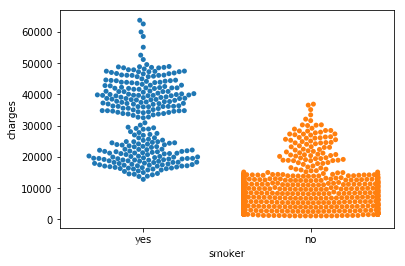
6、散点图绘制
数据准备
sns.scatterplot(x=insurance_data[‘bmi’], y=insurance_data[‘charges’])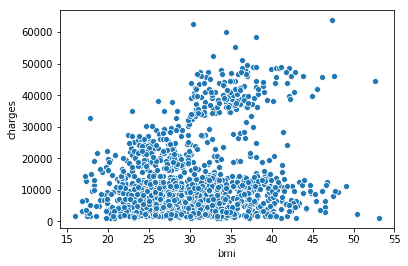
拟合线绘制
sns.regplot(x=insurance_data[‘bmi’], y=insurance_data[‘charges’])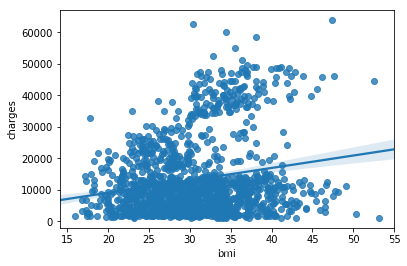
颜色区分
sns.scatterplot(x=insurance_data[‘bmi’], y=insurance_data[‘charges’], hue=insurance_data[‘smoker’])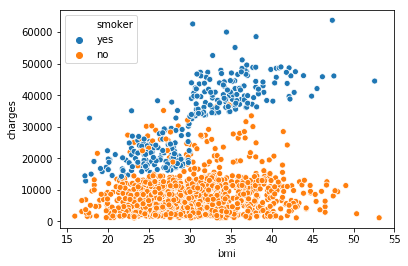
双拟合线
sns.lmplot(x=“bmi”, y=“charges”, hue=“smoker”, data=insurance_data)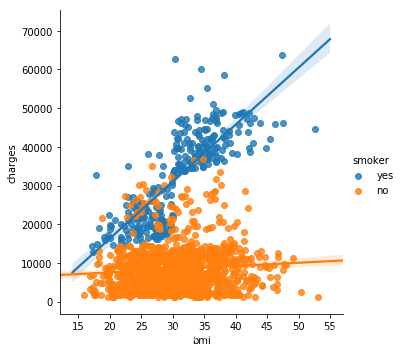
7、密度分布图
数据准备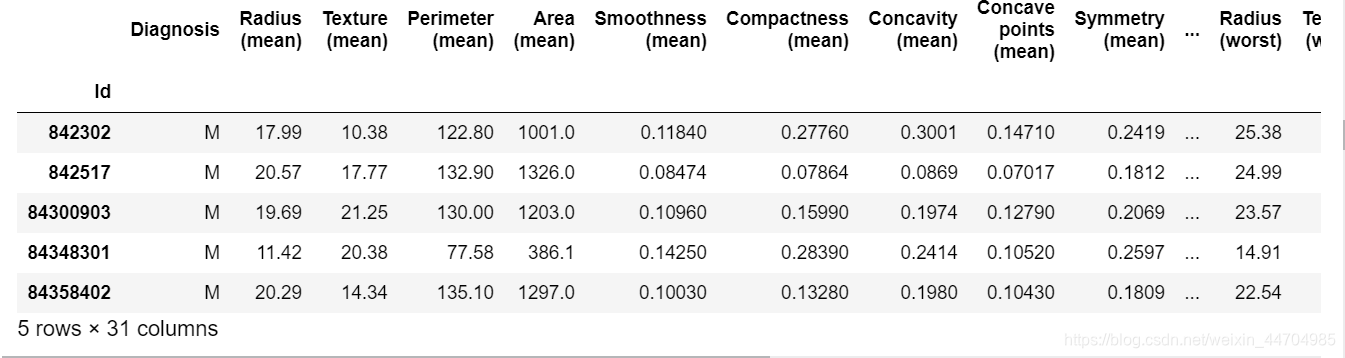
sns.distplot(a=cancer_b_data[‘Area (mean)’], label=“Benign”, kde=False)
sns.distplot(a=cancer_m_data[‘Area (mean)’], label=“Malignant”, kde=False)
plt.legend()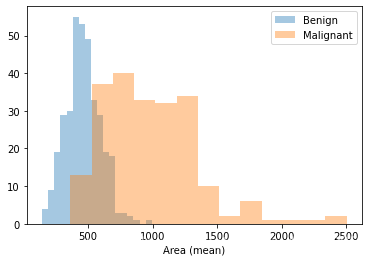
sns.kdeplot(data=cancer_b_data[‘Radius (worst)’], shade=True, label=“Benign”)
sns.kdeplot(data=cancer_m_data[‘Radius (worst)’], shade=True, label=“Malignant”)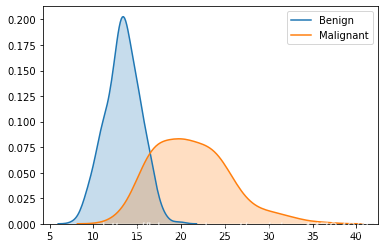
8、其他参数设置
(1)图形大小设置
plt.figure(figsize=(14,6))
(2)标题设置
plt.title(“Daily Global Streams of Popular Songs in 2017-2018”)
(3)横纵坐标名称设置
plt.xlabel(“Date”)
plt.ylabel(“Num”)
(4)标签名称设置
plt.legend()
(5)绘图背景色设置
sns.set_style(“dark”)
其他可选色:“darkgrid”、“whitegrid”、“dark”、“white”、“ticks”

有“AI”的1024 = 2048,欢迎大家加入2048 AI社区
更多推荐


 2
2 0
0- 0


 已为社区贡献2条内容

所有评论(0)