谷歌浏览器chrome console 发送POST/GET请求写法
开发中遇到想要调试controller接口怎么处理?首先想到的是postman,但是使用postman却发现报错,怎么调试,怎么搞都不行。那有可能不是postman的错,有可能是前台框架不支持,那该怎么办呢?可以通过谷歌的控制台,自己发请求,写法如下:post请求://方法一:var url = "/buyout/order/queryOrderList";var param...
·
开发中遇到想要调试controller接口怎么处理?
首先想到的是postman,但是使用postman却发现报错,怎么调试,怎么搞都不行。那有可能不是postman的错,有可能是前台框架不支持,那该怎么办呢?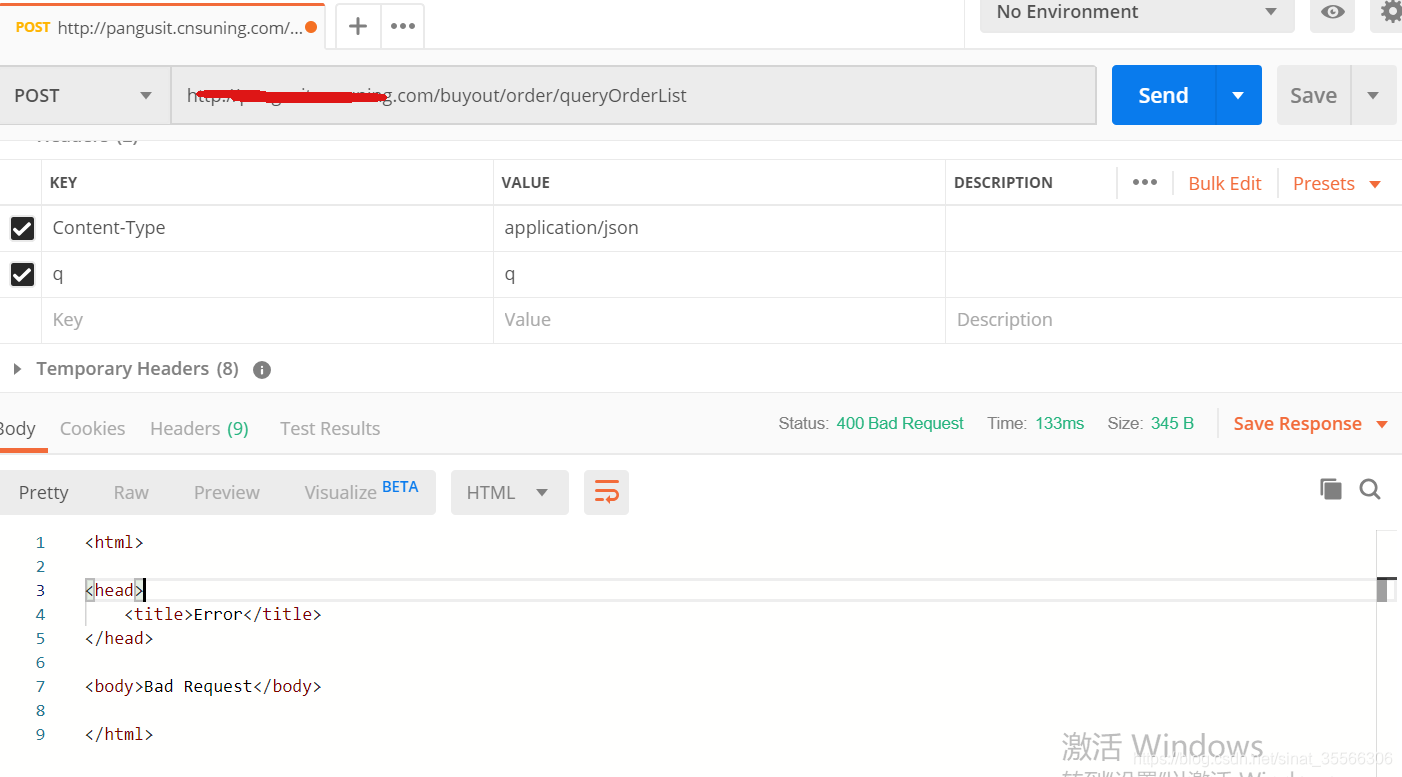
可以通过谷歌的控制台,自己发请求,写法如下:
post请求:
//方法一:
var url = "/buyout/order/queryOrderList";
var params = {advertiserUid: 1232131, advertiserWeiboNickname: "18"};
var xhr = new XMLHttpRequest();
xhr.open("POST", url, true);
xhr.setRequestHeader("Content-Type", "application/json");
xhr.onload = function (e) {
  if (xhr.readyState === 4) {
    if (xhr.status === 200) {
      console.log(xhr.responseText);
    } else {
      console.error(xhr.statusText);
    }
  }
};
xhr.onerror = function (e) {
  console.error(xhr.statusText);
};
xhr.send(JSON.stringify(params));

//方法二:
var url = "/buyout/order/queryOrderList";
var params = "score=5&abc=6";
var xhr = new XMLHttpRequest();
xhr.open("POST", url, true);
xhr.setRequestHeader("Content-type","application/x-www-form-urlencoded");
xhr.onload = function (e) {
  if (xhr.readyState === 4) {
    if (xhr.status === 200) {
      console.log(xhr.responseText);
    } else {
      console.error(xhr.statusText);
    }
  }
};
xhr.onerror = function (e) {
  console.error(xhr.statusText);
};
xhr.send(params);
get请求:
var url = "/buyout/order/queryOrderList?types=userType,userStatus";
var xhr = new XMLHttpRequest();
xhr.open("GET", url, true);
xhr.onload = function (e) {
  if (xhr.readyState === 4) {
    if (xhr.status === 200) {
      console.log(xhr.responseText);
    } else {
      console.error(xhr.statusText);
    }
  }
};
xhr.onerror = function (e) {
  console.error(xhr.statusText);
};
xhr.send(null);

有“AI”的1024 = 2048,欢迎大家加入2048 AI社区
更多推荐

 2
2 0
0- 0


 已为社区贡献1条内容

所有评论(0)