实战封神!从0到1开发全网小说自动爬取+更新+推送系统,多平台适配+定时监控+微信推送,追更从此不用愁
小说自动追更系统摘要 本文介绍了一个Python开发的全网小说自动追更系统,解决了多平台切换、广告干扰、更新不及时等痛点。系统采用分层架构设计,核心特点包括: 多平台适配:通过抽象基类+具体实现模式,支持快速扩展新小说平台 智能监控:使用APScheduler定时检查更新,频率可配置 高效采集:结合requests同步请求和aiohttp异步爬取 灵活存储:SQLite轻量级数据库,支持本地离线阅
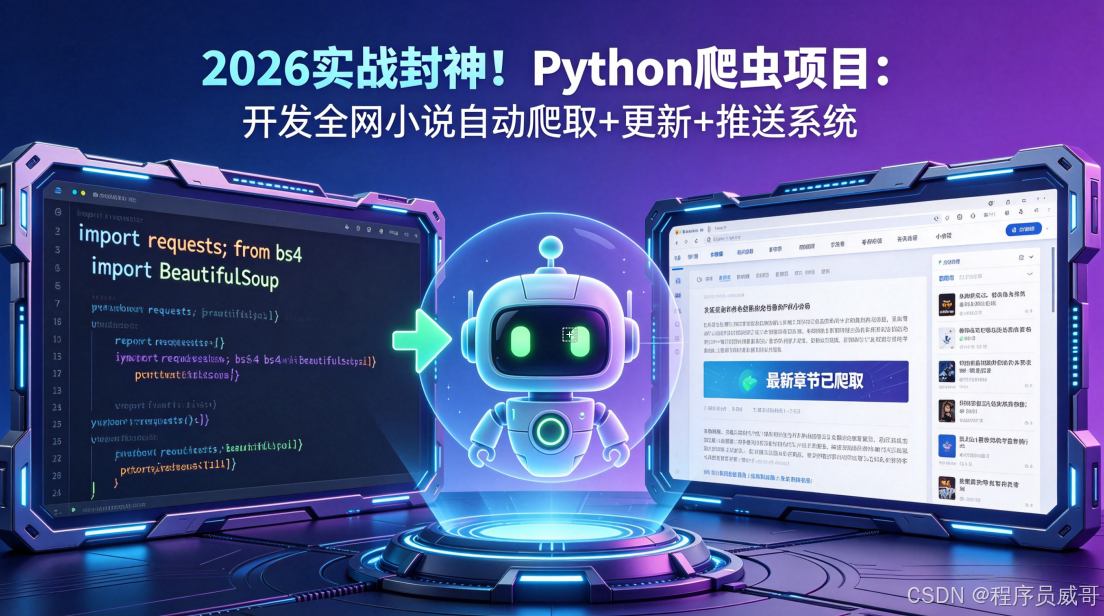
作为一个十年书虫,最烦的就是追更小说时的痛点:几个平台来回切、广告弹窗满天飞、更新提醒不及时。去年年底终于忍无可忍,花了三周时间,用Python写了一套全网小说自动爬取+更新+推送系统,支持多平台适配,定时监控更新,还能直接推送到微信。现在用了三个月,彻底解放双手,今天把完整的开发过程和源码思路分享给大家,全是实战踩坑出来的干货。
一、项目背景与痛点分析
先说说我为什么要做这个系统,相信很多书虫都有同感:
- 多平台切换太麻烦:喜欢的书分散在起点、晋江、番茄几个平台,每次追更要打开好几个APP,收藏夹乱成一锅粥;
- 广告多到影响阅读:免费平台广告弹窗不断,看一章要跳三次广告,体验极差;
- 更新提醒不及时:平台推送经常延迟,有时候作者更了两小时才收到通知,错过第一时间追更;
- 想存本地离线看:有些书看完就下架,想存到本地但手动复制粘贴太费时间。
基于这些痛点,我给自己定了系统的核心需求:
- ✅ 支持多平台适配,能快速接入新的小说站点;
- ✅ 自动监控书籍更新,有新章节第一时间通知;
- ✅ 爬取章节内容存本地,支持离线阅读;
- ✅ 消息推送到微信/钉钉,不用打开APP就能看更新;
- ✅ 轻量级,单机就能跑,不用复杂的服务器配置。
二、技术选型:为什么选这些技术栈?
确定需求后,我对比了几种技术方案,最终选了最适合个人开发者的轻量级组合,每个选型都有明确的理由:
| 技术模块 | 选型方案 | 选型理由 |
|---|---|---|
| 开发语言 | Python 3.10+ | 生态丰富,爬虫库、调度库、推送库都很成熟,快速开发不折腾 |
| 网络请求 | requests + aiohttp | 同步请求用requests(简单稳定),批量章节爬取用aiohttp(异步提速10倍) |
| 页面解析 | BeautifulSoup + parsel | BeautifulSoup易上手,parsel基于lxml速度快,搭配使用覆盖所有解析场景 |
| 数据存储 | SQLite | 轻量级,无需安装数据库,单机运行足够,后续想扩展也能无缝切MySQL |
| 定时任务 | APScheduler | 功能强大,支持固定间隔、 cron 表达式,配置简单,还能动态添加/删除任务 |
| 消息推送 | 企业微信机器人 | 配置零门槛,不用申请公众号,个人就能用,推送速度快,支持Markdown格式 |
三、系统整体架构设计
为了方便后续扩展新平台,我把系统设计成了分层架构,各模块解耦,改动一个地方不影响其他部分。整体架构图如下:
各层的核心职责:
- 用户配置层:管理要监控的书籍列表、推送方式、监控间隔,用JSON文件存储,修改不用改代码;
- 调度层:定时触发更新检查,比如每30分钟跑一次,对比数据库里的最新章节和平台的最新章节;
- 采集层:抽象基类+具体平台实现,新增平台只需继承基类实现三个方法,不用改核心逻辑;
- 解析层:把各平台的解析规则(XPath/CSS选择器)存到配置文件,页面结构变了只改配置;
- 数据层:存储书籍信息、章节内容、更新记录,用SQLite轻量高效;
- 推送层:检测到更新后,调用企业微信机器人API,把最新章节推送给用户。
四、核心模块代码实现
4.1 多平台适配:抽象基类+具体实现
这是系统最核心的设计,为了方便扩展新平台,我定义了一个抽象基类NovelCrawler,所有平台的爬虫都继承这个基类,实现三个抽象方法:
get_book_info(book_url):获取书籍基本信息(书名、作者、最新章节);get_chapter_list(book_url):获取章节列表;get_chapter_content(chapter_url):获取章节内容。
基类代码如下,用Python的abc模块实现抽象类:
from abc import ABC, abstractmethod
from typing import List, Dict

class NovelCrawler(ABC):
    """小说爬虫抽象基类,所有平台爬虫必须继承此类并实现抽象方法"""

    def __init__(self):
        self.headers = {
            "User-Agent": "Mozilla/5.0 (Windows NT 10.0; Win64; x64) AppleWebKit/537.36 (KHTML, like Gecko) Chrome/124.0.0.0 Safari/537.36"
        }

    @abstractmethod
    def get_book_info(self, book_url: str) -> Dict[str, str]:
        """
        获取书籍基本信息
        :param book_url: 书籍详情页链接
        :return: 包含书名、作者、最新章节、封面的字典
        """
        pass

    @abstractmethod
    def get_chapter_list(self, book_url: str) -> List[Dict[str, str]]:
        """
        获取章节列表
        :param book_url: 书籍详情页链接
        :return: 包含章节标题、章节链接的列表
        """
        pass

    @abstractmethod
    def get_chapter_content(self, chapter_url: str) -> str:
        """
        获取章节内容
        :param chapter_url: 章节链接
        :return: 章节正文内容
        """
        pass
以某笔趣阁站点为例,实现具体的爬虫类,只需要填充三个方法的逻辑:
import requests
from bs4 import BeautifulSoup
from typing import List, Dict

class BiqugeCrawler(NovelCrawler):
    """笔趣阁站点爬虫实现"""

    def __init__(self):
        super().__init__()
        self.base_url = "https://www.biquge.example.com"  # 替换为实际站点域名

    def get_book_info(self, book_url: str) -> Dict[str, str]:
        resp = requests.get(book_url, headers=self.headers, timeout=10)
        resp.encoding = "utf-8"
        soup = BeautifulSoup(resp.text, "lxml")

        book_name = soup.find("h1").text.strip()
        author = soup.find("div", id="info").find("p").text.split(":")[1].strip()
        latest_chapter = soup.find("div", id="info").find_all("p")[-1].text.strip()
        cover_url = soup.find("div", id="fmimg").find("img")["src"]

        return {
            "book_name": book_name,
            "author": author,
            "latest_chapter": latest_chapter,
            "cover_url": cover_url,
            "book_url": book_url
        }

    def get_chapter_list(self, book_url: str) -> List[Dict[str, str]]:
        resp = requests.get(book_url, headers=self.headers, timeout=10)
        resp.encoding = "utf-8"
        soup = BeautifulSoup(resp.text, "lxml")

        chapter_list = []
        dd_list = soup.find("div", id="list").find_all("dd")
        for dd in dd_list:
            a_tag = dd.find("a")
            chapter_title = a_tag.text.strip()
            chapter_url = self.base_url + a_tag["href"]
            chapter_list.append({
                "chapter_title": chapter_title,
                "chapter_url": chapter_url
            })
        return chapter_list

    def get_chapter_content(self, chapter_url: str) -> str:
        resp = requests.get(chapter_url, headers=self.headers, timeout=10)
        resp.encoding = "utf-8"
        soup = BeautifulSoup(resp.text, "lxml")

        content_div = soup.find("div", id="content")
        # 替换换行标签为换行符,方便阅读
        content = content_div.get_text(separator="\n", strip=True)
        return content
这样设计的好处是,后续想加新平台,比如起点、晋江,只需要新建一个类继承NovelCrawler,实现三个方法就行,核心调度逻辑完全不用改。
4.2 数据存储:SQLite轻量级实现
我设计了三张表来存储数据:
books表:存储书籍基本信息;chapters表:存储章节内容;update_logs表:存储更新记录,方便排查问题。
用Python自带的sqlite3模块实现,不用安装任何第三方库,建表和增删改查代码如下:
import sqlite3
from typing import List, Dict

class NovelDatabase:
    """小说数据库管理类"""

    def __init__(self, db_path: str = "novel.db"):
        self.conn = sqlite3.connect(db_path, check_same_thread=False)
        self.cursor = self.conn.cursor()
        self._create_tables()

    def _create_tables(self):
        """创建数据库表"""
        # 书籍表
        self.cursor.execute('''
            CREATE TABLE IF NOT EXISTS books (
                id INTEGER PRIMARY KEY AUTOINCREMENT,
                book_name TEXT NOT NULL,
                author TEXT NOT NULL,
                latest_chapter TEXT,
                cover_url TEXT,
                book_url TEXT UNIQUE NOT NULL,
                platform TEXT NOT NULL,
                last_check_time TEXT,
                last_update_time TEXT
            )
        ''')

        # 章节表
        self.cursor.execute('''
            CREATE TABLE IF NOT EXISTS chapters (
                id INTEGER PRIMARY KEY AUTOINCREMENT,
                book_id INTEGER NOT NULL,
                chapter_title TEXT NOT NULL,
                chapter_url TEXT UNIQUE NOT NULL,
                chapter_content TEXT,
                is_pushed INTEGER DEFAULT 0,
                create_time TEXT DEFAULT CURRENT_TIMESTAMP,
                FOREIGN KEY (book_id) REFERENCES books (id)
            )
        ''')

        # 更新日志表
        self.cursor.execute('''
            CREATE TABLE IF NOT EXISTS update_logs (
                id INTEGER PRIMARY KEY AUTOINCREMENT,
                book_id INTEGER NOT NULL,
                chapter_title TEXT NOT NULL,
                update_time TEXT DEFAULT CURRENT_TIMESTAMP,
                FOREIGN KEY (book_id) REFERENCES books (id)
            )
        ''')

        self.conn.commit()

    def add_book(self, book_info: Dict[str, str], platform: str) -> int:
        """添加书籍,返回书籍ID"""
        try:
            self.cursor.execute('''
                INSERT OR IGNORE INTO books
                (book_name, author, latest_chapter, cover_url, book_url, platform)
                VALUES (?, ?, ?, ?, ?, ?)
            ''', (
                book_info["book_name"],
                book_info["author"],
                book_info["latest_chapter"],
                book_info["cover_url"],
                book_info["book_url"],
                platform
            ))
            self.conn.commit()
            # 获取书籍ID
            self.cursor.execute('SELECT id FROM books WHERE book_url = ?', (book_info["book_url"],))
            return self.cursor.fetchone()[0]
        except Exception as e:
            print(f"添加书籍失败:{e}")
            return -1

    # 省略其他增删改查方法,比如添加章节、查询书籍最新章节等
4.3 定时更新:APScheduler实现监控
用APScheduler实现定时任务,比如每30分钟检查一次所有书籍的更新情况,核心逻辑是:
- 从数据库取出所有监控的书籍;
- 调用对应平台的爬虫,获取最新章节列表;
- 对比数据库里已有的章节,找出新章节;
- 爬取新章节内容,存数据库;
- 调用推送模块,把新章节推送给用户。
核心代码如下:
from apscheduler.schedulers.blocking import BlockingScheduler
from datetime import datetime
import time

class NovelMonitor:
    """小说更新监控类"""

    def __init__(self, db: NovelDatabase, crawler_map: Dict[str, NovelCrawler]):
        self.db = db
        self.crawler_map = crawler_map  # 平台名 -> 爬虫实例的映射
        self.scheduler = BlockingScheduler()

    def check_updates(self):
        """检查所有书籍的更新"""
        print(f"[{datetime.now().strftime('%Y-%m-%d %H:%M:%S')}] 开始检查更新...")

        # 从数据库取出所有书籍
        self.db.cursor.execute('SELECT id, book_name, book_url, platform, latest_chapter FROM books')
        books = self.db.cursor.fetchall()

        for book in books:
            book_id, book_name, book_url, platform, db_latest_chapter = book
            print(f"检查书籍:{book_name}(平台:{platform})")

            # 获取对应平台的爬虫实例
            crawler = self.crawler_map.get(platform)
            if not crawler:
                print(f"未找到平台{platform}的爬虫,跳过")
                continue

            try:
                # 获取最新章节列表
                chapter_list = crawler.get_chapter_list(book_url)
                if not chapter_list:
                    print(f"获取章节列表失败,跳过")
                    continue

                # 最新章节是列表最后一个(不同站点顺序可能不一样,这里假设倒序)
                latest_chapter = chapter_list[-1]["chapter_title"]

                # 对比数据库里的最新章节,判断是否有更新
                if latest_chapter != db_latest_chapter:
                    print(f"发现更新!最新章节:{latest_chapter}")

                    # 找出所有新章节(数据库里没有的)
                    self.db.cursor.execute('SELECT chapter_url FROM chapters WHERE book_id = ?', (book_id,))
                    existing_urls = {row[0] for row in self.db.cursor.fetchall()}

                    new_chapters = [c for c in chapter_list if c["chapter_url"] not in existing_urls]

                    # 爬取新章节内容并存储
                    for chapter in new_chapters:
                        content = crawler.get_chapter_content(chapter["chapter_url"])
                        self.db.add_chapter(book_id, chapter["chapter_title"], chapter["chapter_url"], content)
                        # 记录更新日志
                        self.db.add_update_log(book_id, chapter["chapter_title"])
                        # 推送更新
                        self.push_update(book_name, chapter["chapter_title"], chapter["chapter_url"])

                    # 更新书籍表的最新章节和最后更新时间
                    self.db.update_book_latest_chapter(book_id, latest_chapter)
                else:
                    print(f"无更新,最新章节:{latest_chapter}")

                # 更新最后检查时间
                self.db.update_book_last_check_time(book_id)

                # 随机延时1-2秒,避免请求过快
                time.sleep(1 + 1 * (hash(book_url) % 10) / 10)

            except Exception as e:
                print(f"检查书籍{book_name}更新失败:{e}")

        print(f"[{datetime.now().strftime('%Y-%m-%d %H:%M:%S')}] 更新检查完成\n")

    def push_update(self, book_name: str, chapter_title: str, chapter_url: str):
        """推送更新到企业微信"""
        # 这里调用企业微信机器人的API,代码见4.4节
        pass

    def start(self, interval_minutes: int = 30):
        """启动监控,默认每30分钟检查一次"""
        self.scheduler.add_job(
            self.check_updates,
            'interval',
            minutes=interval_minutes,
            next_run_time=datetime.now()  # 启动时立即检查一次
        )
        print(f"监控已启动,每{interval_minutes}分钟检查一次更新...")
        self.scheduler.start()
4.4 消息推送:企业微信机器人实现
企业微信机器人配置很简单,个人就能用,不用申请公众号:
- 注册企业微信(不用认证,个人就能注册);
- 创建一个内部群聊,添加“群机器人”;
- 复制机器人的Webhook地址,填到代码里。
推送代码用requests实现,支持Markdown格式,看起来更美观:
import requests
import json

class WeChatPusher:
    """企业微信机器人推送类"""

    def __init__(self, webhook_url: str):
        self.webhook_url = webhook_url

    def push_text(self, content: str):
        """推送文本消息"""
        data = {
            "msgtype": "text",
            "text": {
                "content": content
            }
        }
        self._send(data)

    def push_markdown(self, title: str, content: str):
        """推送Markdown消息"""
        data = {
            "msgtype": "markdown",
            "markdown": {
                "content": f"### {title}\n\n{content}"
            }
        }
        self._send(data)

    def _send(self, data: dict):
        try:
            resp = requests.post(self.webhook_url, data=json.dumps(data), headers={"Content-Type": "application/json"}, timeout=10)
            if resp.json().get("errcode") == 0:
                print("推送成功")
            else:
                print(f"推送失败:{resp.json()}")
        except Exception as e:
            print(f"推送异常:{e}")
在NovelMonitor的push_update方法里调用这个类,就能实现更新推送:
def push_update(self, book_name: str, chapter_title: str, chapter_url: str):
    """推送更新到企业微信"""
    if not self.pusher:
        return
    title = f"📚 《{book_name}》更新啦!"
    content = f"**最新章节**:{chapter_title}\n\n**阅读链接**:[点击阅读]({chapter_url})"
    self.pusher.push_markdown(title, content)
五、踩坑实录:那些年我踩过的坑
开发这个系统踩了无数坑,这里挑几个最典型的分享给大家,避免大家重蹈覆辙:
5.1 反爬应对:UA轮换+随机延时
刚开始写的时候,没加延时,也没换UA,跑了两次就被站点封了IP,后来学乖了:
- 用
fake_useragent库,每次请求换一个User-Agent; - 每次请求后随机延时1-3秒,模拟真实用户的访问频率;
- 单机用的话,基本不用代理池,延时够了就不会被封。
fake_useragent的使用代码:
from fake_useragent import UserAgent

ua = UserAgent()
headers = {
    "User-Agent": ua.random  # 每次调用生成一个随机UA
}
5.2 页面结构变化:解析规则存配置文件
很多小说站点会不定期改页面结构,之前我把XPath写死在代码里,每次改都要重新发布,后来把解析规则存到JSON配置文件里,页面变了只改配置:
{
  "biquge": {
    "book_name_xpath": "//h1/text()",
    "author_xpath": "//div[@id='info']/p[1]/text()",
    "chapter_list_xpath": "//div[@id='list']//dd/a",
    "chapter_content_xpath": "//div[@id='content']/text()"
  },
  "qidian": {
    "book_name_xpath": "//h1/em/text()",
    "author_xpath": "//span[@class='writer']/text()",
    "chapter_list_xpath": "//ul[@class='cf']/li/a",
    "chapter_content_xpath": "//div[@class='read-content j_readContent']/p/text()"
  }
}
解析的时候从配置文件里取规则,不用改代码。
5.3 编码问题:根据响应头判断编码
不同站点的编码不一样,有些是GBK,有些是UTF-8,直接用resp.encoding = "utf-8"会乱码,后来改成根据响应头或者页面meta标签判断:
resp = requests.get(url, headers=headers, timeout=10)
# 先从响应头获取编码,如果没有就用chardet检测
if resp.encoding == "ISO-8859-1":
    resp.encoding = resp.apparent_encoding
5.4 动态加载内容:尽量找静态页面或API
有些站点的章节内容是用JS动态加载的,直接请求HTML拿不到内容,这时候有两个解决方案:
- 用Selenium或Playwright模拟浏览器加载,但效率低,不适合批量爬取;
- 打开浏览器开发者工具,看Network标签,找返回章节内容的API接口,直接请求API,效率高还稳定。
六、效果展示:系统运行起来是这样的
系统启动后,控制台会输出监控日志:
监控已启动,每30分钟检查一次更新...
[2026-04-24 10:00:00] 开始检查更新...
检查书籍:《大奉打更人》(平台:笔趣阁)
发现更新!最新章节:第1234章 大结局
推送成功
检查书籍:《雪中悍刀行》(平台:起点)
无更新,最新章节:第567章 江湖再见
[2026-04-24 10:05:30] 更新检查完成
企业微信会收到推送消息,Markdown格式看起来很清晰:
📚 《大奉打更人》更新啦!
最新章节:第1234章 大结局
阅读链接:点击阅读
本地SQLite数据库里会存储所有书籍和章节内容,用DB Browser for SQLite打开就能看,还能导出成TXT或EPUB格式。
七、合规与道德提醒(非常重要!)
最后必须严肃提醒大家,技术本身没有对错,但一定要在合法合规的范围内使用:
- 仅供学习交流:本系统仅用于Python技术学习和交流,请勿用于商业用途;
- 尊重版权:请尊重作者和平台的版权,不要传播盗版小说,如果喜欢某本书,请去正版平台订阅支持;
- 控制请求频率:爬取时请控制请求频率,遵守网站的robots协议,不要给服务器造成压力;
- 不要爬取敏感内容:不要爬取涉及色情、暴力、政治等敏感内容,遵守法律法规。
总结
这套系统从0到1开发,花了三周时间,解决了我追更小说的所有痛点,也学到了很多爬虫、调度、推送的技术。现在把完整的思路分享给大家,希望对喜欢Python和喜欢小说的朋友有帮助。
如果大家有兴趣,后续我可以再写几篇详细的模块教程,比如如何用aiohttp实现异步批量爬取、如何把章节内容导出成EPUB电子书、如何用Playwright处理动态加载的页面。
👉 点击我的头像进入主页,关注专栏第一时间收到更新提醒,有问题评论区交流,看到都会回。

有“AI”的1024 = 2048,欢迎大家加入2048 AI社区
更多推荐


 2
2 0
0- 0


 已为社区贡献127条内容

所有评论(0)