云端模型和本地模型的介绍以及通过ollama接入本地模型
摘要: 云端大模型(如ChatGPT、DeepSeek)具有算力强、即开即用等优势,但存在隐私风险、网络依赖和高成本问题。本地部署大模型(通过Ollama等工具)可保护隐私、降低成本并支持离线使用,但硬件要求高且效果受限。Ollama作为开源工具,简化了本地模型的运行与管理,支持多平台和丰富模型,适合企业及敏感场景。本地接入需手动安装并配置模型,通过API实现全量或流式返回,兼顾灵活性与安全性。云
1.云端模型和本地模型的区别
为什么需要本地接⼊⼤模型
各⼤模型⼚商已经提供了⽹⻚版的⼤模型使⽤服务,⽐如DeepSeek、ChatGPT等,⽤⼾直接在⽹⻚上提问,就能得到需要的答案,为什么还要本地接⼊⼤模型呢?
使⽤云端⼤模型的优点
•
效果强:云端算⼒⾜、模型⼤,输出质量通过⾼于本地模型
•
即开即⽤:⽆需下载和配置,注册后即可使⽤
•
⾃动升级:官⽅会不断更新和优化模型
•
插件⽣态:ChatGPT plus、Gemini Advanced等往往⾃带额外功能
使⽤云端⼤模型的缺陷
•
隐私⻛险:输⼊的数据会传送到云端,虽然⼤⼚承诺,但仍有顾虑。许多⾏业(如医疗、⾦融、法
律、政府)的数据⾼度敏感,法律禁⽌将数据上传到第三⽅。⽽且企业内部的战略⽂档、代码库、设 计图等核⼼资产,如果通过API发送给第三⽅,存在泄露的⻛险
•
费⽤问题:⼤规模调⽤API需要付费,费⽤可能很⾼。虽然官⽹按token收费看起来单价不⾼,但对
于⾼频使⽤的企业或个⼈开发者来说,⻓期积累的成本⾮常巨⼤
⽹络依赖:需要⽹络,有时访问受限,延迟⾼。在⽆⽹络请求下⽆法使⽤,⽐如保密单位、偏远地
区等,⽽且⽹络⾼峰期可能还会遇到⽆法响应情况
•
可控性差:⽆法选择模型版本的内部细节,⽐如调整参数、控制模型输出格式、集成⾃定义函数等
本地部署⼤模型优点
•
隐私保护:数据完全在本地处理,不会上传云端
•
零调⽤费⽤:模型下载后随便⽤,不会产⽣API调⽤费⽤
•
离线可⽤:没有⽹络也能⽤,⾮常适合边缘场景
•
灵活可控:可以随时切换模型,甚⾄加载⾃⼰的训练模型
本地部署⼤模型的缺陷
•
硬件要求⾼:对显卡、内容要求⽐较⾼
•
效果有限:在低成本下效果有限
•
初始成本⾼:模型下载很⼤,运⾏时占⽤资源多
因此对于普通⽤⼾和⾮敏感任务,直接使⽤官⽹的云端服务是最简单、最经济的选择。
但对于企业、有隐私或特殊需求的⽤⼾,就需要本地部署⼤模型。
本地接⼊⼤模型步骤:

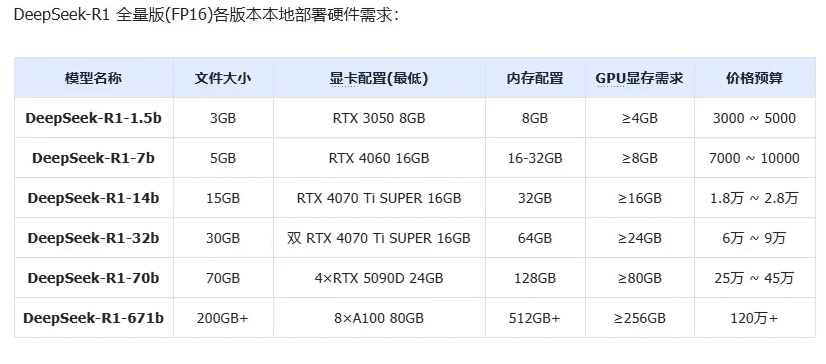
所以本地接入的成本也很大
2.ollama本地接入deepseek
1.ollama的介绍:
如果不用第三方工具的话会很麻烦:
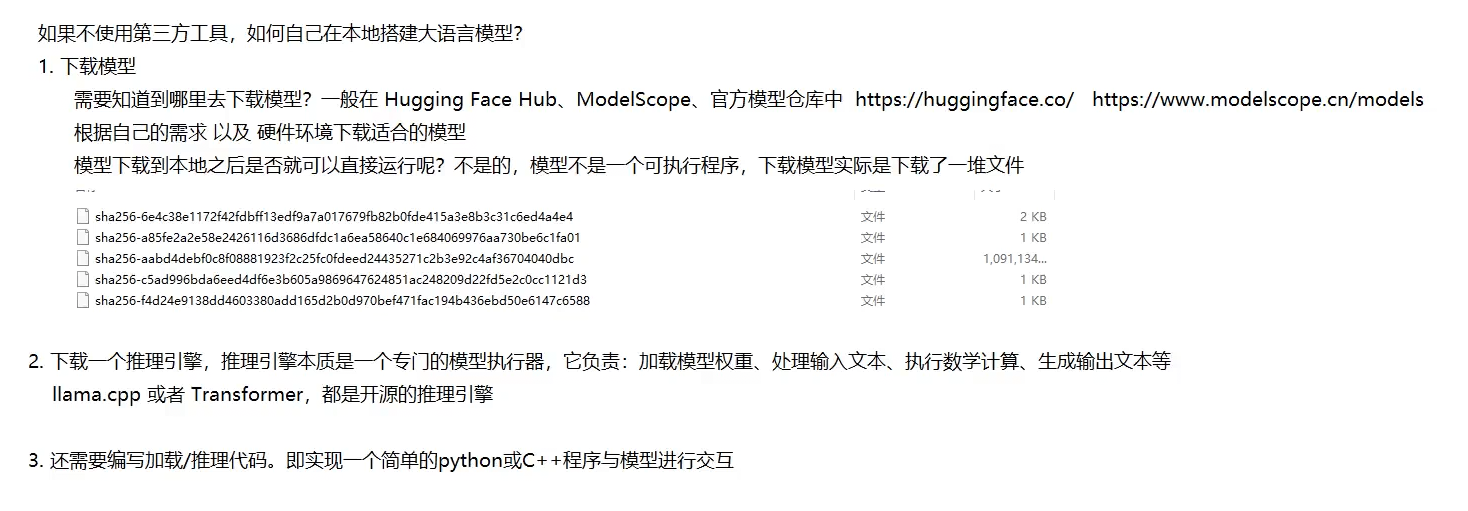
"快速启动并运⾏⼤语⾔模型",官⽅的宣传语简洁地概括了Ollama的核⼼功能和价值主张。
Ollama 是⼀个开源的⼤型语⾔模型服务⼯具,旨在帮助⽤⼾快速在本地运⾏⼤模型。通过简单的安装 指令,⽤⼾可以通过⼀条命令轻松启动和运⾏开源的⼤型语⾔模型。 它提供了⼀个简洁易⽤的命令⾏界⾯和服务器,专为构建⼤型语⾔模型应⽤⽽设计。⽤⼾可以轻松下载、运⾏和管理各种开源 LLM。
与传统 LLM 需要复杂配置和强⼤硬件不同,Ollama 能够让⽤⼾在消费级的 PC 上体验 LLM 的强⼤功
能。
Ollama 会⾃动监测本地计算资源,如有 GPU 的条件,会优先使⽤ GPU 的资源,同时模型的推理速度 也更快。如果没有 GPU 条件,直接使⽤ CPU 资源。
Ollama特点:
•
开源免费:Ollama 及其⽀持的模型完全开源且免费,⽤⼾可以随时访问和使⽤这些资源,⽽⽆需
⽀付任何费⽤。
•
简单易⽤:Ollama ⽆需复杂的配置和安装过程,只需⼏条简单的命令即可启动和运⾏,为⽤⼾节
省了⼤量时间和精⼒。
•
⽀持多平台:Ollama 提供了多种安装⽅式,⽀持 Mac、Linux 和 Windows 平台,并提供 Docker
镜像,满⾜不同⽤⼾的需求。
•
模型丰富:Ollama ⽀持包括 DeepSeek-R1、 Llama3.3、Gemma2、Qwen2 在内的众多热⻔开
源 LLM,⽤⼾可以轻松⼀键下载和切换模型,享受丰富的选择。
•
功能⻬全:Ollama 将模型权重、配置和数据捆绑成⼀个包,定义为 Modelfile,使得模型管理更加
简便和⾼效。
•
⽀持⼯具调⽤:Ollama ⽀持使⽤ Llama 3.1 等模型进⾏⼯具调⽤。这使模型能够使⽤它所知道的
⼯具来响应给定的提⽰,从⽽使模型能够执⾏更复杂的任务。
•
资源占⽤低:Ollama 优化了设置和配置细节,包括 GPU 使⽤情况,从⽽提⾼了模型运⾏的效率,确保在资源有限的环境下也能顺畅运⾏。
•
隐私保护:Ollama 所有数据处理都在本地机器上完成,可以保护⽤⼾的隐私。
•
社区活跃:Ollama 拥有⼀个庞⼤且活跃的社区,⽤⼾可以轻松获取帮助、分享经验,并积极参与
到模型的开发和改进中,共同推动项⽬的发展。
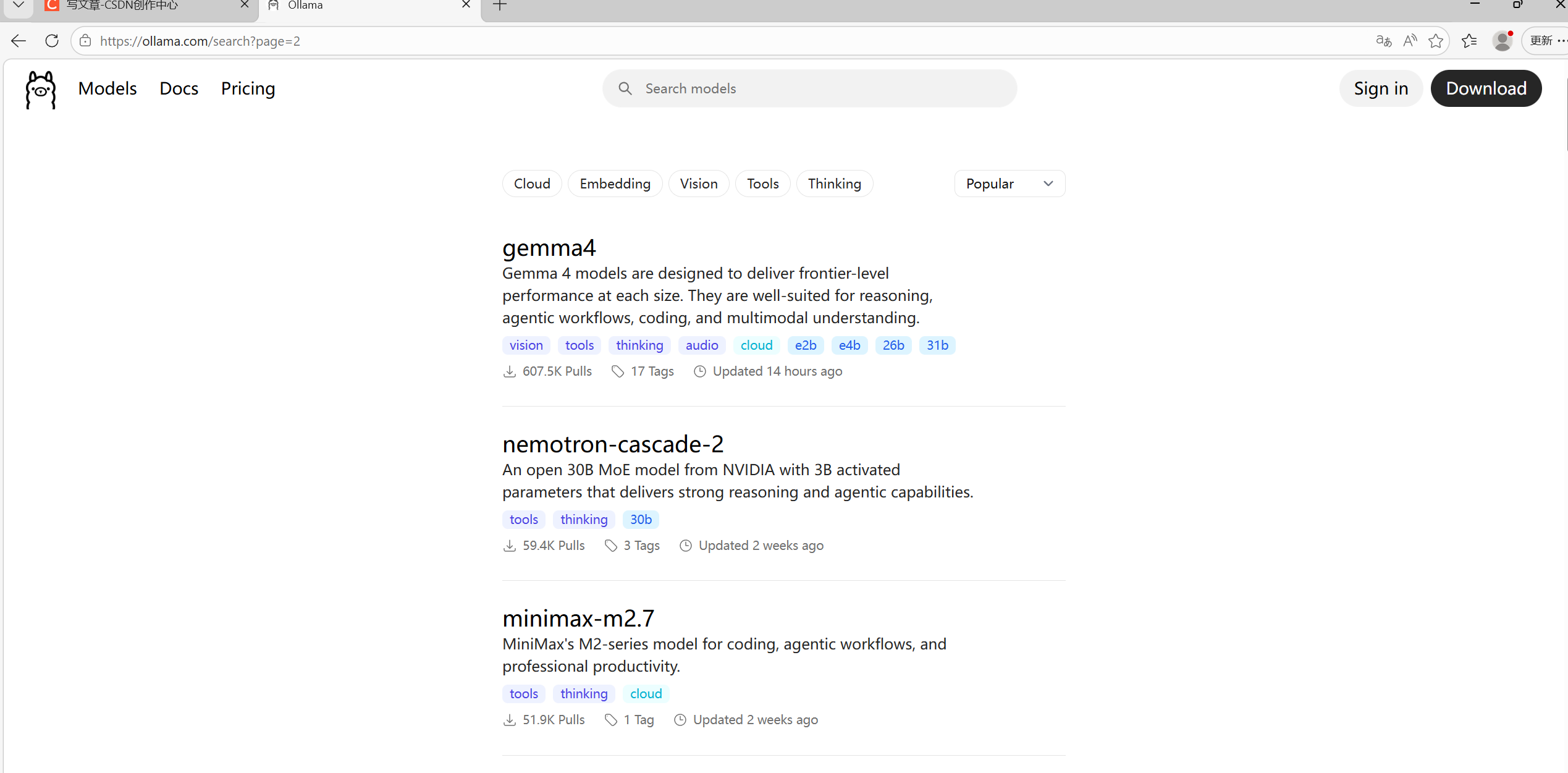
有一堆的模型可供我们选择
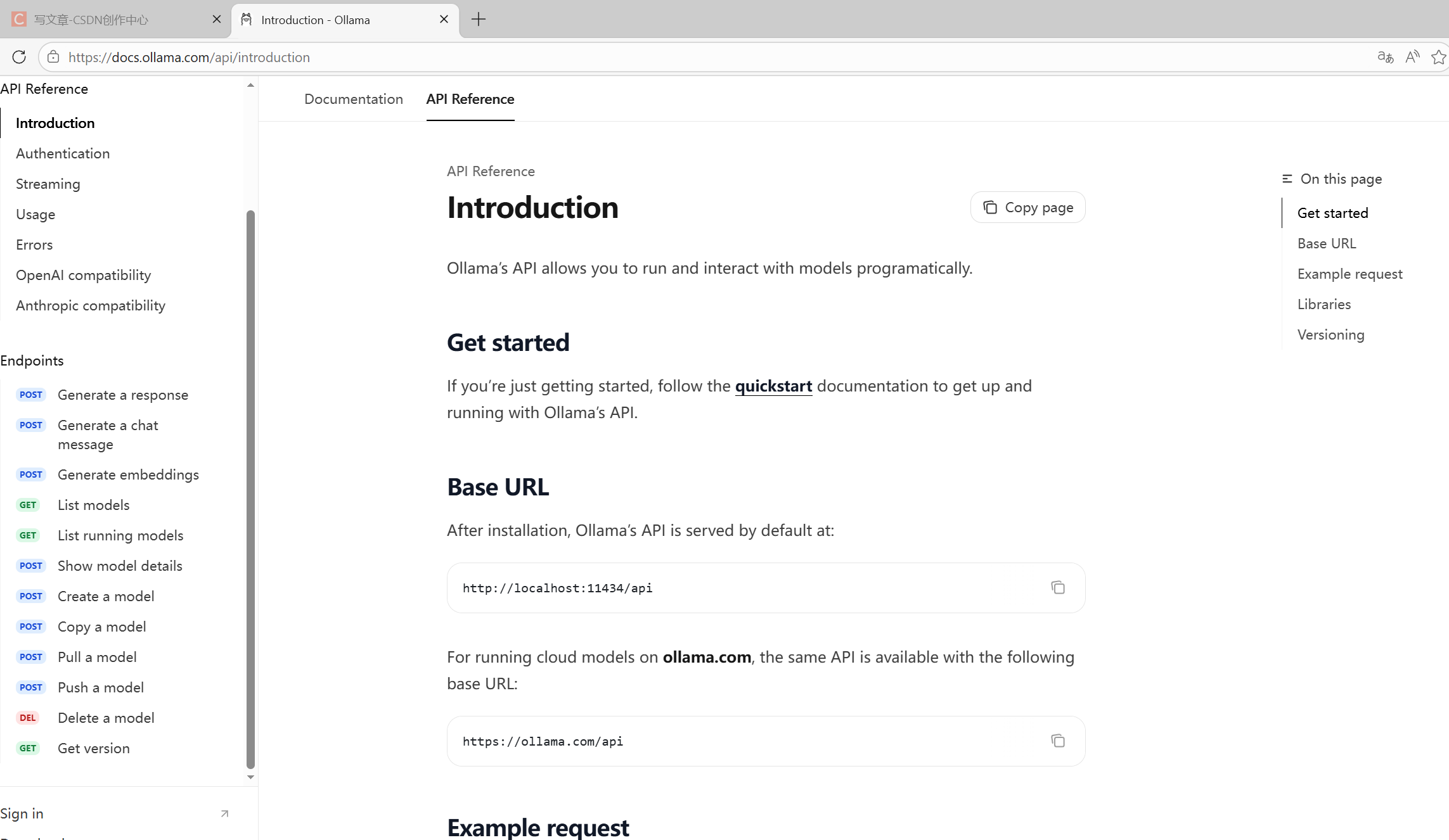
这就是到时候我们API调用的时候需要的参考文档。
2.ollama的手动安装:
因为github是外网 我们服务器在下载的时候会很慢 所以这里手动下载会很快
先去github官网搜ollama然后把linux环境下的安装包先下载到windows上 再手动拖拽到家目录下面
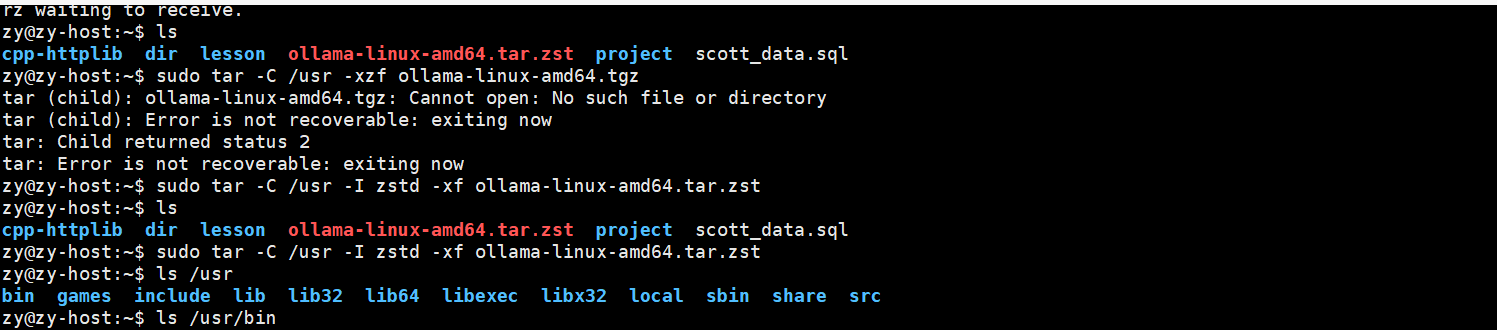
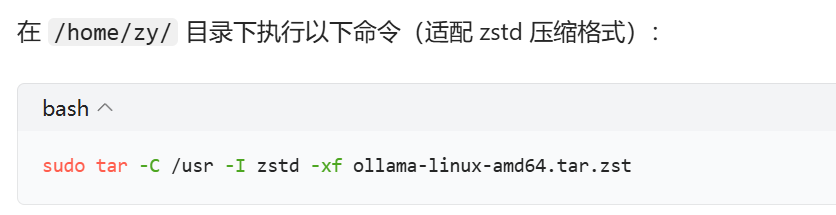
再根据解压指令解压到/usr目录下
详细过程移步到: 【保姆级教程】手把手教你离线安装Ollama - 知乎
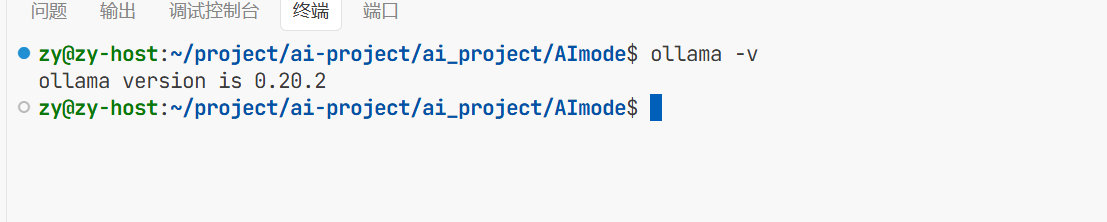
这样ollama就安装完成了
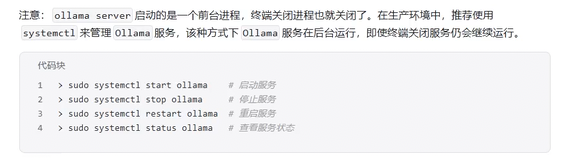
3.ollama的常见指令:
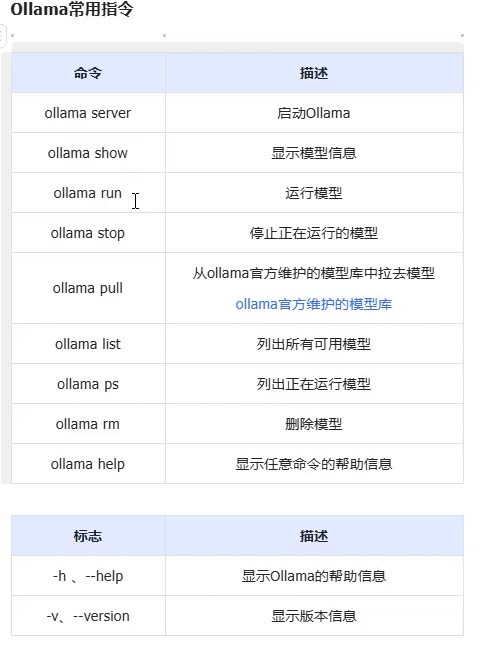
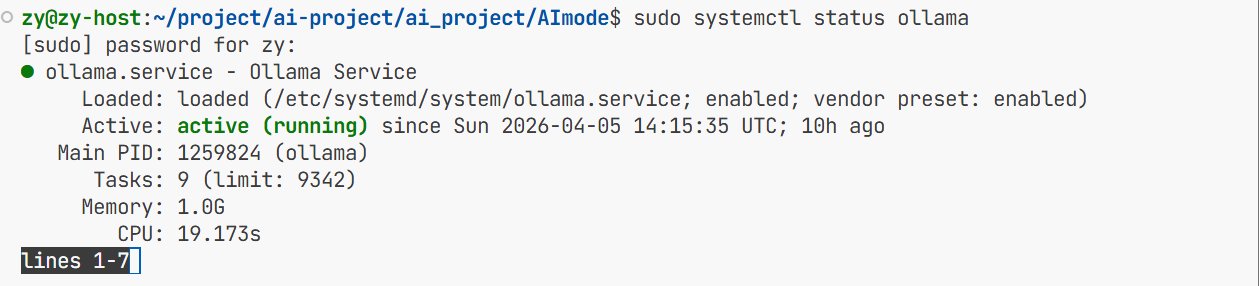
ollama的运行状态

这就是我下载的模型

这是我ollama的端口号 这里只有我本机能够使用。

这样就可以运行大模型了


这样才能退出ollama不然会识别成文字
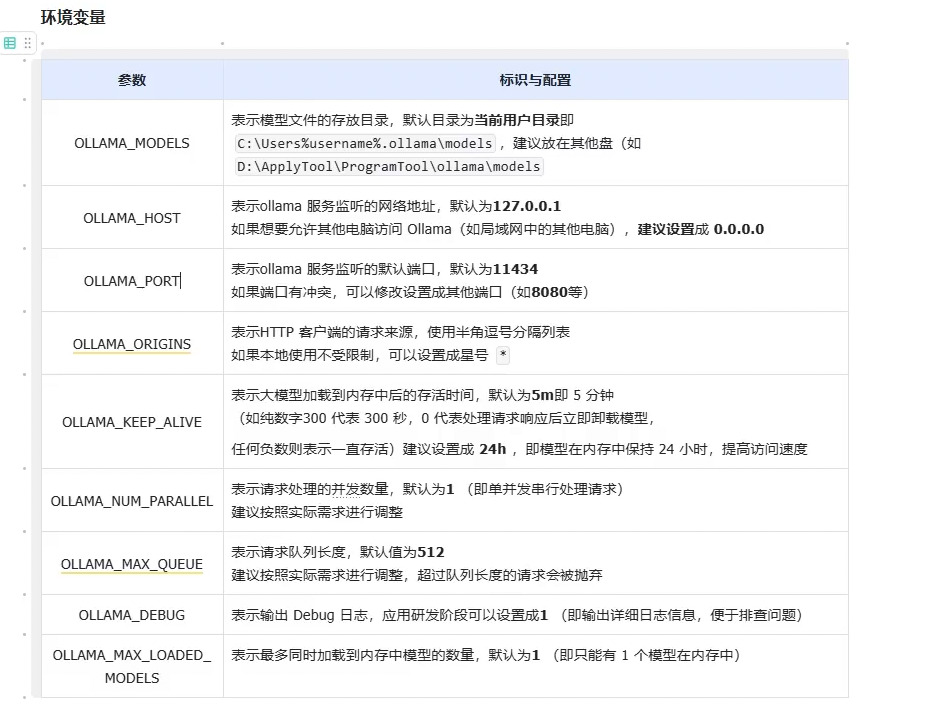
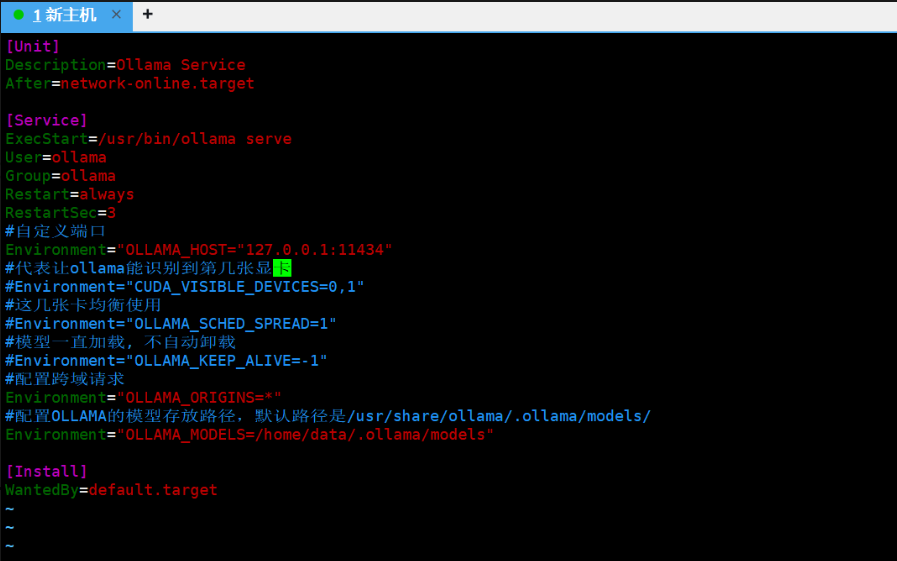
这是我配置的环境变量
4.通过ollama初始化模型:
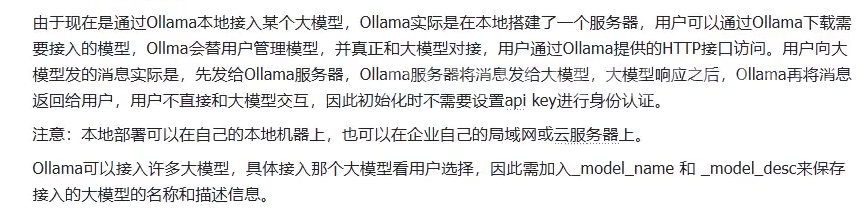
这里跟初始化上面三个大模型不一样 因为那里有官方提供的服务器 远程接入:
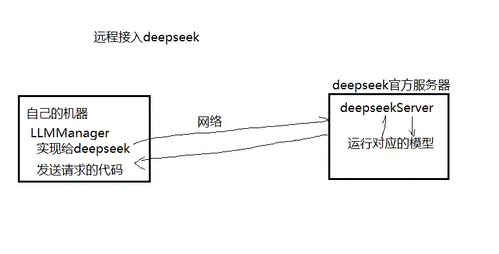
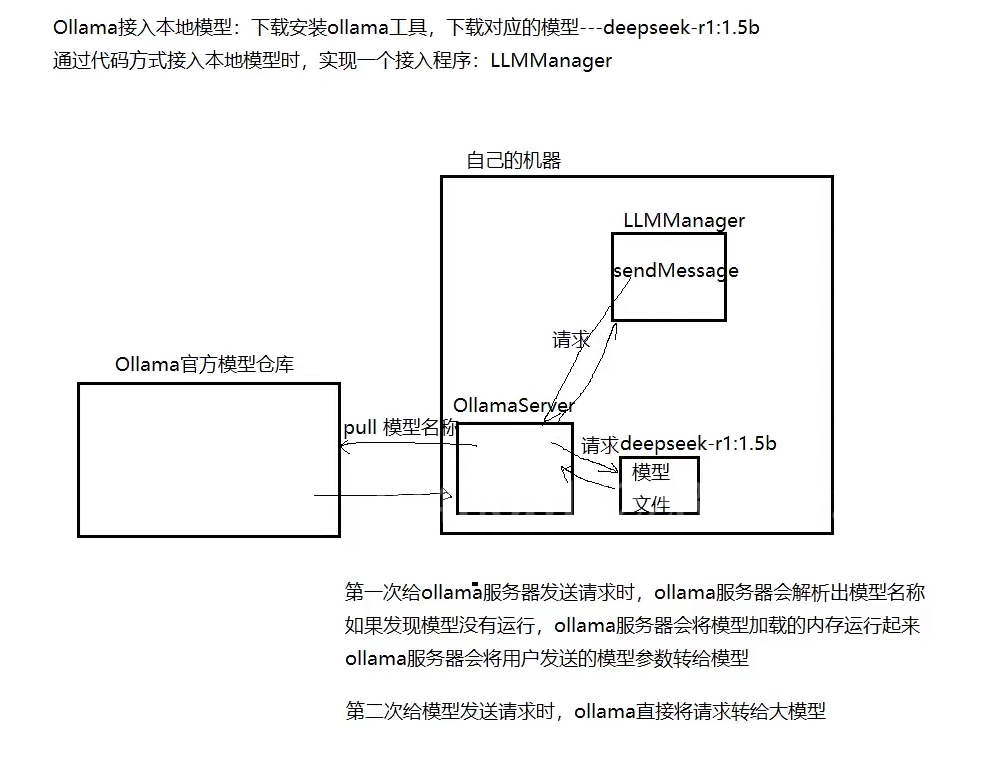
那通过ollama接入本地模型的话:
0llamaLLMProvider
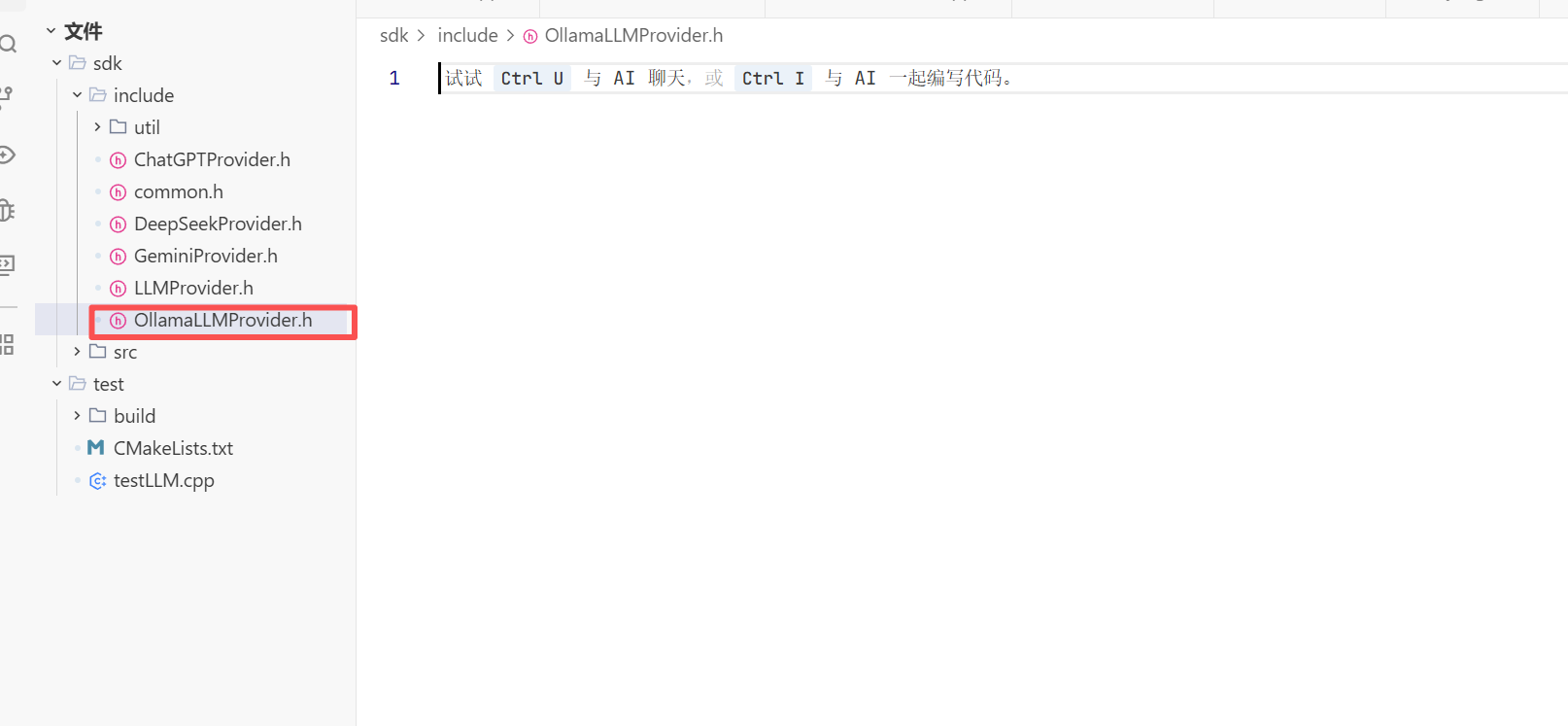
这里我们需要自己实现0llamaLLMProvider 而不是用LLMProvider 因为我们还要增加几个变量 比如模型名称啥的 这样用户就能知道你使用的是什么模型了。
头文件
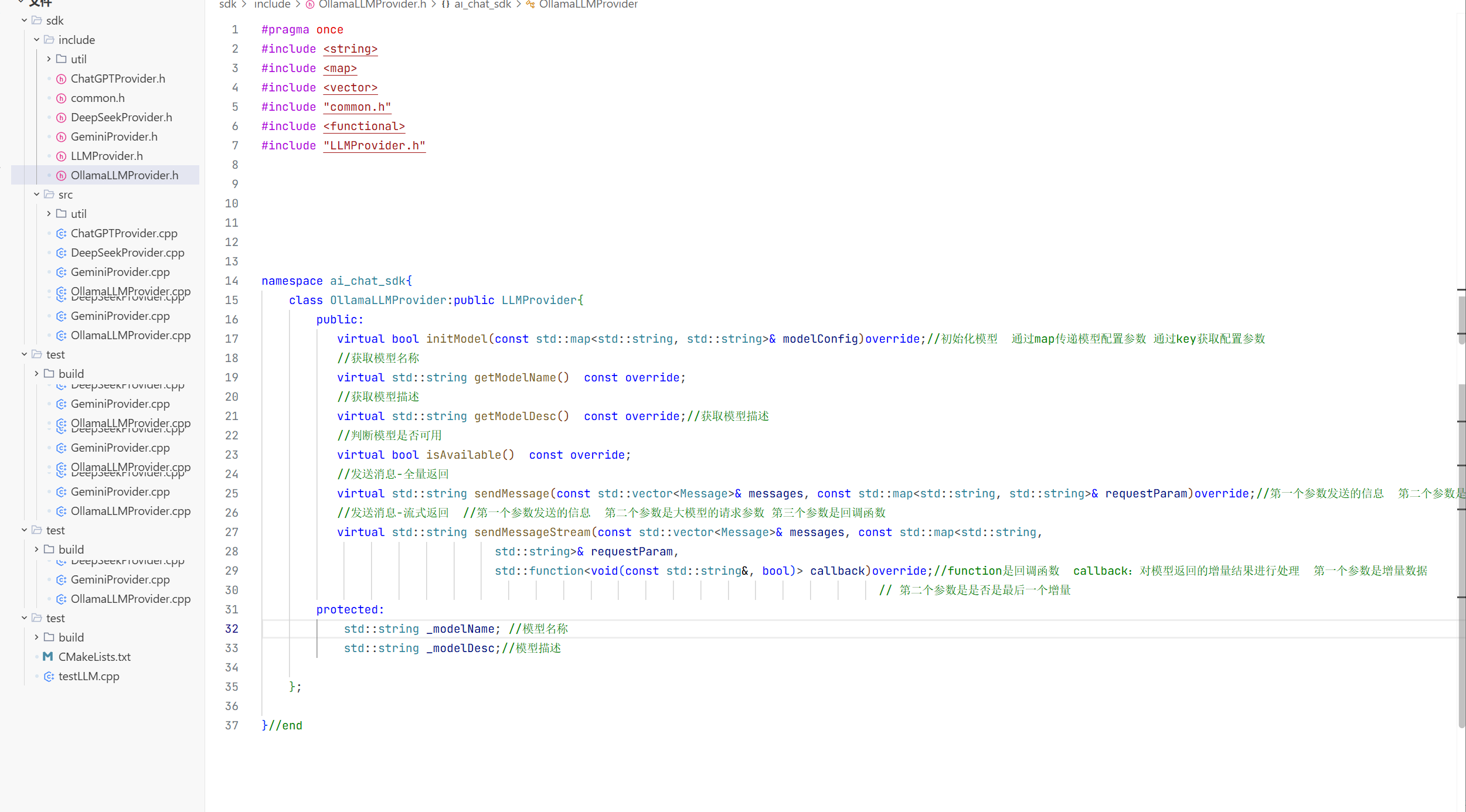
模型的初始化的基础步骤:
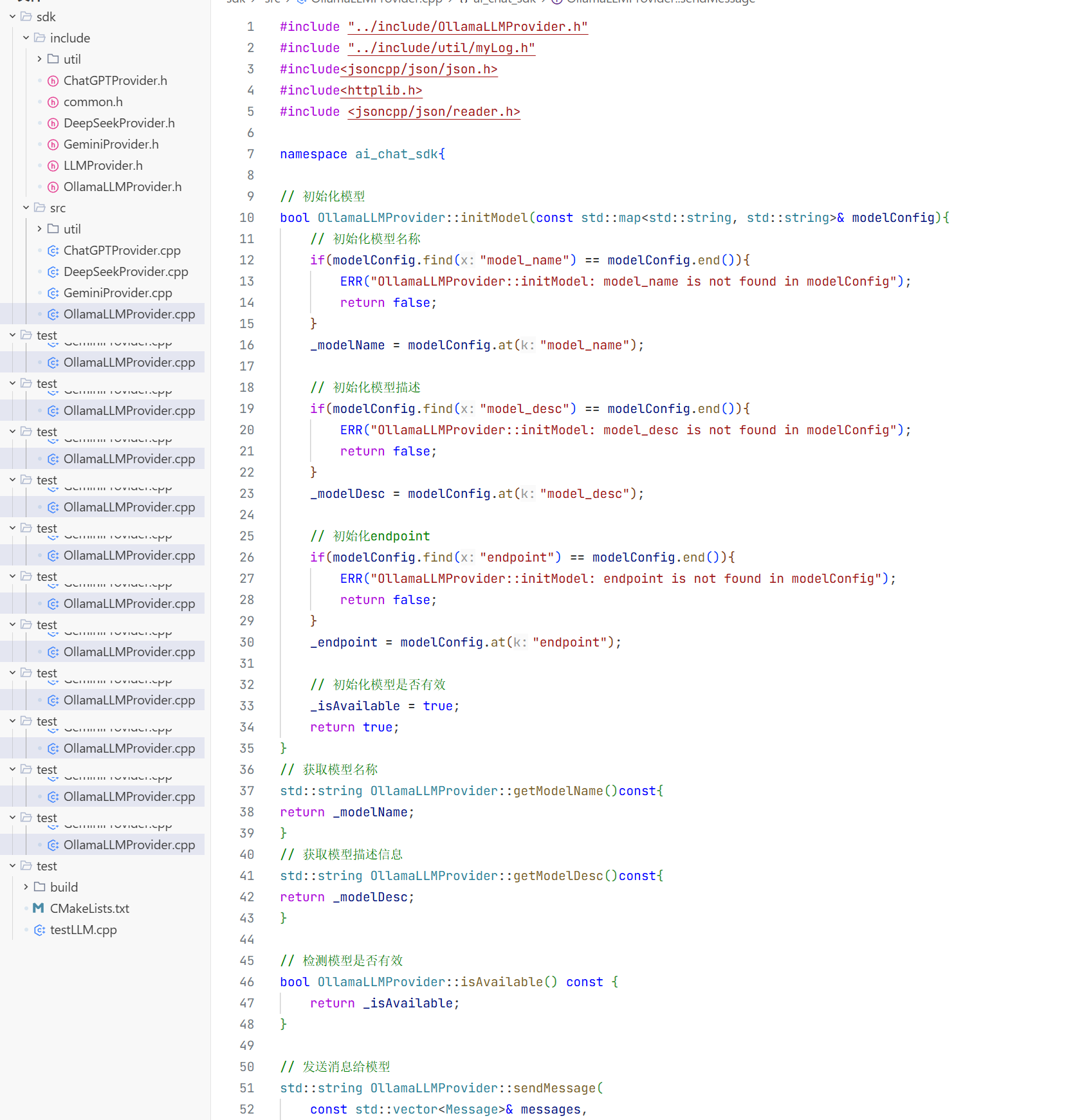
5.全量返回:

这里的格式还和上面实现的模型小小不一样的点就在这
// 发送消息给模型
std::string OllamaLLMProvider::sendMessage(
    const std::vector<Message>& messages,
    const std::map<std::string, std::string>& request_param) {
    // 检查模型是否有效
    if(!_isAvailable) {
        ERR("OllamaLLMProvider: model is not init!");
        return "";
    }

    // 获取采样温度和 max_tokens
    double temperature = 0.7;
    int max_tokens = 2048;
    if(request_param.find("temperature") != request_param.end()) {
        temperature = std::stof(request_param.at("temperature"));
    }
    if(request_param.find("max_tokens") != request_param.end()) {
        max_tokens = std::stoi(request_param.at("max_tokens"));
    }

    // 构建历史消息
    Json::Value messages_array(Json::arrayValue);
    for(const auto& message : messages) {
        Json::Value msg;
        msg["role"] = message._role;
        msg["content"] = message._content;
        messages_array.append(msg);
    }

    // 构建请求体
    Json::Value options;
    options["temperature"] = temperature;
    options["num_ctx"] = max_tokens;
    Json::Value request_body;
    request_body["model"] = _modelName;
    request_body["messages"] = messages_array;
    request_body["stream"] = false;
    request_body["options"] = options;

    // 序列化
    Json::StreamWriterBuilder writer;
    std::string json_string = Json::writeString(writer, request_body);
    DBG("OllamaLLMProvider: request_body:{}", json_string);

    // 创建HTTP Client
    httplib::Client client(_endpoint);
    client.set_connection_timeout(30, 0);  // 30秒超时
    client.set_read_timeout(60, 0);        // 60秒读取超时

    // 设置请求头
    httplib::Headers headers = {
        {"Content-Type", "application/json"}
    };

    // 发送POST请求
    auto response = client.Post("/api/chat", headers, json_string, "application/json");
    if(!response) {
        ERR("Failed to connect to OllamaLLMProviderAPI - check network and SSL!");
        return "";
    }

    DBG("OllamaLLMProviderAPI response status: {}", response->status);
    DBG("OllamaLLMProviderAPI response body: {}", response->body);

    // 检查响应是否成功
    if(response->status != 200) {
        ERR("OllamaLLMProviderAPI returned non-200 status: {} - {}", response->status, response->body);
        return "";
    }

    // 解析响应体
    Json::Value response_json;
    Json::CharReaderBuilder reader_builder;
    std::string parse_errors;
    std::istringstream response_stream(response->body);
    if(!Json::parseFromStream(reader_builder, response_stream, &response_json, &parse_errors)) {
        ERR("Failed to parse OllamaLLMProviderAPI response: {}", parse_errors);
        return "";
    }

    // 解析大模型回复内容
    // 大模型回复包含在message的json对象中
    if(response_json.isMember("message") && response_json["message"].isMember("content")) {
        std::string reply_content = response_json["message"]["content"].asString();
        INFO("Received Ollama response: {}", reply_content);
        return reply_content;
    }

    // 解析失败,返回错误信息
    ERR("Invalid response format from Ollama API");
    return "Invalid response format from Ollama API";
}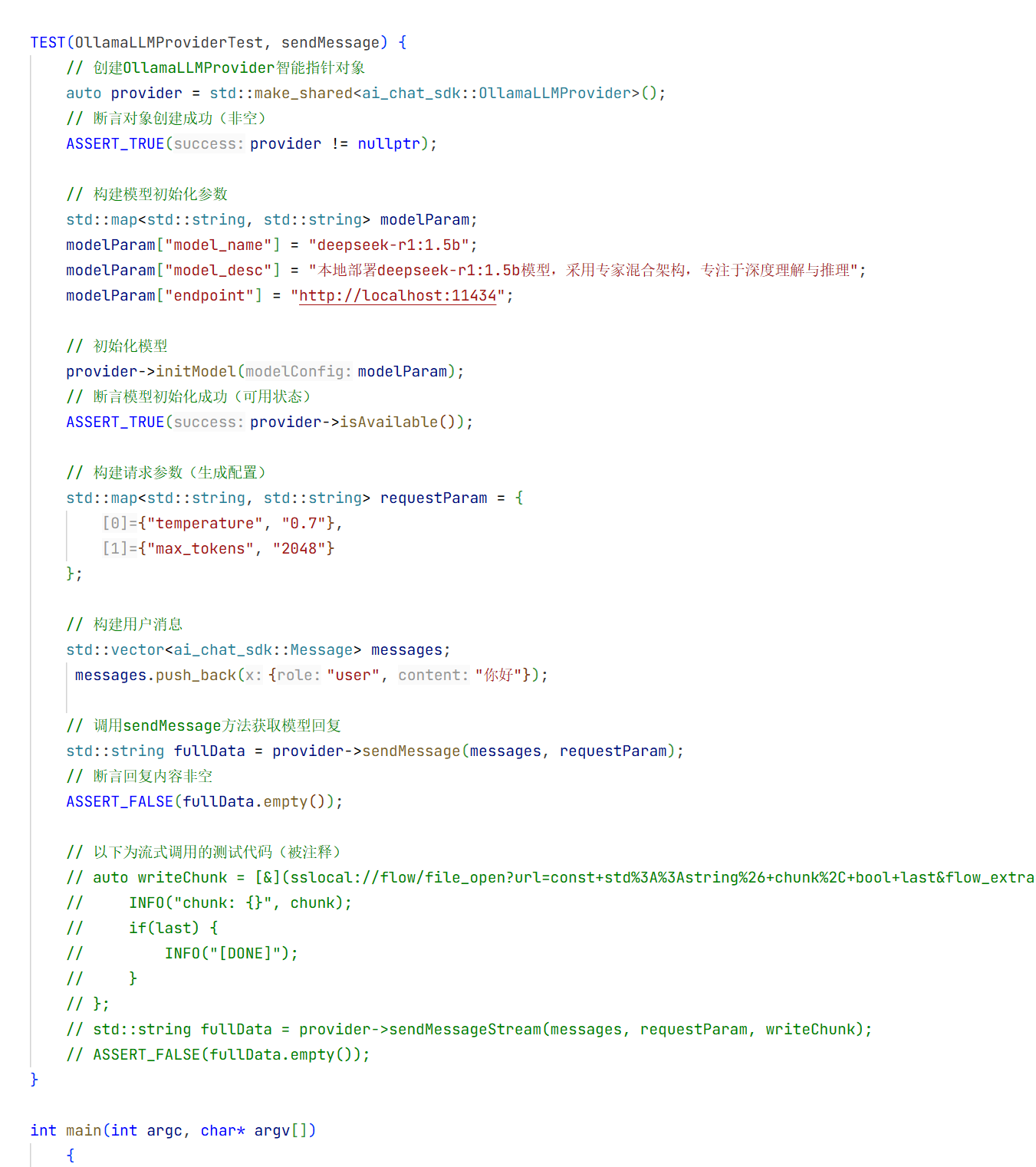

全量返回的测试就结束了
6.流式返回:
// 发送消息-流式返回
std::string OllamaLLMProvider::sendMessageStream(
    const std::vector<Message>& messages,
    const std::map<std::string, std::string>& request_param,
    std::function<void(const std::string&, bool)> callback){
                // 检测模型是否可用
                if(!isAvailable()){
                    ERR("OllamaLLMProvider::sendMessageStream: model is not available");
                    return "";
                }

                // 构造请求参数
                // 构造温度值和最大tokens数
                float temperature = 0.7f;
                int maxTokens = 1024;
                if(request_param.find("temperature") != request_param.end()){
                    temperature = std::stof(request_param.at("temperature"));
                }
                if(request_param.find("max_tokens") != request_param.end()){
                    maxTokens = std::stoi(request_param.at("max_tokens"));
                }

                // 构建历史消息
                Json::Value messageArray(Json::arrayValue);
                for(const auto& message : messages){
                    Json::Value messageObject(Json::objectValue);
                    messageObject["role"] = message._role;
                    messageObject["content"] = message._content;
                    messageArray.append(messageObject);
                }
                 // 构建请求体
                    Json::Value options(Json::objectValue);
                    options["temperature"] = temperature;
                    options["num_ctx"] = maxTokens;

                    Json::Value requestBody(Json::objectValue);
                    requestBody["model"] = _modelName;
                    requestBody["messages"] = messageArray;
                    requestBody["options"] = options;
                    requestBody["stream"] = true;

                    // 序列化请求体
                    Json::StreamWriterBuilder writerBuilder;
                    std::string requestBodyStr = Json::writeString(writerBuilder, requestBody);

                    // 创建http客户端
                    httplib::Client client(_endpoint.c_str());
                    client.set_connection_timeout(30, 0);  // 30秒连接超时
                    client.set_read_timeout(300, 0);       // 300秒读取超时

                    // 设置请求头
                    httplib::Headers headers = {
                        {"Content-Type", "application/json"}
                    };
                    // 流式处理变量
                        std::string buffer;
                        bool gotError = false;
                        std::string errorMsg;
                        int statusCode = 0;
                        bool streamFinish = false;
                        std::string fullData;

                        // 创建请求对象
                        httplib::Request request;
                        request.method = "POST";
                        request.path = "/api/chat";
                        request.headers = headers;
                        request.body = requestBodyStr;

                        // 响应头处理器
                        request.response_handler = [&](const httplib::Response& response) -> bool {
                            statusCode = response.status;
                            if(statusCode != 200){
                                gotError = true;
                                errorMsg = "OllamaLLMProvider::sendMessageStream: failed to send request, status: " + std::to_string(statusCode);
                                return false; // 终止请求
                            }
                            return true;
                        };
        // 内容接收器
        request.content_receiver = [&](const char* data, size_t dataLen, uint64_t offset,uint64_t totalLength)->bool{
            // 如果http响应头出错,就不需要接收后续数据
            if(gotError){
                return false; // 终止接收
            }

            buffer.append(data, dataLen);

            // 处理每个数据块,数据块之间是以\n间隔的
            // 注意:此处接收到的数据块并不是模型返回的SSE格式的数据,而是经过Ollama服务器处理之后的数据
            size_t pos = 0;
            while((pos = buffer.find("\n", pos)) != std::string::npos){
                std::string chunk = buffer.substr( 0, pos);
                buffer.erase(0, pos + 1);

                if(chunk.empty()){
                    continue;
                }

                // 反序列化
                Json::Value chunkJson;
                Json::CharReaderBuilder readerBuilder;
                std::string errors;
                std::istringstream chunkStream(chunk);
                if(!Json::parseFromStream(readerBuilder, chunkStream, &chunkJson, &errors)){
                    ERR("OllamaLLMProvider::sendMessageStream: failed to parse chunk json, errors: {}", errors);
                    continue;
                }

                // 处理结束标记
                if(chunkJson.get("done", false).asBool()){
                    streamFinish = true;
                    callback("", true);
                    return true;
                }

                // 提取增量数据
                if(chunkJson.isMember("message") && chunkJson["message"].isMember("content")){
                    std::string delta = chunkJson["message"]["content"].asString();
                    fullData += delta;
                    callback(delta, false);
                }
            }
        return true;
};
        // 给Ollama服务器发请求
        auto response = client.send(request);
        if(!response){
            ERR("OllamaLLMProvider::sendMessageStream: failed to send request, error: {}", to_string(response.error()));
            return "";
        }

        // 确保流式响应正常结束
        if(!streamFinish){
            ERR("OllamaLLMProvider::sendMessageStream: stream not finish, fullData: {}", fullData);
            callback("", true);
        }

          return fullData;


    }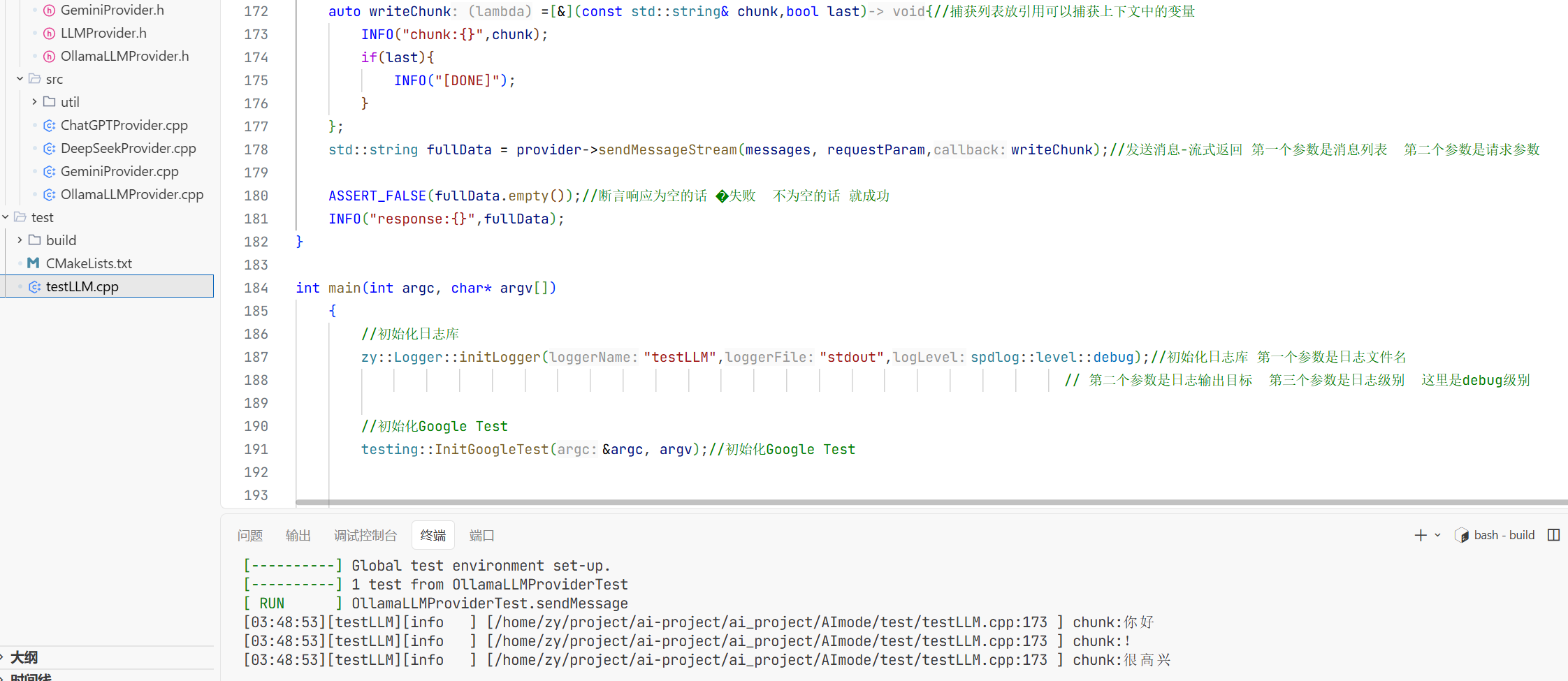
这样就测试成功了。

有“AI”的1024 = 2048,欢迎大家加入2048 AI社区
更多推荐


 8
8 0
0- 0


 已为社区贡献1条内容

所有评论(0)