高通端侧AI实战(2): YOLOv8在骁龙平台的部署实战
上一篇回顾:在第1篇中,我们学习了高通端侧AI的全景生态,包括Hexagon NPU架构、QNN SDK环境搭建,并成功运行了第一个MobileNetV2分类推理程序。本文将在其基础上,以YOLOv8目标检测为例,深入实战部署流程。
前言
YOLOv8是Ultralytics推出的最新一代目标检测模型,在精度与速度之间取得了出色平衡。而将YOLOv8部署到骁龙平台的Hexagon NPU上,可以实现手机端4-8ms单帧推理的惊人性能。
本文将完整演示从模型训练到骁龙设备端侧部署的全流程,包含两条路径:
- 快速路径:使用高通在HuggingFace上发布的预优化模型直接部署
- 深度路径:使用QNN SDK手动转换与优化
一、方案选型:YOLOv8各变体对比
| 模型 | 参数量 | mAP@50 | 骁龙8Gen3 NPU延迟 | 适用场景 |
|---|---|---|---|---|
| YOLOv8n | 3.2M | 37.3% | ~4.5 ms | 移动端实时 |
| YOLOv8s | 11.2M | 44.9% | ~7.2 ms | 平衡型 |
| YOLOv8m | 25.9M | 50.2% | ~12.5 ms | 高精度 |
| YOLOv8l | 43.7M | 52.9% | ~19.8 ms | 服务器级 |
推荐:移动端实时场景首选YOLOv8n或YOLOv8s,本文以YOLOv8n为例。
二、快速路径:HuggingFace预优化模型直接部署
高通在HuggingFace上发布了预编译和量化好的YOLOv8模型(qualcomm/YOLOv8-Detection-Quantized),支持ONNX/QNN_DLC/TFLite多种格式,可直接下载部署到骁龙设备。
2.1 环境准备
# 创建虚拟环境
python -m venv qai_env
source qai_env/bin/activate  # Linux/Mac
# qai_env\Scripts\activate   # Windows

# 安装依赖
pip install -i https://pypi.tuna.tsinghua.edu.cn/simple \
    "qai-hub-models[yolov8-det]" huggingface_hub \
    torch torchvision ultralytics onnxruntime numpy
2.2 下载预优化模型 + 本地推理验证
# 从 HuggingFace 下载高通预优化的 YOLOv8n 并验证推理
# 模型仓库:https://huggingface.co/qualcomm/YOLOv8-Detection-Quantized

import numpy as np
import onnxruntime as ort
from huggingface_hub import hf_hub_download, snapshot_download
from pathlib import Path

# ===== Step 1: 从 HuggingFace 下载模型 =====
print("正在从 HuggingFace 下载预优化 YOLOv8n 模型...")

# 方法A: 下载 ONNX 量化模型 (INT8, w8a8)
onnx_model_path = hf_hub_download(
    repo_id="qualcomm/YOLOv8-Detection-Quantized",
    filename="YOLOv8-Detection-Quantized.onnx"
)
print(f"ONNX 模型已下载: {onnx_model_path}")

# 方法B: 下载 QNN DLC 格式 (可直接在 NPU 上运行)
try:
    dlc_model_path = hf_hub_download(
        repo_id="qualcomm/YOLOv8-Detection-Quantized",
        filename="YOLOv8-Detection-Quantized.dlc"
    )
    print(f"QNN DLC 模型已下载: {dlc_model_path}")
except Exception as e:
    print(f"DLC格式可下载: {e}")

# ===== Step 2: 查看模型信息 =====
session = ort.InferenceSession(onnx_model_path)

for inp in session.get_inputs():
    print(f"输入: {inp.name}, shape: {inp.shape}, dtype: {inp.type}")
for out in session.get_outputs():
    print(f"输出: {out.name}, shape: {out.shape}, dtype: {out.type}")

# ===== Step 3: 本地推理验证 =====
input_shape = (1, 3, 640, 640)
sample_input = np.random.randn(*input_shape).astype(np.float32)

input_name = session.get_inputs()[0].name
outputs = session.run(None, {input_name: sample_input})

print(f"\n==== 推理结果 ====")
for i, out in enumerate(session.get_outputs()):
    print(f"输出[{i}] {out.name}: shape={outputs[i].shape}")

print("\n模型验证完成!可部署到骁龙设备")

# Step 4: 也可使用 qai_hub_models 加载
from qai_hub_models.models.yolov8_det import Model as YOLOv8Det
model = YOLOv8Det.from_pretrained()
print("qai_hub_models 模型加载完成")
2.3 模型性能参考(官方测试数据)
| 设备 | 运行时 | 推理延迟 |
|---|---|---|
| Samsung Galaxy S24 (8Gen3) | QNN | ~3.5 ms |
| Samsung Galaxy S23 (8Gen2) | QNN | ~4.8 ms |
| Snapdragon 8 Elite QRD | QNN | ~0.88 ms |
| SA8295P (车载) | QNN | ~4.2 ms |
| SA8255P (车载) | QNN | ~10.9 ms |
| Snapdragon X Elite CRD (PC) | QNN | ~5.5 ms |
模型:YOLOv8-Detection-Quantized (w8a8, INT8量化),大小3.26MB,参数量3.18M,输入640x640,主要计算单元NPU
三、深度路径:QNN SDK手动转换与调优
3.1 YOLOv8 ONNX导出(含NMS后处理分离)
# YOLOv8 ONNX 导出 - 优化版(分离后处理)
from ultralytics import YOLO
import torch
import torch.nn as nn

class YOLOv8Wrapper(nn.Module):
    """
    包装 YOLOv8,将后处理从模型中分离。
    NPU 只运行骨干+检测头,NMS 在 CPU 上执行。
    这样可以最大化 NPU 利用率。
    """
    def __init__(self, model_path="yolov8n.pt"):
        super().__init__()
        yolo = YOLO(model_path)
        self.backbone = yolo.model.model[:10]   # backbone
        self.neck = yolo.model.model[10:22]     # neck (FPN+PAN)
        self.detect = yolo.model.model[22]      # detect head

    def forward(self, x):
        # Backbone
        features = []
        for i, layer in enumerate(self.backbone):
            x = layer(x)
            if i in [4, 6, 9]:  # P3, P4, P5 特征层
                features.append(x)

        # Neck
        for layer in self.neck:
            x = layer(x if not isinstance(x, list) else features)

        # Detect Head - 输出原始 box + cls 特征,不做NMS
        raw_output = self.detect(features)
        return raw_output

# 导出优化的 ONNX
model = YOLOv8Wrapper("yolov8n.pt")
model.eval()
dummy_input = torch.randn(1, 3, 640, 640)

torch.onnx.export(
    model, dummy_input, "yolov8n_no_nms.onnx",
    input_names=["images"],
    output_names=["raw_detections"],
    opset_version=13
)

# 简化 ONNX(移除冗余节点,提升 QNN 转换成功率)
import onnxsim
import onnx

model_onnx = onnx.load("yolov8n_no_nms.onnx")
model_sim, check = onnxsim.simplify(model_onnx)
assert check, "ONNX 简化失败"
onnx.save(model_sim, "yolov8n_simplified.onnx")
print("ONNX 导出并简化完成")
3.2 QNN转换与量化
#!/bin/bash
# yolov8_convert.sh - YOLOv8 QNN 转换脚本

QNN_SDK=$QNN_SDK_ROOT
MODEL_NAME=yolov8n
INPUT_ONNX=${MODEL_NAME}_simplified.onnx

echo "==== Step 1: ONNX -> QNN 模型转换 ===="
qnn-onnx-converter \
    --input_network $INPUT_ONNX \
    --output_path ${MODEL_NAME}_qnn.cpp \
    --input_dim images 1,3,640,640 \
    --out_names raw_detections

echo "==== Step 2: 准备量化校准数据 ===="
python3 prepare_calibration.py \
    --coco_path /data/coco/val2017 \
    --output_dir calibration_data \
    --num_samples 200 \
    --input_size 640

echo "==== Step 3: INT8 量化 ====="
qnn-onnx-converter \
    --input_network $INPUT_ONNX \
    --output_path ${MODEL_NAME}_qnn_int8.cpp \
    --input_dim images 1,3,640,640 \
    --input_list calibration_data/input_list.txt \
    --act_bw 8 \
    --weight_bw 8 \
    --bias_bw 32 \
    --quantization_overrides quantization_config.json

echo "==== Step 4: 编译模型库 ====="
qnn-model-lib-generator \
    -c ${MODEL_NAME}_qnn_int8.cpp \
    -b ${MODEL_NAME}_qnn_int8.bin \
    -o ${MODEL_NAME}_libs \
    -t aarch64-android

echo "==== Step 5: 生成 Context Binary ====="
qnn-context-binary-generator \
    --model ${MODEL_NAME}_libs/aarch64-android/lib${MODEL_NAME}_qnn_int8.so \
    --backend $QNN_SDK/lib/aarch64-android/libQnnHtp.so \
    --output_dir deploy \
    --binary_file ${MODEL_NAME}_ctx.bin

echo "==== 完成! 部署文件: deploy/${MODEL_NAME}_ctx.bin ====="
ls -lh deploy/${MODEL_NAME}_ctx.bin
3.3 量化校准数据准备
# prepare_calibration.py - 准备 YOLOv8 量化校准数据

import os
import cv2
import numpy as np
from pathlib import Path

def preprocess_image(img_path, input_size=640):
    """YOLOv8 标准预处理: letterbox + normalize"""
    img = cv2.imread(str(img_path))
    h, w = img.shape[:2]

    # Letterbox resize
    scale = min(input_size / h, input_size / w)
    new_h, new_w = int(h * scale), int(w * scale)
    img = cv2.resize(img, (new_w, new_h), interpolation=cv2.INTER_LINEAR)

    # Padding
    pad_h = input_size - new_h
    pad_w = input_size - new_w
    top, left = pad_h // 2, pad_w // 2
    img = cv2.copyMakeBorder(
        img, top, pad_h - top, left, pad_w - left,
        cv2.BORDER_CONSTANT, value=(114, 114, 114)
    )

    # BGR -> RGB, HWC -> CHW, normalize to [0, 1]
    img = cv2.cvtColor(img, cv2.COLOR_BGR2RGB)
    img = img.astype(np.float32) / 255.0
    img = np.transpose(img, (2, 0, 1))  # CHW

    return img

def prepare_calibration_dataset(coco_path, output_dir, num_samples=200, input_size=640):
    """从 COCO 数据集中采样并生成校准数据"""
    output_dir = Path(output_dir)
    output_dir.mkdir(parents=True, exist_ok=True)

    img_dir = Path(coco_path)
    img_files = sorted(img_dir.glob("*.jpg"))[:num_samples]

    input_list = []
    for i, img_path in enumerate(img_files):
        img = preprocess_image(img_path, input_size)

        # 保存为 raw 格式 (QNN 要求)
        raw_path = output_dir / f"sample_{i:04d}.raw"
        img.tofile(str(raw_path))
        input_list.append(str(raw_path))

        if (i + 1) % 50 == 0:
            print(f"已处理 {i+1}/{len(img_files)} 张图片")

    # 生成 input_list.txt
    list_path = output_dir / "input_list.txt"
    with open(list_path, "w") as f:
        for path in input_list:
            f.write(f"{path}\n")

    print(f"校准数据准备完成:{len(input_list)}个样本")
    print(f"输入列表:{list_path}")

if __name__ == "__main__":
    import argparse
    parser = argparse.ArgumentParser()
    parser.add_argument("--coco_path", required=True)
    parser.add_argument("--output_dir", default="calibration_data")
    parser.add_argument("--num_samples", type=int, default=200)
    parser.add_argument("--input_size", type=int, default=640)
    args = parser.parse_args()

    prepare_calibration_dataset(
        args.coco_path, args.output_dir,
        args.num_samples, args.input_size
    )
四、Android端完整集成实战
4.1 项目测试硬件
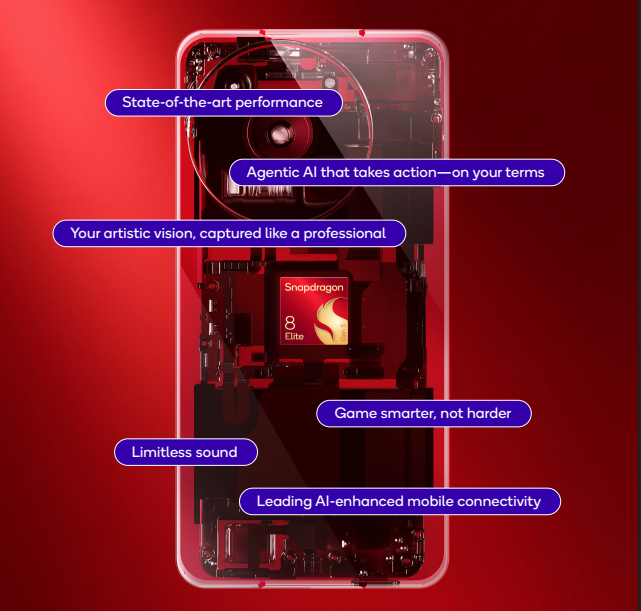
本项目使用的是骁龙SM8850平台,详细产品介绍可参考Snapdragon 8 Elite Gen 5 (SM8850-5-AC),
4.2 项目软件结构
app/
├── src/main/
│   ├── java/com/demo/yolov8/
│   │   ├── YOLOv8Detector.java      # Java API
│   │   └── MainActivity.java
│   ├── cpp/
│   │   ├── yolov8_jni.cpp           # JNI 桥接
│   │   ├── qnn_inference.cpp        # QNN 推理核心
│   │   ├── qnn_inference.h
│   │   ├── nms.cpp                  # NMS 后处理
│   │   └── nms.h
│   ├── assets/
│   │   └── yolov8n_ctx.bin          # 模型文件
│   ├── build.gradle
│   └── CMakeLists.txt
4.2 核心推理 + NMS后处理 (C++)
// qnn_inference.h
#pragma once

#include <string>
#include <vector>
#include <memory>

struct Detection {
    float x1, y1, x2, y2;   // 边界框
    float confidence;       // 置信度
    int class_id;           // 类别 ID
};

struct DetectionResult {
    std::vector<Detection> detections;
    float preprocess_ms;
    float inference_ms;
    float postprocess_ms;
};

class QnnYOLOv8 {
public:
    bool init(const std::string& model_path,
              const std::string& backend_path);
    DetectionResult detect(const uint8_t* rgb_data,
                           int width, int height,
                           float conf_threshold = 0.45f,
                           float iou_threshold = 0.5f);
    void release();

private:
    // QNN handles (简化展示)
    void* backend_handle_ = nullptr;
    void* context_ = nullptr;
    void* graph_ = nullptr;

    static constexpr int INPUT_SIZE = 640;
    static constexpr int NUM_CLASSES = 80;

    void preprocess(const uint8_t* rgb, int w, int h,
                    float* output, float& scale, int& pad_x, int& pad_y);
    std::vector<Detection> postprocess(
        const float* raw_output, int num_detections,
        float conf_thresh, float iou_thresh,
        float scale, int pad_x, int pad_y, int orig_w, int orig_h);
};
// nms.cpp - 高效 NMS 实现
#include "nms.h"
#include <algorithm>
#include <numeric>

static float computeIou(const Detection& a, const Detection& b) {
    float inter_x1 = std::max(a.x1, b.x1);
    float inter_y1 = std::max(a.y1, b.y1);
    float inter_x2 = std::min(a.x2, b.x2);
    float inter_y2 = std::min(a.y2, b.y2);

    float inter_area = std::max(0.0f, inter_x2 - inter_x1) *
                       std::max(0.0f, inter_y2 - inter_y1);
    float area_a = (a.x2 - a.x1) * (a.y2 - a.y1);
    float area_b = (b.x2 - b.x1) * (b.y2 - b.y1);

    return inter_area / (area_a + area_b - inter_area + 1e-6f);
}

std::vector<Detection> nms(std::vector<Detection>& detections,
                           float iou_threshold) {
    // 按置信度降序排列
    std::sort(detections.begin(), detections.end(),
              [](const Detection& a, const Detection& b) {
                  return a.confidence > b.confidence;
              });

    std::vector<bool> suppressed(detections.size(), false);
    std::vector<Detection> result;

    for (size_t i = 0; i < detections.size(); i++) {
        if (suppressed[i]) continue;
        result.push_back(detections[i]);

        for (size_t j = i + 1; j < detections.size(); j++) {
            if (suppressed[j]) continue;
            if (detections[i].class_id != detections[j].class_id) continue;

            if (computeIou(detections[i], detections[j]) > iou_threshold) {
                suppressed[j] = true;
            }
        }
    }

    return result;
}
4.3 Java层封装
// YOLOv8Detector.java
package com.demo.yolov8;

import android.content.Context;
import android.graphics.Bitmap;
import android.util.Log;
import java.io.*;

public class YOLOv8Detector {
    private static final String TAG = "YOLOv8Detector";

    public static class Detection {
        public float x1, y1, x2, y2;
        public float confidence;
        public int classId;

        public Detection(float x1, float y1, float x2, float y2,
                         float confidence, int classId) {
            this.x1 = x1; this.y1 = y1; this.x2 = x2; this.y2 = y2;
            this.confidence = confidence; this.classId = classId;
        }

        public String getLabel() {
            return COCO_LABELS[classId];
        }
    }

    static {
        System.loadLibrary("yolov8_qnn");
    }

    private native boolean nativeInit(String modelPath, String backendPath);
    private native Detection[] nativeDetect(byte[] rgbData, int width,
                                            int height, float confThresh,
                                            float iouThresh);
    private native void nativeRelease();

    public boolean init(Context context) {
        String modelPath = copyAssetToInternal(context, "yolov8n_ctx.bin");
        String backendPath = "/vendor/lib64/libQnnHtp.so";
        return nativeInit(modelPath, backendPath);
    }

    public Detection[] detect(Bitmap bitmap) {
        return detect(bitmap, 0.45f, 0.5f);
    }

    public Detection[] detect(Bitmap bitmap, float confThresh, float iouThresh) {
        int w = bitmap.getWidth();
        int h = bitmap.getHeight();

        // Bitmap -> RGB byte array
        ByteBuffer buffer = ByteBuffer.allocate(w * h * 3);
        int[] pixels = new int[w * h];
        bitmap.getPixels(pixels, 0, w, 0, 0, w, h);

        for (int pixel : pixels) {
            buffer.put((byte) ((pixel >> 16) & 0xFF)); // R
            buffer.put((byte) ((pixel >> 8) & 0xFF));  // G
            buffer.put((byte) (pixel & 0xFF));         // B
        }
        return nativeDetect(buffer.array(), w, h, confThresh, iouThresh);
    }

    public void release() {
        nativeRelease();
    }

    private String copyAssetToInternal(Context context, String assetName) {
        File outFile = new File(context.getFilesDir(), assetName);
        if (outFile.exists()) return outFile.getAbsolutePath();

        try (InputStream in = context.getAssets().open(assetName);
             OutputStream out = new FileOutputStream(outFile)) {
            byte[] buf = new byte[8192];
            int len;
            while ((len = in.read(buf)) > 0) out.write(buf, 0, len);
        } catch (IOException e) {
            Log.e(TAG, "复制模型文件失败", e);
        }
        return outFile.getAbsolutePath();
    }

    private static final String[] COCO_LABELS = {
        "person", "bicycle", "car", "motorcycle", "airplane", "bus", "train",
        "truck", "boat", "traffic light", "fire hydrant", "stop sign",
        "parking meter", "bench", "bird", "cat", "dog", "horse", "sheep",
        "cow", "elephant", "bear", "zebra", "giraffe", "backpack", "umbrella",
        "handbag", "tie", "suitcase", "frisbee", "skis", "snowboard",
        "sports ball", "kite", "baseball bat", "baseball glove", "skateboard",
        "surfboard", "tennis racket", "bottle", "wine glass", "cup", "fork",
        "knife", "spoon", "bowl", "banana", "apple", "sandwich", "orange",
        "broccoli", "carrot", "hot dog", "pizza", "donut", "cake", "chair",
        "couch", "potted plant", "bed", "dining table", "toilet", "tv",
        "laptop", "mouse", "remote", "keyboard", "cell phone", "microwave",
        "oven", "toaster", "sink", "refrigerator", "book", "clock", "vase",
        "scissors", "teddy bear", "hair drier", "toothbrush"
    };
}
五、自定义数据集训练 + 部署全流程
以安全帽检测为实际案例,演示从训练到部署的完整流程。
5.1 数据集准备
# 安全帽检测数据集准备(YOLO格式)

import os
import shutil
from pathlib import Path
import yaml

def setup_helmet_dataset():
    """
    假设已有 VOC 格式标注,转换为 YOLO 格式
    类别:0- helmet(佩戴安全帽),1- head(未佩戴安全帽)
    """
    dataset_config = {
        'path': './datasets/helmet',
        'train': 'images/train',
        'val': 'images/val',
        'test': 'images/test',
        'names': {0: 'helmet', 1: 'head'},
        'nc': 2
    }

    with open('helmet_dataset.yaml', 'w') as f:
        yaml.dump(dataset_config, f, default_flow_style=False)

    print("数据集配置文件已生成:helmet_dataset.yaml")
    return dataset_config

def convert_voc_to_yolo(voc_xml_path, output_txt_path, class_map):
    """VOC XML 标注 -> YOLO TXT 标注"""
    import xml.etree.ElementTree as ET

    tree = ET.parse(voc_xml_path)
    root = tree.getroot()

    img_w = int(root.find('size/width').text)
    img_h = int(root.find('size/height').text)

    lines = []
    for obj in root.findall('object'):
        cls_name = obj.find('name').text
        if cls_name not in class_map:
            continue
        cls_id = class_map[cls_name]

        bbox = obj.find('bndbox')
        x1 = float(bbox.find('xmin').text)
        y1 = float(bbox.find('ymin').text)
        x2 = float(bbox.find('xmax').text)
        y2 = float(bbox.find('ymax').text)

        # YOLO 格式: class cx cy w h (归一化)
        cx = (x1 + x2) / 2 / img_w
        cy = (y1 + y2) / 2 / img_h
        w = (x2 - x1) / img_w
        h = (y2 - y1) / img_h

        lines.append(f"{cls_id} {cx:.6f} {cy:.6f} {w:.6f} {h:.6f}")

    with open(output_txt_path, 'w') as f:
        f.write('\n'.join(lines))
5.2 训练
from ultralytics import YOLO

# 加载预训练 YOLOv8n
model = YOLO('yolov8n.pt')

# 训练安全帽检测模型
results = model.train(
    data='helmet_dataset.yaml',
    epochs=100,
    imgsz=640,
    batch=16,
    lr0=0.01,
    lrf=0.01,
    warmup_epochs=3,
    augment=True,
    mosaic=1.0,
    mixup=0.1,
    device=0,           # GPU 0
    workers=8,
    project='runs/helmet',
    name='yolov8n_helmet'
)

# 验证
metrics = model.val()
print(f"mAP@50: {metrics.box.map50:.3f}")
print(f"mAP@50-95: {metrics.box.map:.3f}")
5.3 训练完成后的部署流程
# 训练完成后部署到骁龙平台(使用QNN SDK本地编译)

from ultralytics import YOLO
import subprocess
import os

# 1. 加载训练好的模型
model = YOLO('runs/helmet/yolov8n_helmet/weights/best.pt')

# 2. 导出ONNX
model.export(format='onnx', imgsz=640, simplify=True)
onnx_path = 'runs/helmet/yolov8n_helmet/weights/best.onnx'
print(f"ONNX模型导出完成:{onnx_path}")

# 3. 使用QNN SDK本地转换 + 量化
qnn_sdk = os.environ.get("QNN_SDK_ROOT", "/opt/qcom/qairt/2.28.0")

# ONNX → QNN转换 + INT8量化
subprocess.run([
    "qnn-onnx-converter",
    "--input_network", onnx_path,
    "--output_path", "helmet_qnn.cpp",
    "--input_dim", "images", "1,3,640,640",
    "--input_list", "calibration_data/input_list.txt",
    "--act_bw", "8", "--weight_bw", "8",
    "--algorithms", "cle", "adaround",
    "--use_per_channel_quantization"
], check=True)

# 4. 编译模型库
subprocess.run([
    "qnn-model-lib-generator",
    "-c", "helmet_qnn.cpp",
    "-b", "helmet_qnn.bin",
    "-o", "helmet_libs",
    "-t", "aarch64-android"
], check=True)

# 5. 生成 Context Binary
subprocess.run([
    "qnn-context-binary-generator",
    "--model", "helmet_libs/aarch64-android/libhelmet_qnn.so",
    "--backend", f"{qnn_sdk}/lib/aarch64-android/libQnnHtp.so",
    "--output_dir", "deploy",
    "--binary_file", "helmet_detector_ctx.bin"
], check=True)

print("安全帽检测模型部署文件生成完成: deploy/helmet_detector_ctx.bin")
六、性能优化技巧
6.1 输入分辨率优化
# 不同分辨率对性能的影响 (YOLOv8n, 骁龙8Gen3 NPU)
resolution_benchmarks = {
    320: {"latency_ms": 1.8, "map50": 31.2},
    416: {"latency_ms": 2.9, "map50": 34.8},
    640: {"latency_ms": 4.5, "map50": 37.3},
}
# 对于固定场景(如工地监控),320或416足够
6.2 通道剪枝
# 通道剪枝 - 进一步压缩模型
import torch
import torch.nn.utils.prune as prune

def prune_yolov8(model_path, prune_ratio=0.3):
    model = YOLO(model_path)

    for name, module in model.model.named_modules():
        if isinstance(module, torch.nn.Conv2d):
            prune.l1_unstructured(module, name='weight', amount=prune_ratio)
            prune.remove(module, 'weight')

    # 微调 10 个 epoch 恢复精度
    model.train(
        data='helmet_dataset.yaml',
        epochs=10,
        imgsz=640,
        lr=0.001,
        project='runs/helmet',
        name='yolov8n_pruned'
    )

    return model
6.3 多线程流水线
帧处理流水线(隐藏预处理/后处理延迟):

时间线
线程1 [预处理F1] [预处理F2] [预处理F3] [预处理F4] ...
线程2        [NPU推理F1] [NPU推理F2] [NPU推理F3] ...
线程3                 [后处理F1] [后处理F2] ...

实际帧率 ≈ 1 / max(预处理,推理,后处理) ≈ 1/4.5ms ≈ 222 FPS
七、总结
| 步骤 | 工具/方法 | 耗时 |
|---|---|---|
| 模型训练 | Ultralytics YOLOv8 | 数小时 |
| ONNX导出 | torch.onnx.export | 秒级 |
| QNN编译 | qnn-onnx-converter | 分钟级 |
| INT8量化 | QNN量化工具 | 分钟级 |
| Android集成 | JNI + Camera2 | 数小时 |
| 端侧推理延迟 | Hexagon NPU | ~4.5ms |
本文的核心价值在于:你可以从PyTorch训练一路到骁龙手机上实时跑YOLOv8,全流程可复现。
参考资料:
下一篇预告:我们将进入大模型时代——骁龙平台端侧大模型部署实战,在手机上运行Llama 2 7B本地AI助手,涵盖GPTQ量化、KV-Cache优化、QNN部署和Android流式Chat UI。

有“AI”的1024 = 2048,欢迎大家加入2048 AI社区
更多推荐

 5
5 0
0- 0


 已为社区贡献82条内容

所有评论(0)