Youtu-VL-4B-Instruct 多模态视觉语言模型-CSDN星图AI镜像介绍
·
Youtu-VL-4B-Instruct 多模态视觉语言模型-CSDN星图AI镜像介绍
简介
Youtu-VL-4B-Instruct 是腾讯优图实验室(Tencent Youtu Lab)开源的轻量级多模态视觉语言模型,拥有 4B 参数量,基于 Youtu-LLM 构建。本镜像部署的是 GGUF 量化版本,使用 llama.cpp 进行高效推理。
- 首创 VLUAS(视觉-语言统一自回归监督) 架构,显著增强视觉感知与多模态理解
- 以 4B 紧凑参数量在多项基准上达到 同级别最优表现,可媲美 10 倍以上参数量的大模型
- 支持图片理解、OCR、视觉问答、图表分析、目标检测与定位等多种任务
- 单端口同时提供 Gradio WebUI 和 OpenAI 兼容 API 服务
核心能力
| 能力 | 说明 |
|---|---|
| 图片描述与理解 | 对图片内容进行详细描述,识别物体、场景、颜色和布局 |
| 视觉问答(VQA) | 基于图片内容回答用户问题,支持中英文 |
| OCR 文字识别 | 识别图片中的中文、英文及混合语言文字 |
| 图表数据分析 | 理解柱状图、折线图、表格等结构化数据并进行趋势分析 |
| 目标检测与定位 | 识别图片中的物体并给出边界框坐标 |
| 目标计数 | 统计图片中特定类别物体的数量 |
| 多模态推理 | 结合视觉信息进行逻辑推理、数学推理和常识推理 |
| 纯文本对话 | 支持多轮中英文对话,具备良好的语言生成能力 |
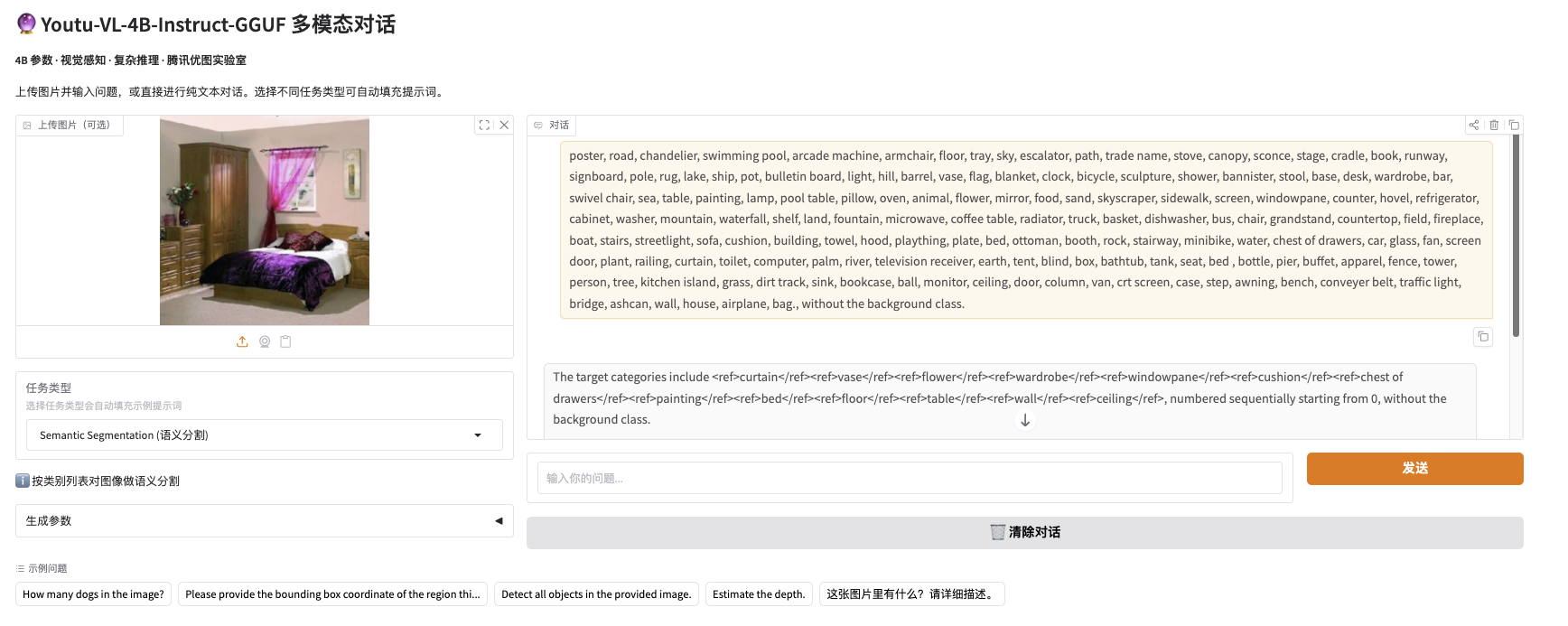
⚠️ GGUF 版本不支持密集预测任务(语义分割、深度估计),如需此类能力请使用 Transformers 原版模型。
硬件要求
| 项目 | 最低要求 | 推荐配置 |
|---|---|---|
| GPU | NVIDIA ≥ 16GB VRAM(如 RTX 4090) | RTX 4090 24GB / A100 40GB |
| 内存 | ≥ 16GB | ≥ 32GB |
| CUDA | 12.x | 12.4+ |
| 磁盘 | ≥ 20GB(模型文件约 6GB) | ≥ 30GB |
使用方式
1. 镜像默认已使用 Supervisor 自动启动服务
服务端口 7860(WebUI + API 合并服务)
# 查看服务状态
supervisorctl status

# 停止服务
supervisorctl stop youtu-vl-4b-instruct-gguf

# 启动服务
supervisorctl start youtu-vl-4b-instruct-gguf

# 重启服务
supervisorctl restart youtu-vl-4b-instruct-gguf
如需更换端口,可修改启动脚本:
/usr/local/bin/start-youtu-vl-4b-instruct-gguf-service.sh
#!/bin/bash
source /opt/youtu-vl/venv/bin/activate

echo "Starting Youtu-VL-4B-Instruct-GGUF service..."

exec python /opt/youtu-vl/server.py \
  --host 0.0.0.0 \
  --port 7860
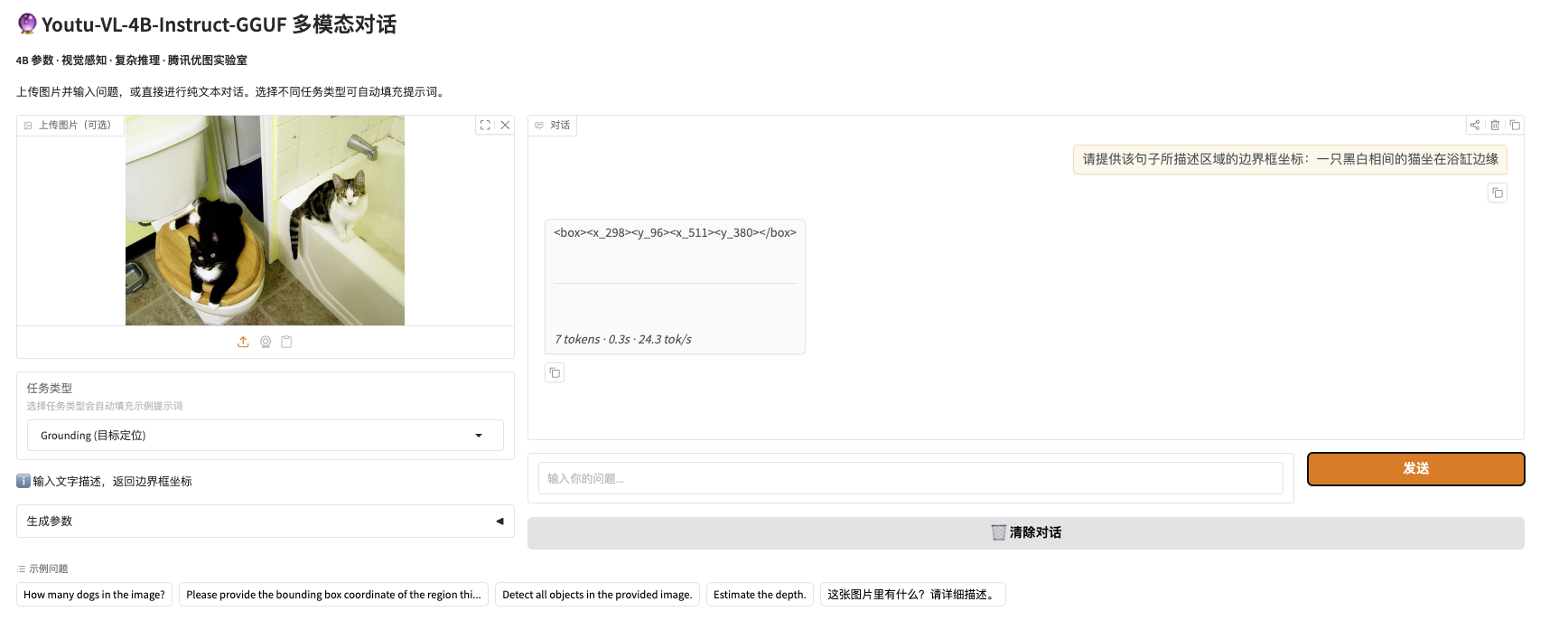
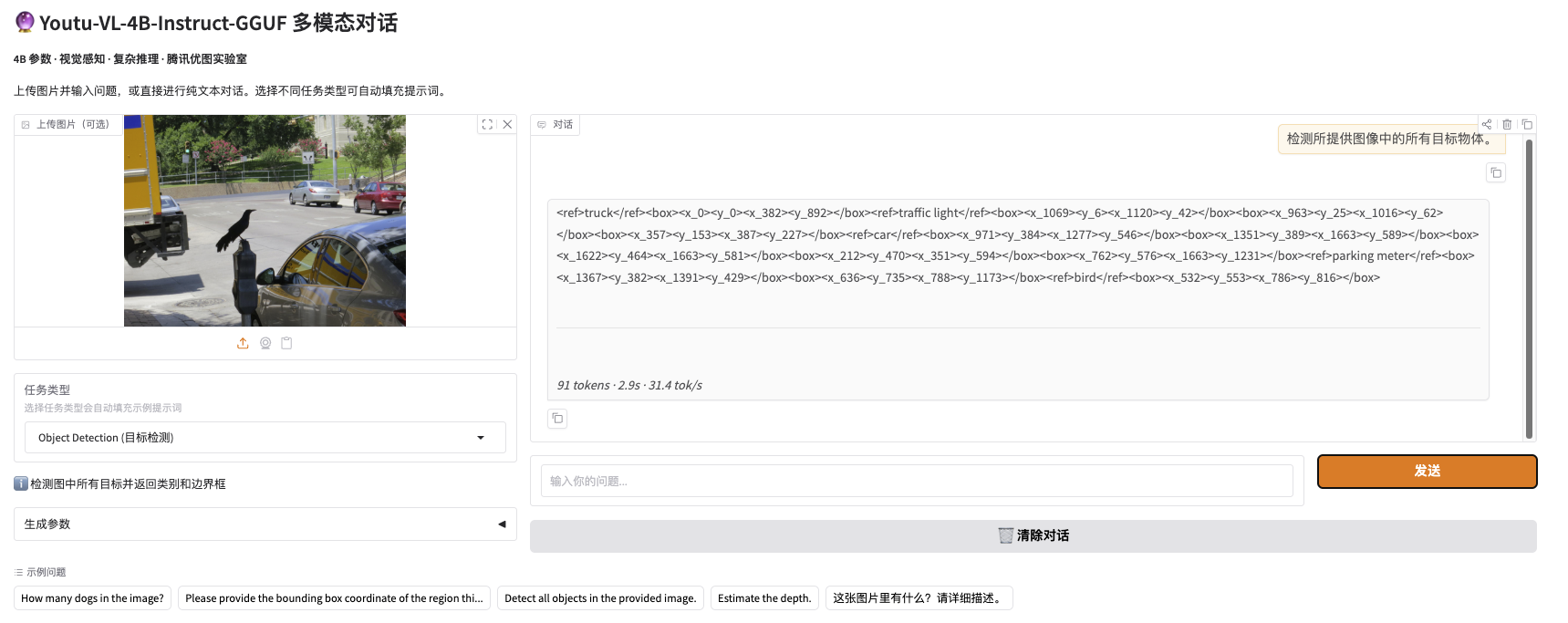
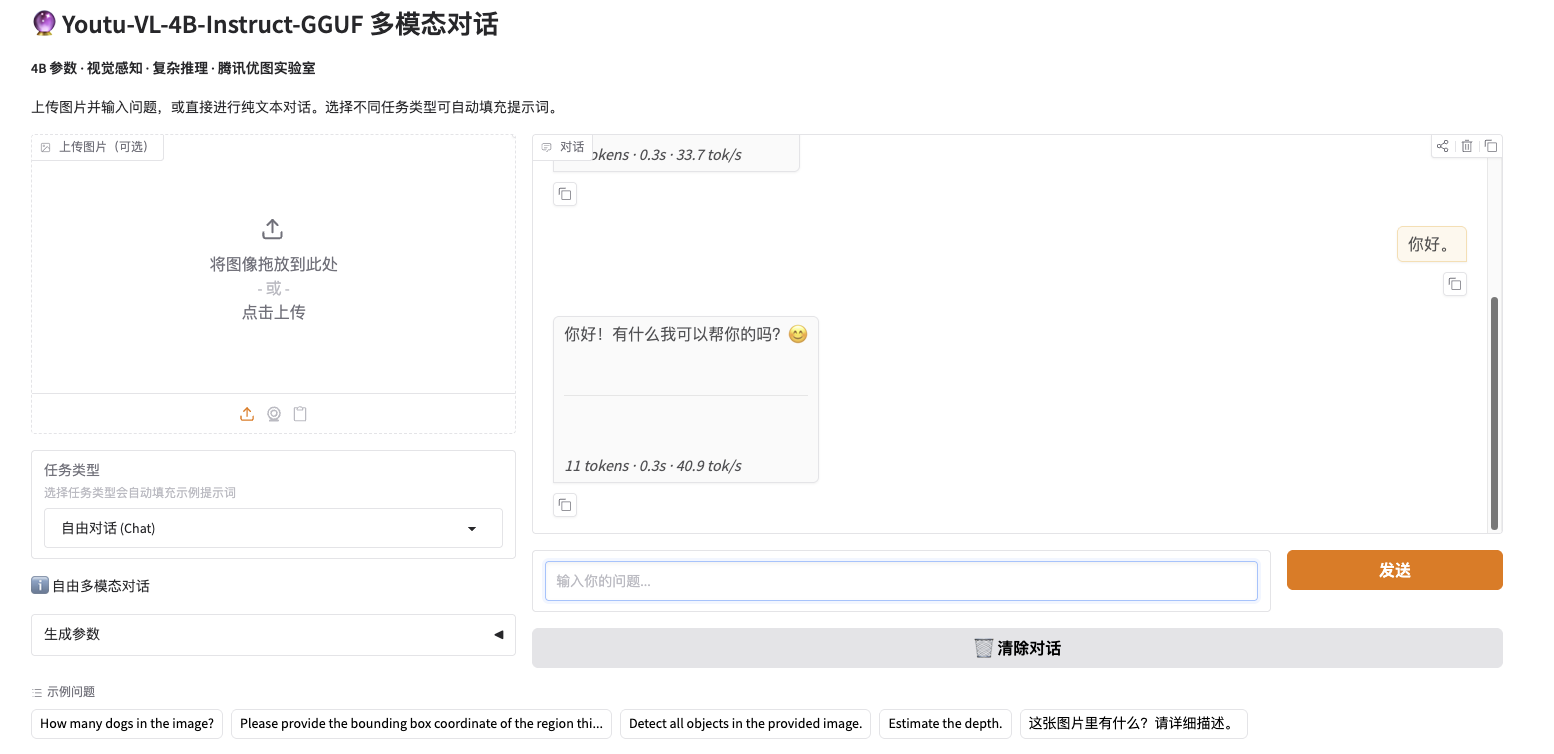
2. Gradio WebUI
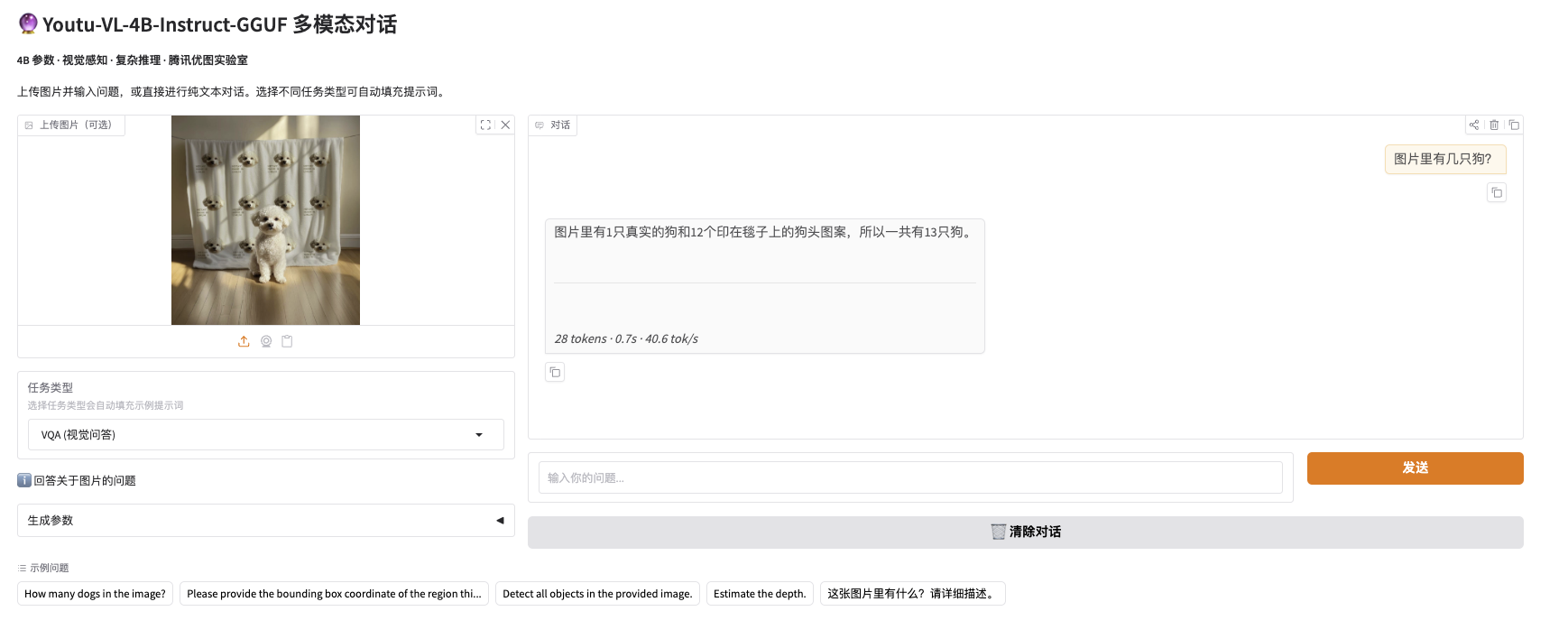
浏览器访问 http://localhost:7860 即可使用图片上传和多模态对话功能。
- 支持上传图片 + 文字提问
- 支持纯文本多轮对话
- 可调节生成参数(温度、Top-P、最大长度、重复惩罚)
3. API 服务(OpenAI 兼容)
重要:请始终在 messages 中加入 system message
"You are a helpful assistant.",否则模型可能输出异常。
不同任务类型通过 prompt 内容 来区分,无需额外参数。
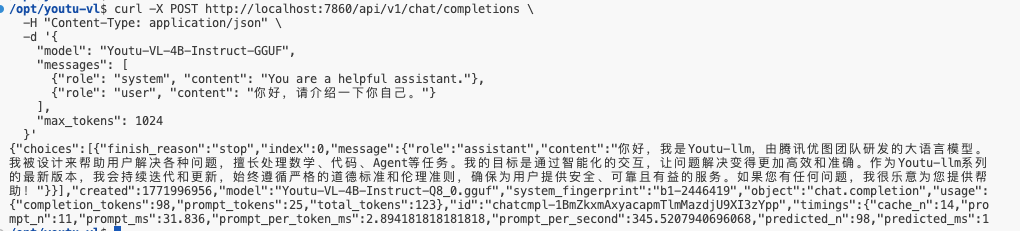
纯文本对话
curl -X POST http://localhost:7860/api/v1/chat/completions \
  -H "Content-Type: application/json" \
  -d '{
    "model": "Youtu-VL-4B-Instruct-GGUF",
    "messages": [
      {"role": "system", "content": "You are a helpful assistant."},
      {"role": "user", "content": "你好,请介绍一下你自己。"}
    ],
    "max_tokens": 1024
  }'
图片理解 / VQA(视觉问答)
图片需要以 base64 编码传入,编码后数据较大,超出 bash 参数长度限制,因此带图片的请求建议使用 Python。
import base64, httpx

# 读取图片并编码为 base64
with open("image.jpg", "rb") as f:
    img_b64 = base64.b64encode(f.read()).decode()

resp = httpx.post("http://localhost:7860/api/v1/chat/completions", json={
    "model": "Youtu-VL-4B-Instruct-GGUF",
    "messages": [
        {"role": "system", "content": "You are a helpful assistant."},
        {"role": "user", "content": [
            {"type": "image_url", "image_url": {"url": f"data:image/jpeg;base64,{img_b64}"}},
            {"type": "text", "text": "How many dogs in the image?"}
        ]}
    ],
    "max_tokens": 1024
}, timeout=120)

print(resp.json()["choices"][0]["message"]["content"])
Grounding(目标定位)
返回 <box><x_...><y_...><x_...><y_...></box> 格式的边界框坐标:
resp = httpx.post("http://localhost:7860/api/v1/chat/completions", json={
    "model": "Youtu-VL-4B-Instruct-GGUF",
    "messages": [
        {"role": "system", "content": "You are a helpful assistant."},
        {"role": "user", "content": [
            {"type": "image_url", "image_url": {"url": f"data:image/jpeg;base64,{img_b64}"}},
            {"type": "text", "text": "Please provide the bounding box coordinate of the region this sentence describes: a black and white cat"}
        ]}
    ],
    "max_tokens": 4096
}, timeout=120)
Object Detection(目标检测)
返回 <ref>类别</ref><box>...</box> 格式:
resp = httpx.post("http://localhost:7860/api/v1/chat/completions", json={
    "model": "Youtu-VL-4B-Instruct-GGUF",
    "messages": [
        {"role": "system", "content": "You are a helpful assistant."},
        {"role": "user", "content": [
            {"type": "image_url", "image_url": {"url": f"data:image/jpeg;base64,{img_b64}"}},
            {"type": "text", "text": "Detect all objects in the provided image."}
        ]}
    ],
    "max_tokens": 4096
}, timeout=120)
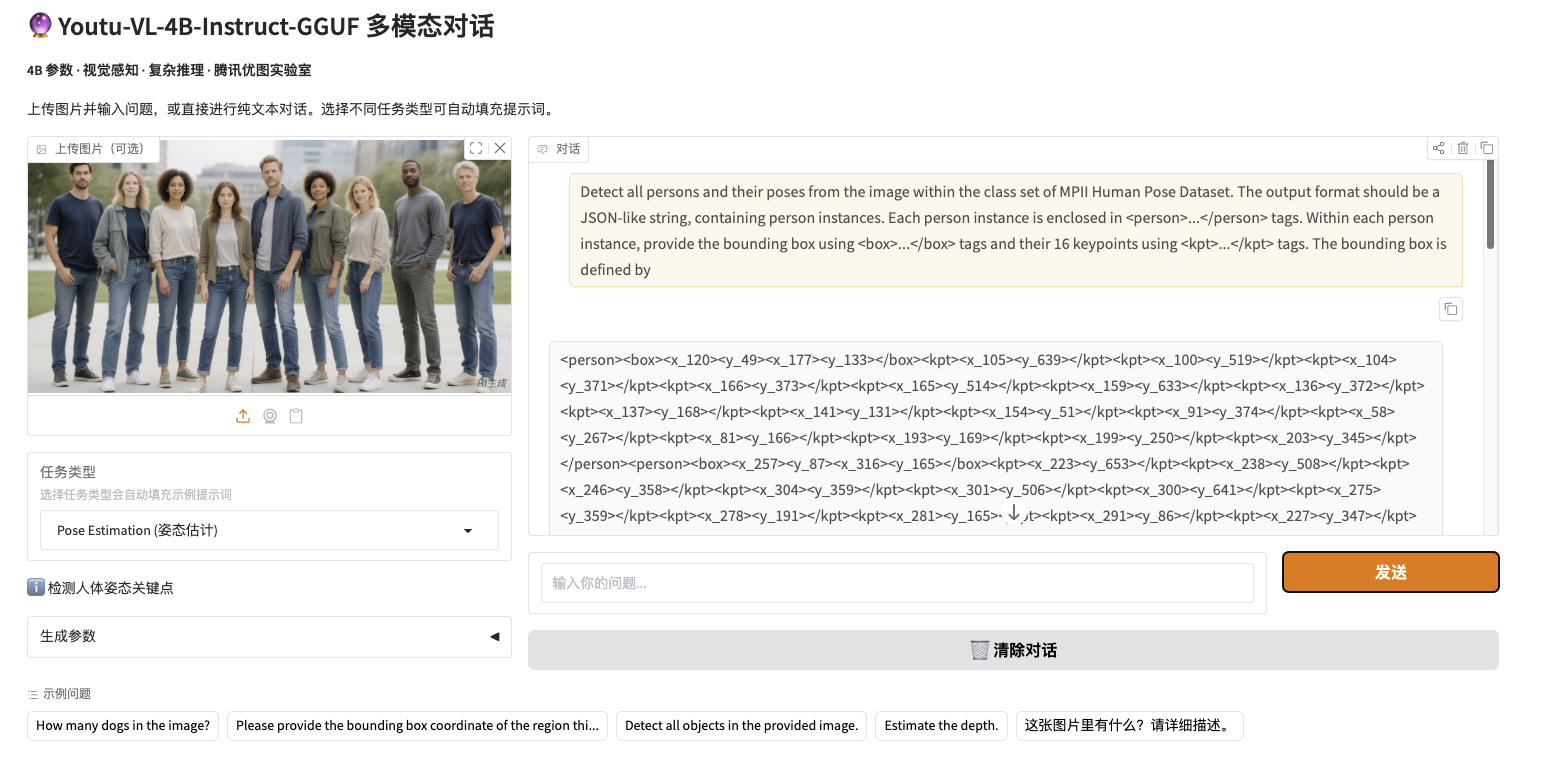
Pose Estimation(姿态估计)
返回 <person><box>...</box><kpt>...</kpt></person> 格式:
resp = httpx.post("http://localhost:7860/api/v1/chat/completions", json={
    "model": "Youtu-VL-4B-Instruct-GGUF",
    "messages": [
        {"role": "system", "content": "You are a helpful assistant."},
        {"role": "user", "content": [
            {"type": "image_url", "image_url": {"url": f"data:image/jpeg;base64,{img_b64}"}},
            {"type": "text", "text": "Detect all persons and their poses from the image within the class set of MPII Human Pose Dataset..."}
        ]}
    ],
    "max_tokens": 4096
}, timeout=120)
其他接口
| 接口 | 方法 | 说明 |
|---|---|---|
/ | GET | Gradio WebUI |
/api/v1/chat/completions | POST | OpenAI 兼容对话接口 |
/api/v1/models | GET | 模型列表 |
/health | GET | 健康检查 |
/docs | GET | FastAPI 自动文档 |
/swagger | GET | 重定向到 /docs |
相关链接
- GitHub: https://github.com/TencentCloudADP/youtu-vl
- HuggingFace: https://huggingface.co/tencent/Youtu-VL-4B-Instruct-GGUF
- ModelScope: https://modelscope.cn/models/Tencent-YouTu-Research/Youtu-VL-4B-Instruct-GGUF
- 论文: https://arxiv.org/abs/2601.19798
- License: youtu-vl

有“AI”的1024 = 2048,欢迎大家加入2048 AI社区
更多推荐

 12
12 0
0- 0


 已为社区贡献2条内容

所有评论(0)