Installing Oracle Database 26AI on Red Hat Enterprise Linux 9
January 28, 2026in 26ai 90SHARES2.3kVIEWSOracle Database 26AI introduces next-generation autonomous and AI-assisted database capabilities. Installing it on Red Hat Enterprise Linux 9 gives you a robus
in 26ai

0
SHARES
2.3k
VIEWS
Oracle Database 26AI introduces next-generation autonomous and AI-assisted database capabilities. Installing it on Red Hat Enterprise Linux 9 gives you a robust and secure foundation for modern data workloads. This guide walks you through the full installation process — from preparing the system to verifying the database installation.
Disclaimer: The following demonstration uses Oracle AI Database 23.26.0 (Engineered Systems binaries) for testing purposes only. It should not be treated as a production or reference guide.
Table of Contents
Discover more
database
Data Guard
Oracle Data
- 1. Prerequisites and System Requirements
- 2. Create Oracle Users and Groups
- 3. Configure Kernel Parameters and Limits
- 4.Prepare Installation Directories
- 5. Extract and Launch the Installer
- Installetion Location
- Create Inventory
- Configuration Type
- Database Identifiers
- Configuration Options
- Database Storage
- Management Options
- Recovery Options
- Schema Password
- Operating System Groups
- Root Script Process
- Prerequisite Check
- Summary
- Install Product
- 6. Finish
- 7. Common Issues and Fixes
- Bonus Tip: Enabling AI Features in Oracle 26AI
- Conclusion
Related posts

Oracle AI Database 26ai Data Guard Creation Using RMAN Active Duplicate

Oracle Database 19c to 26ai Upgrade Using AutoUpgrade: Step-by-Step Real-World Guide

1. Prerequisites and System Requirements
Discover more
Installation
Patching
Install
Minimum Hardware
| Component | Requirement |
|---|---|
| CPU | 4+ cores (x86_64 architecture) |
| Memory | 16 GB (minimum), 32 GB recommended |
| Disk Space | 100 GB free space for Oracle home and database files |
| Swap Space | 2x RAM if ≤16 GB, otherwise equal to RAM |
Supported OS
- Red Hat Enterprise Linux 9.0 or later (x86_64)
- Oracle Linux 9 Distributions for x86-64
- Linux 8 Distributions for x86-64
- Red Hat Enterprise Linux 8 Distributions for x86-64
- SUSE Linux Enterprise Server 15 Distributions for x86-64
- Kernel:
5.14.0or later - Ensure SELinux and Firewall settings are adjusted before installation.
Required Packages
Install required dependencies:
Discover more
databases
Oracle Database
patched
sudo dnf install -y bc binutils elfutils-libelf elfutils-libelf-devel \
gcc gcc-c++ glibc glibc-devel ksh libaio libaio-devel libgcc libgfortran \
libibverbs libnsl libnsl2 libstdc++ libstdc++-devel libxcb libX11 libXau \
libXi libXrender libXtst libXext make net-tools smartmontools sysstat unzip \
compat-openssl11 fontconfig-devel policycoreutils policycoreutils-python-utils
Enable EPEL and optional repos if needed:
sudo dnf install epel-release -y
sudo dnf config-manager --set-enabled crb
2. Create Oracle Users and Groups
Oracle recommends creating dedicated users and groups for database management.
sudo groupadd -g 54321 oinstall
sudo groupadd -g 54322 dba
sudo useradd -u 54321 -g oinstall -G dba oracle
sudo passwd oracle
Set the correct environment for the Oracle user:
sudo mkdir -p /u01/app/oracle
sudo chown -R oracle:oinstall /u01
sudo chmod -R 775 /u01
3. Configure Kernel Parameters and Limits
Discover more
Cloud
Oracle database
Oracle WebLogic Server
Edit /etc/sysctl.conf and add:
fs.aio-max-nr = 1048576
fs.file-max = 6815744
kernel.shmall = 2097152
kernel.shmmax = 4294967295
kernel.shmmni = 4096
kernel.sem = 250 32000 100 128
net.ipv4.ip_local_port_range = 9000 65500
net.core.rmem_default = 262144
net.core.wmem_default = 262144
net.core.rmem_max = 4194304
net.core.wmem_max = 1048576
Apply changes:
sudo sysctl -p
Edit limits for Oracle in /etc/security/limits.conf:
oracle soft nproc 2047
oracle hard nproc 16384
oracle soft nofile 1024
oracle hard nofile 65536
oracle soft stack 10240
4.Prepare Installation Directories
sudo mkdir -p /u01/app/oracle/product/26ai/dbhome_1
sudo chown -R oracle:oinstall /u01/app/oracle
Switch to the Oracle user:
su - oracle
Set environment variables in ~/.bash_profile:
export ORACLE_BASE=/u01/app/oracle
export ORACLE_HOME=$ORACLE_BASE/product/26ai/dbhome_1
export ORACLE_SID=ORCL
export PATH=$PATH:$ORACLE_HOME/bin
Reload:
source ~/.bash_profile
5. Extract and Launch the Installer
Upload the Oracle 26AI installer ZIP (Linux x86_64) to /u01/software.
cd /u01/software
unzip LINUX.X64_260000_db_home.zip -d $ORACLE_HOME
Run the installer in silent or GUI mode.
GUI Mode (if display available)
cd $ORACLE_HOME
./runInstaller

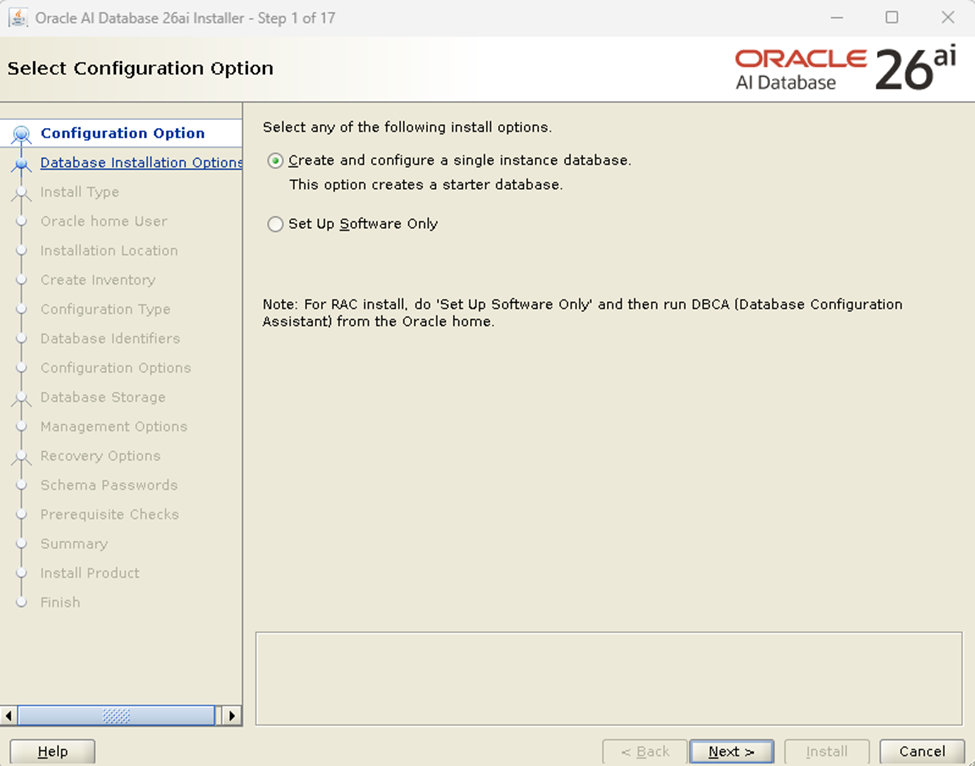
Configuration Options
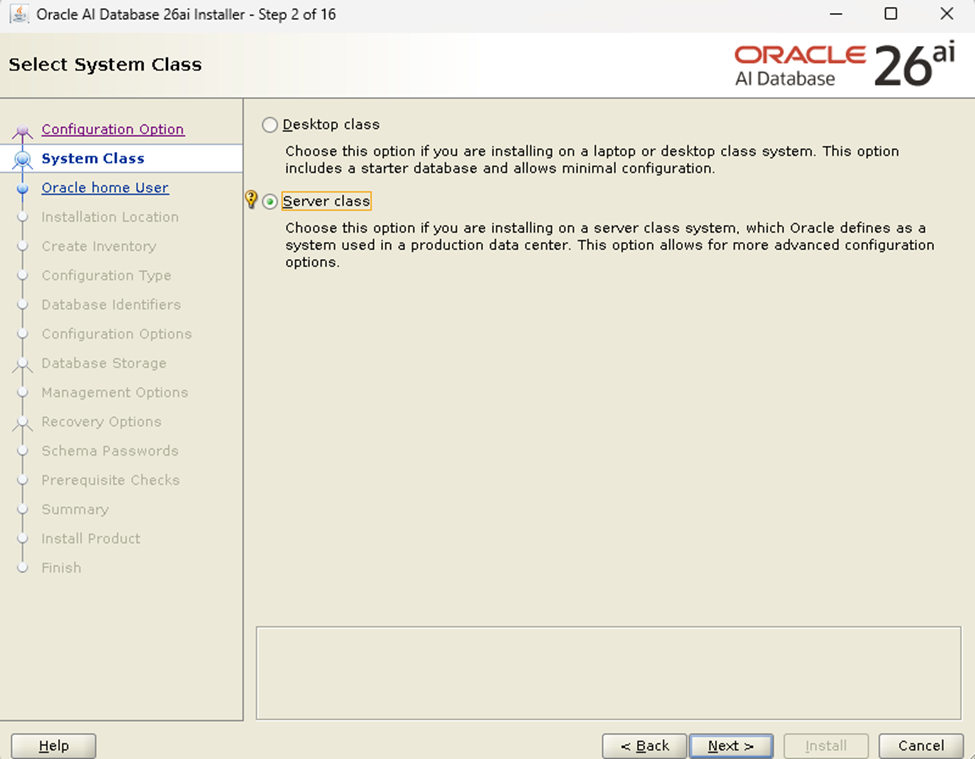
System Class
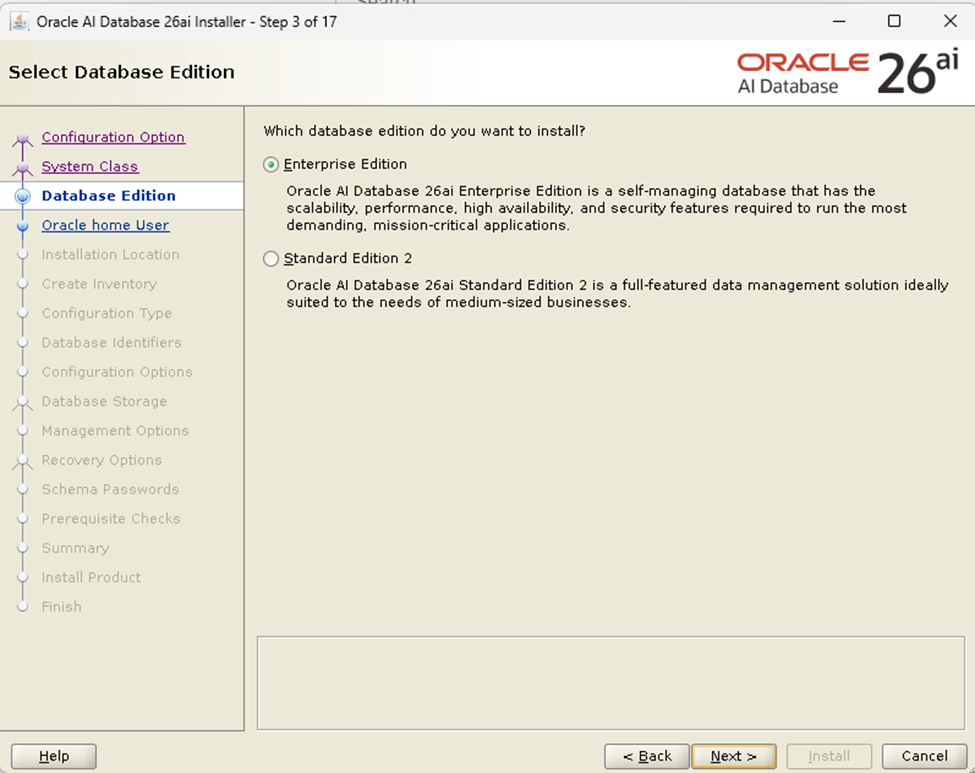
Database Edition
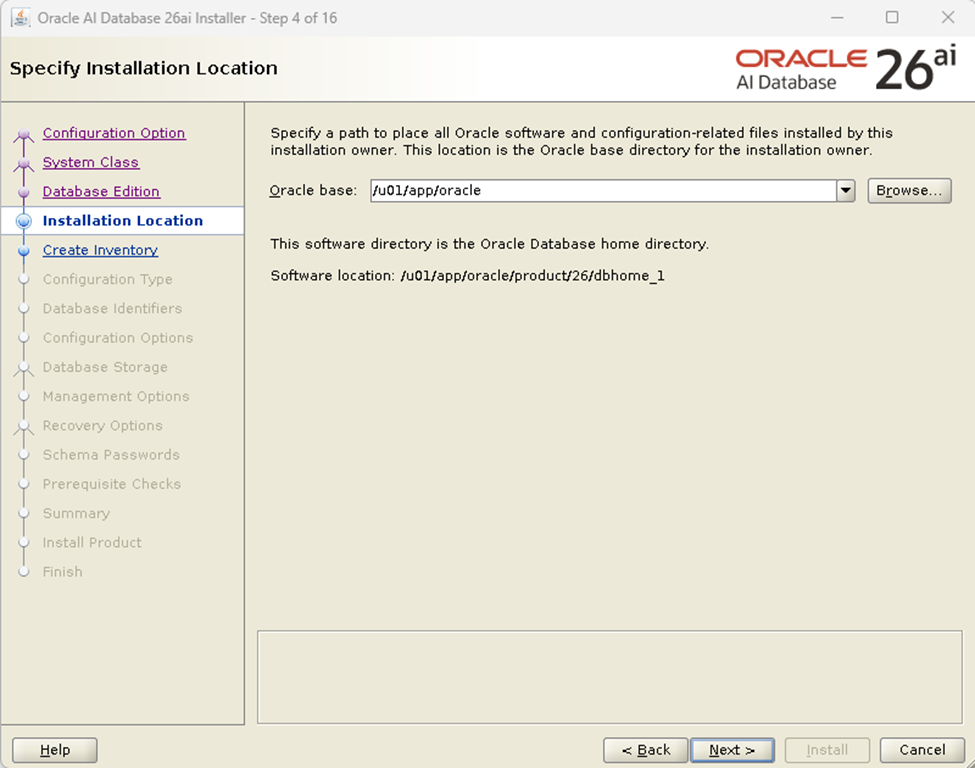
Installetion Location
Create Inventory
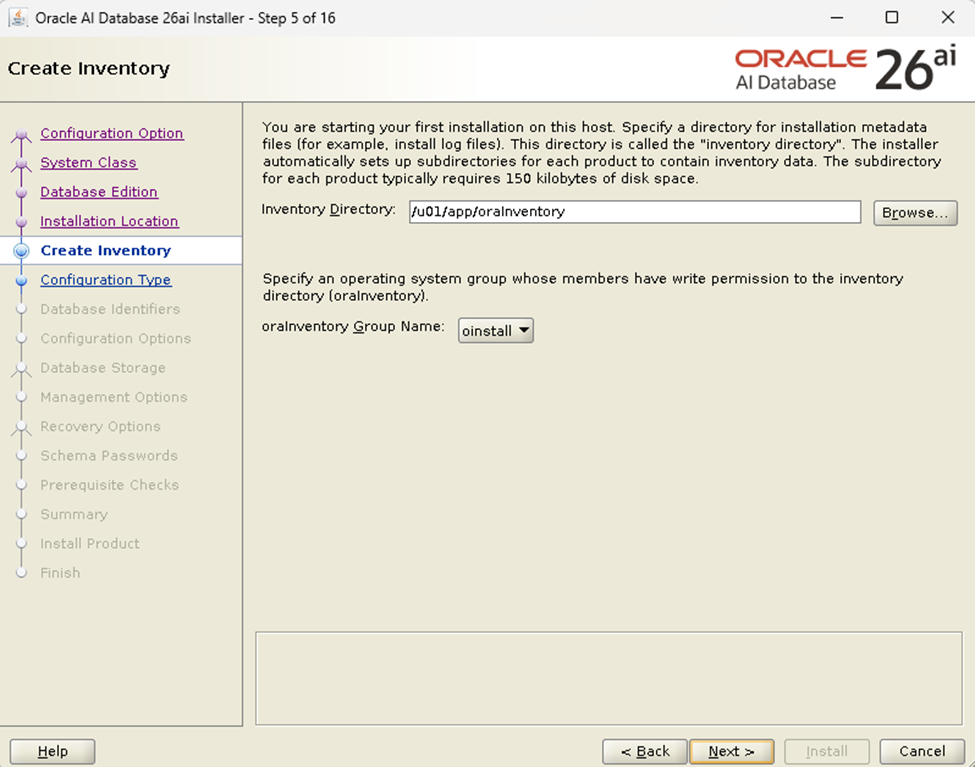
Configuration Type
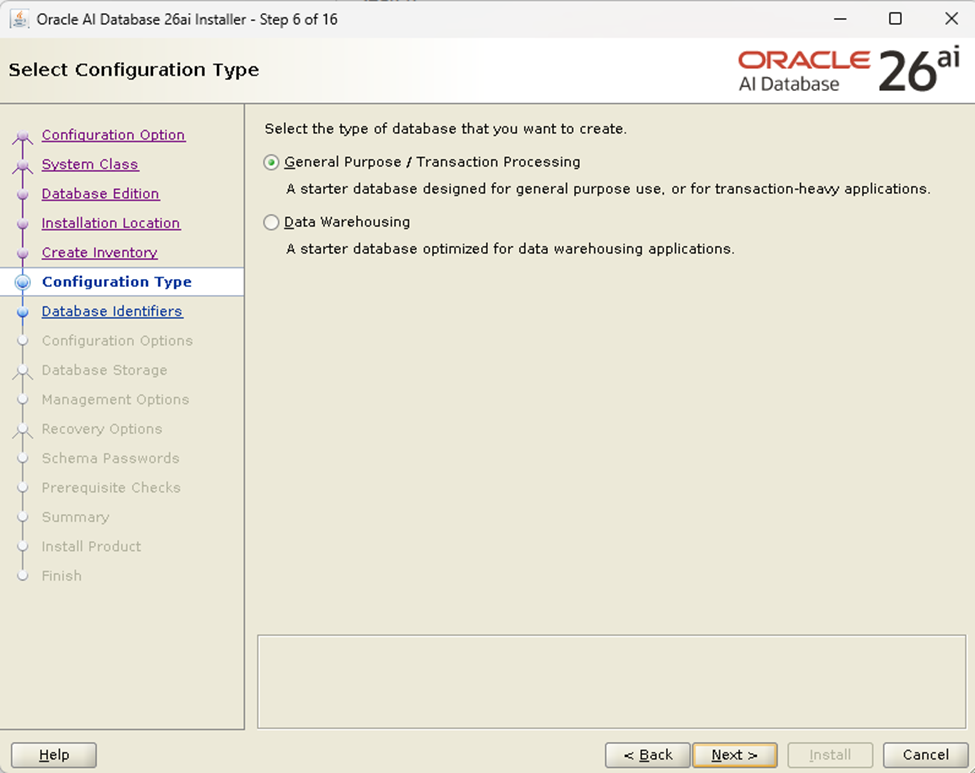
Database Identifiers
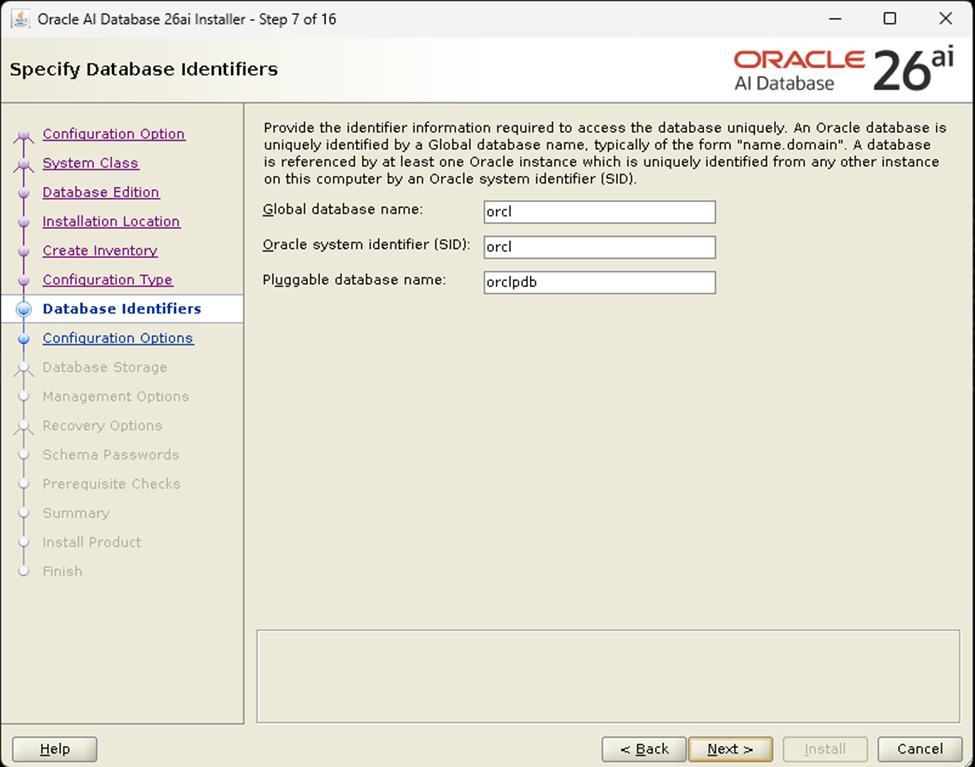
Configuration Options
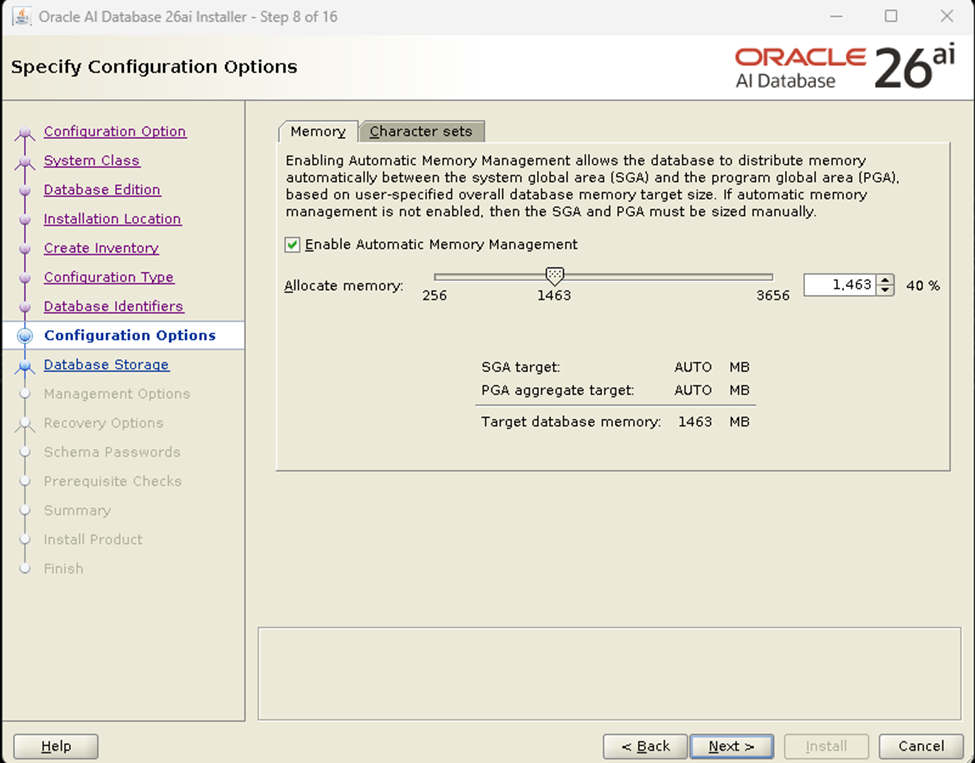
Database Storage
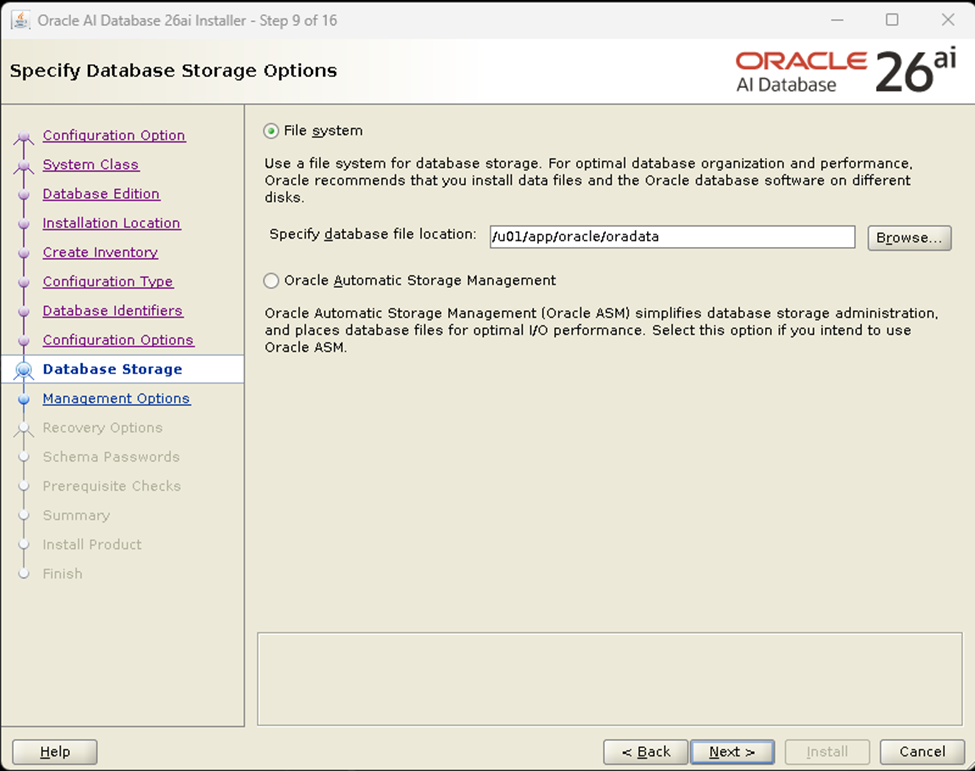
Management Options
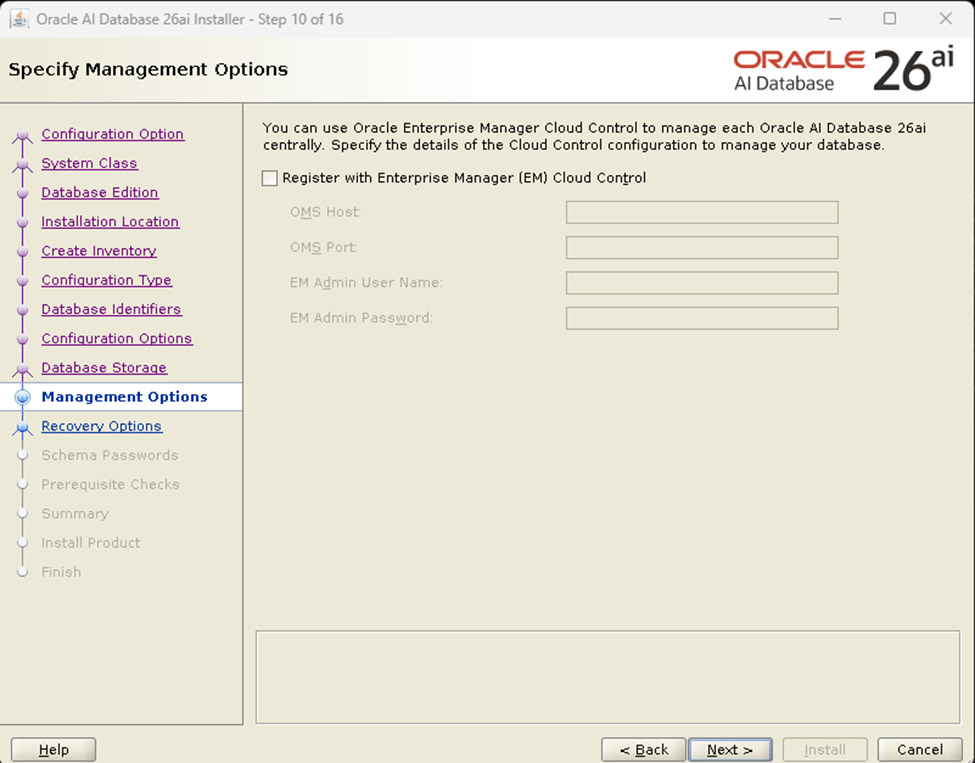
Recovery Options
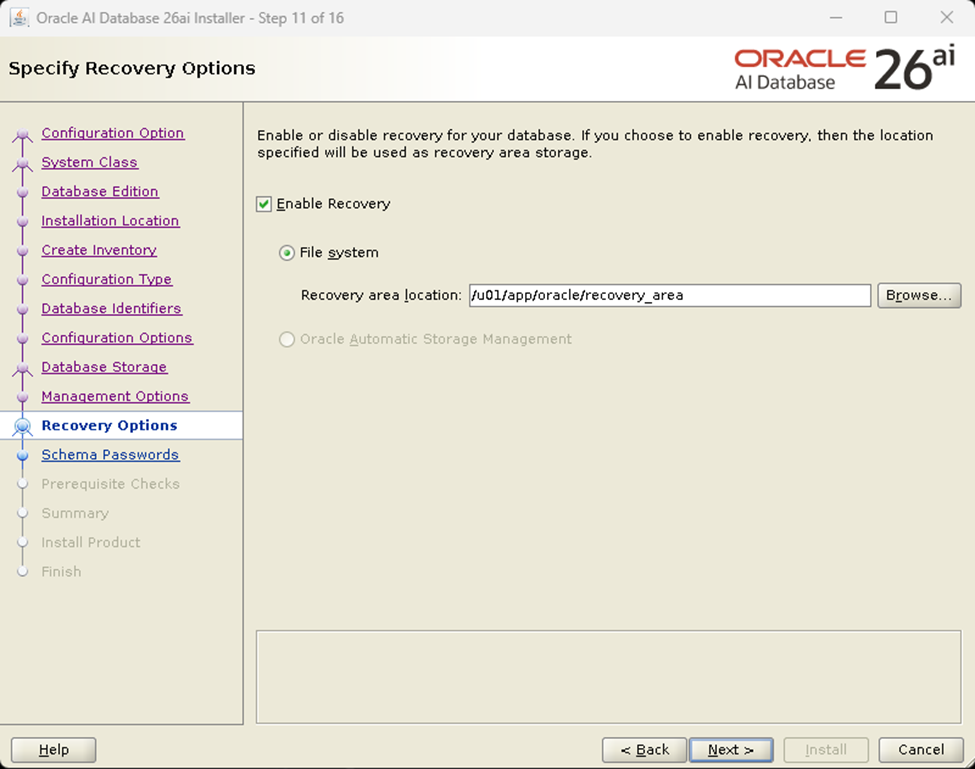
Schema Password
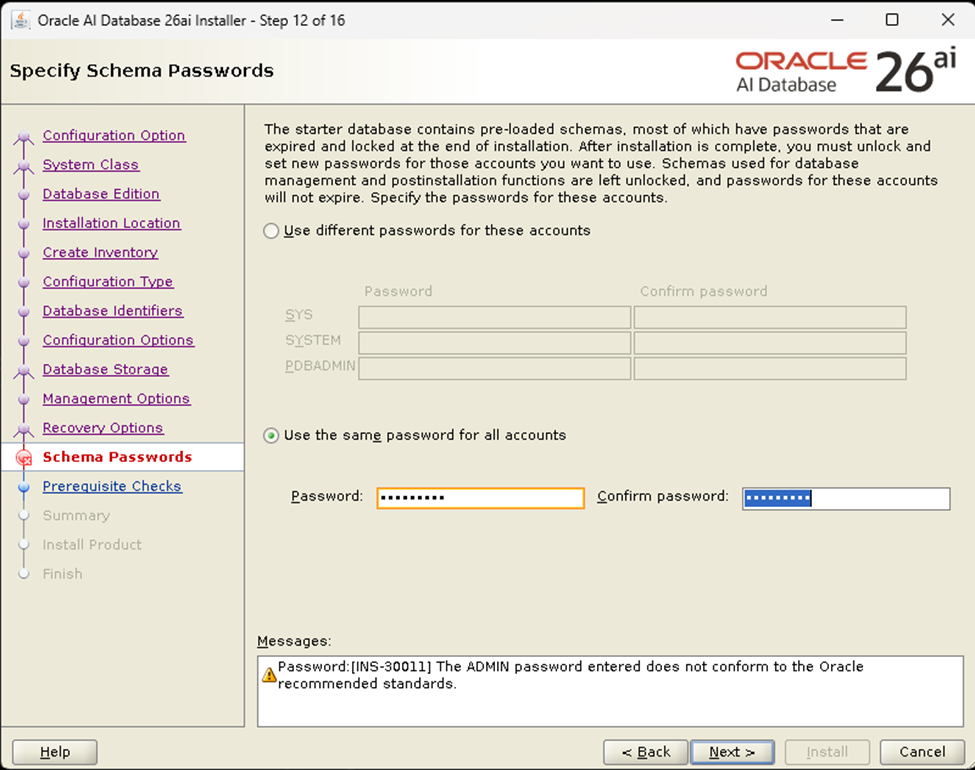
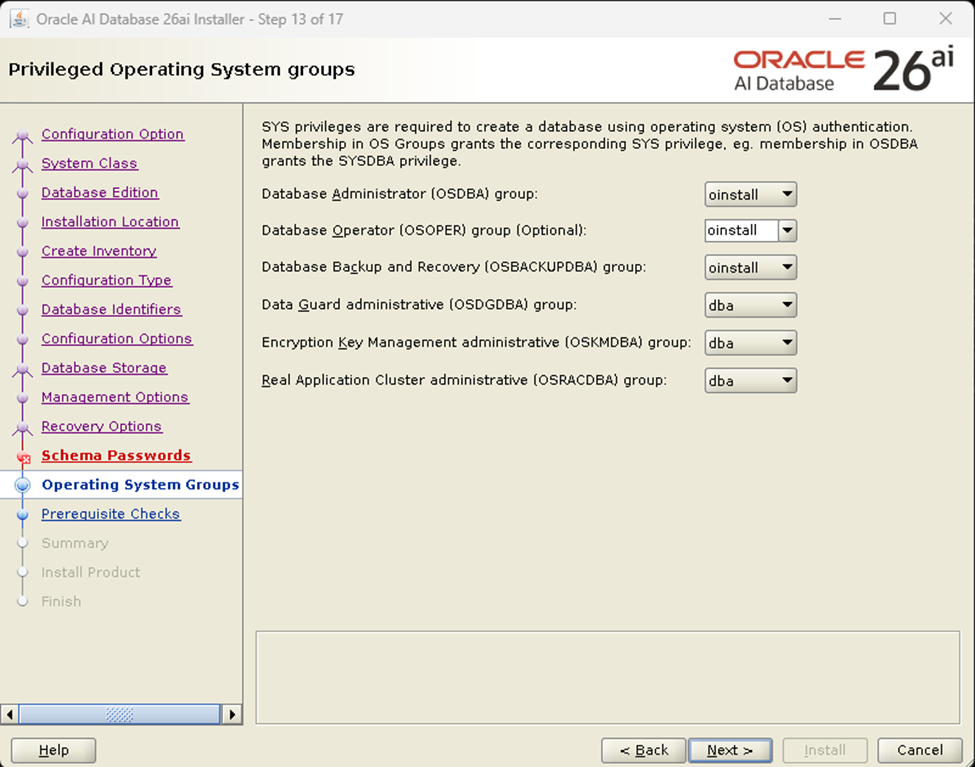
Operating System Groups
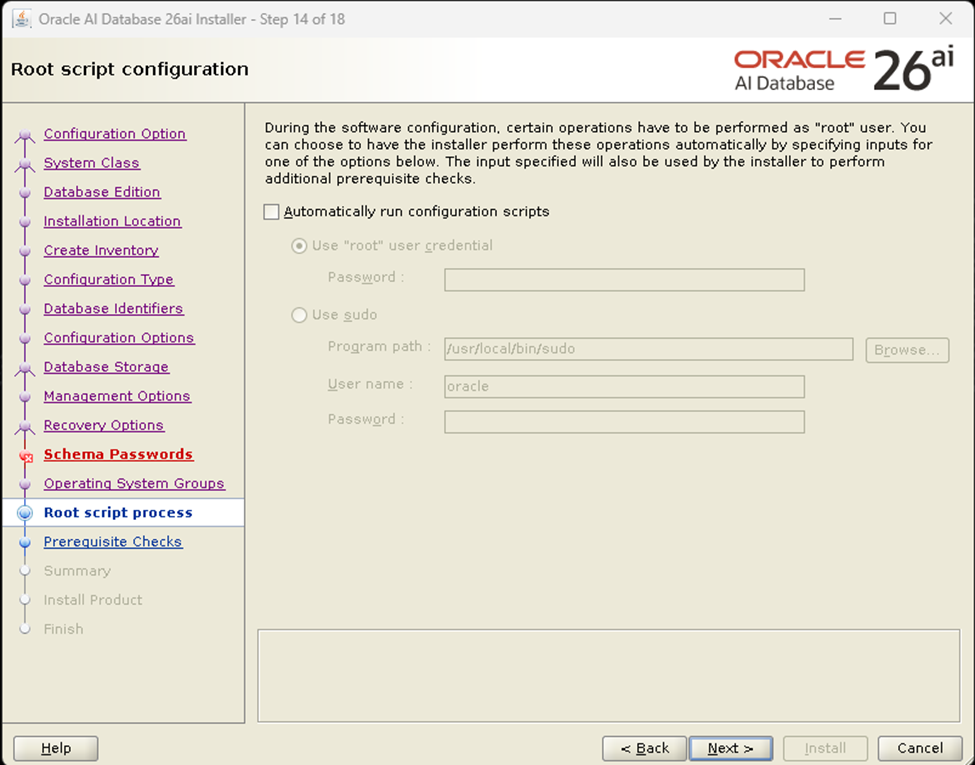
Root Script Process
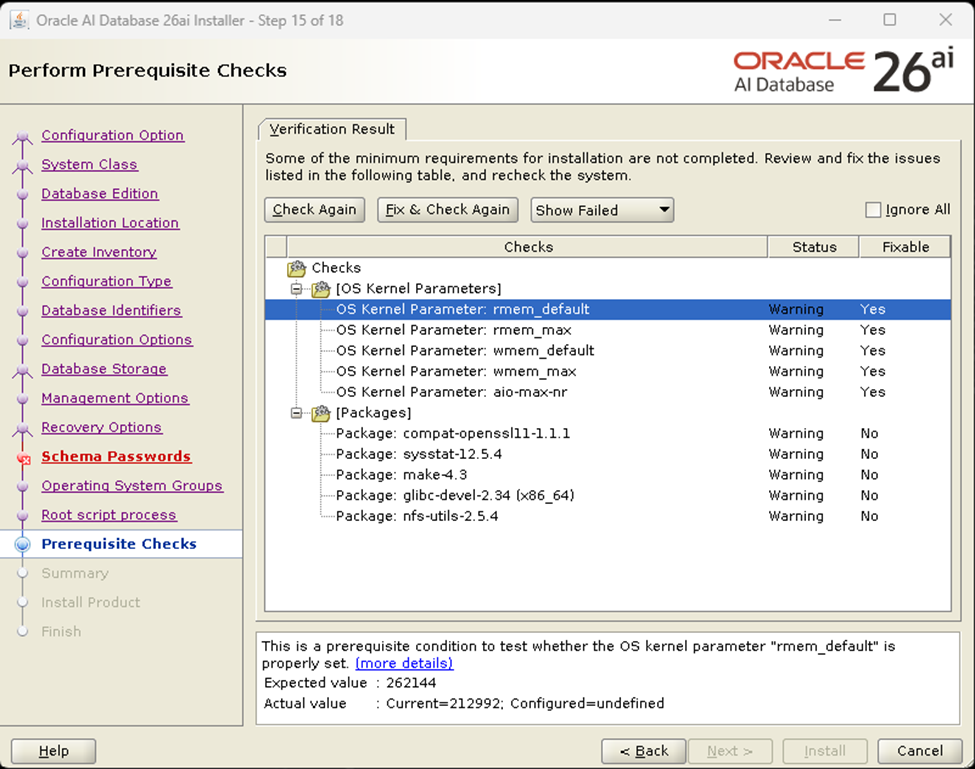
Prerequisite Check
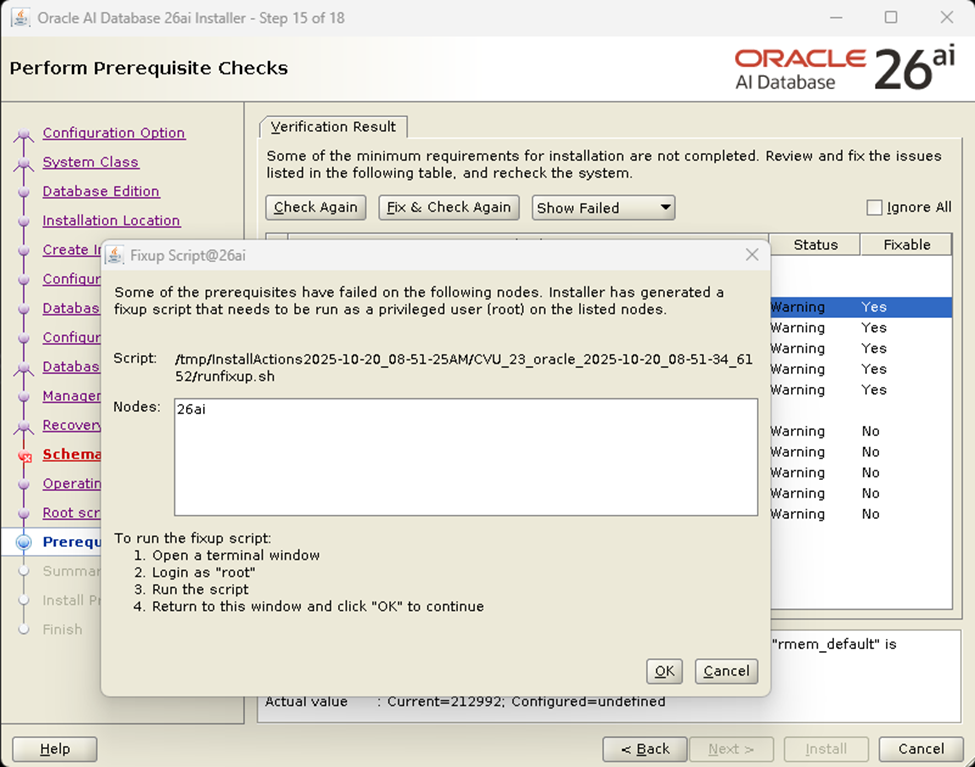
[root@26ai ~]# /tmp/InstallActions2025-10-20_08-51-25AM/CVU_23_oracle_2025-10-20_08-51-34_6152/runfixup.sh
All Fix-up operations were completed successfully.
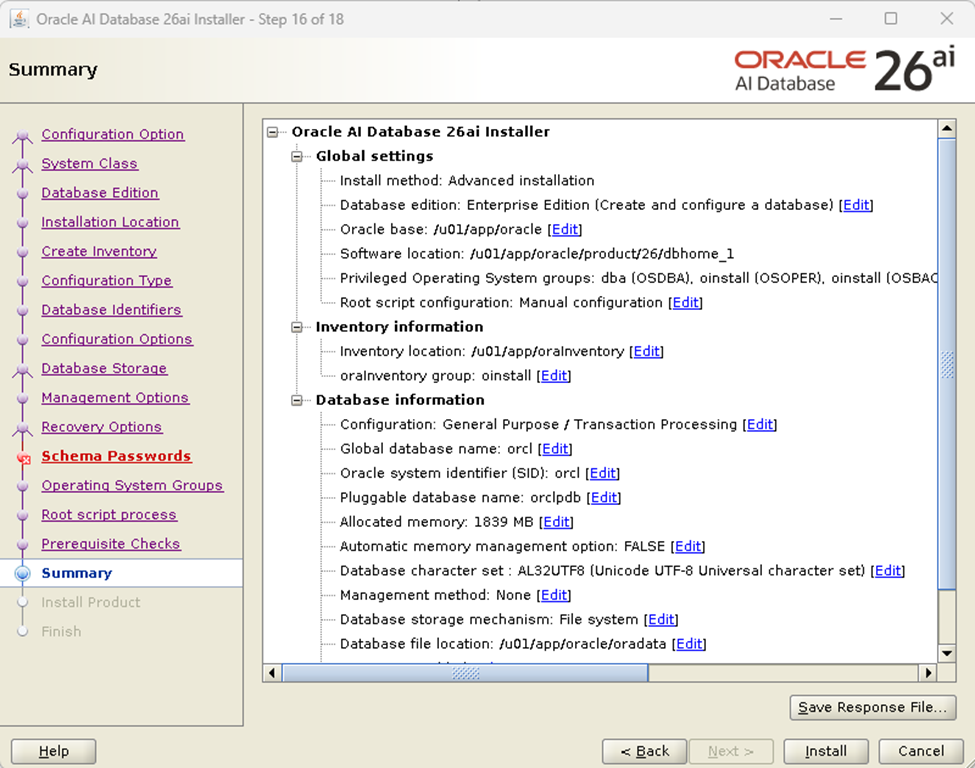
Summary
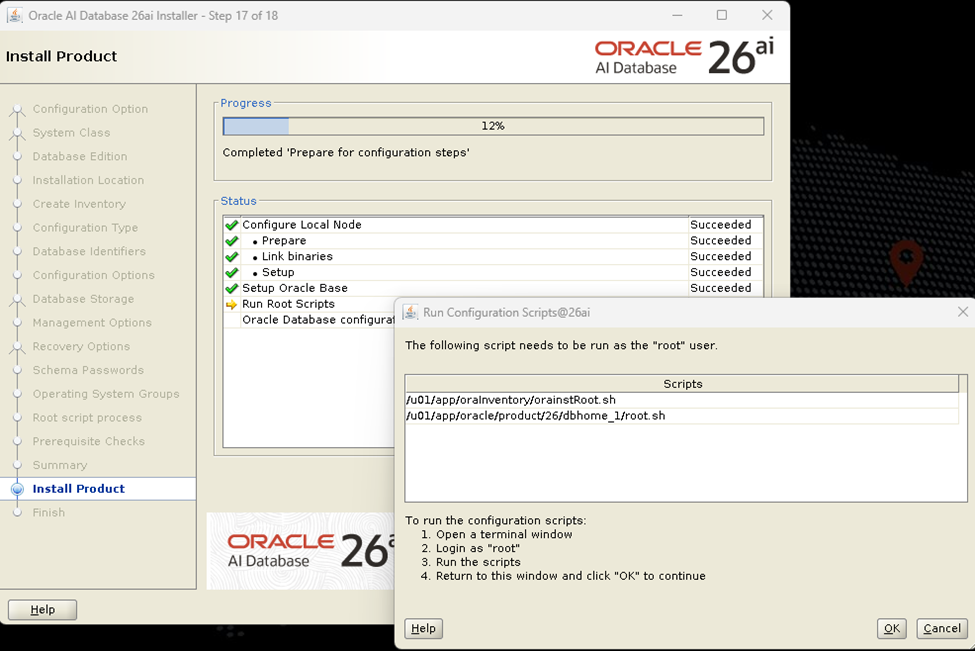
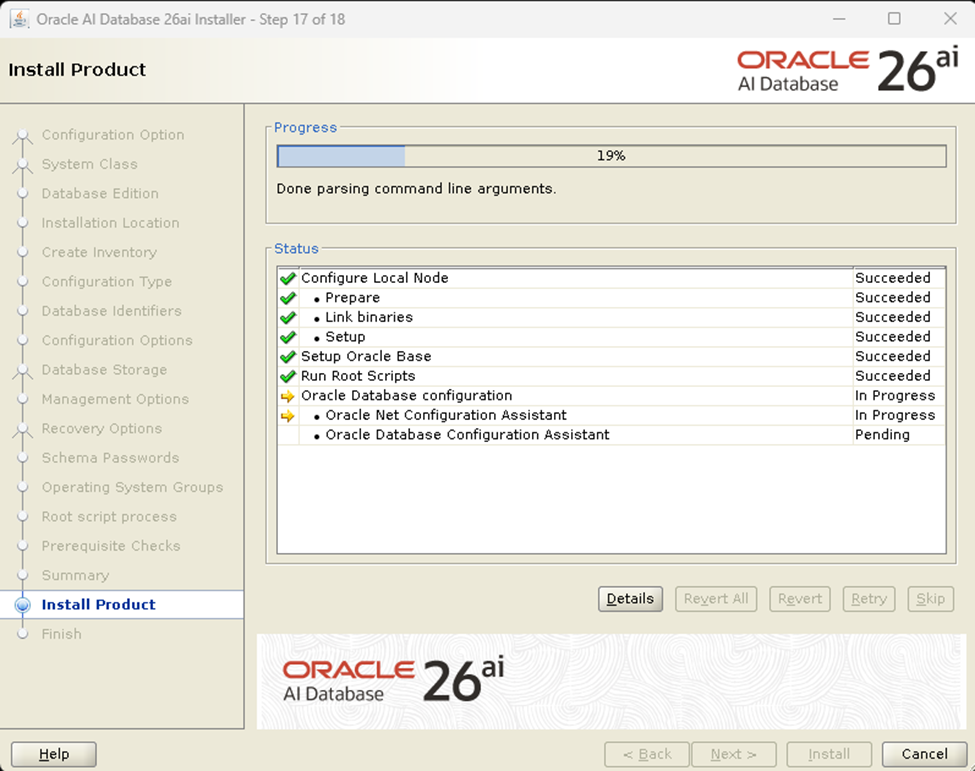
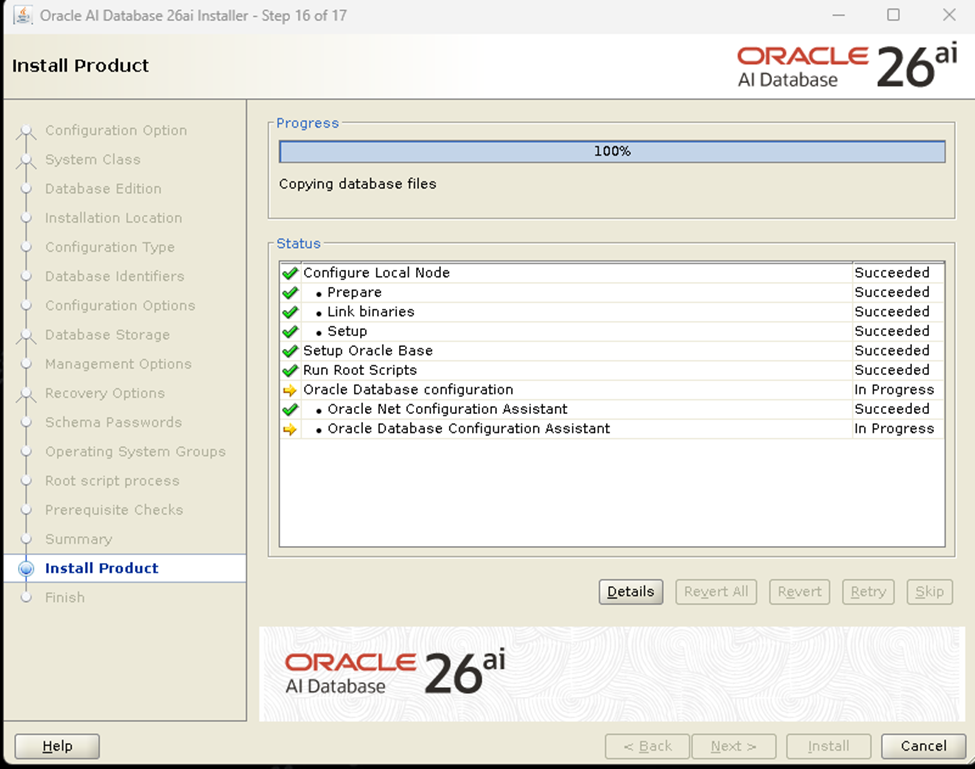
Install Product
6. Finish
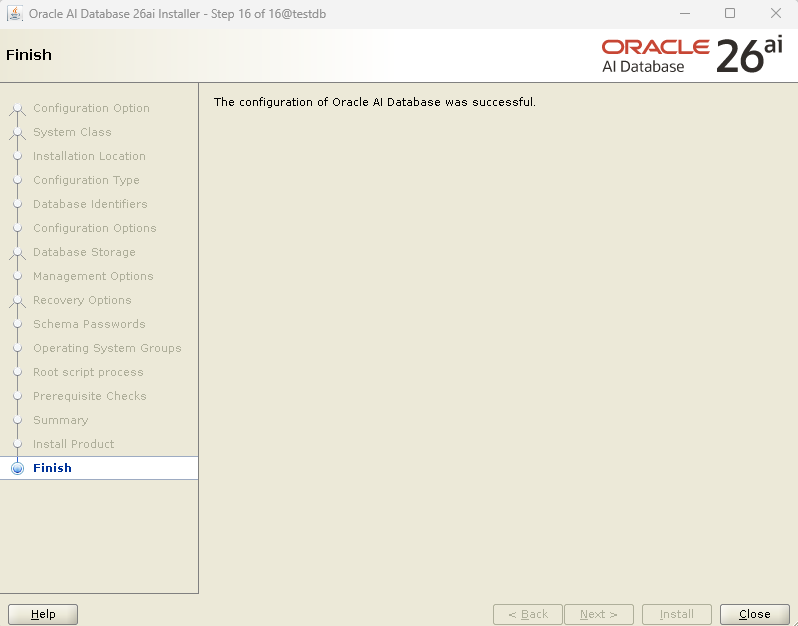
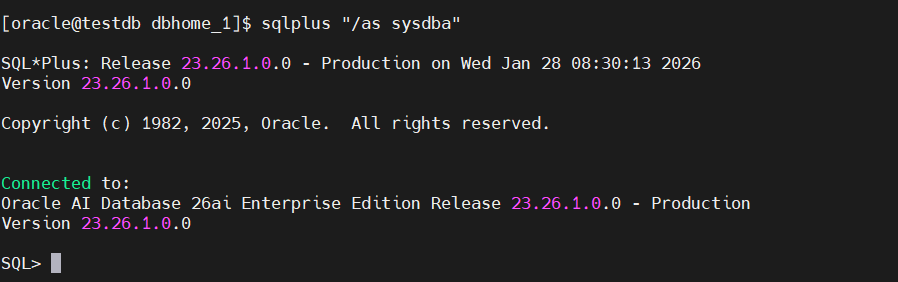
7. Common Issues and Fixes
| Issue | Resolution |
|---|---|
| Missing libraries | Run dnf provides */libclntsh.so to identify missing packages |
| Display errors (X11) | Use ssh -X oracle@hostname for remote GUI |
| ORA-12541: no listener | Start the listener using lsnrctl start |
| Slow startup | Check /etc/hosts for correct hostname mapping |
[root@rac1 ~]#
[main] [ 2024-08-06 13:25:27.792 UTC ] [UsmcaLogger.logException:186] SEVERE:method oracle.sysman.assistants.usmca.backend.USMInstance:configureLocalASM
[main] [ 2024-08-06 13:25:27.792 UTC ] [UsmcaLogger.logException:187] ORA-27350: This version of the Oracle Database software cannot be run on this platform
[main] [ 2024-08-06 13:25:27.792 UTC ] [UsmcaLogger.logException:188] oracle.sysman.assistants.util.sqlEngine.SQLFatalErrorException: ORA-27350: This version of the Oracle Database software cannot be run on this platform
Attempting to install Engineered system software on an On-Premise system. As the error “ORA-27350” indicates, the Oracle 26ai Software that was downloaded is not supported on the platform.
Check the following for information on availability and download of Oracle 26ai for your specific platform:
Bonus Tip: Enabling AI Features in Oracle 26AI
Oracle 26AI comes with AI Vector Search and in-database machine learning.
To enable these:
ALTER SYSTEM SET enable_vector_search=TRUE;
EXEC DBMS_CLOUD_AI.ENABLE_AI_FEATURES();
You can now use AI Vector Indexing, LLM-assisted SQL, and in-database embeddings for intelligent applications.
Conclusion
Installing Oracle Database 26AI on Red Hat Enterprise Linux 9 lays the foundation for next-generation, AI-driven database operations. With proper configuration, resource allocation, and performance tuning, it delivers exceptional capabilities for managing intelligent workloads, real-time analytics, and in-database machine learning.
Oracle 26AI represents a significant leap in autonomous database technology, blending AI-native features like vector search, LLM-assisted SQL, and self-optimizing performance. This installation equips you with the environment needed to explore these powerful capabilities in both enterprise and research contexts.

有“AI”的1024 = 2048,欢迎大家加入2048 AI社区
更多推荐
 7
7 0
0- 0


 已为社区贡献221条内容

所有评论(0)