Cangjie后端项目集成Jmeter/Redis/AI对话管理
·
代码示例gitcode地址
https://gitcode.com/yunting/cirrus-be.git
项目简介
采用Cangjie语言开发,集成JMeter性能测试框架和Redis缓存管理服务。支持压测任务的创建、执行、监控,
Redis缓存的查看管理功能,
AI对话管理。
项目说明
| 项目文件包 | 说明 |
|---|---|
| doc | 初始SQL和项目截图 |
| docker | docker启动配置 |
| resource | 程序配置文件 |
| src/base/model | 基础模型类 |
| src/base/util | 基础工具包 |
| src/config | 程序启动配置加载 |
| src/main.cj | 程序启动类 |
| src/v1/App.cj | 应用接口类 |
| src/test | 测试包 |
| src/third | 第三方服务包 |
| src/v1 | 业务包 |
依赖项目
| 项目名称 | git地址 | 说明 |
|---|---|---|
| cjoy | https://gitcode.com/Cangjie-SIG/cjoy.git | web应用框架 |
| mariadb | https://gitcode.com/Cangjie-SIG/mariadb-driver.git | 数据库驱动 |
| corm | https://gitcode.com/Yesokim/corm.git | ORM框架 |
| hyperion | https://gitcode.com/Cangjie-TPC/hyperion.git | TCP通信框架 |
| redis_sdk | https://gitcode.com/Cangjie-TPC/redis-sdk.git | Redis客户端SDK |
| mustache | https://gitcode.com/Cangjie-SIG/mustache-cj.git | mustache模板引擎 |
| xml4cj | https://gitcode.com/SeanXDO/xml4cj.git | XML解析库 |
业务模块说明
| 模块名称 | 主要功能 | 文件位置 |
|---|---|---|
| JWT认证 | JWT认证 | src/v1/auth/ |
| JMX模块 | JMeter性能测试任务管理 | src/v1/jmx/ |
| Redis模块 | Redis缓存管理 | src/v1/redis/ |
| 系统模块 | 系统配置管理 | src/v1/sys/ |
| 用户模块 | 用户管理 | src/v1/user/ |
| 文件上传 | 文件上传服务 | src/v1/upload/ |
API接口
| 接口路径 | 方法 | 功能描述 |
|---|---|---|
| /healthz | GET | 健康检查接口 |
| /v1/App.cj | POST/GET | JWT认证相关接口 |
| /v1/jmx/* | POST/GET | JMeter相关接口 |
| /v1/redis/* | POST/GET | Redis缓存管理接口 |
| /v1/sys/* | POST/GET | 系统管理接口 |
| /v1/user/* | POST/GET | 用户管理接口 |
目录结构详解
src/
├── base/
│   ├── model/     # 基础模型类
│   └── util/      # 基础工具包
├── config/        # 程序启动配置加载
├── main.cj        # 程序启动类
├── v1/            # 业务包
│   ├── App.cj     # 应用接口类
│   ├── auth/      # JWT认证相关
│   ├── jmx/       # JMeter性能测试相关
│   ├── redis/     # Redis缓存管理相关
│   ├── sys/       # 系统管理相关
│   ├── user/      # 用户管理相关
│   └── upload/    # 文件上传相关
└── test/          # 测试包

# 模块内调用流程
Controller -> Service -> Provider -> DO
配置文件说明
项目配置文件位于 resource/joy.properties,主要配置项示例如下:
| 配置项 | 说明 | 默认值 |
|---|---|---|
| jmx.jmeterHome | JMeter安装路径 | /opt/jmeter |
| jmx.storePath | JMeter脚本存储路径 | /var/opt/jmx/jmx |
| jmx.report.storePath | 测试报告存储路径 | /var/opt/jmx/report |
| jmx.jtl.storePath | 测试结果存储路径 | /var/opt/jmx/jtl |
| jmx.log.storePath | 日志存储路径 | /var/log/jmx |
| db.host | 数据库主机 | localhost |
| db.port | 数据库端口 | 3306 |
| db.username | 数据库用户名 | dev_client_user |
| db.password | 数据库密码 | test123456 |
| db.database | 数据库名称 | dev_client |
| redis.nodes | Redis节点 | 127.0.0.1:6379 |
| redis.mode | Redis模式 | single单机, 集群模式,不配置,然后节点多个逗号分隔 |
| redis.password | Redis密码 | redis123 |
| upload.tmpDir | 临时上传目录 | /var/tmp |
项目启动说明
前置条件
- Docker 20.10.22 (验证环境版本)
- Docker Compose v2.15.1(验证环境版本)
- 有效的 API访问密钥(硅基流动,参考官方网站)
克隆项目
#克隆/下载本项目到本地
git clone https://gitcode.com/yunting/cirrus-be.git
快速开始
修改配置docker/docker-compose/config/app_ai.properties的API访问密钥
#进入项目目录
cd cirrus-be
cd docker/docker-compose
# 启动
docker-compose up -d
本地构建启动
下载依赖项目
cd cirrus-be
git clone https://gitcode.com/Cangjie-TPC/hyperion.git
git clone https://gitcode.com/Cangjie-TPC/redis-sdk.git
git clone https://gitcode.com/Cangjie-SIG/mariadb-driver.git
git clone https://gitcode.com/Cangjie-SIG/mustache-cj.git
修改以上依赖项目的cjpm.toml
新增或者修改对应的配置
[target.aarch64-unknown-linux-gnu]
[target.aarch64-unknown-linux-gnu.bin-dependencies]
path-option = ["${CANGJIE_STDX_PATH}/linux_aarch64_llvm/static/stdx"]
[target.aarch64-apple-darwin]
[target.aarch64-apple-darwin.bin-dependencies]
path-option = ["${CANGJIE_STDX_PATH}/darwin_aarch64_llvm/static/stdx"]
redis-sdk的依赖包也修改
hyperion = { path = "../hyperion" }
docker本地启动
cd cirrus-be
# 构建
docker build -t cirrus-be:1.0.0 .
#查看
docker run -it cirrus-be:1.0.0 /bin/bash
# 启动
docker run -d --name cirrus-be -p 18881:18881 cirrus-be:1.0.0
本地启动
cd cirrus-be
cjpm update
cjpm run --name cirrus
运行示例
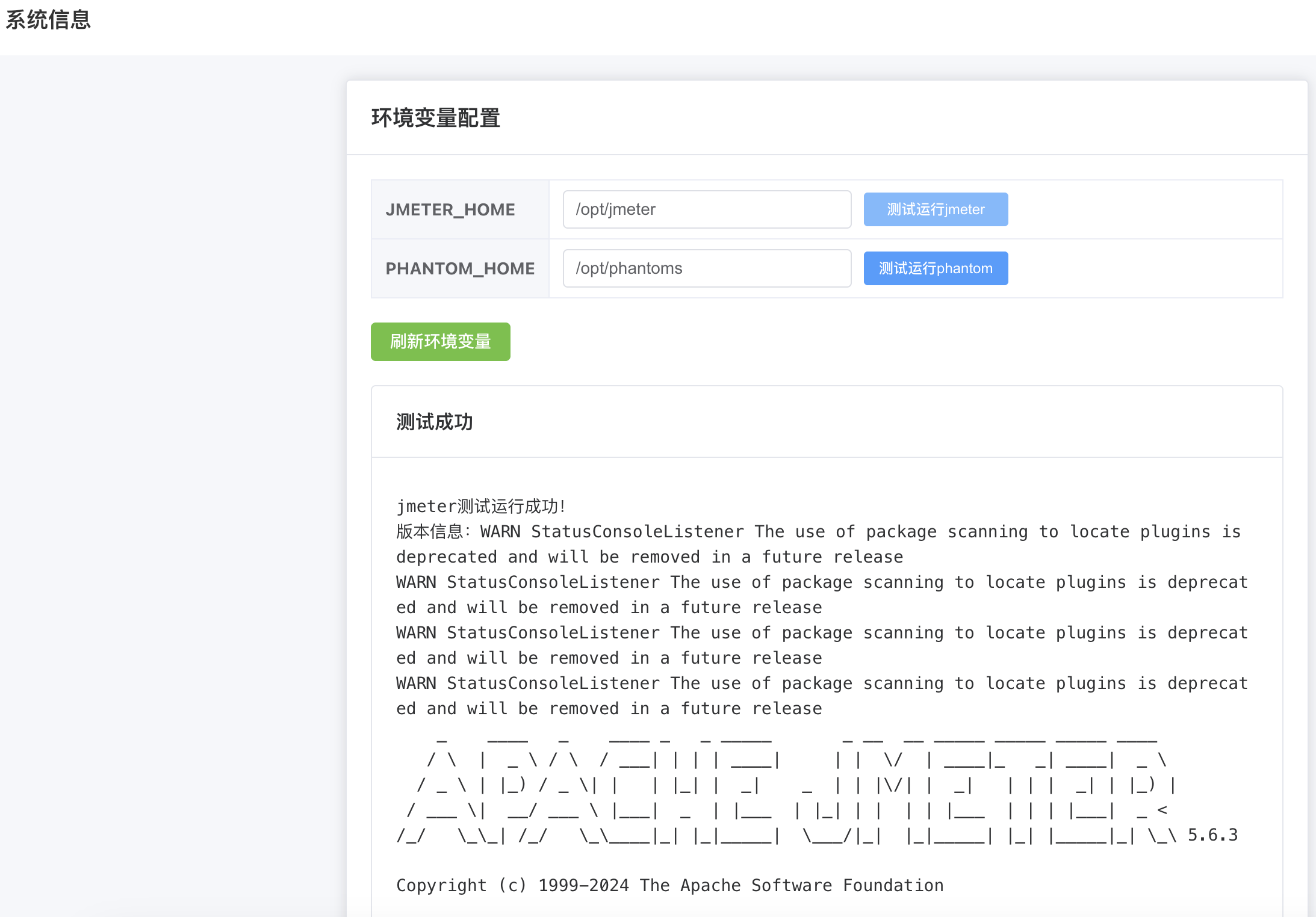
Jmeter环境变量
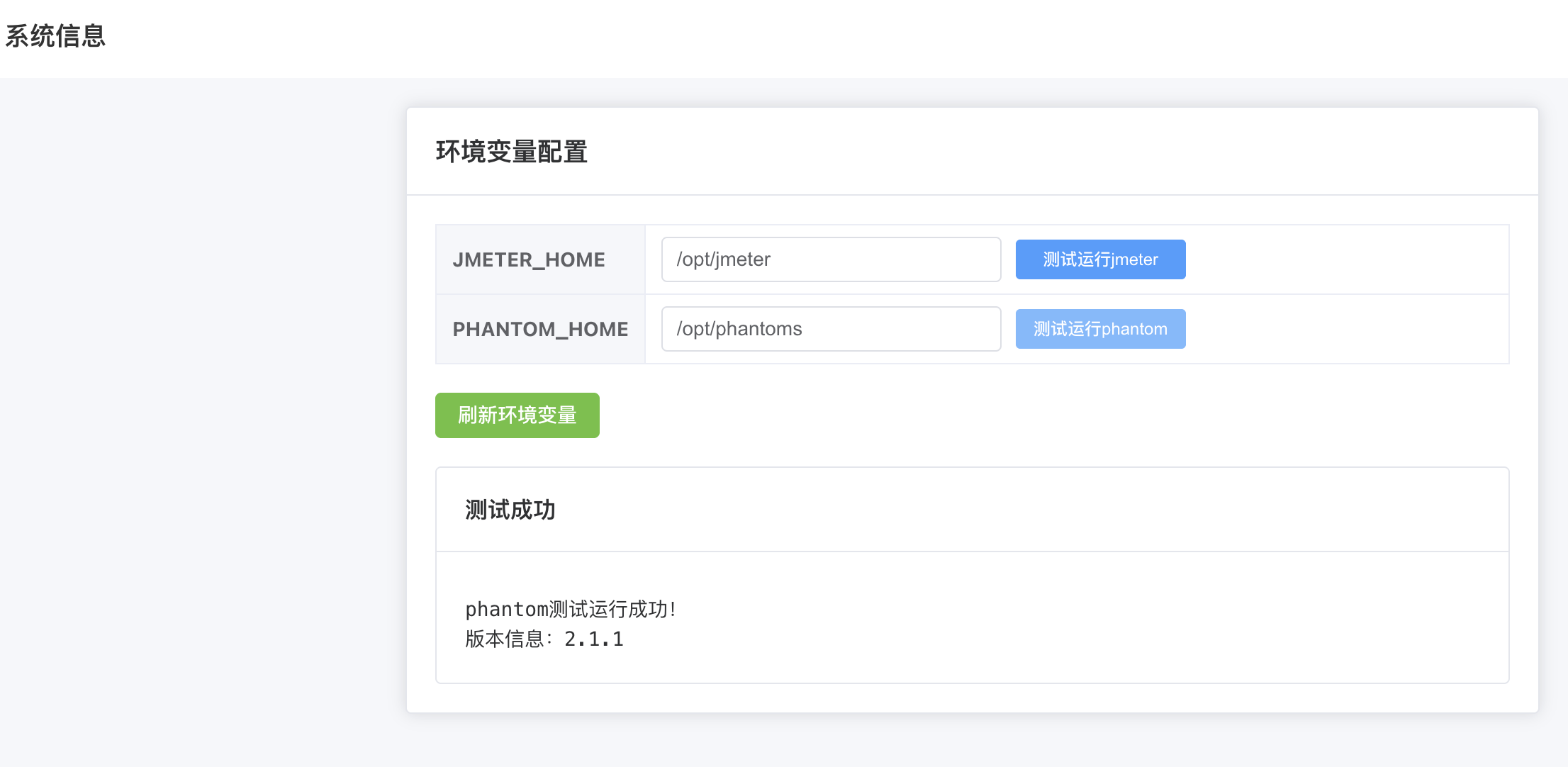
Phantomjs环境变量
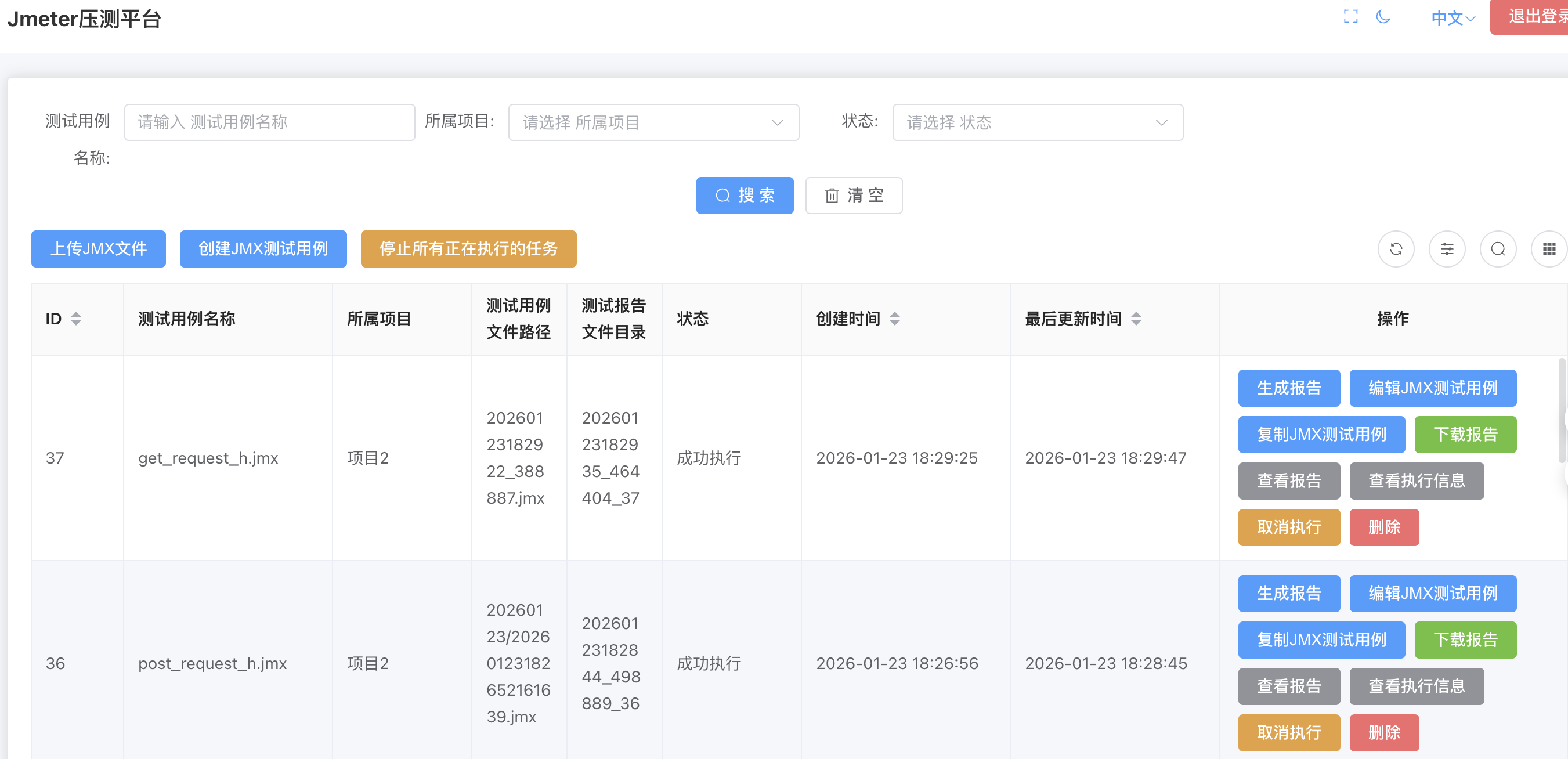
Jmeter分页数据
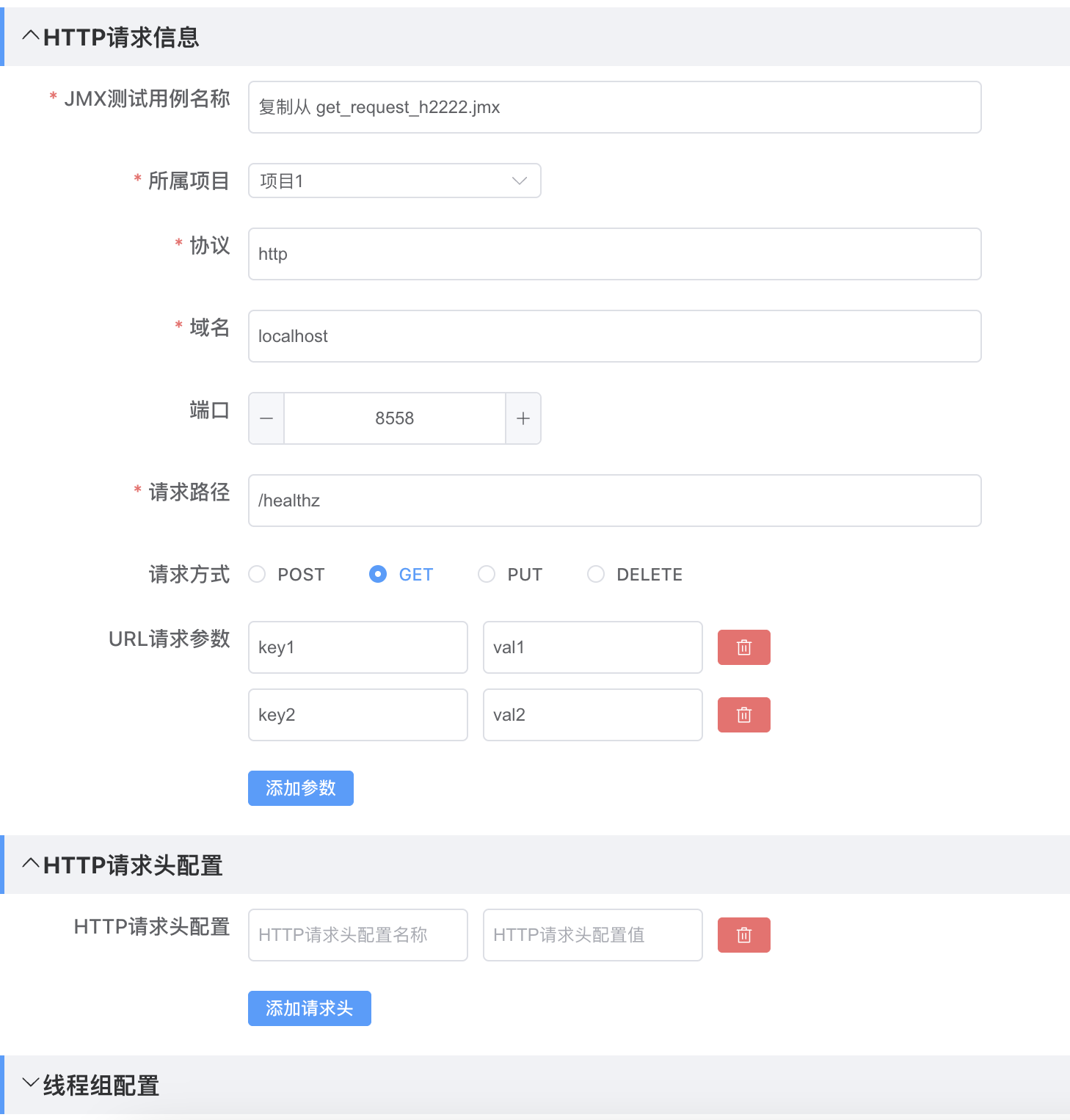
Jmeter编辑GET
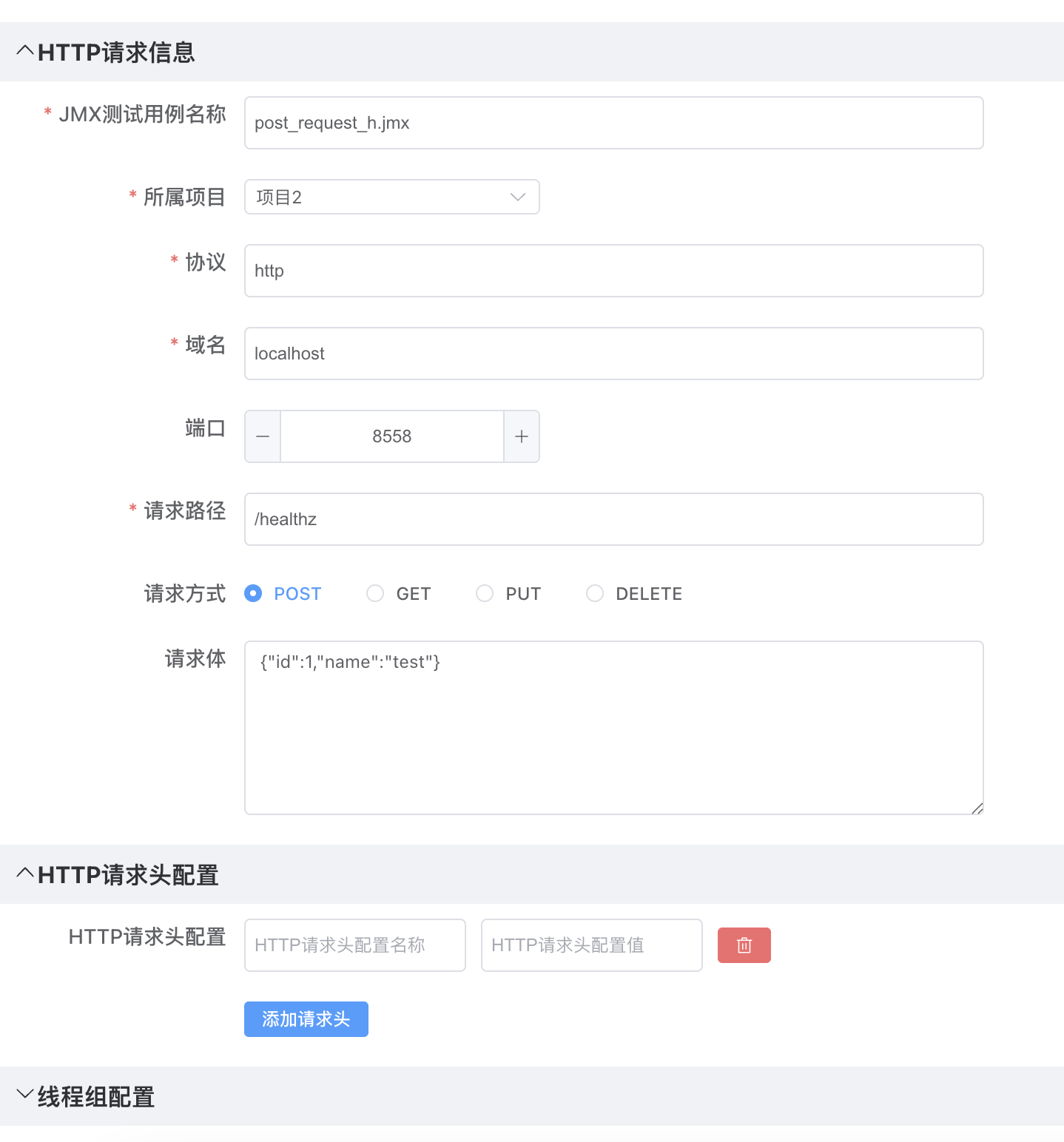
Jmeter编辑POST
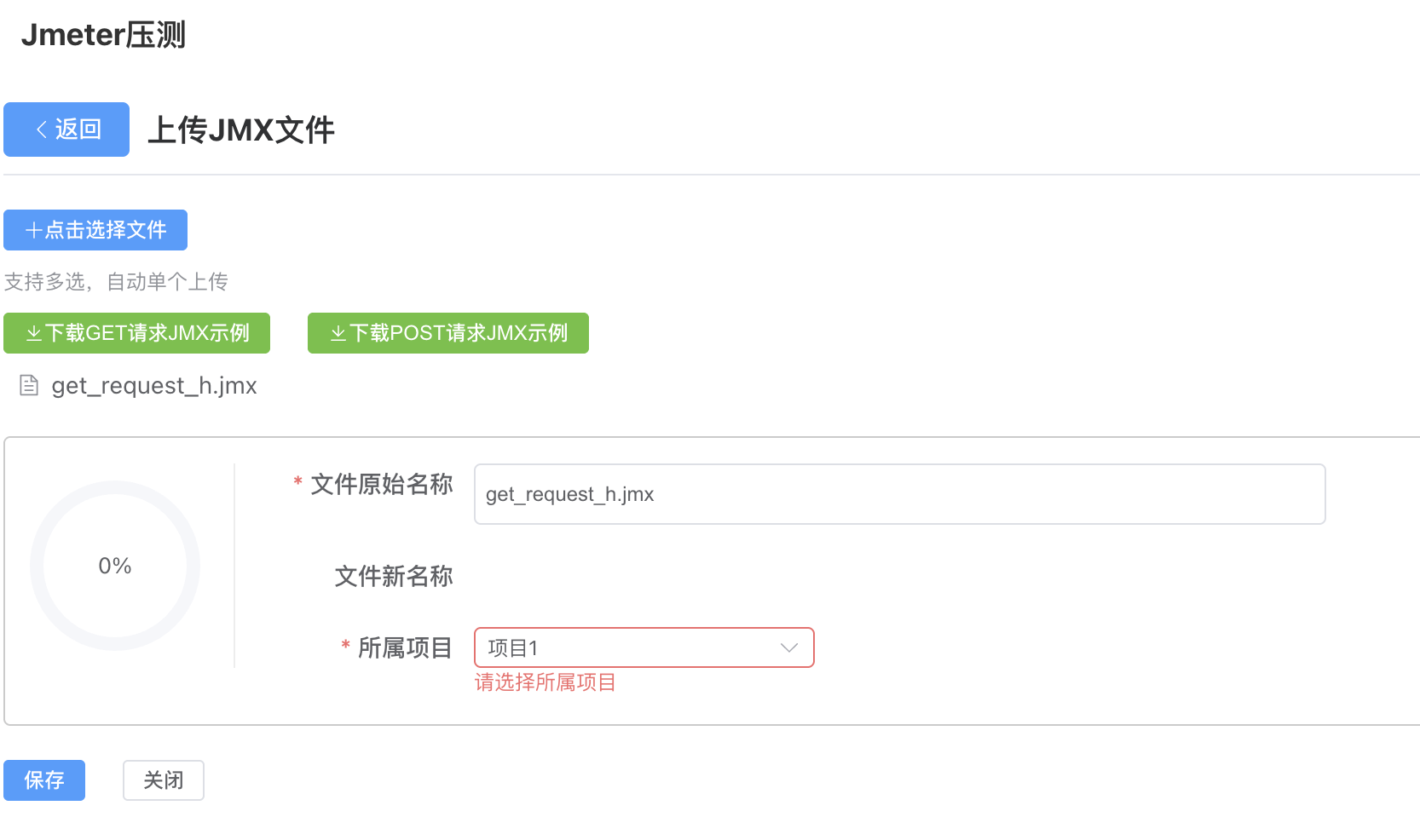
Jmeter上传
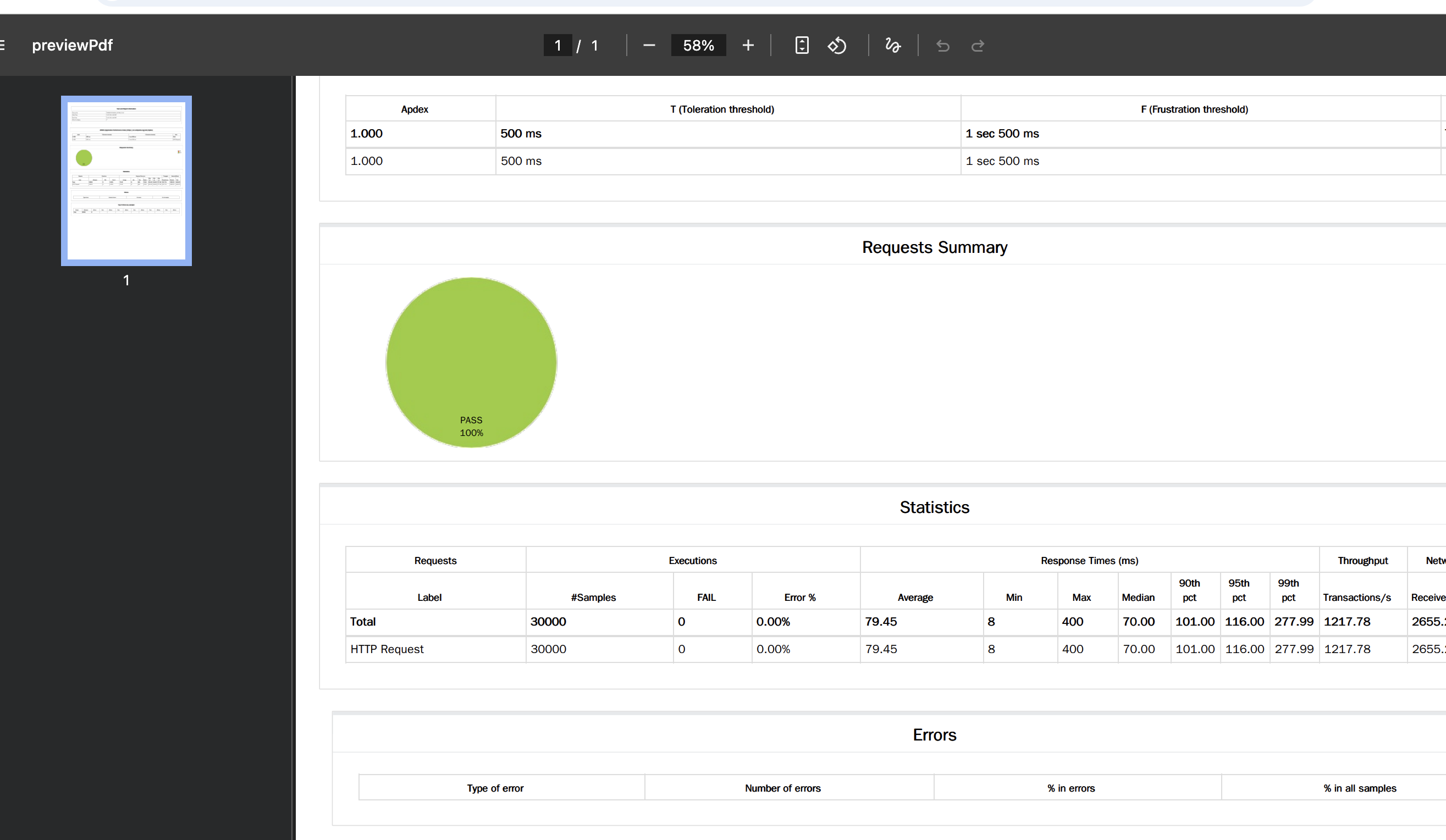
Jmeter预览报告
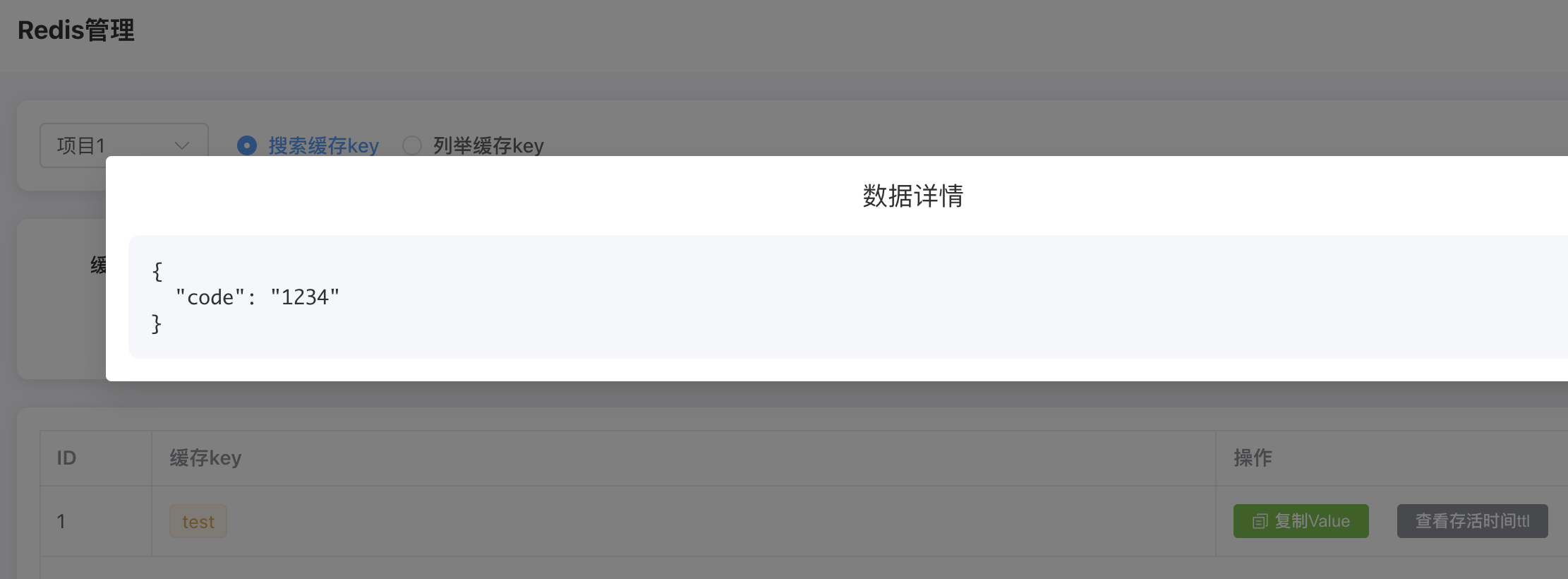
Redis数据查询
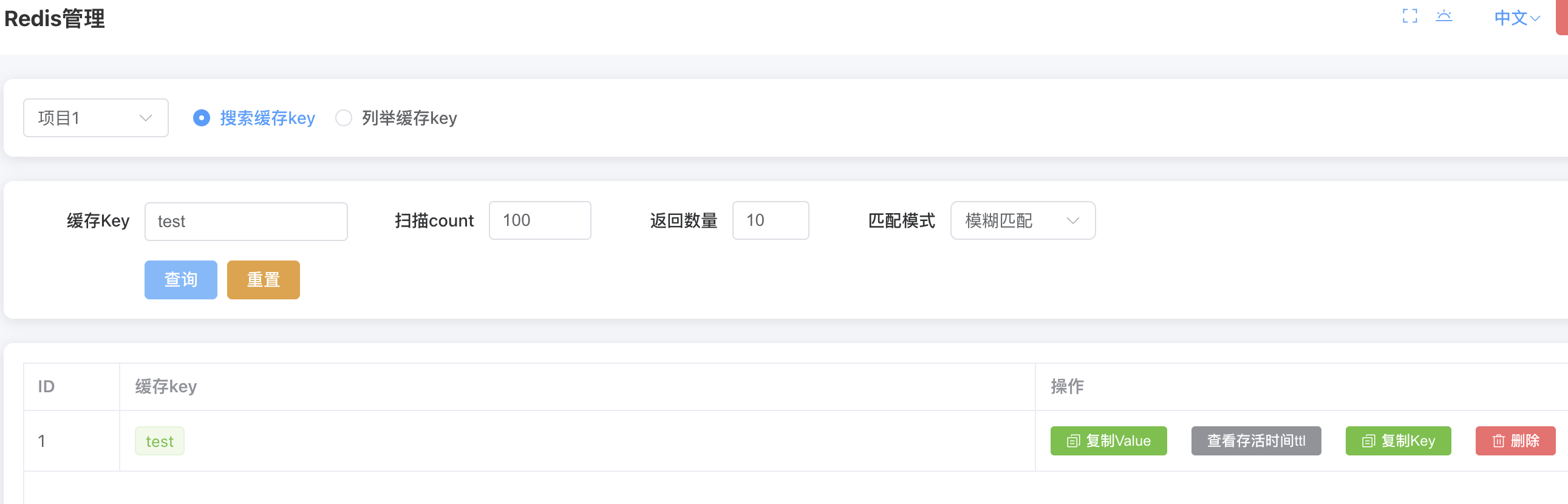
Redis查看缓存
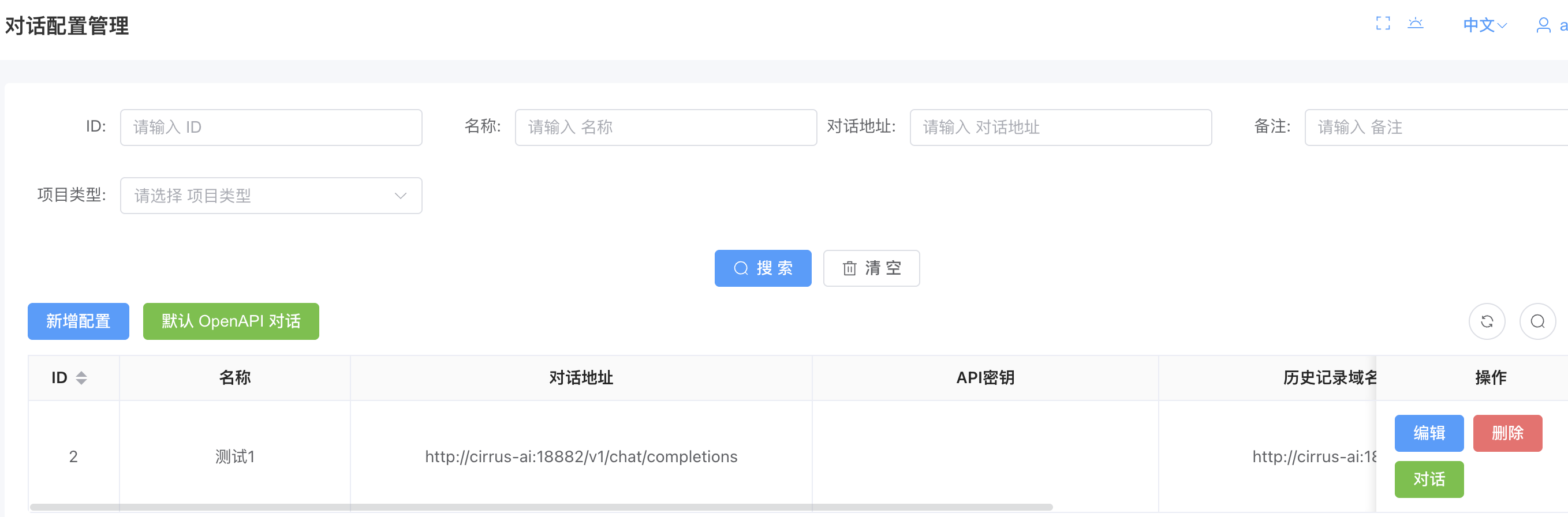
对话配置分页数据
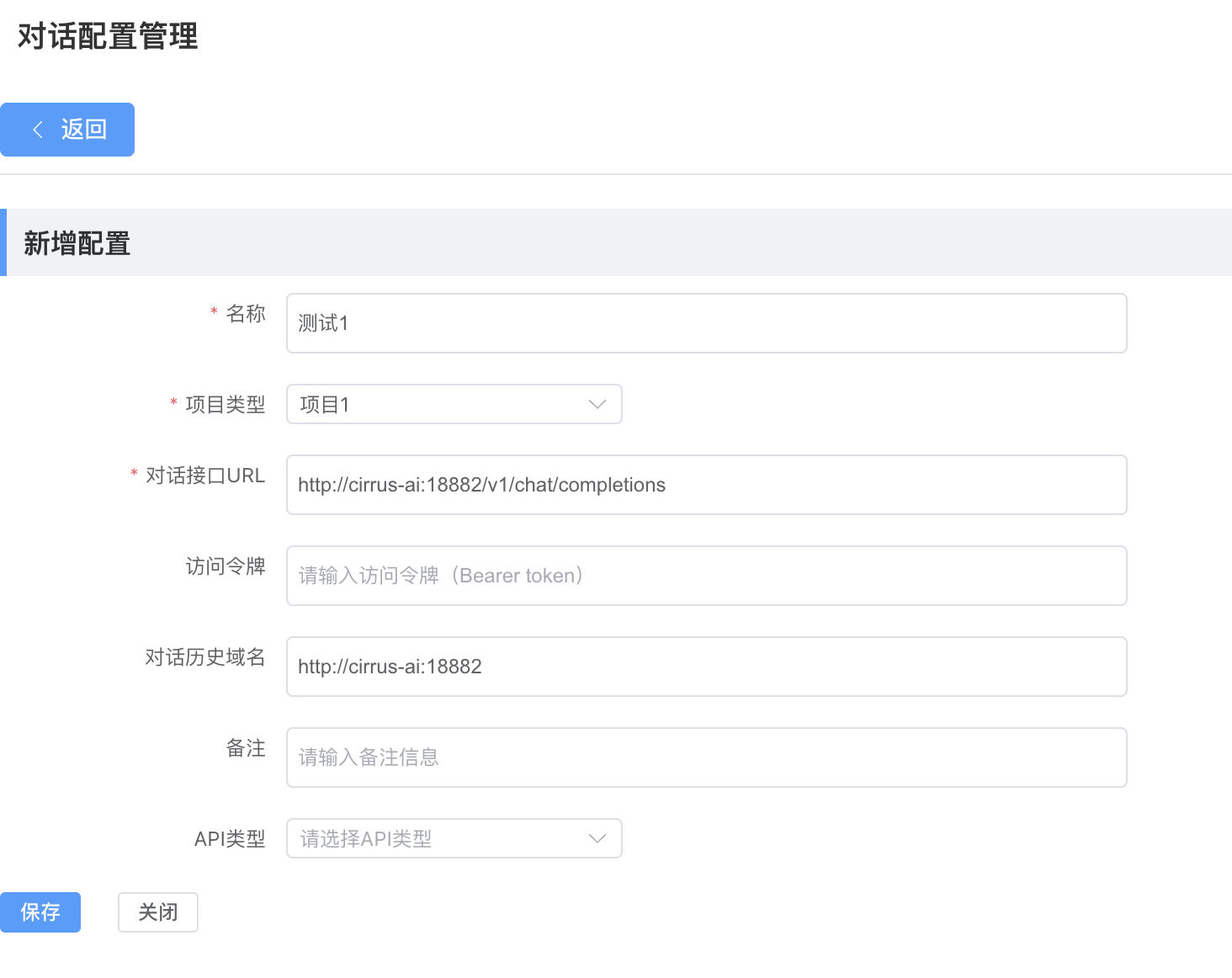
对话配置新增
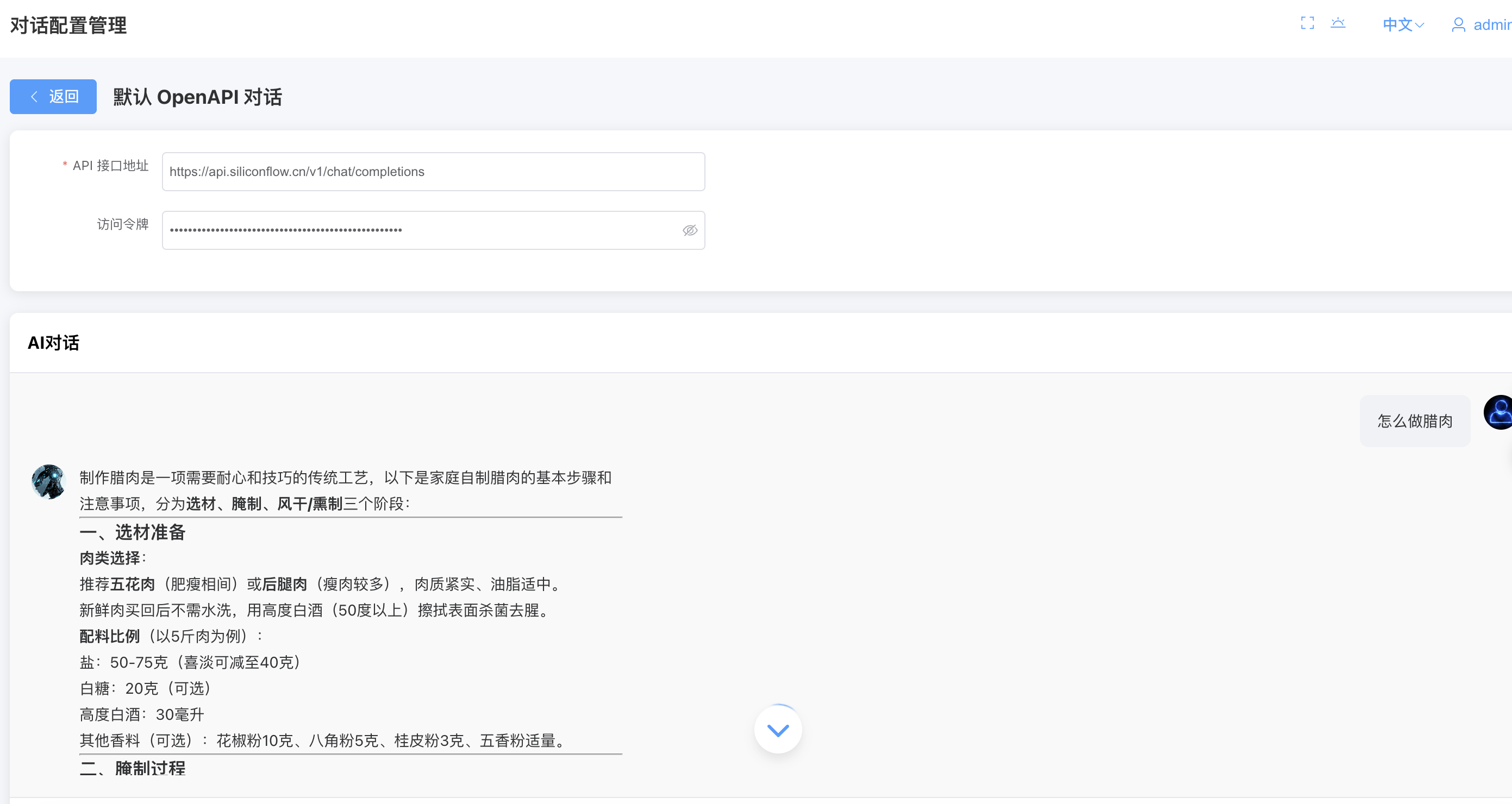
openapi对话
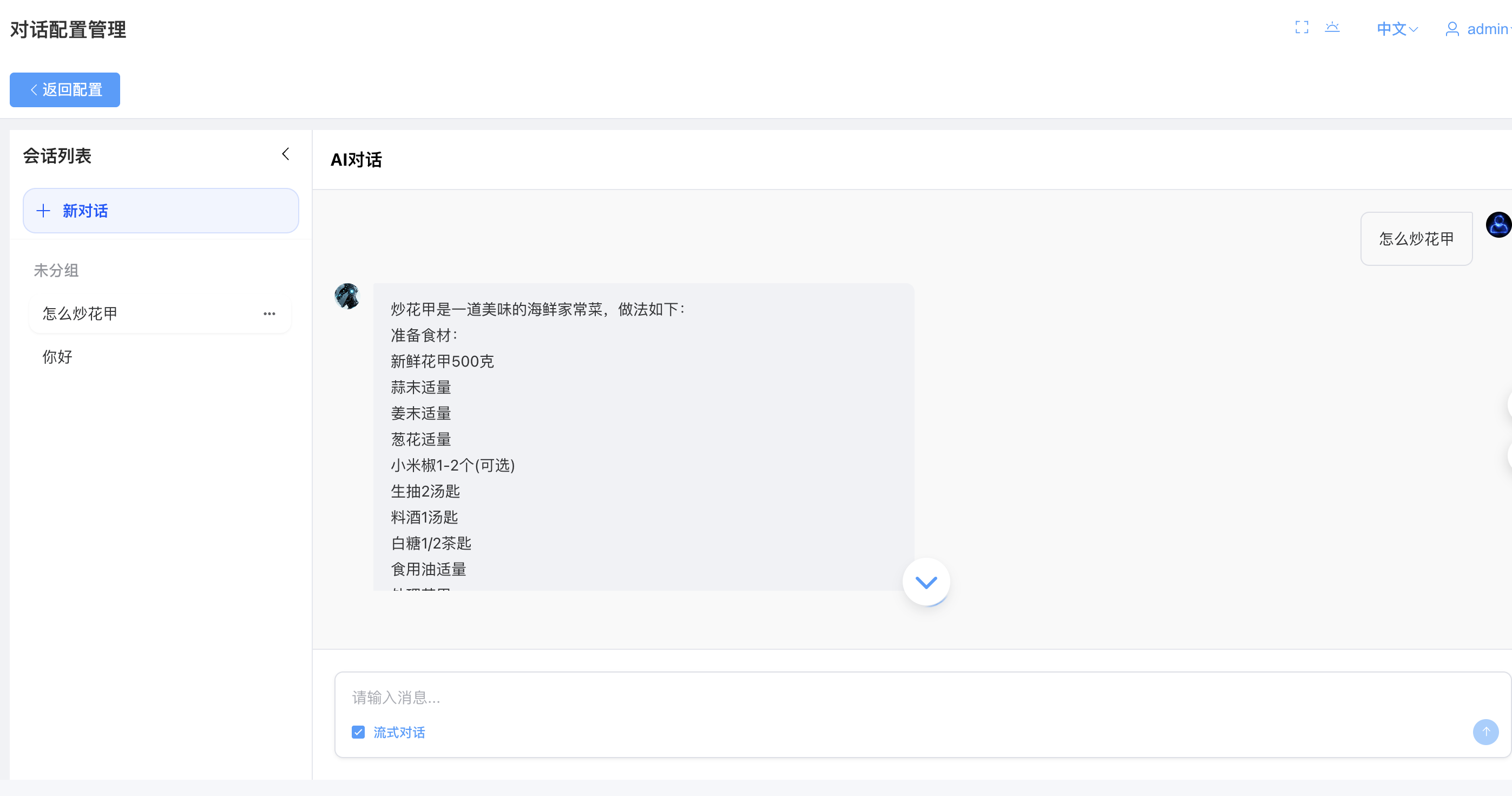
AI对话(历史会话)
docker镜像
测试
- 运行全部测试 cjpm test
- 运行指定测试 cjpm test --filter=Md5Util*
备注
前端项目地址
redis测试写入数据
#
curl -v telnet://localhost:6379
#验证
auth redis123
#设置缓存值
SET test '{"code":"1234"}'
输出
#curl -v telnet://redis-cirrus:7001
curl -v telnet://localhost:6379
*   Trying 127.0.0.1:6379...
* Connected to localhost (127.0.0.1) port 6379 (#0)
auth redis123
+OK
SET test '{"code":"1234"}'
+OK
redis_sdk包连接不上redis-cirrus容器问题
赶在cirrus-be启动报错过程中,执行,获取IP,示例:172.25.0.2
#查看IP
curl -v telnet://redis-cirrus:7001
输出
sh-5.2# curl -v telnet://redis-cirrus:7001
*   Trying 172.25.0.2:7001...
* Connected to redis-cirrus (172.25.0.2) port 7001
或者修改代码
- hyperion/src/transport/client_socket_connection_factory.cj
 /**
 * Copyright 2024 Beijing Baolande Software Corporation
 *
 * Licensed under the Apache License, Version 2.0 (the "License");
 * you may not use this file except in compliance with the License.
 * You may obtain a copy of the License at
 *
 *    http://www.apache.org/licenses/LICENSE-2.0
 *
 * Unless required by applicable law or agreed to in writing, software
 * distributed under the License is distributed on an "AS IS" BASIS,
 * WITHOUT WARRANTIES OR CONDITIONS OF ANY KIND, either express or implied.
 * See the License for the specific language governing permissions and
 * limitations under the License.
 *
 * Runtime Library Exception to the Apache 2.0 License:
 *
 * As an exception, if you use this Software to compile your source code and
 * portions of this Software are embedded into the binary product as a result,
 * you may redistribute such product without providing attribution as would
 * otherwise be required by Sections 4(a), 4(b) and 4(d) of the License.
 */

package hyperion.transport

/**
 * 创建ClientSocketConnection的工厂
 *
 * @author yangfuping
 */
public class ClientSocketConnectionFactory <: PooledObjectFactory<Connection> {
    private let socketOptions: ClientEndpointConfig

    private let ioFilterChain: IoFilterChain

    private let threadPool: ThreadPool

    private var connectionPool: ?ObjectPool<Connection> = None

    private var connInitializer: ?ConnectionInitializer = None

    public init(socketOptions: ClientEndpointConfig, ioFilterChain: IoFilterChain, threadPool: ThreadPool) {
        this.socketOptions = socketOptions
        this.ioFilterChain = ioFilterChain
        this.threadPool = threadPool
    }

    public func setConnectionPool(connectionPool: ObjectPool<Connection>) {
        this.connectionPool = connectionPool
    }

    public func setConnectionInitializer(connInitializer: ConnectionInitializer) {
        this.connInitializer = connInitializer
    }

    /*
     * 创建缓存的对象实例
     * @throws PoolException
     */
    public func createObject(): PooledObject<Connection> {
        let conn = createConnection()
        let pooledObj = PooledObject<Connection>(conn)
        return pooledObj
    }

    /**
     * 创建Socket连接
     */
    private func createConnection(): Connection {
//        let ipAddress = resolveIpAddress(socketOptions.host)
//        let address = IPSocketAddress(ipAddress, socketOptions.port)
//        return createConnection(address)
        return createConnection(socketOptions.host, socketOptions.port)
    }

    private func createConnection(host: String, port: UInt16): Connection {
        try {
//            let socket = createSocket(address)
            println("createConnection: ${host}: ${port}")
            let socket = createSocket(host, port)
            let conn: Connection
            if (let Some(connectionPool) <- connectionPool) {
                conn = ClientSocketConnection(connectionPool, socket)
            } else {
                conn = ClientSocketConnection(socket)
            }
            conn.config(socketOptions)

            let session = DefaultIoSession(conn, ioFilterChain)
            if (socketOptions.stickyRead) {
                let handler = StickyReadInboudHandler(threadPool, ioFilterChain.getBufferAllocator(), session)
                handler.setMaxMessageSizeInBytes(socketOptions.maxMessageSizeInBytes)
                handler.setExecOnReadThread(socketOptions.execOnReadThread)
                spawn {
                    Thread.currentThread.name = "ReadLoop-${conn.simpleName()}"
                    handler.run()
                }
            } else {
                let handler = SimpleInboudEventLoopHandler(threadPool, ioFilterChain.getBufferAllocator(), session)
                handler.setSliceExceedBuffer(socketOptions.sliceExceedBuffer)
                handler.setMaxMessageSizeInBytes(socketOptions.maxMessageSizeInBytes)
                threadPool.addTask(handler)
            }

            if (let Some(initializer) <- connInitializer) {
                initializer.initialize(session)
            }

            return conn
        } catch (ex: Exception) {
            if (ex is PoolException) {
                throw ex
            }
            throw PoolException("Failure to create connection to ${host}, error: ${ex.message}", ex)
        }
    }

    private func createSocket(address: SocketAddress): StreamingSocket {
        let tcpSocket = TcpSocket(address)
        tcpSocket.connect(timeout: Duration.second * 5)
        SocketConnection.configSocketOptions(tcpSocket, socketOptions)
        if (! socketOptions.tlsEnabled) {
            return tcpSocket
        }

        if (let Some(config) <- socketOptions.tlsClientConfig) {
            try {
                let tls = TlsSocket.client(tcpSocket, session: None, clientConfig: config)
                tls.handshake()
                return tls
            } catch (ex: TlsException) {
                tcpSocket.close()
                throw PoolException("Failure to create tls connection to ${address}, error: ${ex.message}", ex)
            }
        } else {
            throw PoolException("Failure to create tls connection to ${address}, should provide tlsClientConfig")
        }
    }

    private func createSocket(host: String, port: UInt16): StreamingSocket {
        let tcpSocket = TcpSocket(host, port)
        tcpSocket.connect(timeout: Duration.second * 5)
        SocketConnection.configSocketOptions(tcpSocket, socketOptions)
        if (! socketOptions.tlsEnabled) {
            return tcpSocket
        }

        if (let Some(config) <- socketOptions.tlsClientConfig) {
            try {
                let tls = TlsSocket.client(tcpSocket, session: None, clientConfig: config)
                tls.handshake()
                return tls
            } catch (ex: TlsException) {
                tcpSocket.close()
                throw PoolException("Failure to create tls connection to ${host}, error: ${ex.message}", ex)
            }
        } else {
            throw PoolException("Failure to create tls connection to ${host}, should provide tlsClientConfig")
        }
    }

    private func resolveIpAddress(host: String): IPAddress {
        if (let Some(ipAddress) <- IPAddress.tryParse(host)) {
            return ipAddress
        }

        let ipAddresses = IPAddress.resolve(host)
        if (ipAddresses.size > 1) {
            return ipAddresses[0]
        }

        throw PoolException("Failure to resolve IPAddress for ${host}")
    }

    /*
     * 验证缓存的对象实例
     */
    public func validObject(pooledObj: PooledObject<Connection>): Bool {
        let conn = pooledObj.value
        if (conn.isInvalid() || conn.isClosed()) {
            return false
        }

        return true
    }

    /*
     * 销毁缓存的对象实例
     * @throws PoolException
     */
    public func destoryObject(pooledObj: PooledObject<Connection>): Unit {
        let conn = pooledObj.value
        conn.markInvalid()
        if (! conn.isClosed()) {
            conn.close()
        }
    }
}
注释JWT认证
- src/v1/App.cj
 //设置JWT
//  setJwtAuth(joy)

有“AI”的1024 = 2048,欢迎大家加入2048 AI社区
更多推荐


 27
27 0
0- 0


 已为社区贡献3条内容

所有评论(0)