Agentic AI--06--liteLLM--实战02--准Agent搭建
实现一个Quasi-Agent(准Agent)通过以上内容,应当掌握:我们做的核心是控制LLM所看见的消息(API交互方式)我们精准控制 LLM 看到 生成的代码,而不是另外生成的一些文字性补充内容每一段发送给 LLM 的指令都有精准的含义上下文通过 message 记录进行 特定的构建(删去了部分内容)
·
前言
实现一个Quasi-Agent(准Agent)
通过以下流程来初步掌握,在运作过程中控制LLM所接收到的上下文和相应Memory
一、准Agent
we are going to write a quasi-agent that can write Python functions based on user requirements. It isn’t quite a real agent, it can’t react and adapt, but it can do something useful for us.
无法给出react或者适应,但可以做一些事情的Agent
本样例中实现的Quasi-Agent目标
- ask the user what they want code for
- write the code for the function, add documentation
- finally include test cases using the unittest framework.
通过本例的学习目标
- 理解并学会跨越多个prompts,维护上下文
- 管理user和LLM之间的信息流
二、Practice ExercisePractice Exercise
1.First Prompt:(生成主体code)
- 询问用户:Ask the user what function they want to create
- 转至LLM:Ask the LLM to write a basic Python function based on the user’s description
- 存储回应:Store the response for use in subsequent prompts
- 解析:Parse the response to separate the code from the commentary by the LLM
2.Second Prompt:(添加附属document)
- Pass the code generated from the first prompt
- Ask the LLM to add comprehensive documentation including:
- Function description
- Parameter descriptions
- Return value description
- Example usage
- Edge cases
3.Third Prompt:(测试整体结果)
- Pass the documented code generated from the second prompt
- Ask the LLM to add test cases using Python’s unittest framework
Tests should cover:- Basic functionality
- Edge cases
- Error cases
- Various input scenarios
三、分三个阶段,解决三个部分问题
1.预备环节
from litellm import completion
import os
from typing import List, Dict

# 设置 API Key(也可以通过环境变量设置)
os.environ["DEEPSEEK_API_KEY"] = ""
def generate_response(messages: List[Dict]) -> str:
    """Call LLM to get response"""
    response = completion(
        model="deepseek/deepseek-chat",
        messages=messages,
        max_tokens=1024
    )
    return response.choices[0].message.content
2.阶段一,读用户输入,构建基础的prompt
'''
    第一阶段的工作 用以下思路来结局
    1. 构建 接收用户输入的 def
    2. 构建 发送给 LLM 的主体message
'''
function_description = input().strip()

# 根据上述三个目标 我们首先搭建一个 从response中抽取code的函数
def extract_code_block(response:str) -> str:
    """
    从LLM的 response中抽取code block
    function设定接收的LLM答复的code是以 Python 语言编写的
    """
    # 没有识别到有代码块输出时
    if not '```' in response:
        return response

    # 从response中抽取code block
    code_block = response.split('```')[1].strip() # split以list形式返回 并用strip删掉开头结尾多余的空格
    if code_block.startswith('python'):
        code_block = code_block[6:].strip() # 去掉python前缀

    return code_block


# 整体调用
def develop_custom_function():
    '''
        返回值:
            1. 一个符合要求的python函数
            2. 一个包含了完整消息记录的list
        核心功能
            1.接收用户的输入
            2.构建 发送给 LLM 的主体message
            3.提取纯函数代码后 发送给第二阶段 进行输出的强化

    '''
    print("\n需要为你构建什么类型的python函数?")
    print("示例: '计算两数之和'")
    print("在本条消息之后,输入你的需求: ", end='')
    # function_description = input().strip()

    # 1.构建主体Prompt
    messages = [
        {"role": "system", "content": "你是一名Python专家,帮助开发一个函数。"}
    ]
    # 限定返回格式,以便后续从response中抽取code block

    messages.append({
        "role": "user",
        "content": f"撰写一个python函数 {function_description}. 用以下格式输出代码 ```python code block```."
        })

    print("\n=== Initial Function ===")
    print(extract_code_block(generate_response(messages)))

    return extract_code_block(generate_response(messages)), messages
3.添加补充文档
'''
    第二阶段的目标 -> 强化整个回应 添加要求的 document
'''

# 首先转Agent存储 被提取后的 python 代码块
# response:str = generate_response(messages) # 获取LLM回复

# initial_function, originalMessage = develop_custom_function()

def stage_2_documented_function(initial_function:str, originalMessage:list):
    """
    强化LLM的回复  添加要求的 document
    """
    messages = originalMessage
    messages.append({
        "role": "assistant",
        "content": "\`\`\`python\n\n"+initial_function+"\n\n\`\`\`"
        })
    # 添加额外的代码文档添加要求
    messages.append({
        "role": "user",
        "content": "为这个函数添加全面的文档, 要求包含:\n"
        "- 函数描述\n"
        "- 参数描述\n"
        "- 返回值描述\n"
        "- 示例用法\n"
        "- 边界情况"
    })

    documented_function = generate_response(messages)
    documented_function = extract_code_block(documented_function)
    print("\n=== Documented Function ===")
    print(documented_function)

    return documented_function, messages
4.执行代码测试
'''
    第三阶段的目标 -> 测试整体生成的代码效果
'''
initial_function, originalMessage = develop_custom_function()
documented_function, originalMessage = stage_2_documented_function(initial_function, originalMessage) # 第二阶段返回的结果

def stage_3_tested_function(documented_function:str, originalMessage:list):
    """
    强化LLM的回复  添加要求的 unittest 测试用例
    """
    messages = originalMessage
    # 先转Agent存储
    messages.append({
        "role": "assistant",
        "content": "\`\`\`python\n\n"+documented_function+"\n\n\`\`\`"
    })

    # 添加测试用例要求
    messages.append({
        "role": "user",
        "content": "添加 unittest 测试用例, 要求包含:\n"
        "- 测试基本功能\n"
        "- 测试边界情况\n"
        "- 测试错误输入\n"
        "- 测试各种输入场景"
    })

    test_cases = generate_response(messages)
    test_cases = extract_code_block(test_cases)
    print("\n=== Test Cases ===")
    print(test_cases)


    # Generate filename from function description
    filename = function_description
    filename = ''.join(c for c in filename if c.isalnum() or c.isspace())
    filename = filename.replace(' ', '_')[:30] + '.py'

    # Save final version
    with open(filename, 'w') as f:
        f.write(documented_function + '\n\n' + test_cases)

    return documented_function, test_cases, filename

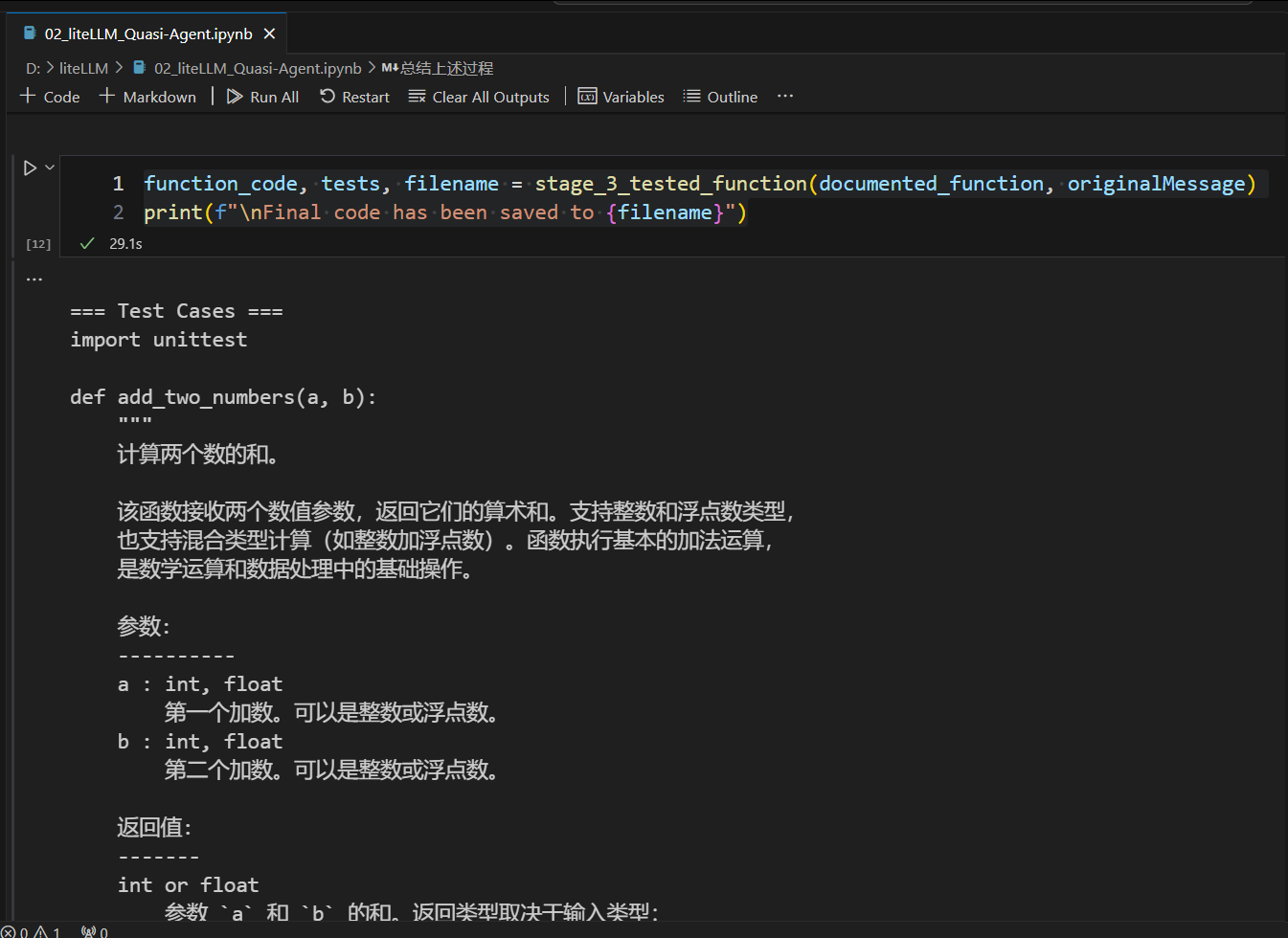
function_code, tests, filename = stage_3_tested_function(documented_function, originalMessage)
print(f"\nFinal code has been saved to {filename}")
总结
通过以上内容,应当掌握:我们做的核心是控制LLM所看见的消息(API交互方式)
- 我们精准控制 LLM 看到 生成的代码,而不是另外生成的一些文字性补充内容
- 每一段发送给 LLM 的指令都有精准的含义
- 上下文通过 message 记录进行 特定的构建(删去了部分内容)

有“AI”的1024 = 2048,欢迎大家加入2048 AI社区
更多推荐
 18
18 0
0- 0


 已为社区贡献2条内容

所有评论(0)