【IO】 IO核心机制全解析
>IO是计算机与外部世界交换数据的过程
目录
一、IO操作
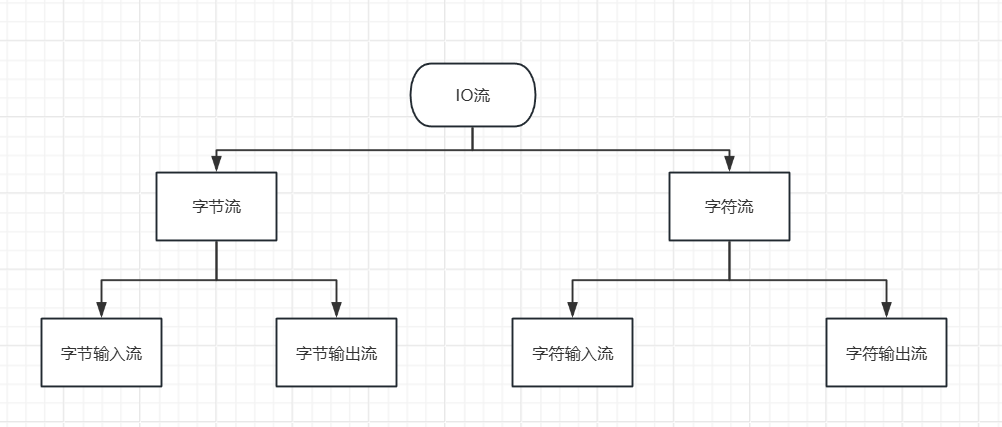
1.1 字节流操作
FileInputStream:
public static void main(String[] args) throws Exception {
        ClassLoader classLoader = ByteDemo01.class.getClassLoader();
        String path = Objects.requireNonNull(classLoader.getResource("file/byte.txt")).getPath();
        // 字节输入流
        try (FileInputStream fis = new FileInputStream(path)) {
            byte[] buffer = new byte[1024];
            int mark = 0;
            while ((mark = fis.read(buffer)) != -1) {
                System.out.println(new String(buffer, 0, mark));
            }
        }
    }
BufferedInputStream:
public static void main(String[] args) throws Exception  {
        try(FileInputStream fis = new FileInputStream(PATH);
            BufferedInputStream bis = new BufferedInputStream(fis)) {
            int mark = 0;
            while ((mark = bis.read()) != -1) {
                System.out.print((char) mark);
            }
        }
    }
DataOutputStream:
public static void main(String[] args) throws Exception{
        String PATH = Objects.requireNonNull(ByteDemo01.class.getClassLoader().getResource("file/byte.bin")).getPath();
        PATH = PATH.substring(1);
        try (DataOutputStream dos = new DataOutputStream(Files.newOutputStream(Paths.get(PATH)))) {
            dos.writeBoolean(true);
            dos.writeInt(123);
            dos.writeUTF("你好,世界");
        }
        try(FileInputStream fis = new FileInputStream(PATH);
            DataInputStream bis = new DataInputStream(fis)) {
            boolean isEnable = bis.readBoolean();
            int readInt = bis.readInt();
            String readUTF = bis.readUTF();
            System.out.println("isEnable = " + isEnable + ", readInt = " + readInt + ", readUTF = " + readUTF);
        }
    }
ObjectInputStream:
public static void main(String[] args) throws Exception{
        String PATH = Objects.requireNonNull(ByteDemo01.class.getClassLoader().getResource("file/byte.txt")).getPath();
        PATH = PATH.substring(1);
        User user = new User();
        user.setName("theonefx");
        user.setAge(666);
        try (ObjectOutputStream oos = new ObjectOutputStream(Files.newOutputStream(Paths.get(PATH)))) {
            oos.writeObject(user);
        }
        try(ObjectInputStream ois = new ObjectInputStream(Files.newInputStream(Paths.get(PATH)))) {
            Object object = ois.readObject();
            System.out.println((User)object);
        }
    }
BufferedOutputStream:
public static void main(String[] args) {
        String path = ByteDemo01.class.getClassLoader().getResource("file/byte.txt").getPath();
        try (FileOutputStream fos = new FileOutputStream(path);
             BufferedOutputStream bos = new BufferedOutputStream(fos)) {
            String context = "hello world!!!";
            bos.write(context.getBytes(StandardCharsets.UTF_8));
            bos.flush();
            System.out.println("写入成功!");
        } catch (IOException e) {
            System.err.println("写入失败: " + e.getMessage());
        }
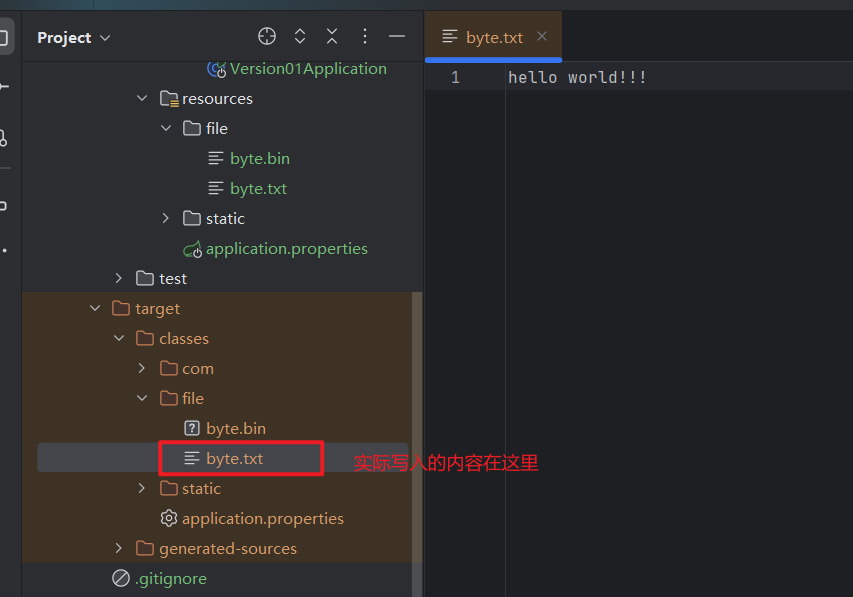
}在使用output流时,如果项目是Maven项目,需要注意src/main是源码目录,当程序编译后,会将resource目录下面的文件复制到target目录下面。
1.2 字符流操作
FileReader:
public static void main(String[] args) throws Exception {
        try(FileReader fr = new FileReader(path)) {
            char[] buffer = new char[1024];
            int mark = 0;
            while ((mark = fr.read(buffer)) != -1) {
                System.out.println(new String(buffer, 0, mark));
            }
        }
    }
FileWriter:
public static void main(String[] args) throws Exception {
        try(FileWriter fw = new FileWriter(path)) {
            String context = "你好,世界!";
            fw.write(context);
        }
    }
当使用try-with-resources时,会在自动调用close()时自动再flush()
BufferedReader:
public static void main(String[] args) throws Exception {
        try(BufferedReader br = new BufferedReader(new FileReader(path))) {
            String readLine;
            while ((readLine = br.readLine()) != null) {
                System.out.println(readLine);
            }
        }
    }
1.3 缓冲流操作
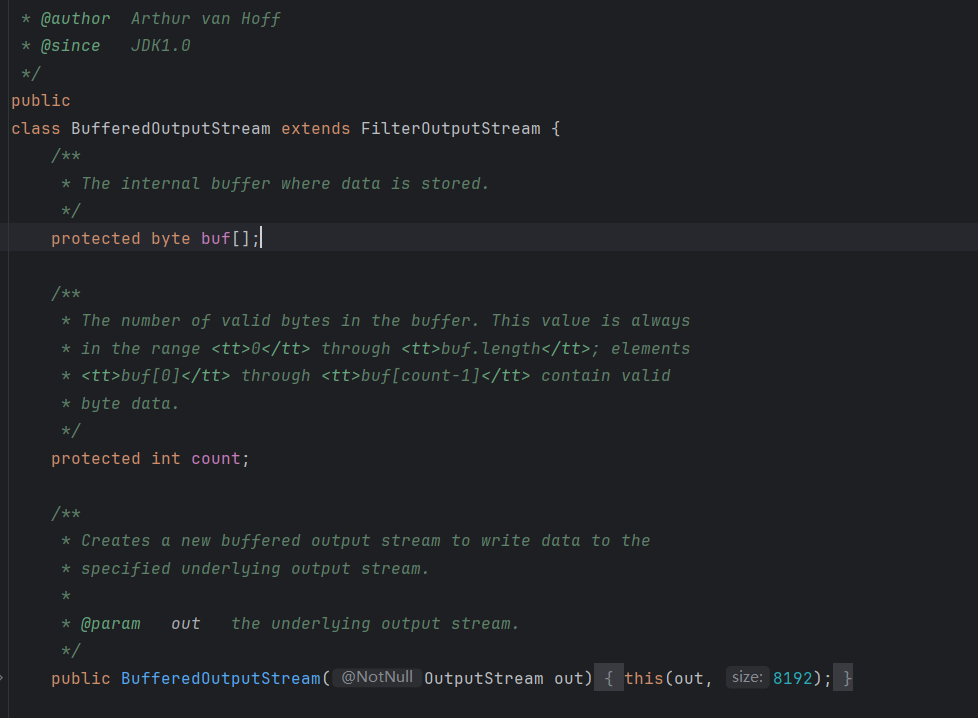
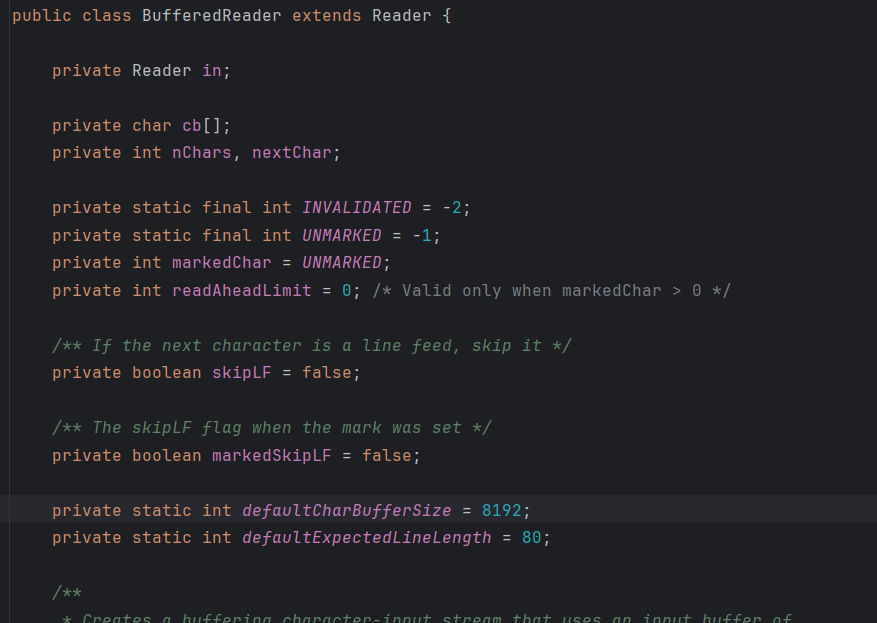
默认的缓冲区都是8kb
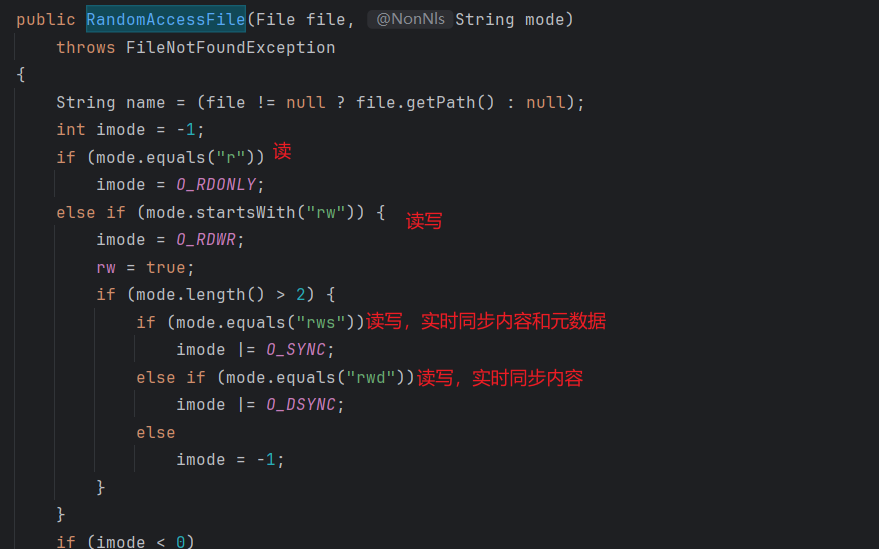
RandomAccessFile:随机访问流
public static void main(String[] args) throws Exception {
        try(RandomAccessFile raf = new RandomAccessFile(path, "rws")) {
            System.out.println(raf.getFilePointer());
            int read = raf.read();
            System.out.println((char) read);
            raf.seek(2);
            System.out.println(raf.getFilePointer());
            int read1 = raf.read();
            System.out.println((char) read1);
            raf.write('a');
        }
    }
总结:字节流适合处理二进制,如图片和视频等;字符流适合处理文本数据,自动处理编码问题;
打印流适合格式化输出内容,随机访问流适合断点续传等高级功能。
二、IO设计模式
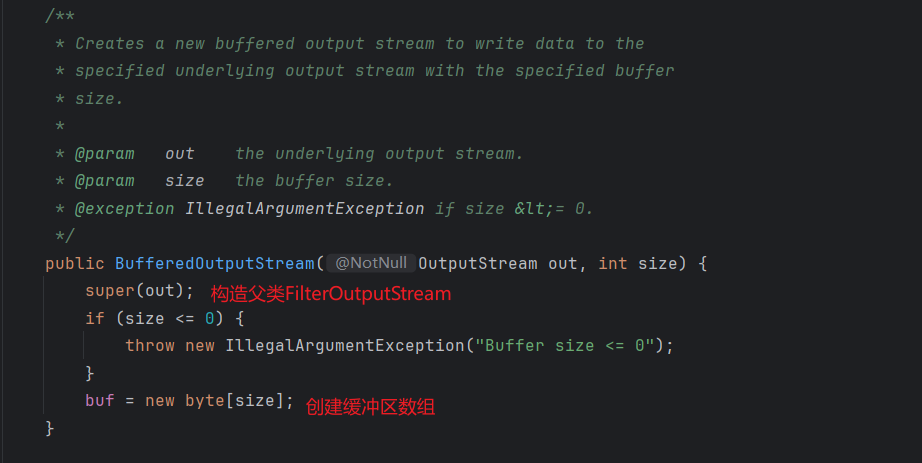
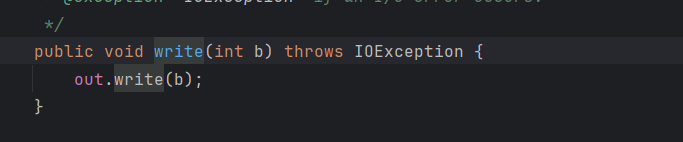
2.1 装饰器模式
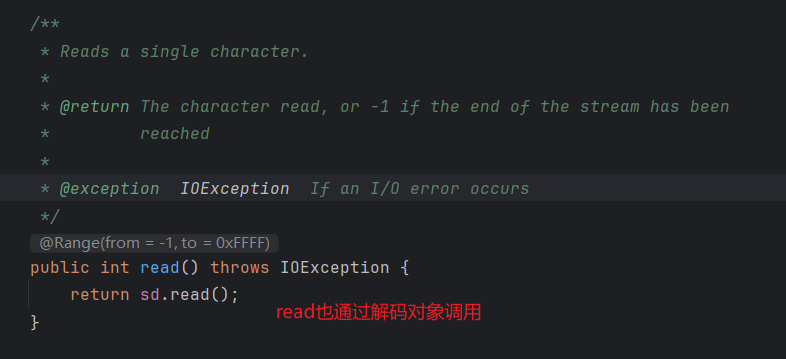
2.2 适配器模式
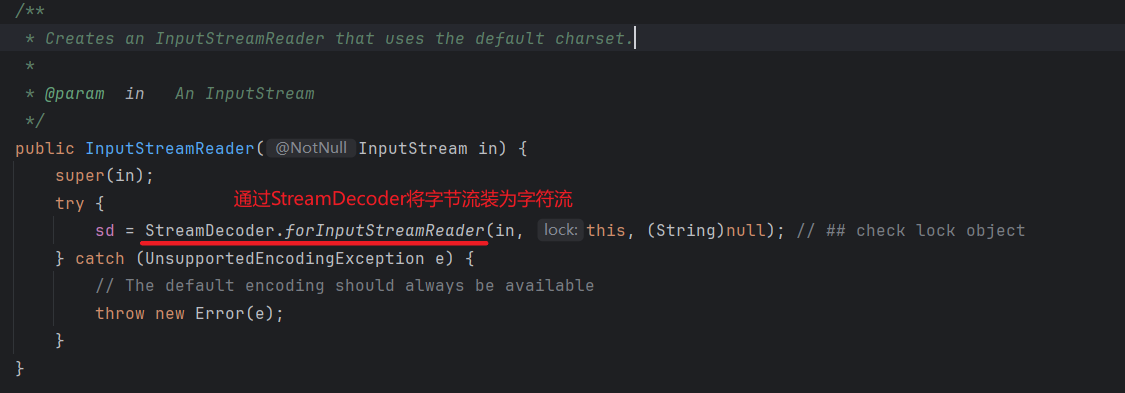
new InputStreamReader(Files.newInputStream(Paths.get(path)));
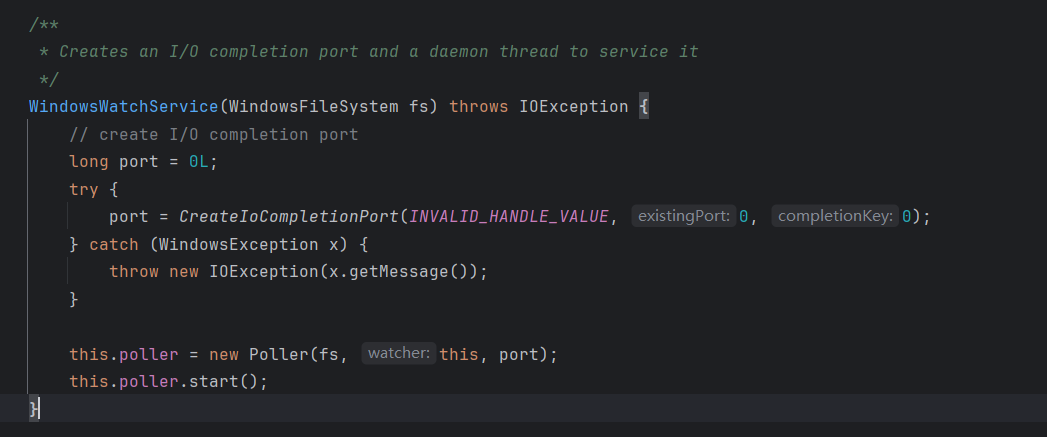
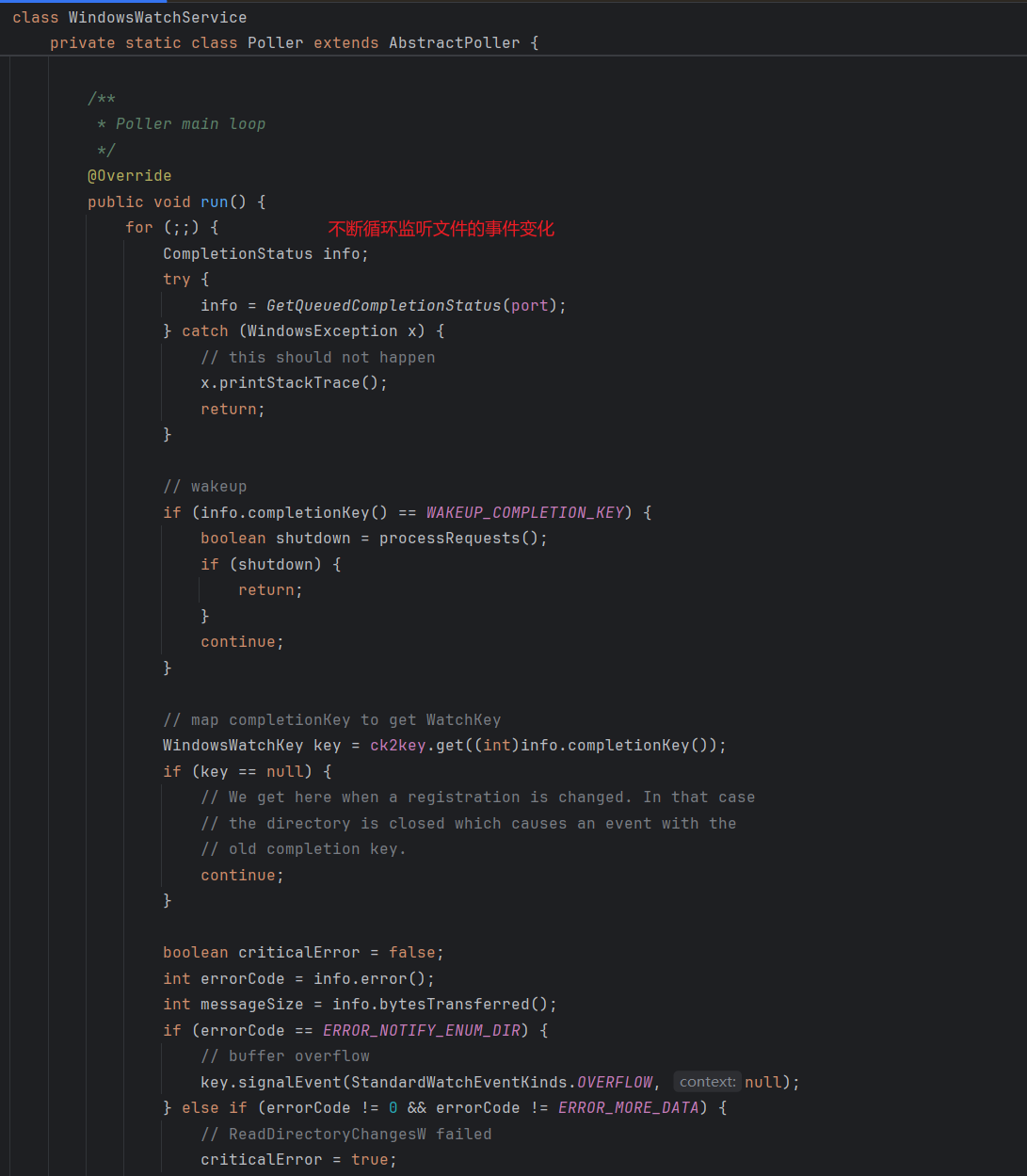
2.3 观察者模式
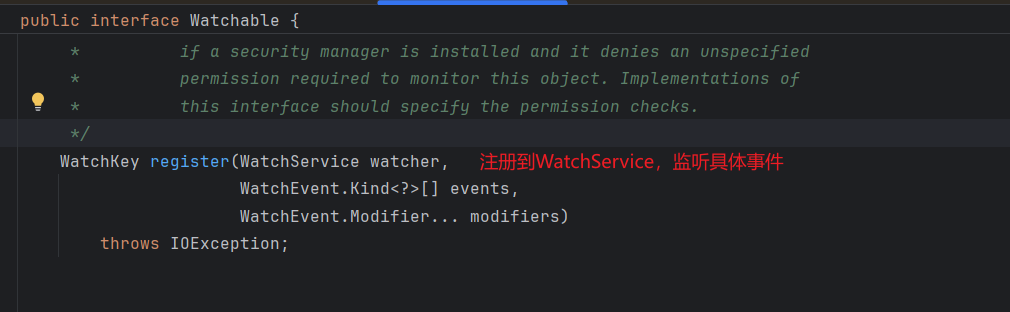
public static void main(String[] args) throws Exception {
        WatchService watchService = FileSystems.getDefault().newWatchService();
        // 修改这里:获取的是目录而不是文件
        Path configDir = Paths.get(WatchDemo01.class.getClassLoader().getResource("file").toURI());
        configDir.register(watchService,
                StandardWatchEventKinds.ENTRY_CREATE,
                StandardWatchEventKinds.ENTRY_MODIFY,
                StandardWatchEventKinds.ENTRY_DELETE);
        WatchKey watchKey;
        while((watchKey = watchService.take()) != null) {
            for (WatchEvent<?> pollEvent : watchKey.pollEvents()) {
                WatchEvent.Kind<?> kind = pollEvent.kind();
                Path fileName = (Path)pollEvent.context();
                if (kind == StandardWatchEventKinds.ENTRY_CREATE) {
                    System.out.println("创建: " + fileName);
                } else if (kind == StandardWatchEventKinds.ENTRY_MODIFY) {
                    System.out.println("修改: " + fileName);
                } else if (kind == StandardWatchEventKinds.ENTRY_DELETE) {
                    System.out.println("删除: " + fileName);
                }
            }
            watchKey.reset();
        }
    }
三、IO模型
3.1 五种IO模型(操作系统)
同步阻塞IO(BIO)
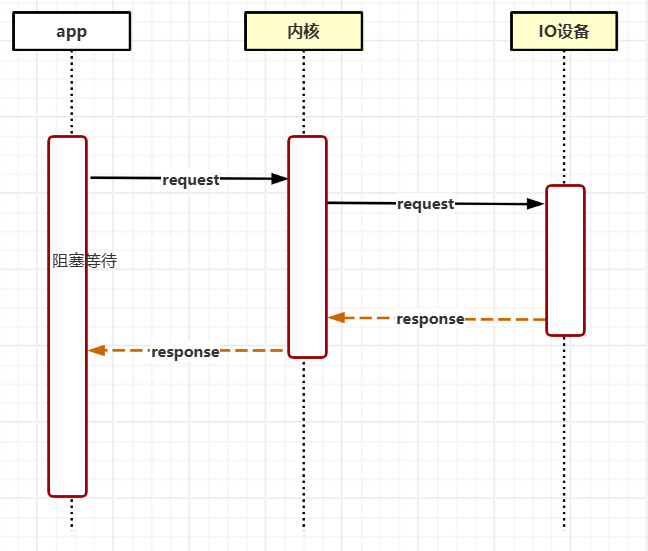
同步非阻塞IO(NIO)
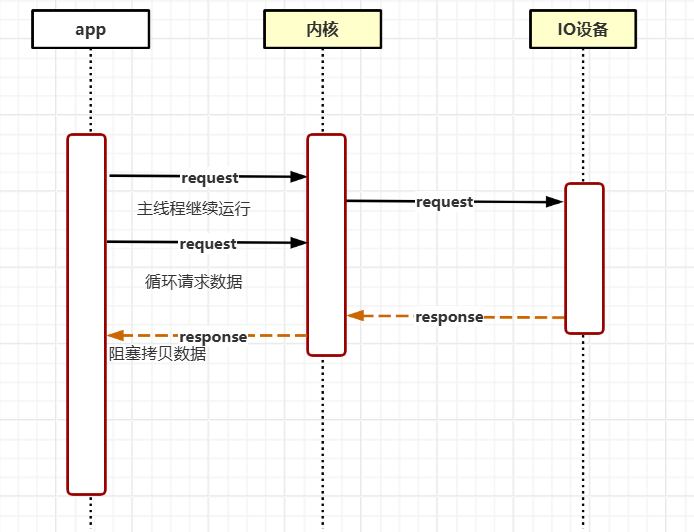
IO多路复用
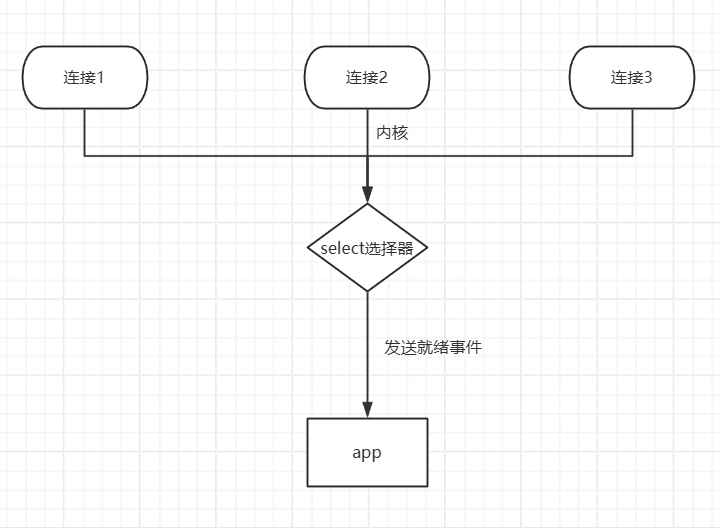
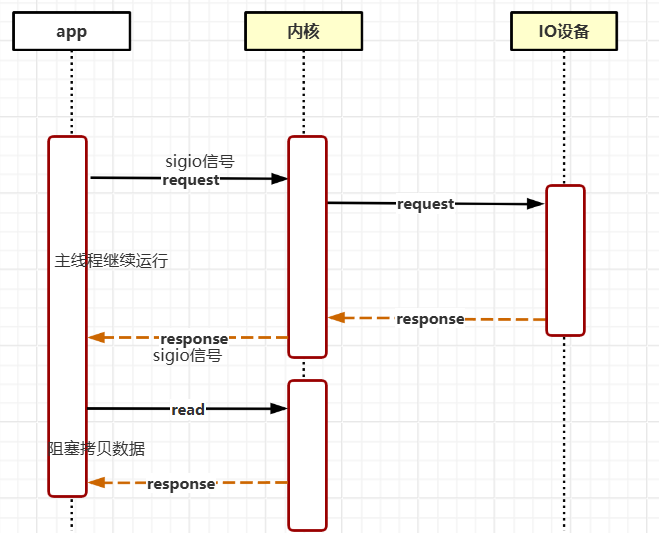
信号驱动IO
应用注册信号处理函数,数据准备好后,内核再发送信号通知来处理数据。
异步非阻塞IO(AIO)
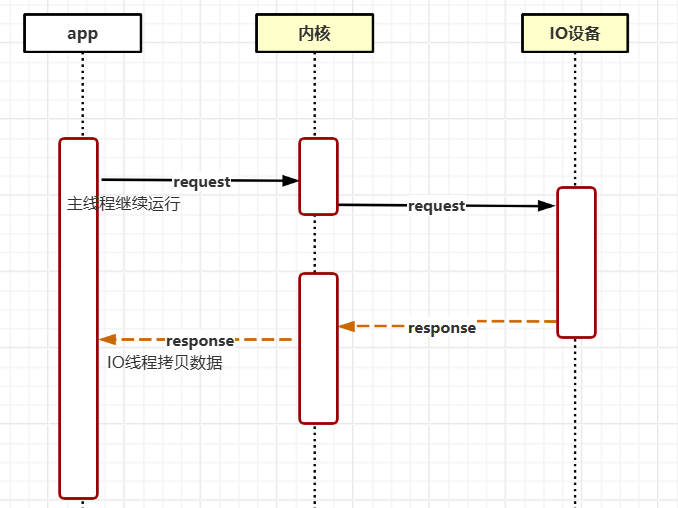
在并发情况下,如果任务是IO密集型采用IO多路复用,如果是CPU密集型采用多线程。 最佳实践为IO多路复用接受任务,多线程同步处理任务。
3.3 三中IO模型(Java)
BIO:每个连接都会去创建一个线程,在并发情况下会存在严重的内存占用问题。
NIO:类似IO多路复用模型
public static void main(String[] args) throws Exception{
        Selector selector = Selector.open();
        ServerSocketChannel.open()
                .bind(new InetSocketAddress(8080))
                .configureBlocking(false)
                .register(selector, SelectionKey.OP_ACCEPT);
        System.out.println("Server is listening on port 8080");
        Iterator<SelectionKey> keyIterator = selector.selectedKeys().iterator();
        while (true) {
            selector.select();
            while (keyIterator.hasNext()) {
                SelectionKey key = keyIterator.next();
                keyIterator.remove();
                if (key.isAcceptable()) {
                    System.out.println("Client connected");
                    ServerSocketChannel serverSocket = (ServerSocketChannel) key.channel();
                    SocketChannel clientSocket = serverSocket.accept();
                    clientSocket.configureBlocking(false);
                    clientSocket.register(selector, SelectionKey.OP_READ);
                }
                if (key.isReadable()) {
                    System.out.println("Reading from client");
                    SocketChannel clientSocket = (SocketChannel) key.channel();
                    ByteBuffer buffer = ByteBuffer.allocate(1024);
                    int bytesRead = clientSocket.read(buffer);
                    if (bytesRead == -1) {
                        clientSocket.close();
                    }
                    key.interestOps(SelectionKey.OP_WRITE);
                    System.out.println("Received: " + new String(buffer.array(), 0, bytesRead));
                }
                if (key.isWritable()) {
                    System.out.println("Writing to client");
                    SocketChannel clientSocket = (SocketChannel) key.channel();
                    ByteBuffer byteBuffer = ByteBuffer.wrap("Server response".getBytes());
                    clientSocket.write(byteBuffer);
                    key.interestOps(SelectionKey.OP_READ);
                }
            }
        }
    }
AIO:
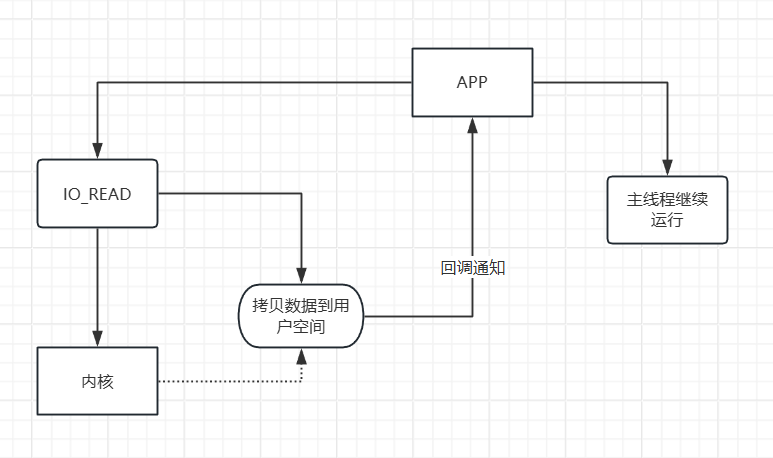
public static void main(String[] args) throws Exception {
        AsynchronousServerSocketChannel serverSocketChannel = AsynchronousServerSocketChannel.open()
                .bind(new InetSocketAddress(8080));

        // 接受连接
        serverSocketChannel.accept(null, new CompletionHandler<AsynchronousSocketChannel, Object>() {
            @Override
            public void completed(AsynchronousSocketChannel client, Object attachment) {
                // 继续接受下一个连接
                serverSocketChannel.accept(null, this);
                // 处理当前连接
                ByteBuffer buffer = ByteBuffer.allocate(1024);
                // 异步读取数据
                client.read(buffer, buffer, new CompletionHandler<Integer, ByteBuffer>() {
                    @Override
                    public void completed(Integer result, ByteBuffer attachment) {
                        if (result > 0) {
                            // 切换读模式
                            attachment.flip();
                            String msg = new String(attachment.array(), 0, result);
                            System.out.println("收到消息:" + msg);
                            // 异步回写数据
                            ByteBuffer response = ByteBuffer.wrap(("服务器收到:" + msg).getBytes());
                            client.write(response, response, new CompletionHandler<Integer, ByteBuffer>() {
                                @Override
                                public void completed(Integer result, ByteBuffer attachment) {
                                    System.out.println("回写数据:" + new String(attachment.array(), 0, result));
                                }

                                @Override
                                public void failed(Throwable exc, ByteBuffer attachment) {
                                    exc.printStackTrace();
                                }
                            });
                        }
                    }

                    @Override
                    public void failed(Throwable exc, ByteBuffer attachment) {
                        exc.printStackTrace();
                    }
                });
            }

            @Override
            public void failed(Throwable exc, Object attachment) {
                exc.printStackTrace();
            }
        });
        // 阻塞,防止程序退出
        System.in.read();
    }
四、NIO核心
4.1 Buffer缓冲
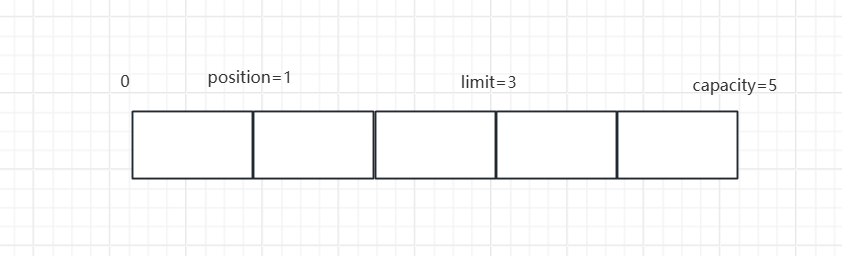
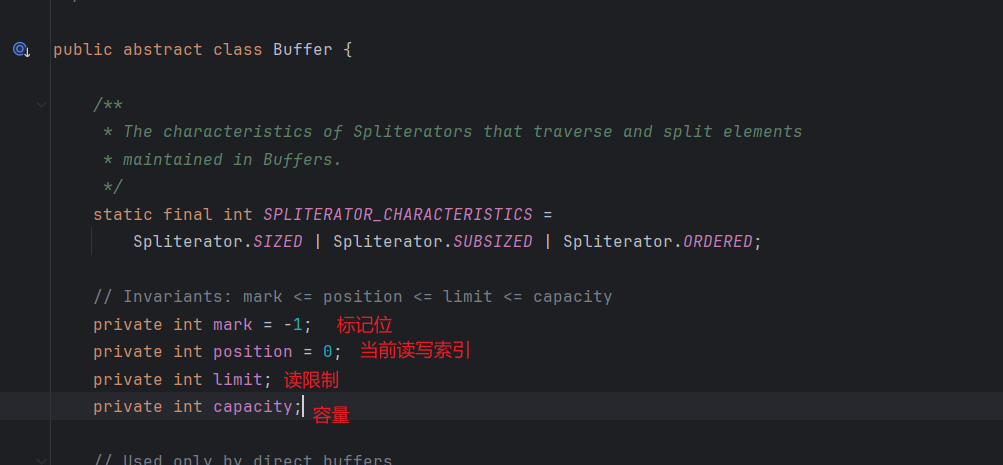
Buffer创建后默认是写模式,需要通过flip()方法切换为读模式;通过clear()和compact()方法切换为写模式。compact表示压缩剩余未读取数据到开头后继续写入。
4.2 Channel通道
FileChannel示例:
public static void main(String[] args) throws Exception {
        String sourceName = "source.txt";
        String targetName = "target.txt";
        try (RandomAccessFile sourceFile = new RandomAccessFile(sourceName, "r");
             RandomAccessFile targetFile = new RandomAccessFile(targetName, "rw")) {
            FileChannel sourceFileChannel = sourceFile.getChannel();
            FileChannel targetFileChannel = targetFile.getChannel();
            ByteBuffer byteBuffer = ByteBuffer.allocate(1024);
            while (sourceFileChannel.read(byteBuffer) != -1) {
                byteBuffer.flip();
                targetFileChannel.write(byteBuffer);
                byteBuffer.clear();
            }
        }
    }
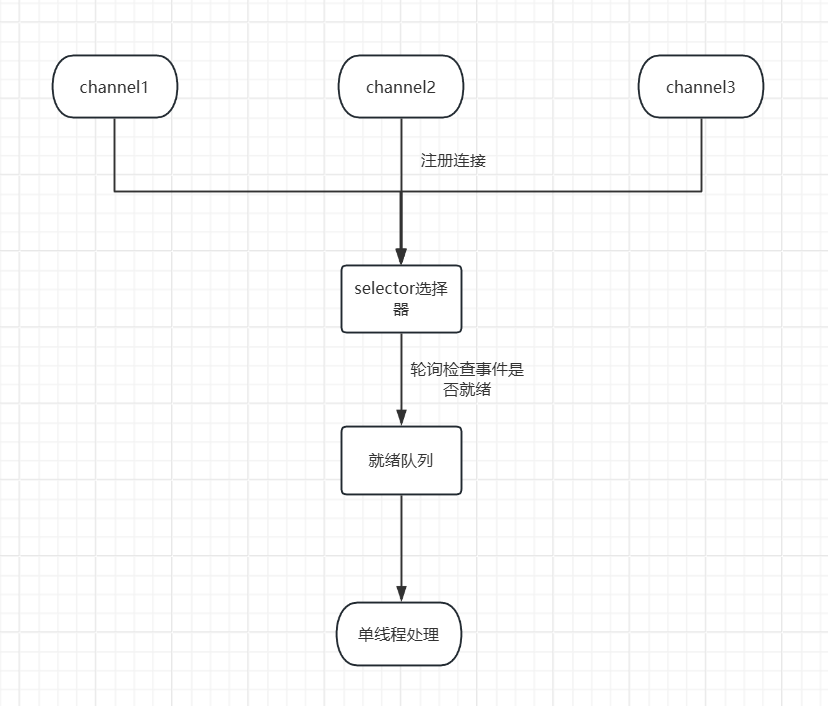
4.3 Selector选择器
4.4 零拷贝
传统的IO操作流程:

零拷贝就是不需要多次复制,第一种方式是直接内核空间到Socket缓冲的拷贝,少了用户空间;第二种是sendfile,少了用户空间和Socket缓冲,直接到内核空间到网卡。
public static void main(String[] args) throws Exception {
        String sourceName = "source.txt";
        String targetName = "target.txt";
        try (RandomAccessFile sourceFile = new RandomAccessFile(sourceName, "r");
             RandomAccessFile targetFile = new RandomAccessFile(targetName, "rw")) {
            FileChannel sourceFileChannel = sourceFile.getChannel();
            FileChannel targetFileChannel = targetFile.getChannel();
            sourceFileChannel.transferTo(0, sourceFileChannel.size(),
                    targetFileChannel);
        }
    }
五、IO多路复用
5.1 三种机制
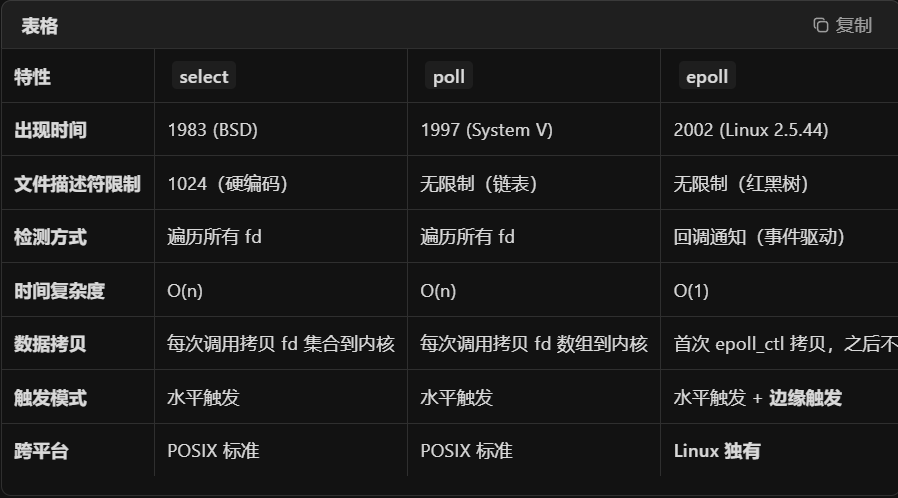
select的fd上限是1024,每次调用都需要拷贝整个fd_set到内核,遍历所有的fd;poll只是在select的基础上取消了fd的上限;epoll分为三个步骤:注册阶段(fd写入内核),事件就绪(内核回调,将就绪fd放入链表返回),epoll_wait(直接返回就绪的链表)
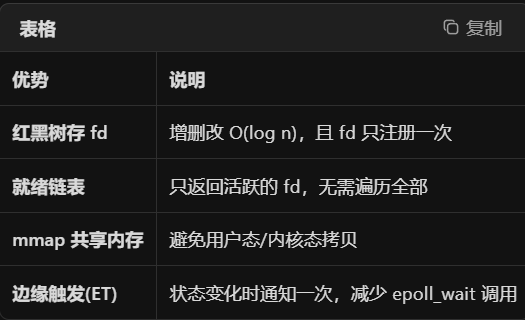
epoll的优化:
5.2 触发模式
水平模式LT:会持续处理未完成的fd,垂直模式ET:只会在fd变化时通知一次,如果应用程序没有一次性处理完,后续将不会再通知该事件。
面试口诀:
select和poll都是轮询O(n),epoll是事件驱动O(1);select有1024限制,poll和epoll没有限制,epoll支持ET模式。

有“AI”的1024 = 2048,欢迎大家加入2048 AI社区
更多推荐

 8
8 0
0- 0


 已为社区贡献1条内容

所有评论(0)