智能体openclaw(旧名clawdbot/moltbot)使用教程
打开telegram 搜索BotFather, 在BotFather的聊天框中输入/start 然后会自动弹出消息,选择/newbot 或者直接发送/newbot,然后根据自动回复的消息设置你的bot名字以及username,设置好以后会自动回复消息给你,消息里面包含了 token to access the HTTP API. 把这个API 复制到你的终端进行配置即可。选择你要配置的技能选项,按
全新仓库:https://github.com/openclaw/openclaw
安装可能需要墙
ubuntu22.04系统
1、直接安装
要先安装npm或者pnpm包管理器
npm install -g openclaw@latest
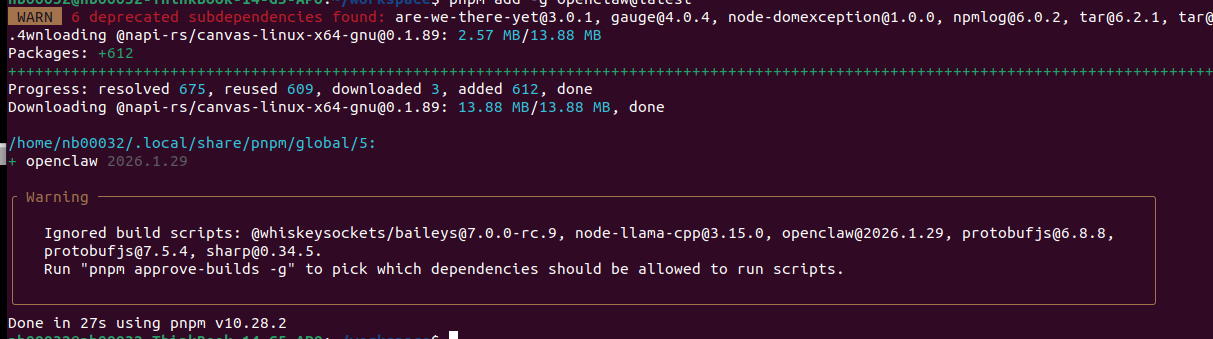
或者执行:
pnpm add -g openclaw@latest
然后运行
openclaw onboard --install-daemon
选择Yes
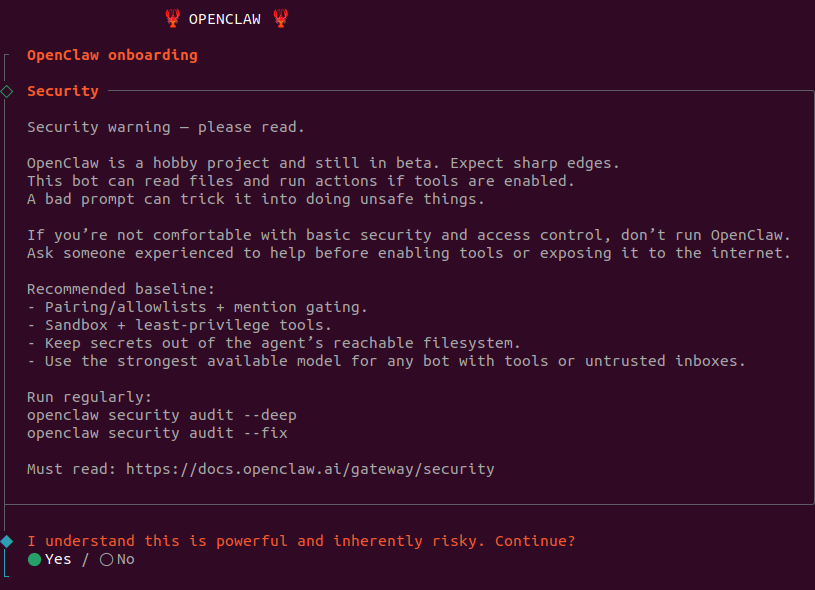
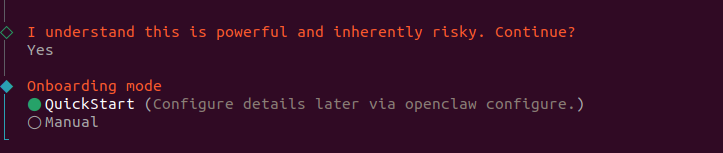
选择QuickStart
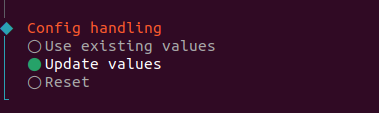
因为我之前配置了老版本的,所以这里显示选择使用现有的或者更新
我选择更新:
然后选择你要配置的大模型:
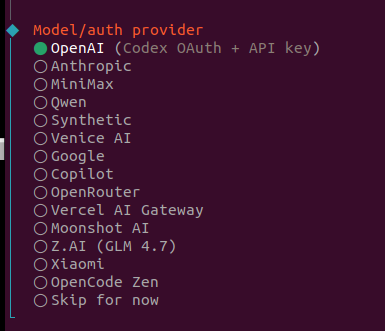
这里我选择Qwen 千问。apikey 在咸鱼上买的。
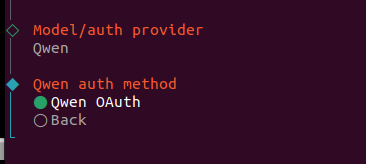
继续按enter, 会弹出千问平台的确认界面,可能你需要登录千问网站https://chat.qwen.ai,
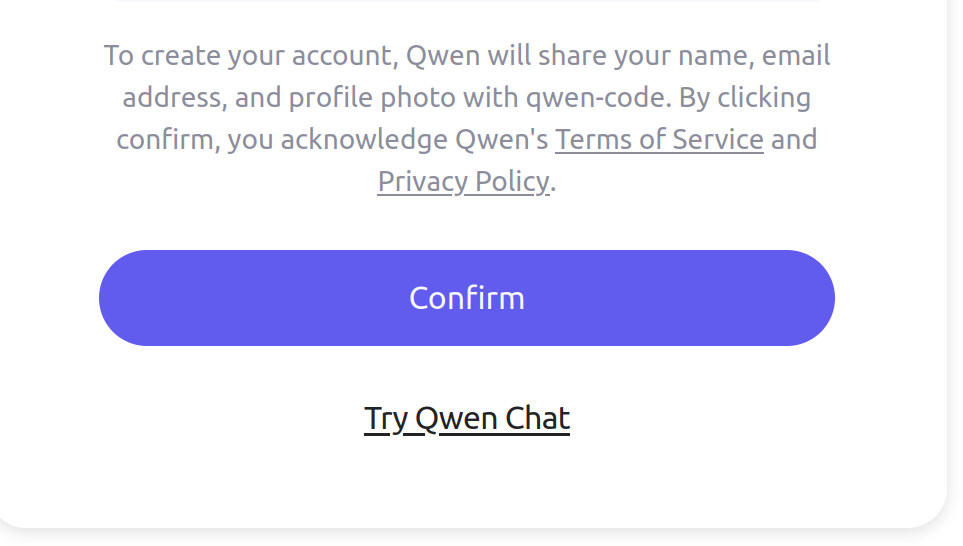
点击confirm进行授权。
继续选择千问的具体模型,这里我选择Keep current (qwen-portal/coder-model):
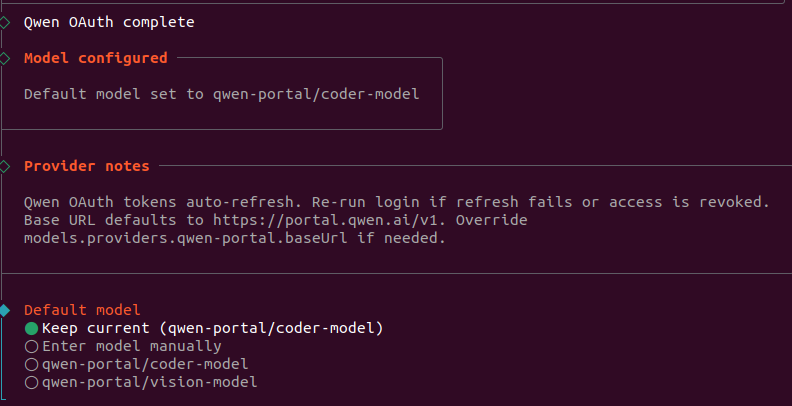
以上模型配置好以后,enter进入软件app选择和配置:
这里我选择telegram ,因为之前配置过,所以显示configured
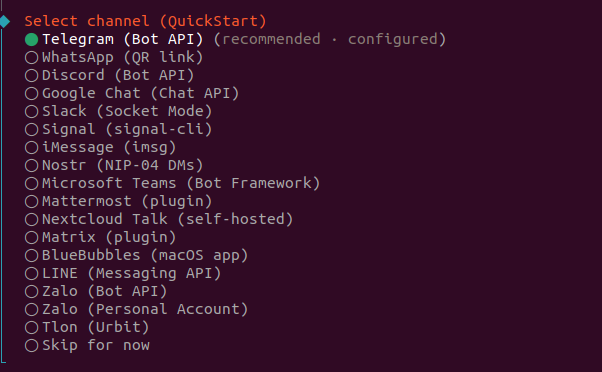
选择修改配置:
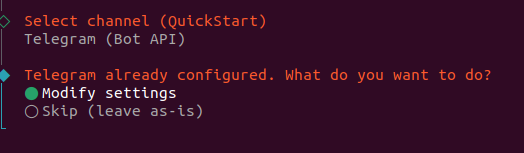
这里需要配置telegram的token, 关于token的获取:
打开telegram 搜索BotFather, 在BotFather的聊天框中输入/start 然后会自动弹出消息,选择/newbot 或者直接发送/newbot,然后根据自动回复的消息设置你的bot名字以及username,设置好以后会自动回复消息给你,消息里面包含了 token to access the HTTP API. 把这个API 复制到你的终端进行配置即可。
这里我之前配置好的,保持就行:
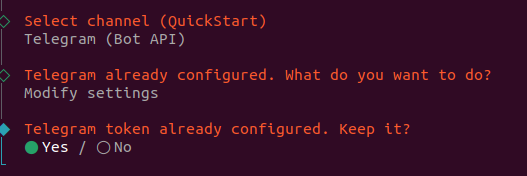
下一步需要输入telegram user id.
telegram user id的获取方式:
在telegram搜索栏中输入userinfobot, 选择userinfobot (绿色头像),进入聊天,输入/start 后自动回复ID给你。
配置好telegram后,进入skill技能配置。
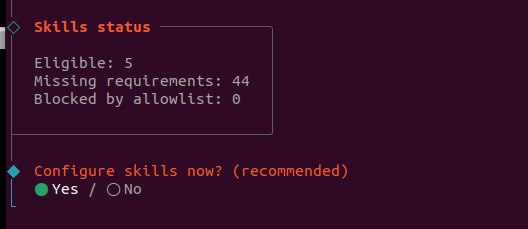

选择包管理器:
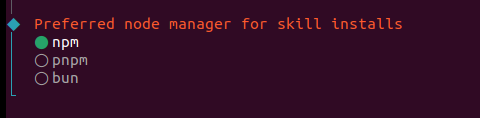
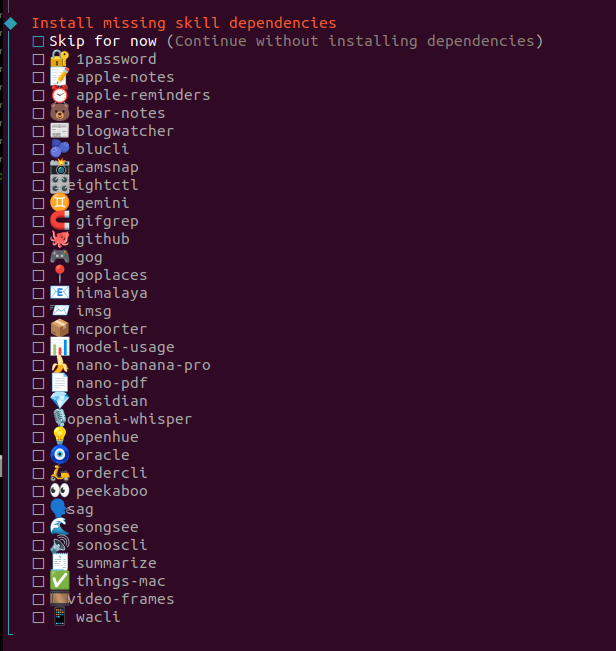
选择你要配置的技能选项,按空格键进行选择,选好后按enter;
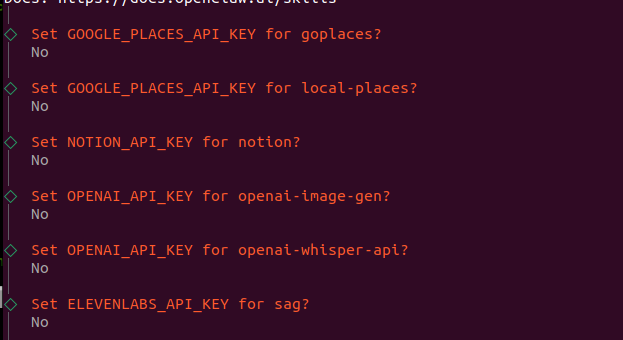
这些api先不配置:
设置Hooks,作用是当遇到问题时可以保存智能体上下文记忆:
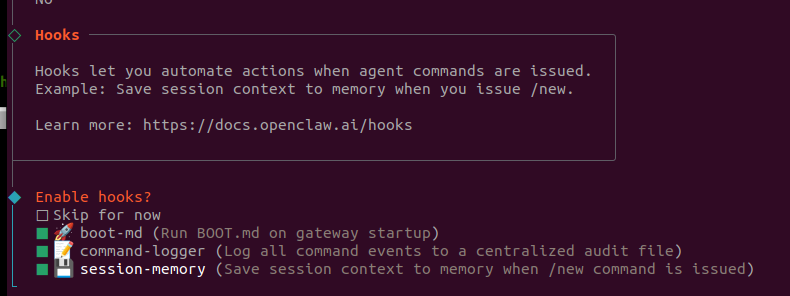
设置完成后继续enter,直到:
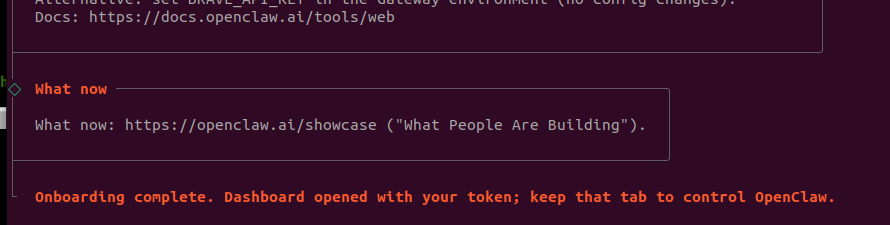
这个过程中我这报错
Missing Control UI assets. Build them with `pnpm ui:build` (auto-installs UI deps).
所以无法打开Web UI: http://127.0.0.1:18789/
而且我在telegram中也无法和我的ai助手聊天。
所以我还是用from source 的安装方式重新安装了一次:
git clone https://github.com/openclaw/openclaw.git
cd openclaw
pnpm install
pnpm ui:build # auto-installs UI deps on first run
pnpm build
pnpm openclaw onboard --install-daemon
# Dev loop (auto-reload on TS changes)
pnpm gateway:watch
这里省略pnpm openclaw onboard --install-daemon 这步骤,其它的按步骤执行,最后pnpm gateway:watch 可以看到运行信息,我在telegram中也可以和ai机器人通信了。
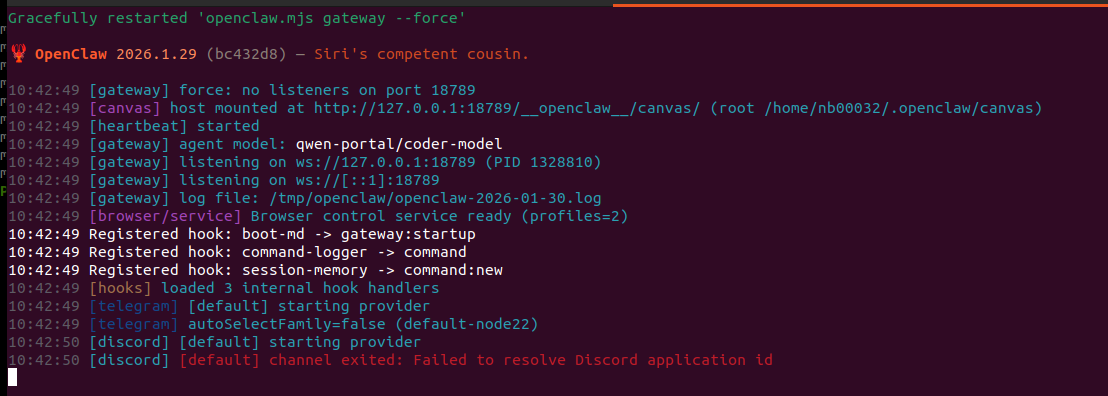
如果要断开连接请执行:
openclaw gateway stop
重启服务运行
openclaw gateway

有“AI”的1024 = 2048,欢迎大家加入2048 AI社区
更多推荐

 3
3 0
0- 0


 已为社区贡献5条内容

所有评论(0)