【免费开源】MCP 数据库万能连接器:用自然语言查询和分析数据
0. 开源地址
universal-db-mcp
如果这个项目对你有帮助,请给个 Star [外链图片转存中…(img-agw8X5Nb-1769158299372)] 支持一下!
如果这个项目对你有帮助,请给个 Star [外链图片转存中…(img-Cv0eoxun-1769158299372)] 支持一下!
如果这个项目对你有帮助,请给个 Star [外链图片转存中…(img-cXMcdjaZ-1769158299372)] 支持一下!
希望大家帮忙多多star!!!
1. 这是个什么东西?
这是个数据库万能连接器的MCP,可以使用支持MCP协议的工具(例如:Claude Desktop、Cherry Studio等)直接连接你的数据库,用自然语言查询和分析数据。
2. 有什么作用?
- 临时数据分析 :想快速查看生产数据库的某些指标,但是不想写SQL
- 问题排查 :需要跨多个表关联查询,但记不清表结构
- AI 辅助开发 :希望 Claude 能直接理解你的数据库结构,生成准确的查询
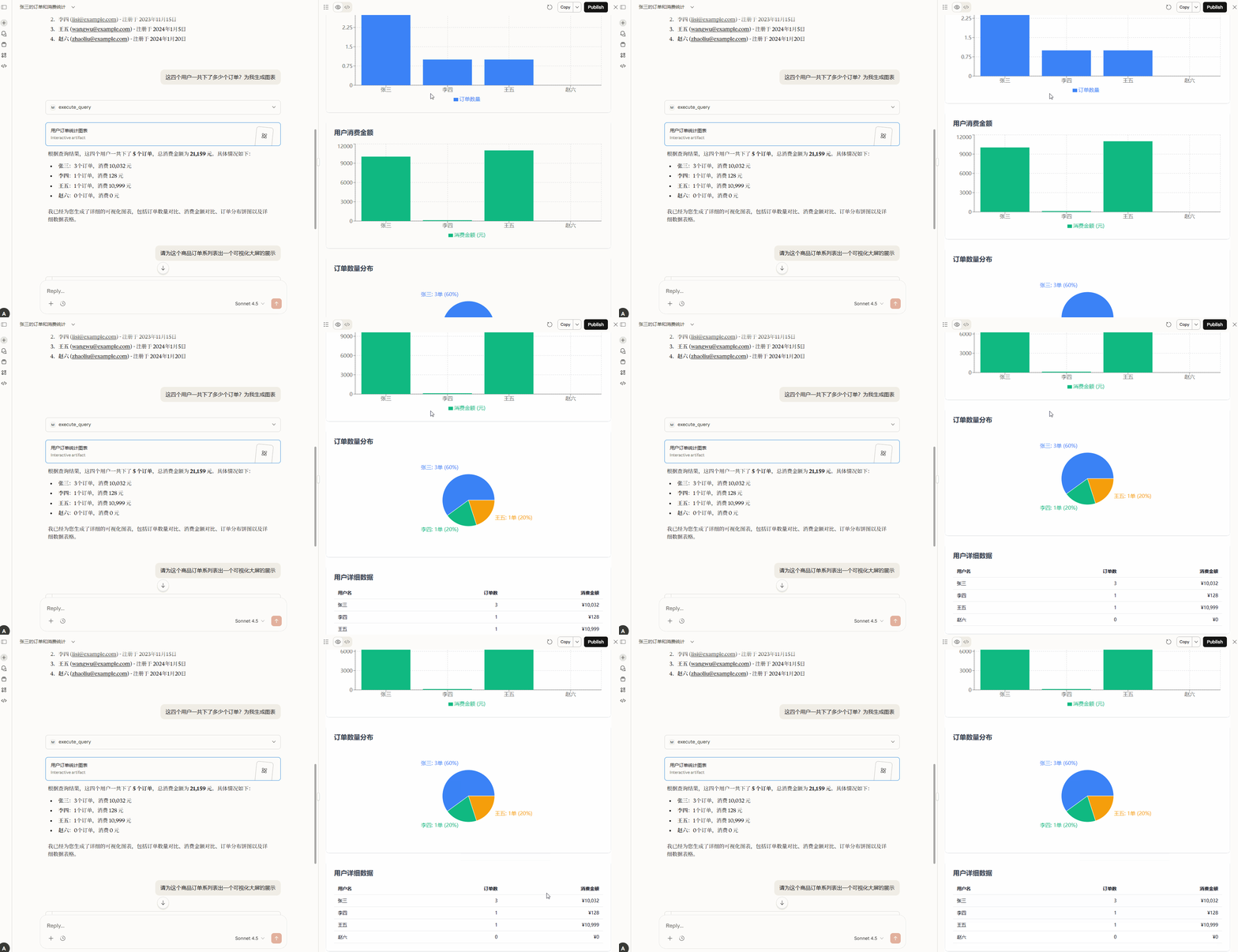
- 生成可视化大屏分析:通过自然语言描述,自动生成可视化大屏分析
这个MCP连接了具有MCP协议的客户端和数据库,只要模型够给力,有一堆想不到的能力等你自己探索。
3. 有什么特性?
自然语言查询 - 用中文描述需求,Claude 自动生成并执行 SQL
智能表结构理解 - 自动获取数据库 Schema,提供精准建议
多数据库支持 - MySQL、PostgreSQL、Redis 一键切换 (后续还会增加)
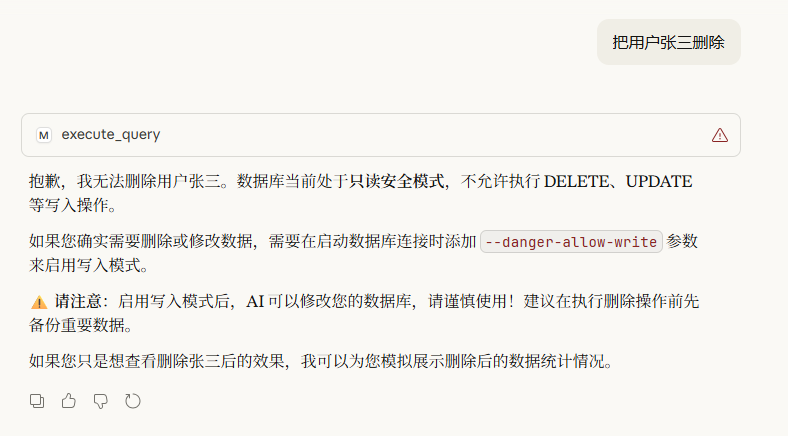
安全第一 - 默认只读模式,防止误操作删库
开箱即用 - 无需复杂配置,一行命令启动
4. 简单的效果预览:
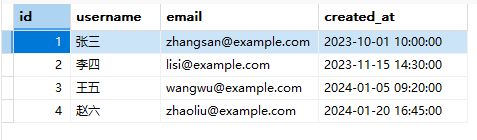
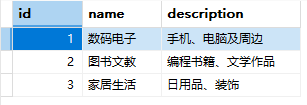
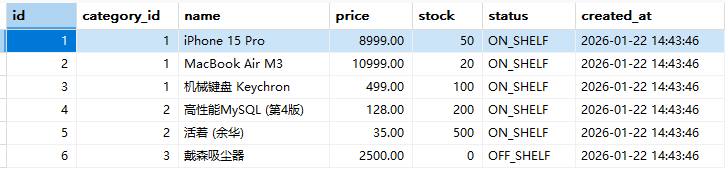
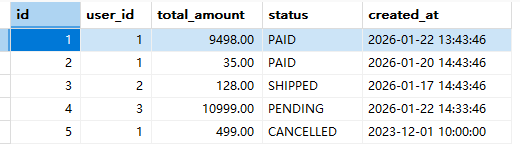
以MySQL为例,有以下几个表数据:
- users表:
- categories表
- products表
- orders表
- order_items表
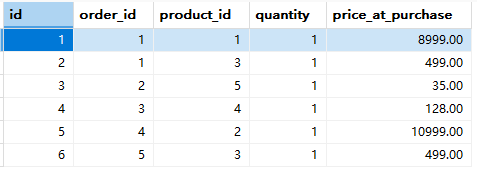
4.1 Claude Desktop效果
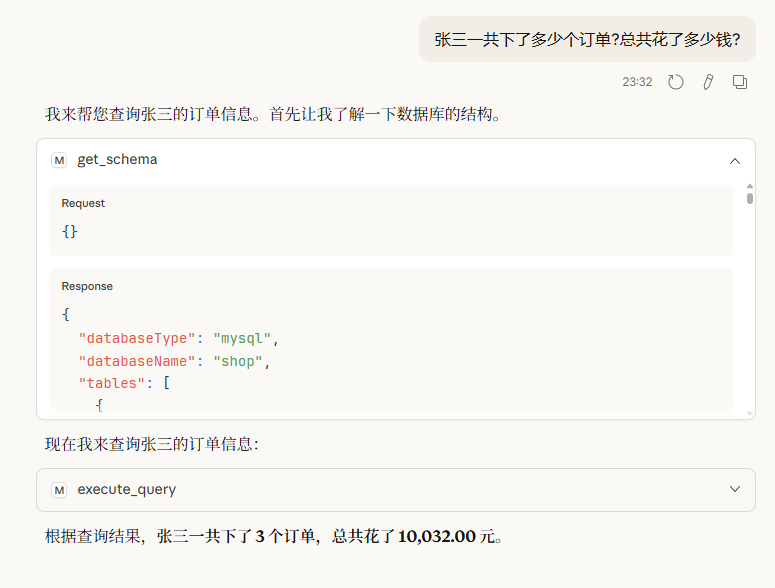
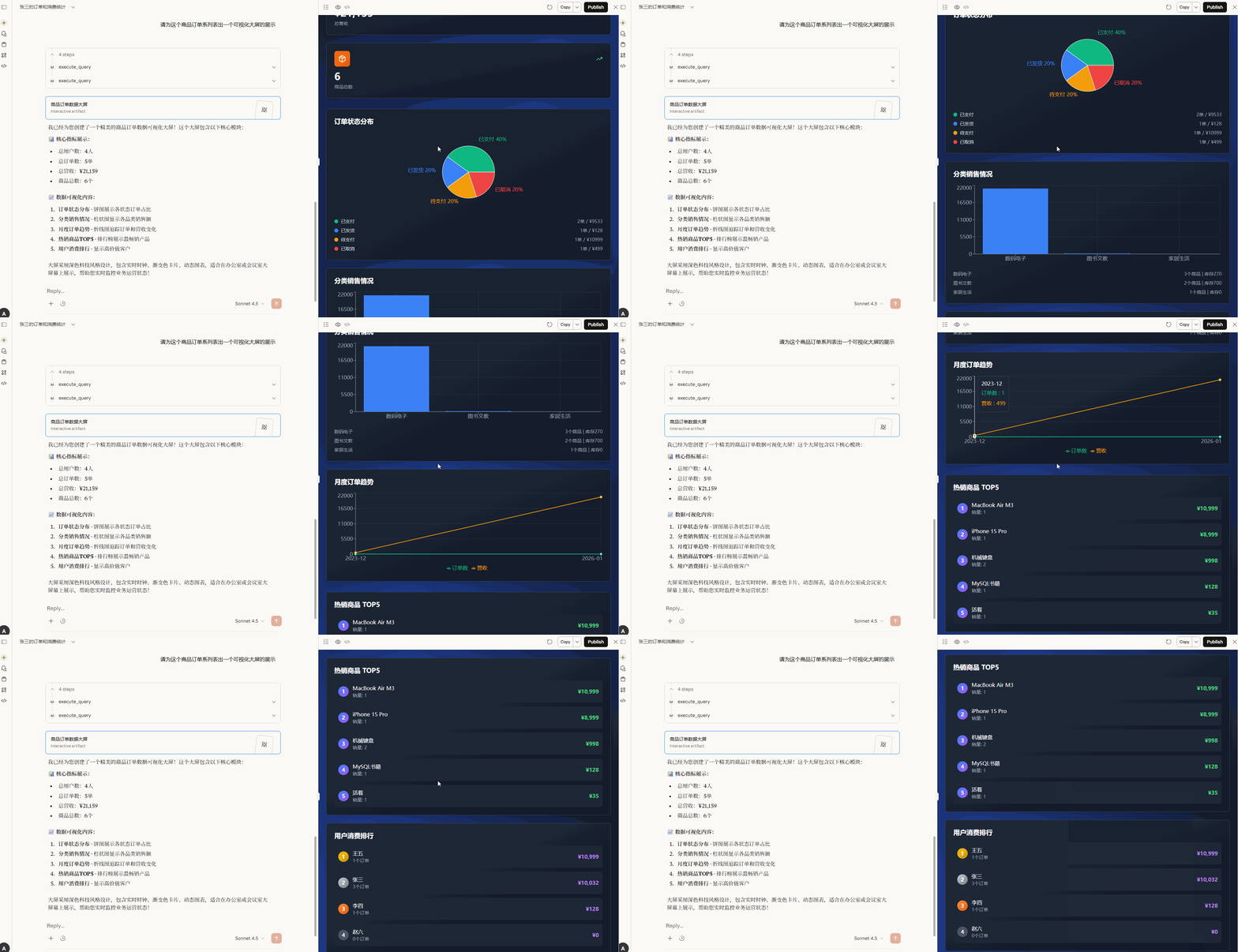
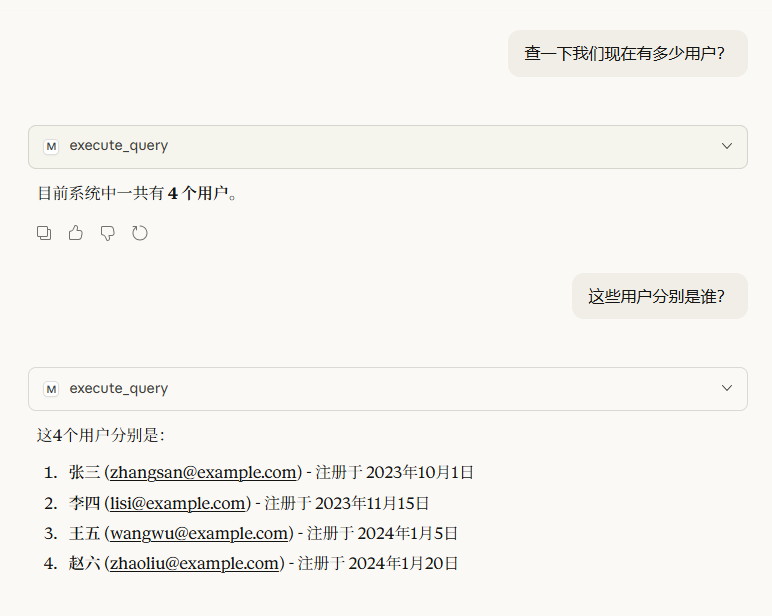
4.2 Cherry Studio效果
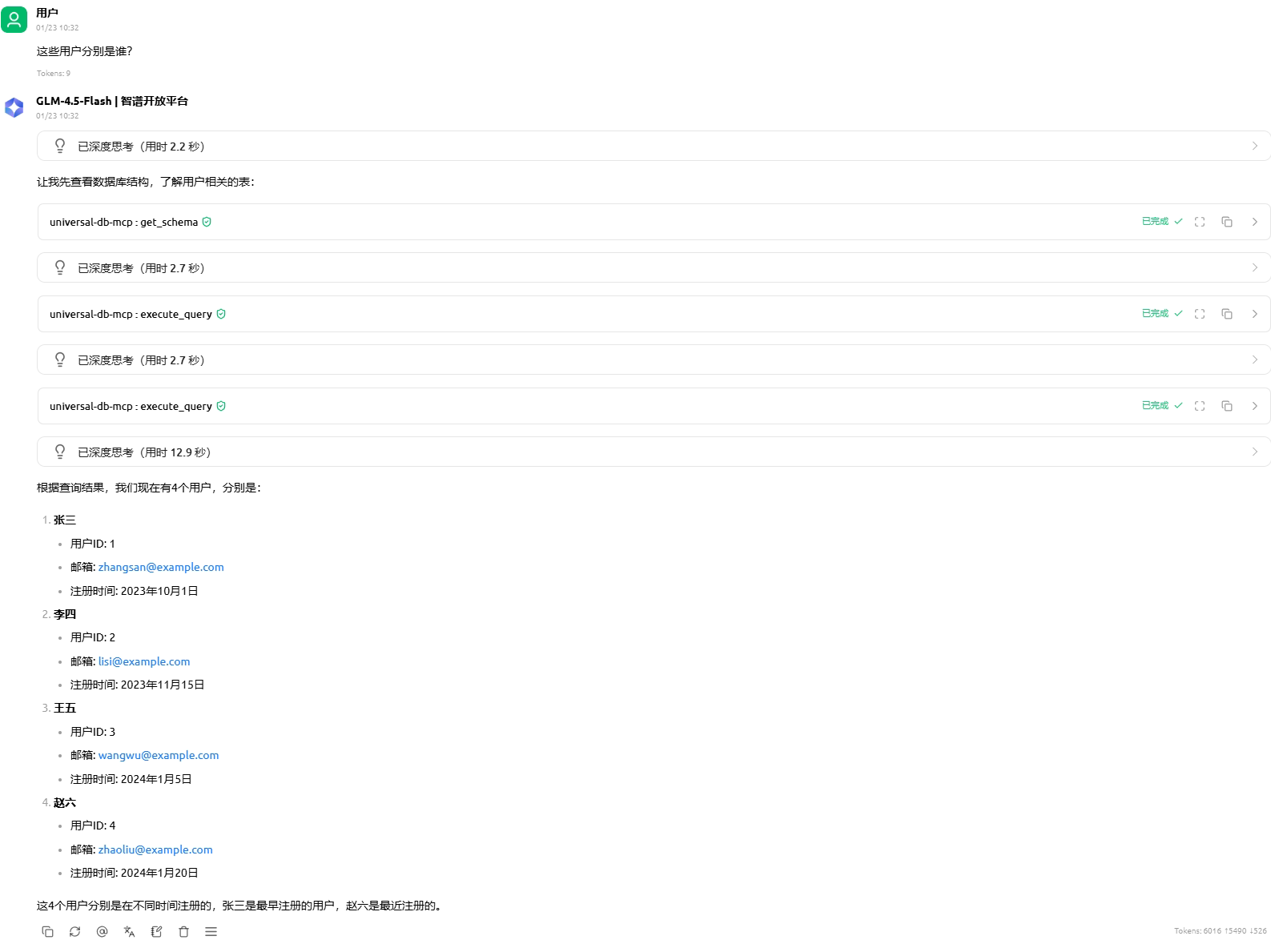
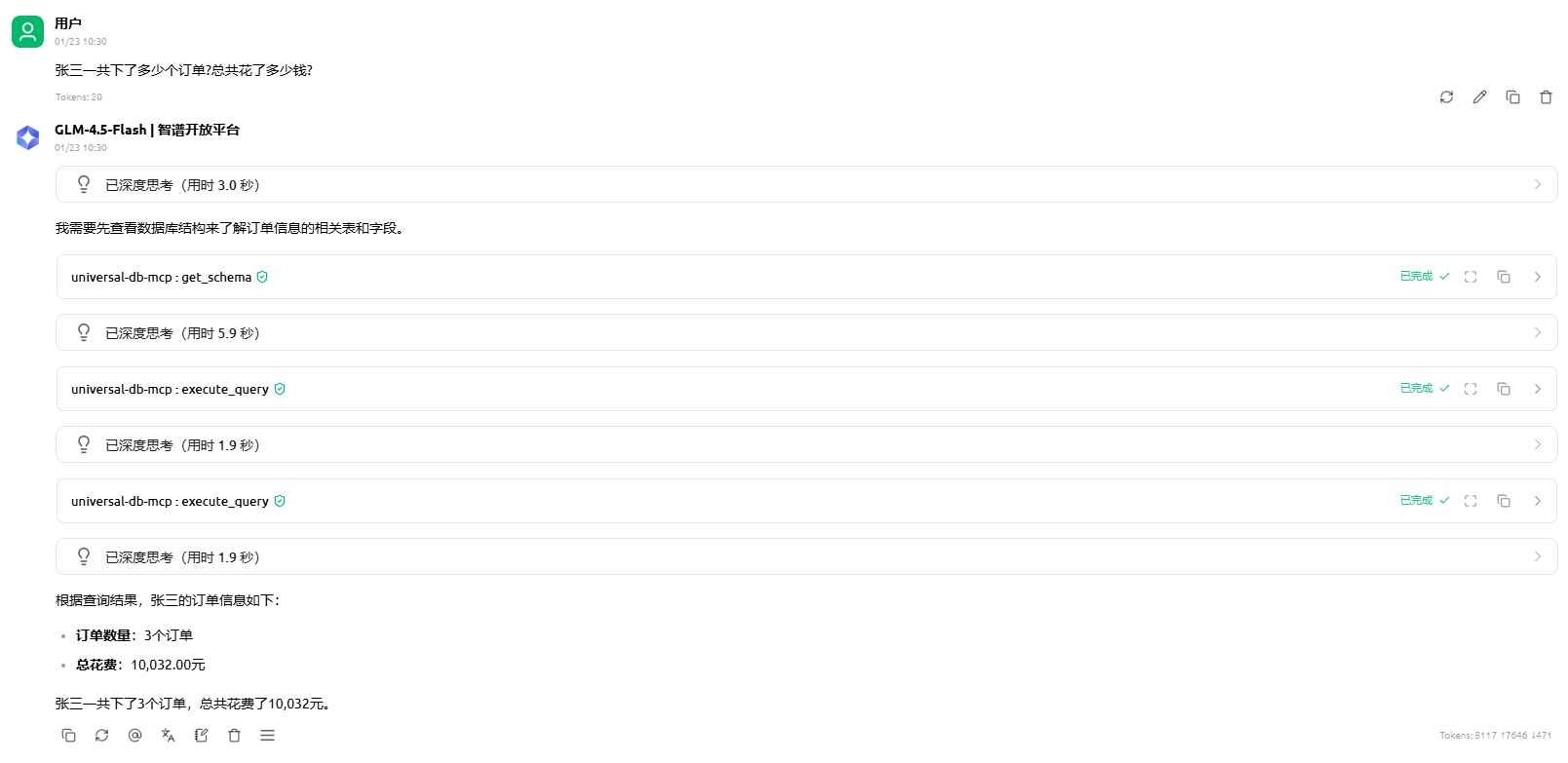
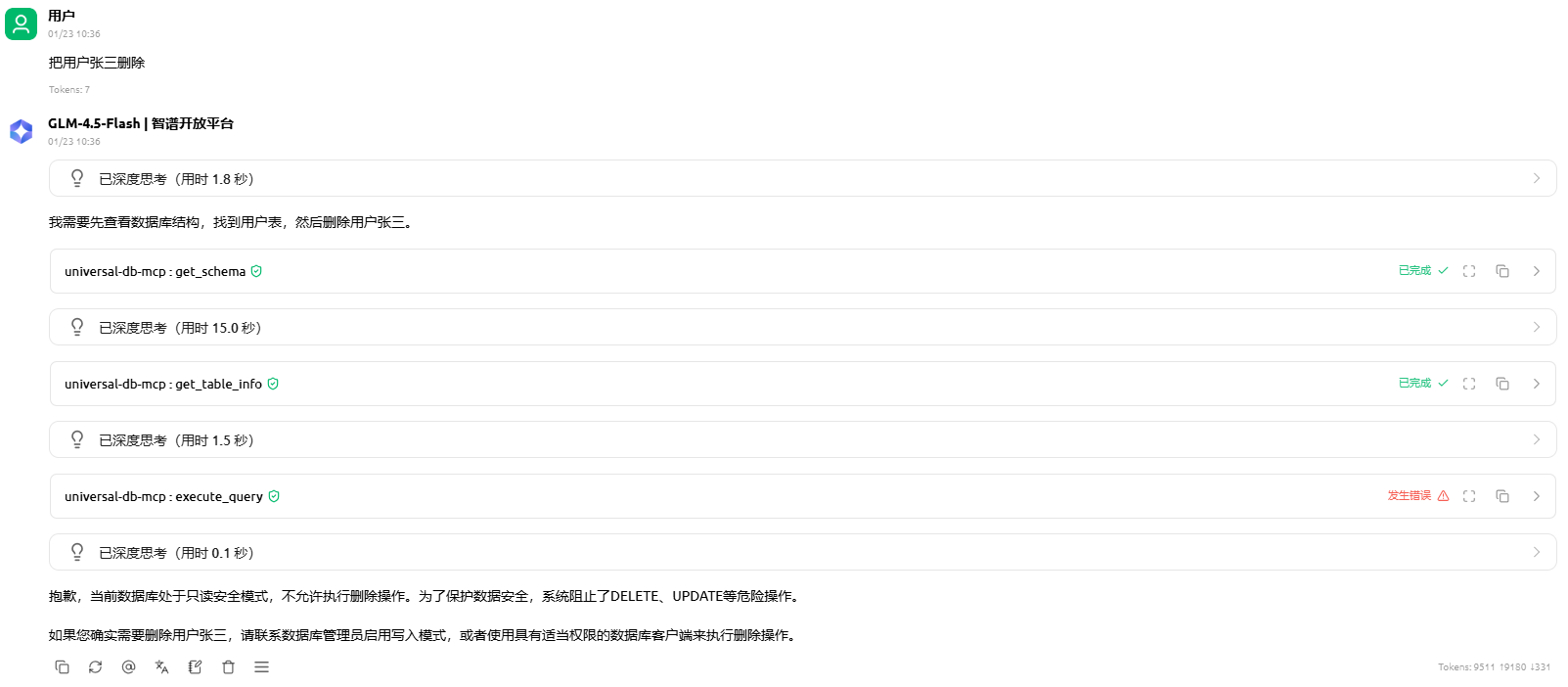
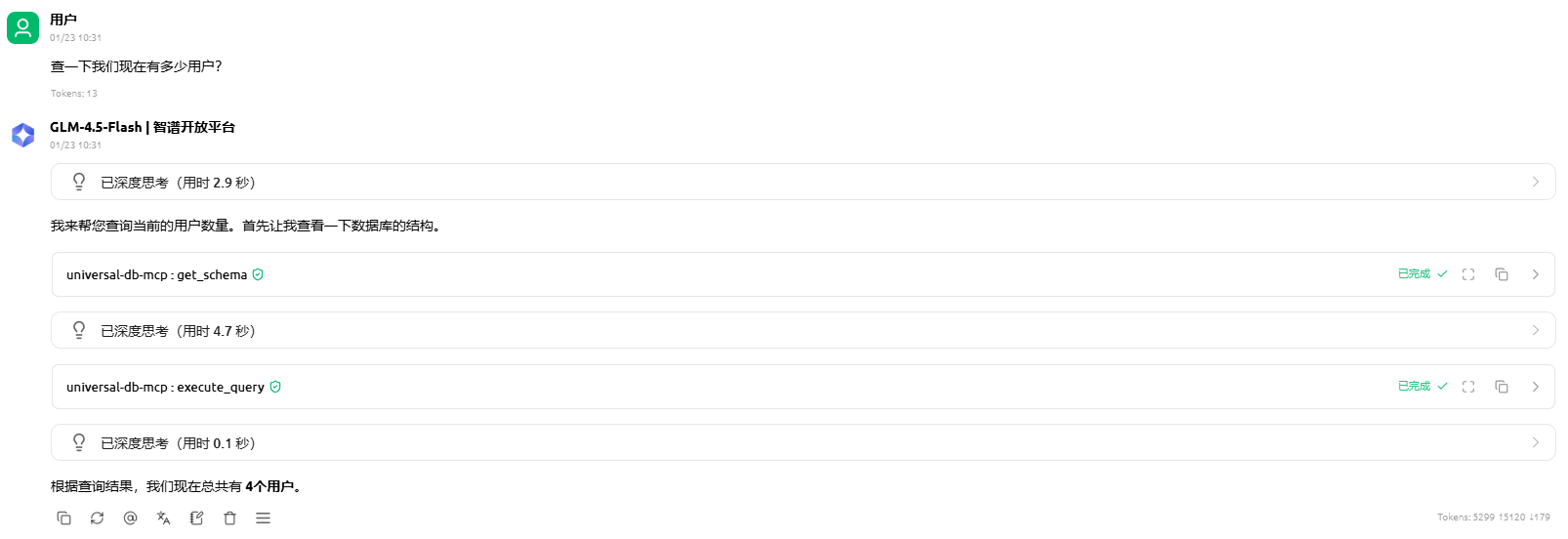
5. 如何使用?
只要是支持MCP协议的工具都可以使用,这里只介绍Claude Desktop和Cherry Studio的配置,配置都类似。
5.1 配置 Claude Desktop
编辑 Claude Desktop 配置文件:
macOS: ~/Library/Application Support/Claude/claude_desktop_config.json
Windows: %APPDATA%\Claude\claude_desktop_config.json
添加以下配置:
MySQL 使用示例
基础配置(只读模式)
{
  "mcpServers": {
    "mysql-db": {
      "command": "npx",
      "args": [
        "universal-db-mcp",
        "--type", "mysql",
        "--host", "localhost",
        "--port", "3306",
        "--user", "root",
        "--password", "your_password",
        "--database", "myapp_db"
      ]
    }
  }
}
启用写入模式(谨慎使用)
{
  "mcpServers": {
    "mysql-dev": {
      "command": "npx",
      "args": [
        "universal-db-mcp",
        "--type", "mysql",
        "--host", "localhost",
        "--port", "3306",
        "--user", "dev_user",
        "--password", "dev_password",
        "--database", "dev_database",
        "--danger-allow-write"
      ]
    }
  }
}
PostgreSQL 使用示例
基础配置
{
  "mcpServers": {
    "postgres-db": {
      "command": "npx",
      "args": [
        "universal-db-mcp",
        "--type", "postgres",
        "--host", "localhost",
        "--port", "5432",
        "--user", "postgres",
        "--password", "your_password",
        "--database", "myapp"
      ]
    }
  }
}
连接远程数据库
{
  "mcpServers": {
    "postgres-prod": {
      "command": "npx",
      "args": [
        "universal-db-mcp",
        "--type", "postgres",
        "--host", "db.example.com",
        "--port", "5432",
        "--user", "readonly_user",
        "--password", "secure_password",
        "--database", "production"
      ]
    }
  }
}
Redis 使用示例
基础配置(无密码)
{
  "mcpServers": {
    "redis-cache": {
      "command": "npx",
      "args": [
        "universal-db-mcp",
        "--type", "redis",
        "--host", "localhost",
        "--port", "6379"
      ]
    }
  }
}
带密码和数据库选择
{
  "mcpServers": {
    "redis-session": {
      "command": "npx",
      "args": [
        "universal-db-mcp",
        "--type", "redis",
        "--host", "localhost",
        "--port", "6379",
        "--password", "redis_password",
        "--database", "1"
      ]
    }
  }
}
启动使用
- 重启 Claude Desktop
- 在对话中直接询问:
- “帮我查看 users 表的结构”
- “统计最近 7 天的订单数量”
- “找出消费金额最高的 10 个用户”
Claude 会自动调用数据库工具完成查询!
同时连接多个数据库
你可以在 Claude Desktop 中同时配置多个数据库连接:
{
  "mcpServers": {
    "mysql-prod": {
      "command": "npx",
      "args": [
        "universal-db-mcp",
        "--type", "mysql",
        "--host", "prod-db.example.com",
        "--port", "3306",
        "--user", "readonly",
        "--password", "prod_password",
        "--database", "production"
      ]
    },
    "postgres-analytics": {
      "command": "npx",
      "args": [
        "universal-db-mcp",
        "--type", "postgres",
        "--host", "analytics.example.com",
        "--port", "5432",
        "--user", "analyst",
        "--password", "analytics_password",
        "--database", "warehouse"
      ]
    },
    "redis-cache": {
      "command": "npx",
      "args": [
        "universal-db-mcp",
        "--type", "redis",
        "--host", "cache.example.com",
        "--port", "6379",
        "--password", "cache_password"
      ]
    }
  }
}
重启 Claude Desktop 后,你可以在对话中指定使用哪个数据库:
- “在 MySQL 生产库中查询…”
- “从 PostgreSQL 分析库获取…”
- “检查 Redis 缓存中的…”
5.2 配置 Cherry Studio
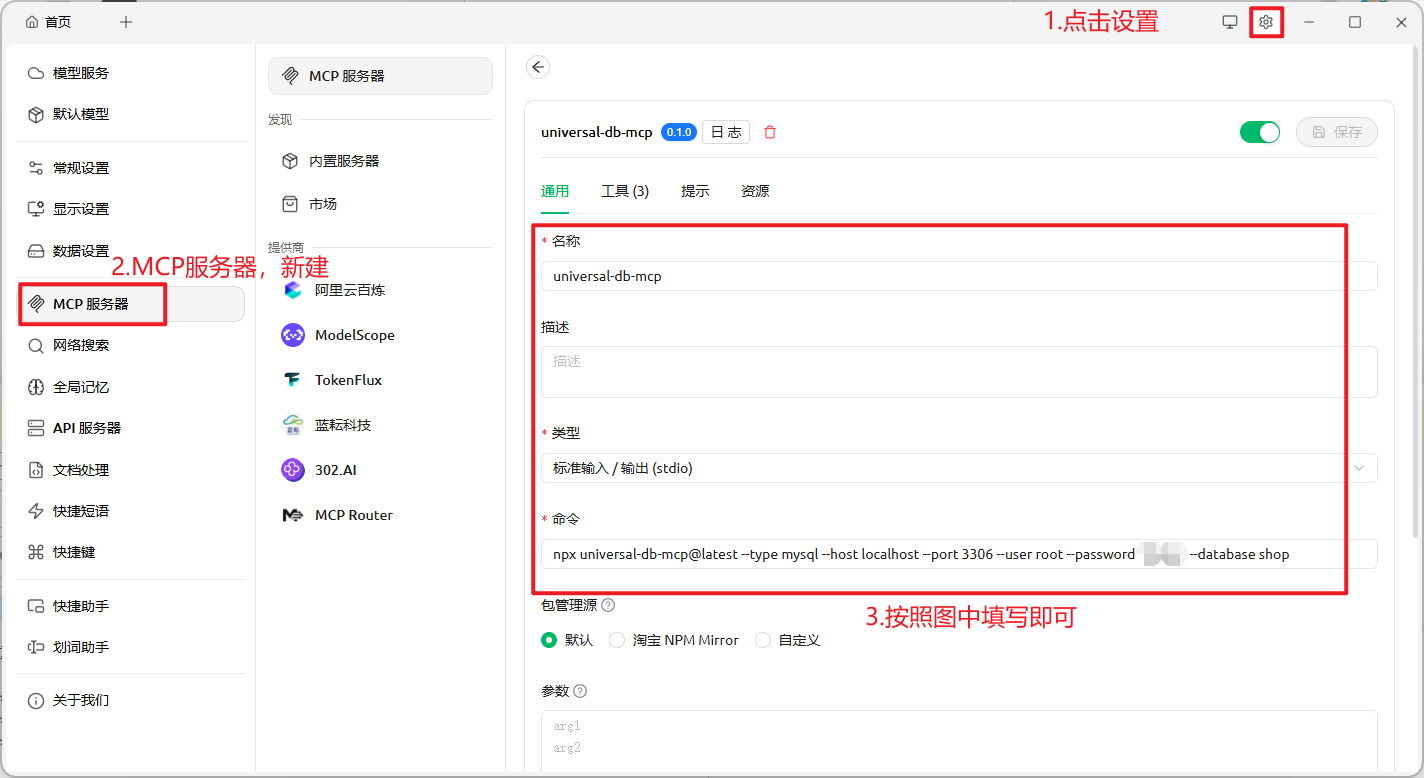
6. 开源地址
universal-db-mcp
如果这个项目对你有帮助,请给个 Star 支持一下!
如果这个项目对你有帮助,请给个 Star 支持一下!
如果这个项目对你有帮助,请给个 Star 支持一下!

有“AI”的1024 = 2048,欢迎大家加入2048 AI社区
更多推荐

 20
20 0
0- 0


 已为社区贡献2条内容

所有评论(0)