Agent系列——SPring AI Alibaba Graph初探
本文介绍了使用Spring AI Graph框架开发工作流的实践方法。首先概述了Graph的核心概念和作用,然后通过快速入门示例演示了如何创建包含两个节点的简单工作流(节点1→节点2),并实现值替换功能。详细讲解了KeyStrategyFactory、NodeAction等核心API,最后以英语学习助手为例,展示了从单词输入到造句、翻译的完整流程实现。文章包含完整的代码示例和配置说明,帮助开发者快
一、概述
为什么需要Graph
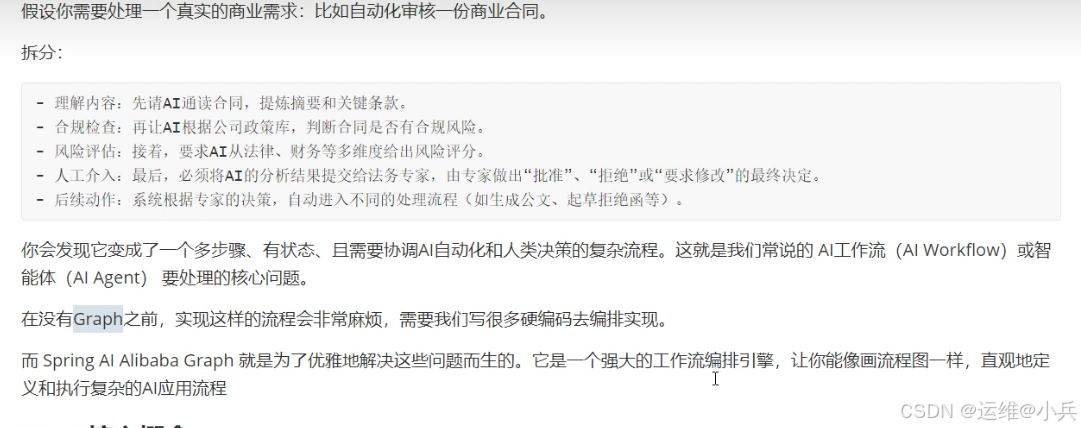
核心概念

二、快速入门
实现如下工作流:
开始节点→node1→node2→结束节点
用node2的值替换node1的值
依赖版本
spring-boot:3.4.0
spring-ai-alibaba:1.0.0.4
pom.xml添加核心依赖
<dependency>
   <groupId>org.springframework.boot</groupId>
    <artifactId>spring-boot-starter-web</artifactId>
</dependency>

<dependency>
    <groupId>org.springframework.ai</groupId>
    <artifactId>spring-ai-starter-model-zhipuai</artifactId>
</dependency>

<dependency>
    <groupId>com.alibaba.cloud.ai</groupId>
    <artifactId>spring-ai-alibaba-graph-core</artifactId>
</dependency>
修改配置文件application.yaml
server:
  port: 8889

spring:
  application:
    name: agent-graph
  ai:
    zhipuai:
      api-key: ${ZHIPU_KEY} # 配置智谱大模型的API Key
      chat:
        options:
          model: glm-4-flash
创建状态图的配置类
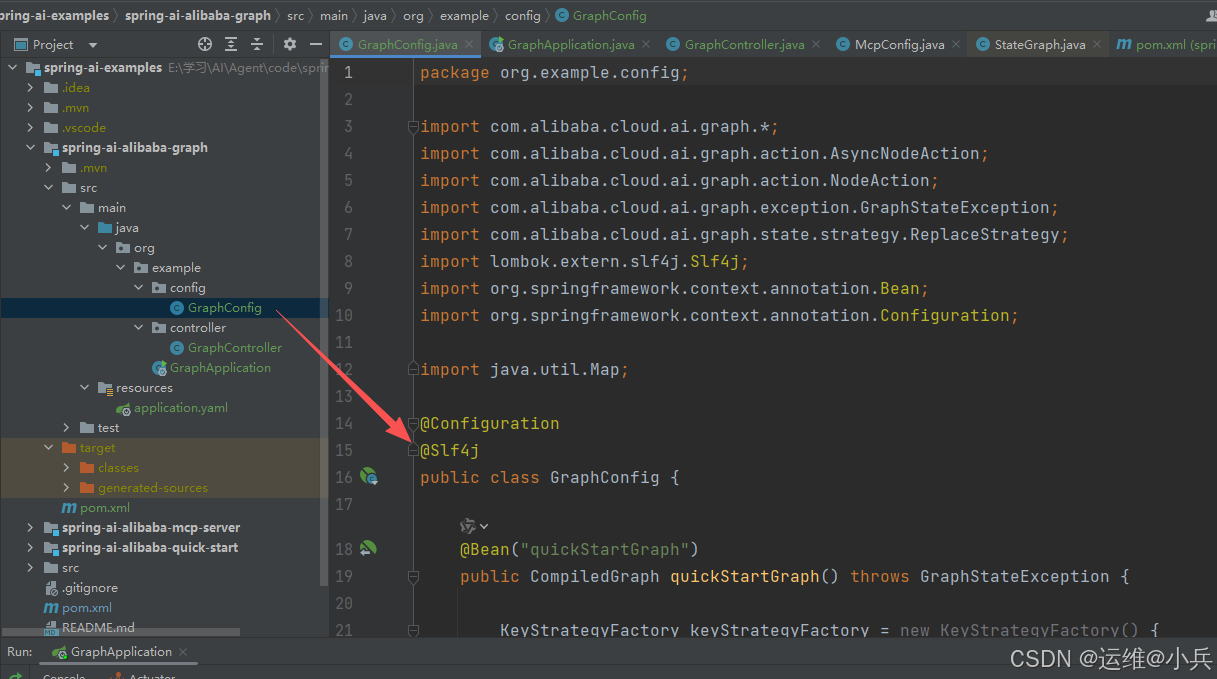
GraphConfig.java
@Configuration
@Slf4j
public class GraphConfig {

    @Bean("quickStartGraph")
    public CompiledGraph quickStartGraph() throws GraphStateException {

        KeyStrategyFactory keyStrategyFactory = new KeyStrategyFactory() {
            @Override
            public Map<String, KeyStrategy> apply() {
            	// ReplaceStrategy为替换策略
                return Map.of("input1", new ReplaceStrategy(),
                        "input2", new ReplaceStrategy());
            }
        };
        // 定义状态图StateGraph
        StateGraph stateGraph = new StateGraph("quickStartGraph", keyStrategyFactory);

        // 添加节点
        // AsyncNodeAction.node_async为异步执行
        stateGraph.addNode("node1", AsyncNodeAction.node_async(new NodeAction() {
            @Override
            public Map<String, Object> apply(OverAllState state) throws Exception {
                log.info("node1 state: {}", state);
                return Map.of("input1", 1, "input2", 1);
            }
        }));
        stateGraph.addNode("node2", AsyncNodeAction.node_async(new NodeAction() {
            @Override
            public Map<String, Object> apply(OverAllState state) throws Exception {
                log.info("node2 state: {}", state);
                return Map.of("input1", 2, "input2", 2);
            }
        }));

        // 定义边
        stateGraph.addEdge(StateGraph.START, "node1");
        stateGraph.addEdge("node1", "node2");
        stateGraph.addEdge("node2", StateGraph.END);

        // 编译状态图
        return stateGraph.compile();

    }
}
创建一个Controller
GraphController.java
@RestController
@RequestMapping("/graph")
@Slf4j
public class GraphController {

    private final CompiledGraph compiledGraph;

    public GraphController(CompiledGraph compiledGraph) {
        this.compiledGraph = compiledGraph;
    }

    @GetMapping("/quickStartGraph")
    public String quickStartGraph() {
        Optional<OverAllState> overAllStateOptional = compiledGraph.call(Map.of());
        log.info("overAllStateOptional: {}", overAllStateOptional);
        return "OK";
    }
}
启动程序,查看效果
GET方式,http://localhost:8889/graph/quickStartGraph
发现input1和input2的值被成功替换为2
三、API详解
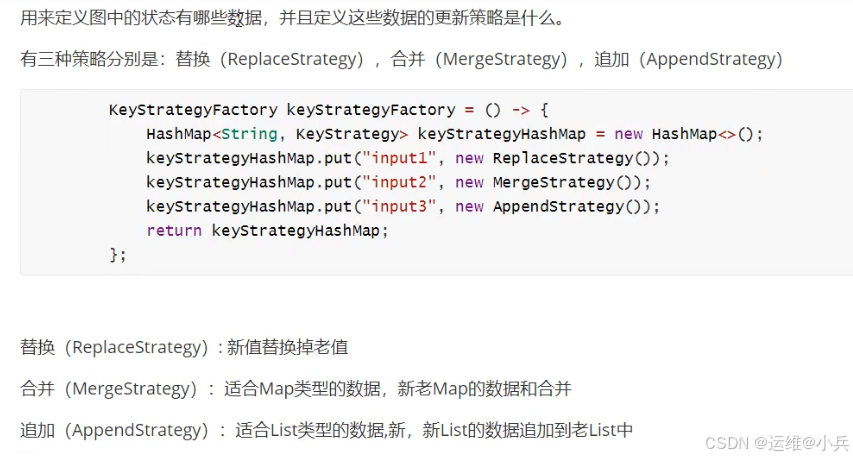
KeyStrategyFactory(键策略工厂)
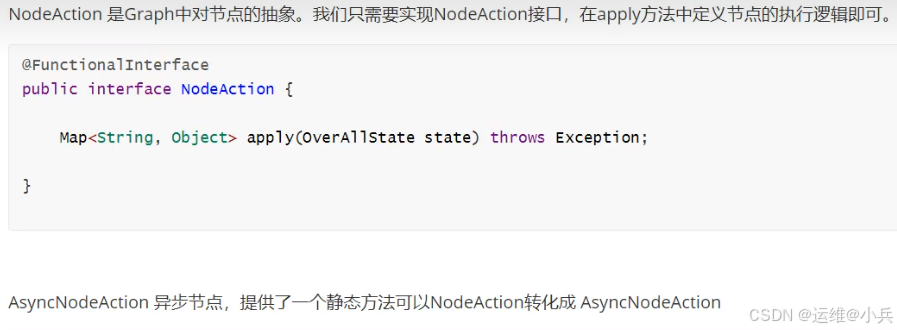
NodeAction&AsyncNodeAction
stateGraph(状态图)
状态图的抽象,需要配置状态(通过KeyStrategyFactory ),节点,边。
配置好后通过compile方法编译成CompiledGraph后才可以供调用。
CompiledGraph(编译图)
CompiledGraph是StateGraph编译后的结果,CompiledGraph才能用了执行。
一般我们是把StateGraph定义好后调用其compile方法得到一个CompiledGraph放入Spring容器中然后在需要的时候从容器中注入然后再调用。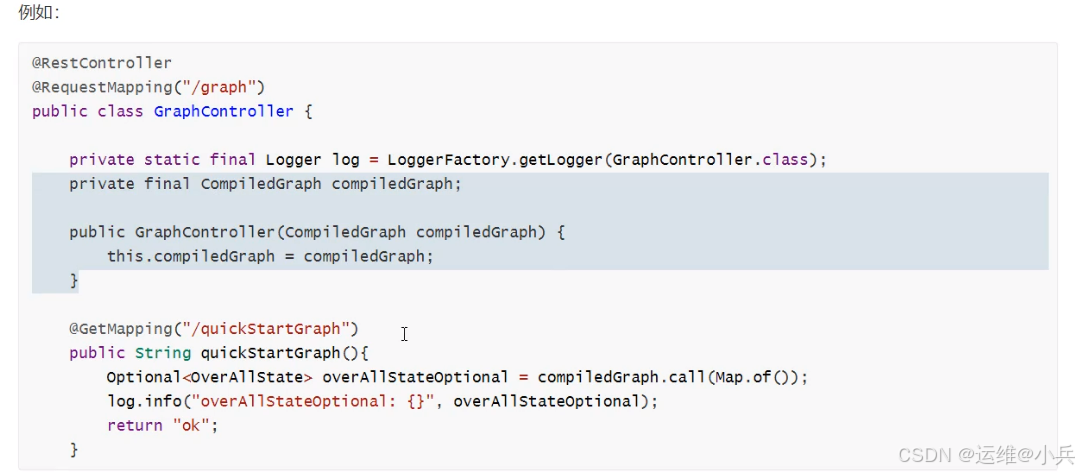
四、案例:开发一个英语学习小助手
需求
使用Graph开发一个英语学习小助手。
功能如下:输入一个单词,能基于这个单词造句,然后再对句子进行翻译,把造句的译文也返回。
思路分析
我们可以定义一个工作流,工作流中主要有两个节点:
SentenceConstructionNode 造句节点,拿输入的单词让LLM进行造句。
TranslationNode 翻译节点,能够把一个英文句子翻译成中文。最终把造句的结果和翻译的结果返回即可。
流程图
开始节点(输入一个单词)–>造句节点(根据给定的单词进行造句)–>翻译节点(对句子进行翻译)–>结束节点(输出造句和翻译的结果)
代码编写
定义SentenceConstructionNode造句节点
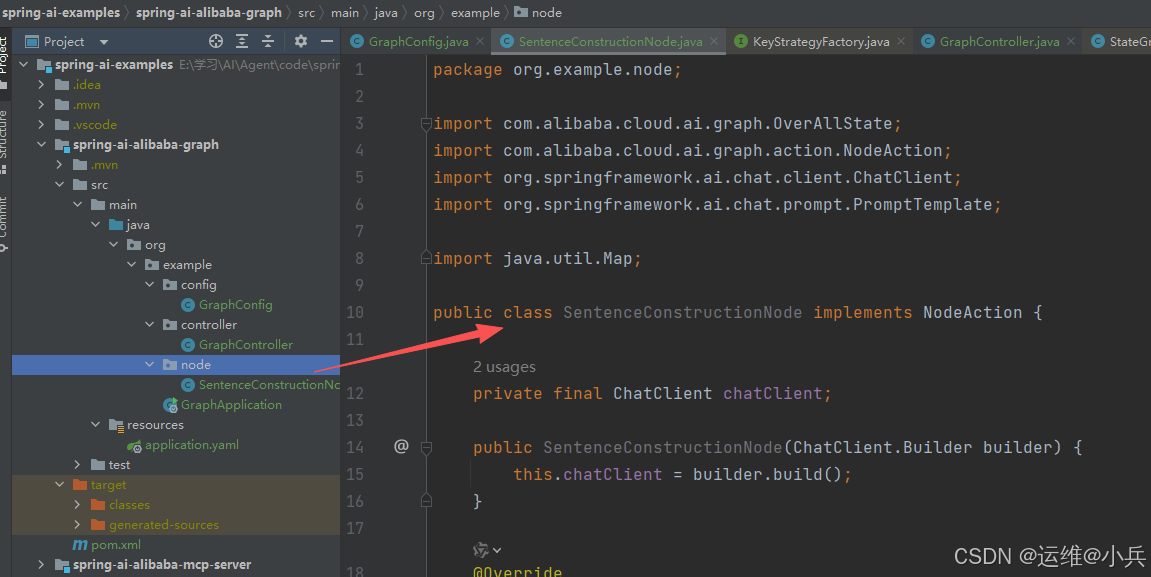
public class SentenceConstructionNode implements NodeAction {

    private final ChatClient chatClient;

    public SentenceConstructionNode(ChatClient.Builder builder) {
        this.chatClient = builder.build();
    }

    @Override
    public Map<String, Object> apply(OverAllState state) throws Exception {
        // 从stage中获取要造句的单词
        String word = state.value("word", "");

        // 定义提示词
        PromptTemplate promptTemplate = new PromptTemplate("你是一个英语造句专家,能够基于给定的单词进行造句。"+
                "要求只返回最终造好的句子,不要返回其他信息。给定的单词:{word}");
        promptTemplate.add("word", word);   // 替换占位符
        String prompt = promptTemplate.render();  // 渲染提示词

        // 模型调用
        String content = chatClient.prompt()
                .user(prompt)
                .call()
                .content();

        // 把句子存入stage
        return Map.of("sentence", content);
    }
}
定义TranslationNode翻译节点
public class TranslationNode implements NodeAction {

    private final ChatClient chatClient;

    public TranslationNode(ChatClient.Builder builder) {
        this.chatClient = builder.build();
    }

    @Override
    public Map<String, Object> apply(OverAllState state) throws Exception {
        // 从stage中获取要翻译的句子
        String sentence = state.value("sentence", "");

        // 定义提示词
        PromptTemplate promptTemplate = new PromptTemplate("你是一个英语翻译专家,能够把英文翻译成中文。" +
                "要求只返回翻译的中文结果,不要返回英文原句。要翻译的英文句子:{sentence}");
        promptTemplate.add("sentence", sentence);   // 替换占位符
        String prompt = promptTemplate.render();  // 渲染提示词

        // 模型调用
        String content = chatClient.prompt()
                .user(prompt)
                .call()
                .content();

        // 把翻译结果存入stage
        return Map.of("translation", content);
    }
}
定义状态图
config/GraphConfig.java,在quickStartGraph下面增加如下内容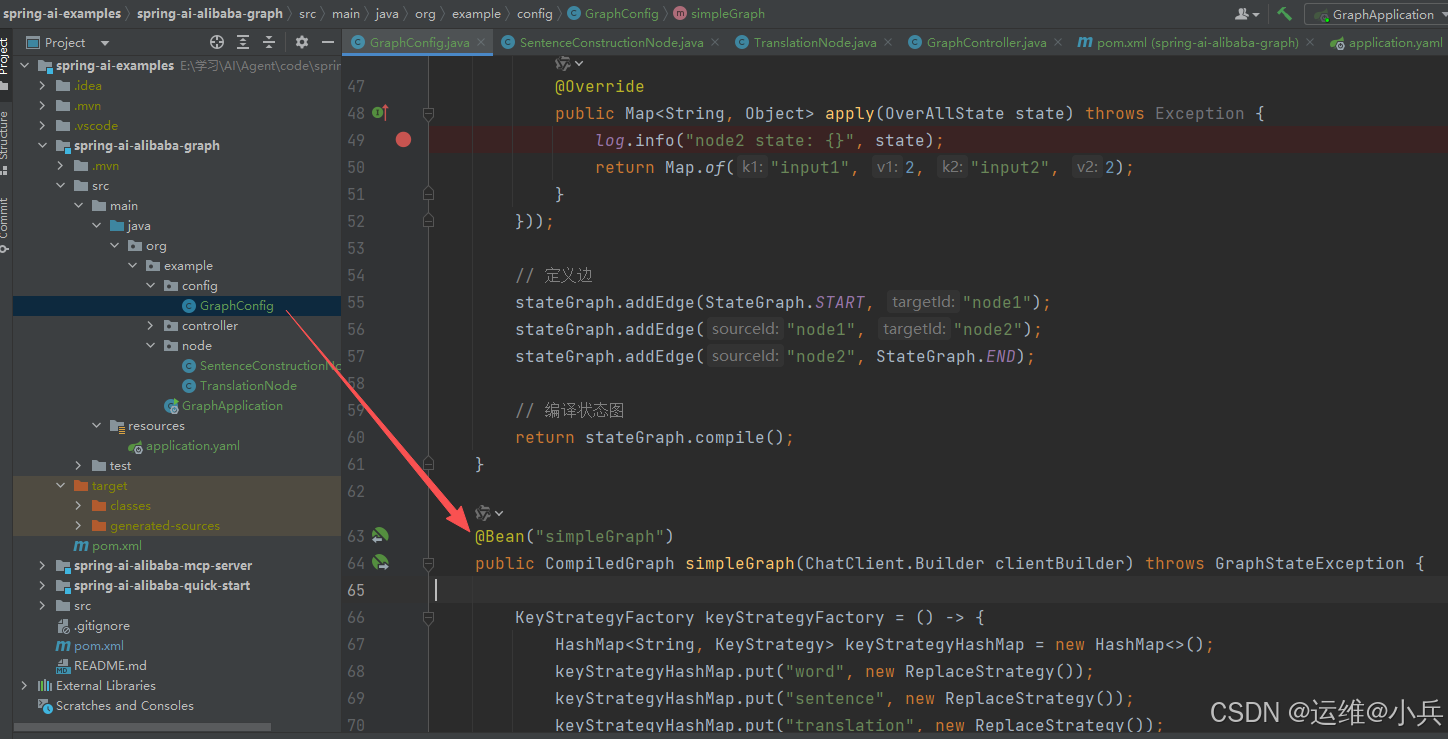
@Bean("simpleGraph")
public CompiledGraph simpleGraph(ChatClient.Builder clientBuilder) throws GraphStateException {

    KeyStrategyFactory keyStrategyFactory = () -> {
            HashMap<String, KeyStrategy> keyStrategyHashMap = new HashMap<>();
            keyStrategyHashMap.put("word", new ReplaceStrategy());
            keyStrategyHashMap.put("sentence", new ReplaceStrategy());
            keyStrategyHashMap.put("translation", new ReplaceStrategy());
            return keyStrategyHashMap;
        };
    // 创建状态图
    StateGraph stateGraph = new StateGraph("simpleGraph", keyStrategyFactory);
    // 添加节点
    stateGraph.addNode("SentenceConstructionNode", AsyncNodeAction.node_async(new SentenceConstructionNode(clientBuilder)));
    stateGraph.addNode("TranslationNode", AsyncNodeAction.node_async(new TranslationNode(clientBuilder)));
    // 定义边
    stateGraph.addEdge(StateGraph.START, "SentenceConstructionNode");
    stateGraph.addEdge("SentenceConstructionNode", "TranslationNode");
    stateGraph.addEdge("TranslationNode", StateGraph.END);
    // 编译状态图,放入容器
    return stateGraph.compile();
}
新增API接口
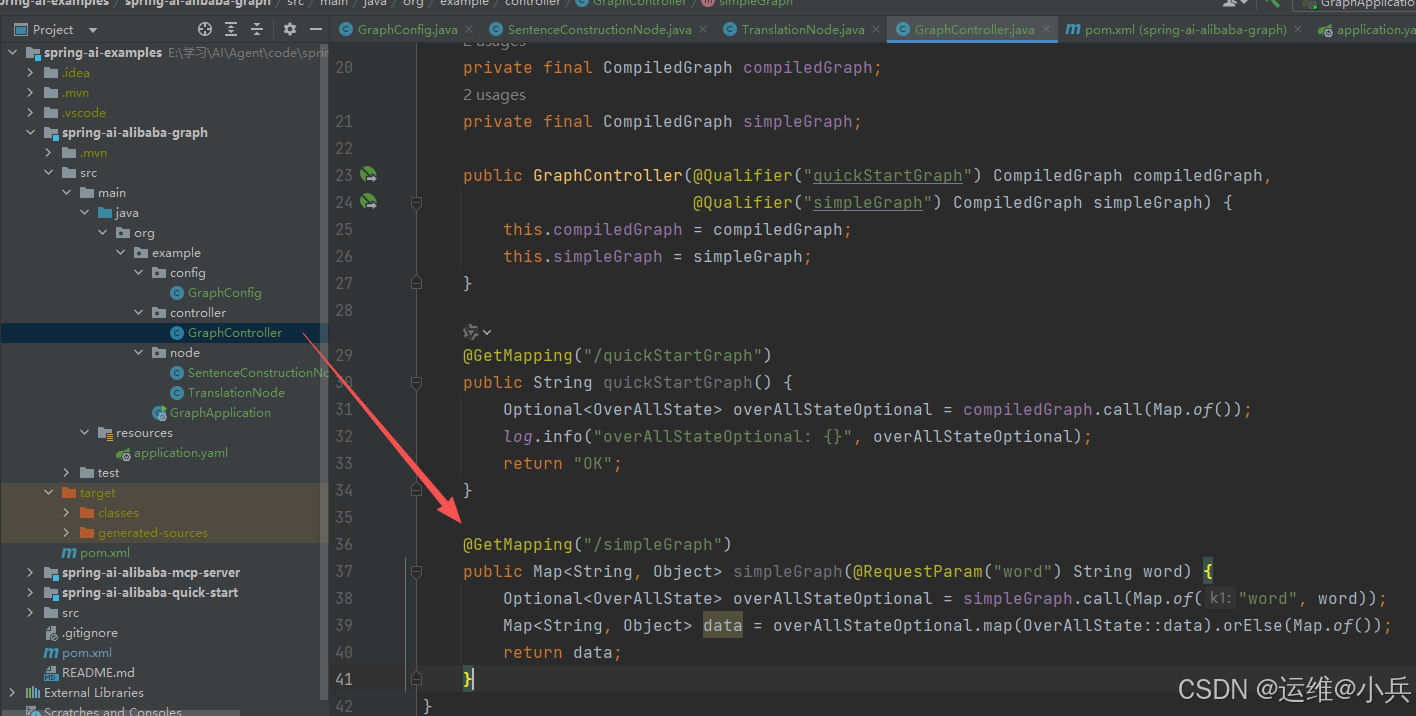
@RestController
@RequestMapping("/graph")
@Slf4j
public class GraphController {

    private final CompiledGraph compiledGraph;
    private final CompiledGraph simpleGraph;

    public GraphController(@Qualifier("quickStartGraph") CompiledGraph compiledGraph,
                           @Qualifier("simpleGraph") CompiledGraph simpleGraph) {
        this.compiledGraph = compiledGraph;
        this.simpleGraph = simpleGraph;
    }

    @GetMapping("/quickStartGraph")
    public String quickStartGraph() {
        Optional<OverAllState> overAllStateOptional = compiledGraph.call(Map.of());
        log.info("overAllStateOptional: {}", overAllStateOptional);
        return "OK";
    }

    @GetMapping("/simpleGraph")
    public Map<String, Object> simpleGraph(@RequestParam("word") String word) {
        Optional<OverAllState> overAllStateOptional = simpleGraph.call(Map.of("word", word));
        Map<String, Object> data = overAllStateOptional.map(OverAllState::data).orElse(Map.of());
        return data;
    }
}
启动服务,访问接口
GET方法:http://localhost:8889/graph/simpleGraph?word=sky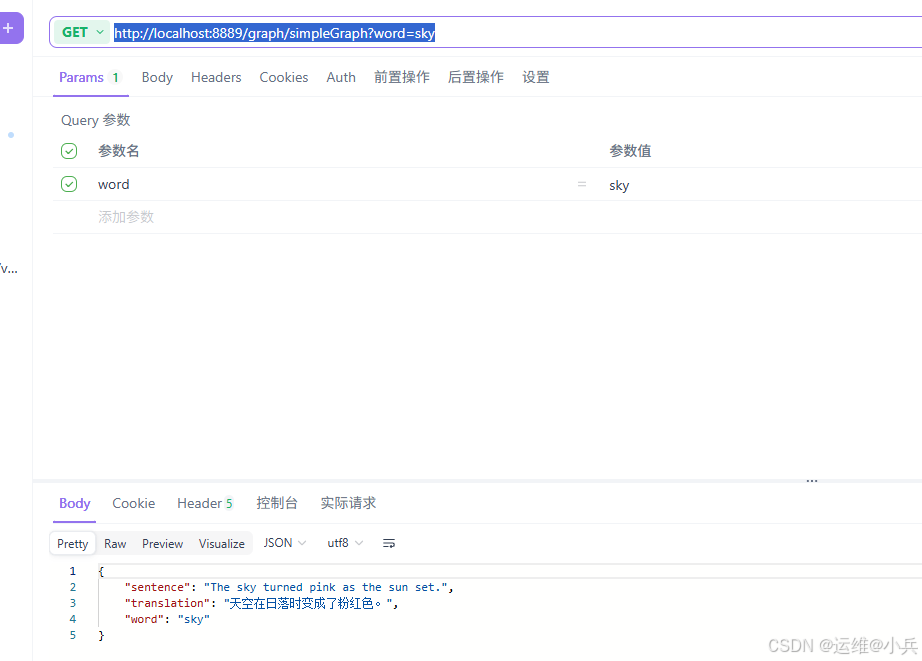
五、条件边
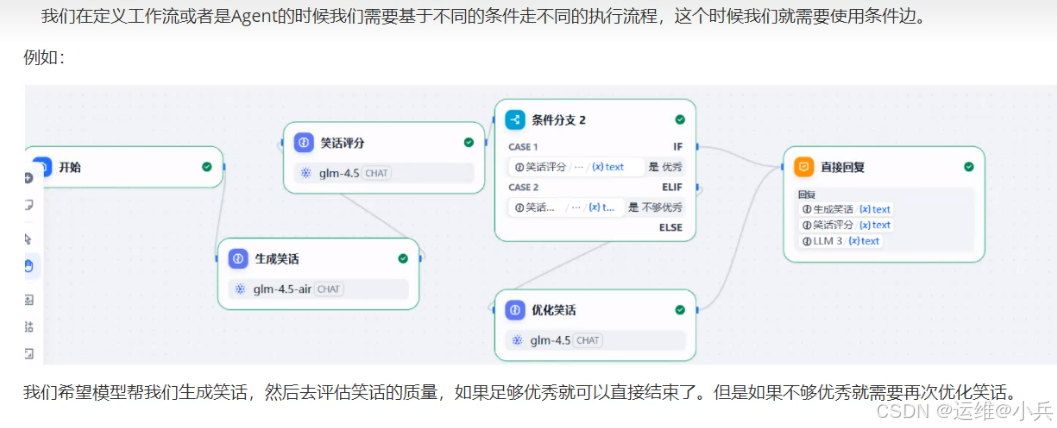
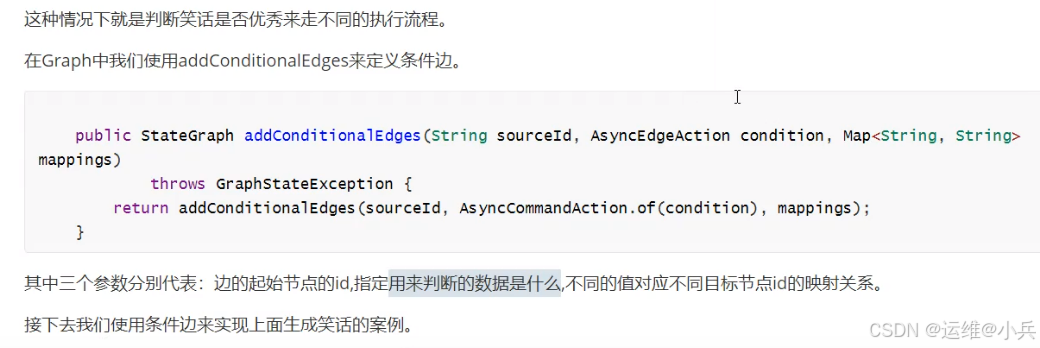
代码结构
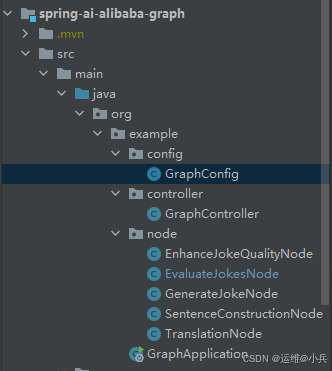
定义GenerateJokeNode生成笑话节点
public class GenerateJokeNode implements NodeAction {

    private final ChatClient chatClient;

    public GenerateJokeNode(ChatClient.Builder builder) {
        this.chatClient = builder.build();
    }

    @Override
    public Map<String, Object> apply(OverAllState state) throws Exception {
        // 从stage中获取笑话主题
        String topic = state.value("topic", "");

        // 定义提示词
        PromptTemplate promptTemplate = new PromptTemplate("你需要写一个关于指定主题的短笑话。要求返回的结果中只能包含笑话的内容" +
                "主题:{topic}");
        promptTemplate.add("topic", topic);   // 替换占位符
        String prompt = promptTemplate.render();  // 渲染提示词

        // 模型调用
        String content = chatClient.prompt()
                .user(prompt)
                .call()
                .content();

        // 把结果存入stage
        return Map.of("joke", content);
    }
}
定义EvaluateJokesNode评估笑话节点
public class EvaluateJokesNode implements NodeAction {

    private final ChatClient chatClient;

    public EvaluateJokesNode(ChatClient.Builder builder) {
        this.chatClient = builder.build();
    }

    @Override
    public Map<String, Object> apply(OverAllState state) throws Exception {
        // 从stage中获取待评估笑话
        String joke = state.value("joke", "");

        // 定义提示词
        PromptTemplate promptTemplate = new PromptTemplate("你是一个笑话评分专家,能够对笑话进行评分,基于效果的搞笑程度给出0到10分的打分。" +
                "0到3分是不够优秀,4到10分是优秀。要求结果只返回优秀或者不够优秀,不能输出其他内容。"+
                "要评分的笑话:{joke}");
        promptTemplate.add("joke", joke);   // 替换占位符
        String prompt = promptTemplate.render();  // 渲染提示词

        // 模型调用
        String content = chatClient.prompt()
                .user(prompt)
                .call()
                .content();

        // 把结果存入stage
        return Map.of("result", content.trim());
    }
}
定义EnhanceJokeQualityNode优化笑话节点
public class EnhanceJokeQualityNode implements NodeAction {

    private final ChatClient chatClient;

    public EnhanceJokeQualityNode(ChatClient.Builder builder) {
        this.chatClient = builder.build();
    }

    @Override
    public Map<String, Object> apply(OverAllState state) throws Exception {
        // 从stage中获取待评估笑话
        String joke = state.value("joke", "");

        // 定义提示词
        PromptTemplate promptTemplate = new PromptTemplate("你是一个笑话优化专家,你能够优化笑话,让它更加搞笑" +
                "要优化的话:{joke}");
        promptTemplate.add("joke", joke);   // 替换占位符
        String prompt = promptTemplate.render();  // 渲染提示词

        // 模型调用
        String content = chatClient.prompt()
                .user(prompt)
                .call()
                .content();

        // 把结果存入stage
        return Map.of("newJoke", content);
    }
}
在GraphConfig下面定义图
@Bean("conditionalGraph")
    public CompiledGraph conditionalGraph(ChatClient.Builder clientBuilder) throws GraphStateException {
        KeyStrategyFactory keyStrategyFactory =()-> Map.of("topic",new ReplaceStrategy());
        // 定义状态图StateGraph
        StateGraph stateGraph = new StateGraph("conditionalGraph", keyStrategyFactory);
        // 定义节点
        stateGraph.addNode("生成笑话", AsyncNodeAction.node_async(new GenerateJokeNode(clientBuilder)));
        stateGraph.addNode("评估笑话", AsyncNodeAction.node_async(new EvaluateJokesNode(clientBuilder)));
        stateGraph.addNode("优化笑话", AsyncNodeAction.node_async(new EnhanceJokeQualityNode(clientBuilder)));
        // 定义边
        stateGraph.addEdge(StateGraph.START, "生成笑话");
        stateGraph.addEdge("生成笑话", "评估笑话");
        stateGraph.addConditionalEdges("评估笑话", AsyncEdgeAction.edge_async(
                state -> state.value("result", "优秀")),
                Map.of("优秀",StateGraph.END,
                        "不够优秀", "优化笑话"));
        stateGraph.addEdge("优化笑话", StateGraph.END);

        return stateGraph.compile();
    }
在GraphController下创建接口
private final CompiledGraph compiledGraph;
    private final CompiledGraph simpleGraph;
    private final CompiledGraph conditionalGraph;

    public GraphController(@Qualifier("quickStartGraph") CompiledGraph compiledGraph,
                           @Qualifier("simpleGraph") CompiledGraph simpleGraph,
                           @Qualifier("conditionalGraph") CompiledGraph conditionalGraph) {
        this.compiledGraph = compiledGraph;
        this.simpleGraph = simpleGraph;
        this.conditionalGraph = conditionalGraph;
    }

    @GetMapping("/conditionalGraph")
    public Map<String, Object> conditionalGraph(@RequestParam("topic") String topic) {
        Optional<OverAllState> overAllStateOptional = conditionalGraph.call(Map.of("topic", topic));
        Map<String, Object> data = overAllStateOptional.map(OverAllState::data).orElse(Map.of());
        return data;
    }
验证效果
GET方式:http://localhost:8889/graph/conditionalGraph?topic=爱情
评估结果是优秀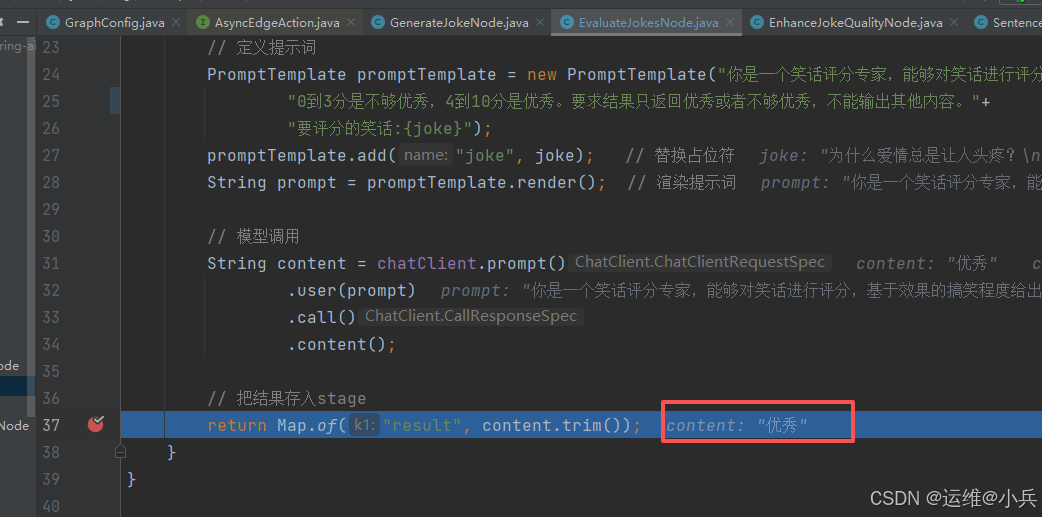
直接输出结果
在断点处右击,选择“Evaluate Expression”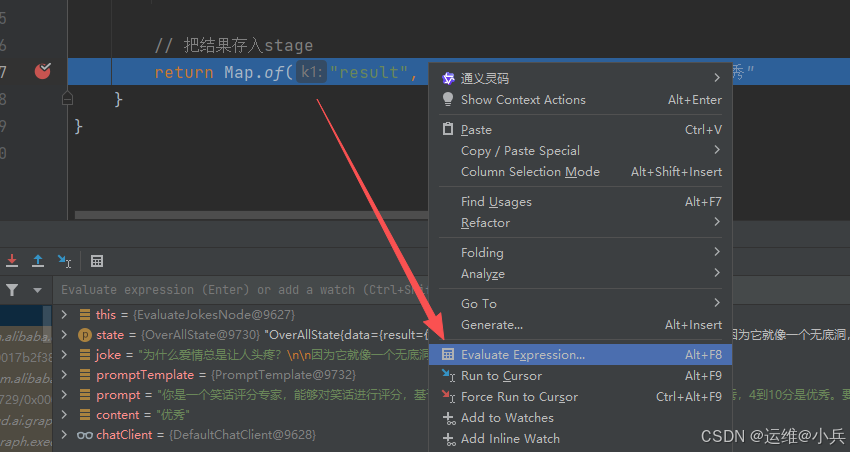
篡改评估结果为"不够优秀",回车后关闭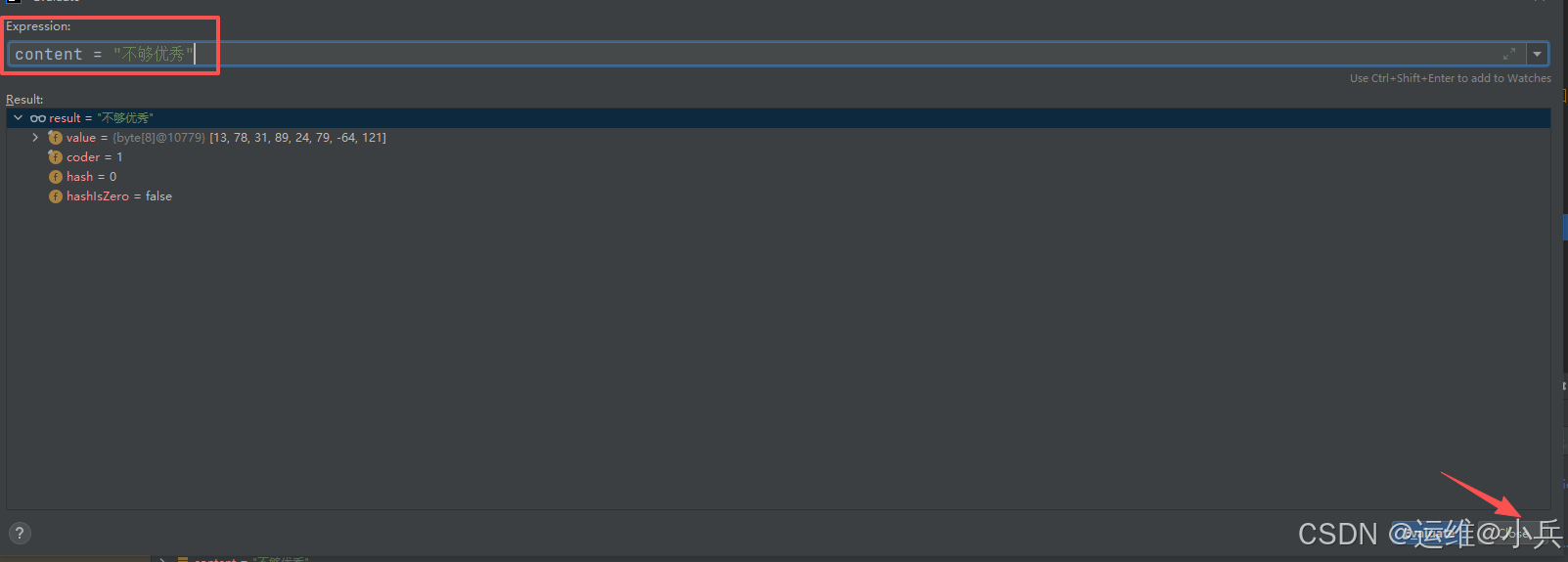
修改成功
就会走优化节点,生成新的笑话
六、循环边
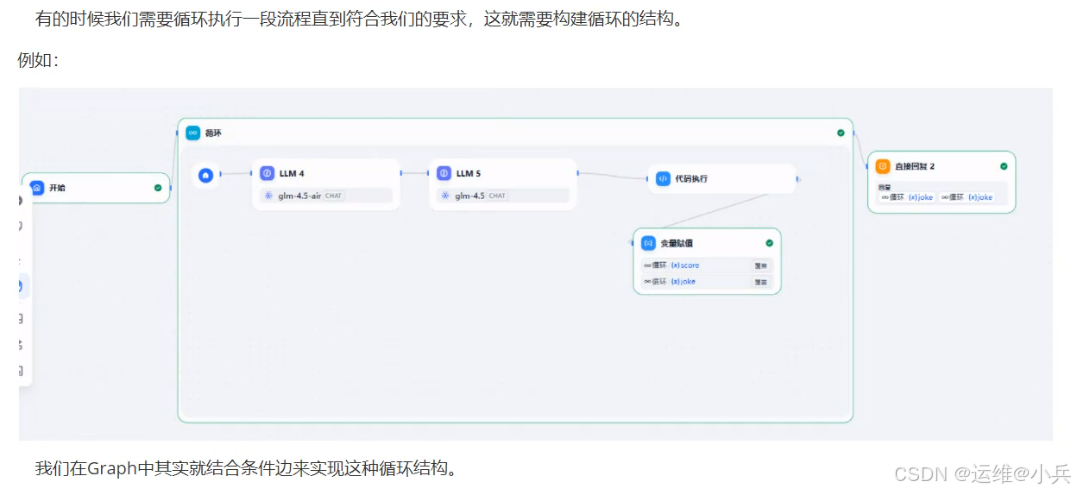
新增LoopEvaluateJokesNode循环评分节点
@Slf4j
public class LoopEvaluateJokesNode implements NodeAction {

    private final ChatClient chatClient;
    private final Integer targetScore;
    private final Integer maxLoopCount;

    public LoopEvaluateJokesNode(ChatClient.Builder builder, Integer targetScore, Integer maxLoopCount) {
        this.chatClient = builder.build();
        this.targetScore = targetScore;
        this.maxLoopCount = maxLoopCount;
    }

    @Override
    public Map<String, Object> apply(OverAllState state) throws Exception {
        // 从stage中获取待评估笑话
        String joke = state.value("joke", "");
        // 循环次数
        Integer loopCount = state.value("loopCount", 0);

        // 定义提示词
        PromptTemplate promptTemplate = new PromptTemplate("你是一个笑话评分专家,能够对笑话进行评分,基于效果的搞笑程度给出0到10分的打分。" +
                "要求结果只返回最后的打分,打分必须是整数,不能输出其他内容。"+
                "要评分的笑话:{joke}");
        promptTemplate.add("joke", joke);   // 替换占位符
        String prompt = promptTemplate.render();  // 渲染提示词

        // 模型调用
        String content = chatClient.prompt()
                .user(prompt)
                .call()
                .content();
        // content转为整数
        Integer score = Integer.parseInt(content.trim());

        log.info("joke: {},score: {},循环次数: {}", joke, score, loopCount);
        // 根据分数判断是否继续循环,循环最多执行5次
        String result = "loop";
        if (score >= targetScore || loopCount >= maxLoopCount) {
            result = "break";
        }
        loopCount++;
        // 把结果存入stage
        return Map.of("result", result, "loopCount", loopCount);
    }
}
在GraphConfig下面定义图
@Bean("loopGraph")
    public CompiledGraph loopGraph(ChatClient.Builder clientBuilder) throws GraphStateException {
        KeyStrategyFactory keyStrategyFactory =()-> Map.of("topic",new ReplaceStrategy());
        // 定义状态图StateGraph
        StateGraph stateGraph = new StateGraph("loopGraph", keyStrategyFactory);
        // 定义节点
        stateGraph.addNode("生成笑话", AsyncNodeAction.node_async(new GenerateJokeNode(clientBuilder)));
        stateGraph.addNode("评估笑话", AsyncNodeAction.node_async(new LoopEvaluateJokesNode(clientBuilder, 8, 5)));
        // 定义边
        stateGraph.addEdge(StateGraph.START, "生成笑话");
        stateGraph.addEdge("生成笑话", "评估笑话");
        stateGraph.addConditionalEdges("评估笑话", AsyncEdgeAction.edge_async(
                        state -> state.value("result", "loop")),
                Map.of("loop","生成笑话",
                        "break", StateGraph.END));

        return stateGraph.compile();
    }
在GraphController下创建接口
@GetMapping("/loopGraph")
public Map<String, Object> loopGraph(@RequestParam("topic") String topic) {
    Optional<OverAllState> overAllStateOptional = loopGraph.call(Map.of("topic", topic));
    Map<String, Object> data = overAllStateOptional.map(OverAllState::data).orElse(Map.of());
    return data;
}
测试
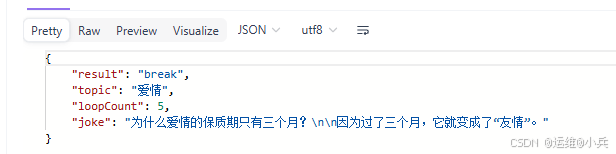
GET方式:http://localhost:8889/graph/loopGraph?topic=爱情
当score为8时,退出循环,输出结果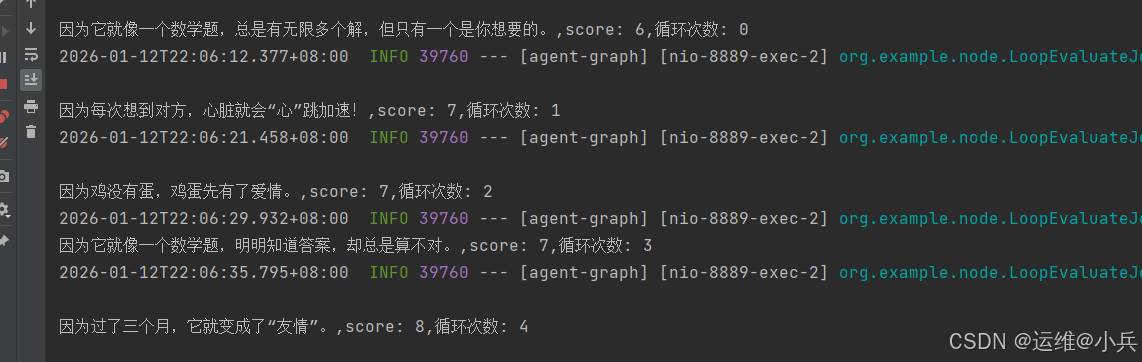
七、状态存储
我们可以把图中的状态数据进行存储。默契情况下Graph会把状态存储到内存中。
在ConfigGraph中创建状态图
@Bean("saveGraph")
public CompiledGraph saveGraph(ChatClient.Builder clientBuilder) throws GraphStateException {
    KeyStrategyFactory keyStrategyFactory = () -> Map.of();

    // 定义状态图 stateGraph
    StateGraph stateGraph = new StateGraph("saveGraph", keyStrategyFactory);

    stateGraph.addNode("对话存储",AsyncNodeAction.node_async(new NodeAction() {
                @Override
                public Map<String, Object> apply(OverAllState state) throws Exception {
                    String msg = state.value("msg", "");
                    ArrayList<Object> historyMsg = state.value("historyMsg", new ArrayList<>());
                    historyMsg.add(msg);
                    return Map.of("historyMsg", historyMsg);
                }
            })
    );

    // 定义边
    stateGraph.addEdge(StateGraph.START, "对话存储");
    stateGraph.addEdge("对话存储", StateGraph.END);

    return stateGraph.compile();
}
在GraphController中创建接口
@GetMapping("/saveGraph")
// 通过conversationId来隔离不同请求者的数据
public Map<String, Object> saveGraph(@RequestParam("msg") String msg, @RequestParam("conversationId") String conversationId) {
    RunnableConfig runnableConfig = RunnableConfig.builder()
            .threadId(conversationId)
            .build();
    Optional<OverAllState> overAllStateOptional = saveGraph.call(Map.of("msg", msg), runnableConfig);
    Map<String, Object> data = overAllStateOptional.map(OverAllState::data).orElse(Map.of());
    return data;
}
测试
GET方式:http://localhost:8889/graph/saveGraph?msg=你好张三&conversationId=zs
第一次调用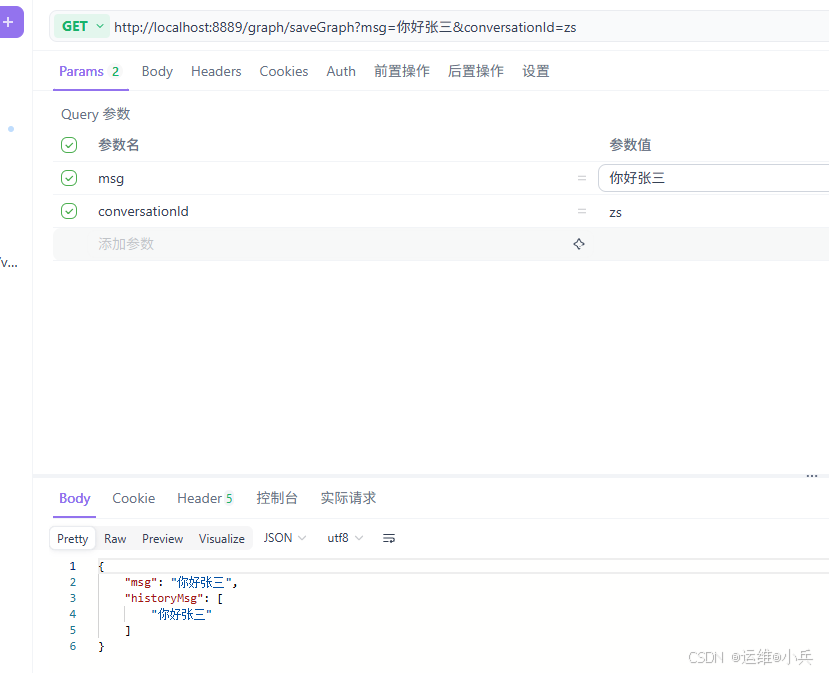
第二次调用,发现前面的值存储了下来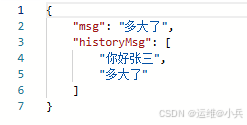
修改会话ID,历史数据只有最新的一条数据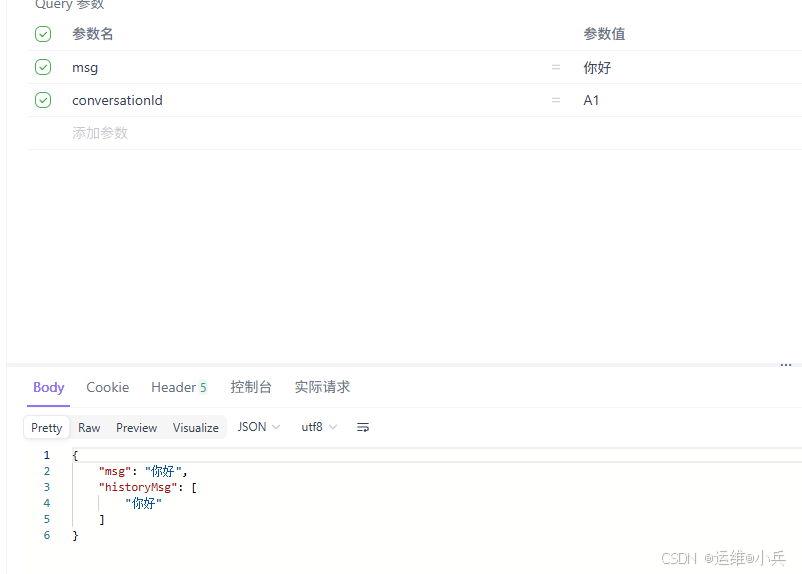
八、打印图
我们可以把定义好的状态图进行打印,更直观的看到当前图的情况
在图的下面添加如下代码:
// 添加PlantUML打印
GraphRepresentation representation = stateGraph.getGraph(GraphRepresentation.Type.PLANTUML, "stateGraph");
log.info("\n===打印UML Flow===");
log.info(representation.content());
log.info("====================\n");
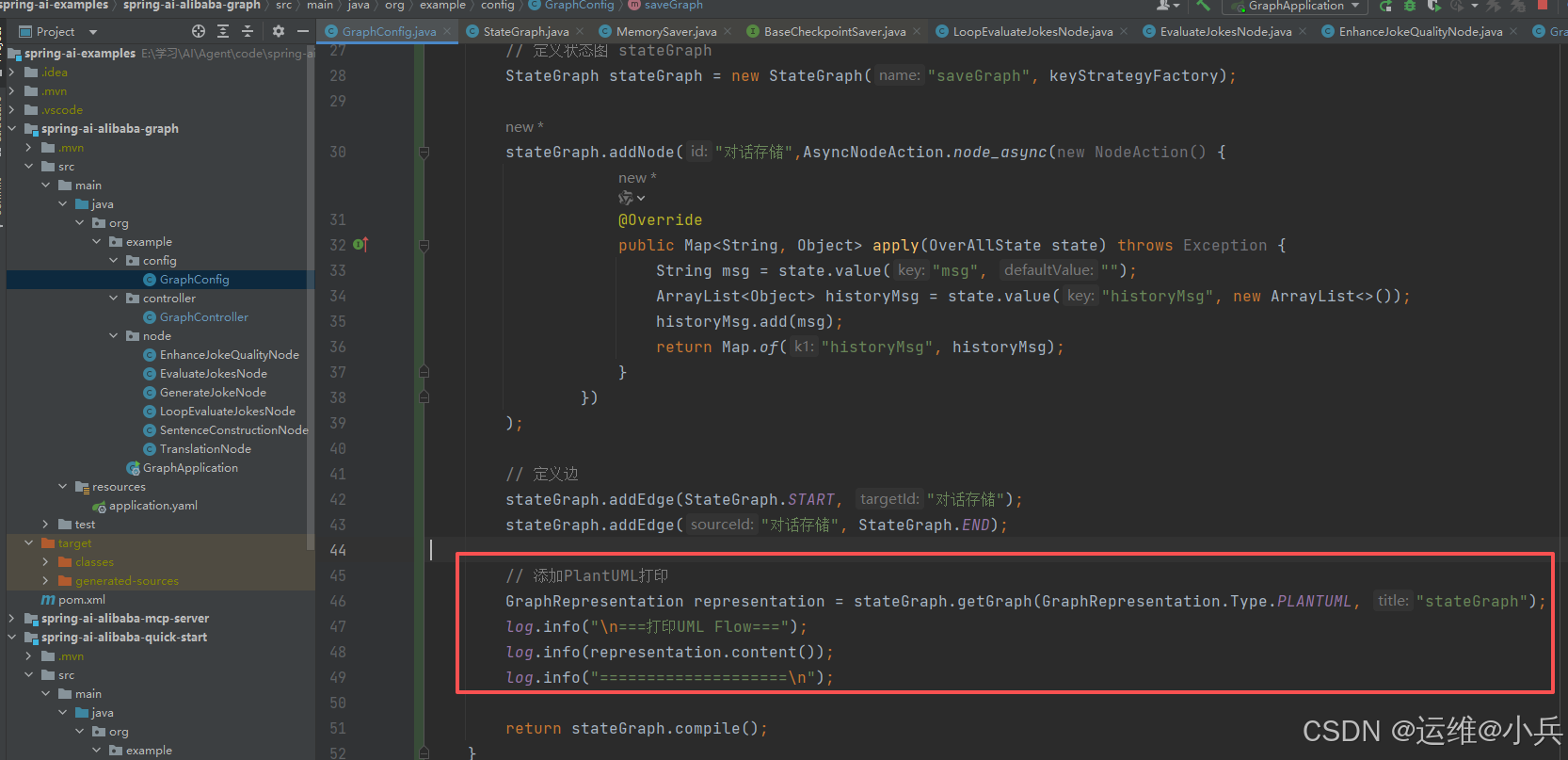
启动服务,复制如下内容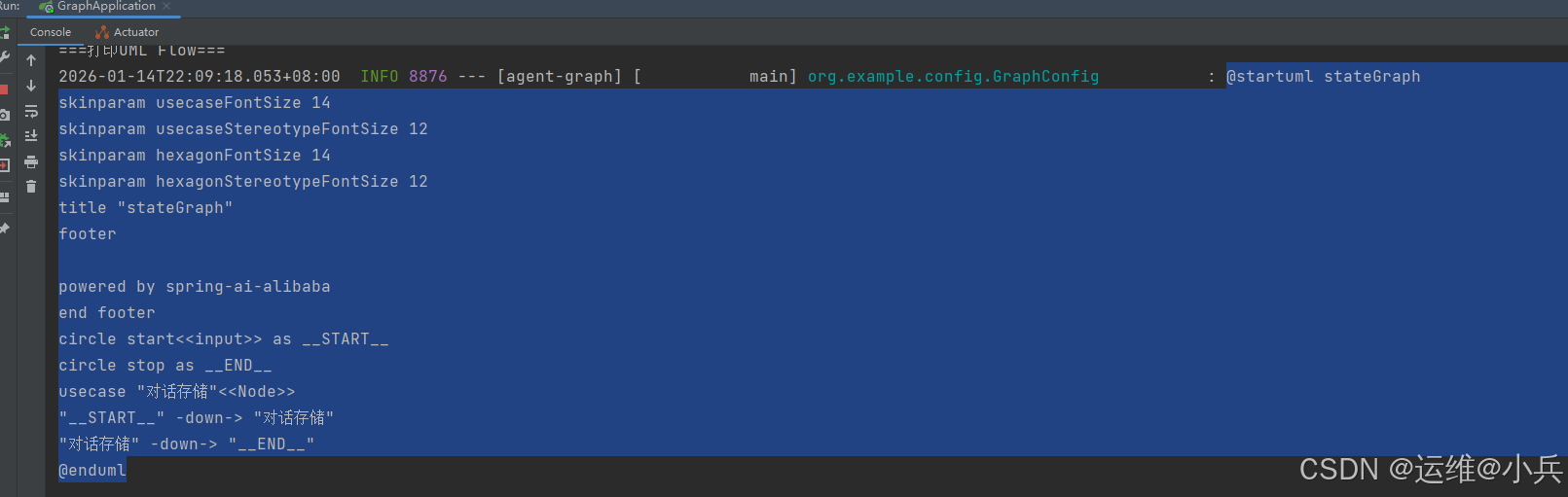
打开网址:http://www.plantuml.com/plantuml/
粘贴内容,就可以看到图的效果了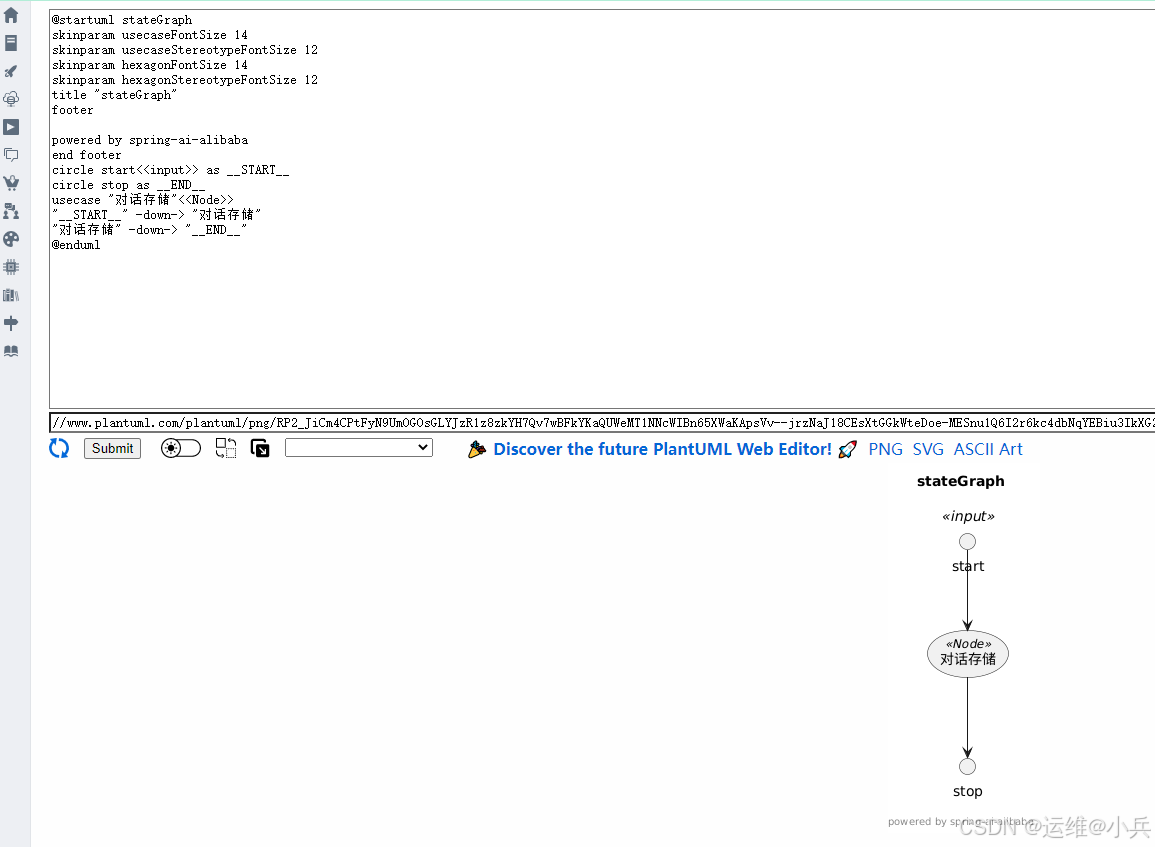
九、资料
视频:https://www.bilibili.com/video/BV1eyWbzEEnw?spm_id_from=333.788.player.switch&vd_source=0467ab39cc5ec5940fee22a0e7797575&p=45

有“AI”的1024 = 2048,欢迎大家加入2048 AI社区
更多推荐

 15
15 0
0- 0


 已为社区贡献10条内容

所有评论(0)