{aaa} How to Use Proxychains 2026 (Kali, Linux & Windows) (****)
How to Use Proxychains 2026 (Kali, Linux & Windows) https://www.stationx.net/proxychains/
Advanced Proxychains Features
We've discussed some configurations you can set with proxychains. You may also want to change some more advanced features.
Proxy DNS Requests
Setting: proxy_dns
Forces DNS resolution through the proxy chain. This is important for maintaining anonymity, as it prevents DNS leaks that could reveal your IP address through unproxied DNS queries.
Remote DNS Subnet
Setting: remote_dns_subnet
Configures the fake IP subnet used for remote DNS requests. This is part of how proxychains handle DNS requests to avoid leaks.
高级代理链功能
我们讨论了一些可以使用代理链设置的配置。您可能还想更改一些更高级的功能。
代理DNS请求
设置:proxy_dns
强制通过代理链进行DNS解析。这对于保持匿名性很重要,因为它可以防止DNS泄漏,这些泄漏可能会通过未经授权的DNS查询泄露您的IP地址。
远程DNS子网
设置:remote_dns_subnet
配置用于远程DNS请求的伪IP子网。这是代理链处理DNS请求以避免泄漏的一部分。
How to Use Proxychains 2026 (Kali, Linux & Windows)
January 9, 2026 / By Richard Dezso

Are you looking to remain anonymous online or bypass geographical restrictions? Are you searching for information on how to pivot with proxychains? Well, you’ve come to the right place.
In this article, we’ll explain proxychains, its use cases, how to install it on Kali and Ubuntu, and whether you can use it on Windows.
We’ll walk through configuring it and how to use it to pivot via SSH and Metasploit and show you some of its advanced features.
You’ll learn how to use it with Tor, and finally, we’ll discuss any considerations you should be aware of before using it.
Let's begin if you’re ready to embark on this proxychains journey.
What Are Proxychains?
Before we discuss proxychains, let’s quickly discuss what a proxy is.
What Is a Proxy?
A proxy is an intermediate server that acts as a gateway between you and the internet.

Let’s take an example of visiting google.com. Instead of sending packets directly to Google’s server, you first send them to the proxy, which then forwards them to Google. When Google replies, it sends the packets to the proxy, and the proxy forwards them back to you.
In this way, the Google server thinks the conversation is happening between it and the proxy server, hiding your communication and IP address.
This not only hides your IP address, allowing you to remain anonymous, but it can also serve other purposes, such as avoiding geo-restrictions.
Remember that the proxy server acts as a middleman. The destination server sees the proxy's information instead of yours, providing you with privacy and security.
Information Security Courses Bundles
Want lifetime access to expert-led cyber security training? Explore our Information Security Course Bundles — one-time purchase packages covering top topics like Ethical Hacking, Cloud, Linux, DevSecOps, and CompTIA certifications.
So, What Are Proxychains?
Proxychains build upon the proxy example above. Instead of using only one proxy server, proxychains chain several servers, hence the term.
So your traffic would go from your machine to the first proxy server, and then you’d proxy yourself into a second server, and so on, until you reach your final destination, wherever that may be.

These proxychains are an excellent way to remain anonymous online as they route your internet traffic through multiple proxy servers, making it difficult to trace back to your original IP address.
Benefits include integration with Tor, SOCKS, and HTTP proxies, which allow for increased flexibility and security when browsing the Internet.
Additionally, proxychains can be easily configured to work with applications like Nmap, SQLmap, etc.
Use Cases for Proxychains
Now that you understand proxychains, let’s discuss their use cases. Proxychains are often used while penetration testing or red teaming to obfuscate the origin of traffic and make it appear as though it’s coming from a different location or IP address.
By creating a chain of proxies, including the compromised system(s), red teamers can further obfuscate their movements within the network, making them harder to detect.
Additionally, it's possible to circumvent blocks put in place by the blue team by using proxy chains to bypass a restrictive firewall and access resources. This can be particularly useful for conducting reconnaissance or exfiltrating data without being detected.
Another use of proxychains is in combination with pivoting tools like Chisel, SSHuttle, and Metasploit. Pivoting allows traffic routed through a compromised host to reach other hosts in internal networks that would normally not be accessible from your attacking machine.
With proxychains, you can run tools from your machine to hosts within the internal network. We’ll take a look at pivoting further down in this article.
Proxychains vs Proxychains-ng
Proxychains-ng, the ng standing for next generation, is an enhanced iteration of the defunct proxychains project. It offers improved functionality and enhanced compatibility.
Proxychains-ng is a UNIX program that hooks network-related libc functions in dynamically linked programs via a preloaded DLL. It redirects connections through proxy types such as SOCKS4a/5 or HTTP and supports TCP only.
Essentially, proxychains-ng forces other programs to route their traffic through proxies by intercepting and redirecting the traffic initiated by those programs.
Except in cases where proxychains is more suitable due to limitations, proxychains-ng is generally advised.
We’ll be using proxychains-ng for our demos.
Installing Proxychains on Kali
Proxychains-ng already comes pre-installed in Kali; you can check by entering the command:
proxychains4 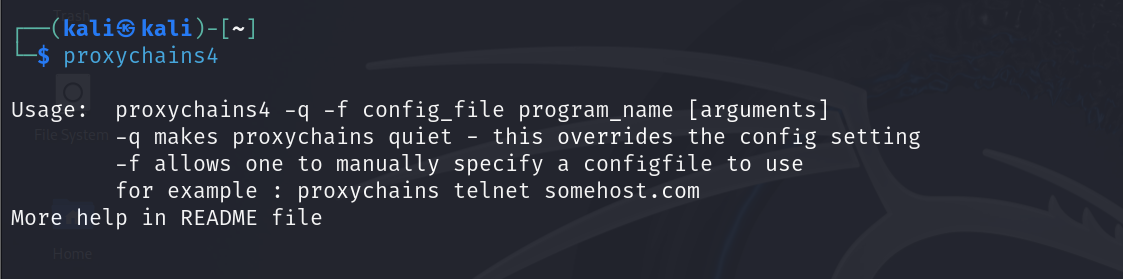
Installing Proxychains on Ubuntu
The proxychains tool isn’t installed on Ubuntu, and you’ll need to install it. We’ll show you how to quickly have it up and running in no time.
First, ensure you have the most up-to-date repositories. To do this, enter the command:
sudo apt update -y
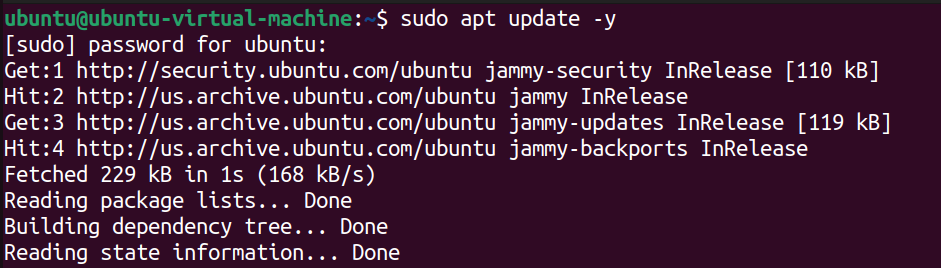
Next, enter
sudo apt install proxychains4to install proxychains-ng.
sudo apt install proxychains4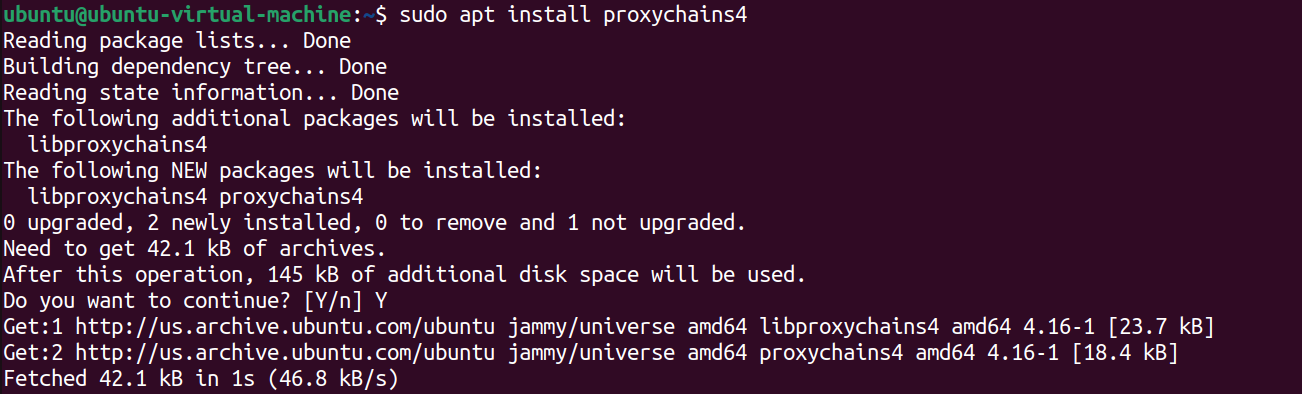
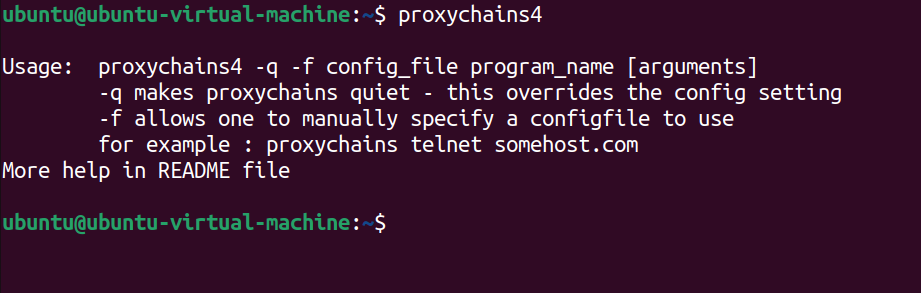
Now, to verify it's downloaded, enter proxychains4 into the terminal.
Want to Download Our Premium Hacking Cheat Sheets?
No Problem! Just enter your email address, and we’ll send you the PDF versions of all our hacking cheat sheets.
Installing Proxychains on Windows
The proxychains tool was built and designed for Linux, so installing it in Windows is not straightforward.
There is an open-source tool called proxychains-windows. Although it hasn't been updated in a few years, and the author doesn't guarantee anonymity, it's worth checking out if you're interested in using proxychains on Windows using an open-source project.
If you’re looking for a reliable proxy service for Windows, we recommend looking into a tool such as Proxifier.
Proxifier is a tool that enables running Windows applications through a proxy server, bypassing firewall restrictions, tunneling the entire system, resolving DNS names, using flexible Proxification Rules, ensuring privacy, and working through a chain of proxy servers.
It supports SOCKS4, SOCKS4A, SOCKS5, HTTPS, HTTP, full IPv6 support, 64-bit applications, and AES 256-bit profile password encryption.
Be advised that fully utilizing this tool involves a one-time cost.
Using Proxychains
Alright, let's examine proxychains in action. We'll show you how to configure it, demonstrate its usage with several proxies, and walk you through how to use it when pivoting. All of this will be done from a Kali virtual machine.
If you want to set up Kali in a virtual machine, see How to Install Kali Linux on VirtualBox & Start Hacking Now or How to Install Kali Linux on VMware: The Ultimate Guide.
Configure Proxychains
Before using proxychains, you'll need to configure it to hide your IP, which we'll demonstrate.
The first step is to add your proxies to the proxychains configuration. In another section, we’ll discuss where to find reliable proxies you can use.
Open the proxychains configuration file using a text editor. We’ll be using nano.
sudo nano /etc/proxychains4.conf
We need to add our proxies to the bottom of the file. Ensuring they are in the format of <protocol> <IP> <port>. If you are using authentication, add these next <username> <password>
For this demo, comment out the socks4 proxy currently there and add as many proxies as you want.
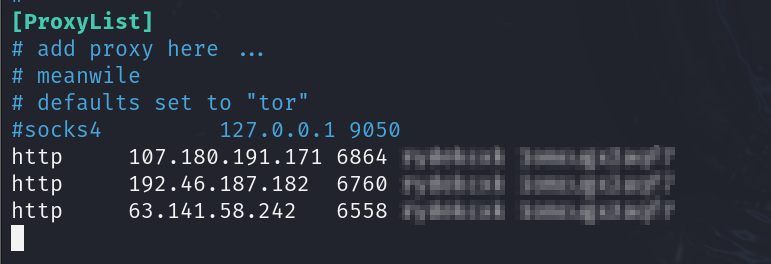
You can also configure how proxychains uses the list of proxies you’ve provided. These can be dynamic, strict, round-robin, or random chains.
Dynamic Chain: With this setting, the tool will attempt to use the proxies in the listed order. However, if one fails, it’ll skip it and move on to the next one.
Strict Chain: Every proxy is used in the listed order, from the first to the second, third, and so on. If one proxy fails, the entire connection fails.
Round-Robin Chain: The chained proxies are used circularly to distribute the connection amongst the provided proxies. Each connection request goes to the next one in the list, and once it reaches the end, it starts over again at the beginning.
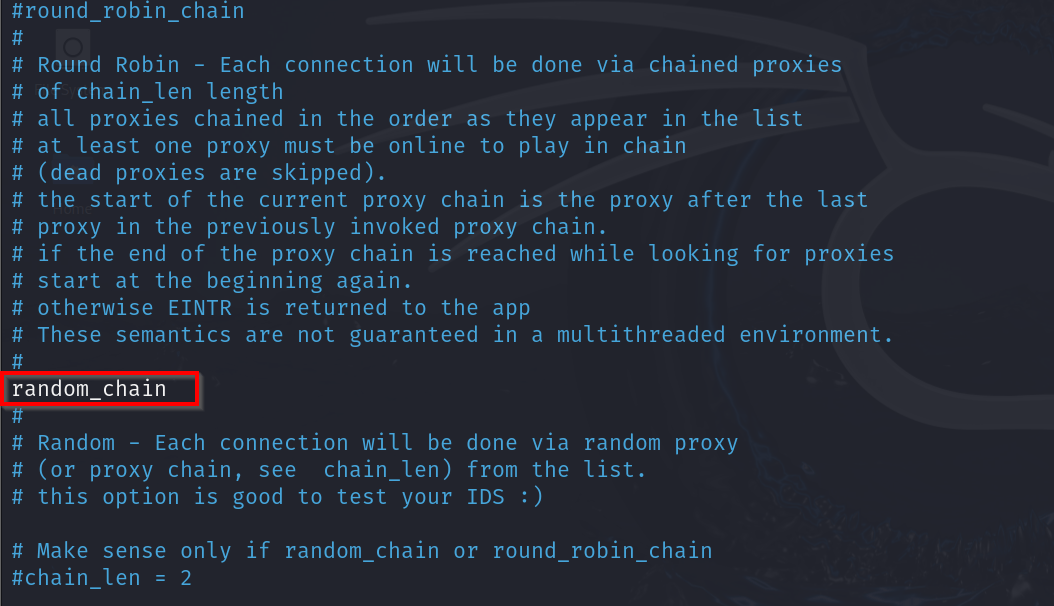
Random Chain: As the name suggests, a random chain selects proxies for each connection in a random order. It does not use the proxies in order and provides a unique path through each listed proxy.
Choosing the right chain type depends on your needs:
- Anonymity: Random chains can provide higher anonymity.
- Reliability: Dynamic chains offer resilience by skipping failed proxies.
- Predictability: Strict chains ensure traffic always follows the same path.
- Load Balancing: Round Robin distributes connections evenly across proxies.
Ensure only the desired chain is uncommented; it will appear highlighted in white. We’ll be using a random chain.
Basic Proxychains Usage
Once you’ve configured proxychains, it's time to use it.
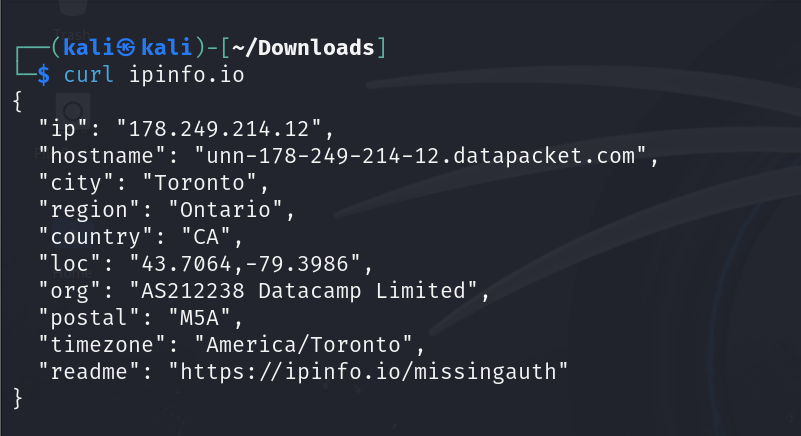
First, open a terminal and enter curl ipinfo.io. This will provide you with information about your current IP address, location, and other details related to your internet connection.
To confirm that proxychains is working correctly, run the following command: proxychains4 curl ipinfo.io. This will allow you to see if the proxy server is masking your IP address.
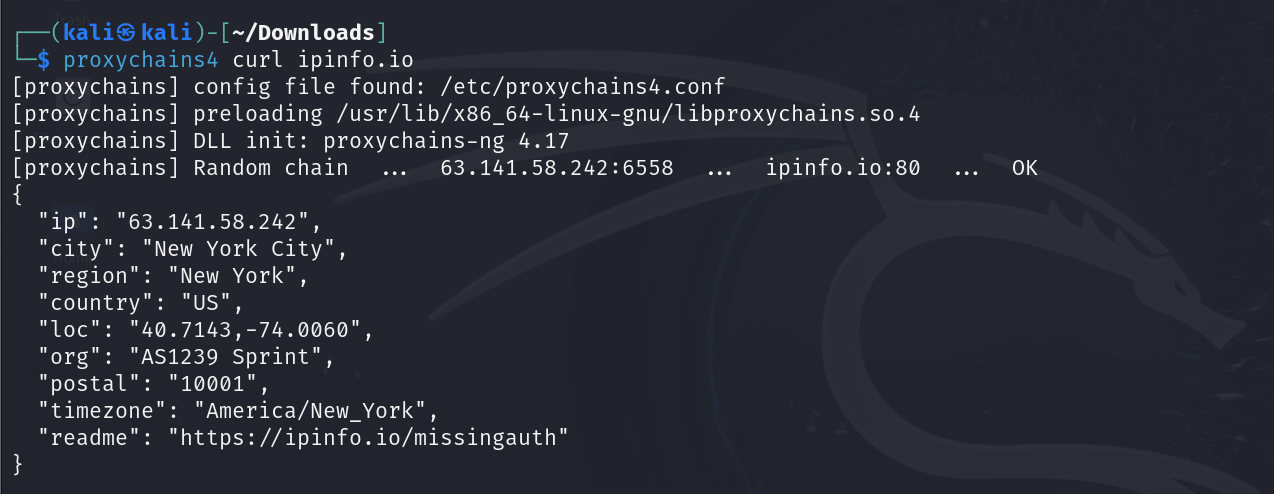
Great, it worked!
Now you can browse the internet without revealing your IP address or location.
CompTIA PenTest+ Voucher
Launch your pentesting career with a discounted CompTIA PenTest+ Voucher. Save up to 30% and earn your certification with an authorized CompTIA partner.
Anytime you want to use an application or tool, simply prepend it with the command proxychains4 to route the connection through your proxies.
For example, to open Firefox, you just need to enter the following command:
proxychains4 firefox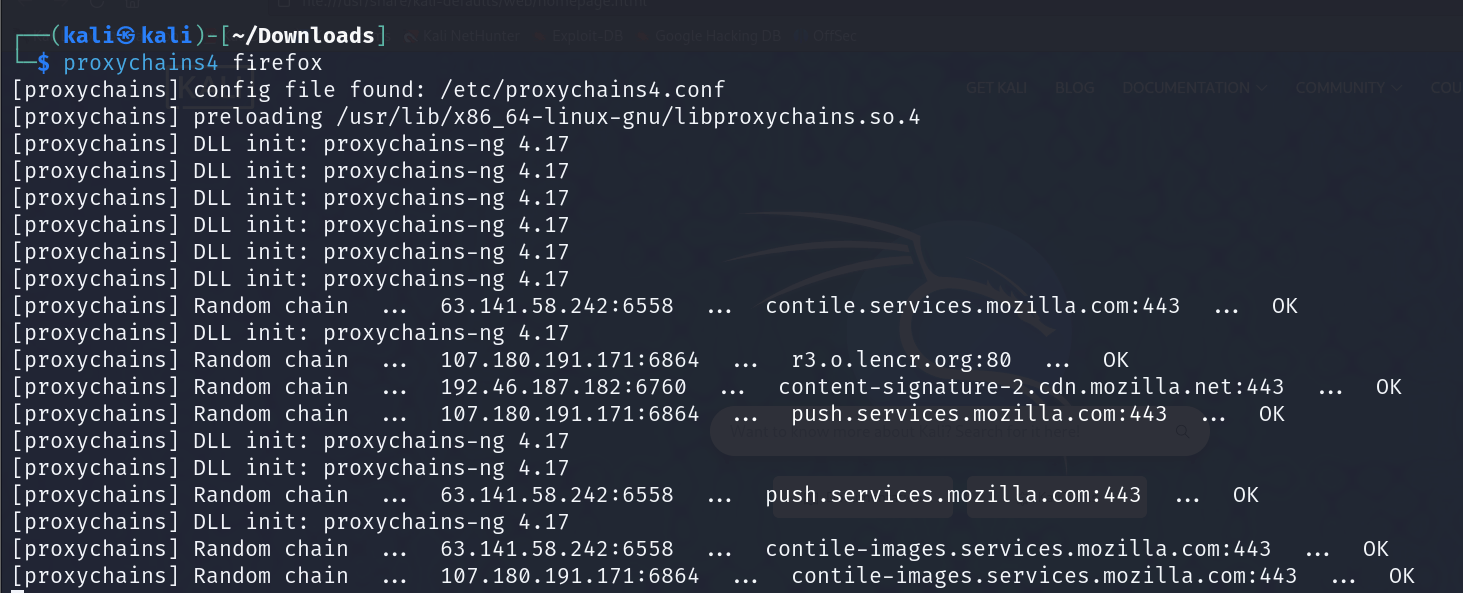
Advanced Proxychains Features ***
We've discussed some configurations you can set with proxychains. You may also want to change some more advanced features.
Proxy DNS Requests
Setting: proxy_dns
Forces DNS resolution through the proxy chain. This is important for maintaining anonymity, as it prevents DNS leaks that could reveal your IP address through unproxied DNS queries.
Remote DNS Subnet
Setting: remote_dns_subnet
Configures the fake IP subnet used for remote DNS requests. This is part of how proxychains handle DNS requests to avoid leaks.
TCP Read Time Out
Setting: tcp_read_time_out tcp_connect_time_out
This section specifies the TCP connection and read operations timeout in milliseconds. Adjusting these can improve performance.
Pivoting with SSH and Proxychains
You can also use proxychains with pivoting tools. We’ll show you how to pivot using SSH and proxychains to access internal networks from an external machine. You could use it with other pivoting tools such as SSHuttle or chisel.
Before we start, let’s quickly look at a network diagram and where we want to pivot.
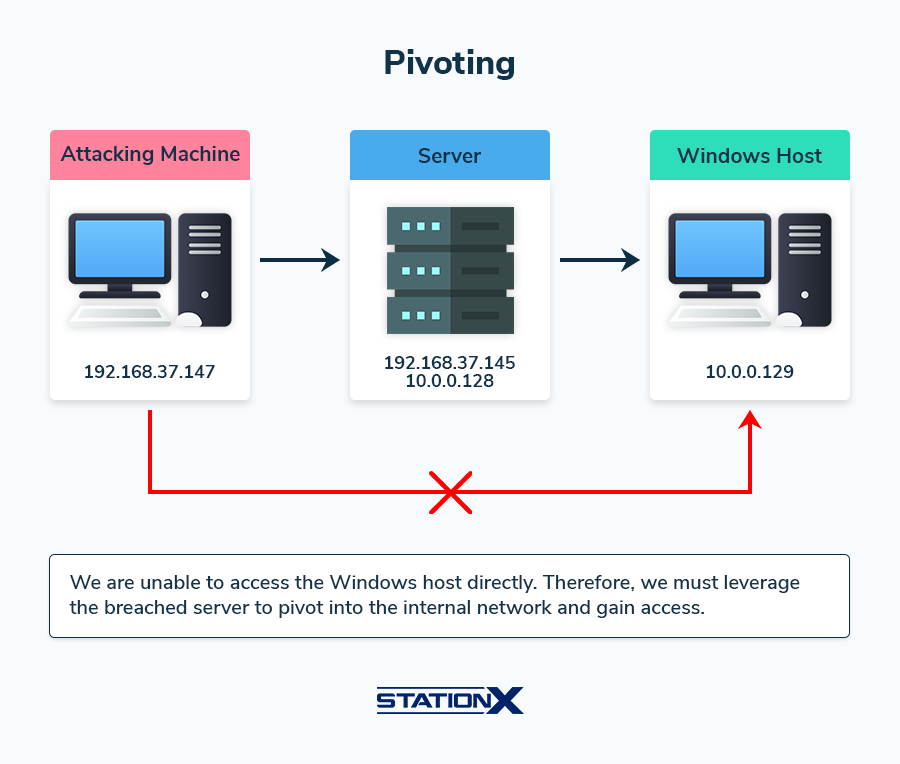
In this scenario, we have our attacking machine, which sits within the 192.168.37.0/24 network, and let’s assume that we have breached the server on the same network.
Upon further reconnaissance, we discover that the server is dual-homed, connected to the external network (the one our attacking machine is on) and an internal network within the 10.0.0.0/24 subnet.
Because our attacking machine cannot directly communicate with this internal network, we need to perform pivoting to enable us to gain access to the internal network.
Pivoting involves leveraging the compromised server as a jump host to access other parts of the network, allowing us to move laterally within the network. Setting up a pivot point on the breached server will enable us to route traffic and reach the internal network.
Want to Download Our Premium Hacking Cheat Sheets?
No Problem! Just enter your email address, and we’ll send you the PDF versions of all our hacking cheat sheets.
We’ll show you how to use SSH to pivot into the internal network using proxychains. To use this method, you must ensure SSH access to the jump box.
First, edit the proxychains configuration file at /etc/proxychains4.conf and uncomment the socks proxy.
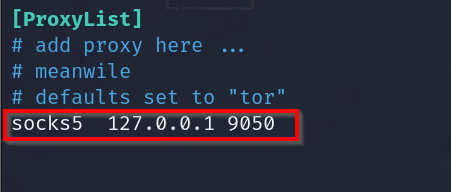
In the terminal from your attacking machine, enter the command:
ssh -f -N -D 9050 user@jumphost-f: Tells SSH to go into the background just before execution.
-N: Instructs SSH not to execute a remote command. This is useful for tunneling.
-D 9050: This creates a SOCKS proxy that listens on port 9050 (from the proxychains configuration file) on your local machine.

Now, we can interact with the internal 10.0.0.0/24 network.
Let’s say we’ve done some more reconnaissance and discovered a new host at 10.0.0.129. During our search, we found some credentials. We want to see if these will work with RDP.
Let’s first see if RDP is open on the new host. We can use the command:
proxychains4 nmap -p 3389 10.0.0.129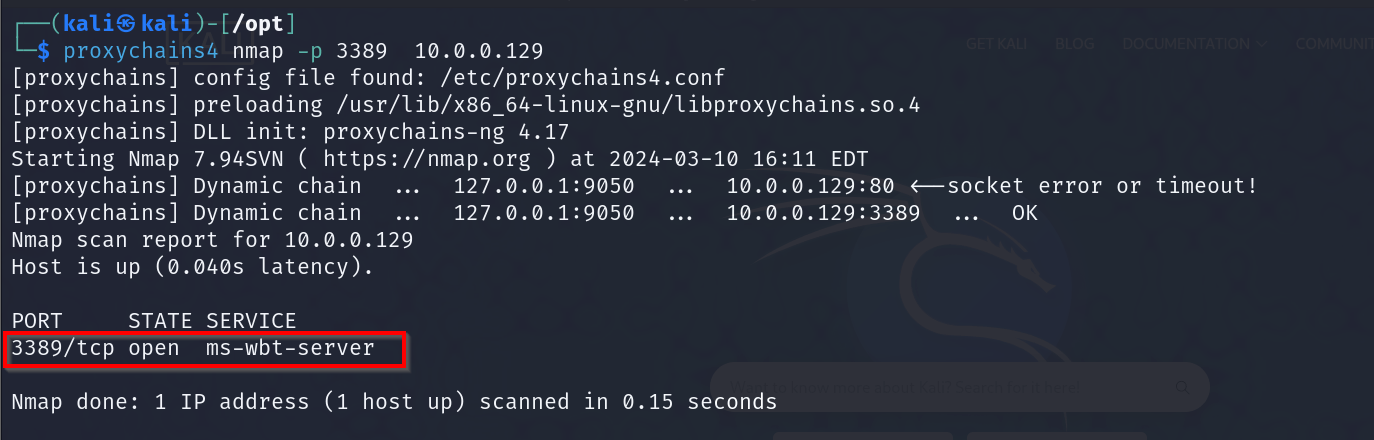
Excellent, it's open. We can try to connect to it through proxychains using the command:
proxychains4 xfreerdp /u:username /p:password /v:host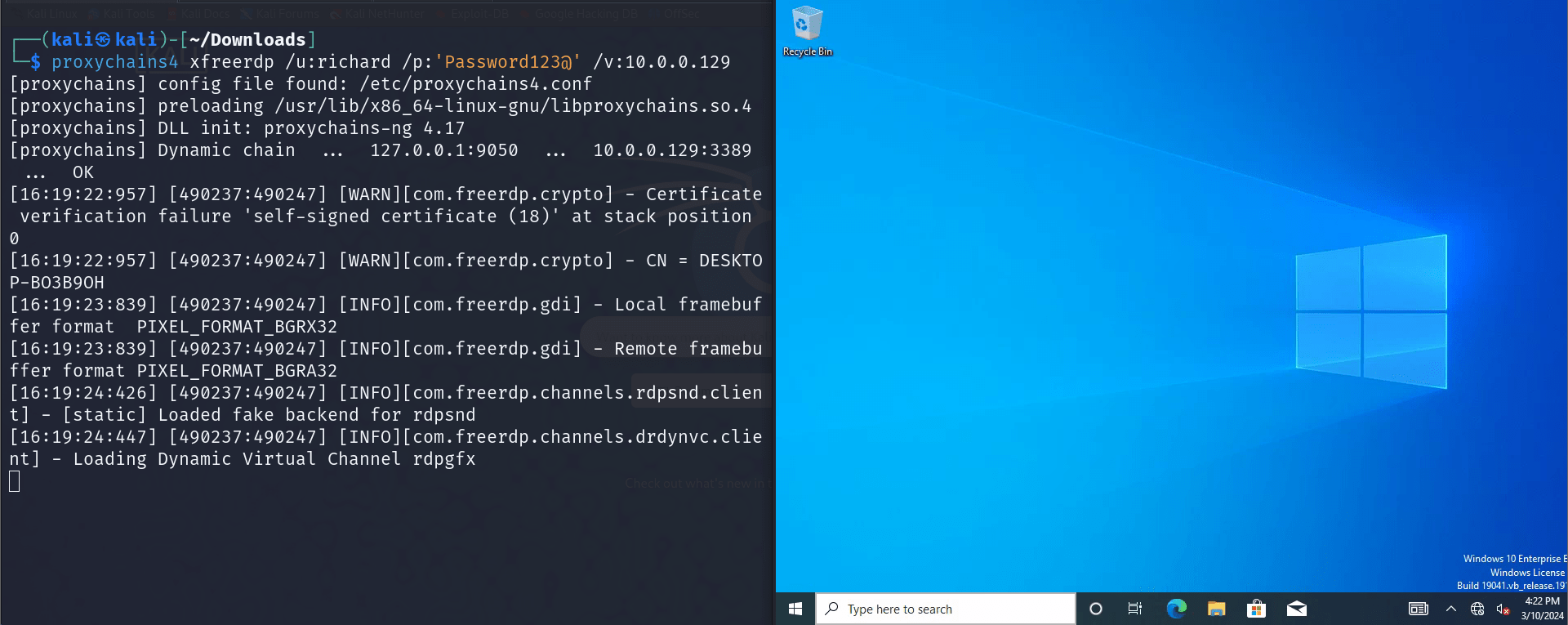
We have pivoted into the internal network and now have RDP access to the new host.
Pivoting with Metasploit and Proxychains
You can also use proxychains within a Meterpreter session in Metasploit. We’ll show you how you can set this up. We’ll be using the same network information as above.
First, ensure you have a Meterpreter session. Next, you’ll need to background the session with ctrl-z or by entering: background.
Next, enter: use multi/manage/autoroute

Now, type options to set the necessary options. In our case, this will be “CMD,” “SESSION,” and “SUBNET.”
set CMD add
set SESSION 1
set SUBNET 10.0.0.0
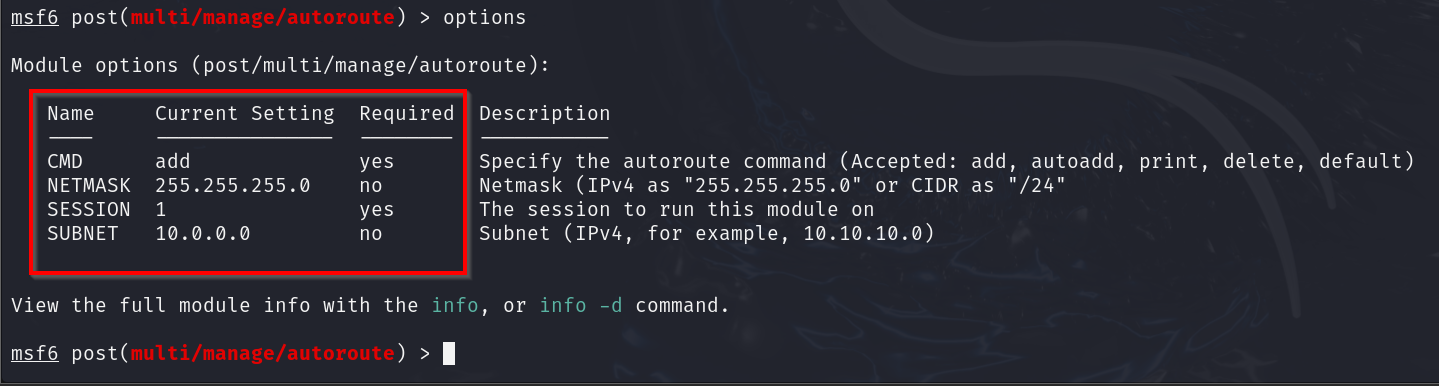
Alternatively, you could add the route by using the command route add <subnet/cidr> <session>.

To check if you’ve set the route correctly, enter route.
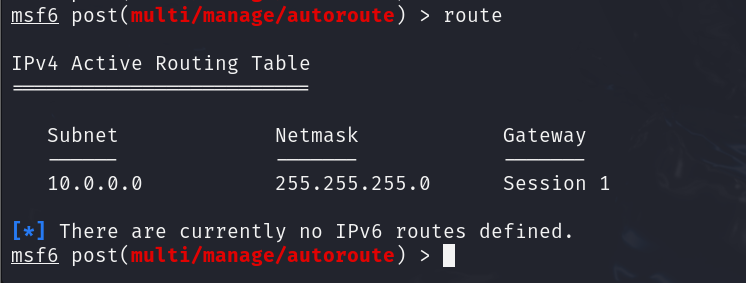
Alright, now we have the correct route set up. However, we'll need to configure the socks proxy to interact with other hosts using tools outside Metasploit (e.g., nmap, netcat, etc.).
The socks_proxy module creates a tunnel that allows you to pivot through the compromised host and use external tools.
Enter: use auxiliary/server/socks_proxy, and we’ll configure a few settings such as “SVRHOST,” “SVRPORT” and “VERSION.”
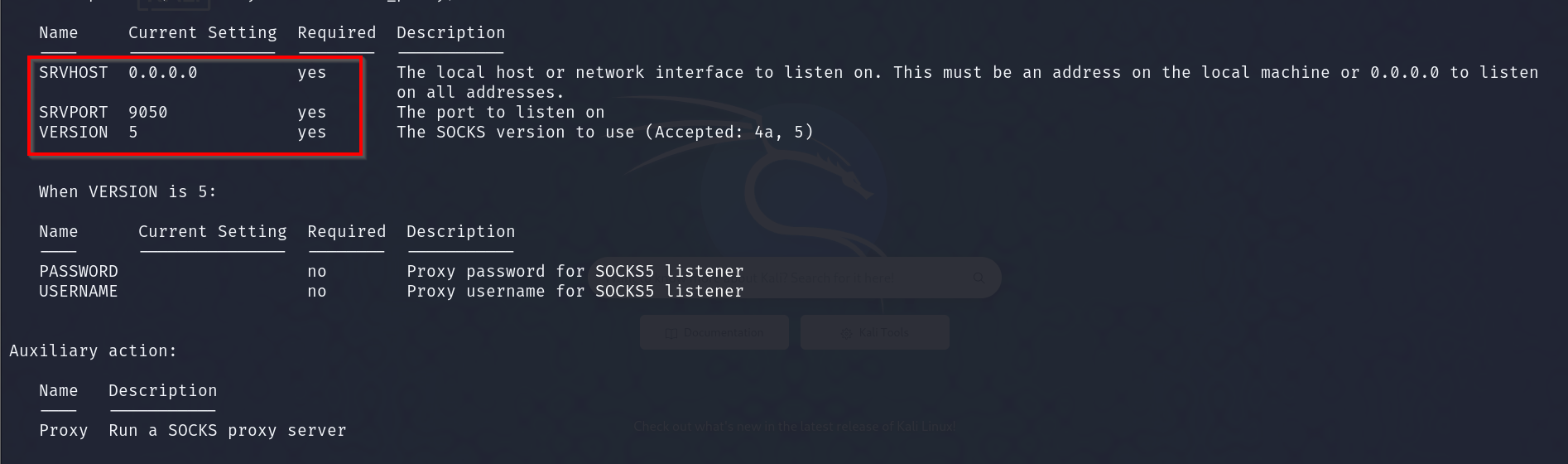
Once finished, enter: run. Now, set the proxychains config file to use the same proxy port you've set up in Metasploit.
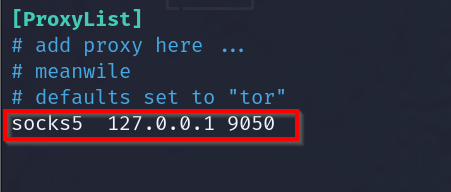
To check if the proxy is running, use the command sudo netstat -lntp.

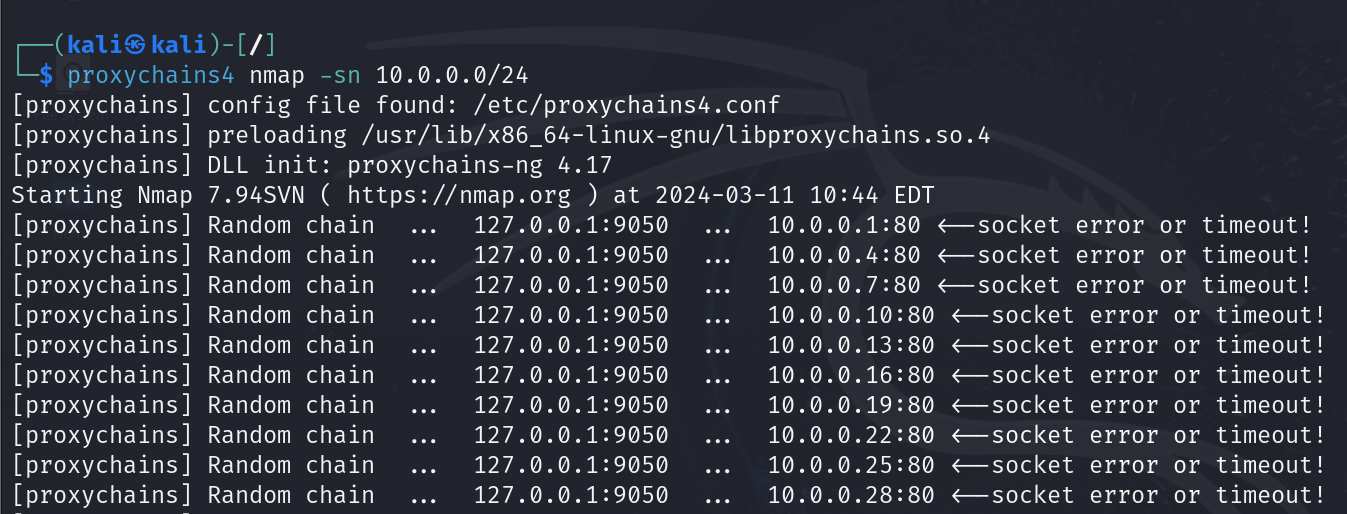
Now, we can use tools from the command line to interact with the internal network as long as it's prepended with proxychains4.
Proxychains and Tor
Tor stands for "The Onion Router," a free and open-source software allowing anonymous communication over a network.
It helps protect your privacy and security online by routing your Internet traffic through volunteer-operated servers worldwide.
Let’s look at some of the benefits and drawbacks of using it.
Benefits of Tor
Anonymity: its main selling point is its ability to provide anonymous web browsing by routing traffic through several relays, hiding your location and usage.
Privacy: it can prevent websites and trackers from gathering personal information about your browsing activities.
Drawbacks of Tor
Reduced Speed: Tor uses multiple relays to route traffic, which can significantly slow down the speed at which you can browse the internet.
Blocking of Tor: Some websites and services block known Tor exit node IP addresses due to abuse from other network users.
Using Tor and Proxychains
Here’s how to get Tor up and running with proxychains quickly.
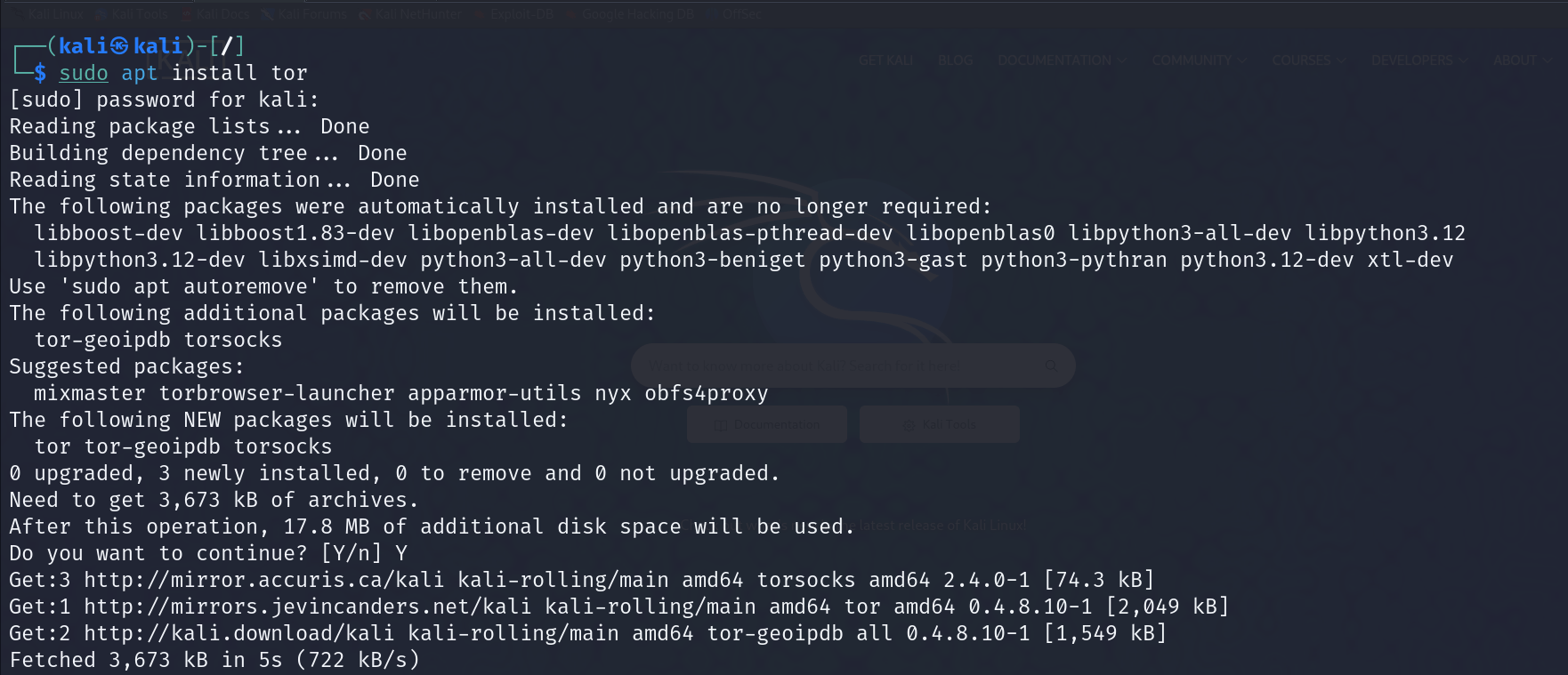
First, ensure Tor is installed on your system; if not, install it with sudo apt install tor.
Next, you’ll need to start the Tor service using the command: sudo service start tor.
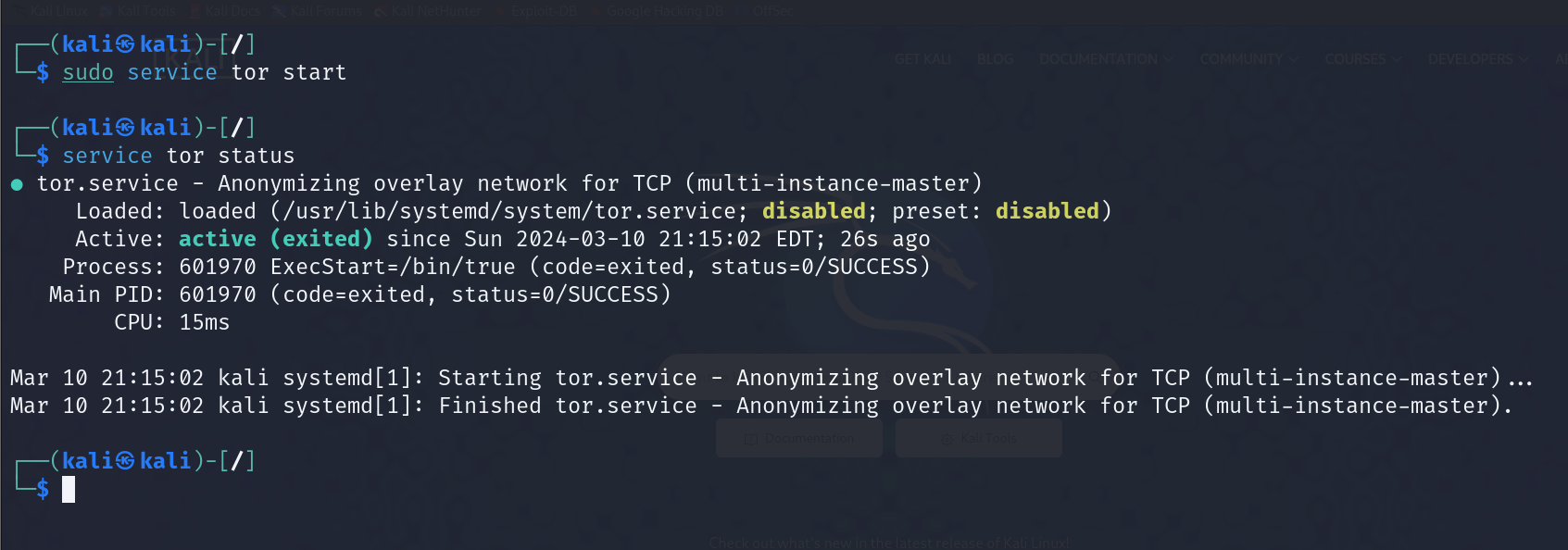
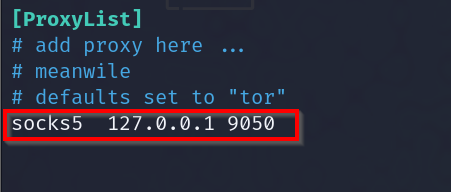
Ensure the proxychains /etc/proxychains4.conf file has the socks proxy configured to port 9050, the default port for Tor.
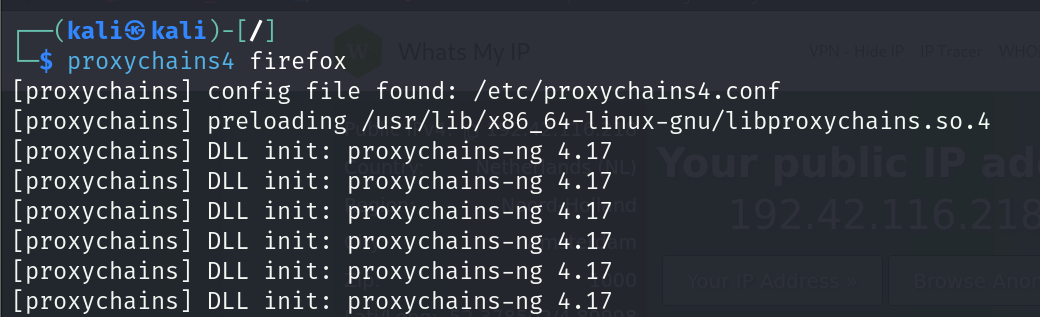
Now let’s open Firefox using proxychains.
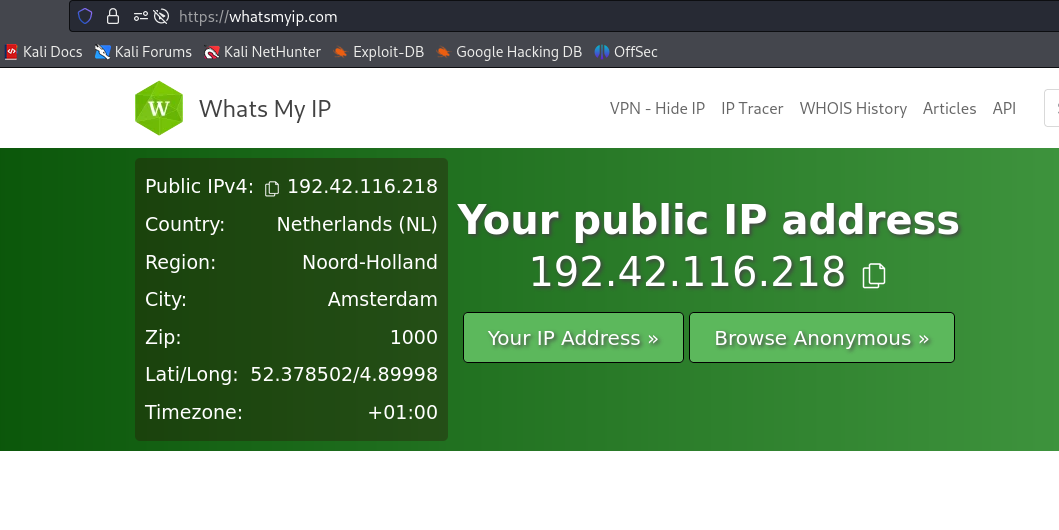
Let’s see where our Tor IP is located.
Proxychains Considerations
To fully take advantage of proxychains for anonymous browsing, you must choose reliable and anonymous proxies. For greater anonymity, these proxies should be located in different geographic locations.
You can discover free proxies from places such as Github by searching for the term “free proxy list.” If you plan on using these, you should test them regularly so you don’t end up with dead proxies.
Many sites, such as Webshare, provide reliable and anonymous proxies, although there’s usually a cost involved. It really all depends on your needs.
There are also limitations to using proxychains, including the speed at which some tools work. For example, some Nmap scans may not work as expected or will take a very long time to complete.
In this case, you may need other tools or methods to find the necessary information.
Conclusion
As you’ve seen, proxychains is quite a powerful tool that can be used to provide a level of privacy and anonymity while surfing the web.
It can also help penetration testers or red teamers while performing functions, such as when pivoting to other networks.
If you want to learn more about privacy, anonymity, or cyber security, consider joining the StationX Master's Program.
We have everything you need to succeed, including over 30,000 cyber security courses and labs. In addition, you’ll have access to mentorships, certification roadmaps, mastermind groups, and more.
Master red team tactics, including reconnaissance, Active Directory attacks, firewall evasion, scripting and API hacking, post-exploitation techniques, and enterprise phishing. Think, operate, and report like a professional red team operator in live environments and emulate real attackers
Level Up to Full-ScaleRed Team Operations
Red Team Hacker Bundle: Learn Hacking Online Red Team Style
Train in real offensive tradecraft: recon, stealth, and exploitation
Breach networks, break into Active Directory, and escalate to DA
Evade firewalls, crack creds, pivot deep, and maintain persistence
Build custom red team tools with Python, assembly, and Windows APIs
Includes 4 elite bonus courses: enterprise phishing, API hacking, job-ready prep, advanced Nmap
7 total courses packed with hands-on labs and real operator techniques

This Red Team Hacker Bundle includes:
- Red Teamer Hacking Course: Learn Ethical Hacking Volume 1
- Red Teamer Hacking Course: Learn Ethical Hacking Volume 2
- Red Teamer Hacking Course: Learn Ethical Hacking Volume 3
- Windows API Hacking Course With Python
- Breaching The Perimeter With Enterprise Phishing Training
- Get a Red Team & Penetration Tester Job Course
- The Complete Nmap Ethical Hacking Course
Frequently Asked Questions
Is proxychains better than a VPN?
Does Kali come with proxychains?
Why do hackers use proxy servers?
What is the difference between Tor and proxychains?

有“AI”的1024 = 2048,欢迎大家加入2048 AI社区
更多推荐

 0
0 0
0- 0


 已为社区贡献71条内容

所有评论(0)