AI Agent技能扩展秘籍:基于Microsoft Framework的实战开发指南,小白也能秒变专家
引言
随着 AI Agent 技术的快速发展,如何让 Agent 具备可复用、可扩展的专业能力成为一个重要课题。Agent Skills 规范提供了一种标准化的方式来定义和分发 Agent 技能,而 Microsoft Agent Framework (MAF) 则提供了构建 AI Agent 的强大基础设施。
本文将深入介绍如何基于 MAF 的上下文扩展(AIContextProvider)实现 Agent Skills 的集成,包括核心架构设计、关键组件实现以及实际应用示例。
源码已上传至GitHub,点击阅读原文,加入「.NET+AI 社区群」,即可获取「.NET+AI 公开资料包」。
架构概述
整体架构
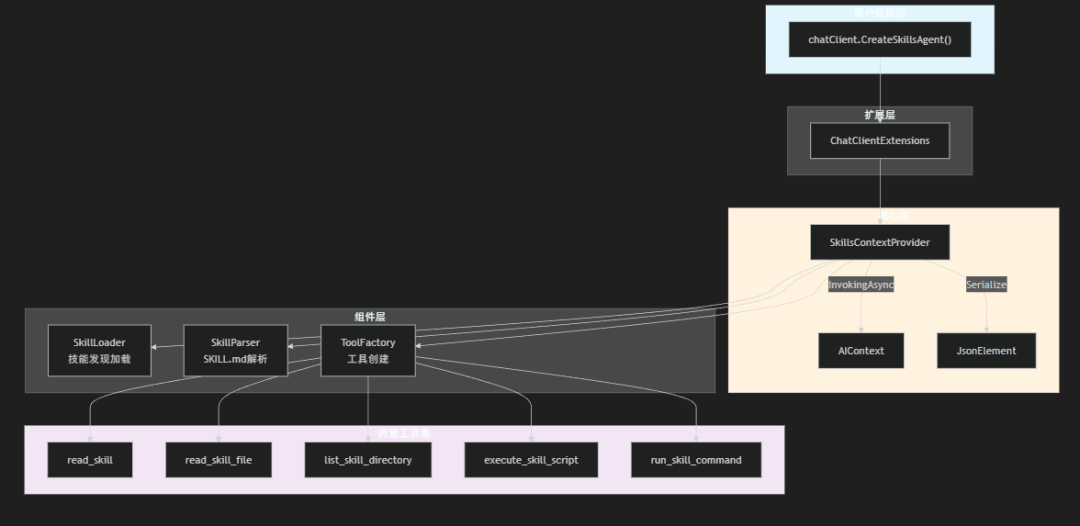
Maf.AgentSkills 项目采用了 MAF 官方推荐的 AIContextProviderFactory 模式,实现了与 MAF 的无缝集成。整体架构如下:
技术栈
- 目标框架: .NET 10.0
- 核心依赖:
Microsoft.Agents.AI- MAF 核心框架Microsoft.Extensions.AI- AI 抽象层YamlDotNet- YAML Frontmatter 解析Microsoft.Extensions.DependencyInjection- 依赖注入支持
核心设计理念
1. 渐进式披露 (Progressive Disclosure)
Agent Skills 的核心理念之一是渐进式披露:Agent 首先只获取技能的元数据(名称和描述),只有在真正需要使用某个技能时,才加载完整的指令内容。
这种设计有几个重要优势:
- 减少 Token 消耗:系统提示只包含简短的技能列表,而不是所有技能的完整内容
- 提高效率:Agent 可以快速判断哪些技能与当前任务相关
- 按需加载:详细指令仅在需要时获取,避免信息过载
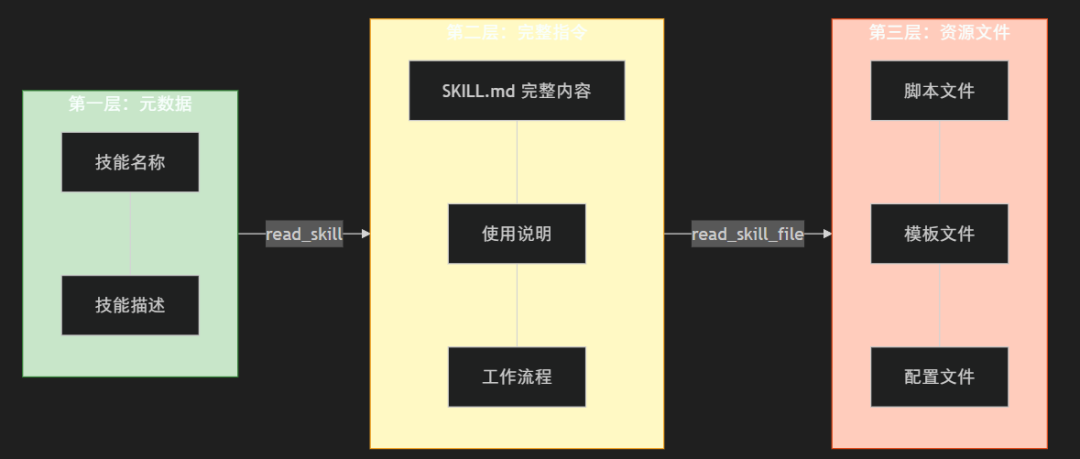
信息获取流程:
2. 符合 MAF 设计模式
项目严格遵循 MAF 的 AIContextProviderFactory 模式,这是 MAF 推荐的上下文注入方式:
// MAF 标准模式AIAgent agent = chatClient.CreateAIAgent(new ChatClientAgentOptions{ AIContextProviderFactory = ctx => new MyContextProvider( chatClient, ctx.SerializedState, ctx.JsonSerializerOptions)});
通过实现 AIContextProvider 抽象类,我们可以:
- 在每次 Agent 调用前注入技能信息
- 动态提供 Instructions、Messages 和 Tools
- 支持线程状态的序列化和反序列化
3. 安全第一
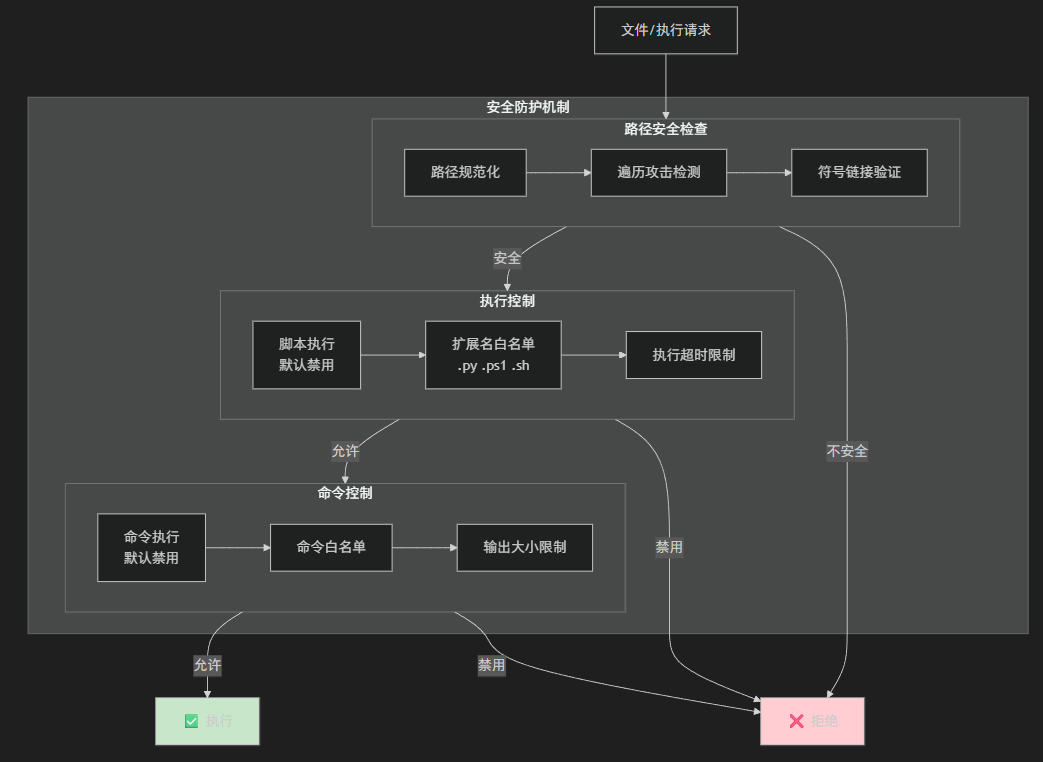
技能系统涉及文件读取和可能的脚本执行,因此安全性是首要考虑:
- 路径遍历防护:所有文件操作都经过路径安全验证
- 符号链接检测:防止通过符号链接逃逸
- 脚本执行默认禁用:需要显式启用并配置白名单
- 命令执行白名单:只允许预定义的命令
关键组件详解
1. SkillsContextProvider - 技能上下文提供器
SkillsContextProvider 是整个系统的核心,它继承自 MAF 的 AIContextProvider 抽象类:
public sealedclassSkillsContextProvider : AIContextProvider{ privatereadonly IChatClient _chatClient; privatereadonly SkillLoader _skillLoader; privatereadonly SkillsOptions _options; private SkillsState _state; // 构造函数1:创建新实例 public SkillsContextProvider(IChatClient chatClient, SkillsOptions? options = null) { _chatClient = chatClient; _options = options ?? new SkillsOptions(); var settings = new SkillsSettings(_options.AgentName, _options.ProjectRoot); _skillLoader = new SkillLoader(); _state = new SkillsState(); // 自动加载技能 LoadSkills(settings); } // 构造函数2:从序列化状态恢复(支持线程持久化) public SkillsContextProvider( IChatClient chatClient, JsonElement serializedState, JsonSerializerOptions? jsonSerializerOptions = null) { // 反序列化恢复状态... } // 在 Agent 调用前注入技能上下文 public override ValueTask<AIContext> InvokingAsync( InvokingContext context, CancellationToken cancellationToken = default) { // 生成技能系统提示 var instructions = GenerateSkillsPrompt(_state.AllSkills); // 创建技能工具 var tools = CreateSkillsTools(_state); return ValueTask.FromResult(new AIContext { Instructions = instructions, Tools = tools }); } // 序列化状态以支持线程持久化 public override JsonElement Serialize(JsonSerializerOptions? jsonSerializerOptions = null) { var state = new { Options = _options, State = _state }; return JsonSerializer.SerializeToElement(state, jsonSerializerOptions); }}
关键设计点:
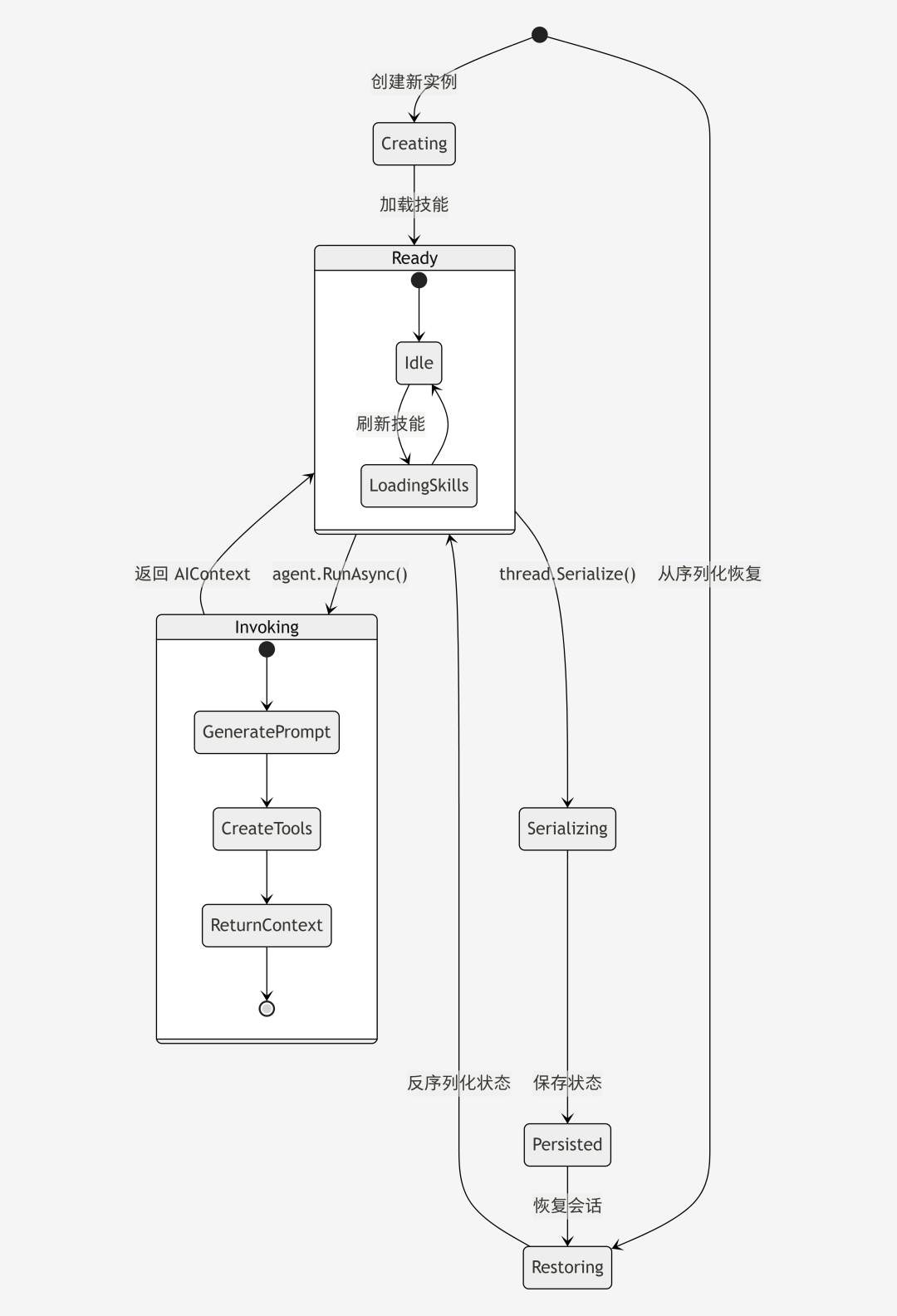
- 双构造函数模式:一个用于创建新实例,一个用于从序列化状态恢复
- InvokingAsync:在每次 Agent 调用前被调用,返回
AIContext注入技能信息 - Serialize:支持将技能状态序列化,用于线程持久化场景
2. SkillLoader - 技能加载器
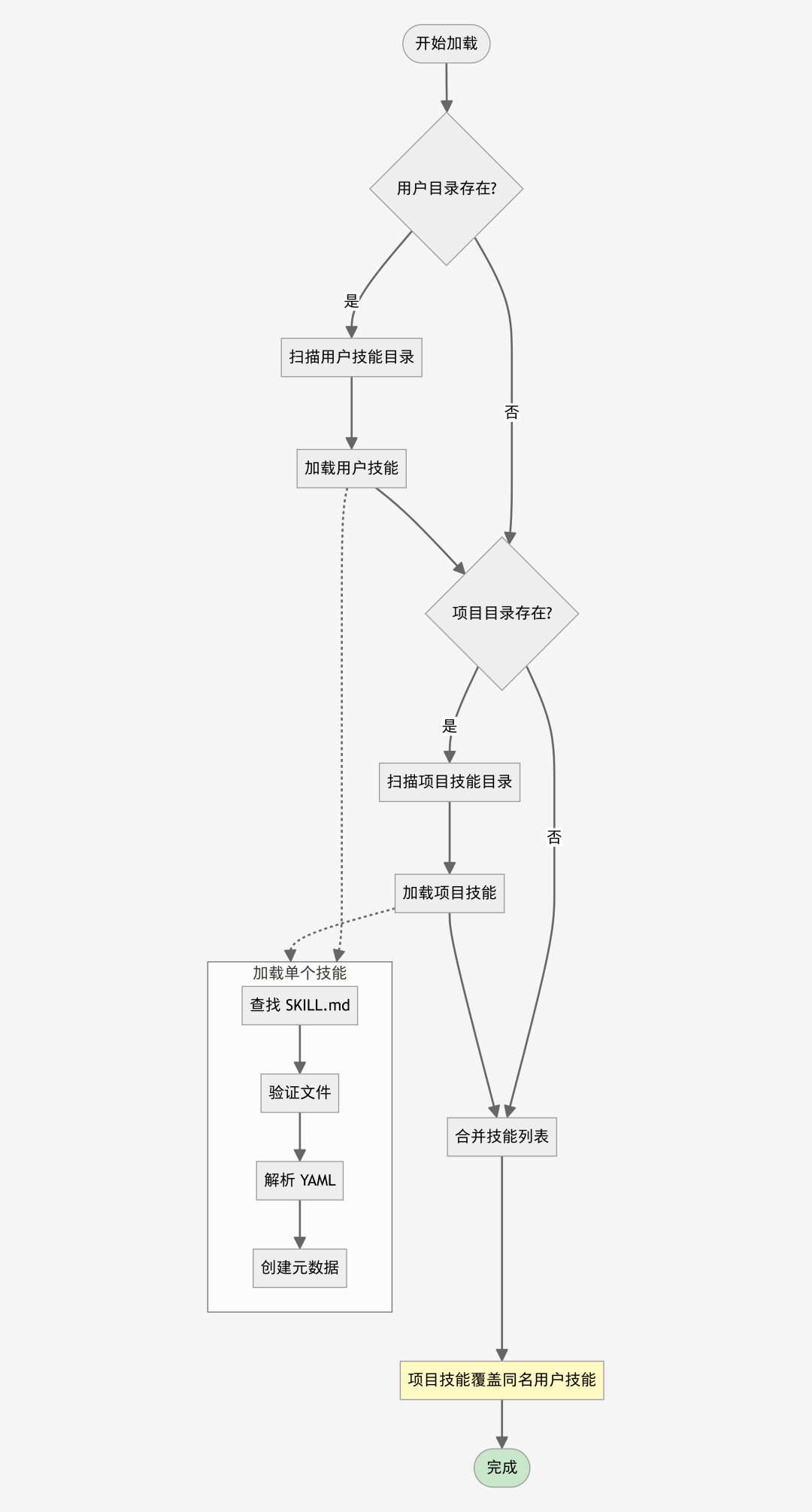
SkillLoader 负责从文件系统发现和加载技能:
public sealedclassSkillLoader{ privatereadonly SkillParser _parser; /// <summary> /// 从指定目录加载所有技能 /// </summary> public IEnumerable<SkillMetadata> LoadSkillsFromDirectory( string skillsDirectory, SkillSource source) { if (!Directory.Exists(skillsDirectory)) yieldbreak; foreach (var skillDir in Directory.GetDirectories(skillsDirectory)) { var skill = TryLoadSkill(skillDir, source); if (skill is not null) yieldreturn skill; } } private SkillMetadata? TryLoadSkill(string skillDirectory, SkillSource source) { var skillFilePath = Path.Combine(skillDirectory, "SKILL.md"); if (!File.Exists(skillFilePath)) returnnull; // 安全检查:验证符号链接 if (PathSecurity.IsSymbolicLink(skillFilePath)) { var realPath = PathSecurity.GetRealPath(skillFilePath); if (!PathSecurity.IsPathSafe(realPath, skillDirectory)) returnnull; } return _parser.Parse(skillFilePath, source); }}
技能目录结构:
~/.maf/{agent-name}/skills/ # 用户级技能{project-root}/.maf/skills/ # 项目级技能(优先级更高)
每个技能是一个独立的目录,包含 SKILL.md 文件:
skills/├── web-research/│ ├── SKILL.md│ ├── search.py│ └── templates/│ └── report.md├── code-review/│ ├── SKILL.md│ └── checklist.md└── pdf-tools/ ├── SKILL.md ├── split_pdf.py └── merge_pdf.py
技能加载流程:
3. SkillParser - 技能解析器
SkillParser 负责解析 SKILL.md 文件的 YAML Frontmatter:
public sealedclassSkillParser{ privateconststring FrontmatterDelimiter = "---"; public SkillMetadata Parse(string skillFilePath, SkillSource source) { var content = File.ReadAllText(skillFilePath); var skillDirectory = Path.GetDirectoryName(skillFilePath)!; var directoryName = Path.GetFileName(skillDirectory); // 提取 YAML Frontmatter var frontmatter = ExtractFrontmatter(content); if (frontmatter isnull) thrownew SkillParseException(skillFilePath, "SKILL.md must have YAML frontmatter delimited by '---'."); // 解析 YAML var yamlData = _yamlDeserializer.Deserialize<SkillFrontmatter>(frontmatter); // 验证必需字段 if (string.IsNullOrWhiteSpace(yamlData.Name)) thrownew SkillParseException(skillFilePath, "Skill 'name' is required."); if (string.IsNullOrWhiteSpace(yamlData.Description)) thrownew SkillParseException(skillFilePath, "Skill 'description' is required."); // 验证名称格式和目录匹配 SkillValidator.ValidateName(yamlData.Name); SkillValidator.ValidateNameMatchesDirectory(yamlData.Name, directoryName); returnnew SkillMetadata( Name: yamlData.Name, Description: yamlData.Description, Path: skillDirectory, Source: source, License: yamlData.License, AllowedTools: AllowedTool.Parse(yamlData.AllowedTools) ); }}
SKILL.md 格式示例:
---name: web-researchdescription: A skill for conducting comprehensive web researchlicense: MITallowed-tools: web_search fetch_url---# Web Research Skill## When to UseUse this skill when researching topics online...## Instructions1. Clarify the research scope2. Search strategically3. Synthesize information...
4. SkillsToolFactory - 工具工厂
SkillsToolFactory 根据配置创建技能相关的工具:
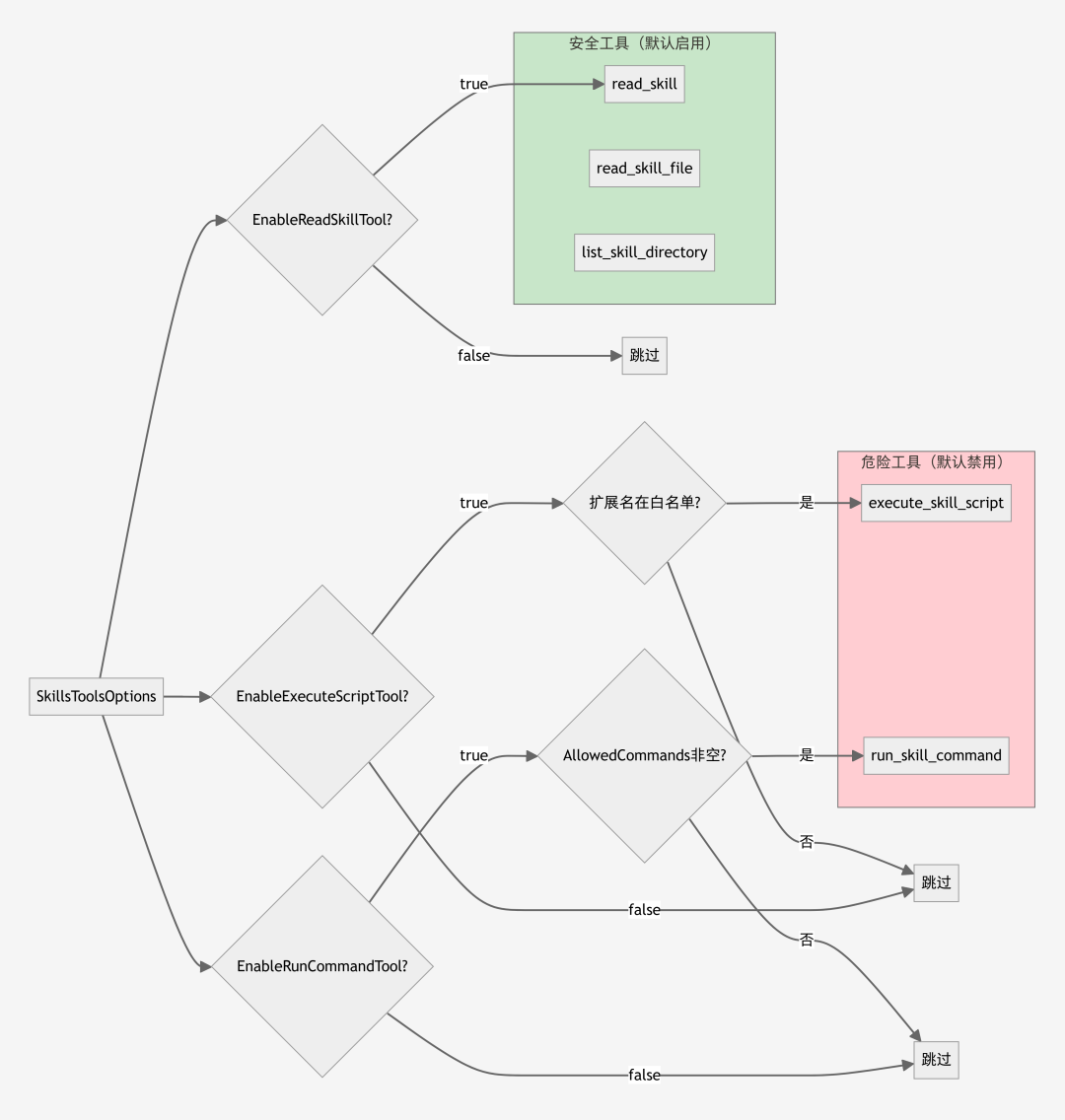
public sealedclassSkillsToolFactory{ public IReadOnlyList<AITool> CreateTools() { var tools = new List<AITool>(); // 默认启用的安全工具 if (_options.EnableReadSkillTool) tools.Add(new ReadSkillTool(_loader, _stateProvider).ToAIFunction()); if (_options.EnableReadFileTool) tools.Add(new ReadFileTool(_stateProvider).ToAIFunction()); if (_options.EnableListDirectoryTool) tools.Add(new ListDirectoryTool(_loader, _stateProvider).ToAIFunction()); // 需要显式启用的高危工具 if (_options.EnableExecuteScriptTool) tools.Add(new ExecuteScriptTool(_stateProvider, _options).ToAIFunction()); if (_options.EnableRunCommandTool && _options.AllowedCommands.Count > 0) tools.Add(new RunCommandTool(_stateProvider, _options).ToAIFunction()); return tools; }}
内置工具:
| 工具名 | 功能 | 默认状态 |
|---|---|---|
read_skill |
读取 SKILL.md 完整内容 | ✅ 启用 |
read_skill_file |
读取技能目录中的文件 | ✅ 启用 |
list_skill_directory |
列出技能目录内容 | ✅ 启用 |
execute_skill_script |
执行技能中的脚本 | ❌ 禁用 |
run_skill_command |
运行白名单命令 | ❌ 禁用 |
工具创建决策流程:
5. ChatClientExtensions - 便捷扩展方法
为了简化使用,项目提供了 ChatClient 的扩展方法:
public staticclassChatClientExtensions{ public static AIAgent CreateSkillsAgent( this IChatClient chatClient, Action<SkillsOptions>? configureSkills = null, Action<ChatClientAgentOptions>? configureAgent = null) { var skillsOptions = new SkillsOptions(); configureSkills?.Invoke(skillsOptions); var agentOptions = new ChatClientAgentOptions { AIContextProviderFactory = ctx => { // 检查是否从序列化状态恢复 if (ctx.SerializedState.ValueKind != JsonValueKind.Undefined) { returnnew SkillsContextProvider( chatClient, ctx.SerializedState, ctx.JsonSerializerOptions); } // 创建新实例 returnnew SkillsContextProvider(chatClient, skillsOptions); } }; configureAgent?.Invoke(agentOptions); return chatClient.CreateAIAgent(agentOptions); }}
实现细节
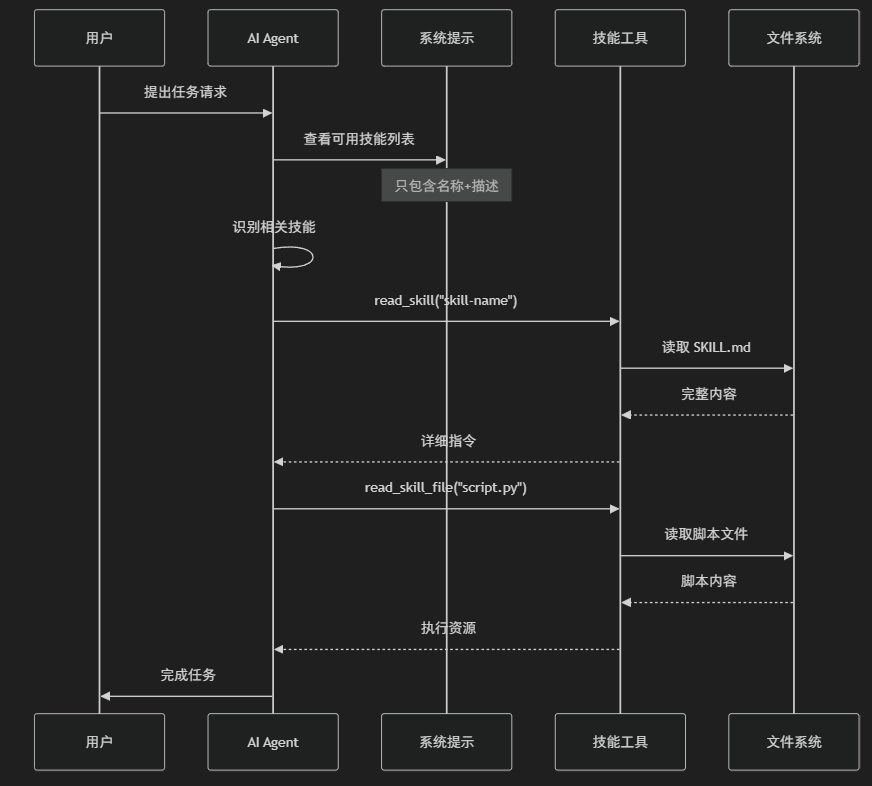
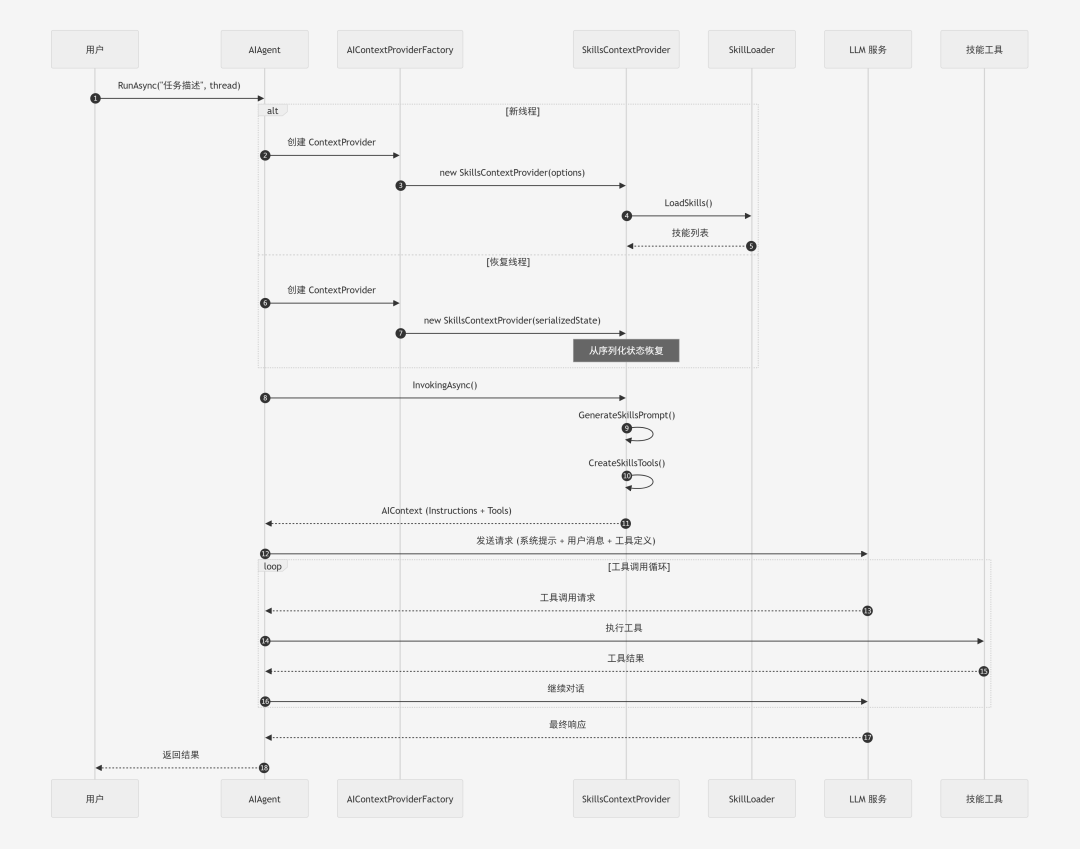
Agent 调用完整流程
以下是 Agent 执行任务时的完整调用流程:
1. 技能系统提示生成
技能信息通过系统提示注入到 Agent 中。系统提示采用渐进式披露的设计:
public static class SkillsPromptTemplates{ public const string SystemPromptTemplate = """ ## Skills System You have access to a skills library that provides specialized capabilities. {skills_locations} **Available Skills:** {skills_list} --- ### How to Use Skills (Progressive Disclosure) - CRITICAL Skills follow a **progressive disclosure** pattern - you know they exist (name + description above), but you **MUST read the full instructions before using them**. **MANDATORY Workflow:** 1. **Recognize when a skill applies**: Check if the user's task matches any skill's description above 2. **Read the skill's full instructions FIRST**: Use `read_skill` tool to get the complete SKILL.md content 3. **Follow the skill's instructions precisely**: SKILL.md contains step-by-step workflows and examples 4. **Execute scripts only after reading**: Use the exact script paths and argument formats from SKILL.md **IMPORTANT RULES:** ⚠️ **NEVER call `execute_skill_script` without first reading the skill with `read_skill`** ✅ **Correct Workflow Example:** ```User: "Split this PDF into pages" 1. Recognize: "split-pdf" skill matches this task 2. Call: read_skill("split-pdf") → Get full instructions 3. Learn: SKILL.md shows the actual script path and argument format 4. Execute: Use the exact command format from SKILL.md ```Remember: **Read first, then execute.** This ensures you use skills correctly! """;}
2. 技能状态管理
技能状态通过 SkillsState 类管理,支持序列化:
public sealedclassSkillsState{ public IReadOnlyList<SkillMetadata> UserSkills { get; init; } = []; public IReadOnlyList<SkillMetadata> ProjectSkills { get; init; } = []; public DateTimeOffset LastRefreshed { get; init; } /// <summary> /// 获取所有技能,项目级技能优先级更高 /// </summary> public IReadOnlyList<SkillMetadata> AllSkills { get { var projectSkillNames = ProjectSkills .Select(s => s.Name) .ToHashSet(StringComparer.OrdinalIgnoreCase); var userSkillsWithoutOverrides = UserSkills .Where(s => !projectSkillNames.Contains(s.Name)); return [.. ProjectSkills, .. userSkillsWithoutOverrides]; } } public SkillMetadata? GetSkill(string name) { return ProjectSkills.FirstOrDefault(s => s.Name.Equals(name, StringComparison.OrdinalIgnoreCase)) ?? UserSkills.FirstOrDefault(s => s.Name.Equals(name, StringComparison.OrdinalIgnoreCase)); }}
3. 路径安全验证
所有文件操作都经过严格的路径安全验证:
public staticclassPathSecurity{ /// <summary> /// 解析安全路径,防止路径遍历攻击 /// </summary> publicstaticstring? ResolveSafePath(string basePath, string relativePath) { var fullPath = Path.GetFullPath(Path.Combine(basePath, relativePath)); var normalizedBase = Path.GetFullPath(basePath); // 确保解析后的路径仍在基础路径内 if (!fullPath.StartsWith(normalizedBase, StringComparison.OrdinalIgnoreCase)) returnnull; return fullPath; } /// <summary> /// 检查是否是符号链接 /// </summary> public static bool IsSymbolicLink(string path) { var fileInfo = new FileInfo(path); return fileInfo.Attributes.HasFlag(FileAttributes.ReparsePoint); } /// <summary> /// 验证路径是否安全 /// </summary> public static bool IsPathSafe(string targetPath, string allowedBasePath) { var normalizedTarget = Path.GetFullPath(targetPath); var normalizedBase = Path.GetFullPath(allowedBasePath); return normalizedTarget.StartsWith(normalizedBase, StringComparison.OrdinalIgnoreCase); }}
使用方法
基本用法
using Maf.AgentSkills.Agent;using OpenAI;// 创建 ChatClientvar chatClient = new OpenAIClient(apiKey) .GetChatClient("gpt-4") .AsIChatClient();// 创建支持技能的 Agentvar agent = chatClient.CreateSkillsAgent( configureSkills: options => { options.AgentName = "my-assistant"; options.ProjectRoot = Directory.GetCurrentDirectory(); }, configureAgent: options => { options.ChatOptions = new() { Instructions = "You are a helpful assistant." }; });// 使用 Agentvar thread = agent.GetNewThread();var response = await agent.RunAsync("What skills do you have?", thread);Console.WriteLine(response.Text);
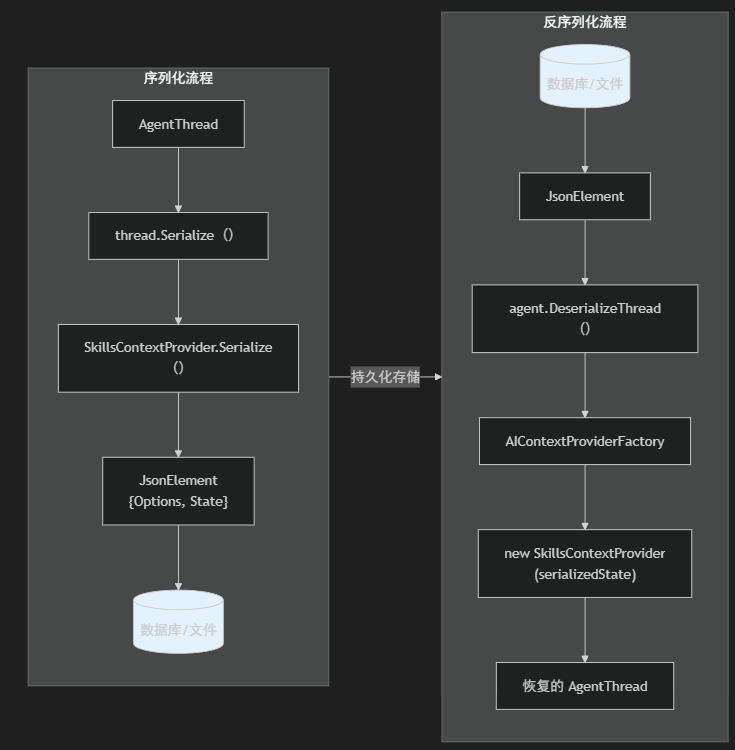
线程序列化
技能状态可以随线程一起序列化,支持持久化会话:
// 序列化线程var serializedThread = thread.Serialize();// 保存到数据库或文件await SaveThreadAsync(userId, serializedThread);// 稍后恢复并继续对话var restoredThread = agent.DeserializeThread(serializedThread);var response = await agent.RunAsync("Continue our chat", restoredThread);
序列化/反序列化流程:
依赖注入集成
var builder = Host.CreateApplicationBuilder(args);// 注册 ChatClientbuilder.Services.AddChatClient(sp =>{ returnnew OpenAIClient(apiKey) .GetChatClient("gpt-4") .AsIChatClient();});// 注册技能 Agentbuilder.Services.AddSingleton<AIAgent>(sp =>{ var chatClient = sp.GetRequiredService<IChatClient>(); return chatClient.CreateSkillsAgent( configureSkills: options => { options.AgentName = "di-agent"; options.ProjectRoot = Directory.GetCurrentDirectory(); options.ToolsOptions.EnableReadSkillTool = true; options.ToolsOptions.EnableReadFileTool = true; });});var host = builder.Build();var agent = host.Services.GetRequiredService<AIAgent>();var thread = agent.GetNewThread();var path = "E:\\GitHub\\My\\dotnet-agent-skills\\NET+AI:技术栈全景解密.pdf";var response = await agent.RunAsync($"请将指定目录:{path}的文件拆分前3页", thread);
启用脚本执行
var agent = chatClient.CreateSkillsAgent( configureSkills: options => { options.AgentName = "power-assistant"; options.ProjectRoot = Directory.GetCurrentDirectory(); // 启用脚本执行(需要显式开启) options.ToolsOptions.EnableExecuteScriptTool = true; options.ToolsOptions.AllowedScriptExtensions = [".py", ".ps1", ".cs"]; options.ToolsOptions.ScriptTimeoutSeconds = 60; // 启用命令执行(白名单模式) options.ToolsOptions.EnableRunCommandTool = true; options.ToolsOptions.AllowedCommands = ["git", "npm", "dotnet"]; });
安全考量
1. 默认安全
项目遵循"默认安全"原则:
- 脚本执行默认禁用:
EnableExecuteScriptTool = false - 命令执行默认禁用:
EnableRunCommandTool = false - 只读工具默认启用:
ReadSkill,ReadFile,ListDirectory
2. 路径遍历防护
所有文件操作都限制在技能目录内:
// 读取文件时验证路径var safePath = PathSecurity.ResolveSafePath(skill.Path, relativePath);if (safePath is null){ return JsonSerializer.Serialize(new { success = false, error = "Path traversal attempt detected" });}
3. 脚本执行白名单
即使启用了脚本执行,也只允许特定扩展名:
public class SkillsToolsOptions{ public List<string> AllowedScriptExtensions { get; set; } = [".py", ".ps1", ".sh", ".cs"]; public int ScriptTimeoutSeconds { get; set; } = 30; public int MaxOutputSizeBytes { get; set; } = 50 * 1024; // 50KB}
4. 命令执行白名单
命令执行采用严格的白名单机制:
options.AllowedCommands = ["git", "npm", "dotnet"]; // 只允许这些命令
最佳实践
1. 技能设计原则
- 单一职责:每个技能专注于一个领域
- 清晰描述:description 字段要足够描述技能用途
- 详细指令:SKILL.md 正文要包含完整的使用说明
- 示例驱动:提供具体的使用示例
2. 目录组织
# 推荐的技能目录结构my-skill/├── SKILL.md # 必需:技能定义文件├── README.md # 可选:详细文档├── scripts/ # 脚本文件│ ├── main.py│ └── utils.py├── templates/ # 模板文件│ └── output.md└── config/ # 配置文件 └── settings.json
3. SKILL.md 编写规范
---name: my-skilldescription: Brief description under 1024 characterslicense: MITallowed-tools: web_search file_write---# Skill Name## OverviewClear explanation of what this skill does.## When to Use- Situation 1- Situation 2## Prerequisites- Required tools or dependencies## InstructionsStep-by-step workflow:1. First step2. Second step3. Third step## Available Scripts### script.py- **Purpose**: What it does- **Arguments**: `--input <file> --output <file>`- **Example**: `python script.py --input data.csv --output result.json`## Examples### Example 1: Basic Usage...
4. 项目级 vs 用户级技能
- 用户级技能 (
~/.maf/{agent}/skills/):通用技能,适用于多个项目 - 项目级技能 (
{project}/.maf/skills/):项目特定技能,可覆盖同名用户级技能
总结
Maf.AgentSkills 项目展示了如何基于 Microsoft Agent Framework 实现 Agent Skills 集成。
核心设计要点:
- 遵循 MAF 模式:使用
AIContextProviderFactory实现无侵入式集成 - 渐进式披露:通过三层结构(元数据 → 指令 → 资源)优化 Token 使用
- 安全第一:默认禁用危险操作,采用白名单机制
- 线程序列化:完整支持会话持久化
- 依赖注入友好:易于集成到现有应用
通过这套实现,开发者可以轻松为 AI Agent 添加可复用的专业技能,使 Agent 能够完成更复杂的任务。
如何学习大模型 AI ?
由于新岗位的生产效率,要优于被取代岗位的生产效率,所以实际上整个社会的生产效率是提升的。
但是具体到个人,只能说是:
“最先掌握AI的人,将会比较晚掌握AI的人有竞争优势”。
这句话,放在计算机、互联网、移动互联网的开局时期,都是一样的道理。
我在一线科技企业深耕十二载,见证过太多因技术卡位而跃迁的案例。那些率先拥抱 AI 的同事,早已在效率与薪资上形成代际优势,我意识到有很多经验和知识值得分享给大家,也可以通过我们的能力和经验解答大家在大模型的学习中的很多困惑。我们整理出这套 AI 大模型突围资料包:
- ✅ 从零到一的 AI 学习路径图
- ✅ 大模型调优实战手册(附医疗/金融等大厂真实案例)
- ✅ 百度/阿里专家闭门录播课
- ✅ 大模型当下最新行业报告
- ✅ 真实大厂面试真题
- ✅ 2025 最新岗位需求图谱
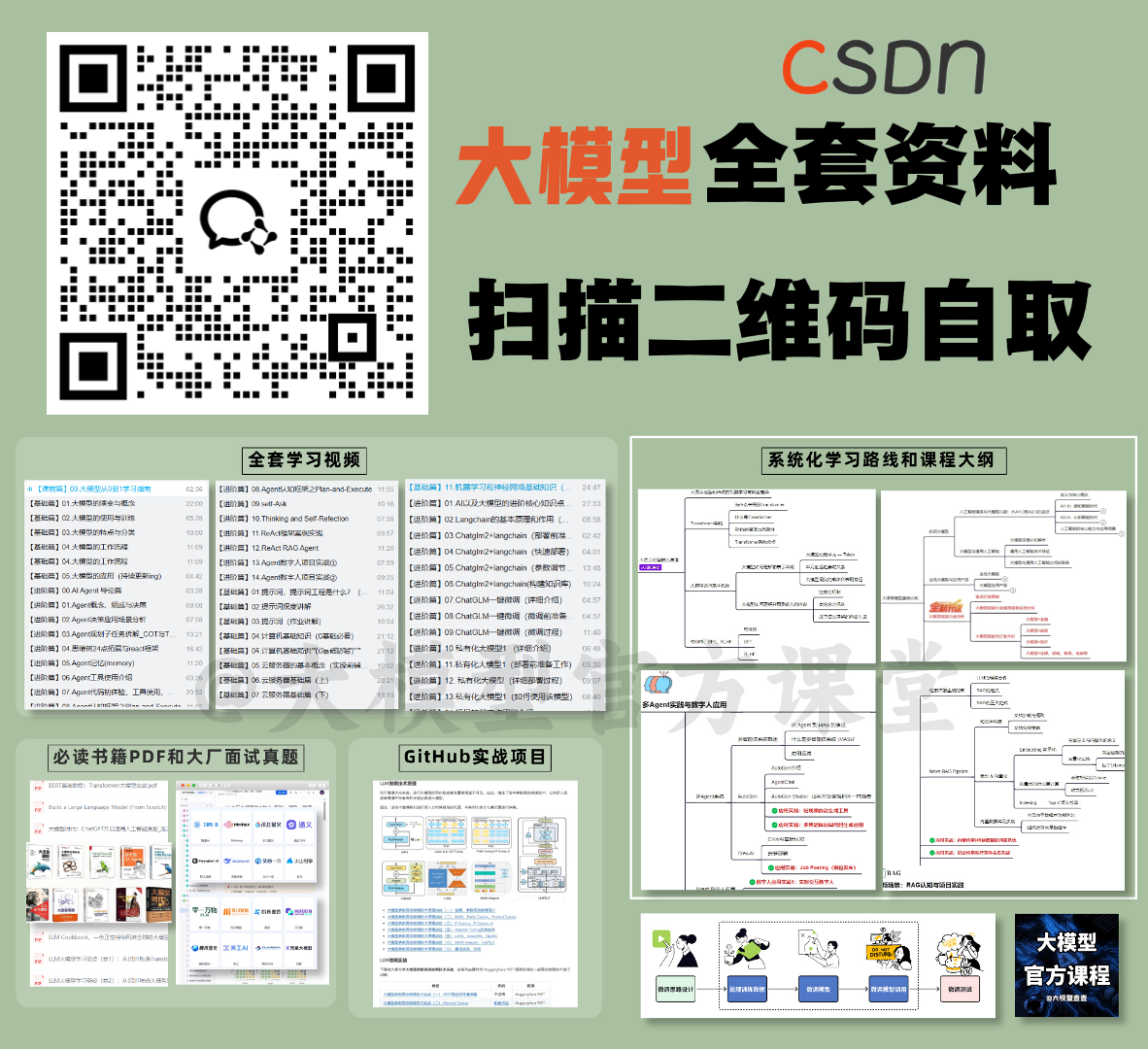
所有资料 ⚡️ ,朋友们如果有需要 《AI大模型入门+进阶学习资源包》,下方扫码获取~
① 全套AI大模型应用开发视频教程
(包含提示工程、RAG、LangChain、Agent、模型微调与部署、DeepSeek等技术点)
② 大模型系统化学习路线
作为学习AI大模型技术的新手,方向至关重要。 正确的学习路线可以为你节省时间,少走弯路;方向不对,努力白费。这里我给大家准备了一份最科学最系统的学习成长路线图和学习规划,带你从零基础入门到精通!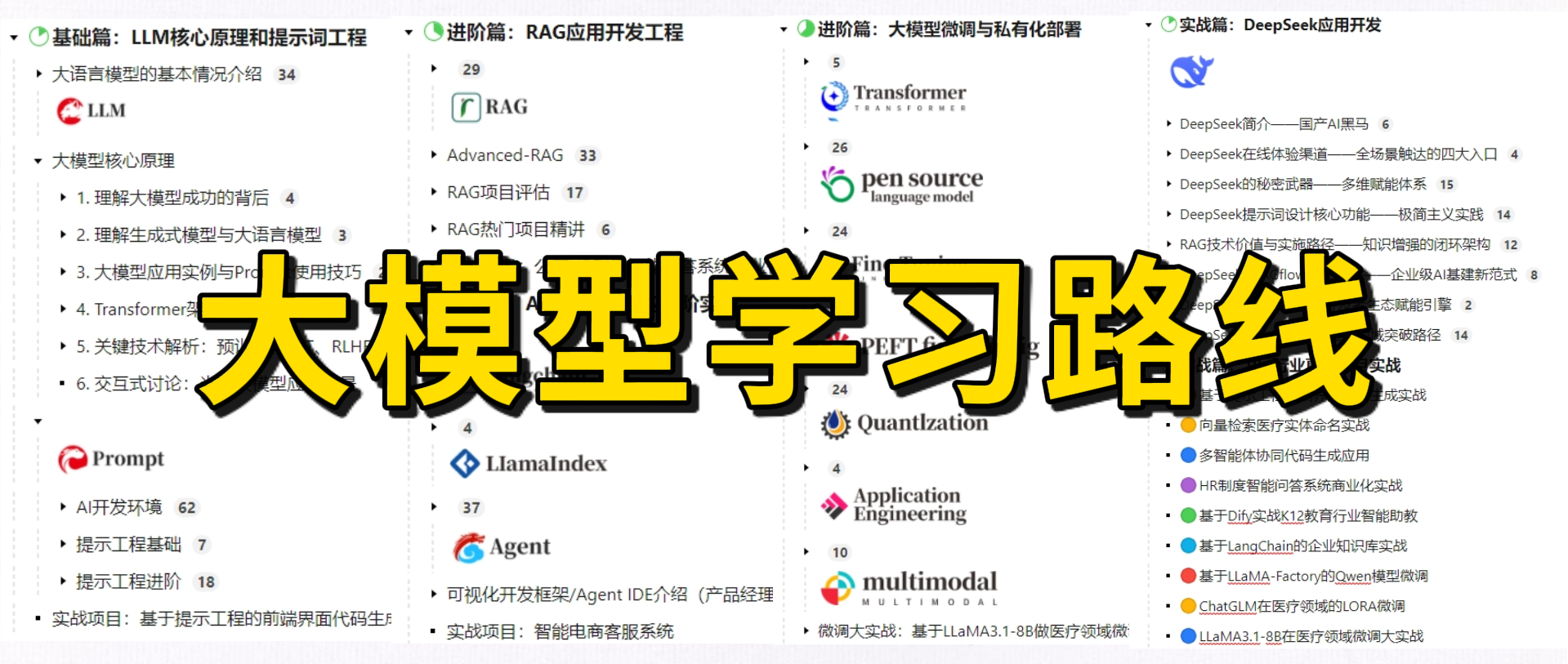
③ 大模型学习书籍&文档
学习AI大模型离不开书籍文档,我精选了一系列大模型技术的书籍和学习文档(电子版),它们由领域内的顶尖专家撰写,内容全面、深入、详尽,为你学习大模型提供坚实的理论基础。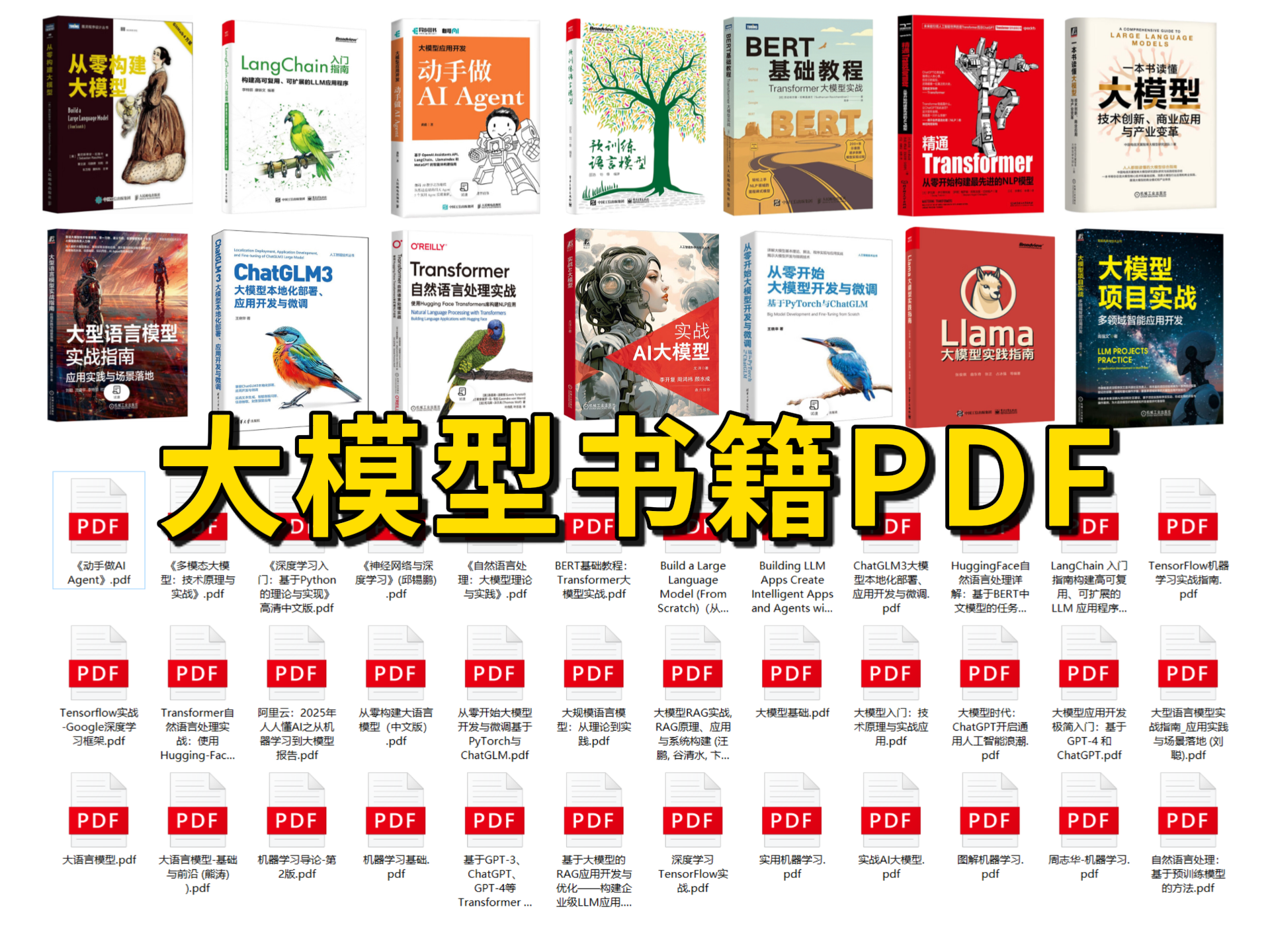
④ AI大模型最新行业报告
2025最新行业报告,针对不同行业的现状、趋势、问题、机会等进行系统地调研和评估,以了解哪些行业更适合引入大模型的技术和应用,以及在哪些方面可以发挥大模型的优势。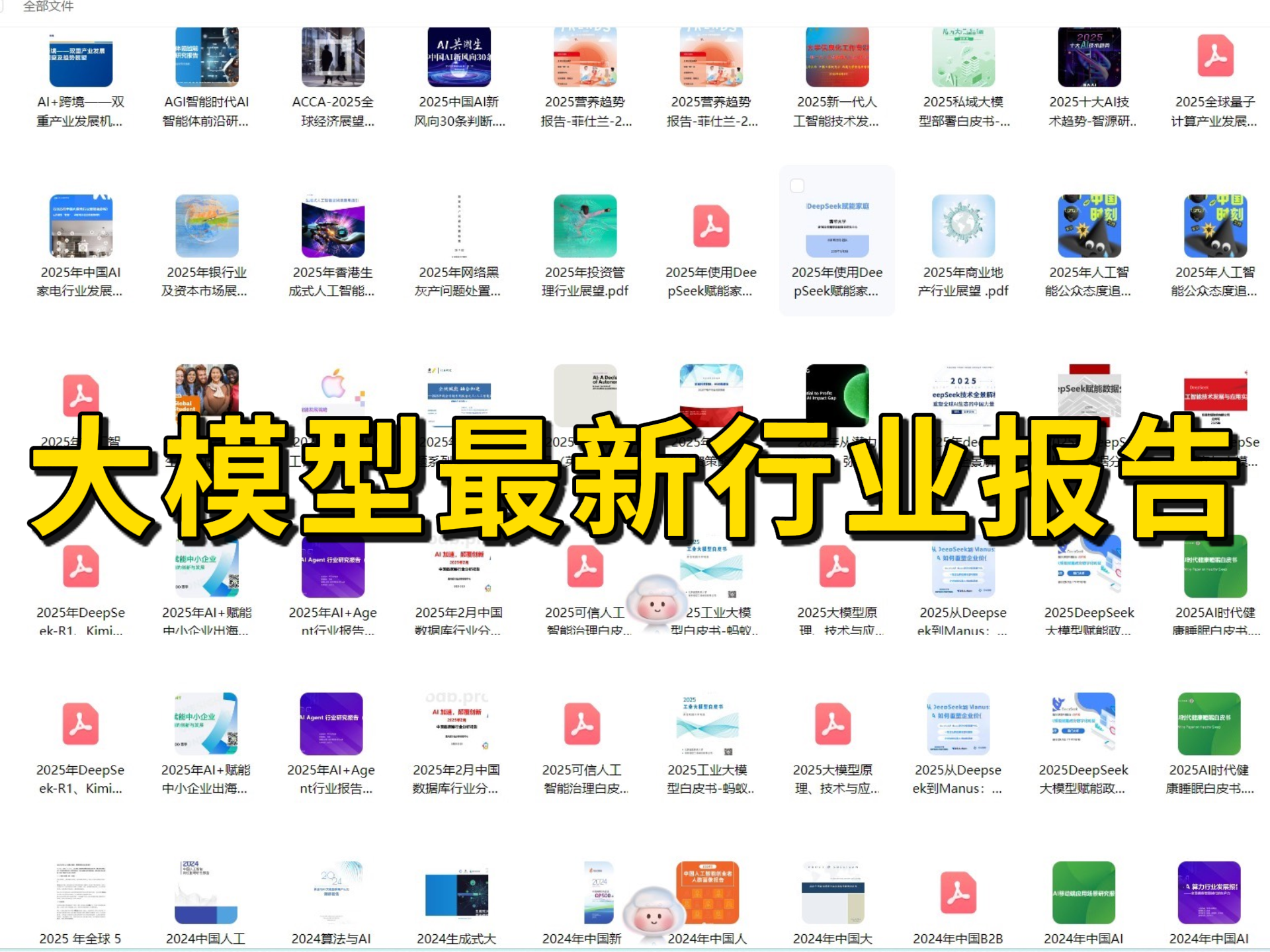
⑤ 大模型项目实战&配套源码
学以致用,在项目实战中检验和巩固你所学到的知识,同时为你找工作就业和职业发展打下坚实的基础。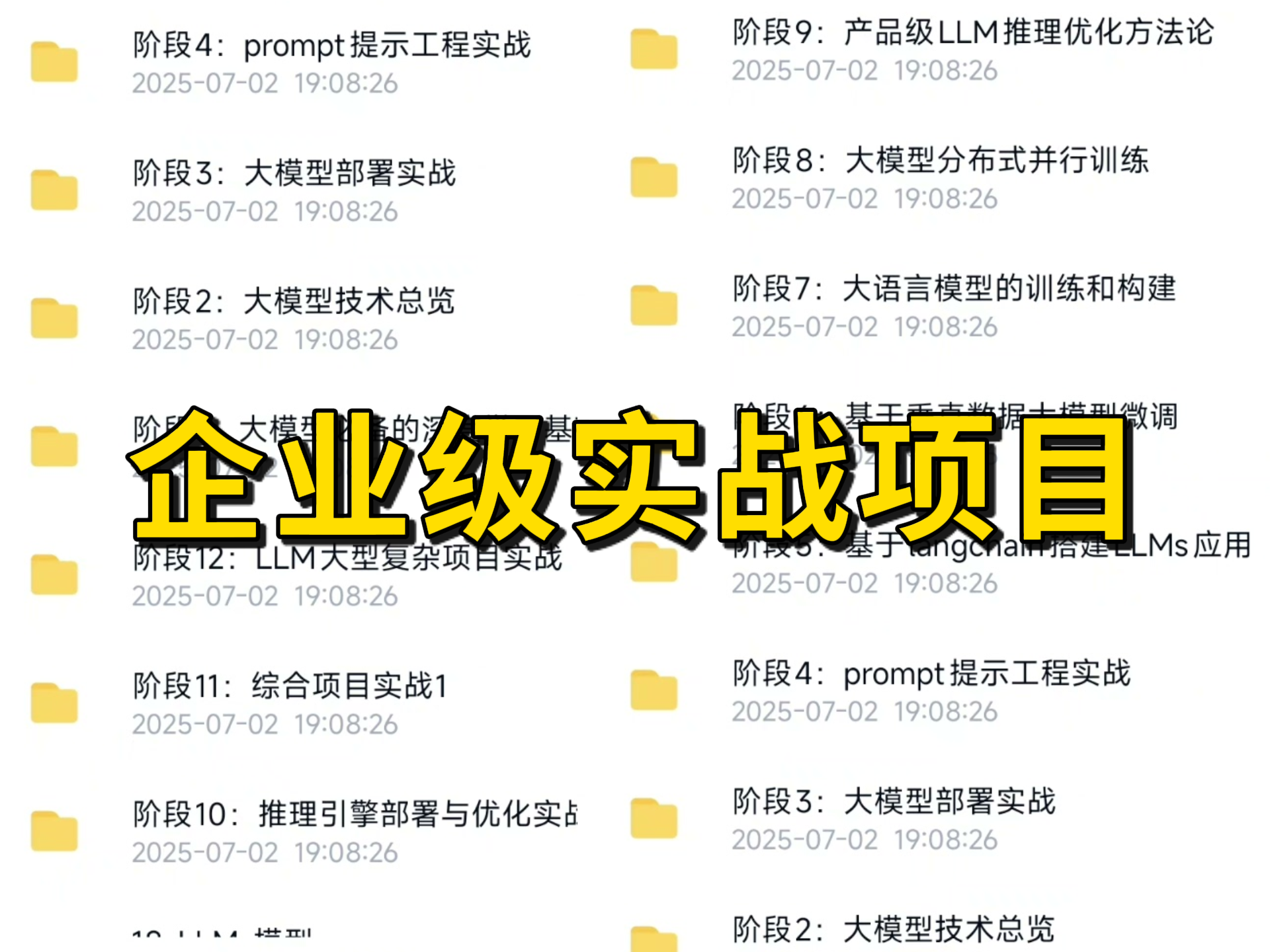
⑥ 大模型大厂面试真题
面试不仅是技术的较量,更需要充分的准备。在你已经掌握了大模型技术之后,就需要开始准备面试,我精心整理了一份大模型面试题库,涵盖当前面试中可能遇到的各种技术问题,让你在面试中游刃有余。
以上资料如何领取?
为什么大家都在学大模型?
最近科技巨头英特尔宣布裁员2万人,传统岗位不断缩减,但AI相关技术岗疯狂扩招,有3-5年经验,大厂薪资就能给到50K*20薪!
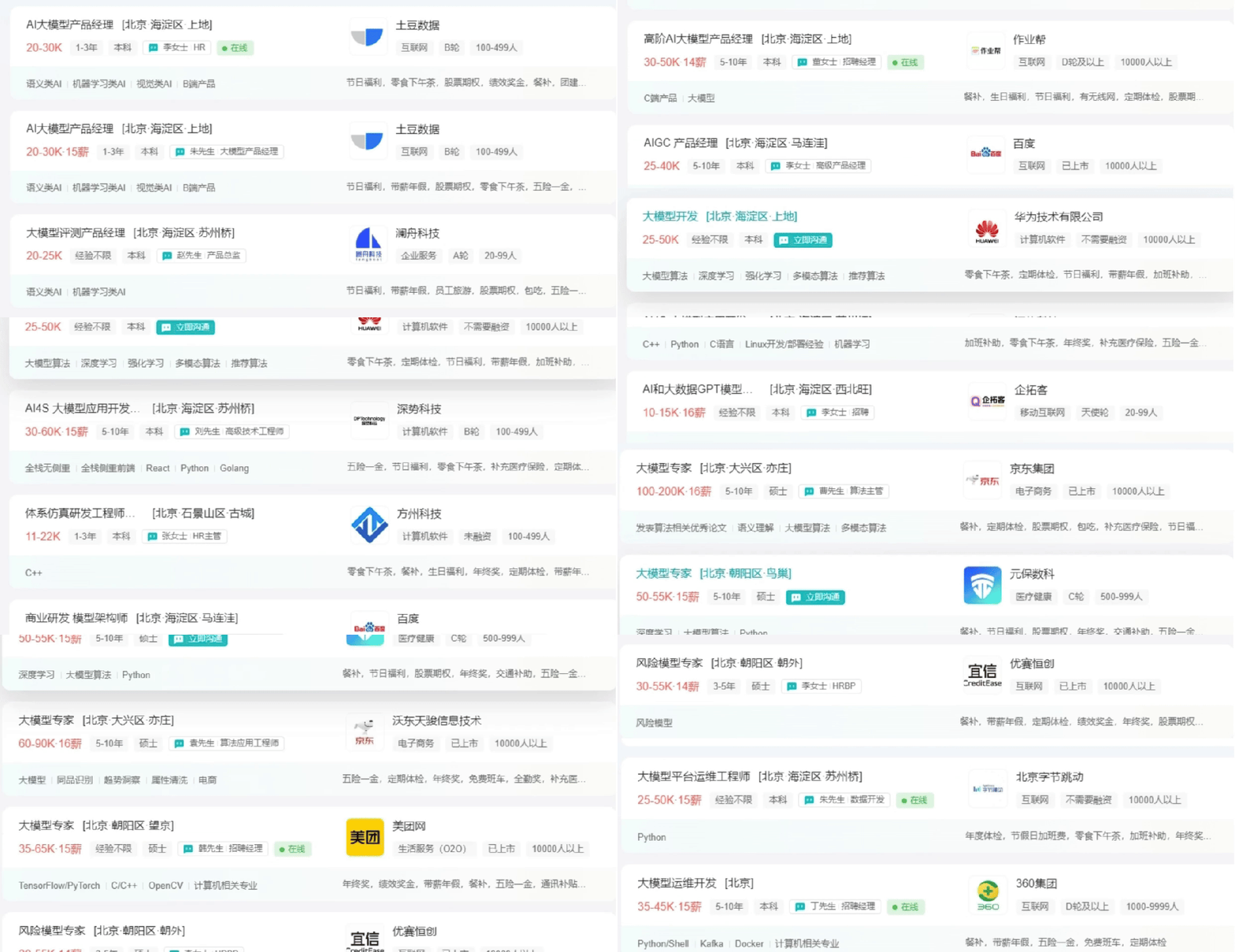
不出1年,“有AI项目经验”将成为投递简历的门槛。
风口之下,与其像“温水煮青蛙”一样坐等被行业淘汰,不如先人一步,掌握AI大模型原理+应用技术+项目实操经验,“顺风”翻盘!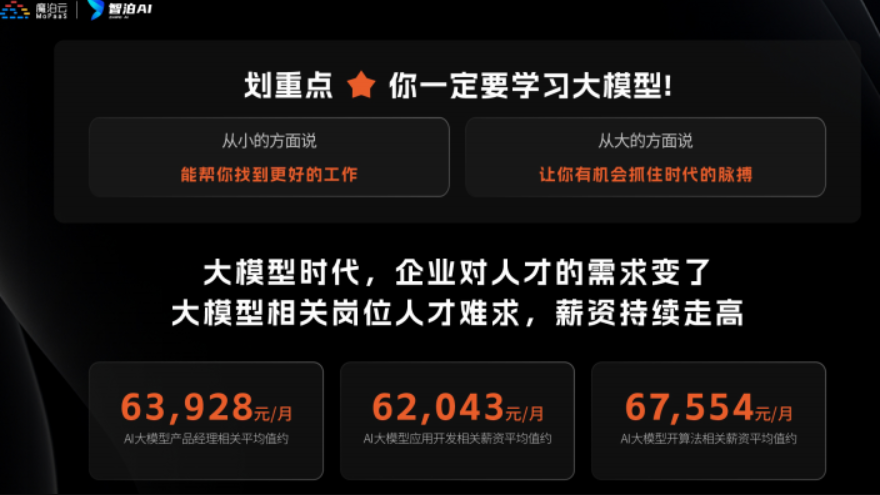
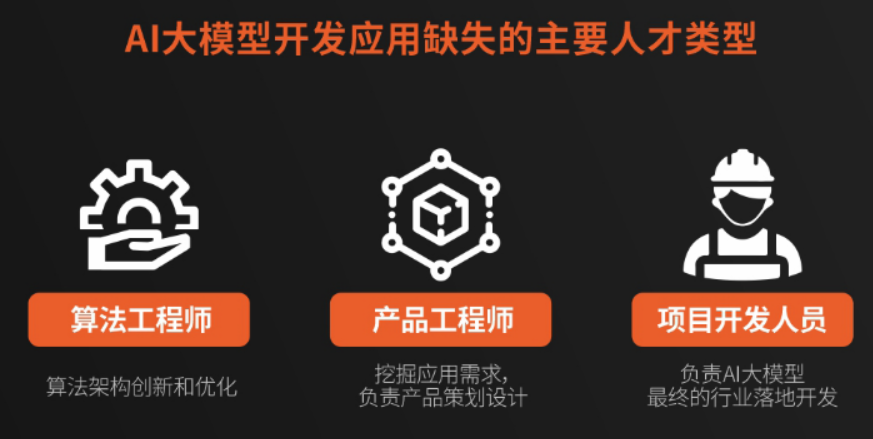
这些资料真的有用吗?
这份资料由我和鲁为民博士(北京清华大学学士和美国加州理工学院博士)共同整理,现任上海殷泊信息科技CEO,其创立的MoPaaS云平台获Forrester全球’强劲表现者’认证,服务航天科工、国家电网等1000+企业,以第一作者在IEEE Transactions发表论文50+篇,获NASA JPL火星探测系统强化学习专利等35项中美专利。本套AI大模型课程由清华大学-加州理工双料博士、吴文俊人工智能奖得主鲁为民教授领衔研发。
资料内容涵盖了从入门到进阶的各类视频教程和实战项目,无论你是小白还是有些技术基础的技术人员,这份资料都绝对能帮助你提升薪资待遇,转行大模型岗位。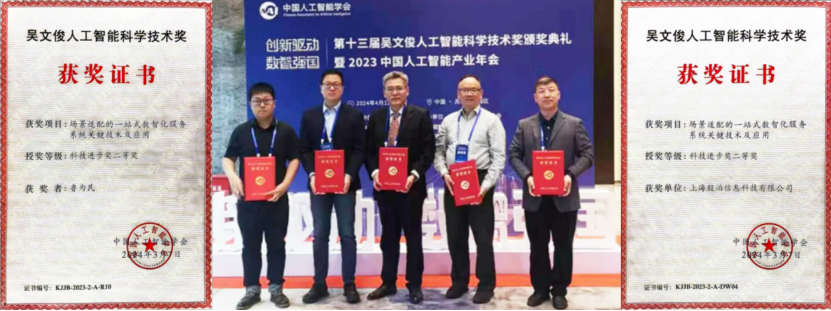

以上全套大模型资料如何领取?

有“AI”的1024 = 2048,欢迎大家加入2048 AI社区
更多推荐

 24
24 0
0- 0


 已为社区贡献483条内容

所有评论(0)