英伟达最新收购的Jamba模型如何部署与调试
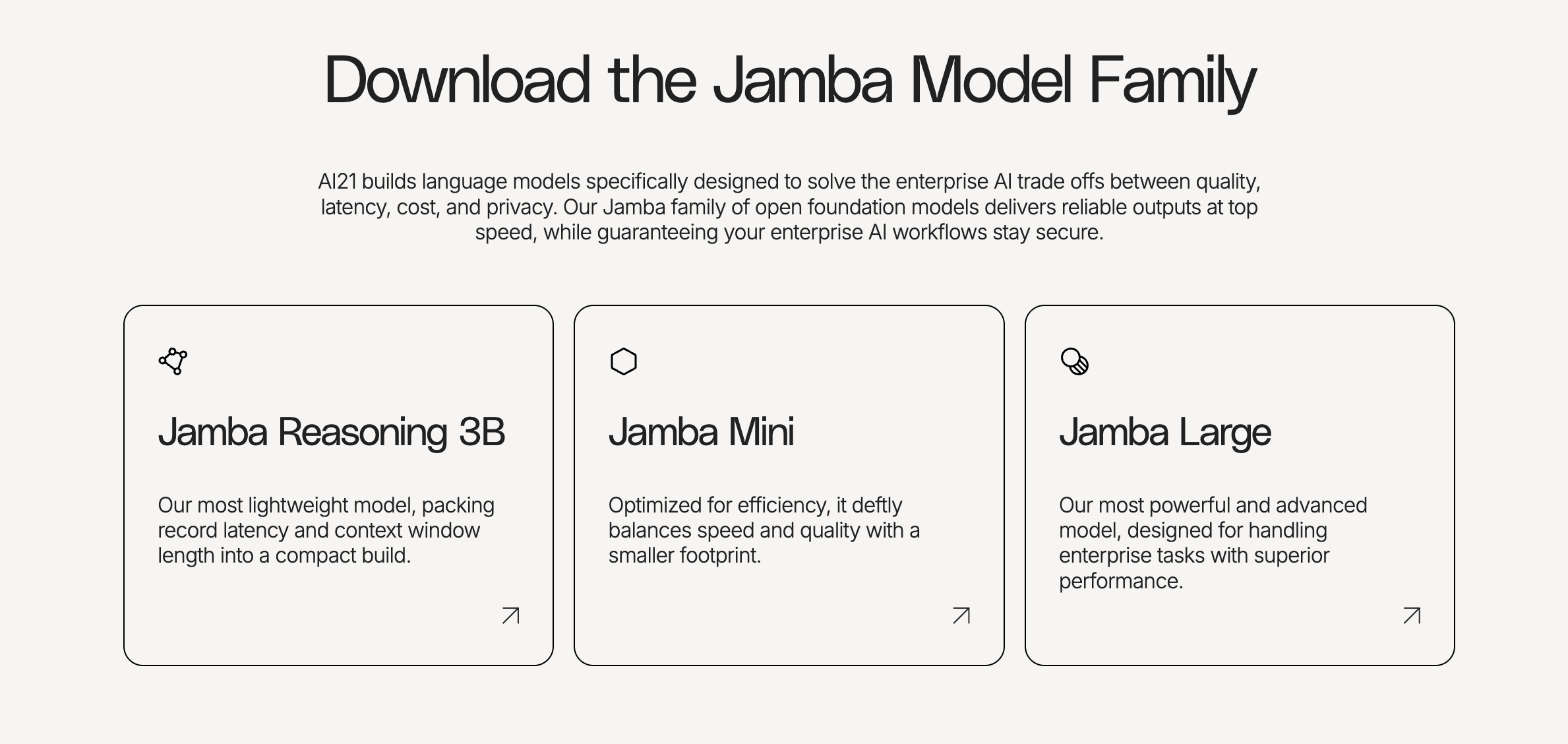
Jamba Large 1.7是AI21 Labs推出的新一代开源大模型,基于创新的SSM-Transformer混合架构,具备256K超长上下文窗口。该版本在事实依据和指令遵循方面显著提升,能提供更准确、上下文相关的回答。模型支持金融、医疗、零售等多行业应用场景,包括投资研究、医学报告生成等。由于模型体积庞大(需8块80GB GPU),AI21开发了ExpertsInt8量化技术,配合vLLM框
Model Information
Jamba Large 1.7 offers new improvements to our Jamba open model family. This new version builds on the novel SSM-Transformer hybrid architecture, 256K context window, and efficiency gains of previous versions, while introducing improvements in grounding and instruction-following.
Key improvements:
- Grounding: Jamba Large 1.7 provides more complete and accurate answers, grounded fully in the given context.
- Instruction following: Jamba Large 1.7 improves on steerability.
Use cases
Jamba’s long context efficiency, contextual faithfulness, and steerability make it ideal for a variety of business applications and industries, such as:
- Finance: Investment research, digital banking support chatbot, M&A due diligence.
- Healthcare: Procurement (RFP creation & response review), medical publication and reports generation.
- Retail: Brand-aligned product description generation, conversational AI.
- Education & Research: Personalized chatbot tutor, grants applications.
模型信息
Jamba Large 1.7为我们的Jamba开源模型家族带来了全新改进。这一版本基于创新的SSM-Transformer混合架构、256K上下文窗口和先前版本的效率提升,同时在事实依据和指令遵循方面引入了改进。
关键改进:
- 事实依据:Jamba Large 1.7能基于给定上下文提供更完整、准确的答案。
- 指令遵循:Jamba Large 1.7增强了可控性表现。
应用场景
Jamba的长上下文处理效率、上下文忠实度和可控性使其成为各类商业应用和行业的理想选择,例如:
- 金融:投资研究、数字银行客服聊天机器人、并购尽职调查
- 医疗:采购(RFP创建与响应审核)、医学出版物与报告生成
- 零售:品牌调性一致的产品描述生成、对话式AI
- 教育与研究:个性化聊天机器人导师、资助申请撰写
https://huggingface.co/ai21labs/AI21-Jamba-Large-1.7
The recommended way to perform efficient inference with Jamba Large 1.7 is using vLLM. First, make sure to install vLLM (version 0.5.4 or higher is required):
pip install vllm>=0.6.5
Jamba Large 1.7 is too large to be loaded in full (FP32) or half (FP16/BF16) precision on a single node of 8 80GB GPUs. Therefore, quantization is required. We've developed an innovative and efficient quantization technique, ExpertsInt8, designed for MoE models deployed in vLLM, including Jamba models. Using it, you'll be able to deploy Jamba Large 1.7 on a single node of 8 80GB GPUs. With ExpertsInt8 quantization and the default vLLM configuration, you'll be able to perform inference on prompts up to 220K tokens long on 8 80GB GPUs:
Jamba Large 1.7 模型体积过大,无法以全精度(FP32)或半精度(FP16/BF16)形式加载到配备8块80GB GPU的单节点上。因此需要进行量化处理。我们开发了名为ExpertsInt8的创新高效量化技术,专为部署在vLLM框架中的MoE模型(包括Jamba系列模型)设计。通过该技术,您将能在8块80GB GPU的单节点上部署Jamba Large 1.7模型。采用ExpertsInt8量化方案并配合vLLM默认配置时,可在8块80GB GPU上执行长达22万token的提示词推理任务:
from vllm import LLM, SamplingParams
from transformers import AutoTokenizer

model = "ai21labs/AI21-Jamba-1.7-Large"


llm = LLM(model=model,
          tensor_parallel_size=8,
          max_model_len=220*1024,
          quantization="experts_int8",
         )


tokenizer = AutoTokenizer.from_pretrained(model)


messages = [
   {"role": "system", "content": "You are an ancient oracle who speaks in cryptic but wise phrases, always hinting at deeper meanings."},
   {"role": "user", "content": "Hello!"},
]


prompts = tokenizer.apply_chat_template(messages, add_generation_prompt=True, tokenize=False)


sampling_params = SamplingParams(temperature=0.4, top_p=0.95, max_tokens=100)
outputs = llm.generate(prompts, sampling_params)


generated_text = outputs[0].outputs[0].text
print(generated_text)
Note: Versions 4.44.0 and 4.44.1 of transformers have a bug that restricts the ability to run the Jamba architecture. Make sure you're not using these versions
Note: If you're having trouble installing mamba-ssm and causal-conv1d for the optimized Mamba kernels, you can run Jamba Large 1.7 without them, at the cost of extra latency. In order to do that, add the kwarg use_mamba_kernels=False when loading the model via AutoModelForCausalLM.from_pretained(). You can also find all instructions in our private AI (vLLM) deployment guide.
Run the model with Transformers
To load Jamba Large 1.7 in transformers on a single node of 8 80GB GPUs, we recommend to parallelize it using accelerate:
import torch
from transformers import AutoModelForCausalLM, AutoTokenizer
from transformers import AutoModelForCausalLM, BitsAndBytesConfig

quantization_config = BitsAndBytesConfig(load_in_8bit=True,
                                         llm_int8_skip_modules=["mamba"])


# a device map to distribute the model evenly across 8 GPUs
device_map = {'model.embed_tokens': 0, 'model.layers.0': 0, 'model.layers.1': 0, 'model.layers.2': 0, 'model.layers.3': 0, 'model.layers.4': 0, 'model.layers.5': 0, 'model.layers.6': 0, 'model.layers.7': 0, 'model.layers.8': 0, 'model.layers.9': 1, 'model.layers.10': 1, 'model.layers.11': 1, 'model.layers.12': 1, 'model.layers.13': 1, 'model.layers.14': 1, 'model.layers.15': 1, 'model.layers.16': 1, 'model.layers.17': 1, 'model.layers.18': 2, 'model.layers.19': 2, 'model.layers.20': 2, 'model.layers.21': 2, 'model.layers.22': 2, 'model.layers.23': 2, 'model.layers.24': 2, 'model.layers.25': 2, 'model.layers.26': 2, 'model.layers.27': 3, 'model.layers.28': 3, 'model.layers.29': 3, 'model.layers.30': 3, 'model.layers.31': 3, 'model.layers.32': 3, 'model.layers.33': 3, 'model.layers.34': 3, 'model.layers.35': 3, 'model.layers.36': 4, 'model.layers.37': 4, 'model.layers.38': 4, 'model.layers.39': 4, 'model.layers.40': 4, 'model.layers.41': 4, 'model.layers.42': 4, 'model.layers.43': 4, 'model.layers.44': 4, 'model.layers.45': 5, 'model.layers.46': 5, 'model.layers.47': 5, 'model.layers.48': 5, 'model.layers.49': 5, 'model.layers.50': 5, 'model.layers.51': 5, 'model.layers.52': 5, 'model.layers.53': 5, 'model.layers.54': 6, 'model.layers.55': 6, 'model.layers.56': 6, 'model.layers.57': 6, 'model.layers.58': 6, 'model.layers.59': 6, 'model.layers.60': 6, 'model.layers.61': 6, 'model.layers.62': 6, 'model.layers.63': 7, 'model.layers.64': 7, 'model.layers.65': 7, 'model.layers.66': 7, 'model.layers.67': 7, 'model.layers.68': 7, 'model.layers.69': 7, 'model.layers.70': 7, 'model.layers.71': 7, 'model.final_layernorm': 7, 'lm_head': 7}
model = AutoModelForCausalLM.from_pretrained("ai21labs/AI21-Jamba-Large-1.7",
                                             torch_dtype=torch.bfloat16,
                                             attn_implementation="flash_attention_2",
                                             quantization_config=quantization_config,
                                             device_map=device_map)


tokenizer = AutoTokenizer.from_pretrained("ai21labs/AI21-Jamba-Large-1.7")


messages = [
   {"role": "system", "content": "You are an ancient oracle who speaks in cryptic but wise phrases, always hinting at deeper meanings."},
   {"role": "user", "content": "Hello!"},
]


input_ids = tokenizer.apply_chat_template(messages, add_generation_prompt=True, return_tensors='pt').to(model.device)


outputs = model.generate(input_ids, max_new_tokens=216)


# Decode the output
conversation = tokenizer.decode(outputs[0], skip_special_tokens=True)


# Split the conversation to get only the assistant's response
assistant_response = conversation.split(messages[-1]['content'])[1].strip()
print(assistant_response)
# Output: Seek and you shall find. The path is winding, but the journey is enlightening. What wisdom do you seek from the ancient echoes?
Note: Versions 4.44.0 and 4.44.1 of transformers have a bug that restricts the ability to run the Jamba architecture. Make sure you're not using these versions.
Note: If you're having trouble installing mamba-ssm and causal-conv1d for the optimized Mamba kernels, you can run Jamba Large 1.7 without them, at the cost of extra latency. In order to do that, add the kwarg use_mamba_kernels=False when loading the model via AutoModelForCausalLM.from_pretained().
You can also find all instructions in our private AI (vLLM) deployment guide.
And to get started with our SDK: AI21 Python SDK guide
Further documentation
For more comprehensive guides and advanced usage:
- Tokenization guide - Using ai21-tokenizer
- Quantization guide - ExpertsInt8, bitsandbytes
- Fine-tuning guide - LoRA, qLoRA, and full fine-tuning
For more resources to start building, visit our official documentation.
# Create and activate virtual environment
python -m venv vllm-env
source vllm-env/bin/activate# Install vLLM
pip install vllm>=0.6.5,<=0.8.5.post1
启动服务器
vllm serve ai21labs/AI21-Jamba-Mini-1.7 \
--quantization="experts_int8" \
--enable-auto-tool-choice \
--tool-call-parser jamba

有“AI”的1024 = 2048,欢迎大家加入2048 AI社区
更多推荐

 19
19 0
0- 0


 已为社区贡献76条内容

所有评论(0)