用AI生成一个简单的视频剪辑工具 的后续
本文介绍了在WinForm中使用WebView2控件显示AI生成的HTML界面的方法。首先通过NuGet安装Microsoft.Web.WebView2包,建议将WebView2封装在用户控件中并添加自定义事件交互。文章详细展示了如何实现C#与JavaScript的互操作:通过AddHostObjectToScript方法绑定自定义宿主对象,并提供了加载HTML字符串和文件的示例代码。此外还包含处
起因
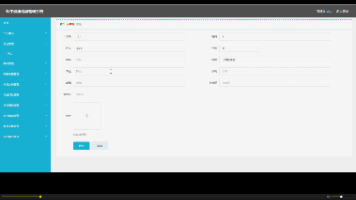
有网友问俺 如何在winform中使用AI 生成的ui。
回答
Microsoft.Web.WebView2,用着个显示AI给出的html的UI
在nuget里安装这个包,就ok。
使用说明
俺的习惯是把WebView2 放在用户控件中,然后再加个互动的自定义事件。
public delegate void CustomEventHandler(object sender, CustomEventArgs e);
// 定义一个自定义事件
public event CustomEventHandler customEvent;
通过 webView21.CoreWebView2.AddHostObjectToScript("customHost", customHost);
绑定到C#端。
俺加放了和 标签 显示“正在加载”,然后在 ContentLoading 时 Visible = false
private void webView21_ContentLoading(object sender, Microsoft.Web.WebView2.Core.CoreWebView2ContentLoadingEventArgs e)
{
if (label1.Visible)
label1.Visible = false;
}
在使用的时候 ,自己使用这个 用户控件 就ok了
使用时在窗体的Shown 加载html,并绑定事件customEvent
private void Form_VideoCut_Shown(object sender, EventArgs e)
{
userControl_HtmlView1.customEvent += onCustom;
string dir = System.IO.Path.GetDirectoryName(System.Diagnostics.Process.GetCurrentProcess().MainModule.FileName);
string fn = System.IO.Path.Combine(dir, "html", "videocut.htm");
userControl_HtmlView1.load_file(fn);
}
在事件中,完成功能:
public void onCustom(object sender, CustomEventArgs e)
{
if (e.message == "get_video_url")
{
Dictionary<string, string> dict = new Dictionary<string, string>();
dict["video_url"] = "file://"+filename;
e.result = Newtonsoft.Json.JsonConvert.SerializeObject(dict);
}
if (e.message == "close")
{
Close();
}
if (e.message.StartsWith("proc:"))
{
clear_tmp();
string s = e.message.Substring("proc:".Length);
proc(s.Trim());
return;
}
完整代码
using System;
using System.Collections.Generic;
using System.ComponentModel;
using System.Data;
using System.Drawing;
using System.Linq;
using System.Runtime.InteropServices;
using System.Text;
using System.Threading.Tasks;
using System.Windows.Forms;

namespace XXXXTools
{
    public partial class UserControl_HtmlView : UserControl
    {
        public UserControl_HtmlView()
        {
            InitializeComponent();
        }
        public string Proc(string message)
        {
            if (customEvent != null)
            {
                CustomEventArgs e = new CustomEventArgs(message);
                customEvent(this,e);
                return e.result;
            }
            return "{}";
        }
        public delegate void CustomEventHandler(object sender, CustomEventArgs e);

        // 定义一个自定义事件
        public event CustomEventHandler customEvent;


        public bool EnsureCoreWebView2 = false;
        public CustomHost customHost= null;
        public async void load_html(string htm)
        {
            if (!EnsureCoreWebView2)
            {
                await webView21.EnsureCoreWebView2Async();
                EnsureCoreWebView2 = true;
            }
            if (customHost == null)
            {
                customHost = new CustomHost();
                customHost.set_control(this);
                webView21.CoreWebView2.AddHostObjectToScript("customHost", customHost);

            }
            webView21.NavigateToString(htm);

        }

        public async void load_file(string fn)
        {
            if (!EnsureCoreWebView2)
            {
                await webView21.EnsureCoreWebView2Async();
                EnsureCoreWebView2 = true;
            }
            if (customHost == null)
            {
                customHost = new CustomHost();
                customHost.set_control(this);
                webView21.CoreWebView2.AddHostObjectToScript("customHost", customHost);

            }
            webView21.CoreWebView2.Navigate(fn);

        }

        private void UserControl_HtmlView_Resize(object sender, EventArgs e)
        {
            label1.Left = (this.ClientSize.Width - label1.Width) / 2;
            label1.Top = (this.ClientSize.Height - label1.Height) / 2;
        }

        private void webView21_LocationChanged(object sender, EventArgs e)
        {

        }

        private void webView21_ContentLoading(object sender, Microsoft.Web.WebView2.Core.CoreWebView2ContentLoadingEventArgs e)
        {
            if (label1.Visible)
                label1.Visible = false;
        }
    }

    [ComVisible(true)]
    public class CustomHost
    {
        public string Proc(string message)
        {
            if (control != null)
            {
                UserControl_HtmlView c = (UserControl_HtmlView)control;
                return c.Proc(message);
            }
            return "{}";
        }
        public void set_control(object obj)
        {
            control = obj;
        }
        private Object control;

    }

    public class CustomEventArgs : EventArgs
    {
        public string message { get; private set; }
        public string result { get;  set; }

        public CustomEventArgs(string msg)
        {
            message = msg;
        }
    }

}

有“AI”的1024 = 2048,欢迎大家加入2048 AI社区
更多推荐
 9
9 0
0- 0


 已为社区贡献6条内容

所有评论(0)