用 Python 玩转 GPU 编程:NVIDIA cuTile 让你轻松上手 CUDA Tile!
用 Python 玩转 GPU 编程:NVIDIA cuTile 让你轻松上手 CUDA Tile!
大家好!NVIDIA 在 CUDA 13.1 中推出了一项超级酷的功能——CUDA Tile,而这篇博客《在 Python 中借助 NVIDIA CUDA Tile 简化 GPU 编程》就是专门介绍它的 Python 版本 cuTile Python。简单说,它让 GPU 编程从“手动调优地狱”变成“像写 NumPy 一样简单”,特别适合 AI 和机器学习开发者。

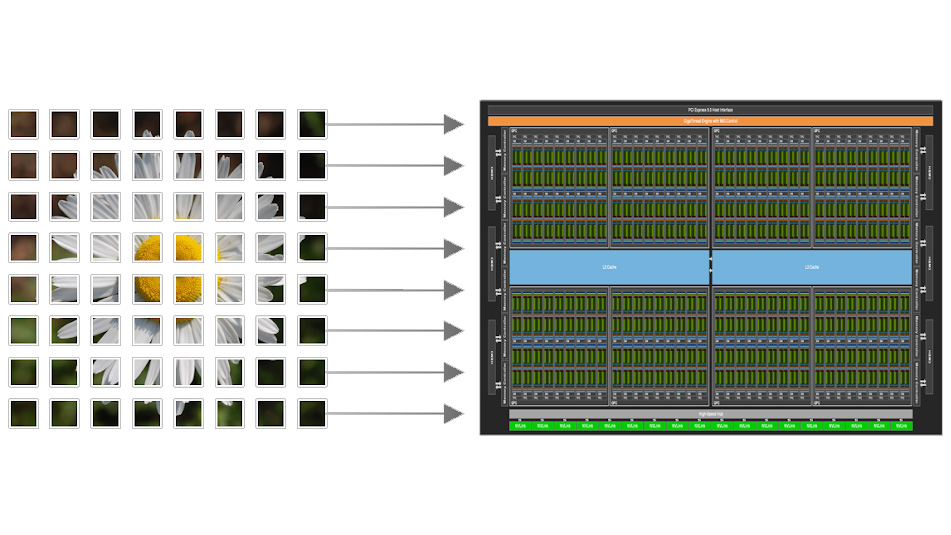
(上图:CUDA 13.1 宣传图和 CUDA Tile 核心概念图)
为什么需要 cuTile?传统 GPU 编程太累了
传统 CUDA(SIMT 模型)需要你手动管理线程、内存、甚至 Tensor Cores 的调用。代码复杂,新 GPU 一出就得重写优化。
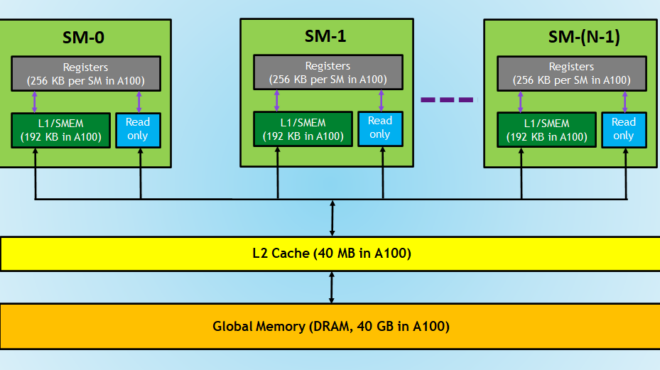
Simplify GPU Programming with NVIDIA CUDA Tile in Python | NVIDIA ...
(上图:GPU 内存层次示意图,传统编程需要手动处理这些细节)
而 CUDA Tile 引入“Tile”(数据块)概念:你只需描述在数据块上做什么运算,编译器自动处理线程调度、内存迁移、硬件加速(如 Tensor Cores)。cuTile Python 让这一切在 Python 中实现!
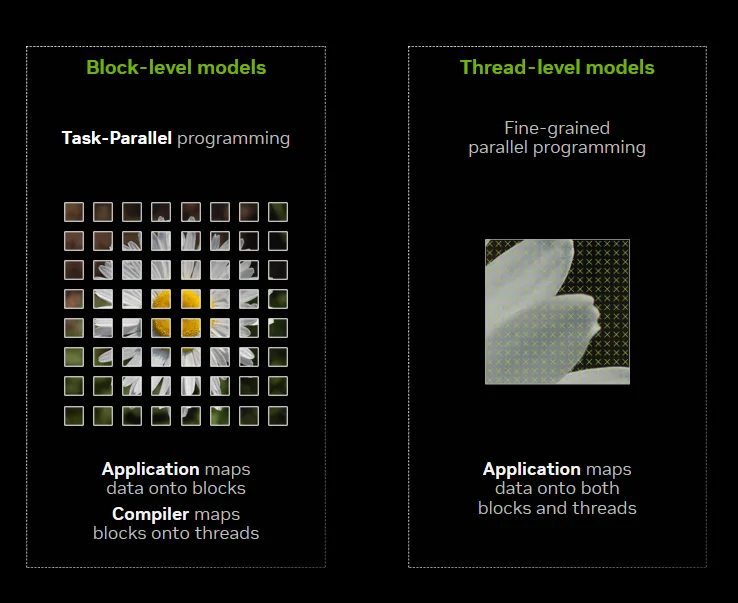
Focus on Your Algorithm—NVIDIA CUDA Tile Handles the Hardware ...
(上图:Tile 编程模型示意图,开发者只需关注 Tile 运算)
cuTile Python 的神奇之处
- 更高抽象:像 NumPy 一样写数组运算。
- 自动优化:利用 Tensor Cores、共享内存、Tensor 内存加速器。
- 前向兼容:代码无需修改,就能跑在未来 NVIDIA GPU 上。
- 与传统 CUDA 共存:可以混合使用。
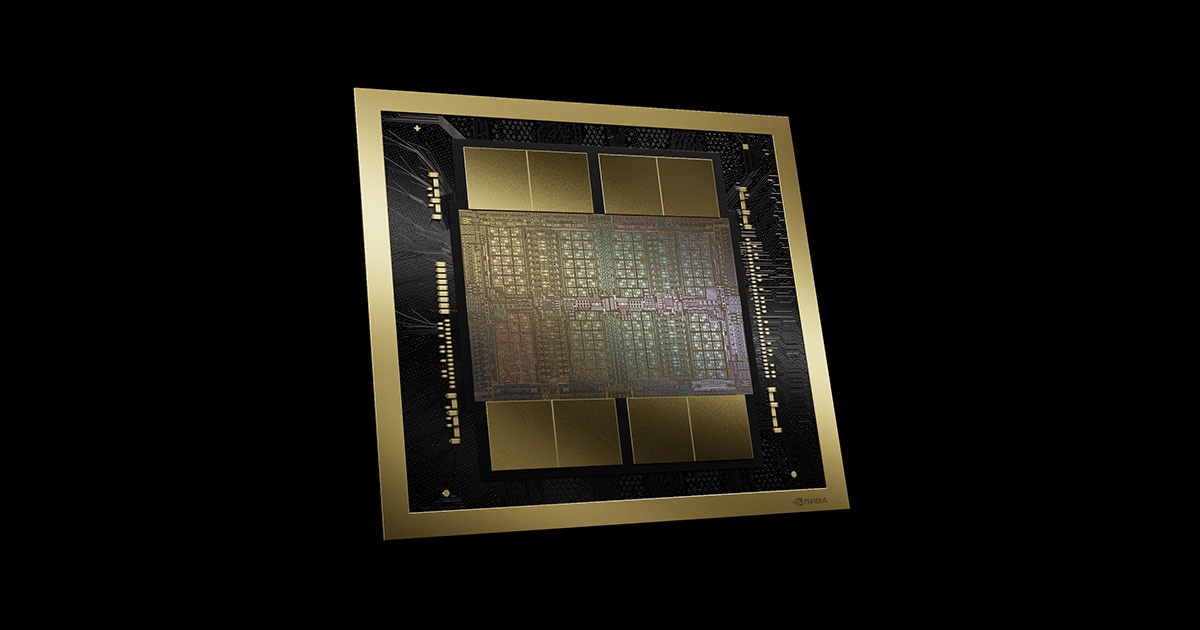
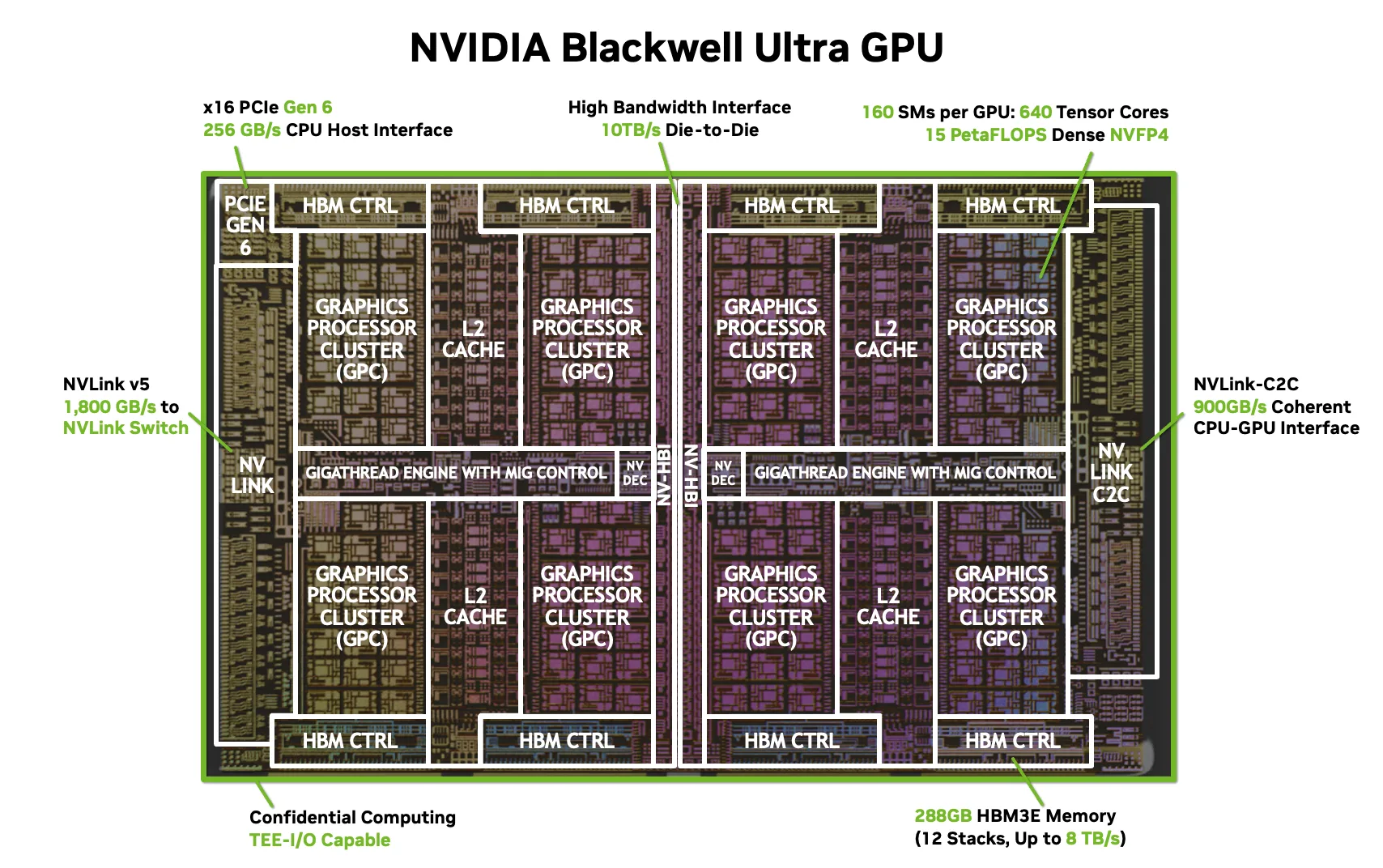
(上图:NVIDIA Blackwell 架构,cuTile 的首发平台,专为 AI 设计)
实战:向量加法,只需几行代码!
博客对比了传统 SIMT 和 cuTile 的向量加法。
传统 CUDA C++ 版本(繁琐):
C++
__global__ void vecAdd(float* A, float* B, float* C, int vectorLength) {
    int workIndex = threadIdx.x + blockIdx.x * blockDim.x;
    if (workIndex < vectorLength) {
        C[workIndex] = A[workIndex] + B[workIndex];
    }
}
cuTile Python 版本(超级简单):
Python
import cuda.tile as ct

@ct.kernel
def vector_add(a, b, c, tile_size: ct.Constant[int]):
    pid = ct.bid(0)  # Block ID
    a_tile = ct.load(a, index=(pid,), shape=(tile_size,))
    b_tile = ct.load(b, index=(pid,), shape=(tile_size,))
    result = a_tile + b_tile
    ct.store(c, index=(pid,), tile=result)
完整测试脚本:
Python
from math import ceil
import cupy as cp
import numpy as np
import cuda.tile as ct

# 上面的 kernel 定义...

def test():
    vector_size = 2**12
    tile_size = 2**4
    grid = (ceil(vector_size / tile_size), 1, 1)
    a = cp.random.uniform(-1, 1, vector_size)
    b = cp.random.uniform(-1, 1, vector_size)
    c = cp.zeros_like(a)
    ct.launch(cp.cuda.get_current_stream(), grid, vector_add, (a, b, c, tile_size))

    # 验证结果
    np.testing.assert_array_almost_equal(cp.asnumpy(c), cp.asnumpy(a + b))
    print("vector_add_example passed!")

if __name__ == "__main__":
    test()
运行后会输出 “passed!”。
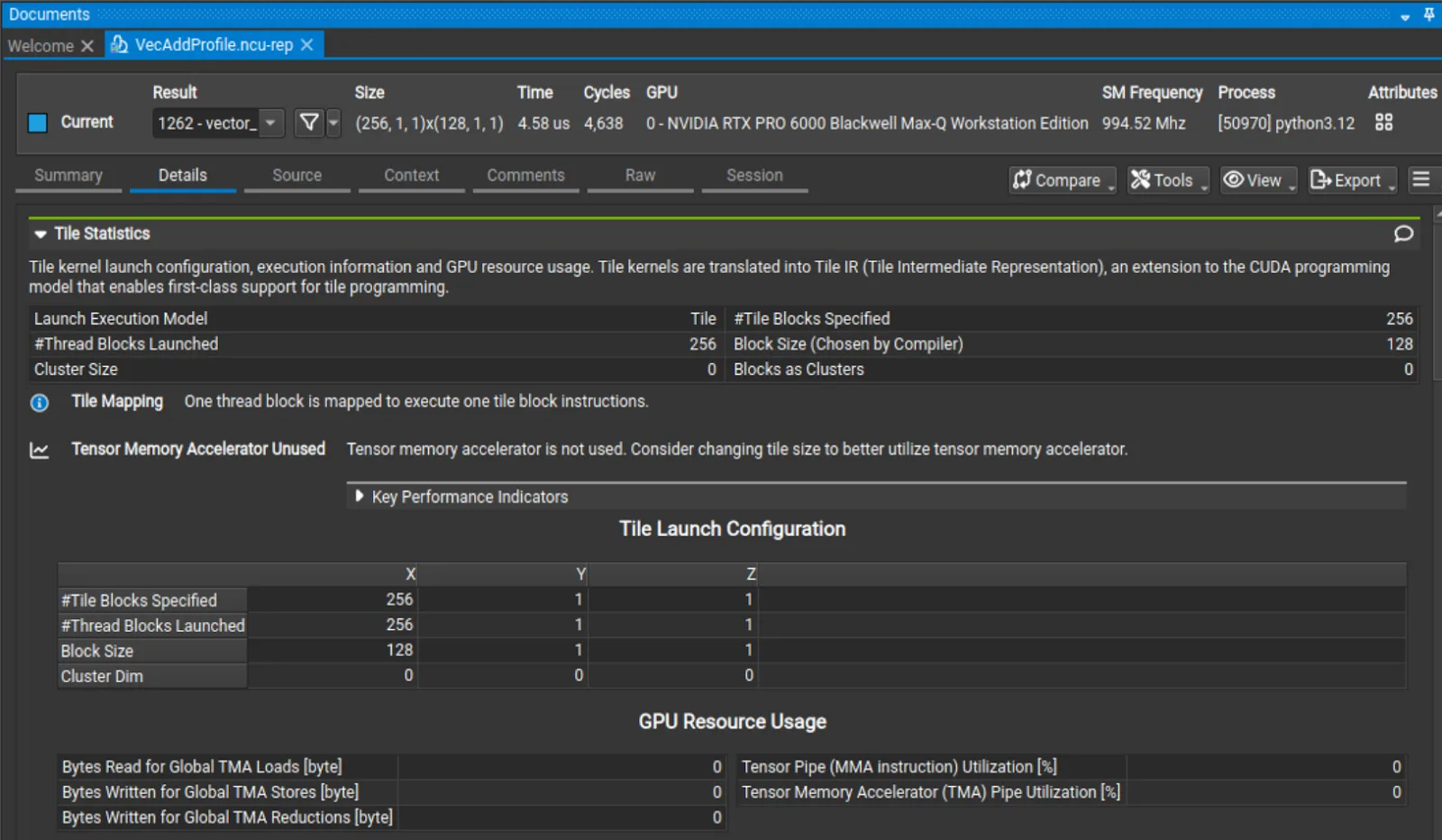
Simplify GPU Programming with NVIDIA CUDA Tile in Python | NVIDIA ...
(上图:Nsight Compute 中的 Tile 性能分析截图,能看到 Tile 统计信息)
安装和要求(注意!)
- pip install cuda-tile
- 需要 CuPy 处理 GPU 数组:pip install cupy-cuda13x
- 硬件:目前只支持 Blackwell GPU(计算能力 10.x/12.x,如 B200 或 RTX 50 系列)。旧卡(如 RTX 30/40)暂不支持,未来 CUDA 更新会扩展。
- 驱动 R580+(完整工具需 R590+),CUDA Toolkit 13.1+。
总结:GPU 编程的 Python 新时代
cuTile Python 让开发者专注于算法创新,而不是硬件细节。特别适合 AI/ML 场景,未来会支持更多工作负载。
原博客链接(中文版,强烈推荐): 在 Python 中借助 NVIDIA CUDA Tile 简化 GPU 编程
官方资源:
- GitHub 示例:https://github.com/nvidia/cutile-python
如果你有 Blackwell GPU,赶紧试试!否则,先学概念,等硬件升级后再玩。欢迎评论:你觉得 cuTile 会流行起来吗?🚀

有“AI”的1024 = 2048,欢迎大家加入2048 AI社区
更多推荐

 11
11 0
0- 0


 已为社区贡献91条内容

所有评论(0)