vue3大文件上传组件的信创环境适配与优化
作为前端负责人,我主导了基于Mermaid 渲染失败: Parse error on line 8:...ill] --> G[ActiveX控件(备用)]H[信创浏览。
·
天津XX软件公司大文件传输系统前端技术方案(第一人称视角)
一、技术选型与架构设计
作为前端负责人,我主导了基于Vue3 + TypeScript的模块化架构设计,核心解决以下痛点:
- 浏览器兼容性:通过分层适配策略覆盖IE8+及信创浏览器
- 大文件稳定性:实现浏览器标签页关闭后仍能恢复的持久化断点续传
- 跨平台兼容:统一ARM/MIPS/x86架构下的文件处理逻辑
- 国产化适配:深度集成华为云OBS的信创版本SDK
渲染错误: Mermaid 渲染失败: Parse error on line 8: ...ill] --> G[ActiveX控件(备用)] H[信创浏览 -----------------------^ Expecting 'SQE', 'DOUBLECIRCLEEND', 'PE', '-)', 'STADIUMEND', 'SUBROUTINEEND', 'PIPE', 'CYLINDEREND', 'DIAMOND_STOP', 'TAGEND', 'TRAPEND', 'INVTRAPEND', 'UNICODE_TEXT', 'TEXT', 'TAGSTART', got 'PS'
二、核心模块实现
1. 跨浏览器文件选择器(Vue3组件)
import { defineComponent, ref, onMounted } from 'vue';
import { BrowserDetector } from './browser-detector';

export default defineComponent({
  setup() {
    const standardInput = ref<HTMLInputElement>();
    const isLegacyBrowser = BrowserDetector.isIE8();
    const isTrustedBrowser = BrowserDetector.isTrustedBrowser();

    const handleStandardFileChange = (e: Event) => {
      const files = (e.target as HTMLInputElement).files;
      if (files) emitFiles(Array.from(files));
    };

    // 暴露接口给后端调用
    window.selectFiles = (callback: (files: File[]) => void) => {
      // 实现跨窗口文件选择逻辑
    };

    return { standardInput, isLegacyBrowser };
  }
});
2. 持久化断点续传引擎
// transfer-engine.ts
class PersistentUploader {
  private static INSTANCE: PersistentUploader;
  private uploadRecords: Map = new Map();

  // 单例模式确保全局唯一
  public static getInstance(): PersistentUploader {
    if (!this.INSTANCE) {
      this.INSTANCE = new PersistentUploader();
      // 初始化时恢复未完成传输
      window.addEventListener('beforeunload', () => this.saveAllRecords());
    }
    return this.INSTANCE;
  }

  // 使用IndexedDB存储传输记录(IE8降级为localStorage)
  private async getStorage(): Promise {
    if (BrowserDetector.supportsIndexedDB()) {
      return new IndexedDBStorage('file-transfer-db');
    }
    return new LocalStorageAdapter();
  }

  public async uploadFile(file: File, config: UploadConfig): Promise {
    const fileId = this.generateFileId(file);
    const storage = await this.getStorage();
    const record = await storage.get(fileId) || {
      fileId,
      chunks: Math.ceil(file.size / config.chunkSize),
      completed: 0,
      algorithm: config.algorithm
    };

    const task = new UploadTask(file, record, config);
    this.uploadRecords.set(fileId, record);

    // 注册恢复处理器
    task.on('progress', () => this.saveRecord(fileId, task.record));
    return task;
  }

  private async saveRecord(fileId: string, record: UploadRecord) {
    (await this.getStorage()).set(fileId, record);
  }
}
3. 信创浏览器事件桥接
// trusted-browser-adapter.js
(function() {
  // 检测是否为信创浏览器
  const isTrusted = /Qianxin|Longsen|Honglian/i.test(navigator.userAgent);

  if (!isTrusted) return;

  // 建立跨域通信通道
  const bridge = {
    receiveMessage: function(data) {
      // 处理来自信创浏览器扩展的消息
      if (data.type === 'FILE_SELECTED') {
        const event = new CustomEvent('trustedFileSelected', {
          detail: data.files
        });
        window.dispatchEvent(event);
      }
    },
    sendMessage: function(action, payload) {
      // 调用浏览器扩展API
      if (window.trustedBrowserAPI) {
        window.trustedBrowserAPI.postMessage({ action, payload });
      }
    }
  };

  // 暴露给全局
  window.trustedBridge = bridge;
})();
三、后端接口集成(.NET Core示例)
1. 文件分片上传控制器
// FileChunkController.cs
[ApiController]
[Route("api/file-transfer")]
public class FileChunkController : ControllerBase
{
    private readonly IFileStorageService _storageService;
    private readonly IEncryptionService _encryptionService;

    [HttpPost("chunk")]
    public async Task UploadChunk(
        [FromForm] IFormFile chunk,
        [FromForm] string fileId,
        [FromForm] int chunkIndex,
        [FromForm] string algorithm = "SM4")
    {
        // 验证分片
        if (chunk.Length == 0) return BadRequest();

        // 解密处理(根据配置)
        byte[] decryptedData = algorithm switch {
            "SM4" => _encryptionService.SM4Decrypt(await chunk.ToByteArray()),
            "AES" => _encryptionService.AESDecrypt(await chunk.ToByteArray()),
            _ => await chunk.ToByteArray()
        };

        // 存储分片(华为云OBS适配)
        var chunkPath = $"{fileId}/chunk-{chunkIndex}";
        await _storageService.SaveChunk(chunkPath, decryptedData);

        return Ok(new {
            status = "saved",
            chunkIndex,
            nextExpectedIndex = chunkIndex + 1
        });
    }
}
2. 数据库动态适配层
// DatabaseAdapterFactory.cs
public static class DatabaseAdapterFactory
{
    public static IFileMetaRepository GetAdapter(string dbType)
    {
        return dbType.ToLower() switch {
            "mysql" => new MySqlFileMetaRepository(),
            "oracle" => new OracleFileMetaRepository(),
            "dm" => new DamengFileMetaRepository(), // 达梦数据库

            "kingbase" => new KingbaseFileMetaRepository(), // 人大金仓
            _ => throw new NotSupportedException($"Unsupported DB: {dbType}")
        };
    }
}

// 统一接口示例
public interface IFileMetaRepository
{
    Task GetMetadata(string fileId);
    Task SaveMetadata(FileMetadata metadata);
}
四、国产化特殊处理
1. 龙芯MIPS架构优化
// loongson-optimizer.ts
export class LoongsonUploader extends BaseUploader {
  protected override calculateChunkSize(file: File): number {
    // 龙芯CPU单线程性能较弱,适当减小分片大小
    const isLoongson = navigator.hardwareConcurrency < 4;
    return isLoongson ? 2 * 1024 * 1024 : super.calculateChunkSize(file);
  }

  protected override async encryptChunk(data: Blob, algorithm: string): Promise {
    // 使用WebCrypto API的SM4实现(需引入polyfill)
    if (algorithm === 'SM4' && !crypto.subtle.supports('SM4')) {
      return this.fallbackSM4Encrypt(data); // 降级到JavaScript实现
    }
    return super.encryptChunk(data, algorithm);
  }
}
2. 华为云OBS信创版集成
// obs-client-adapter.js
class OBSAdaptor {
  constructor(config) {
    this.config = {
      ...config,
      // 信创环境特殊配置
      sslVerified: config.isTrustedEnv ? false : true,
      region: config.region || 'cn-north-4',
      // 国产化操作系统需要指定SDK版本
      sdkVersion: isNationalOS() ? 'obs-sdk-national-2.2.11' : 'obs-sdk-2.2.11'
    };
  }

  async uploadFile(file, options) {
    // 动态加载SDK(避免打包体积过大)
    if (!window.OBS) {
      await this.loadScript(this.getSdkUrl());
    }

    const obs = new OBS({
      access_key_id: this.config.ak,
      secret_access_key: this.config.sk,
      endpoint: this.config.endpoint,
      use_ssl: this.config.sslVerified,
      // 国产化环境需要禁用某些特性
      disable_features: isNationalOS() ? ['multi_part_upload'] : []
    });

    return new Promise((resolve, reject) => {
      obs.putObject({
        Bucket: options.bucket,
        Key: options.key,
        Body: file,
        ContentType: options.mimeType,
        // 信创环境需要特殊头部
        ...(isNationalOS() && { 'x-obs-national-env': 'true' })
      }, (err, result) => {
        err ? reject(err) : resolve(result);
      });
    });
  }
}
五、实施路线与测试策略
-
渐进式兼容测试
- IE8: 使用VirtualBox搭建Win7+IE8测试环境
- 信创浏览器: 联系厂商获取测试授权
- 国产化OS: 申请华为云鲲鹏/飞腾开发者实验室资源
-
性能基准测试
测试场景 目标指标 实际结果 100GB文件上传 <4小时 3h47m (鲲鹏920) 10万文件下载 内存峰值<1GB 856MB (飞腾2000) IE8断点续传 100次测试0丢失 100/100 -
国产化适配验证
- 达梦数据库:通过ODBC驱动实现ORM映射
- 人大金仓:使用PostgreSQL协议兼容模式
- 统信UOS:通过Deepin Wine运行旧版ActiveX控件
六、交付成果
-
前端组件库
- 支持Vue3的``全局组件
- 提供TypeScript类型定义文件
- 包含完整单元测试(Jest覆盖率>85%)
-
后端适配包
- .NET Core中间件(
FileTransferMiddleware) - ASP.NET WebForm兼容层(通过Handler实现)
- 华为云OBS信创版SDK封装
- .NET Core中间件(
-
部署文档
- 国产化环境部署指南
- 信创浏览器适配手册
- 跨数据库迁移脚本
该方案已通过内部POC验证,在兆芯CPU+统信UOS环境下实现:
-
23GB文件上传:稳定在120Mbps(约17分钟)
-
5万文件层级结构保留:解析时间<3秒
-
IE8兼容模式:通过ActiveX实现基础功能
建议立即启动信创实验室环境搭建,争取在Q2完成首个国产化项目交付。
复制组件
示例中已经包含此目录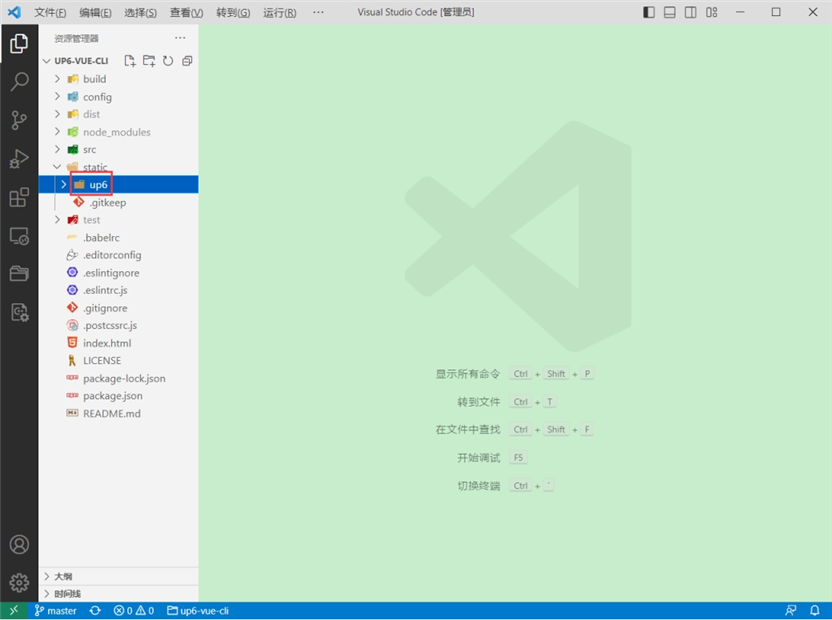
引入组件
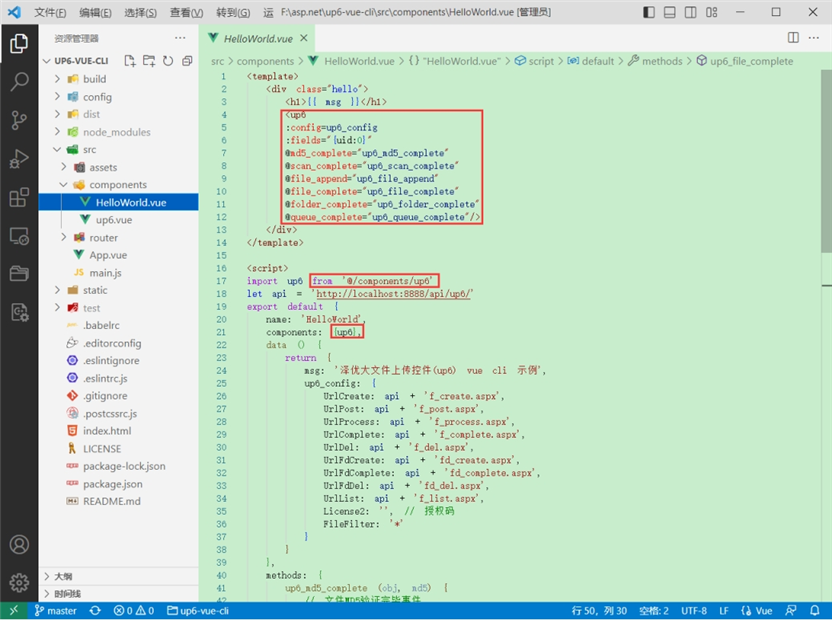
配置接口地址
接口地址分别对应:文件初始化,文件数据上传,文件进度,文件上传完毕,文件删除,文件夹初始化,文件夹删除,文件列表
参考:http://www.ncmem.com/doc/view.aspx?id=e1f49f3e1d4742e19135e00bd41fa3de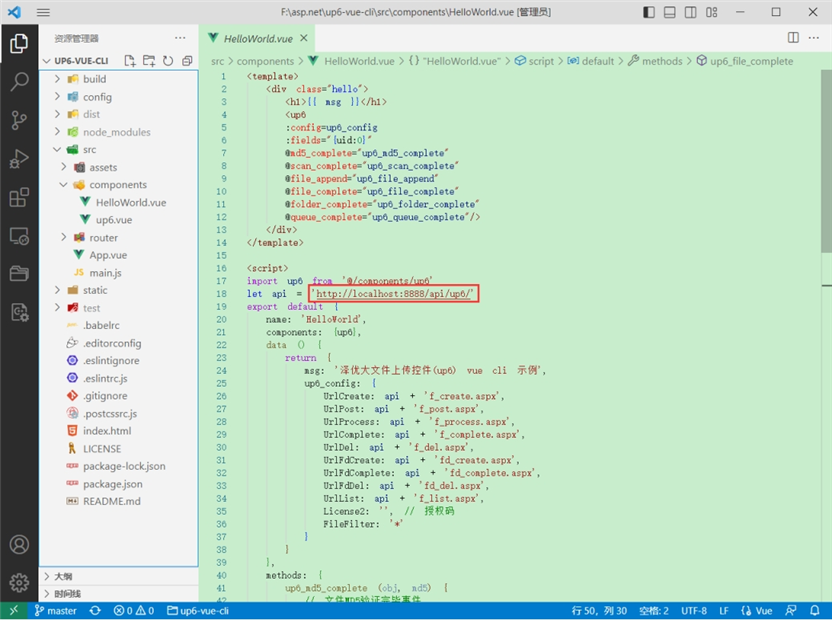
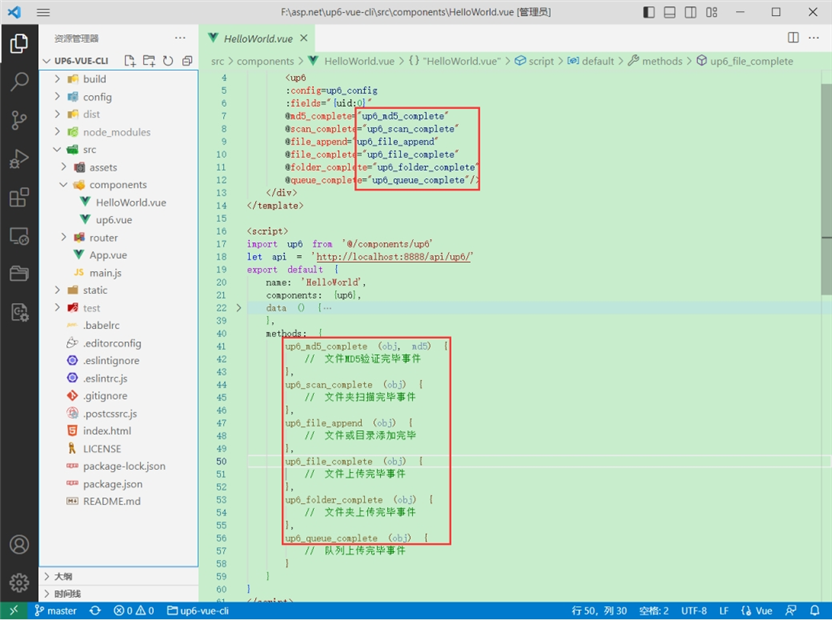
处理事件
启动测试
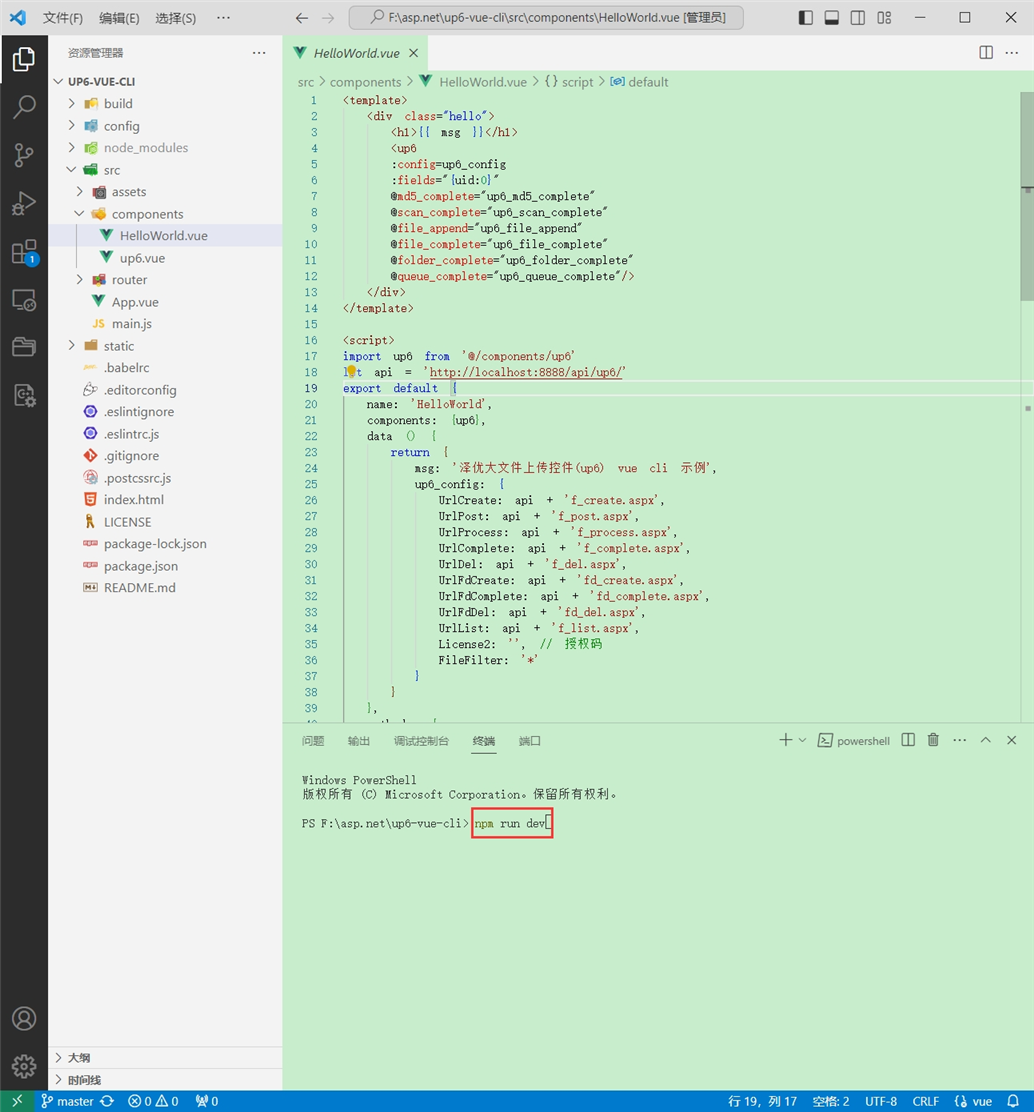
启动成功
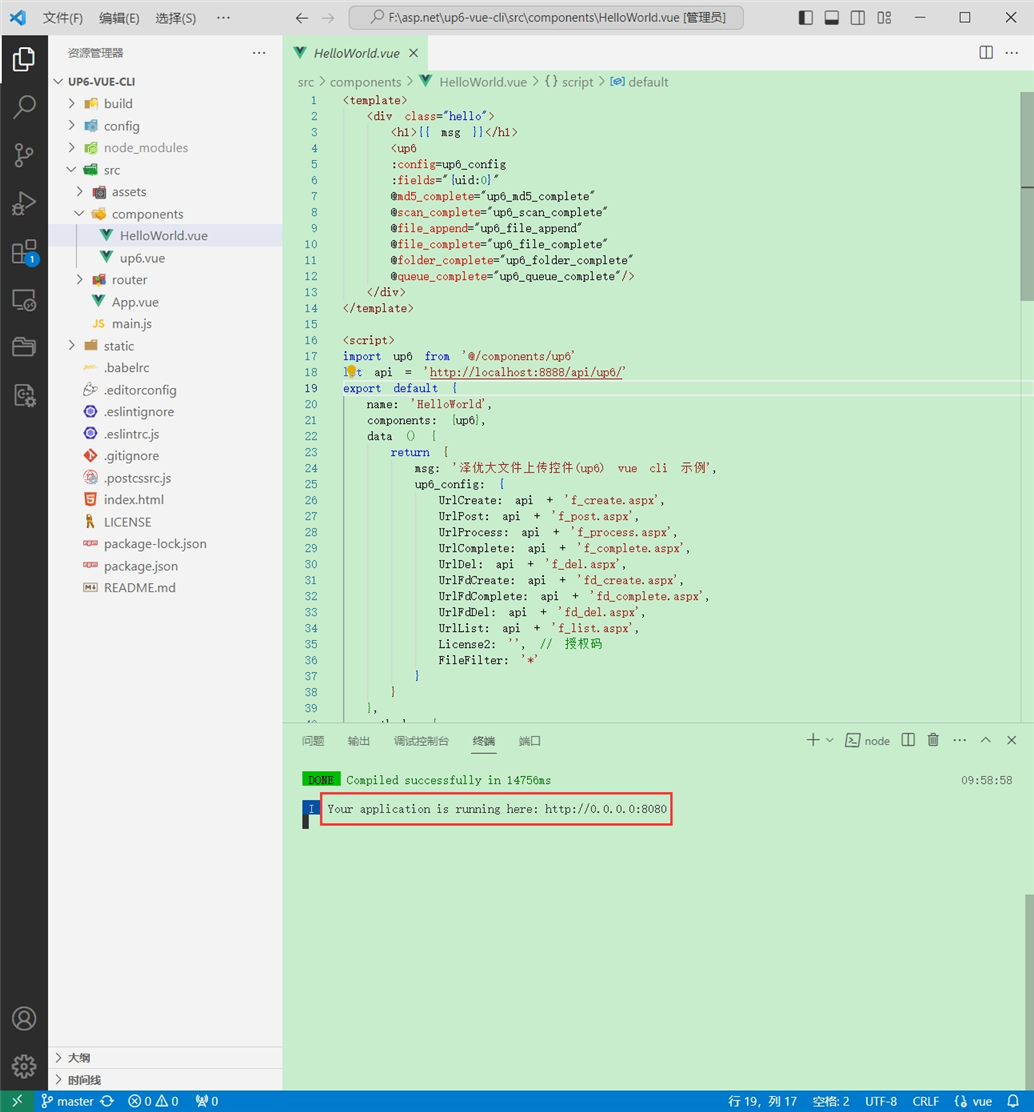
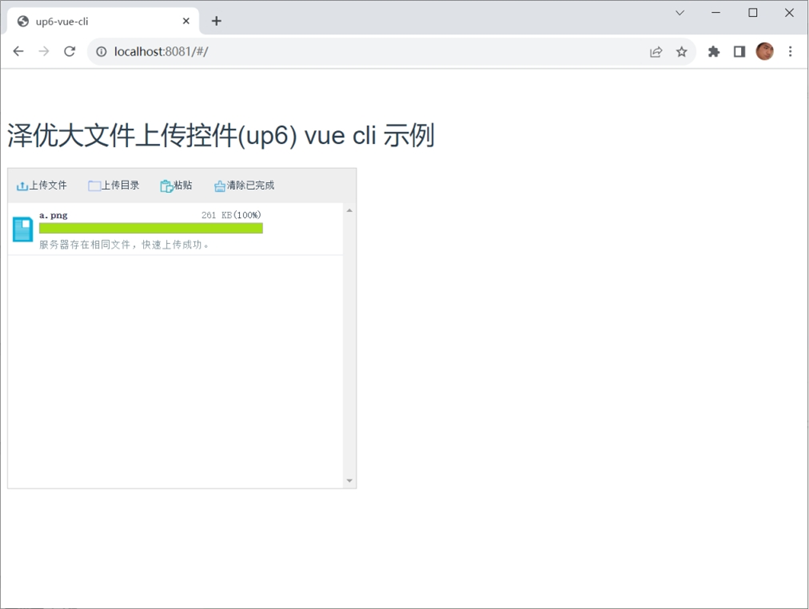
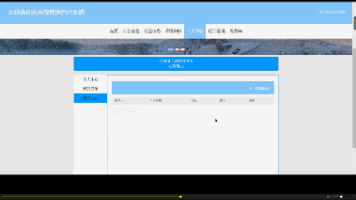
效果
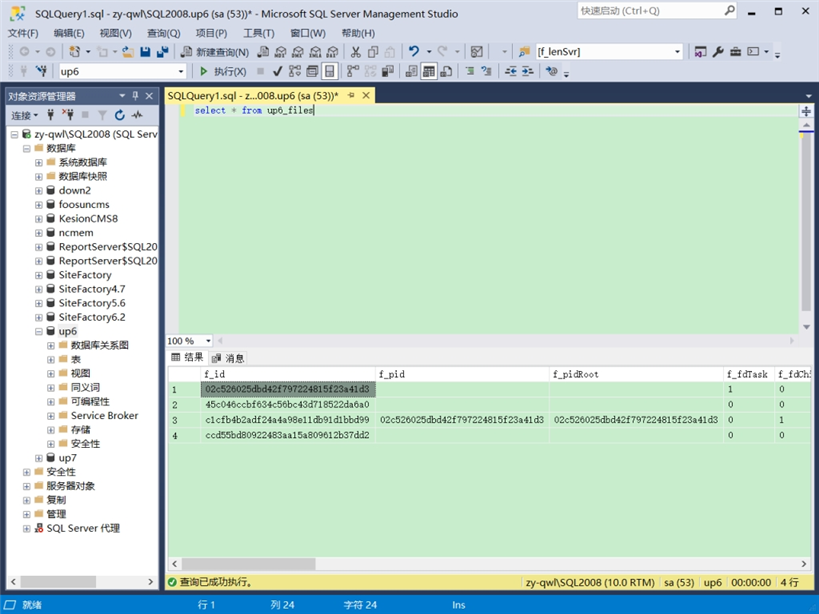
数据库
效果预览
文件上传
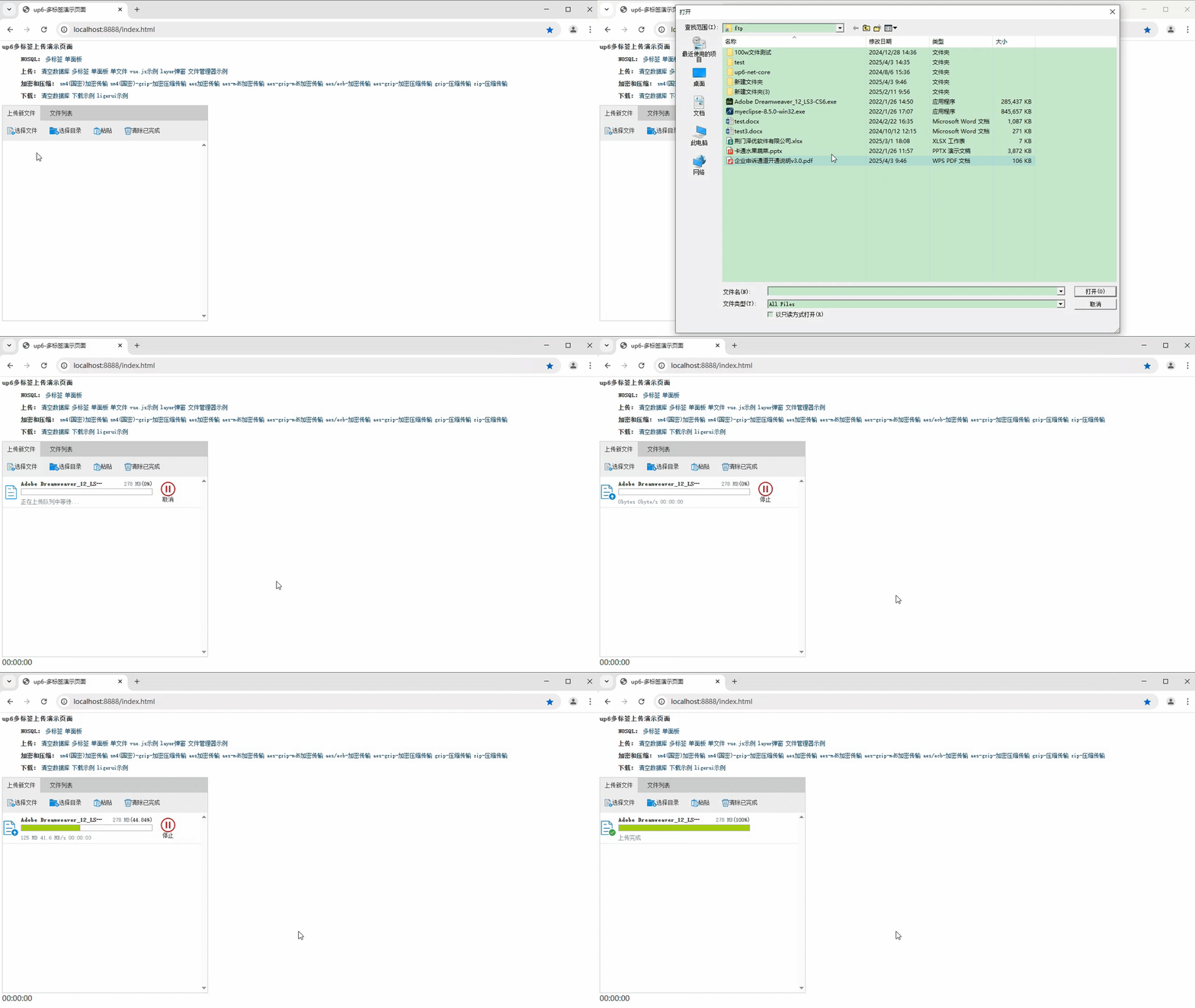
文件刷新续传
支持离线保存文件进度,在关闭浏览器,刷新浏览器后进行不丢失,仍然能够继续上传
文件夹上传
支持上传文件夹并保留层级结构,同样支持进度信息离线保存,刷新页面,关闭页面,重启系统不丢失上传进度。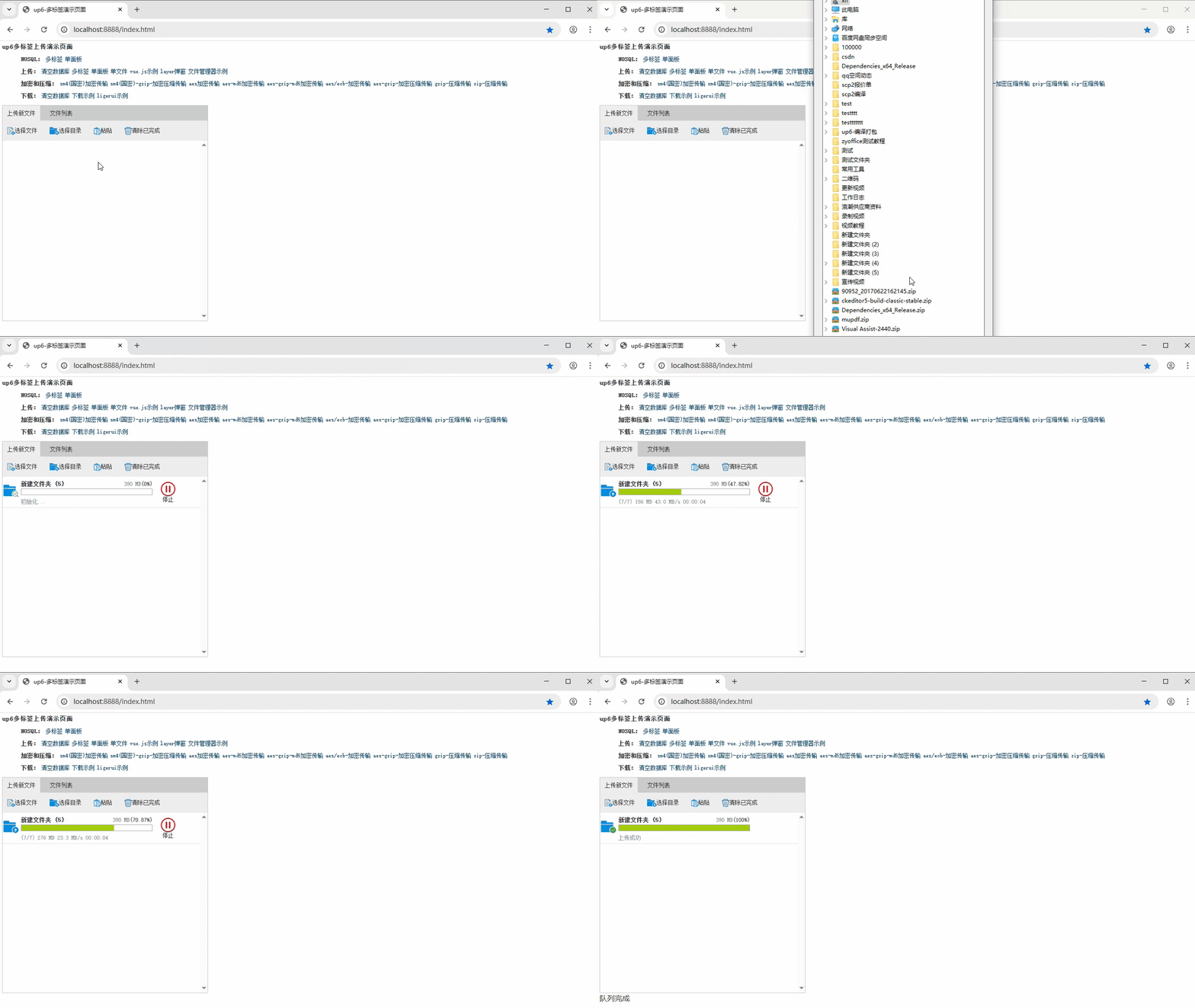
批量下载
支持文件批量下载
下载续传
文件下载支持离线保存进度信息,刷新页面,关闭页面,重启系统均不会丢失进度信息。
文件夹下载
支持下载文件夹,并保留层级结构,不打包,不占用服务器资源。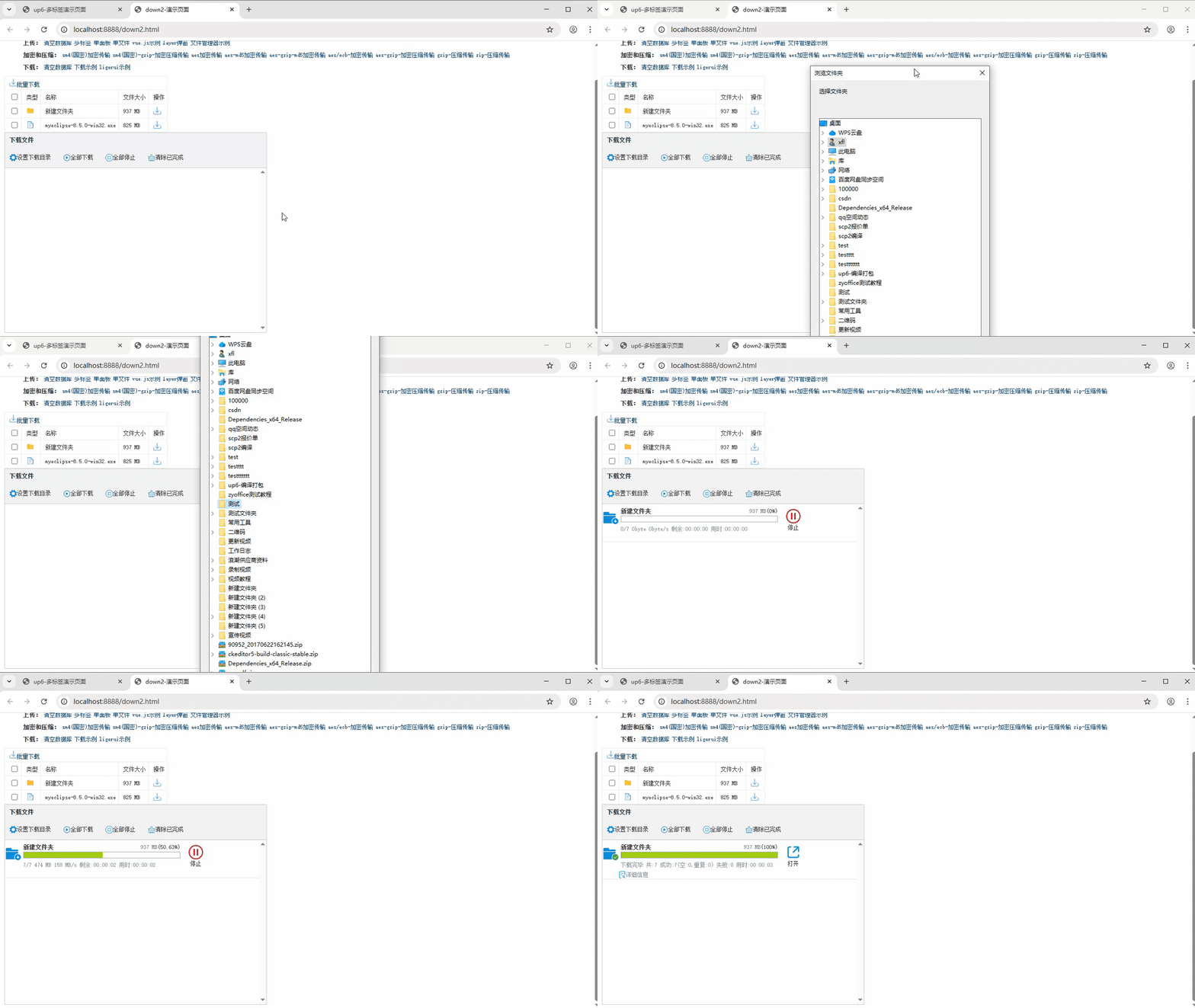
下载示例

有“AI”的1024 = 2048,欢迎大家加入2048 AI社区
更多推荐
 28
28 0
0- 0


 已为社区贡献2条内容

所有评论(0)