如何解决git HEAD detached 分离头指针问题
Git分离头指针问题解决实践 在项目移植到Gitee过程中遇到"srcrefspecmaindoesnotmatchan"错误,原因是代码仓库处于分离头指针状态(HEAD指向具体提交而非分支)。本文记录了解决过程: 问题分析:分离头指针状态导致无法直接push代码 解决方案: 备份项目文件(打包核心代码) 使用git status --porcelain分析文件状态 清理不需要
前言:
这篇博客里面,我结合我现在实际的一个项目啊,我这个项目要进行一个移植工作,然后要上传到这个gitee中,那么发现了一些问题,所以我在这个项目整理过程中。
嗯有一些实施的这样的一个实践和经验啊,在这个博客里面我们写下来了。
问题1,src refspec main does not match an 这个是一个所有问题的一个起源哈,就是我在push到gitee中,发现就是它会报错,我之前的git仓库是没法push的。
那么这个问题其实提示的就是下面的一个问题,就是我整个代码仓库呢,由于有一次 check out的没有把整个的代码去靠的出来,或者是打太的时候出现了一些偏差,造成了我现在是一个指向一个分支的状态。
1 什么是分离头指针状态?
简单来说,Git 的「HEAD」是一个 “指针”,默认指向当前所在分支的最新提交(比如 master/main 分支),而「分离头指针」就是这个指针 “脱轨” 了 —— 它不再指向某个分支,而是直接指向一个具体的提交哈希值(如 0ca5bdd)。
2 造成的原因:
- 手动切换到某个历史提交:
git checkout 0ca5bdd; - 检出标签、远程分支的单个提交,或误操作脱离了本地分支;
- 新建仓库后未初始化分支,直接提交导致 HEAD 无分支可指。
3 带来的主要问题:
你无法直接执行 git push(如推 main/master),因为 Git 找不到 “分支” 作为推送的载体,这也是你之前报错 src refspec main does not match any 的根本原因。
如何解决:
1 保留修改:
因为要改动仓库,所以无论怎么样都会影响到之前的数据,所以最好是要先进行保留。修改。。比较好的保留方式是直接就打个包,这是最快的方式,如果项目不是很大。
当然如果你对整个项目非常清楚,那么哪个文件或者哪个文件夹你可以用啊,都知道要用在什么地方,那么你也可以用git来做详细的这样的一个规划。我的项目因为还是处于初级阶段,啊不是很大,然后就是也不是很复杂,所以我直接就打了个包放在那里。
1.1 git的备份方法:
当然采取g的办法是比较专业的,而且是未来就是你要在移植中要用到的。
这里我采用一个比较清晰的方式,就是假设我已经知道了我哪些文件或文件夹有用,然后呃我要去如何选取啊?哪个文件夹,我要加入到仓库。
# 查看未提交文件的详细清单(??=新增文件,M=修改文件,D=删除文件)
git status --porcelain
我的项目文件夹是这样的情况哈,我可以再分析一下。手动清理一下,之前各个版本的垃圾文件夹目录和调试信息文件等等,
(.venv) PS K:\Prj-Astro\MoonPythonQB> git status --porcelain
M .idea/workspace.xml # 这是已有的文件,然后进行了修改,但实际上这个idea是Python的生成文件。是项目配置文件目录,其实,应该去除
?? .idea/migrateChatHistory.xml
?? .pyarmor/ # 这些带点的都是一些拍创的项目,自动生成文件,我们都不需要加入git。
?? .pyarmor_config
?? GUI/menu.ui # 这个是我的g ui文件,是需要加入的。
?? GUI/menu2.ui
?? GUI/ui_form.py
?? ICON/114x114.ico #加入
?? ICON/120x120.ico
?? ICON/180x180.ico
?? ICON/40x40.ico
?? ICON/60x60.ico
?? ICON/80x80.ico
?? ICON/LOGOICON.png
?? ICON/moon_sun_icon.png
?? LOGO/114x114.png # 这个是打包的LOGO文件,不加入git
?? LOGO/120x120.png
?? LOGO/180x180.png
?? LOGO/40x40.png
?? LOGO/57x57.png
?? LOGO/58x58.png
?? LOGO/60x60.png
?? LOGO/80x80.png
?? LOGO/87x87.png
?? LOGO/org.png
?? MoonPicEnhance.spec # 打包的配置文件,加入
?? SampleCodes/ #参考模块的实现代码 加入
?? UserData/ # 用户数据 可以不加入也可不加入,会自动生成,不加入
?? __pycache__/ # pycharm 的动态资源,不加入
?? algorithm_chain_config.json # 暂时不加入
?? build/ #不加入
?? codeProtect/ # 不
?? config.ini # 加入 月球算法
?? core/algorithms_landscape/__pycache__/ # NO
?? core/pipeline/__pycache__/ # NO
?? dist/ # 打包EXE的输出,不需要加入
?? nuitka-crash-report.xml # 由 Nuitka 编译器在遇到致命错误时自动生成的崩溃报告文件 不需要加入
?? processing_results/ # 中间调试结果,不加入
?? requirement.txt # 移植用的包文件,不加入
?? scripts/__pycache__/ # NO
?? tests/__pycache__/ # NO
?? tests/intermediate_results/ # NO
?? tests/soloModuleTestOut/ # NO
?? tests/testpictures/
?? toupcam.dll # YES
?? toupcam.log # NO
?? toupcam.py # YESGIT
?? utils/__pycache__/
?? "\345\244\251\346\226\207\351\241\271\347\233\256\346\240\221\345\275\242\347\273\223\346\236\204.txt"
逐个确认好你的文件和文件夹哪些需要,哪些不需要之后,然后我们就可以逐个的用git来加入这些。仓库啊加入到仓库里面。
1.1.1 去除pycharm的临时性文件(如 workspace.xml)
M .idea/workspace.xml
git rm --cached .idea/workspace.xml
(.venv) PS K:\Prj-Astro\MoonPythonQB> git rm --cached .idea/workspace.xml
rm '.idea/workspace.xml'
然后这时候呢是一个就是已删除的状态。
(.venv) PS K:\Prj-Astro\MoonPythonQB> git status --porcelain
D .idea/workspace.xml
D LOGO/logo.png
然后,我们用commit确认,
(.venv) PS K:\Prj-Astro\MoonPythonQB> git commit -m "Remove .idea/workspace.xml"
1.1.2 增加那些忽略而必要的文件夹
(.venv) PS K:\Prj-Astro\MoonPythonQB> git add GUI/
(.venv) PS K:\Prj-Astro\MoonPythonQB> git status --porcelain
A  GUI/menu.ui
A  GUI/menu2.ui
A  GUI/ui_form.py
这里只做了一个文件夹,然后其他的文件夹都按照类似的方法进行加入就行了。
git commit -m "临时保存:分离头指针下的核心代码)
把前面的要加入到文件都加入到仓库。
现在切换到
2 切换到 master 分支
(.venv) PS K:\Prj-Astro\MoonPythonQB> git checkout master
因为我们之前是这个版本上有问题是分离指针的版本,所以现在如果我们现在get check out的master的时候,这时候它就会弹出一些就是分离指针的这样的一个说明,然后这里面它有一个自动推荐啊,就是说。那么你现在分离指针这些这些上面的这些呃共有42个check in的东西,是不是你把它做成一个分支,啊,他觉得现在是一个很好的机会去做分支。呃我觉得这个功能还是挺有意思的。
Warning: you are leaving 42 commits behind, not connected to
any of your branches:bfba17c 临时保存:分离头指针下的核心代码(src/main.py + data/test.csv)
54954c8 Remove .idea/workspace.xml
9d14dcc Release 1.2.5 -- input to gitee -- 解决中文文件无法读取和保存乱码问题 -- FixBug 参数 range的调整GUI显示 -- 拖拽算法基本OK,同时对接到TAB_11的细节处理 -- 确认和验证了一下denoise的算法尤其是椒盐噪点的去除 -- FixBUG,继续颜色的修正 -- FixBUG,颜色转换通道错误,导致颜色偏差 -- BUG 修正,clahe测试模块的修正
,模块引入问题 -- 增加清除功能 -- 点击算法模块后,调整参数,现在可立即看到效果 -- 成果添加了箭头 -- 算法路径效果框架OK -- 右侧窗口的原始和变更显示OK了 -- 解决了GUI的参数匹配的BUG和统一了接口(在CLAHE)模块得到了验证,但是,其他模块还没与 -- 优化了速度,还是有点慢,先放一下 -- 根节点加入,原始图像接入基本ok,有点
-- 对接算法模组成功 -- 拖拽GUI设计完成,准备对接优化模块 -- temp 左侧的算法模块,可以看见,并可以点击,拖拽了 -- temp 左侧看的了算法定义的四个模块了:(tab_10 测试页) -- temp,调试版本,红色的框可以显示,现在可以去绑定算法模块了 PIPELINE + 两个算法(clahe+denoise)的基础方法已经完成。测试通过 PIPELINE 结构基本 完成,可以运行 拖拽集成GUI部分完成 Toupcam 拍照保存功能,OK Toupcam 录像功能,OK opencv UVC OK 放弃:Python + Windows COM 开发
6c3e201 Release 1.2.4.2 -- 解决中文文件无法读取和保存乱码问题 -- FixBug 参数 range的调整GUI显示 -- 拖拽算法基本OK,同时对接到TAB_11的细节处理 -- 确认和验证了一下denoise的算法尤其是椒盐噪点的去除 -- FixBUG,继续颜色的修正 -- FixBUG,颜色转换通道错误,导致颜色偏差 -- BUG 修正,clahe测试模块的修正,模块引入问题 --
增加清除功能 -- 点击算法模块后,调整参数,现在可立即看到效果 -- 成果添加了箭头 -- 算法路径效果框架OK -- 右侧窗口的原始和变更显示OK了 -- 解决了GUI的参数匹配的BUG和统一了接口(在CLAHE)模块得到了验证,但是,其他模块还没与 -- 优化了速度,还是有点慢,先放一下 -- 根节点加入,原始图像接入基本ok,有点慢 -- 对接算法模
组成功 -- 拖拽GUI设计完成,准备对接优化模块 -- temp 左侧的算法模块,可以看见,并可以点击,拖拽了 -- temp 左侧看的了算法定义的四个模块了:(tab_10 测试页) -- temp,调试版本,红色的框可以显示,现在可以去绑定算法模块了 PIPELINE + 两个算法(clahe+denoise)的基础方法已经完成。测试通过 PIPELINE 结构基本完成,可以运行 拖集成GUI部分完成 Toupcam 拍照保存功能,OK Toupcam 录像功能,OK opencv UVC OK 放弃:Python + Windows COM 开发
... and 38 more.If you want to keep them by creating a new branch, this may be a good time
to do so with:git branch <new-branch-name> bfba17c
Switched to branch 'master'
这里我采用的是新建branch去的方式(latest_release_branch ),这样比较安全。然后新建不上去之后呢,它会自动的切到这个master master哈,就是自动会切回mastr,那么切换mastr的之后呢,因为我之前有很多的这个。更新,没有在这个master上,所以导致了我其实现在有很大的代码的差别,所以这里面我们要做一个merge merge的工作。
(.venv) PS K:\Prj-Astro\MoonPythonQB> git checkout master
(.venv) PS K:\Prj-Astro\MoonPythonQB> git branch latest_release_branch bfba17c
(.venv) PS K:\Prj-Astro\MoonPythonQB> git status
On branch master
3 合并代码
git merge latest_release_branch
出错:
CONFLICT (modify/delete): main.py deleted in latest_release_branch and modified in HEAD. Version HEAD of main.py left in tree.
Automatic merge failed; fix conflicts and then commit the result.
main.py文件,因为太demo了,我改成了其他的名字,原文件删除。
(.venv) PS K:\Prj-Astro\MoonPythonQB> git rm .\main.py
rm 'main.py'
然后,我们看看,Merge后的结果
(.venv) PS K:\Prj-Astro\MoonPythonQB> git status
On branch master
All conflicts fixed but you are still merging.
(use "git commit" to conclude merge)Changes to be committed:
new file: .idea/.name # .idea/ 这些应该是错误的加入了额
new file: .idea/MarsCodeWorkspaceAppSettings.xml
new file: .idea/MoonPythonQB.iml
new file: .idea/encodings.xml
new file: .idea/inspectionProfiles/profiles_settings.xml
new file: .idea/misc.xml
new file: .idea/modules.xml
new file: .idea/vcs.xml
new file: Algorithm_widget.py
new file: CameraManager.py
new file: GUI/form.ui
new file: GUI/menu.ui
new file: GUI/menu2.ui
new file: GUI/ui_form.py
new file: ICON/114x114.ico
new file: ICON/120x120.ico
new file: ICON/180x180.ico
new file: ICON/40x40.ico
new file: ICON/60x60.ico
new file: ICON/80x80.ico
new file: ICON/LOGOICON.png
new file: ICON/Moon_icon.png
new file: ICON/moon_sun_icon.png
new file: LOGO/logo.png
new file: MoonPicEnhance.py
new file: MoonPicEnhance.spec
new file: SampleCodes/FileOperaDemo1.py
new file: SampleCodes/JPGtoBMP.py
new file: SampleCodes/fleopera.py
new file: SampleCodes/qt_record.py
new file: SampleCodes/simplest.py
new file: SampleCodes/temp2_Algorithm_widget.py
new file: SampleCodes/temp_Algorithm_widget.py
new file: Toupcam/toupcam.lib
new file: algorithm.py
new file: config.ini
new file: configs/README.txt
new file: configs/clahe_test_config.json
new file: configs/denoise_test_config.json
new file: configs/unified_image_processing_config.json
new file: core/algorithms_landscape/__init__.py
new file: core/algorithms_landscape/clahe_module.py
new file: core/algorithms_landscape/denoise_gaussian_debugging.py
new file: core/algorithms_landscape/denoise_module.py
new file: core/pipeline/Sample.py
new file: core/pipeline/__init__.py
new file: core/pipeline/image_processing_module.py
new file: core/pipeline/module_registry.py
new file: core/pipeline/pipeline_engine.py
deleted: main.py
new file: scripts/register_modules.py
new file: tests/run_clahe_test.py
new file: tests/run_denoise_test.py
new file: tests/testpictures/Adj_result/output_result-02.jpg
new file: tests/testpictures/Adj_result/output_result.jpg
new file: tests/testpictures/Adj_result/output_result3.jpg
new file: tests/testpictures/Adj_result/output_result4.jpg
new file: tests/testpictures/Adj_result/output_result5.jpg
new file: tests/testpictures/denoise_01_salt-and-pepper-noise/0_N8dmHKQQo5Ejp2OX.jpg
new file: tests/testpictures/denoise_01_salt-and-pepper-noise/0_aycSUVVDcHMnuFgc.png
new file: tests/testpictures/denoise_01_salt-and-pepper-noise/Grey-scale-image-corrupted-with-salt-and-pepper-noise-which-is-used-for-training-the-HNN.png
new file: tests/testpictures/denoise_01_salt-and-pepper-noise/Images-with-impulse-noise-a-House-image-with-10-salt-and-pepper-noise-b-and-c.png
new file: tests/testpictures/denoise_01_salt-and-pepper-noise/Noise_salt_and_pepper.png
new file: toupcam.dll
new file: toupcam.py
new file: ui_form.py
new file: utils/file_dialogs.py
去除不必要的文件:
# 递归移除.idea文件夹及所有子文件的暂存(-r=递归,针对文件夹)
git rm --cached -r .idea/
再看看,git status,.idea都没有了,现在可以commit到master
4 commit提交
(.venv) PS K:\Prj-Astro\MoonPythonQB> git commit -m "解决git HEAD detached 分离头指针并回到了master“
现在
(.venv) PS K:\Prj-Astro\MoonPythonQB> git status
On branch master
Untracked files:
(use "git add <file>..." to include in what will be committed)
.idea/
.pyarmor/
.pyarmor_config
UserData/
__pycache__/
algorithm_chain_config.json
build/
core/algorithms_landscape/__pycache__/
core/pipeline/__pycache__/
debug_output/
dist/
nuitka-crash-report.xml
requirement.txt
scripts/__pycache__/
tests/__pycache__/
tests/intermediate_results/
tests/soloModuleTestOut/
toupcam.log
utils/__pycache__/
"\345\244\251\346\226\207\351\241\271\347\233\256\346\240\221\345\275\242\347\273\223\346\236\204.txt"nothing added to commit but untracked files present (use "git add" to track)
看起来没有撒问题了
5 重新编译执行并解决问题:
但是,当我,打开最新的主程序运行的时候,
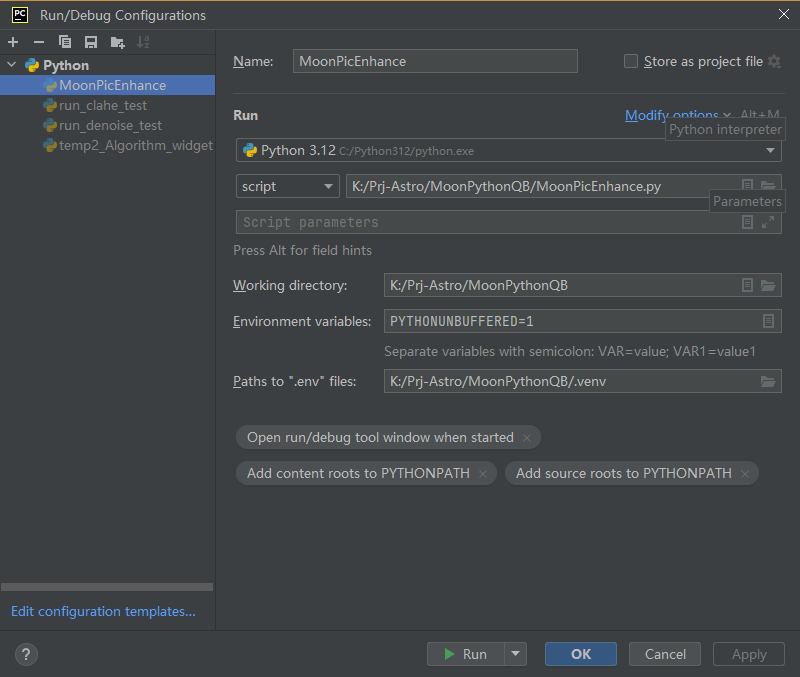
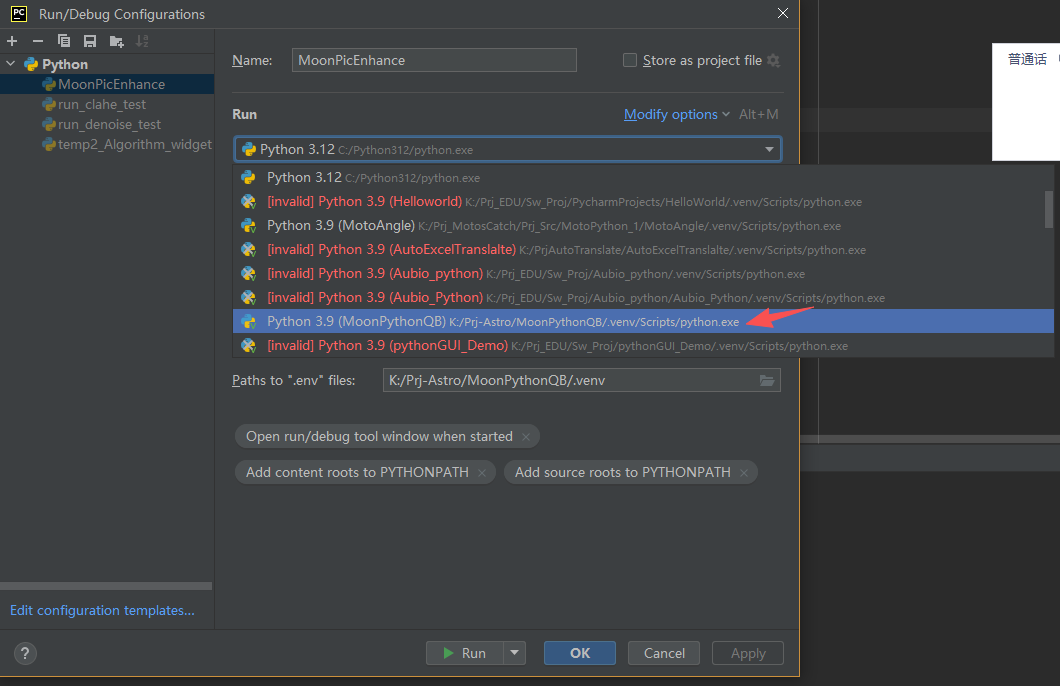
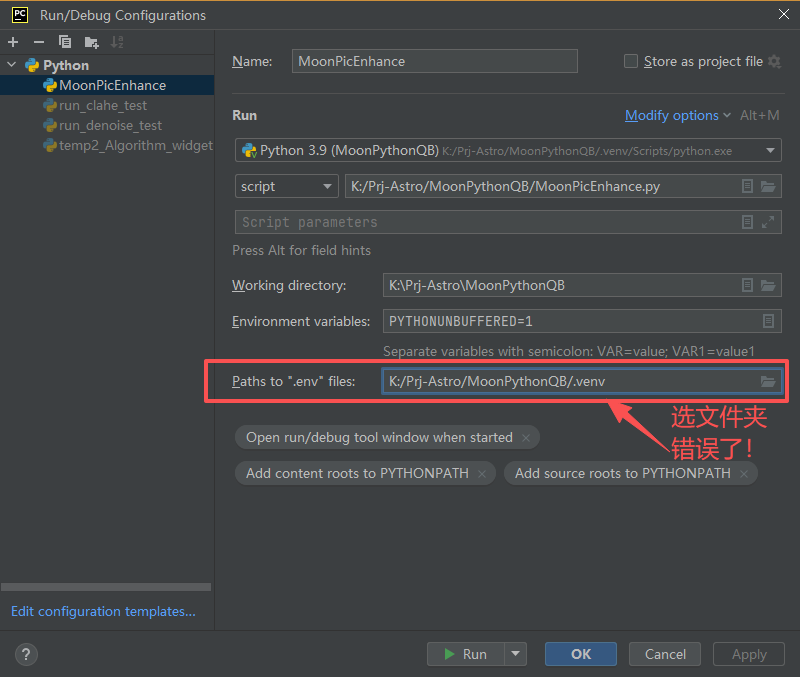
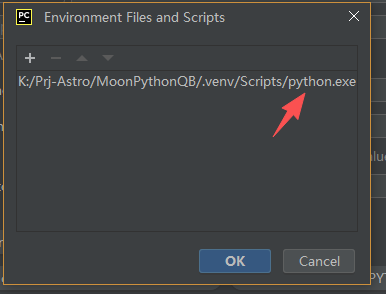
问题1:找不到环境文件:

Ok,呃这边要注意的就是我们现在重新这个把masters拿出来之后,之前的一些配置就丢了哈,所以就是呃有可能丢掉,那么当然就是我们这个拍charm这个ide 呢就是要重新打开才行。
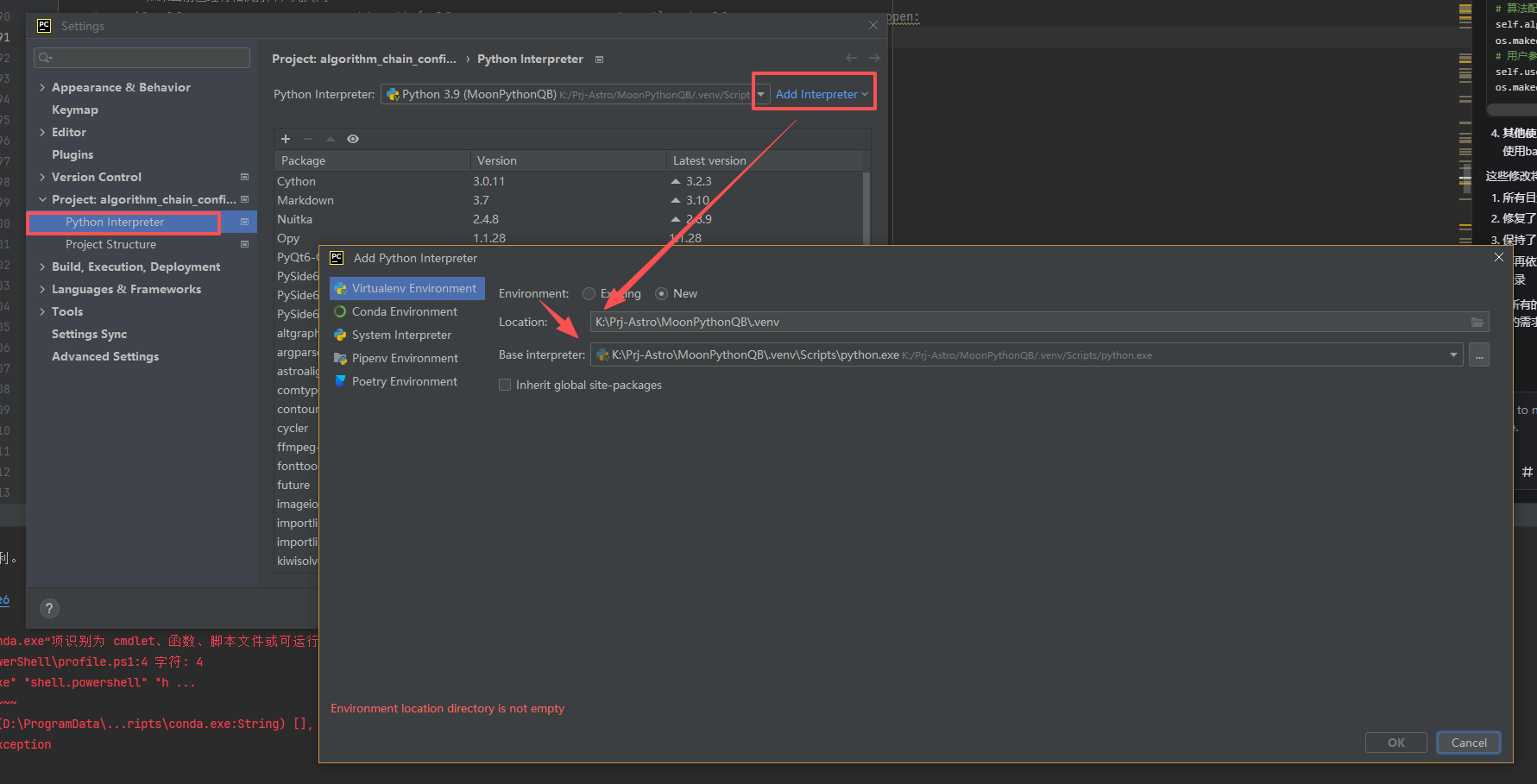
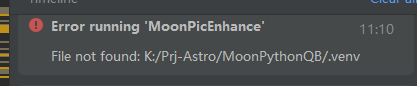
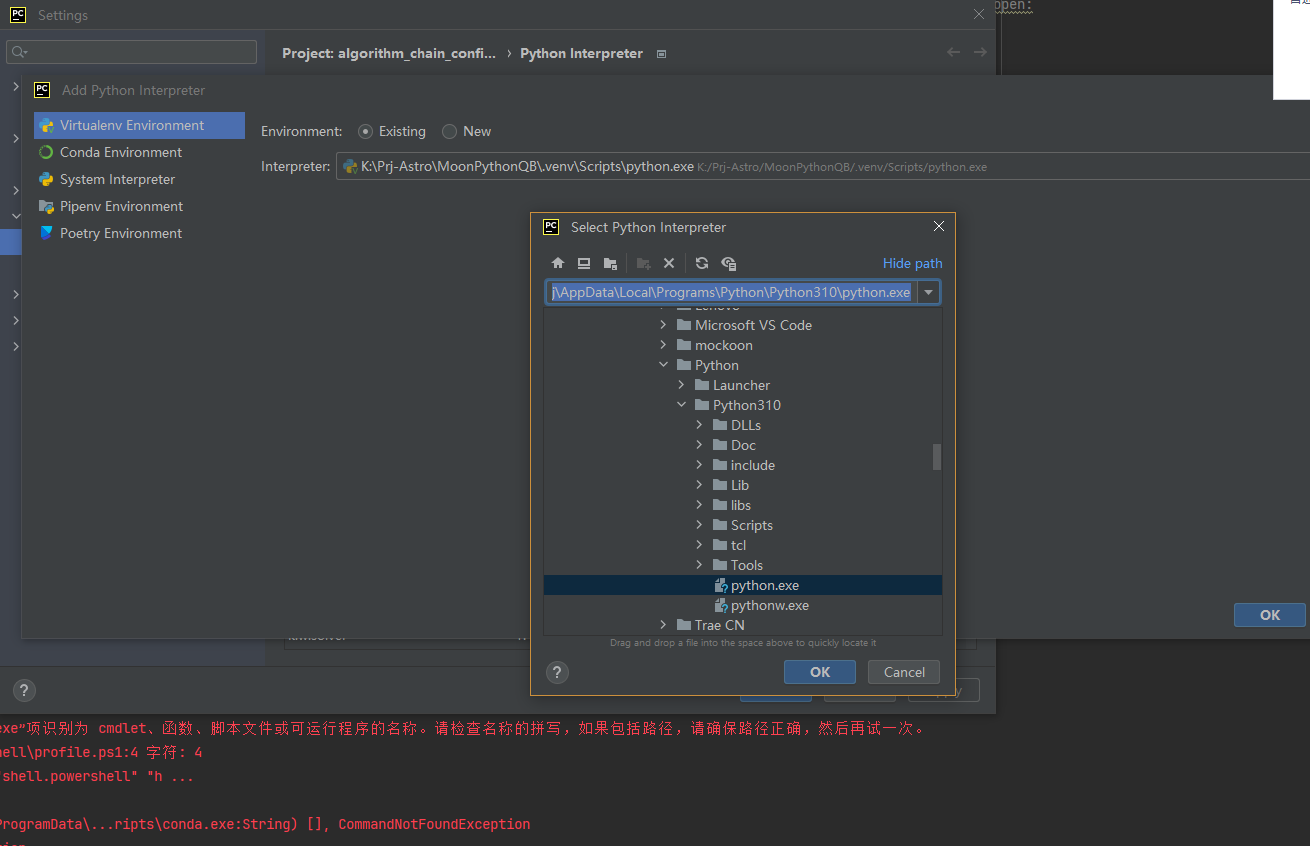
PyCharm 常因缓存失效导致 “文件实际存在但 IDE 识别不到”:
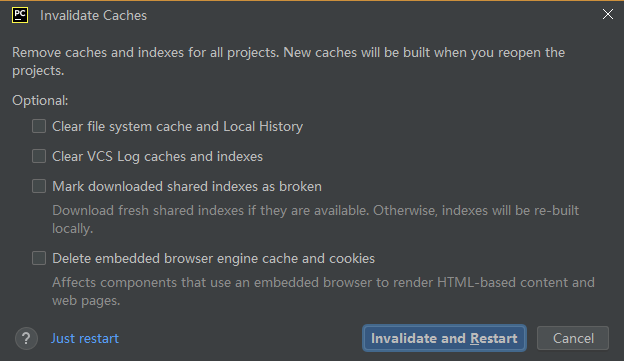
这里要这个我们重新启ide,然后之后呢要等待这个相关的库文件呀,Python的包啊,加载完毕之后我们再去看看配置是不是成功啊。

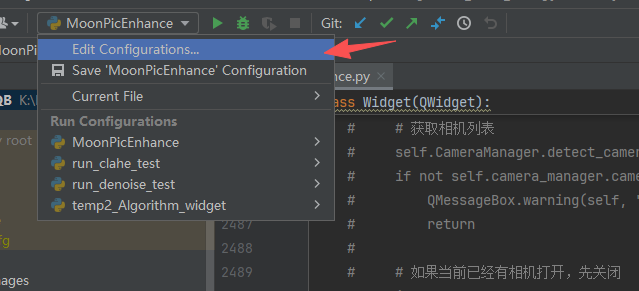
错误的原配置?
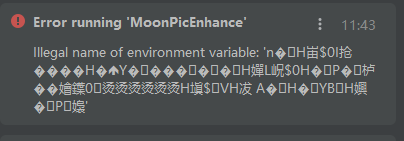
问题2:程序运行报了乱码错误:
Ok啊这个问题后来解决了比较棘手,最后发现应该是就是环境变量在merge的时候出现了问题,所以后面还好我保留了环境变量的硬拷贝,然后直接拷贝过来解决这个问题了啊,然后这里面呢就是大家要注意,就是在merge的时候,尤其这种长时间的分离状态模具之后,一定要把当前的环境变量的这些库文件呀,这些都保留,先硬拷贝出来,然后如果有问题我们再直接硬拷贝回来就可以了。
6 解决
然后我们直接看git的给出来的这样的一个版本啊,可以看到我们已经解决了这个问题。
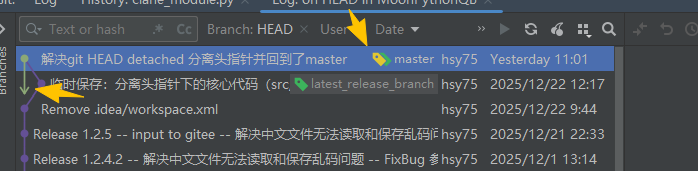
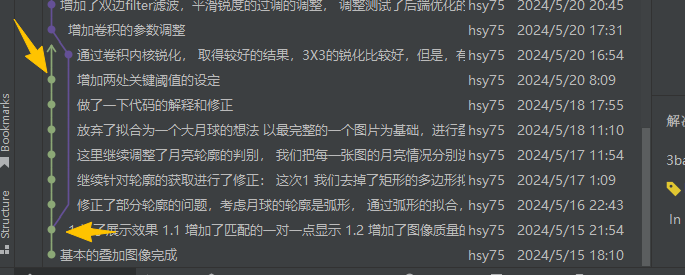
这个绿色的这个pass呢,就是master的分支,然后紫色的就是分离的分支,那么分离的分支呢很长,所以它是用一个箭头指向下面啊,然后非常非常长,到后面能看到。

有“AI”的1024 = 2048,欢迎大家加入2048 AI社区
更多推荐
 18
18 0
0- 0


 已为社区贡献16条内容

所有评论(0)