LangGraph vs 低代码平台:AI Agent编排的终极对决,效率与控制力如何平衡?
文章探讨了AI Agent编排框架LangGraph与低代码平台(n8n、Dify)的对比分析。LangGraph作为状态化工作流框架,提供精细控制力,适合构建复杂智能体;而低代码平台通过可视化界面降低使用门槛。文章通过邮件处理Agent示例展示了LangGraph的核心概念(Node、State、Checkpoint、Interrupt),并分析了两种方案在不同场景下的适用性:低代码适合快速构建MVP和规则明确流程,而LangGraph更适合高性能、复杂动态逻辑的生产系统。核心观点是:低代码是探索起点,代码才是生产终点,需根据具体需求平衡效率与控制力。
在大模型(LLM)从“聊天玩具”迈向“生产力引擎”的进程中,如何可靠地指挥 AI 完成多步骤、多工具、带反馈的复杂任务,已成为构建下一代智能系统的核心挑战。早期的 Prompt 工程和单轮调用已显乏力,而真正的智能体(Agent)需要具备规划、执行、反思与协作的能力——这催生了对可编程、可调试、可扩展的 Agent 编排框架的迫切需求。
在此背景下,LangGraph 应运而生。 生态中面向状态化、循环化工作流的官方解决方案,LangGraph 以有向图(State Graph) 为核心抽象,赋予开发者对 Agent 控制流的精细掌控力,尤其适合构建具备记忆、分支与回溯能力的复杂智能体。与此同时,低代码可视化平台如 n8n 和 Dify 也迅速崛起,它们通过拖拽式界面大幅降低 AI 自动化门槛,让非技术人员也能参与智能流程的设计。
然而,图形化是否意味着“一切皆可拖拽”? 当 Agent 逻辑日益复杂,可视化工作流在灵活性、可观测性与工程化方面是否面临天花板?本文将系统介绍 LangGraph 的核心概念与基本用法,对比分析 n8n 与 Dify 在 AI Agent 场景中的能力边界,并客观探讨可视化低代码范式在构建生产级智能体时所面临的挑战与权衡——旨在帮助开发者在“效率”与“控制力”之间,找到属于自己的平衡点。
LangGraph
LangGraph is a low-level orchestration framework and runtime for building, managing, and deploying long-running, stateful agents。
LangGraph中最重要的两个概念是Node和State,Node通过edge链接,形成一个可执行的workflow,State是整个workflow的Context(上下文),这是一个典型的[Procedure Context]上下文设计模式。基本所有的框架都会使用使用上下文模式,因为处理信息需要上下文,而且这些信息需要在不同Node之间传递。
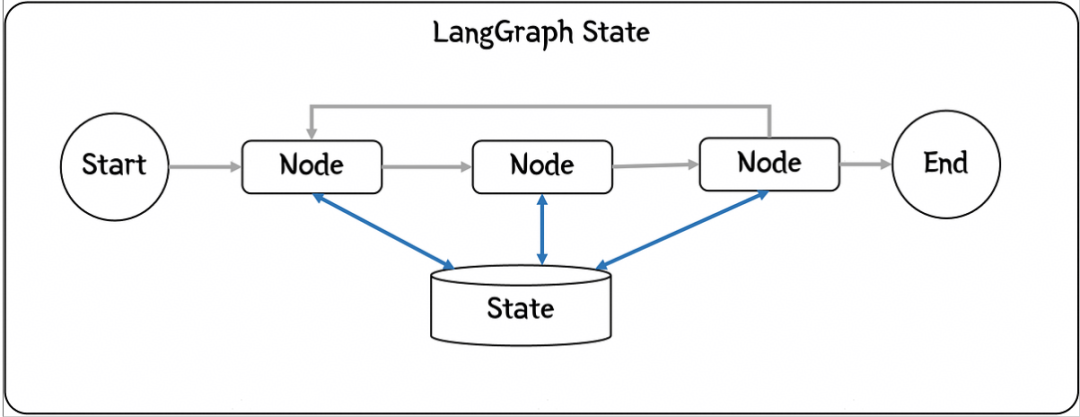
接下来,我们以一个自动处理用户邮件的AI Agent为例,来演示LangGraph的使用和主要概念,需求是要借助AI的能力智能处理用户的email,其主要处理流程如下:
- 阅读收到的客户邮件
- 根据紧急程度和主题进行分类
- 搜索相关文档以回答问题
- 起草适当的回复
- 将复杂问题升级给人工客服处理
- 处理完成后,存档用户请求
基于LangGraph构建应用,首先我们要对问题进行结构化分解,把每一个处理单元作为一个节点,同时想清楚需要在不同Node之间共享数据的State。
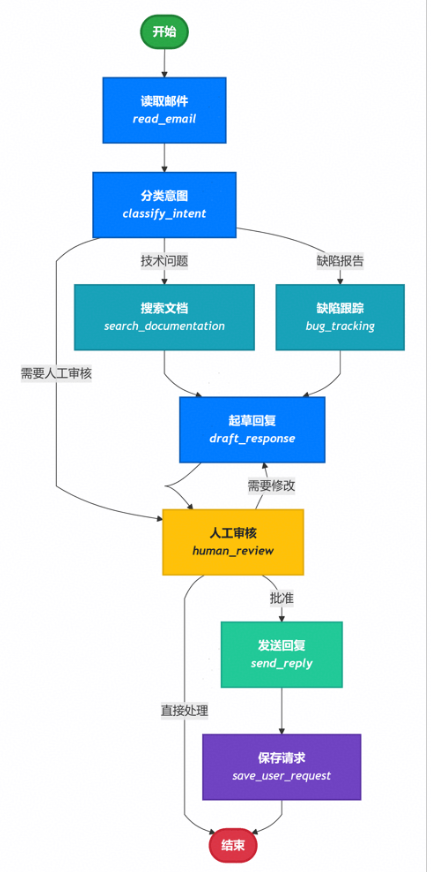
于以上分析,本应用的功能实现代码如下:
import functoolsfrom typing import TypedDict, Literalimport psycopgfrom langgraph.checkpoint.postgres import PostgresSaverfrom langgraph.store.postgres import PostgresStorefrom mermaid_image import generate_mermaid_image_advanced# Define the structure for email classification# This is using output format for Classification purposeclass EmailClassification(TypedDict): intent: Literal["question", "bug", "billing", "feature", "complex"] urgency: Literal["low", "medium", "high", "critical"] topic: str summary: strclass EmailAgentState(TypedDict): # Raw email data email_content: str sender_email: str email_id: str # Classification result classification: EmailClassification | None # Raw search/API results search_results: list[str] | None # List of raw document chunks customer_history: dict | None # Raw customer data from CRM # Generated content draft_response: str | None messages: list[str] | Nonefrom typing import Literalfrom langgraph.graph import StateGraph, START, ENDfrom langgraph.types import interrupt, Commandfrom langchain.messages import HumanMessagefrom deepseek_model import llmdef read_email(state: EmailAgentState) -> dict: """Extract and parse email content""" # In production, this would connect to your email service return { "messages": [HumanMessage(content=f"Processing email: {state['email_content']}")] }def classify_intent(state: EmailAgentState) -> Command[ Literal["search_documentation", "human_review", "bug_tracking"]]: """Use LLM to classify email intent and urgency, then route accordingly""" # Create structured LLM that returns EmailClassification dict structured_llm = llm.with_structured_output(EmailClassification) # Format the prompt on-demand, not stored in state classification_prompt = f""" Analyze this customer email and classify it: Email: {state['email_content']} From: {state['sender_email']} Provide classification including intent, urgency, topic, and summary. """ # Get structured response directly as dict classification = structured_llm.invoke(classification_prompt) # Determine next node based on classification if classification['intent'] == 'billing' or classification['urgency'] == 'critical': goto = "human_review" elif classification['intent'] in ['question', 'feature']: goto = "search_documentation" elif classification['intent'] == 'bug': goto = "bug_tracking" else: goto = "draft_response" # Store classification as a single dict in state return Command( update={"classification": classification}, goto=goto )def search_documentation(state: EmailAgentState) -> Command[Literal["draft_response"]]: """Search knowledge base for relevant information""" # Build search query from classification classification = state.get('classification', {}) query = f"{classification.get('intent', '')} {classification.get('topic', '')}" try: # Implement your search logic here # Store raw search results, not formatted text search_results = [ "Reset password via Settings > Security > Change Password", "Password must be at least 12 characters", "Include uppercase, lowercase, numbers, and symbols" ] except Exception as e: # For recoverable search errors, store error and continue search_results = [f"Search temporarily unavailable: {str(e)}"] return Command( update={"search_results": search_results}, # Store raw results or error goto="draft_response" )def bug_tracking(state: EmailAgentState) -> Command[Literal["draft_response"]]: """Create or update bug tracking ticket""" # Create ticket in your bug tracking system ticket_id = "BUG-12345" # Would be created via API return Command( update={ "search_results": [f"Bug ticket {ticket_id} created"], "current_step": "bug_tracked" }, goto="draft_response" )def draft_response(state: EmailAgentState) -> Command[Literal["human_review", "send_reply"]]: """Generate response using context and route based on quality""" classification = state.get('classification', {}) # Format context from raw state data on-demand context_sections = [] if state.get('search_results'): # Format search results for the prompt formatted_docs = "\n".join([f"- {doc}" for doc in state['search_results']]) context_sections.append(f"Relevant documentation:\n{formatted_docs}") if state.get('customer_history'): # Format customer data for the prompt context_sections.append(f"Customer tier: {state['customer_history'].get('tier', 'standard')}") # Build the prompt with formatted context draft_prompt = f""" Draft a response to this customer email: {state['email_content']} Email intent: {classification.get('intent', 'unknown')} Urgency level: {classification.get('urgency', 'medium')} {chr(10).join(context_sections)} Guidelines: - Be professional and helpful - Address their specific concern - Use the provided documentation when relevant """ response = llm.invoke(draft_prompt) # Determine if human review needed based on urgency and intent needs_review = ( classification.get('urgency') in ['high', 'critical'] or classification.get('intent') == 'complex' ) # Route to appropriate next node goto = "human_review" if needs_review else "send_reply" print(f"Draft response: {response.content}") return Command( update={"draft_response": response.content}, # Store only the raw response goto=goto )def human_review(state: EmailAgentState) -> Command[Literal["send_reply", END]]: """Pause for human review using interrupt and route based on decision""" classification = state.get('classification', {}) # interrupt() must come first - any code before it will re-run on resume human_decision = interrupt({ "email_id": state.get('email_id', ''), "original_email": state.get('email_content', ''), "draft_response": state.get('draft_response', ''), "urgency": classification.get('urgency'), "intent": classification.get('intent'), "action": "Please review and approve/edit this response" }) # Now process the human's decision if human_decision.get("approved"): return Command( update={"draft_response": human_decision.get("edited_response", state.get('draft_response', ''))}, goto="send_reply" ) else: # Rejection means human will handle directly return Command(update={}, goto=END)def send_reply(state: EmailAgentState) -> Command[Literal["save_user_request"]]: """Send the email response""" # Integrate with email service print(f"Sending reply: {state['draft_response'][:100]}...") return Command( goto="save_user_request" )def save_user_request(state: EmailAgentState, store: PostgresStore) -> dict: # 从state中获取email_id和classification数据 email_id = state.get('email_id') classification_data = state.get('classification') # 检查必要数据是否存在 if email_id and classification_data: try: # 使用store的put方法保存数据 # 将email_id作为键,classification_data作为值 store.put(("user_requests",), email_id, classification_data) print(f"成功保存用户请求,邮件ID: {email_id}, 分类信息: {classification_data}") except Exception as e: # 捕获并打印可能发生的异常 print(f"保存用户请求时出错: {e}") else: # 如果缺少必要数据,打印警告信息 print(f"无法保存请求,缺少email_id或classification数据。State: {state}") # 返回原始state,或者根据需要返回修改后的state return {}from langgraph.types import RetryPolicyDB_URI = "postgresql://postgres:1314520@localhost:5432/Test?sslmode=disable"with ( PostgresStore.from_conn_string(DB_URI) as store, PostgresSaver.from_conn_string(DB_URI) as checkpointer,): store.setup() checkpointer.setup() # Create the graph workflow = StateGraph(EmailAgentState) # Add nodes with appropriate error handling workflow.add_node("read_email", read_email) workflow.add_node("classify_intent", classify_intent) # Add retry policy for nodes that might have transient failures workflow.add_node( "search_documentation", search_documentation, retry_policy=RetryPolicy(max_attempts=3) ) workflow.add_node("bug_tracking", bug_tracking) workflow.add_node("draft_response", draft_response) workflow.add_node("human_review", human_review) workflow.add_node("send_reply", send_reply) workflow.add_node("save_user_request", functools.partial(save_user_request, store=store)) # Add only the essential edges workflow.add_edge(START, "read_email") workflow.add_edge("read_email", "classify_intent") workflow.add_edge("send_reply", "save_user_request") workflow.add_edge("save_user_request", END) app = workflow.compile(checkpointer=checkpointer, store=store) # generate graph generate_mermaid_image_advanced(app.get_graph().draw_mermaid()) # Test with an urgent billing issue initial_state = { "email_content": "i want to return the computer i bought last month, this is urgent", "sender_email": "customer@example.com", "email_id": "email_123", "messages": [] } # Run with a thread_id for persistence config = {"configurable": {"thread_id": "customer_345"}} result = app.invoke(initial_state, config) # The graph will pause at human_review print(f"human review interrupt:{result['__interrupt__']}") # When ready, provide human input to resume from langgraph.types import Command human_response = Command( resume={ "approved": True, } ) # Resume execution final_result = app.invoke(human_response, config) print(f"Email sent successfully!")
Persistence
关于持久化,我在langchain中已经介绍过了,我们常用的持久化有内存(InMemorySaver),数据库(PostgresSaver),Redis等,在本示例中,我们使用的是Postgres数据库,相关代码是:
with ( PostgresStore.from_conn_string(DB_URI) as store, PostgresSaver.from_conn_string(DB_URI) as checkpointer,): store.setup() checkpointer.setup() #... app = workflow.compile(checkpointer=checkpointer, store=store)
Checkpoint
The checkpointer uses thread_id as the primary key for storing and retrieving checkpoints. Checkpoints are persisted and can be used to restore the state of a thread at a later time.
在运行过我们的demo之后,我们会看到如下的数据库记录,记录了每个node在执行后产生的state数据变化,也就是snapshot,以及checkpoint相关的metadata。

Checkpoint使得人工介入(interrupt),或者失败重试成为可能,当我们需要从一个已知的checkpoint继续我们未完成的task时,我们可以用下面的方式:
# 从当前状态继续执行 config_with_checkpoint = { "configurable": { "thread_id": "test-1", # 任务唯一标识 "checkpoint_id": "1f0da204-f949-664a-bfff-3c4d4c4acfd1" # 需要断点继续的checkpointId } } # 继续执行 result = await app.ainvoke( None, # 不需要输入,从检查点继续 config=config_with_checkpoint )
然而天下没有免费的午餐,高级功能的背后必有代价,如果我们查看第二步classify_intent的Checkpoint的内容,你会看到如下信息:
{ "v": 4, "id": "1f0da205-29f1-672c-8002-d2a1d71bd4ae", "ts": "2025-12-16T01:41:20.845188+00:00", "versions_seen": { "__input__": {}, "__start__": { "__start__": "00000000000000000000000000000001.0.8181195432664937" }, "read_email": { "branch:to:read_email": "00000000000000000000000000000002.0.9889639973936442" }, "classify_intent": { "branch:to:classify_intent": "00000000000000000000000000000003.0.10211870765000752" } }, "channel_values": { "email_id": "email_123", "sender_email": "customer@example.com", "email_content": "i want to return the computer i bought last month, this is urgent", "branch:to:bug_tracking": null }, "channel_versions": { "email_id": "00000000000000000000000000000002.0.9889639973936442", "messages": "00000000000000000000000000000003.0.10211870765000752", "__start__": "00000000000000000000000000000002.0.9889639973936442", "sender_email": "00000000000000000000000000000002.0.9889639973936442", "email_content": "00000000000000000000000000000002.0.9889639973936442", "classification": "00000000000000000000000000000004.0.4645694893583696", "branch:to:read_email": "00000000000000000000000000000003.0.10211870765000752", "branch:to:bug_tracking": "00000000000000000000000000000004.0.4645694893583696", "branch:to:classify_intent": "00000000000000000000000000000004.0.4645694893583696" }, "updated_channels": [ "branch:to:bug_tracking", "classification" ]}
LangGraph为了保证工作流的可恢复,可中断,使用了版本控制信息确保确定性重放和避免重复计算。实现这些“需求”给系统添加了很大的复杂度,我第一眼看到这些versions信息时,是一头雾水不知所云。另外,每一个node执行都会产生如此多的数据,规模大了,数据存储也将是个不小的问题。
Interrupt
Interrupt主要用于人工介入的场景,比如我们示例中的human_review节点,就是典型的人工介入场景,当interrupt( )被掉用的时候,整个workflow会暂定执行,直到接受到新的指令(Command),才能决定下一步的动作。其相关代码如下:
def human_review(state: EmailAgentState) -> Command[Literal["send_reply", END]]: """Pause for human review using interrupt and route based on decision""" classification = state.get('classification', {}) # interrupt() invoked,workflow will pause here,waiting for human's decision Command human_decision = interrupt({ "email_id": state.get('email_id', ''), "original_email": state.get('email_content', ''), "draft_response": state.get('draft_response', ''), "urgency": classification.get('urgency'), "intent": classification.get('intent'), "action": "Please review and approve/edit this response" }) # resume to process the human's decision if human_decision.get("approved"): return Command( update={"draft_response": human_decision.get("edited_response", state.get('draft_response', ''))}, goto="send_reply" ) else: # Rejection means human will handle directly return Command(update={}, goto=END)
在human_review这个节点中,整个工作流会在human_decision之后暂停,在执行下面代码之后。
config = {"configurable": {"thread_id": "customer_345"}} human_response = Command( resume={ "approved": True, } ) # Resume execution final_result = app.invoke(human_response, config)
相当于给human_decision添加了新的变量"approved": True,这样workflow会按照命令走到send_reply,否则就直接结束了。
以上就是LangGraph的基本使用和核心概念的解释,对于这个简单的应用,还有一种更容易的实现方式,就是使用可视化的低代码平台。
可视化工作流
随着AI兴起,可用于 AI Agent 可视化工作流编排 的工具正在快速发展,这些工具帮助开发者以图形化方式设计、调试和部署基于大语言模型(LLM)的智能体(Agent),支持 多步推理、工具调用、记忆、条件分支、循环 等能力。可视化的低代码工作流编排工具、平台有很多,不管是通用的低代码的自动化工作流编排工具n8n(发音 “n-eight-n”),还是面向 AI 应用开发的低代码平台,专注于构建、部署和运营基于大语言模型(LLM)的 AI 应用的Dify。它们的形态都是大同小异,就是通过UI界面,拖拖拽拽,搞出一个Agent应用来。
对于我们客户邮件支持系统示例,如果要用n8n实现的话,我们可以在其UI界面上通过选择不同的节点,连线,形成一个如下的workflow,其实现的功能和我们通过一堆基于LangGraph代码实现的功能类似。
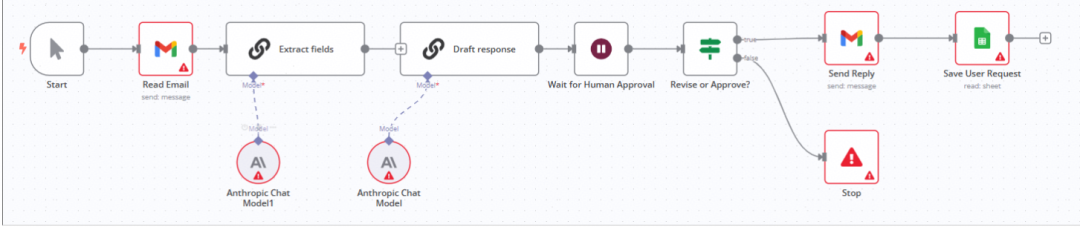
实际上,低代码也好,工作流也好,并不是什么新鲜玩意。“工作流” 本是上世纪 BPM(业务流程管理)的旧题。在AI兴起之前,为了提升“研发效率”,业界早就进行了无数次尝试,只是鲜有成功案例而已,其原因就在于这玩意也只能搞搞demo,一旦遇到复杂的生产场景,就会碰到Low Code Ceiling问题,一不小心,就会陷进万劫不复的深渊。关于这一点,想一下阿里的中台就明白了。
| 适用场景(推荐使用) | 不适用场景(慎用或需结合代码) |
|---|---|
| 快速构建 PoC / MVP | 高性能、低延迟的生产系统 |
| 规则明确的线性/分支流程 | 复杂动态逻辑(如强化学习式决策) |
| AI + SaaS 工具集成(邮件、CRM、数据库) | 需深度定制 LLM 推理逻辑 |
| 团队协作、非技术成员参与设计 | 需要严格测试覆盖和审计 |
| 中低频任务(如客服、内部工具) | 高并发、关键业务系统(如金融交易) |
太阳底下无新事
“太阳底下无新事”——无论是 LangGraph 的状态图、n8n 的节点连线,还是 Dify 的可视化编排,本质上都是对控制流与数据流这一古老计算范式的现代封装。它们以更友好的界面、更高的抽象层级,降低了构建 AI Agent 的初始门槛,让“人人皆可造智能体”成为可能。这无疑是进步,也是普惠。
然而,抽象总有代价。当工作流从演示走向真实业务,从日均百次调用迈向高并发、低延迟、强一致性的生产环境,低代码的“甜蜜外衣”之下,便显露出其结构性局限:难以调试的黑盒逻辑、脆弱的错误传播链、缺失的工程化能力(如灰度发布、性能压测、SLO 监控),以及最关键的——无法突破的“low-code ceiling”。你无法用拖拽解决 Token 爆炸、无法用图形节点实现高效的并发工具调用,更难在可视化界面中注入细粒度的安全审计或容灾回滚机制。
因此,作为公司的决策者,特别是架构师或工程师,请清醒地认识到:低代码是探索的起点,而非生产的终点。对于核心业务系统、关键客户交互、或任何对可靠性与可维护性有严苛要求的场景,真正的答案仍藏在代码之中——通过 LangGraph 这类可编程框架,结合严谨的软件工程实践,才能构建出既智能又健壮的下一代 Agent 系统。毕竟,再美的流程图,也替代不了一个经过压力测试、日志完备、可被团队集体维护的代码库。
AI时代,未来的就业机会在哪里?
答案就藏在大模型的浪潮里。从ChatGPT、DeepSeek等日常工具,到自然语言处理、计算机视觉、多模态等核心领域,技术普惠化、应用垂直化与生态开源化正催生Prompt工程师、自然语言处理、计算机视觉工程师、大模型算法工程师、AI应用产品经理等AI岗位。
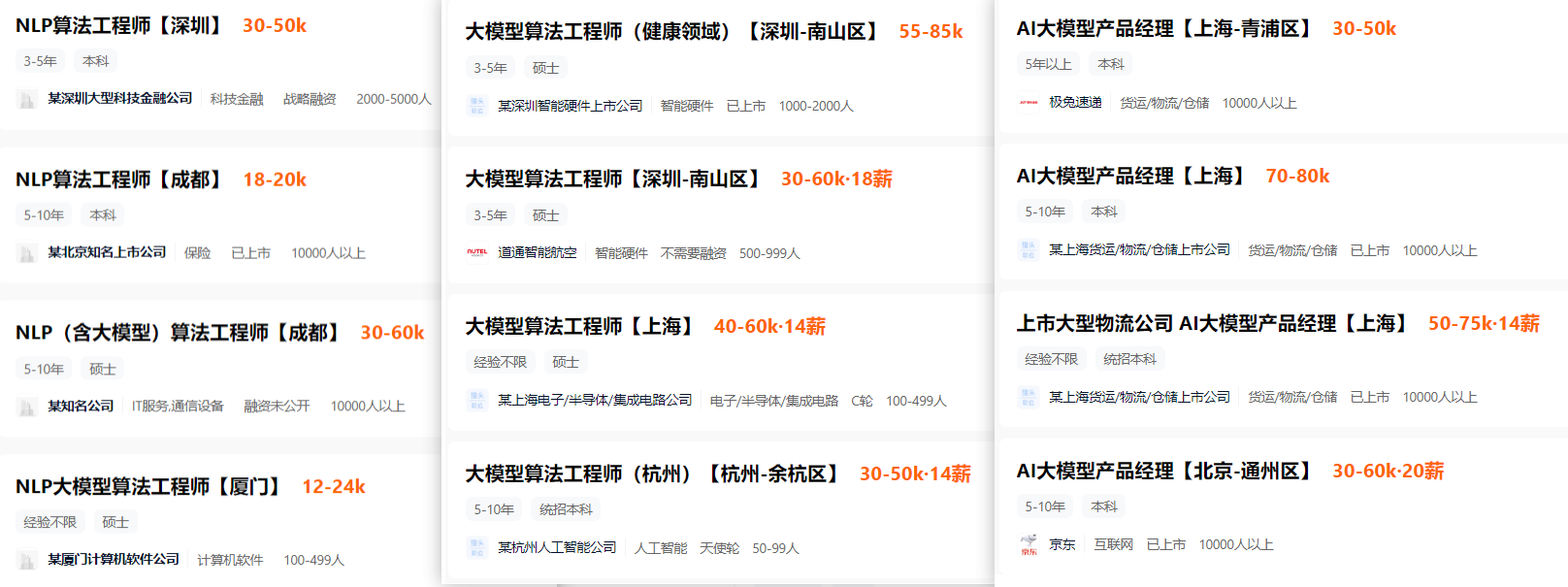
掌握大模型技能,就是把握高薪未来。
那么,普通人如何抓住大模型风口?
AI技术的普及对个人能力提出了新的要求,在AI时代,持续学习和适应新技术变得尤为重要。无论是企业还是个人,都需要不断更新知识体系,提升与AI协作的能力,以适应不断变化的工作环境。
因此,这里给大家整理了一份《2025最新大模型全套学习资源》,包括2025最新大模型学习路线、大模型书籍、视频教程、项目实战、最新行业报告、面试题等,带你从零基础入门到精通,快速掌握大模型技术!
由于篇幅有限,有需要的小伙伴可以扫码获取!
1. 成长路线图&学习规划
要学习一门新的技术,作为新手一定要先学习成长路线图,方向不对,努力白费。这里,我们为新手和想要进一步提升的专业人士准备了一份详细的学习成长路线图和规划。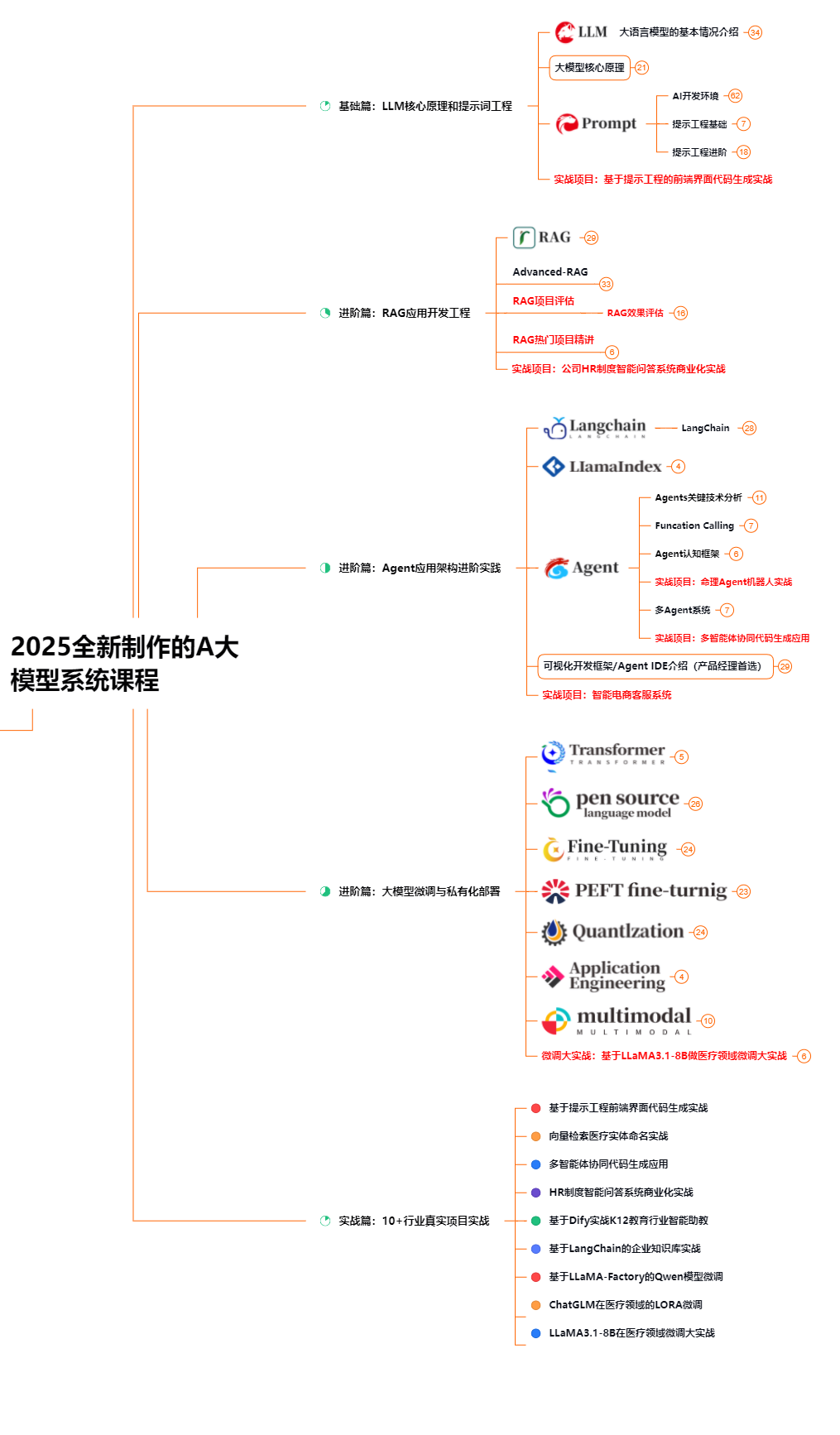
2. 大模型经典PDF书籍
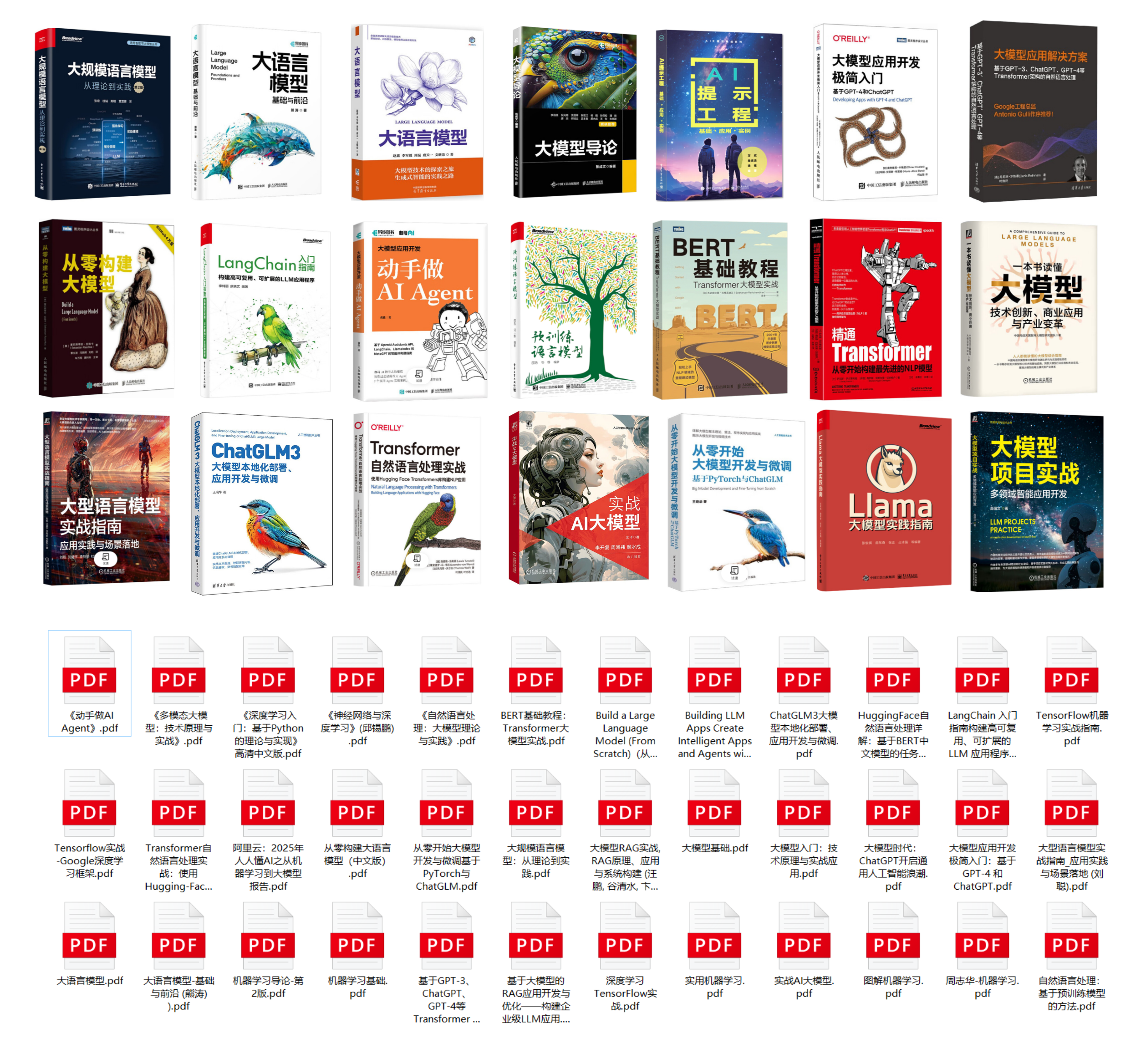
书籍和学习文档资料是学习大模型过程中必不可少的,我们精选了一系列深入探讨大模型技术的书籍和学习文档,它们由领域内的顶尖专家撰写,内容全面、深入、详尽,为你学习大模型提供坚实的理论基础。(书籍含电子版PDF)
3. 大模型视频教程
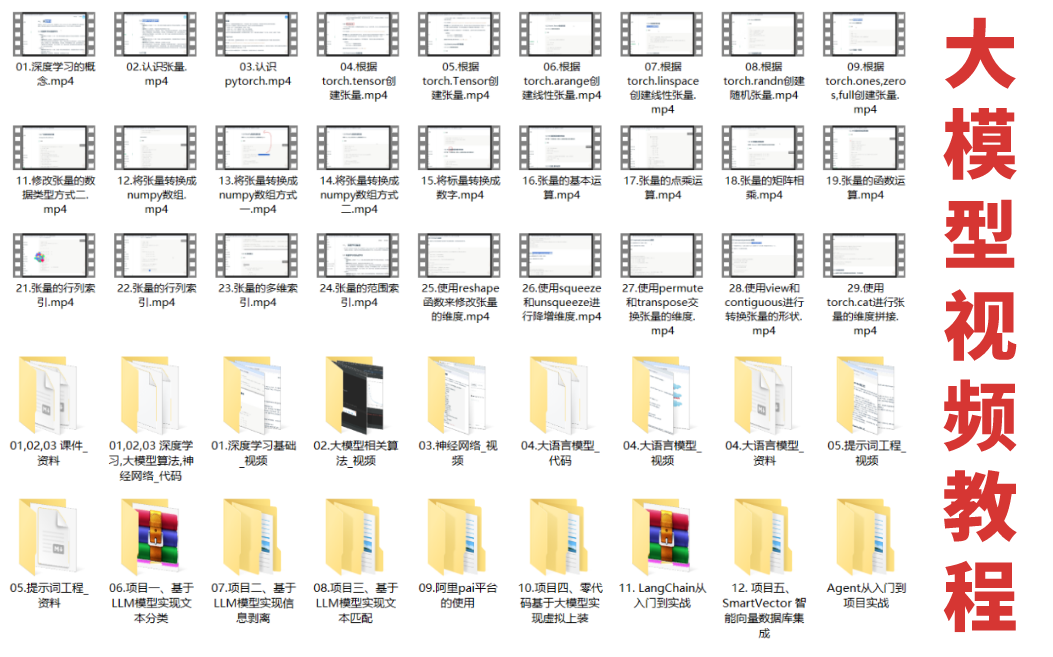
对于很多自学或者没有基础的同学来说,书籍这些纯文字类的学习教材会觉得比较晦涩难以理解,因此,我们提供了丰富的大模型视频教程,以动态、形象的方式展示技术概念,帮助你更快、更轻松地掌握核心知识。
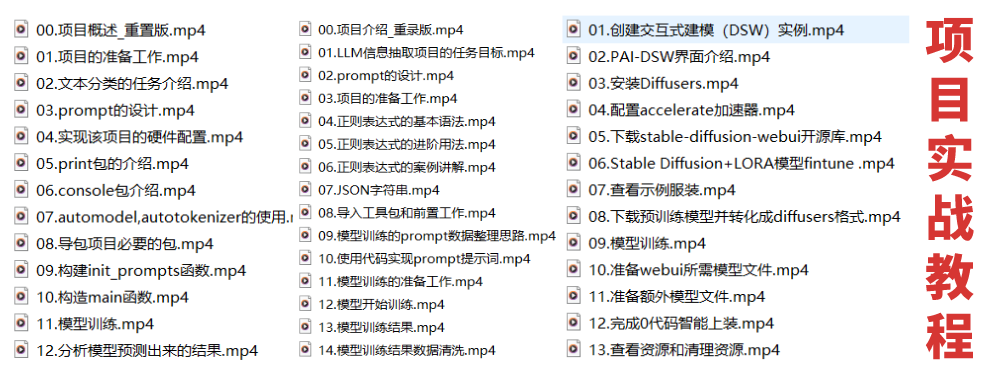
4. 大模型项目实战
学以致用 ,当你的理论知识积累到一定程度,就需要通过项目实战,在实际操作中检验和巩固你所学到的知识,同时为你找工作和职业发展打下坚实的基础。
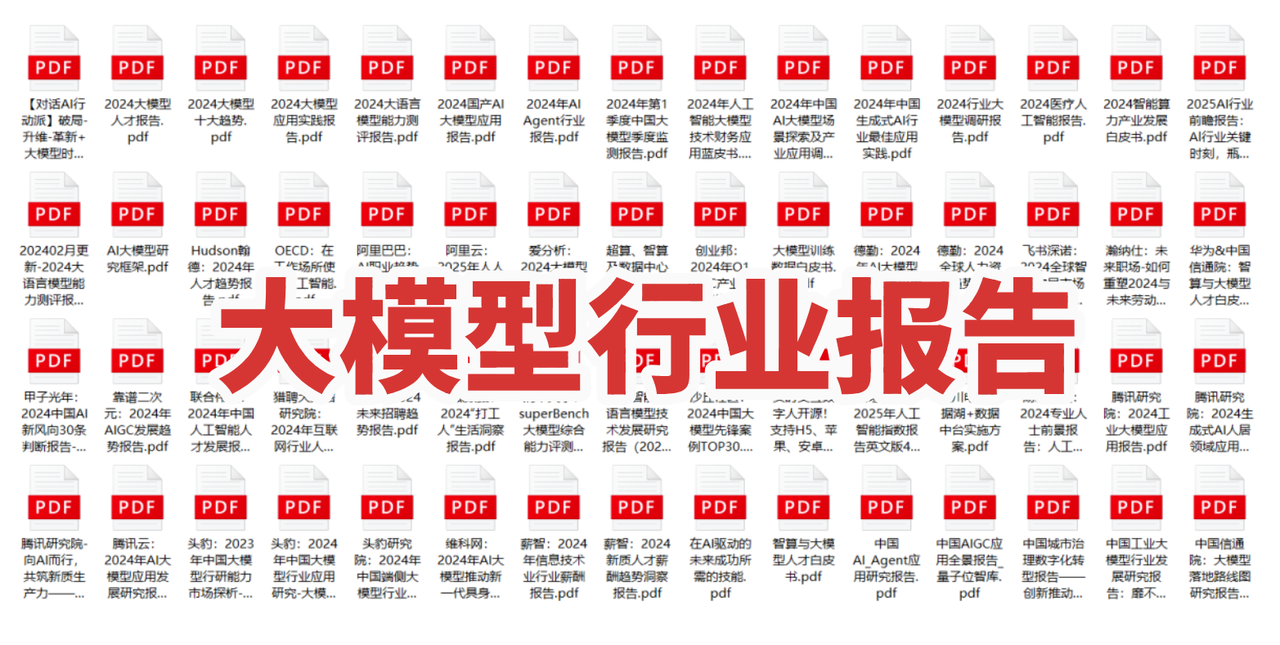
5. 大模型行业报告
行业分析主要包括对不同行业的现状、趋势、问题、机会等进行系统地调研和评估,以了解哪些行业更适合引入大模型的技术和应用,以及在哪些方面可以发挥大模型的优势。
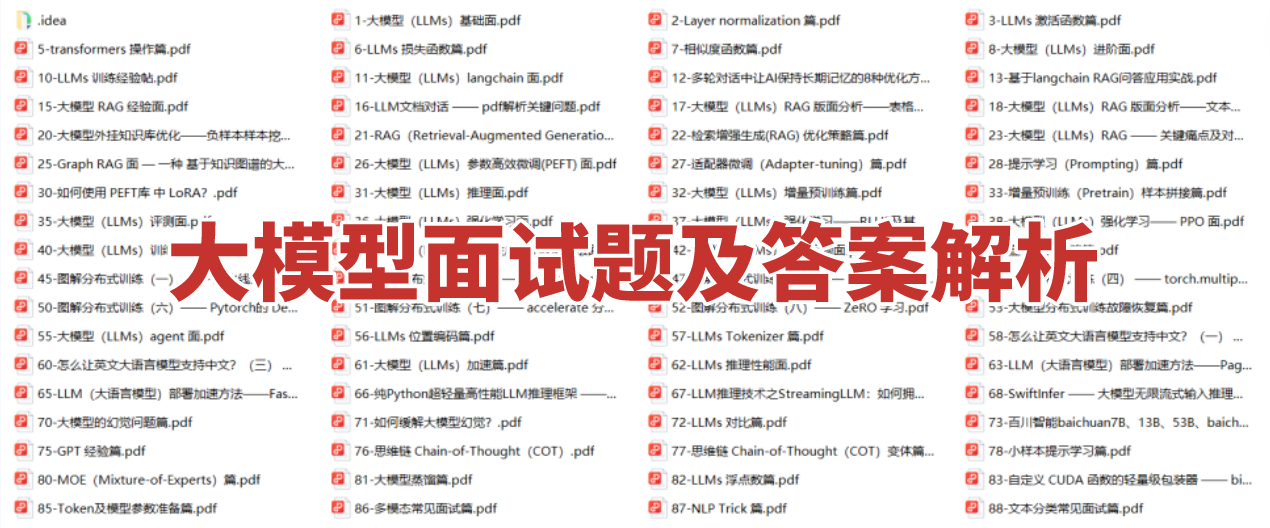
6. 大模型面试题
面试不仅是技术的较量,更需要充分的准备。
在你已经掌握了大模型技术之后,就需要开始准备面试,我们将提供精心整理的大模型面试题库,涵盖当前面试中可能遇到的各种技术问题,让你在面试中游刃有余。
为什么大家都在学AI大模型?
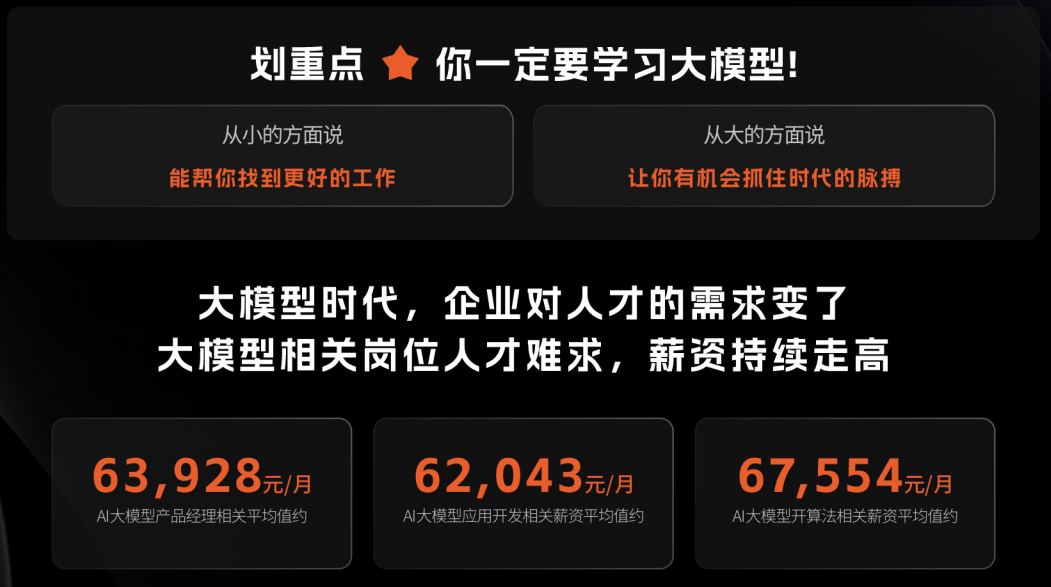
随着AI技术的发展,企业对人才的需求从“单一技术”转向 “AI+行业”双背景。企业对人才的需求从“单一技术”转向 “AI+行业”双背景。金融+AI、制造+AI、医疗+AI等跨界岗位薪资涨幅达30%-50%。
同时很多人面临优化裁员,近期科技巨头英特尔裁员2万人,传统岗位不断缩减,因此转行AI势在必行!
这些资料有用吗?
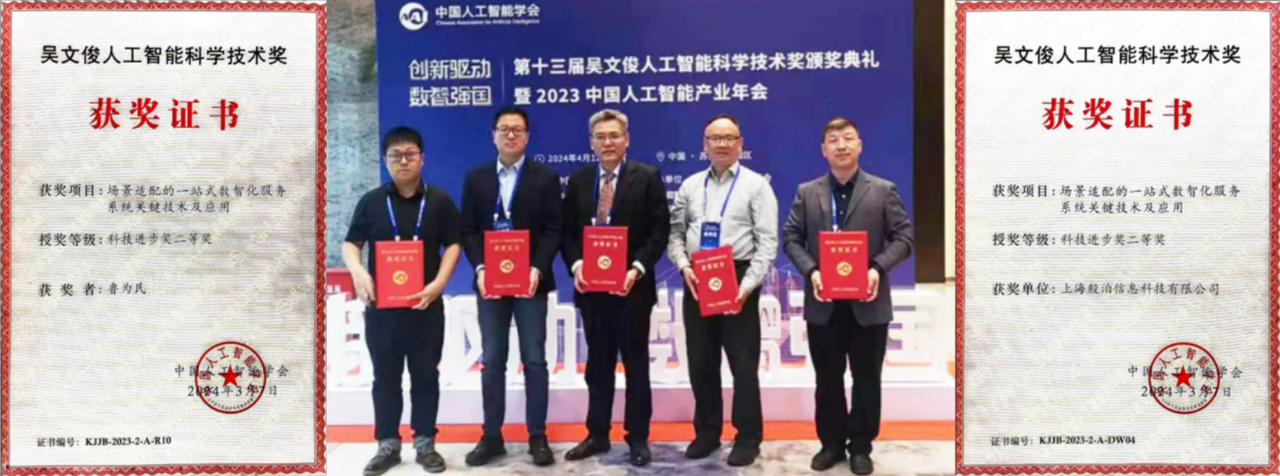
这份资料由我们和鲁为民博士(北京清华大学学士和美国加州理工学院博士)共同整理,现任上海殷泊信息科技CEO,其创立的MoPaaS云平台获Forrester全球’强劲表现者’认证,服务航天科工、国家电网等1000+企业,以第一作者在IEEE Transactions发表论文50+篇,获NASA JPL火星探测系统强化学习专利等35项中美专利。本套AI大模型课程由清华大学-加州理工双料博士、吴文俊人工智能奖得主鲁为民教授领衔研发。
资料内容涵盖了从入门到进阶的各类视频教程和实战项目,无论你是小白还是有些技术基础的技术人员,这份资料都绝对能帮助你提升薪资待遇,转行大模型岗位。

大模型全套学习资料已整理打包,有需要的小伙伴可以
微信扫描下方CSDN官方认证二维码,免费领取【保证100%免费】

有“AI”的1024 = 2048,欢迎大家加入2048 AI社区
更多推荐



 33
33 0
0- 0


 已为社区贡献701条内容

所有评论(0)