Google Al Studio报错:Failed to create GitHub repository, Insufficient permissions to create the GitHub
(没解决)
(没解决)
参考文章:Cannot connect Google AI Studio to GitHub - ‘authentication error’ persists
文章目录
- 在Google Al Studio保存项目到github的时候报错了
- 解决方法
-
- Revoke existing access on GitHub:
-
- Log in to your GitHub account.
- Navigate to your Settings by clicking your profile picture in the upper-right corner.
- In the left sidebar, go to Developer settings > GitHub Apps (for an app you own) or Applications > Authorized OAuth Apps (for a third-party app).
- Find the "Google AI Studio" app (or similarly named integration).
- Revoke or Deny access for this application.
- Remove access on Google:
在Google Al Studio保存项目到github的时候报错了
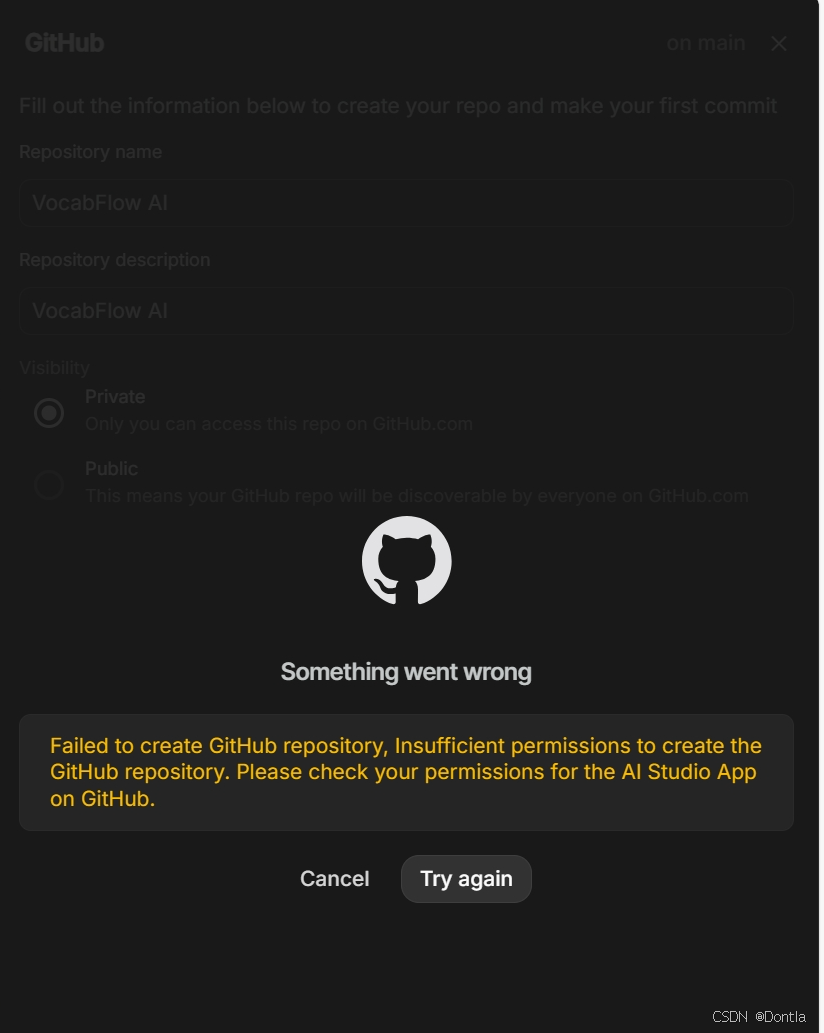
解决方法
Revoke existing access on GitHub:
Log in to your GitHub account.
Navigate to your Settings by clicking your profile picture in the upper-right corner.
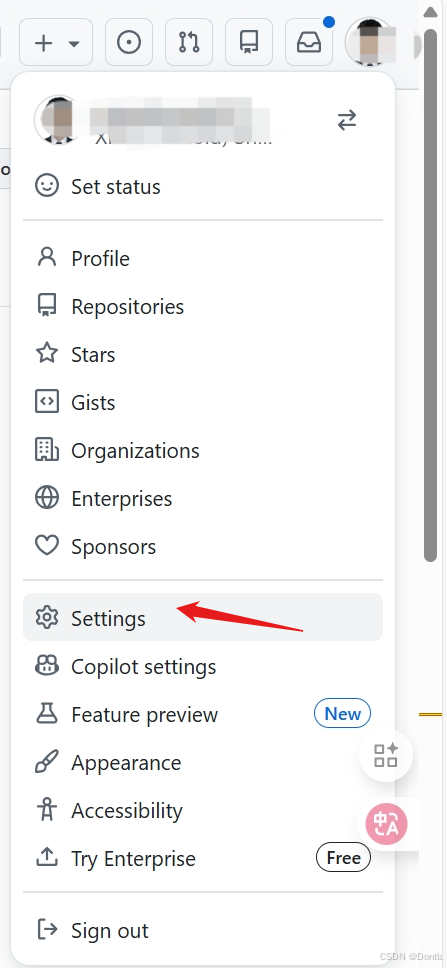
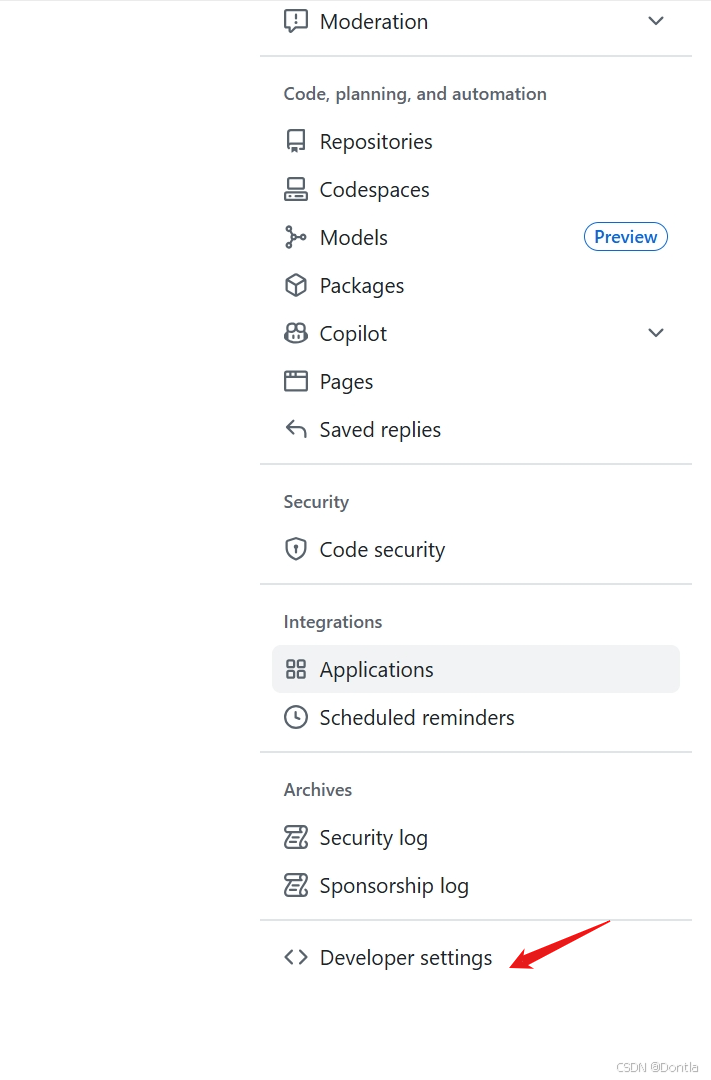
In the left sidebar, go to Developer settings > GitHub Apps (for an app you own) or Applications > Authorized OAuth Apps (for a third-party app).
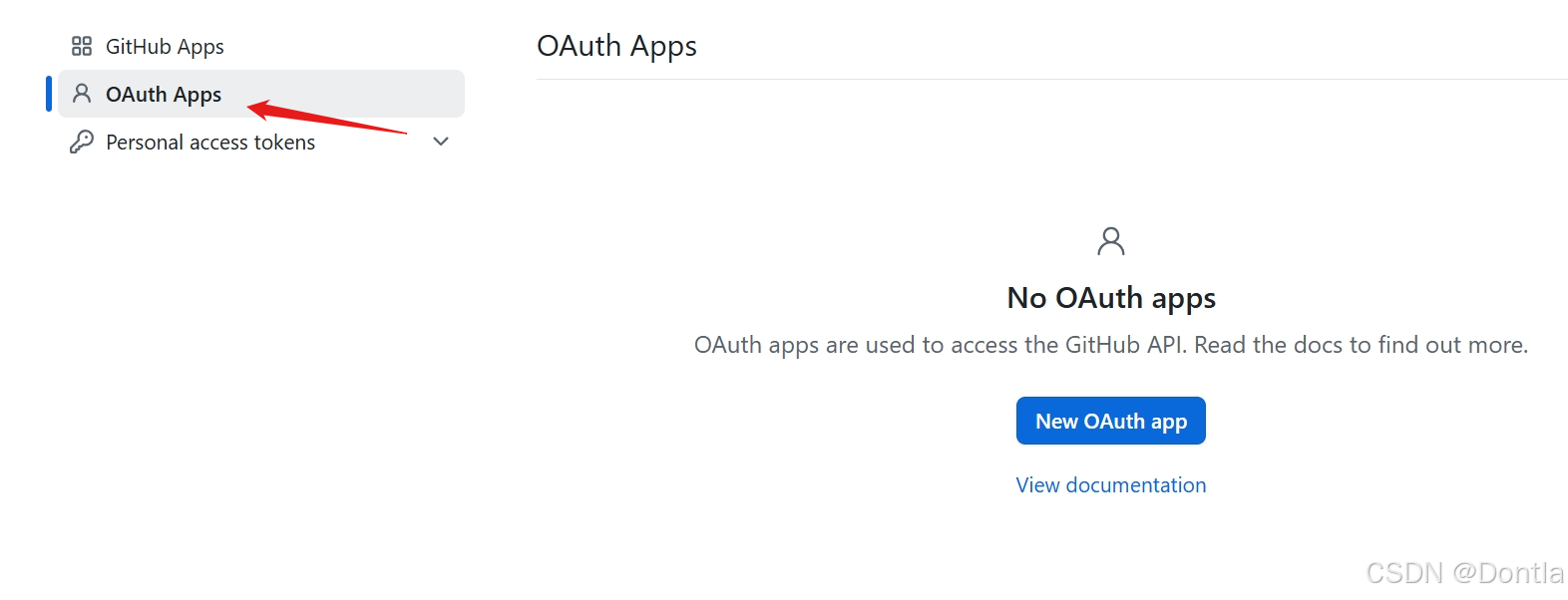
Find the “Google AI Studio” app (or similarly named integration).
Revoke or Deny access for this application.
Remove access on Google:
Visit your Google Account Permissions page.
Find the GitHub app connection and remove its access.
Clear cache and reconnect:
Clear your browser’s cache and cookies, or use an Incognito/Private browsing window to ensure no stale tokens are used.
Return to Google AI Studio and attempt to save your work to a new GitHub repository again.
Grant “All repositories” access:
During the reconnection/authorization process, GitHub will prompt you to grant permissions.
Crucially, ensure you select the option to grant access to “All repositories” instead of “Only select repositories”. This gives AI Studio the necessary permissions to create new repositories on your behalf.
Complete the authorization process.
After following these steps, you should be able to create a GitHub repository successfully from Google AI Studio.

有“AI”的1024 = 2048,欢迎大家加入2048 AI社区
更多推荐

 29
29 0
0- 0


 已为社区贡献380条内容

所有评论(0)