AI [转] 官方:当前版本 ComfyUI 的软件、硬件要求 & 安装 (****)
AI 官方:ComfyUI 的软件、硬件要求
- Python 3.12
- PyTorch 2.7
https://github.com/1038lab/ComfyUI-MiniCPM
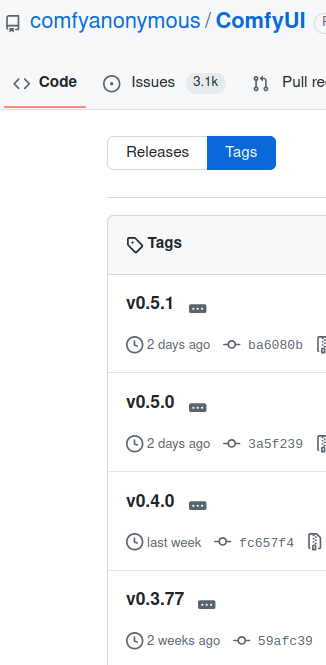
> https://github.com/comfyanonymous/ComfyUI/tags
## 安装 ComfyUI
# 1 只是下载仓库即可,默认下不需要额外的操作
# CPU  https://docs.comfy.org/installation/manual_install#linux
git clone git@github.com:comfyanonymous/ComfyUI.git
git clone https://github.com/comfyanonymous/ComfyUI.git  # 开源版本

# 2 安装GPU驱动。(纯CPU则忽略这一步骤。)
# ComfyUI官方有给出了安装文档?
## GPU 需要另外安装要求的具体驱动

# 3 安装依赖:在py虚拟环境中安装和运行。在root账户下?? pip install -r requirements.txt --root-user-action=ignore
# sudo pip3 install --upgrade pip
cd ComfyUI
pip install -r requirements.txt

# 需要单独安装的依赖?https://pytorch.org/get-started/locally/
pip3 install torch torchvision --index-url https://download.pytorch.org/whl/cpu

# 4 运行
# Start ComfyUI, Start the application
cd ComfyUI
python main.py  # GPU运行
python3 main.py --cpu # 纯CPU运行
启动图形界面前端,默认:
To see the GUI go to:
http://127.0.0.1:8188
一键安装脚本前置依赖
Installation[method4] (Installation for Linux+venv: ComfyUI + ComfyUI-Manager) https://github.com/Comfy-Org/ComfyUI-Manager
scripts/install-comfyui-venv-linux.sh 需要执行 python。而不是 python3
sudo ln -s /usr/bin/python3 /usr/bin/python pip install --upgrade pip
# 权限错误时:
pip install --upgrade pip --user 一键安装脚本
Installation[method4] (Installation for Linux+venv: ComfyUI + ComfyUI-Manager)
To install ComfyUI with ComfyUI-Manager on Linux using a venv environment, you can follow these steps:
- prerequisite: python-is-python3, python3-venv, git
- Download scripts/install-comfyui-venv-linux.sh into empty install directory
- Don't click. Right-click the link and choose 'Save As...'
- ComfyUI will be installed in the subdirectory of the specified directory, and the directory will contain the generated executable script.
chmod +x install-comfyui-venv-linux.sh
./install-comfyui-venv-linux.sh
root@iZ:~/myComfy#ls
ComfyUI install-comfyui-venv-linux.sh
./run_cpu.sh run_gpu.sh
How to Install Custom Nodes in ComfyUI
> https://docs.comfy.org/installation/install_custom_node
> https://docs.comfy.org/installation/system_requirements
Supported Hardware
- NVIDIA GPU
- AMD GPU
- Intel GPU (includes Arc series, supports IPEX)
- Apple Silicon (M1/M2)
- Ascend NPU
- Cambricon MLU
- CPU (can use the —cpu parameter, slower)
Please refer to the ComfyUI Windows and Linux manual installation section for detailed installation steps.
The stable version of PyTorch 2.7 now supports the Blackwell architecture (CUDA 12.8), and the core and desktop versions of ComfyUI have adopted this version.
Dependencies
- Install PyTorch
- Install all dependencies in the requirements.txt of ComfyUI
Manual Installation
Please refer to the manual installation section for detailed installation steps.
.
System Requirements
Currently, we support the following operating systems:
- Windows
- Linux
- macOS (supports Apple Silicon, such as the M series)
You can refer to the following sections to learn about the installation methods for different systems and versions of ComfyUI. In the installation of different versions, we have simply described the system requirements.
- ComfyUI Desktop
- ComfyUI Desktop
- ComfyUI Portable (Windows)
Manual Installation
Python Version
- Recommended Python 3.12
- Supports Python 3.13 (some custom nodes may not be compatible)
Browser Requirements
For the best experience, use Google Chrome version 143 or later. Earlier versions of Chrome (142 and below) have known issues that can cause visual glitches and performance problems in ComfyUI.

有“AI”的1024 = 2048,欢迎大家加入2048 AI社区
更多推荐

 12
12 0
0- 0


 已为社区贡献71条内容

所有评论(0)