50天50个小项目 (React19 + Tailwindcss V4) ✨| AnimatedNavigation(动态导航)
通过 React19 + Tailwindcss V4 快速构建了一个现代、动态的导航栏组件。支持点击按钮展开/收起菜单。菜单项具备入场动画效果。使用 TailwindCSS 快速构建现代 UI 界面。添加背景色块提升整体视觉层次感。
📅 我们继续 50 个小项目挑战!——
AnimatedNavigation组件
仓库地址:https://gitee.com/hhm-hhm/50days50projects.git
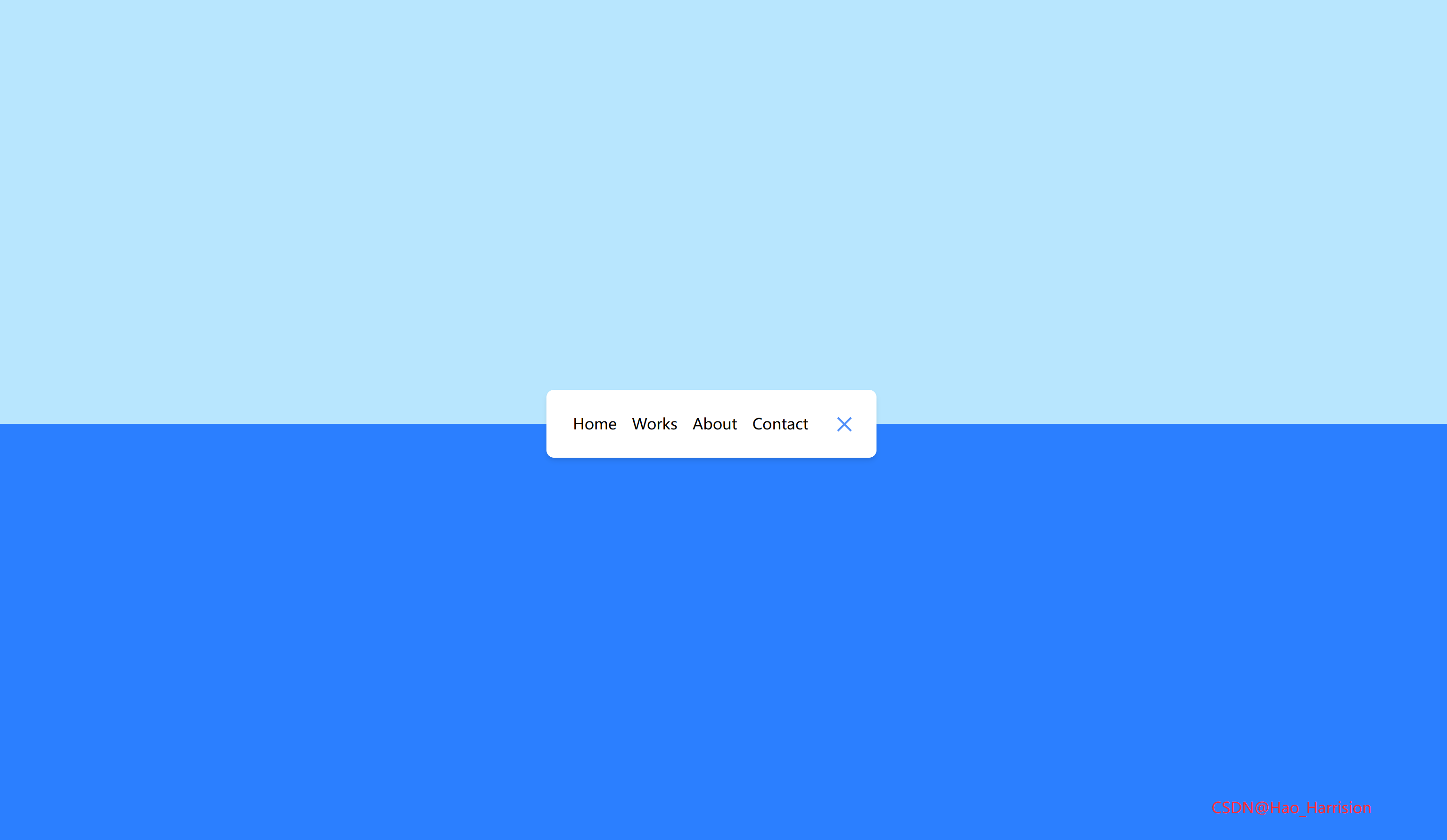
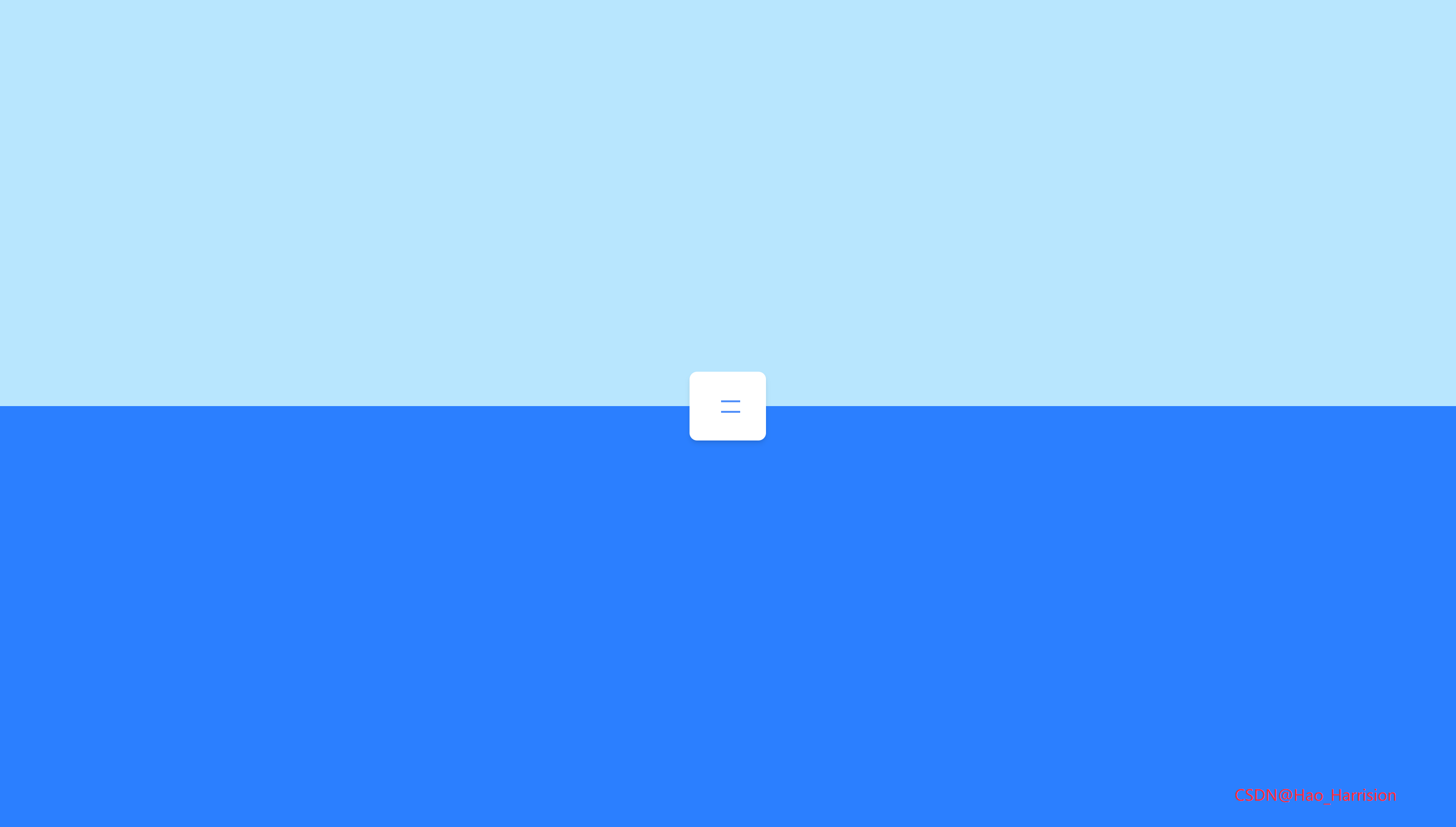
构建一个具有优雅折叠动画效果的响应式导航栏。该导航栏支持点击按钮切换展开与收起状态,并为菜单项添加了过渡动画。
🌀 组件目标
- 创建一个可交互的导航栏。
- 支持点击按钮展开/收起菜单。
- 菜单项具备入场动画效果。
- 使用 TailwindCSS 快速构建现代 UI 界面。
- 添加背景色块提升整体视觉层次感。
🔧 AnimatedNavigation.tsx 组件实现
import React, { useState } from 'react'

const AnimatedNavigation: React.FC = () => {
    const [isActive, setIsActive] = useState<boolean>(true)
    const menuItems = ['Home', 'Works', 'About', 'Contact']

    const toggleNav = () => {
        setIsActive((prev) => !prev)
    }

    return (
        <div className="relative min-h-screen overflow-hidden">
            {/* 上半部分背景 */}
            <div className="absolute top-0 left-0 z-0 h-1/2 w-full bg-sky-200"></div>
            {/* 下半部分背景 */}
            <div className="absolute bottom-0 left-0 z-0 h-1/2 w-full bg-blue-500"></div>

            {/* 主体内容 */}
            <div className="relative z-10 flex min-h-screen items-center justify-center">
                <nav
                    className={`flex items-center justify-between overflow-hidden rounded-md bg-white p-5 shadow-md transition-all duration-500 ${
                        isActive ? 'w-[350px]' : 'w-[80px]'
                    }`}>
                    <ul
                        className={`flex overflow-hidden transition-all duration-500 ${
                            isActive ? 'w-full' : 'w-0'
                        }`}>
                        {menuItems.map((item, index) => (
                            <li
                                key={index}
                                className={`transform whitespace-nowrap transition-all duration-500 ${
                                    isActive ? 'rotate-[360deg] opacity-100' : 'rotate-0 opacity-0'
                                }`}
                                style={{
                                    transitionProperty: 'transform, opacity',
                                    transitionDuration: '0.6s',
                                }}>
                                <a href="#" className="mx-2 text-black">
                                    {item}
                                </a>
                            </li>
                        ))}
                    </ul>

                    <button
                        type="button"
                        className="relative h-8 w-8 cursor-pointer"
                        onClick={toggleNav}
                        aria-label="Toggle navigation">
                        {/* 上横线 */}
                        <span
                            className={`absolute left-[5px] h-[2px] w-5 bg-[#5290f9] transition-transform duration-500 ${
                                isActive
                                    ? 'top-[10px] translate-y-[5.5px] rotate-[-765deg]'
                                    : 'top-[10px]'
                            }`}
                        />
                        {/* 下横线 */}
                        <span
                            className={`absolute left-[5px] h-[2px] w-5 bg-[#5290f9] transition-transform duration-500 ${
                                isActive
                                    ? 'bottom-[9px] -translate-y-[5.5px] rotate-[765deg]'
                                    : 'bottom-[9px]'
                            }`}
                        />
                    </button>
                </nav>
            </div>
            <div className="absolute right-20 bottom-10 text-red-500">CSDN@Hao_Harrision</div>
        </div>
    )
}

export default AnimatedNavigation
✅ 关键实现说明
| 功能 | Vue 实现 | React + TS 实现 |
|---|---|---|
| 响应式状态 | ref(isActive) |
useState<boolean>(true) |
| 条件类名 | :class="[...]" |
使用模板字符串 + 三元表达式 |
| 列表渲染 | v-for |
{menuItems.map(...)} |
| 内联样式过渡 | <style scoped> |
使用 style={{}} 补充 transition-property(Tailwind 不支持动态 transition-property) |
| 按钮点击 | @click="toggleNav" |
onClick={toggleNav} |
🎨 样式细节处理
-
旋转动画
Vue 中通过rotate-[360deg]实现,React 中直接使用相同 Tailwind 类。 -
汉堡菜单动画
通过动态类控制top/bottom和transform,精确复刻 765° 旋转(视觉上为“X”形)。 -
过渡属性补充
Tailwind 默认不包含transition: transform, opacity的组合,因此对<li>添加了内联样式:style={{ transitionProperty: 'transform, opacity', transitionDuration: '0.6s', }} -
无障碍优化
为按钮添加aria-label="Toggle navigation"提升可访问性。
⚠️ 注意事项
- Tailwind JIT 模式:确保你的
tailwind.config.js启用了 JIT(Vite 默认开启),否则像w-[350px]这样的任意值可能不会生成。 - 初始状态:原 Vue 组件
isActive = true,所以导航默认展开;你可以根据需求改为false。
🎨 TailwindCSS 样式重点讲解
| 类名 | 作用 |
|---|---|
min-h-screen |
最小高度为视口全高 |
overflow-hidden |
隐藏超出容器的内容 |
relative, absolute |
定位背景层和导航栏 |
z-0, z-10 |
设置层级关系,确保导航栏在最上层 |
flex, items-center, justify-center |
居中布局导航栏 |
rounded-md, shadow-md |
添加圆角和阴影 |
bg-white, bg-sky-200, bg-blue-500 |
设置不同区域的背景颜色 |
p-5 |
内边距为 1.25rem |
transition-all duration-500 |
过渡动画持续时间为 0.5 秒 |
whitespace-nowrap |
防止文字换行 |
h-8, w-8 |
设置按钮大小为 2rem × 2rem |
这些类名帮助我们快速构建了一个现代、动态的导航栏组件。
🦌 路由组件 + 常量定义
router/index.tsx 中 children数组中添加子路由
{
    path: '/',
    element: <App />,
    children: [
       ...
       {
                path: '/AnimatedNavigation',
                lazy: () =>
                    import('@/projects/AnimatedNavigation.tsx').then((mod) => ({
                        Component: mod.default,
                    })),
            },
    ],
 },
constants/index.tsx 添加组件预览常量
import demo14Img from '@/assets/pic-demo/demo-14.png'
省略部分....
export const projectList: ProjectItem[] = [
    省略部分....
    {
        id: 14,
        title: 'Animated Navigation',
        image: demo14Img,
        link: 'AnimatedNavigation',
    },
]
🚀 小结
快速构建了一个现代、动态的导航栏组件。
📅 明日预告: 我们将完成IncrementingCounter组件,一个动态的订阅增长逐渐过渡到最终的目标值!🚀
原文链接:https://blog.csdn.net/qq_44808710/article/details/148659262
每天造一个轮子,码力暴涨不是梦!🚀

有“AI”的1024 = 2048,欢迎大家加入2048 AI社区
更多推荐

 4
4 0
0- 0


 已为社区贡献14条内容

所有评论(0)