英伟达推出Python生态的CUDA开发工具 cuTile —— Simplify GPU Programming with NVIDIA CUDA Tile in Python
cuTile是NVIDIA推出的GPU并行内核编程模型,基于TileIR规范开发,支持Python实现(未来将扩展至C++)。该模型通过分块(Tile)抽象简化GPU编程,用户只需关注算法逻辑,编译器自动处理线程划分和硬件优化。cuTile特别适合AI/ML计算场景,能自动利用张量核心等先进硬件特性,同时保持跨架构兼容性。示例展示了用cuTilePython实现向量加法:通过加载数据块、执行并行运
https://github.com/NVIDIA/cutile-python
cuTile is a programming model for writing parallel kernels for NVIDIA GPUs 。
cuTile 是一种为 NVIDIA GPU 编写并行内核的编程模型。
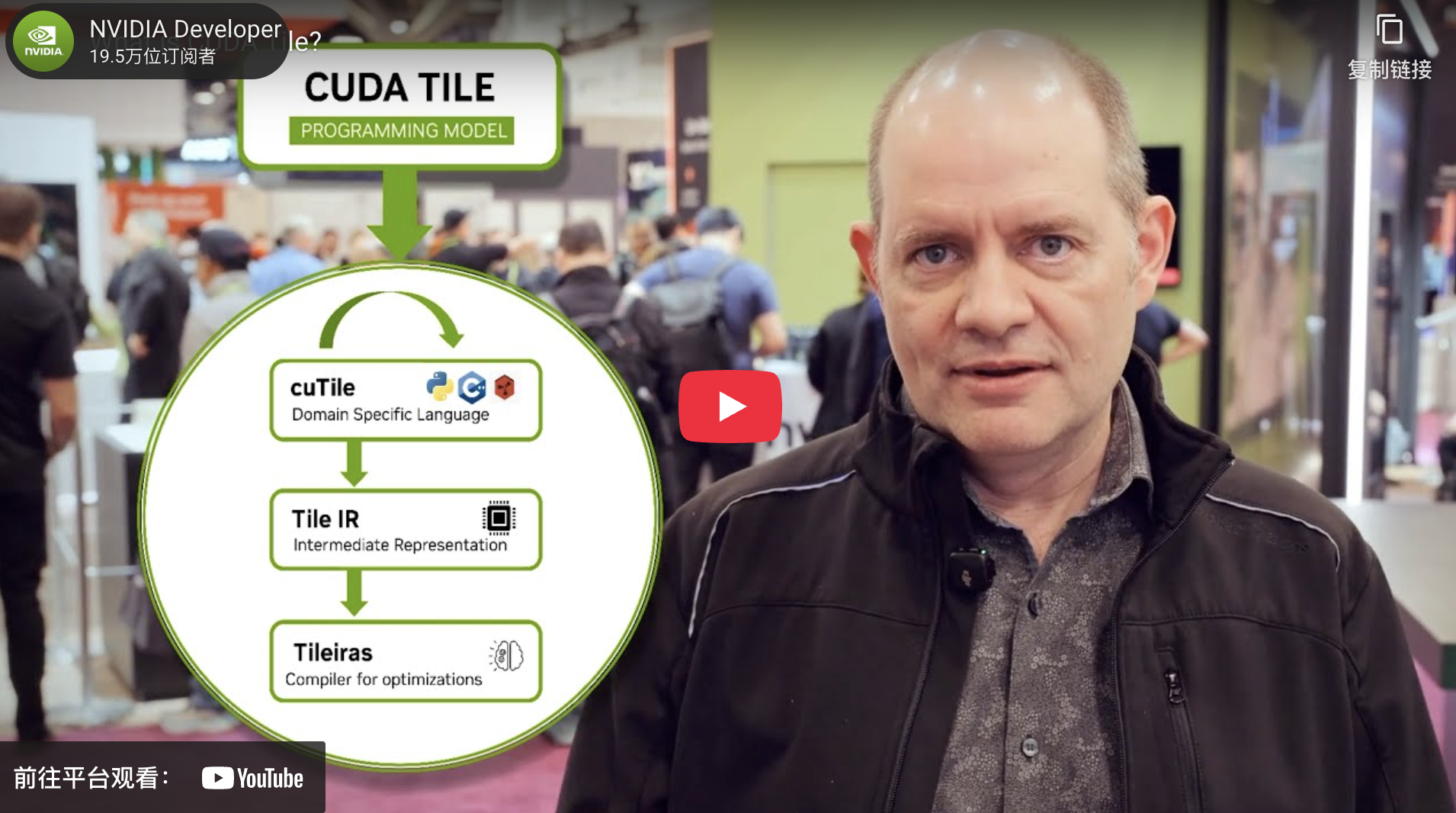
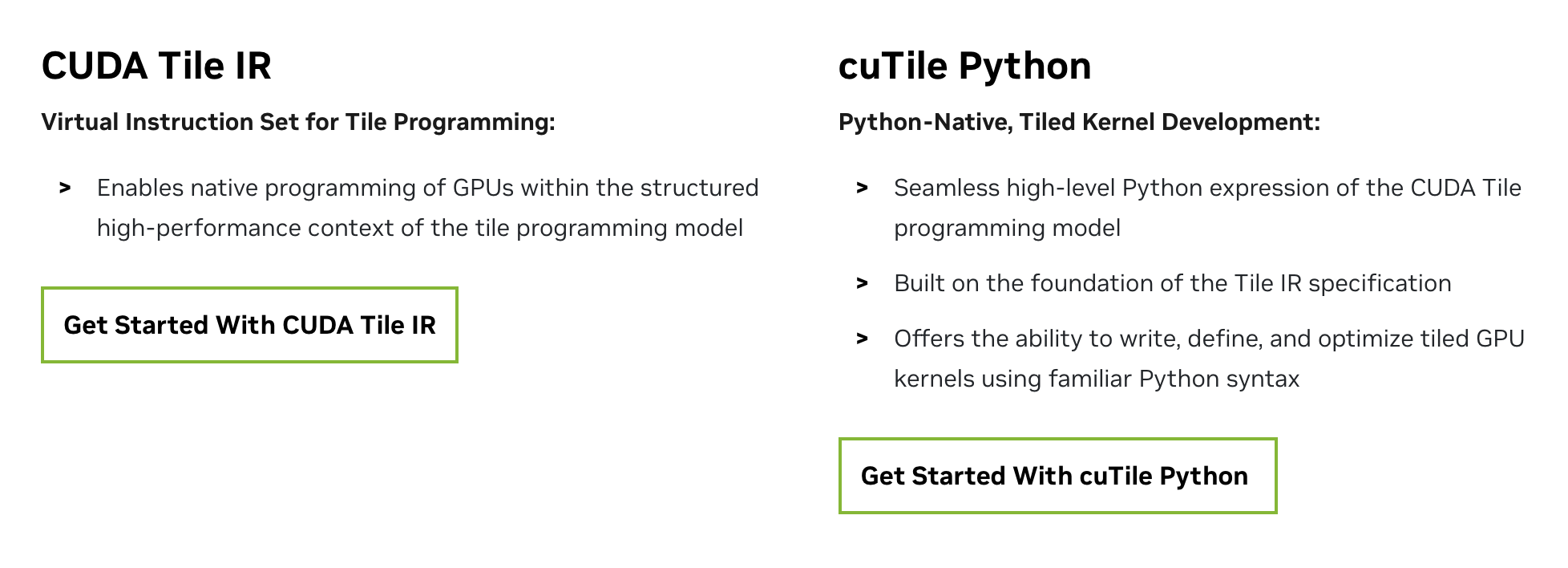
https://developer.nvidia.com/cuda/tile
CUDA Tile is based on the Tile IR specification and tools, including cuTile, which is the user-facing language support for CUDA Tile IR (Intermediate Representation) in Python (and, in the future, C++). The NVIDIA Python implementation of this tile-based programming model is cuTile Python.
CUDA Tile基于Tile IR规范及工具集开发,其中cuTile作为面向用户的编程语言支持,为Python(未来将扩展至C++)提供CUDA Tile中间表示层(IR)支持。NVIDIA针对这种基于分块的编程模型实现的Python版本称为cuTile Python。
https://www.youtube.com/watch?v=cNDbqFaoQ9k
The release of NVIDIA CUDA 13.1 introduces tile-based programming for GPUs, making it one of the most fundamental additions to GPU programming since CUDA was invented. Writing GPU tile kernels enables you to write your algorithm at a higher level than a single-instruction multiple-thread (SIMT) model, while the compiler and runtime handle the partitioning of work onto threads under the covers. Tile kernels also help abstract away special-purpose hardware like tensor cores, and write code that’ll be compatible with future GPU architectures. With the launch of NVIDIA cuTile Python, you can write tile kernels in Python.
What is cuTile Python?
cuTile Python is an expression of the CUDA Tile programming model in Python, built on top of the CUDA Tile IR specification. It enables you to write tile kernels in Python and express GPU kernels using a tile-based model, rather than or in addition to a single instruction, multiple threads (SIMT) model.
SIMT programming requires specifying each GPU thread of execution. In principle, each thread can operate independently and execute a unique code path from any other thread. In practice, to use GPU hardware effectively, it’s typical to program algorithms where each thread performs the same work on separate pieces of data.
SIMT enables maximum flexibility and specificity, but can also require more manual tuning to achieve top performance. The tile model abstracts away some of the HW intricacies. You can focus on your algorithm at a higher level, while the NVIDIA CUDA compiler and runtime handle partitioning your tile algorithm into threads and launching them onto the GPU.
cuTile is a programming model for writing parallel kernels for NVIDIA GPUs. In this model:
- Arrays are the primary data structure.
- Tiles are subsets of arrays that kernels operate on.
- Kernels are functions that are executed in parallel by blocks.
- Blocks are subsets of the GPU; operations on tiles are parallelized across each block.
cuTile automates block-level parallelism and asynchrony, memory movement, and other low-level details of GPU programming. It will leverage the advanced capabilities of NVIDIA hardware (such as tensor cores, shared memory, and tensor memory accelerators) without requiring explicit programming. cuTile is portable across different NVIDIA GPU architectures, enabling you to use the latest hardware features without rewriting your code.
Who is cuTile for?
cuTile is for general-purpose data-parallel GPU kernel authoring. Our efforts have been focused on optimizing cuTile for the types of computations typically encountered in AI/ML applications. We’ll continue to evolve cuTile, adding functionality and performance features to expand the range of workloads it can optimize.
You might be asking why you’d use cuTile to write kernels when CUDA C++ or CUDA Python has worked well so far. We talk more about this in another post describing the CUDA tile model. The short answer is that as GPU hardware becomes more complex, we’re providing an abstraction layer at a reasonable level so developers can focus more on algorithms and less on mapping an algorithm to specific hardware.
Writing tile programs enables you to target tensor cores with code compatible with future GPU architectures. Just as Parallel Thread Execution (PTX) provides the virtual Instruction Set Architecture (ISA) that underlies the SIMT model for GPU programming, Tile IR provides the virtual ISA for tile-based programming. It enables higher-level algorithm expression, while the software and hardware transparently map that representation to tensor cores to deliver peak performance.
cuTile Python example
What does cuTile Python code look like? If you’ve learned CUDA C++, you probably encountered the canonical vector addition kernel. Assuming the data has been copied from the host to the device, a vector add kernel in CUDA SIMT looks something like the following, which takes two vectors and adds them together elementwise to produce a third vector. This is one of the simplest CUDA kernels you can write.
https://developer.nvidia.com/blog/simplify-gpu-programming-with-nvidia-cuda-tile-in-python/
"""
Example demonstrating simple vector addition.
Shows how to perform elementwise operations on vectors.
"""

from math import ceil

import cupy as cp
import numpy as np
import cuda.tile as ct


@ct.kernel
def vector_add(a, b, c, tile_size: ct.Constant[int]):
  # Get the 1D pid
  pid = ct.bid(0)

  # Load input tiles
  a_tile = ct.load(a, index=(pid,) , shape=(tile_size, ) )
  b_tile = ct.load(b, index=(pid,) , shape=(tile_size, ) )

  # Perform elementwise addition
  result = a_tile + b_tile

  # Store result
  ct.store(c, index=(pid, ), tile=result)

def test():
  # Create input data
  vector_size = 2**12
  tile_size = 2**4
  grid = (ceil(vector_size / tile_size),1,1)

  a = cp.random.uniform(-1, 1, vector_size)
  b = cp.random.uniform(-1, 1, vector_size)
  c = cp.zeros_like(a)

  # Launch kernel
  ct.launch(cp.cuda.get_current_stream(),
       grid, # 1D grid of processors
       vector_add,
       (a, b, c, tile_size))

  # Copy to host only to compare
  a_np = cp.asnumpy(a)
  b_np = cp.asnumpy(b)
  c_np = cp.asnumpy(c)

  # Verify results
  expected = a_np + b_np
  np.testing.assert_array_almost_equal(c_np, expected)

  print("✓ vector_add_example passed!")

if __name__ == "__main__":
  test()

有“AI”的1024 = 2048,欢迎大家加入2048 AI社区
更多推荐

 19
19 0
0- 0


 已为社区贡献35条内容

所有评论(0)