【环境配置】mac安装ollama 调用大模型进行调试
本文介绍了在Mac系统上安装和使用Ollama调用大模型的步骤。首先通过官方文档下载安装Ollama软件,然后从模型库中搜索并下载所需模型(如qwen2.5系列)。模型默认存储在根目录下的.ollama/models文件夹中。安装完成后,用户可以直接通过Ollama界面选择已下载的模型进行使用。整个过程包括软件安装、模型下载和调用三个主要步骤,为开发者提供了便捷的大模型调试环境。
【环境配置】mac安装ollama 调用大模型进行调试
官方文档地址
https://docs.ollama.com/quickstart#python
软件安装
直接根据电脑系统下载安装即可;
https://ollama.com/download
模型下载
通过命令行下载
根据你需要的模型名称,去ollama的模型网站https://ollama.com/search
中搜索对应的名字:例如 qwen2.5-7b-instruct
发现都是社区提供的,于是搜索qwen2.5可以找到相对正式的文件夹如下: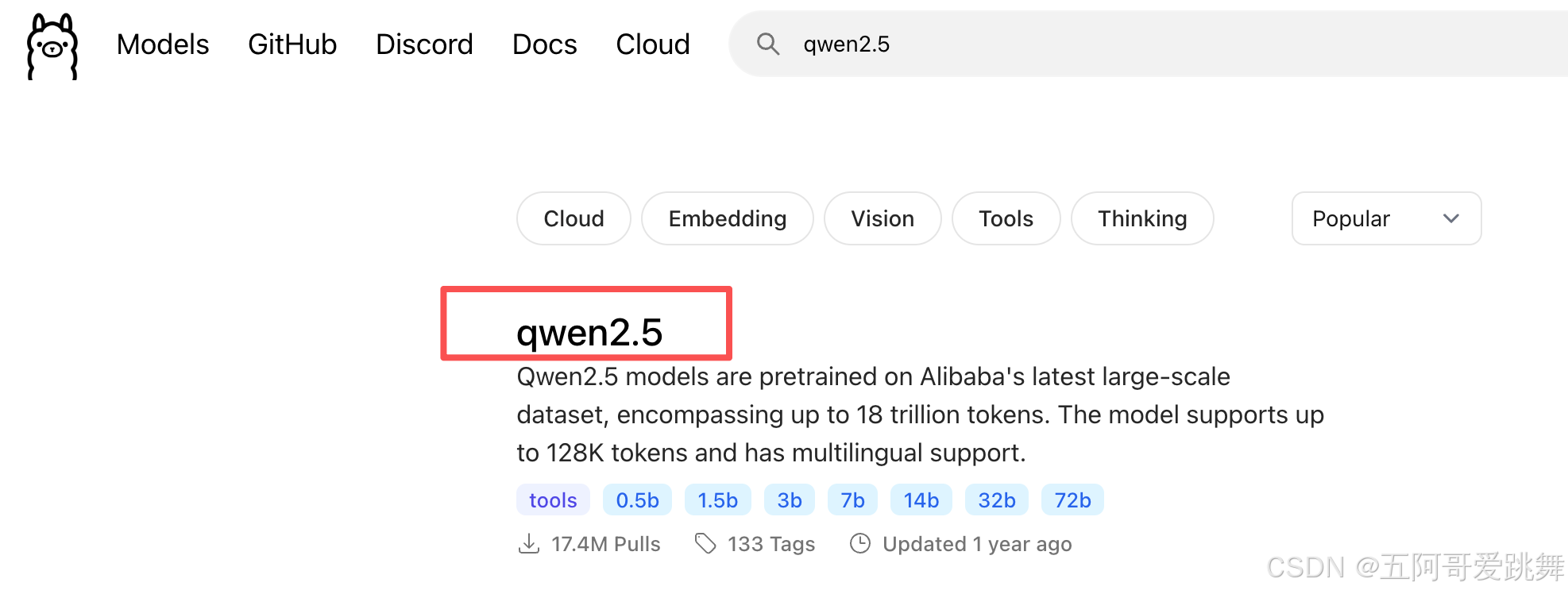
进入后会出现一些预览模型,点击view all可以显示所有的模型,包括对应的量化版本: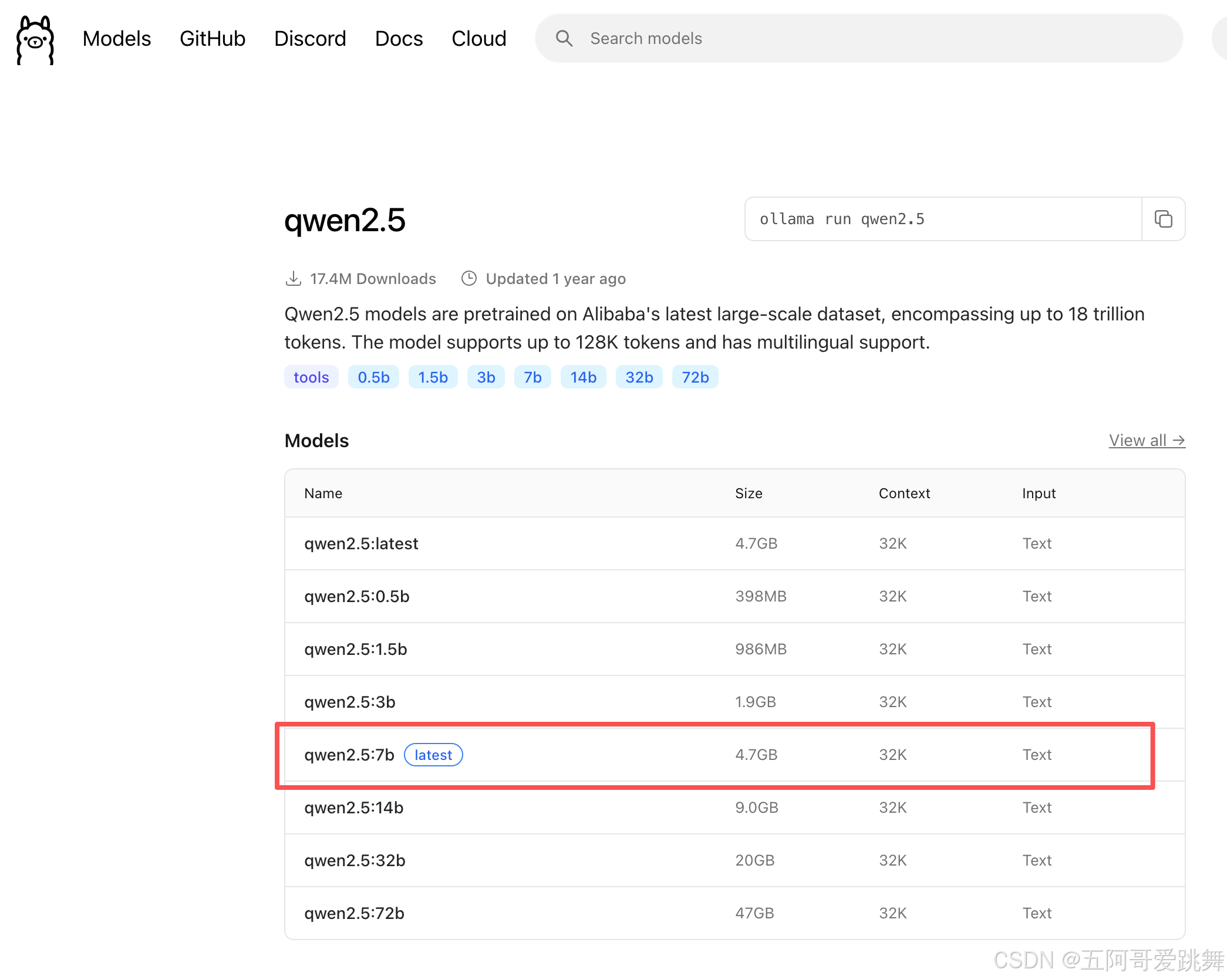
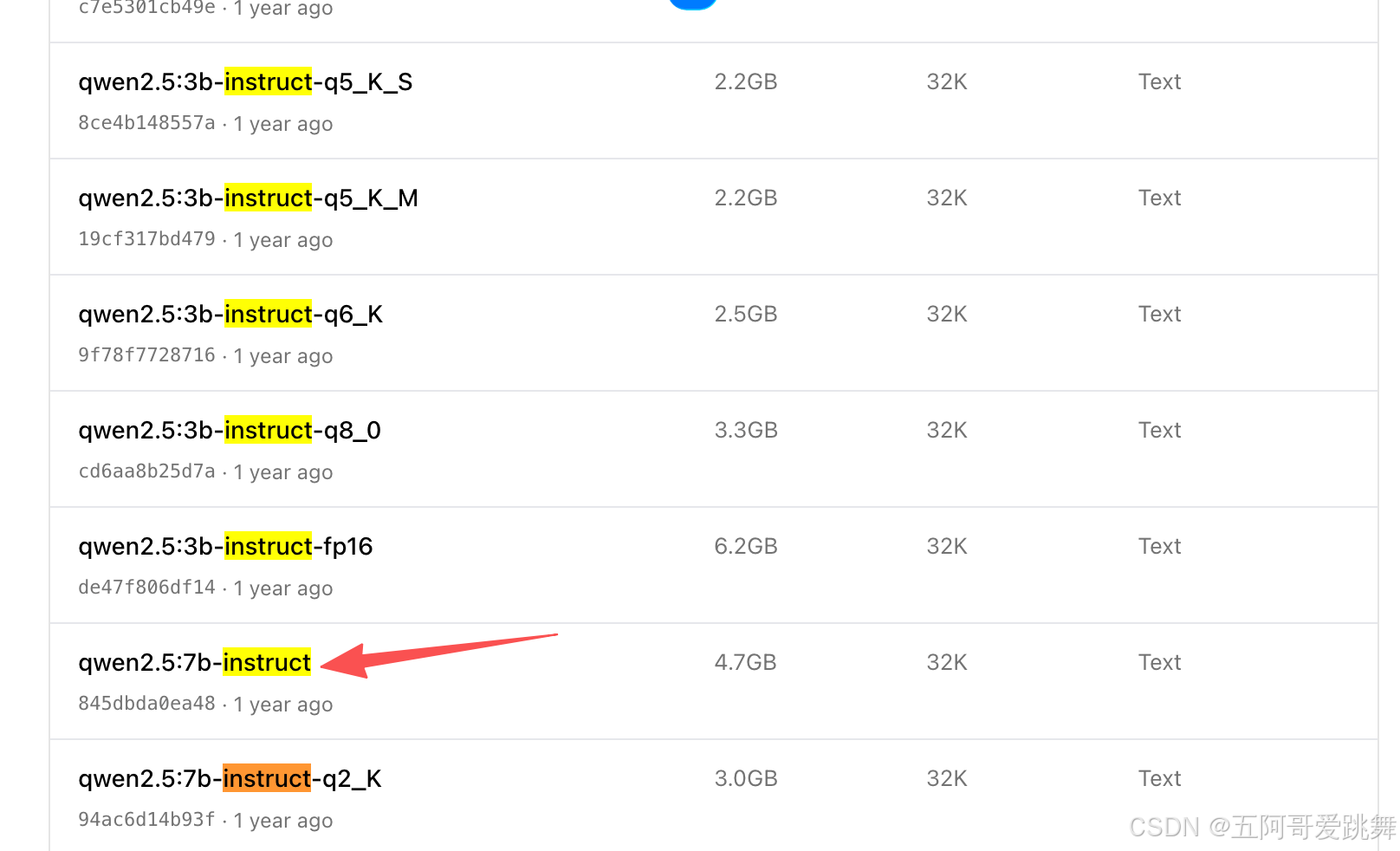
根据文件名下载,首先创建一个用于下载的文件夹,然后再这个文件夹的路径下使用下载命令即可:
代码参考:https://docs.ollama.com/quickstart#python
mkdir ollama_model
cd ollama_model
ollama pull qwen2.5:7b
ollama pull qwen2.5:7b-instruct

这样做完成之后会发现,文件夹中并没有模型的名字,这是因为模型的默认下载路径为根路径下的.ollama/models(mac为 用户名根目录/.ollama/models)文件中,具体的模型的文件夹层次还要深一点。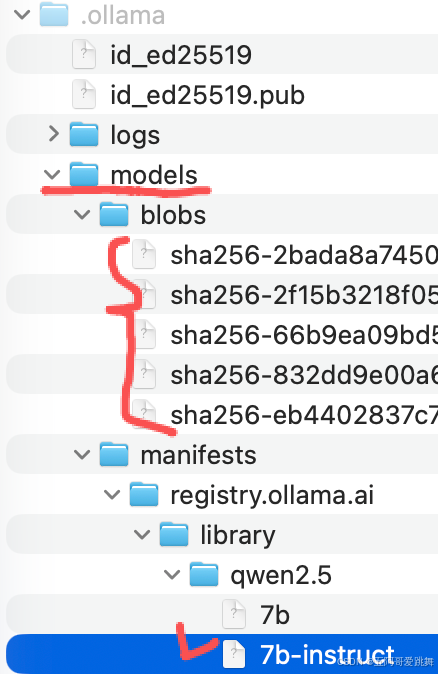
其中,models/manifests/registry.ollama.ai/library/qwen2.5是qwen2.5系列所有模型的名称;
sha256-2bada8这种是类似于7b-instruct中记录的模型的真实文件。
通过客户端直接下载
在客户端当中带有很多模型,直接选择后,提一个问题,模型会自动开始下载,并且默认下载到ollama设置的默认路径。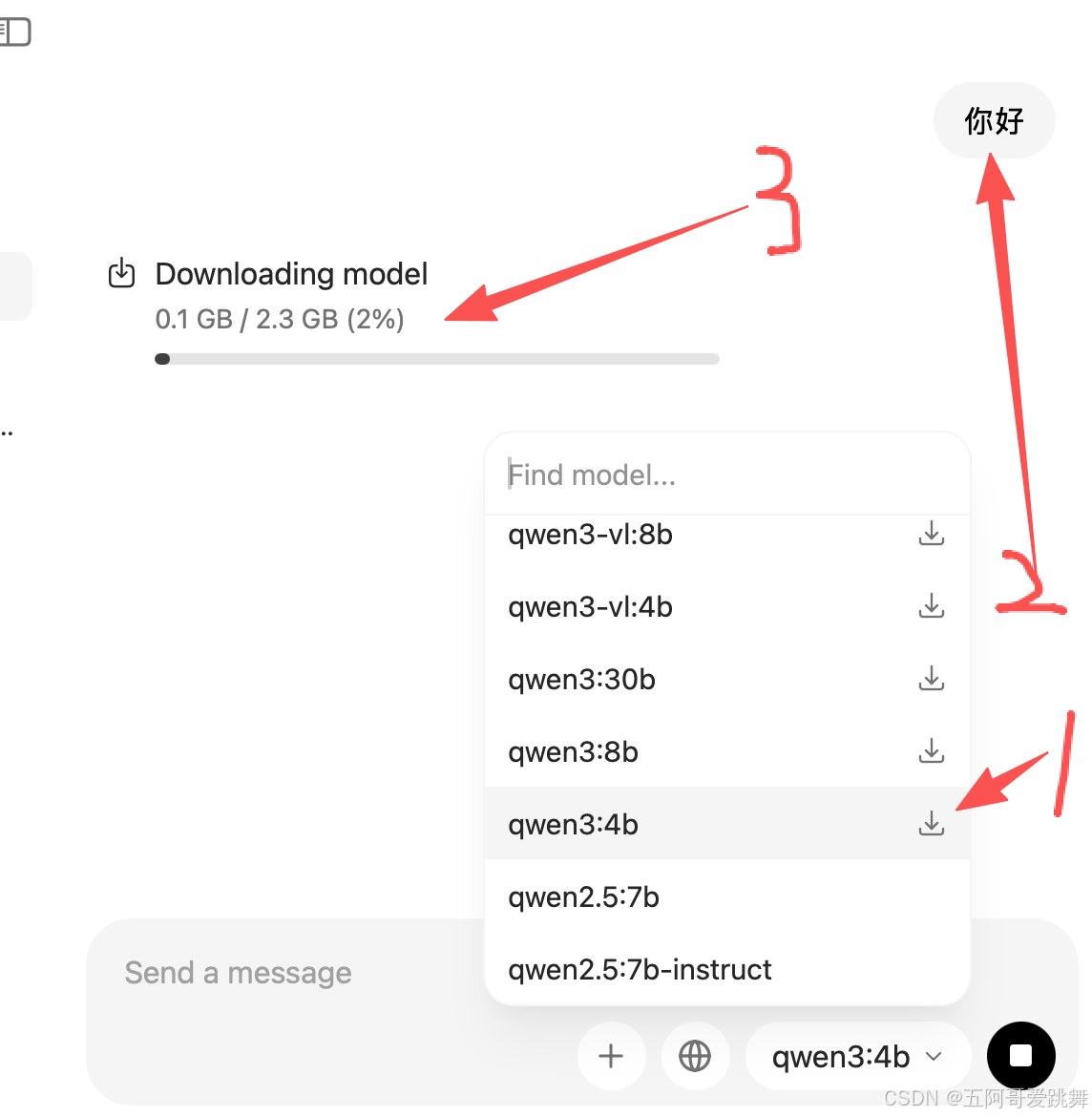
模型调用-客户端直接调用
咱找官方的命令下载好模型之后,ollama界面会自动加载已经下载好的模型,就可以通过界面直接选用模型进行使用了: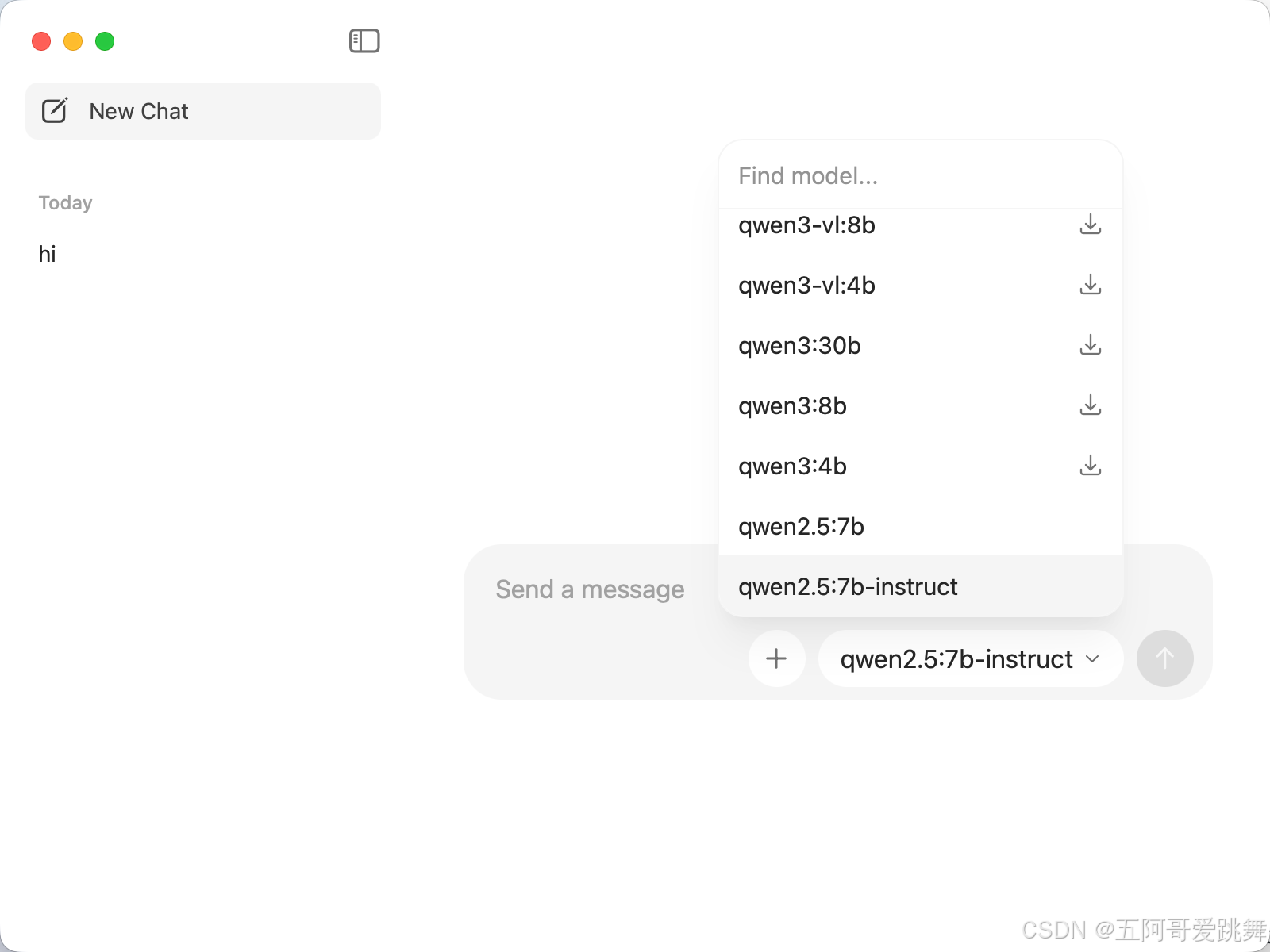
模型调用-curl访问调用
只要开启了客户端,就可以根据localhost;11434对模型进行调用了,不同的模型在调用的时候会自动加载到内存当中。当不使用Ollama以及模型的时候,请退出ollama的客户端。
非流式输出:
curl http://localhost:11434/api/generate -d '{ "model": "qwen2.5:7b", "prompt": "Why is the sky blue?","stream":false }'
{“model”:“qwen2.5:7b”,“created_at”:“2025-12-09T07:49:03.172633Z”,“response”:“The sky appears blue because of a phenomenon called Rayleigh scattering. When sunlight enters the Earth’s atmosphere, it encounters gas molecules and small particles xxxxxx. Blue light has a shorter, more scattered wavelength compared to other colors like red or orange.\n\nx.”,“done”:true,“done_reason”:“stop”,“context”:[151644,8948,198,2610,525,1207,16948,11,3465,553,54364,14817,13,1446,525,264,xx],“total_duration”:17456908166,“load_duration”:11435882875,“prompt_eval_count”:35,“prompt_eval_duration”:566900791,“eval_count”:177,“eval_duration”:4013257300}%
流式输出:
流式输出会逐个打印token
curl http://localhost:11434/api/generate -d '{ "model": "qwen2.5:7b", "prompt": "Why is the sky blue?"}'
{“model”:“qwen2.5:7b”,“created_at”:“2025-12-09T08:33:03.481389Z”,“response”:“The”,“done”:false}
{“model”:“qwen2.5:7b”,“created_at”:“2025-12-09T08:33:03.515425Z”,“response”:" sky",“done”:false}
{“model”:“qwen2.5:7b”,“created_at”:“2025-12-09T08:33:03.544921Z”,“response”:" appears",“done”:false}
xxx
{“model”:“qwen2.5:7b”,“created_at”:“2025-12-09T08:33:08.928816Z”,“response”:" sky",“done”:false}
{“model”:“qwen2.5:7b”,“created_at”:“2025-12-09T08:33:08.957809Z”,“response”:“.”,“done”:false}
{“model”:“qwen2.5:7b”,“created_at”:“2025-12-09T08:33:08.987623Z”,“response”:“”,“done”:true,“done_reason”:“stop”,“context”:[151644,8948,198,2610,525,1207,16948,11,3465,553,54364,14817,13,1446,525,264,10950,17847,13,151645,198,151644,872,198,10234,374,x,x],“total_duration”:8125677000,“load_duration”:2285279542,“prompt_eval_count”:35,“prompt_eval_duration”:310963958,“eval_count”:189,“eval_duration”:4029091413}

有“AI”的1024 = 2048,欢迎大家加入2048 AI社区
更多推荐
 7
7 0
0- 0


 已为社区贡献10条内容

所有评论(0)