记录一次无法使用matplotlib绘制pytorch图像的解决过程
本来打算学一下pytorch的基础内容
美滋滋的打开vscode,创建了一个ipynb的文件
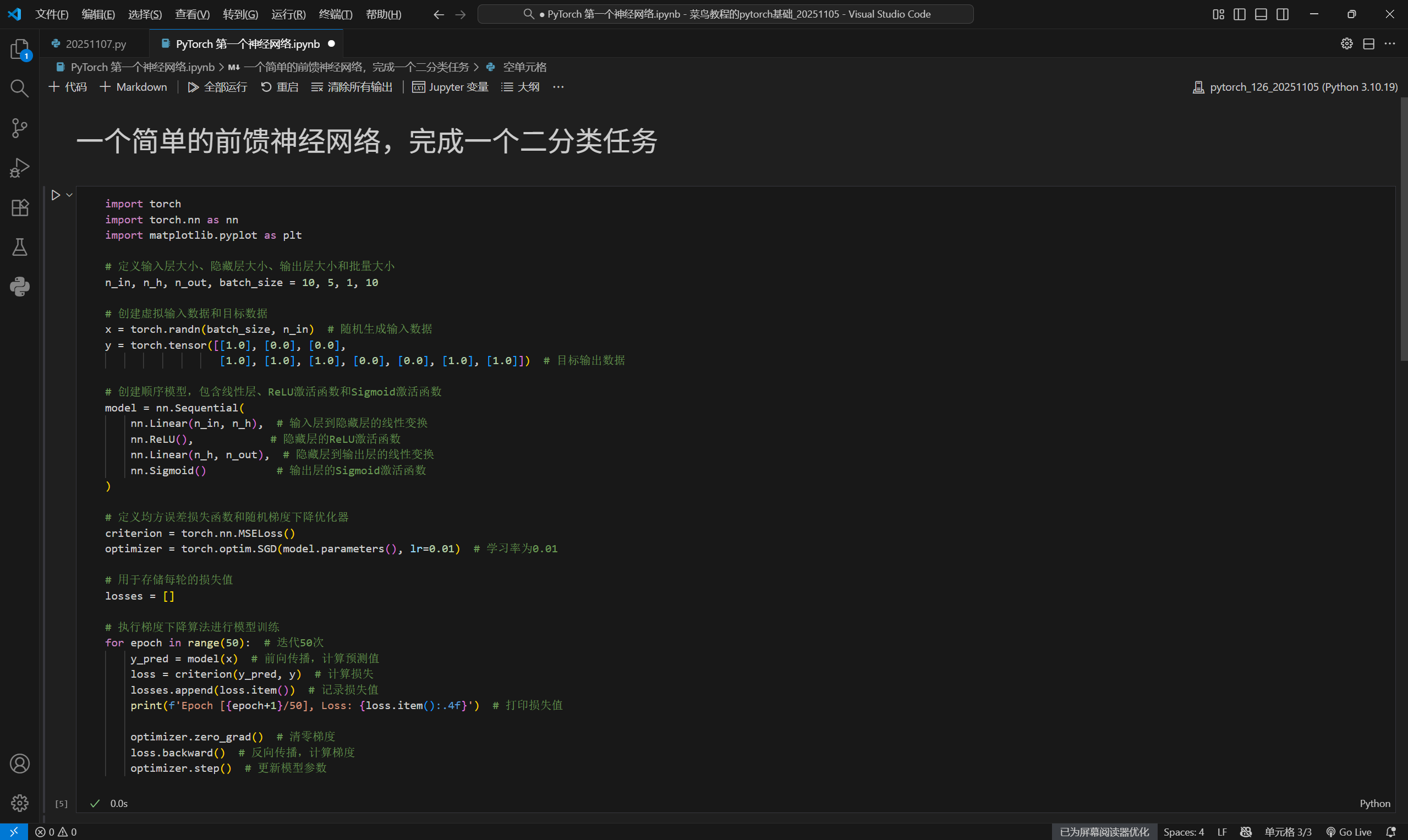
利用torch训练一个简单的神经网络的时候,一切都还好,
代码如下图所示:
运行结果如下图所示: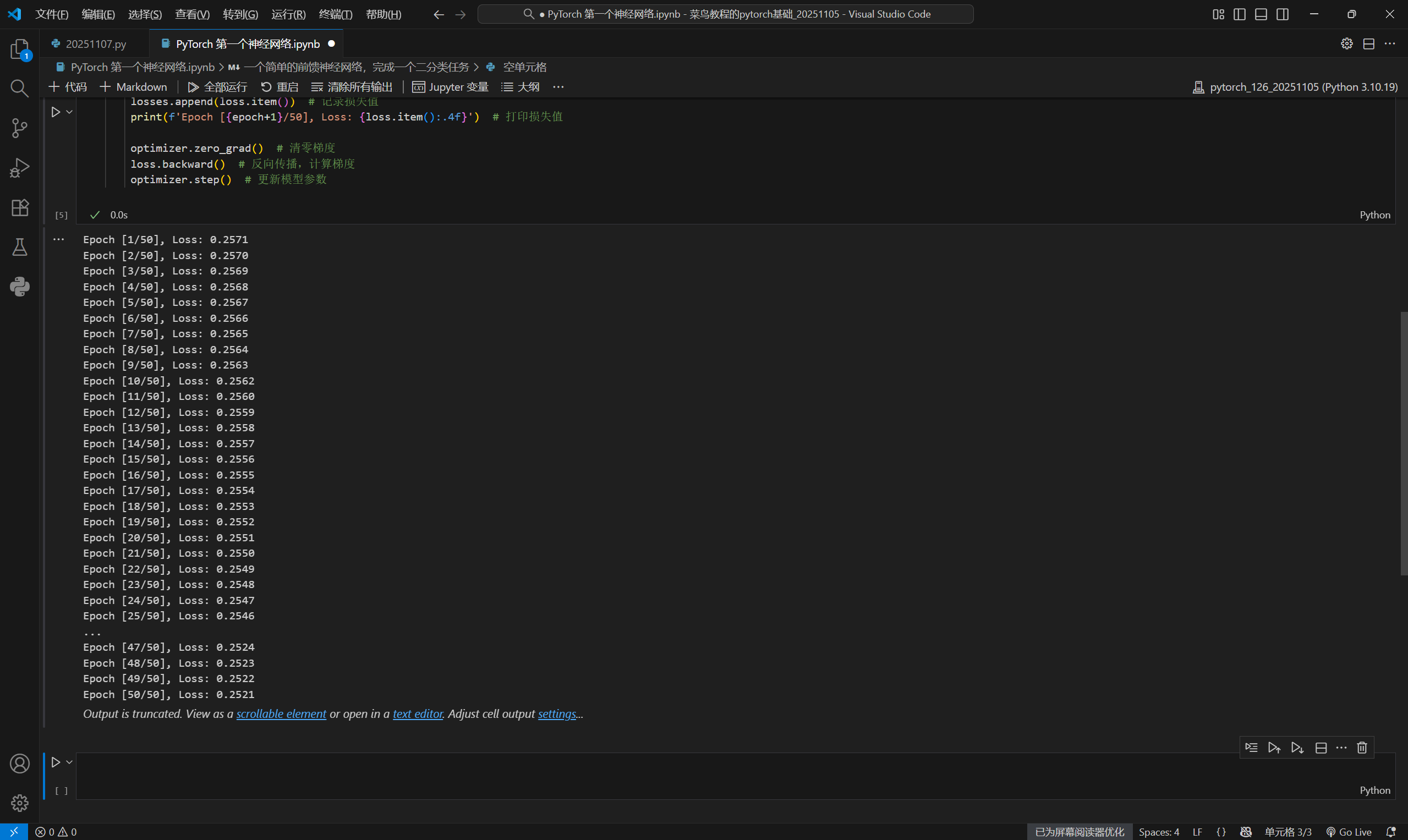
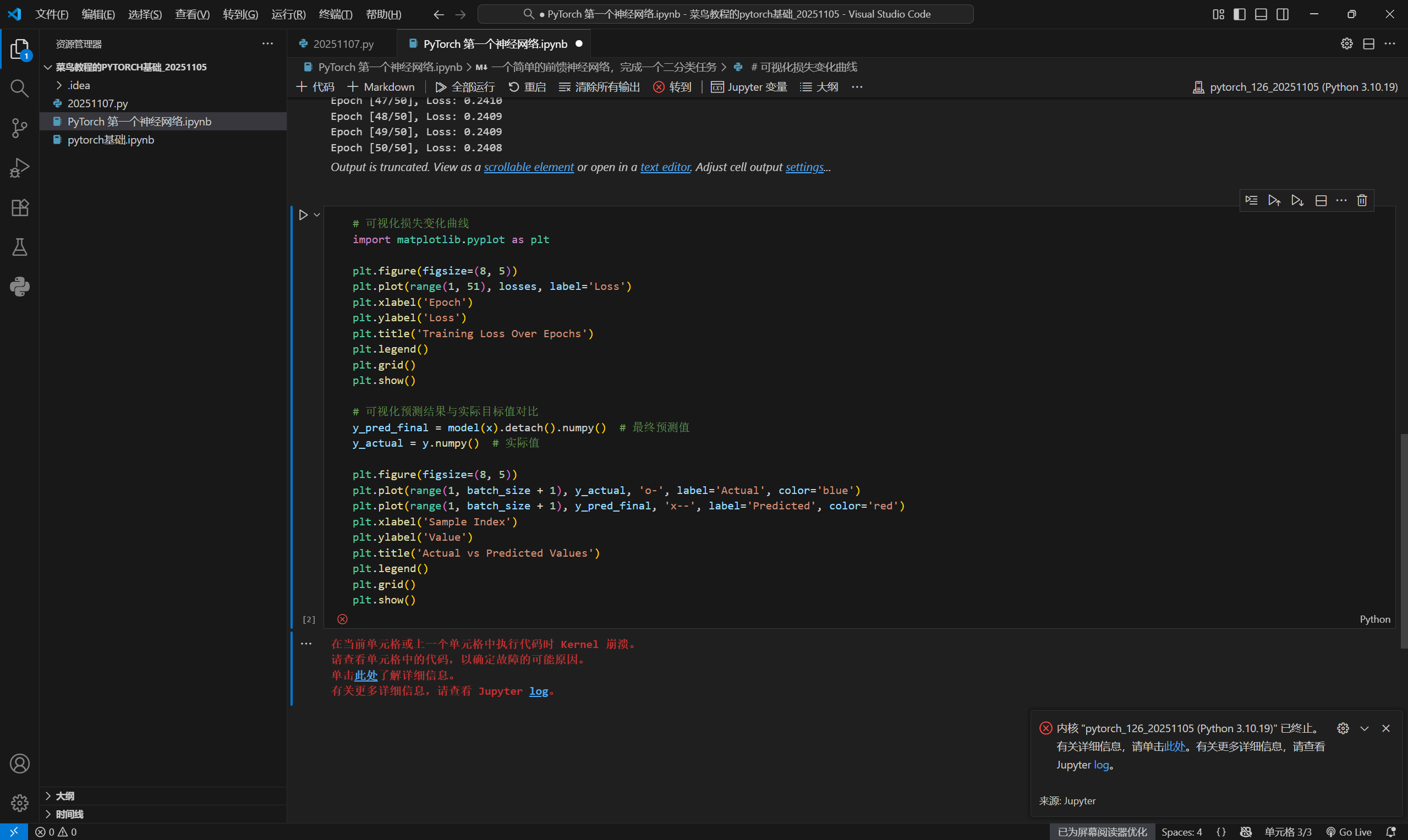
可是当我试图利用matplotlib绘制训练结果曲线时出现了问题:
代码和报错信息如下图所示:
当我点开“此处”,跳转到kernel在github的官方;链接如下
https://github.com/microsoft/vscode-jupyter/wiki/Kernel-crashes
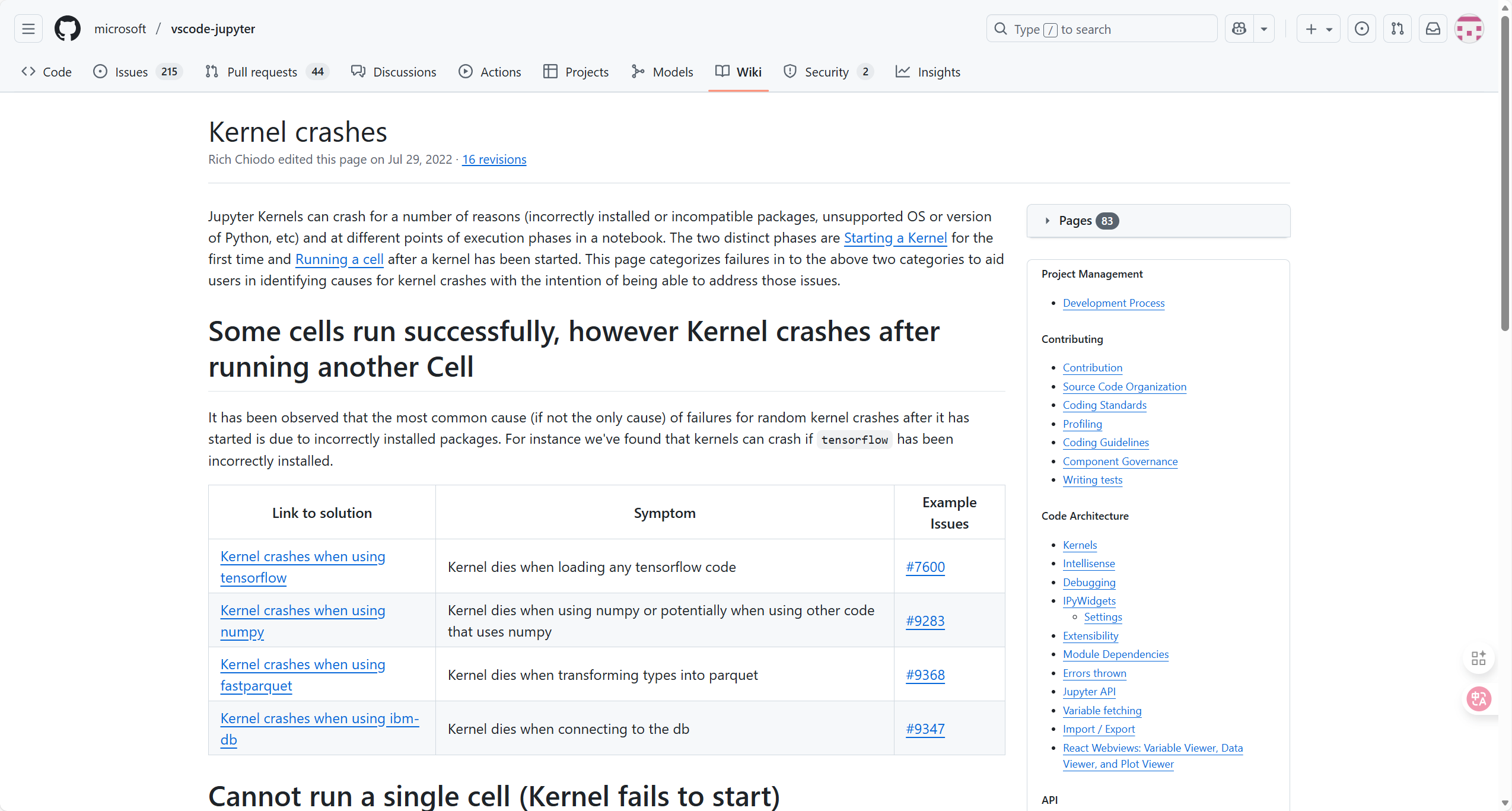
没有涉及pytorch的,于是我点开了图中"Kernel crashes when using tensorflow"的链接,
https://github.com/microsoft/vscode-jupyter/wiki/Kernel-crashes-when-using-tensorflow
官方给出的建议是
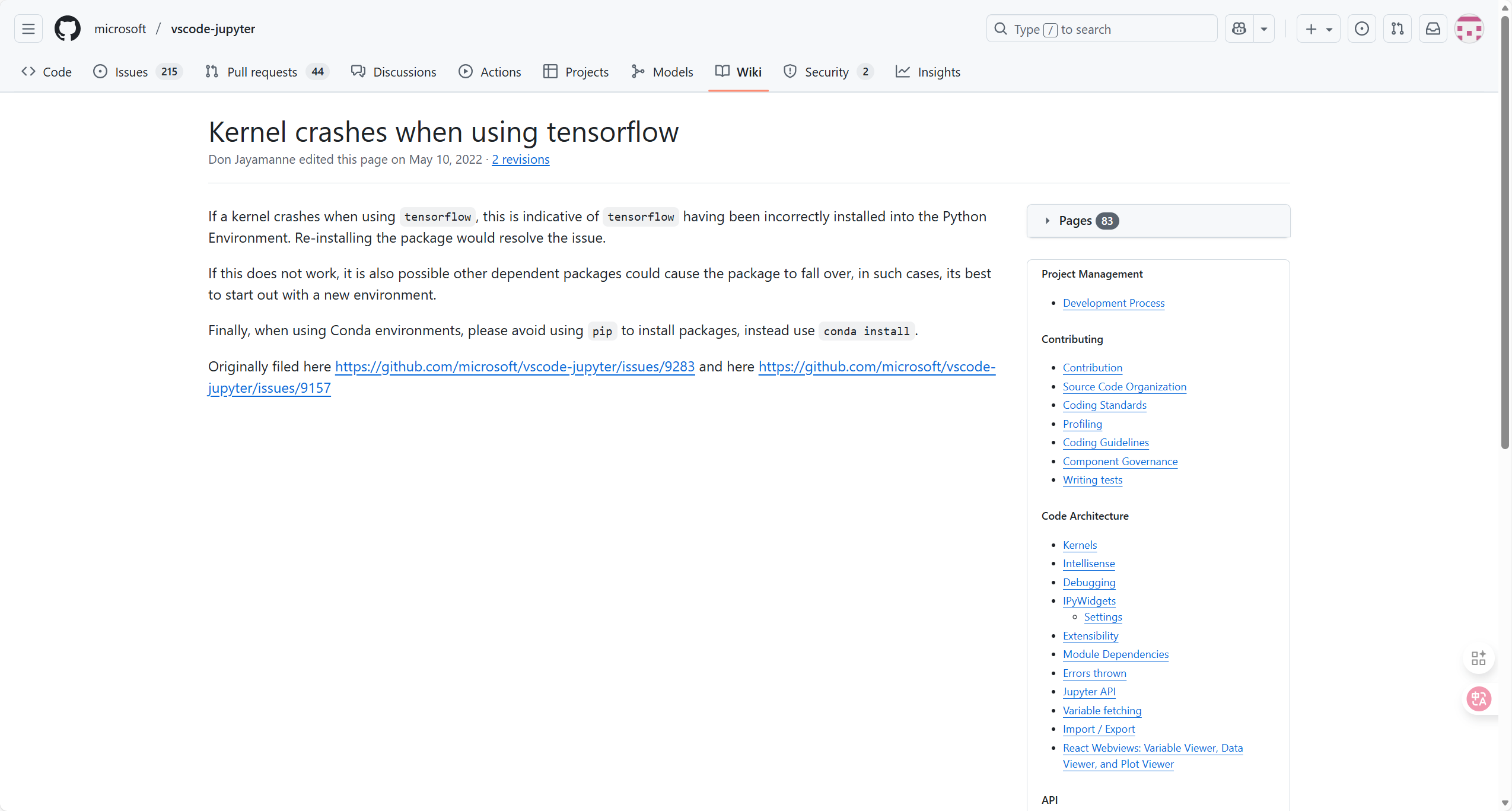
难道是我当时偷懒用pip install的苦果吗??!
……
我又打开了报错的log信息:
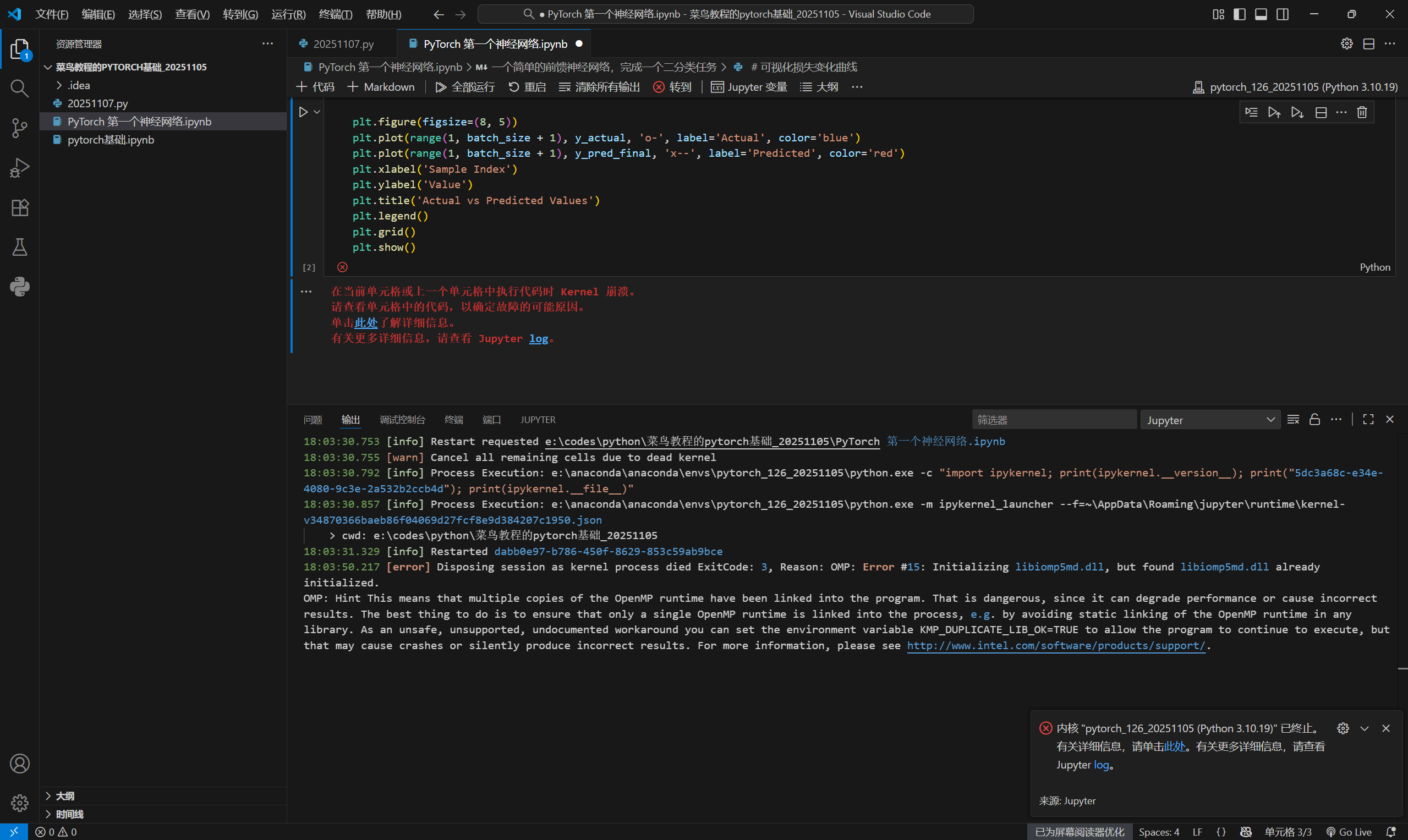
OMP: Hint This means that multiple copies of the OpenMP runtime have been linked into the program. That is dangerous, since it can degrade performance or cause incorrect results. The best thing to do is to ensure that only a single OpenMP runtime is linked into the process, e.g. by avoiding static linking of the OpenMP runtime in any library. As an unsafe, unsupported, undocumented workaround you can set the environment variable KMP_DUPLICATE_LIB_OK=TRUE to allow the program to continue to execute, but that may cause crashes or silently produce incorrect results. For more information, please see http://www.intel.com/software/products/support/.
小白表示很茫然……
我把这个问题甩给了AI,得到的回答如下:
“
从错误日志来看,问题出在OpenMP运行时库(libiomp5md.dll)的冲突,多个副本被加载导致初始化失败。解决方法如下:
1. 临时解决:设置环境变量(快速验证)
在代码开头添加环境变量设置,允许重复的OpenMP库(不推荐长期使用,但可快速测试):
import os
os.environ["KMP_DUPLICATE_LIB_OK"] = "TRUE"
添加后重启内核执行代码,通常能暂时解决问题。
2. 根本解决:排查重复库
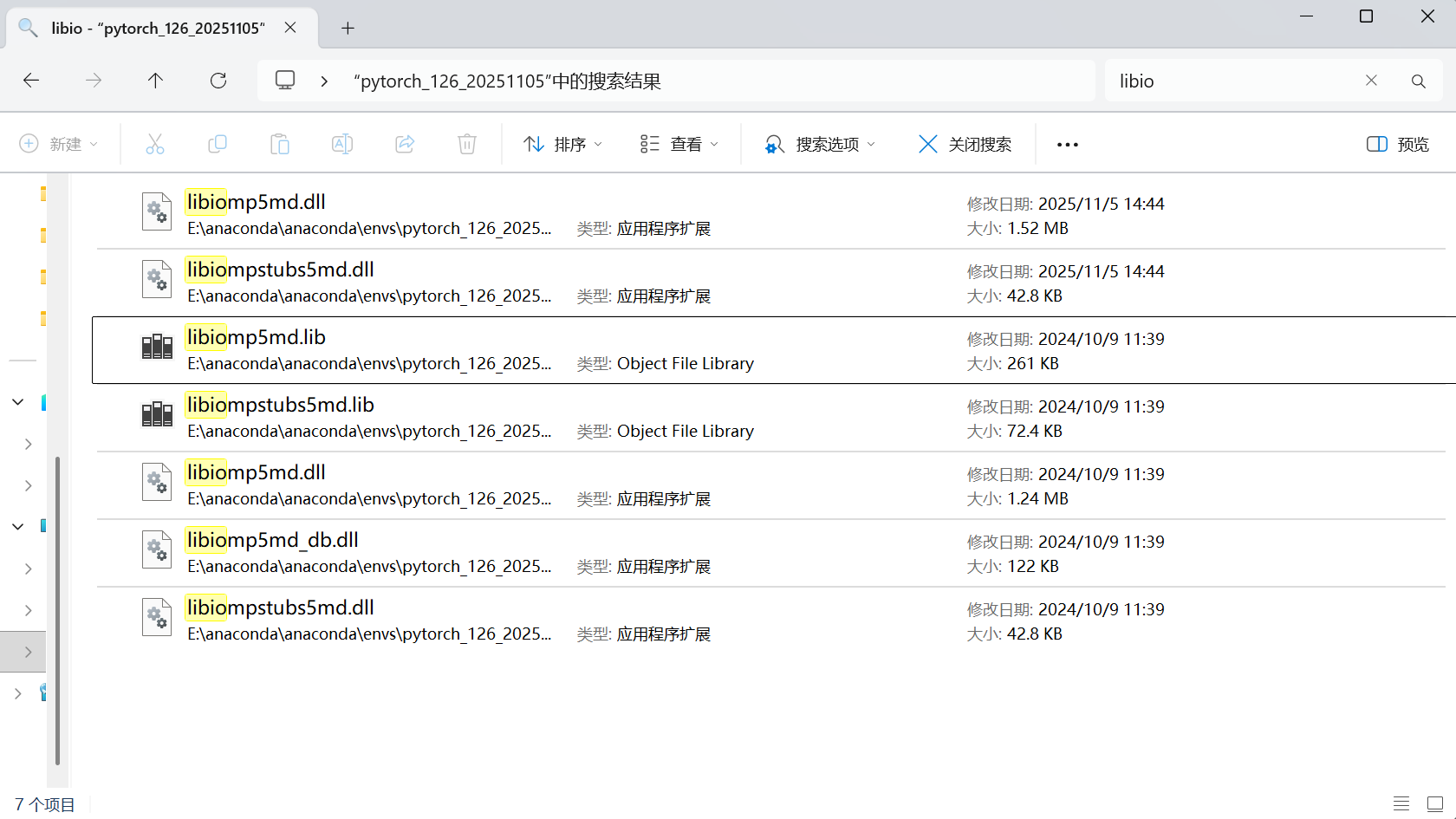
冲突通常源于环境中存在多个版本的libiomp5md.dll,常见于:
- Anaconda/PyTorch与其他软件(如Intel MKL、某些IDE)的库冲突
- 虚拟环境中安装了重复的依赖(如
numpy、scipy等可能依赖OpenMP)
排查步骤:
- 查找环境中所有
libiomp5md.dll:import sys import glob env_path = sys.prefix # 当前虚拟环境路径 dll_paths = glob.glob(f"{env_path}/**/libiomp5md.dll", recursive=True) print("找到的OpenMP库:") for path in dll_paths: print(path) - 保留一个(通常保留PyTorch或Anaconda自带的),删除其他重复文件(注意备份)。
- 若使用Anaconda,可尝试重新创建虚拟环境:
conda create -n new_pytorch_env python=3.9  # 创建新环境
conda activate new_pytorch_env
conda install pytorch torchvision torchaudio cudatoolkit=11.7 -c pytorch  # 重新安装PyTorch
3. 其他注意事项
- 避免同时使用
conda和pip混合安装科学计算库(可能导致库冲突)。 - 若使用PyCharm等IDE,检查是否配置了正确的虚拟环境(避免系统Python与虚拟环境冲突)。
通过以上方法,可解决OpenMP库冲突问题。临时方案适合快速验证代码逻辑,长期使用建议采用根本解决方法清理重复库。
”
我和AI的对话记录如下:
https://www.doubao.com/thread/we11a201bd8a56d1d
原来是文件重复的缘故,进一步检查anaconda配置的环境,果然如此!
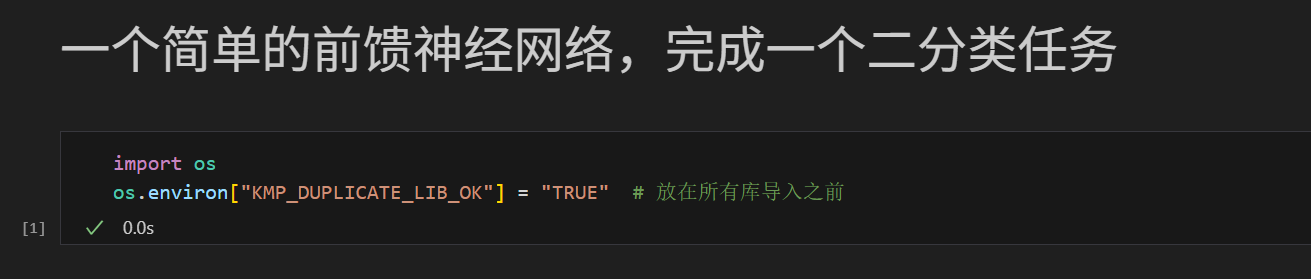
只需要配上一行,就OK啦
import os
os.environ["KMP_DUPLICATE_LIB_OK"] = "TRUE"  # 放在所有库导入之前
结果如下:
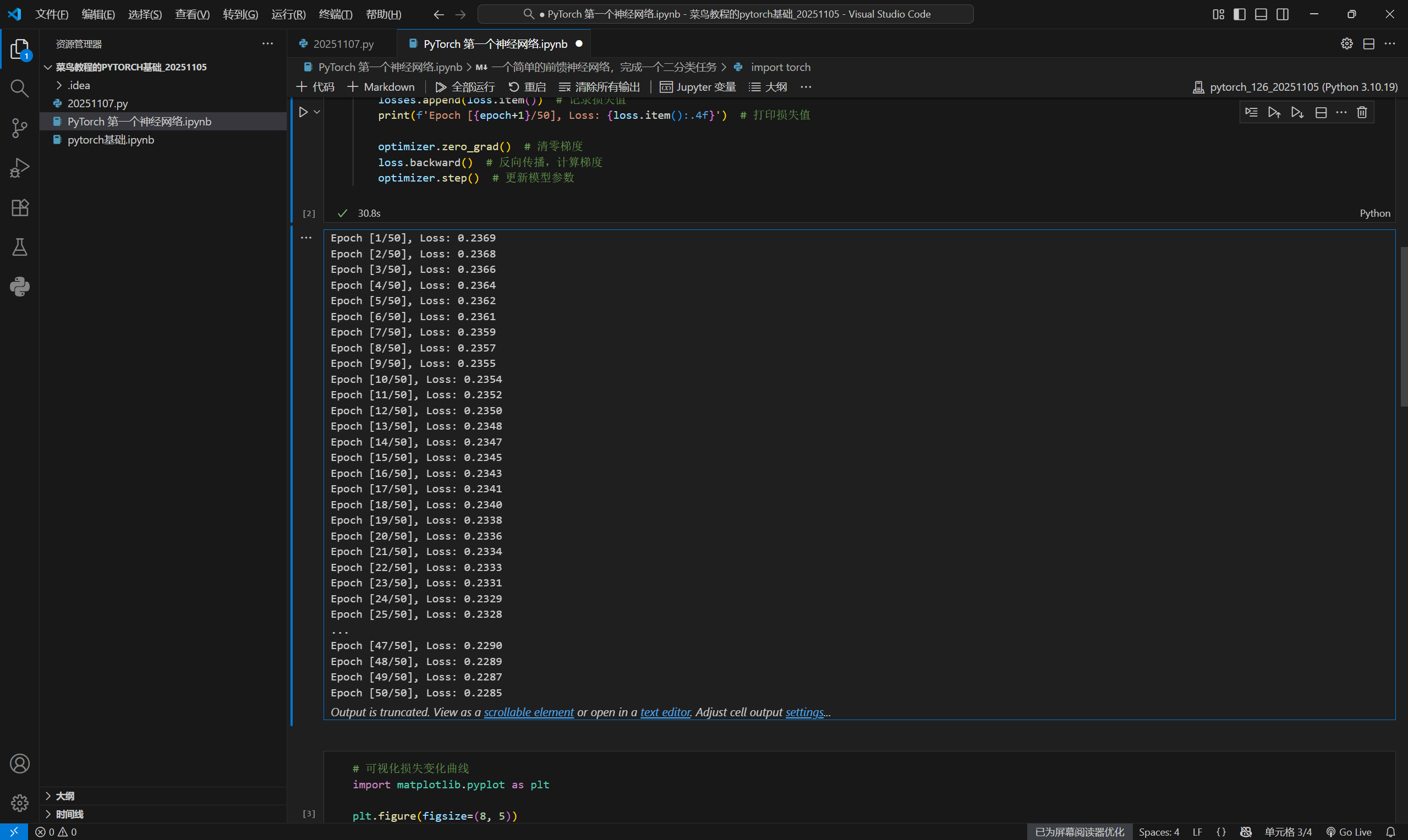
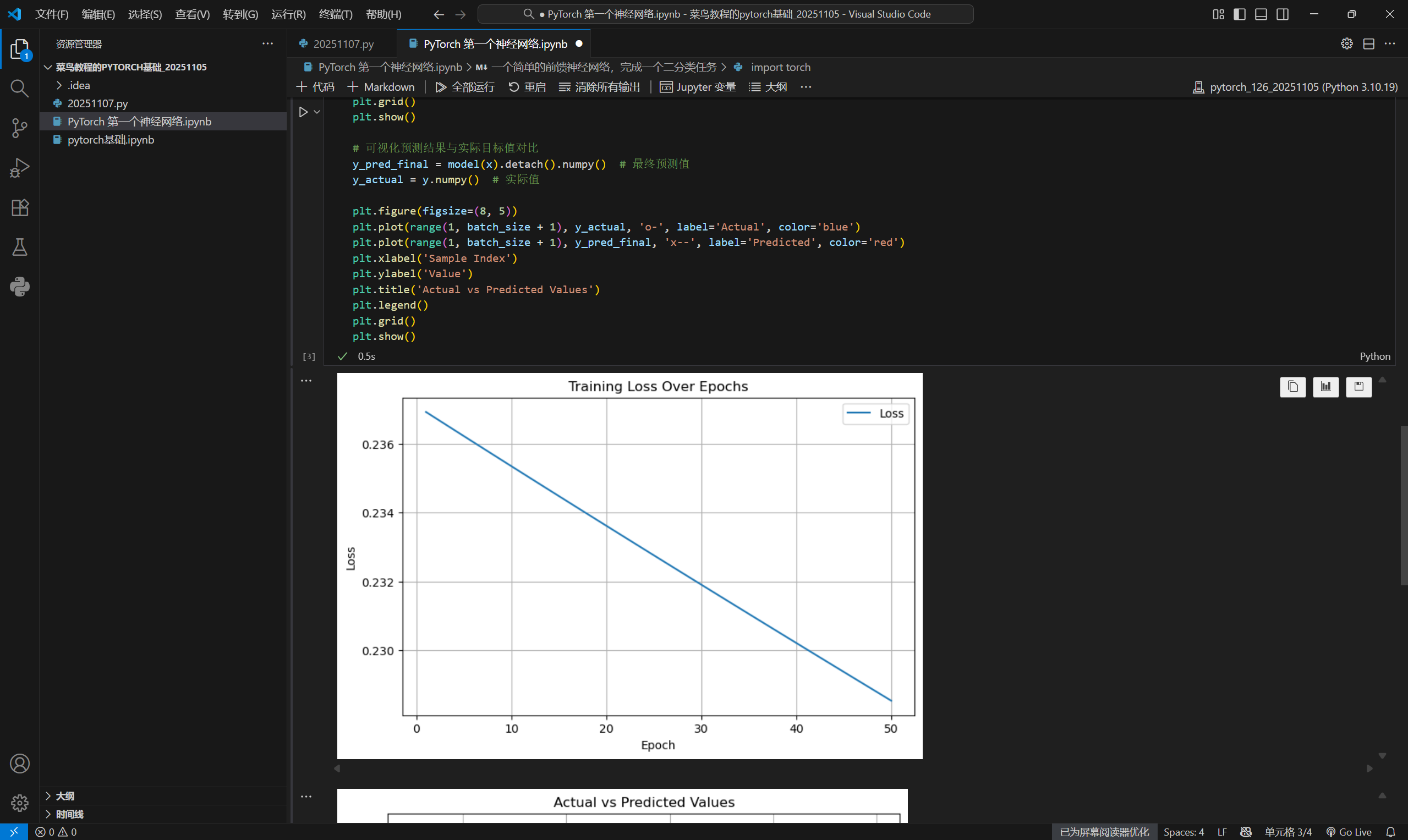
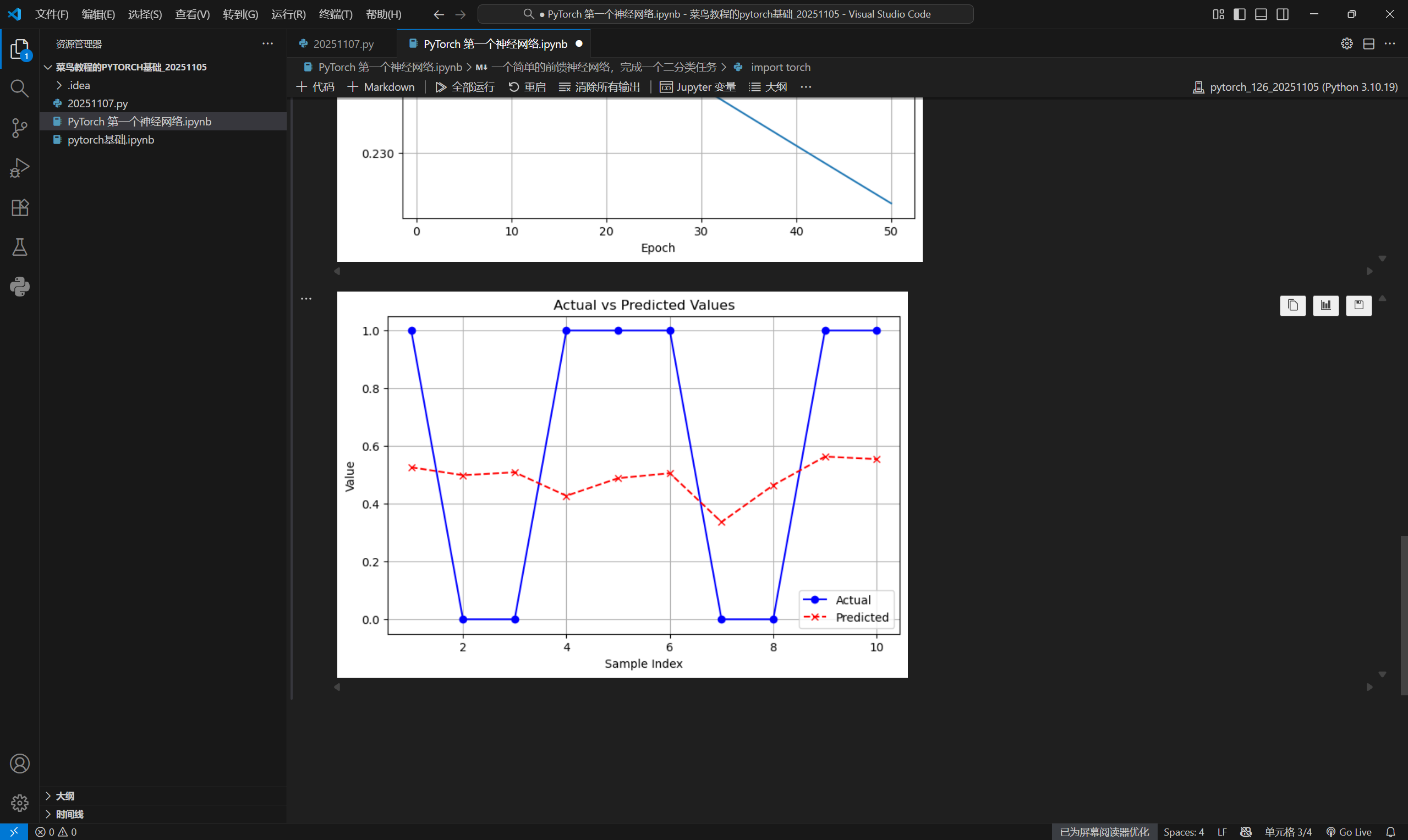
删除dll配置文件还是有点怂,作为一个小白,我还是采取一个比较稳妥的解决方案吧哈哈;等到有实力了再考虑对配置文件进行修改
另外,附上我学习pytorch的地址
https://www.runoob.com/pytorch/pytorch-first-neural-network.html
人工智能是年轻的事业,也是年轻人的事业
继续努力呀~

有“AI”的1024 = 2048,欢迎大家加入2048 AI社区
更多推荐

 36
36 0
0- 0


 已为社区贡献3条内容

所有评论(0)