集成LangChain4j与Qdrant_向量转换与存储
·
配置Qdrant Embedding Store
//创建向量存储
@Bean
public EmbeddingStore<TextSegment> embeddingStore() {
    return QdrantEmbeddingStore.builder()
            .host("192.168.66.99")
            .port(6334)
            .collectionName("testv")
            .build();
}
配置向量模型
//创建向量模型
/**
 * Embedding Model 向量模型,机器学习模型,核心功能 将高维数据映射到低维空间的技术。
 * 离散的,稀疏的数据转换连续的、密集的向量表示
 *       Duration callTimeout,
 *       Duration connectTimeout,
 *       Duration readTimeout,
 *       Duration writeTimeout
 * @return
 */
@Bean
public EmbeddingModel embeddingModel(){
    return ZhipuAiEmbeddingModel.builder()
            .apiKey("34d4358f44cd438b857e71a79f2361d3.FMfYT95OalGDeKr4")
            .callTimeout(Duration.ofSeconds(600))
            .connectTimeout(Duration.ofSeconds(600))
            .readTimeout(Duration.ofSeconds(600))
            .writeTimeout(Duration.ofSeconds(600))
            .build();
}
存储向量数据
@Test
public void testApp2() {
    TextSegment from1 = TextSegment.from("客服的电话是400-3464563");
    TextSegment from2 = TextSegment.from("客服工作时间是周一到周五");
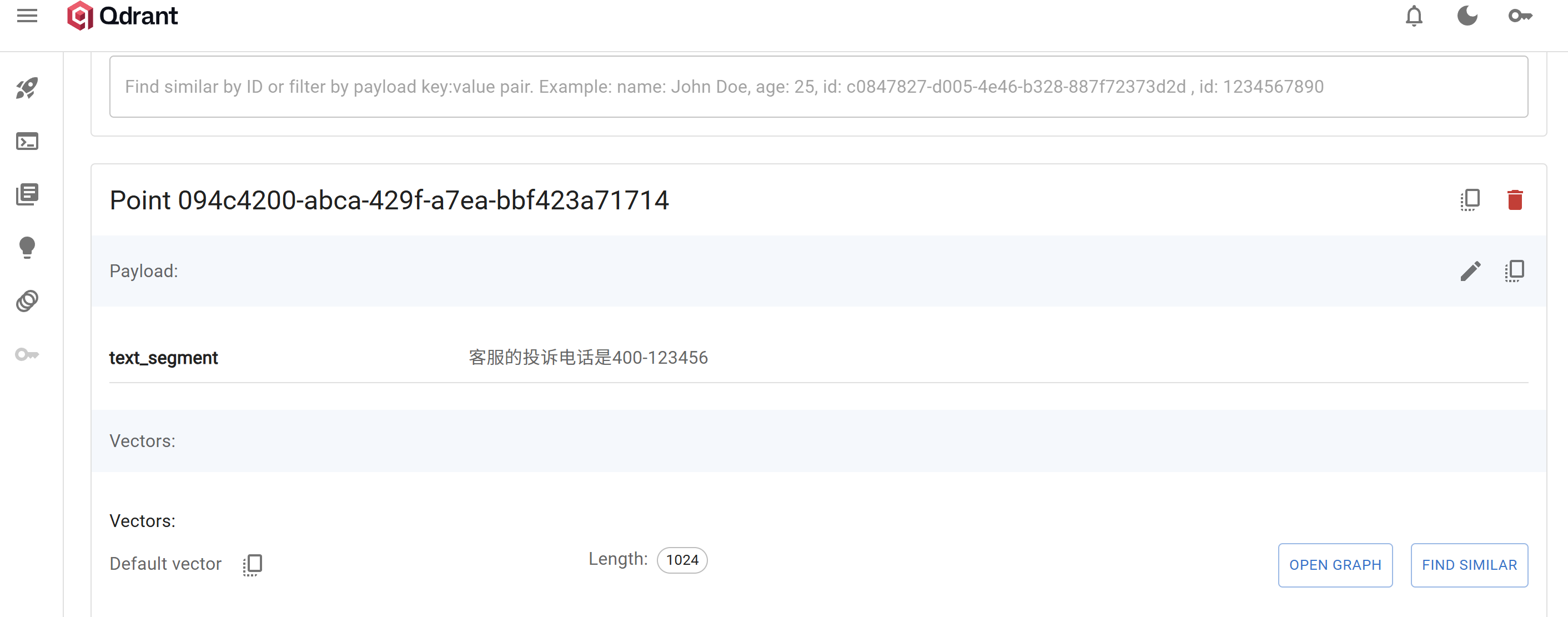
    TextSegment from3 = TextSegment.from("客服的投诉电话是400-123456");
    TextSegment from4 = TextSegment.from("客服的人数是245");
    // 转换向量
    Embedding content1 = embeddingModel.embed(from1).content();
    Embedding content2 = embeddingModel.embed(from2).content();
    Embedding content3 = embeddingModel.embed(from3).content();
    Embedding content4 = embeddingModel.embed(from4).content();
    // 存储入向量数据库
    embeddingStore.add(content1, from1);
    embeddingStore.add(content2, from2);
    embeddingStore.add(content3, from3);
    embeddingStore.add(content4, from4);
}
访问控制面板查看数据是否存储

有“AI”的1024 = 2048,欢迎大家加入2048 AI社区
更多推荐

 20
20 0
0- 0


 已为社区贡献5条内容

所有评论(0)