MySQL 锁
MySQL提供了多种锁机制,包括共享锁(S)、排它锁(X)、意向锁(IS/IX)、记录锁等。共享锁允许并发读取,兼容其他共享锁但排斥排它锁;排它锁用于写操作,排斥其他所有锁。意向锁是表级锁,用于解决行锁与表锁的兼容性问题。通过实验验证了共享锁之间的兼容性以及共享锁与排它锁的互斥性,并使用performance_schema监控锁状态。锁等待超时时间可通过innodb_lock_wait_timeo
MySQL 锁
InnoDB使用的锁主要有 共享锁、排它锁、意向锁、记录锁、间隙锁、插入意向锁和临键锁。
共享锁和排他锁
InnoDB实现了两种标准的行级别锁定,分别是共享(S)锁和排他(X)锁。
共享锁允许读事务持有。如果一个事务对数据R添加共享锁后,其他使用就可以在数据R上立即获得共享锁,这就是锁兼容。但是如果其他事务想要在数据R上添加排它锁,则会处理等待状态,这就是锁冲突。
排它锁允许写事务持有。如果一个事务对数据R添加排它锁后,其他事务就不能立即获得共享锁和排查锁。
意向锁
InnoDB支持多粒度锁(Multiple Granularity Locking),并且允许行级别锁和表级别锁共存,而意向锁就是表级别锁中的一种。
意向锁是一种不会和行级别锁发生冲突的表级别锁。
意向锁分为两种:
意向共享锁(IS): 事务在对表中的某些行加共享锁前必须先获得该表的意向共享锁(IS)
意向排它锁(IX): 事务在对表中的某些行加排它锁前必须先获得该表的意向排它锁(IX)
意向锁主要解决:当一个事务想要在表A上添加表级别的共享锁或排它锁时,不需要检查表A上的行锁,而是检查表A上的意向锁,如果互斥则阻塞事务。
| 意向共享锁 | 意向排它锁 | 共享锁 | 排它锁 | |
|---|---|---|---|---|
| 意向共享锁 | 兼容 | 兼容 | 兼容 | 互斥 |
| 意向排它锁 | 兼容 | 兼容 | 互斥 | 互斥 |
共享锁和排它锁都是表级别的锁。
准备一个环境
docker run \
--name slave \
-e MYSQL_ROOT_PASSWORD=master \
-v /data/mysql/slave/log:/var/log/mysql \
-v /data/mysql/slave/data:/var/lib/mysql \
-v /data/mysql/slave/conf:/etc/mysql/conf.d \
-v /data/mysql/slave/binlog:/var/lib/mysql-bin \
-v /data/mysql/slave/redolog:/var/lib/mysql-redolog \
-v /data/mysql/slave/undolog:/var/lib/mysql-undolog \
-v /data/mysql/slave/redolog_archive:/var/lib/mysql-redolog-archive \
-p 3106:3306 \
-d \
mysql:8.0
目录挂载的比较细
My.cfg
[mysqld]
server_id=100
log_bin=/var/lib/mysql-bin/mysql-bin
binlog_format=row
early-plugin-load=keyring_file.so
keyring_file_data=/var/lib/mysql/keyring
binlog_encryption=on
log-error=/var/log/mysql/mysql-error.log
innodb_log_group_home_dir=/var/lib/mysql-redolog
innodb_undo_directory=/var/lib/mysql-undolog
目录
注意
my.cfg文件的权限为 644
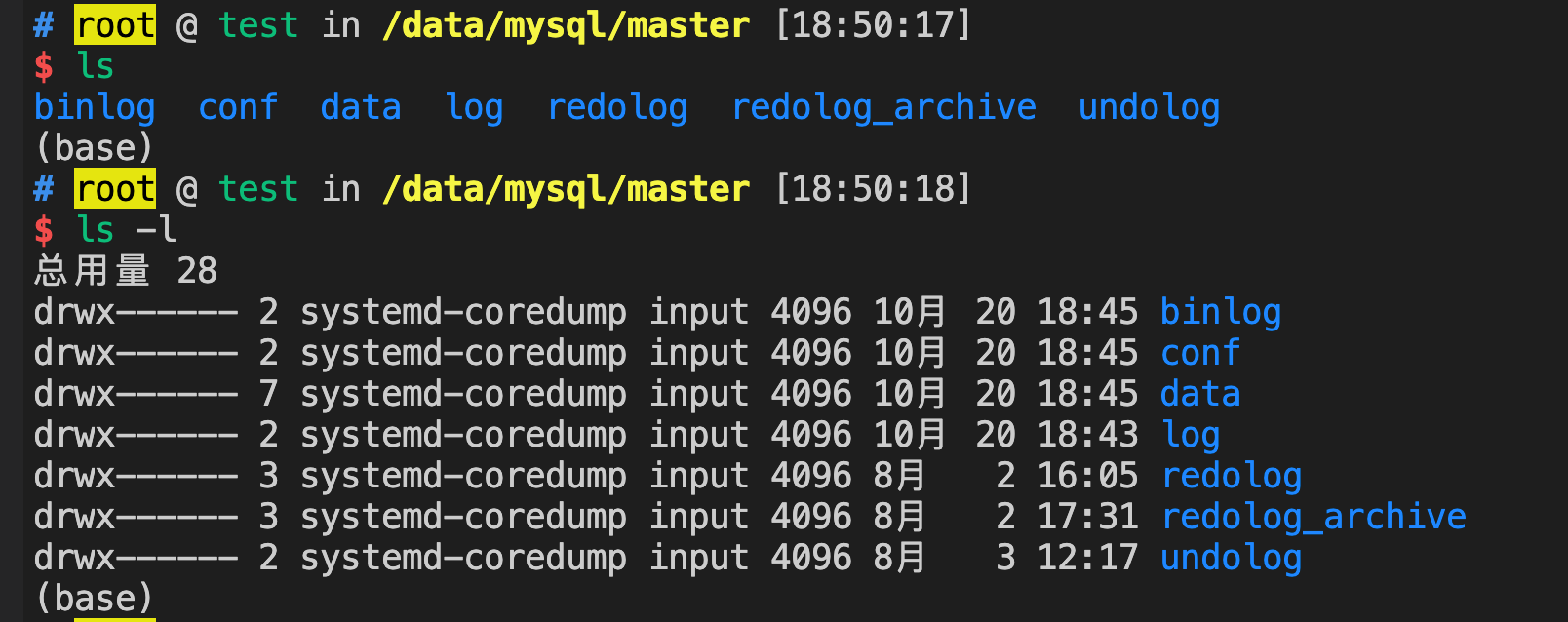
然后就可以使用 dbever 连接了
直接连接会报错
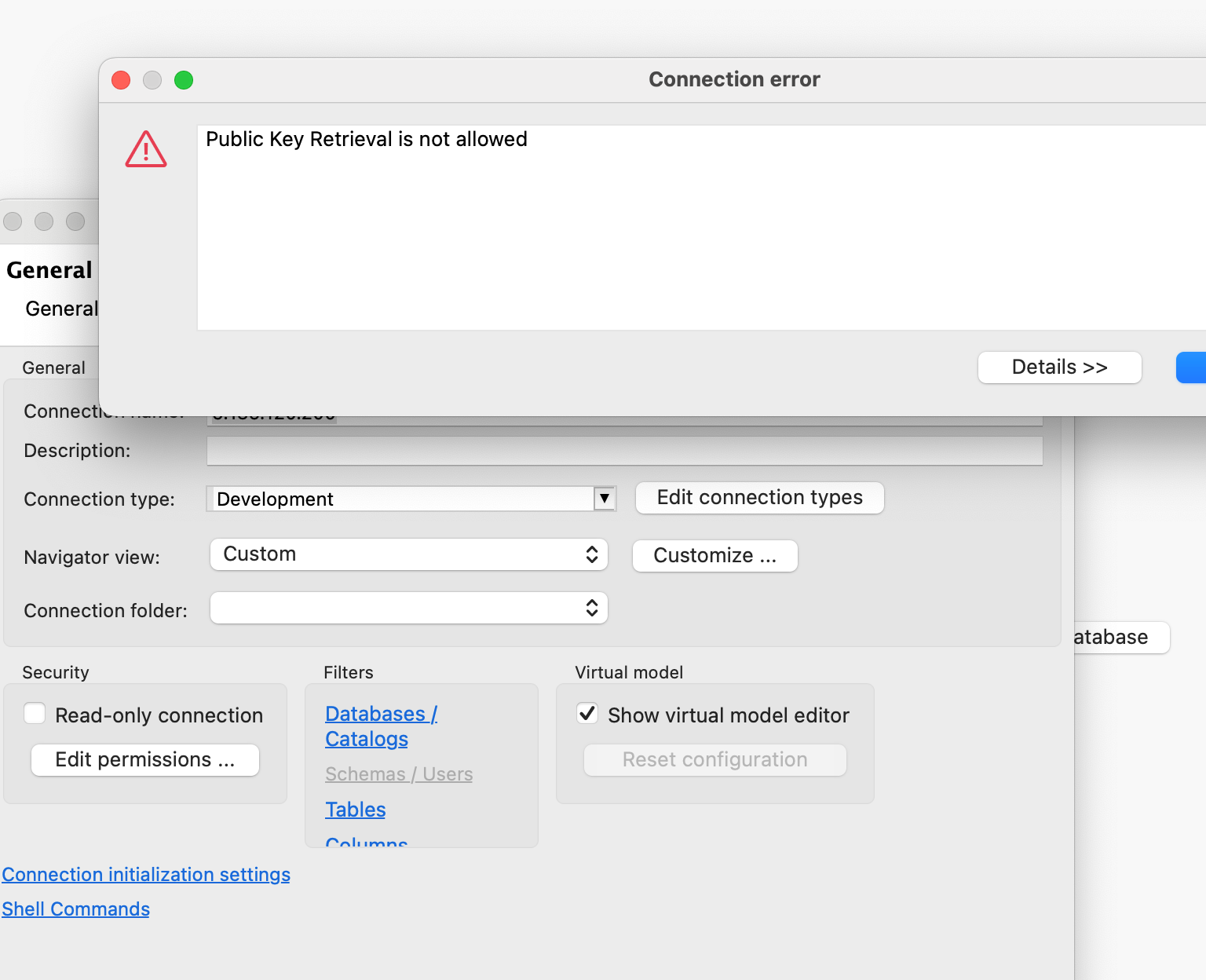
在连接属性中,将这个字段设置为true
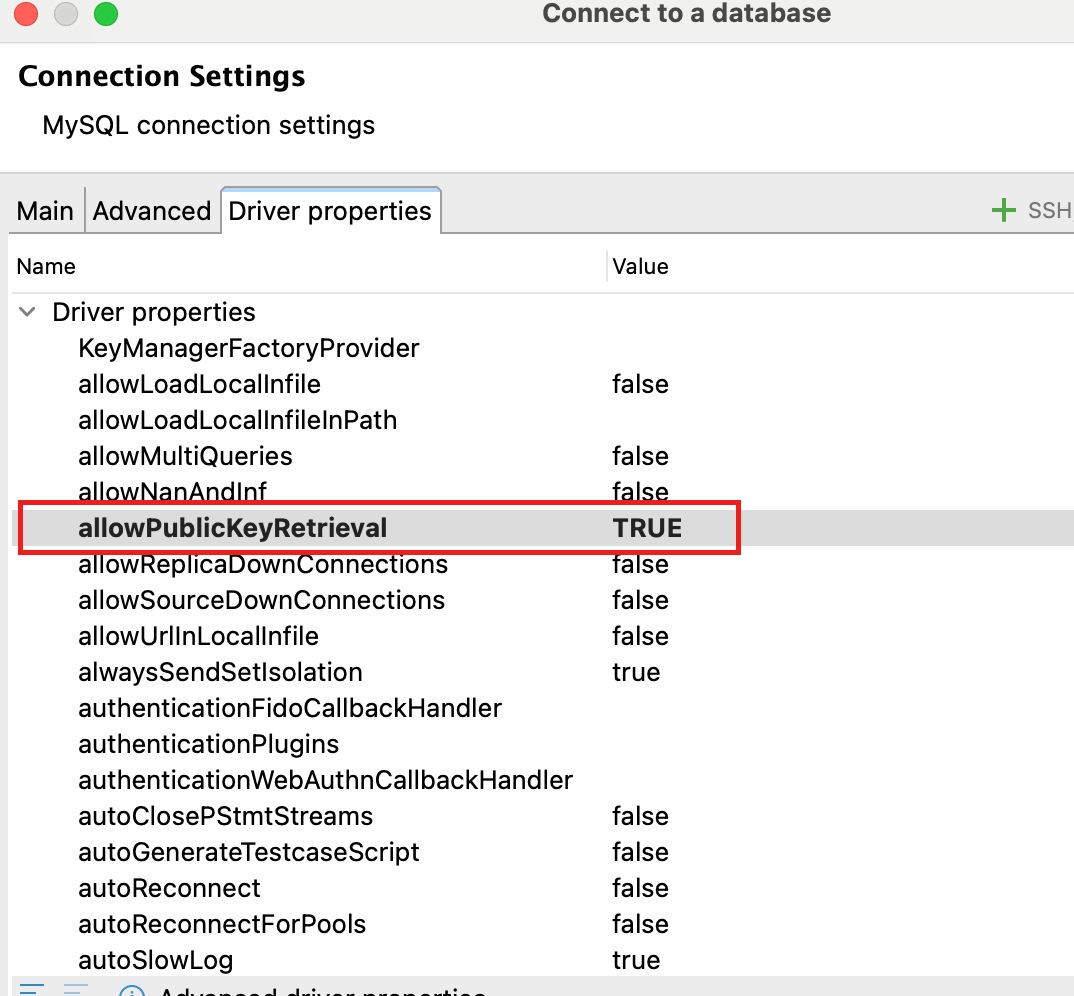
allowPublicKeyRetrieval 这个值
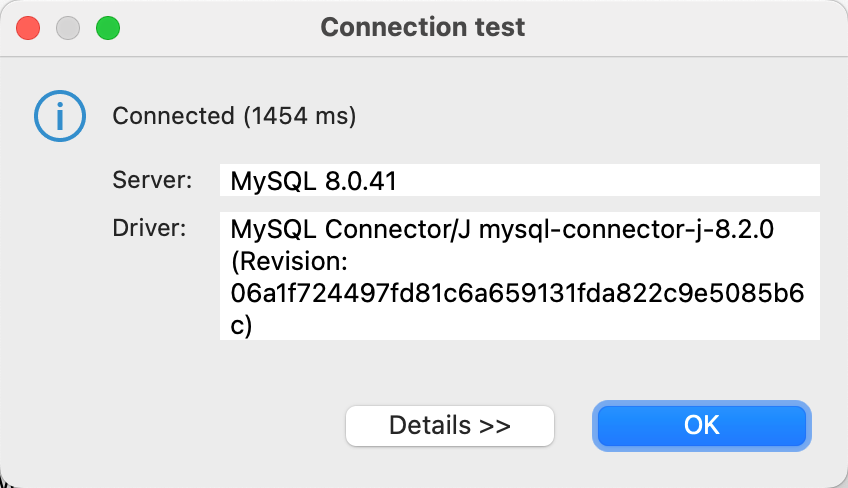
重新test 就OK了
创建test数据库,并创建test1表,并写入一些数据
create database test;
USE test;
CREATE TABLE test1(
id int NOT NULL AUTO_INCREMENT,
b int,
PRIMARY KEY (id)
);
INSERT INTO test1 (id, b) VALUES (1,1),(2,1),(7,1),(9,1),(10,1),(11,1),(12,1),(13,1);
行共享锁 兼容 行共享锁
首先打开一个终端
use test;
begin;
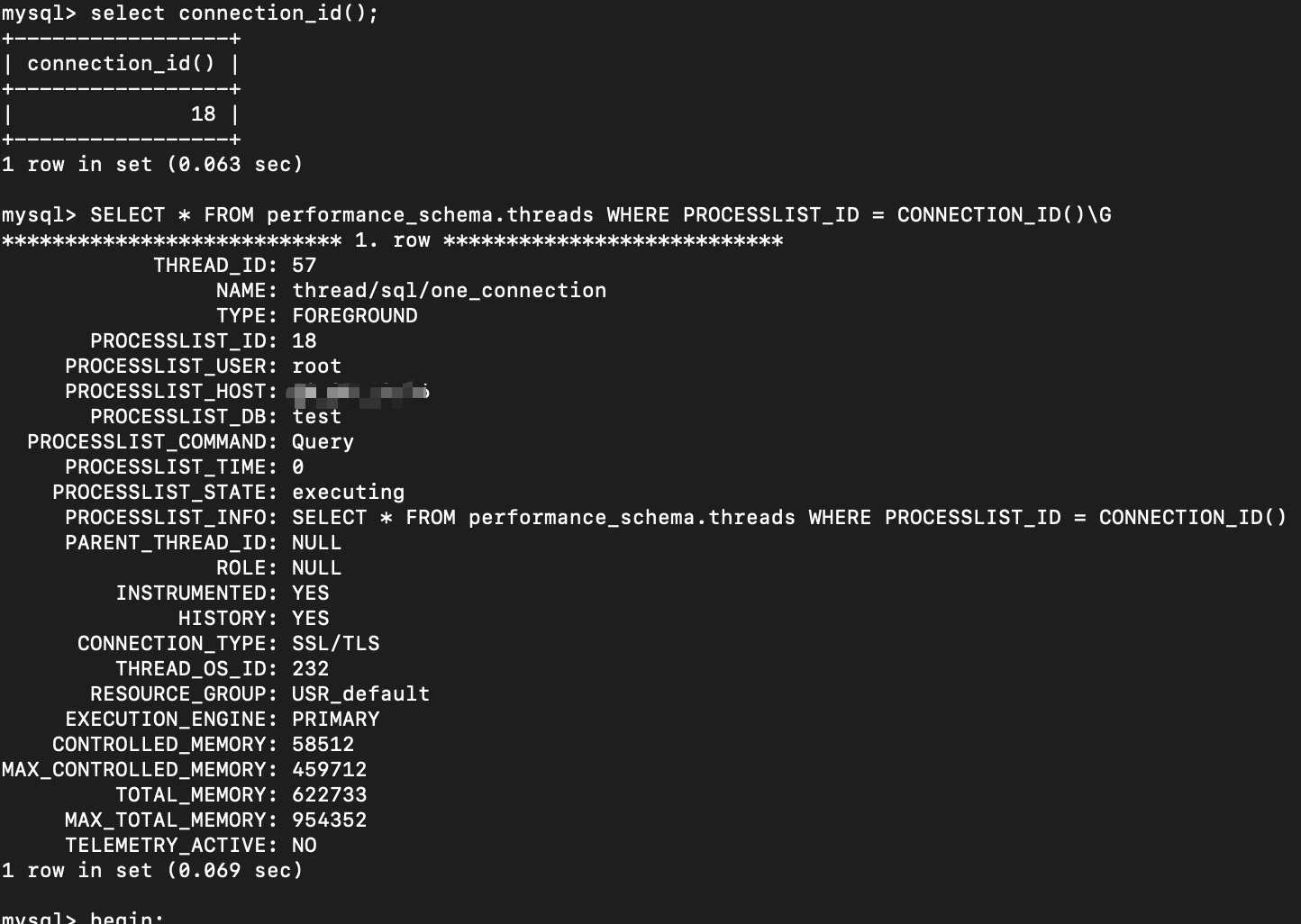
select connection_id();
select * from performance_schema.threads where processlist_id=connection_id()\G
show engine innodb status\G
查看当前连接的线程id信息thead_id=57
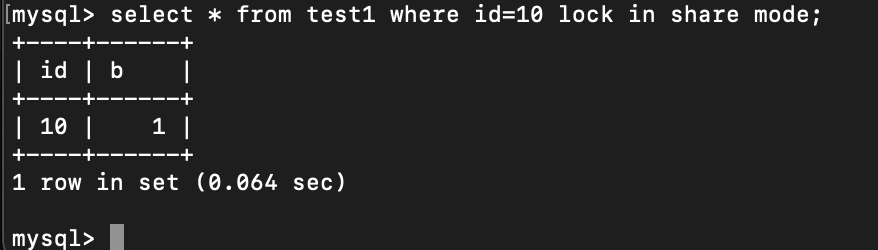
执行语句增加共享锁
select * from test1 where id=10 lock in share mode;
查看锁信息(在打开一个终端)
use performance_schema;
select * from data_locks\G
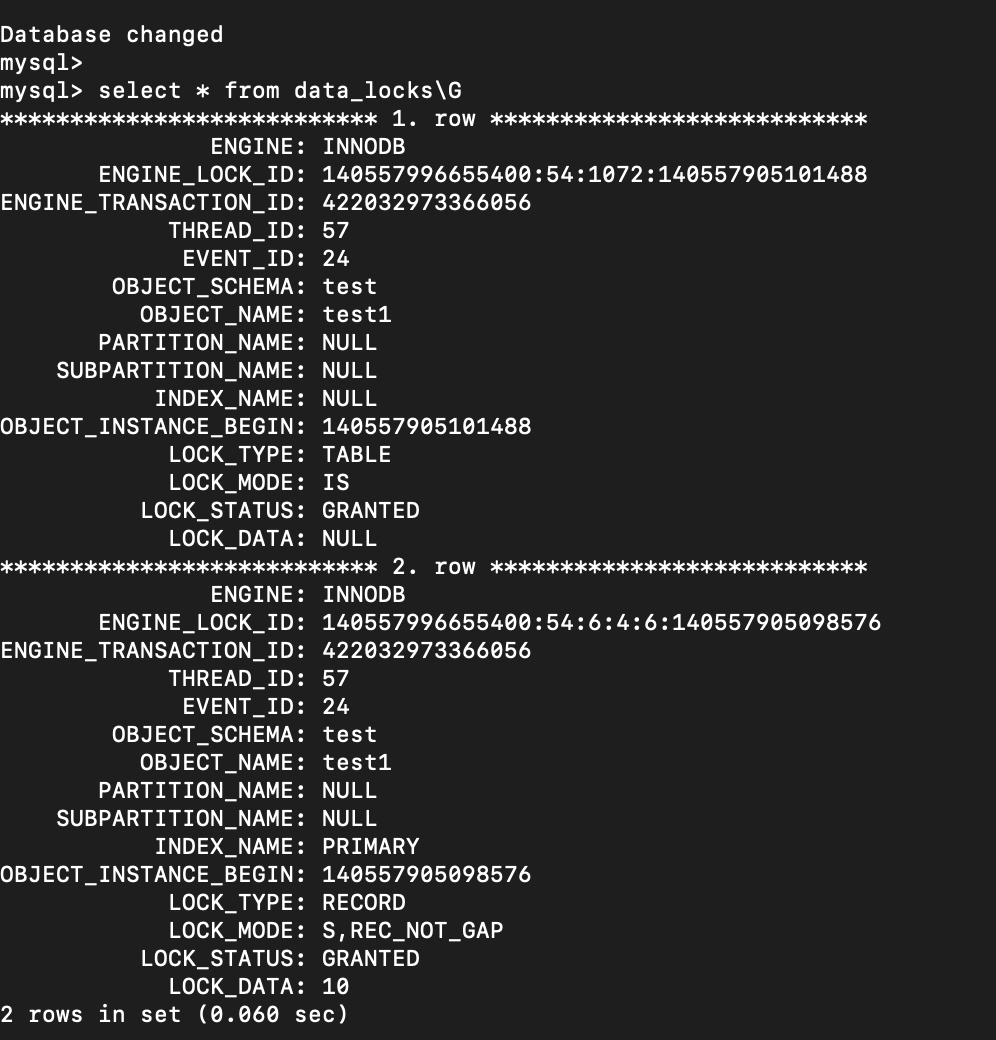
第一行数据表明给表test1加了意向共享锁。
第二行数据表明给行记录加了共享锁。
前面讲到,共享锁是兼容共享锁的,所以在打开第三个终端,尝试对id=10的记录,再次加共享锁
先查看信息
use test;
select connection_id();
select * from performance_schema.threads where processlist_id=connection_id();
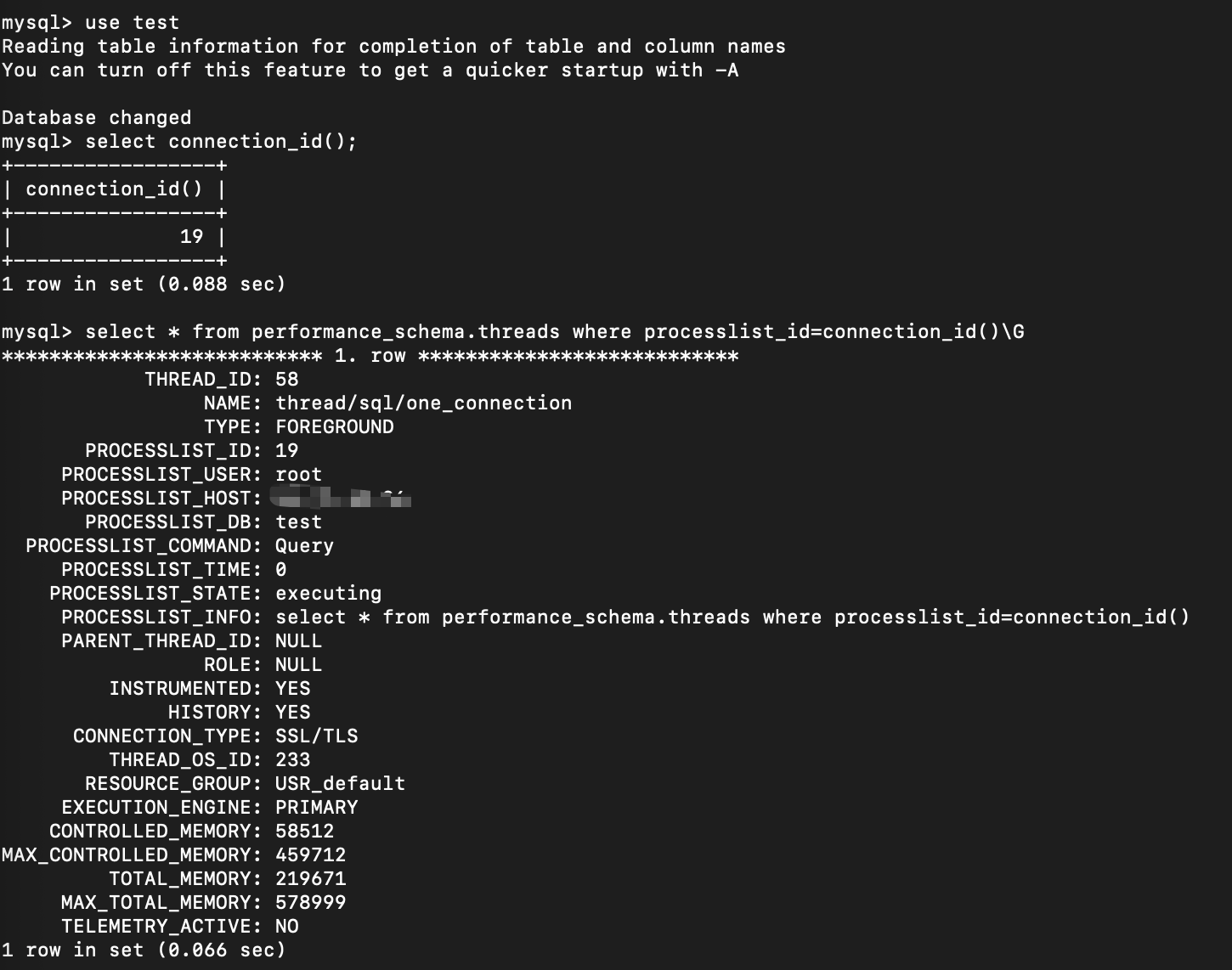
thread_id=58
执行如下语句加共享锁
begin;
select * from test1 where id=10 lock in share mode;
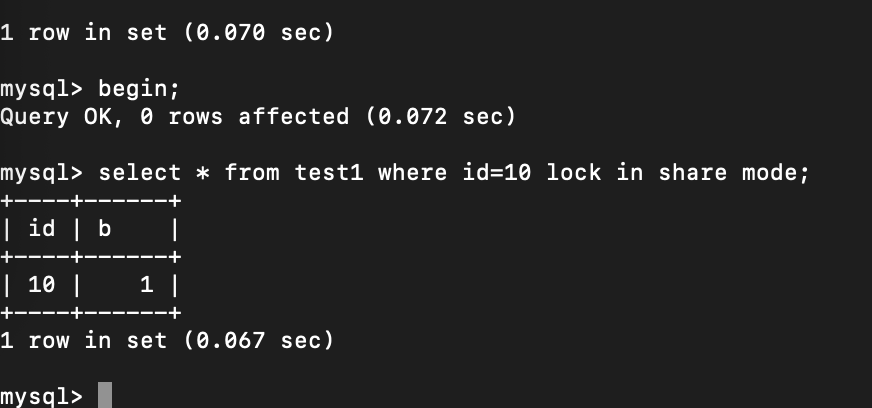
查看锁信息(终端2)
select * from data_locks\G
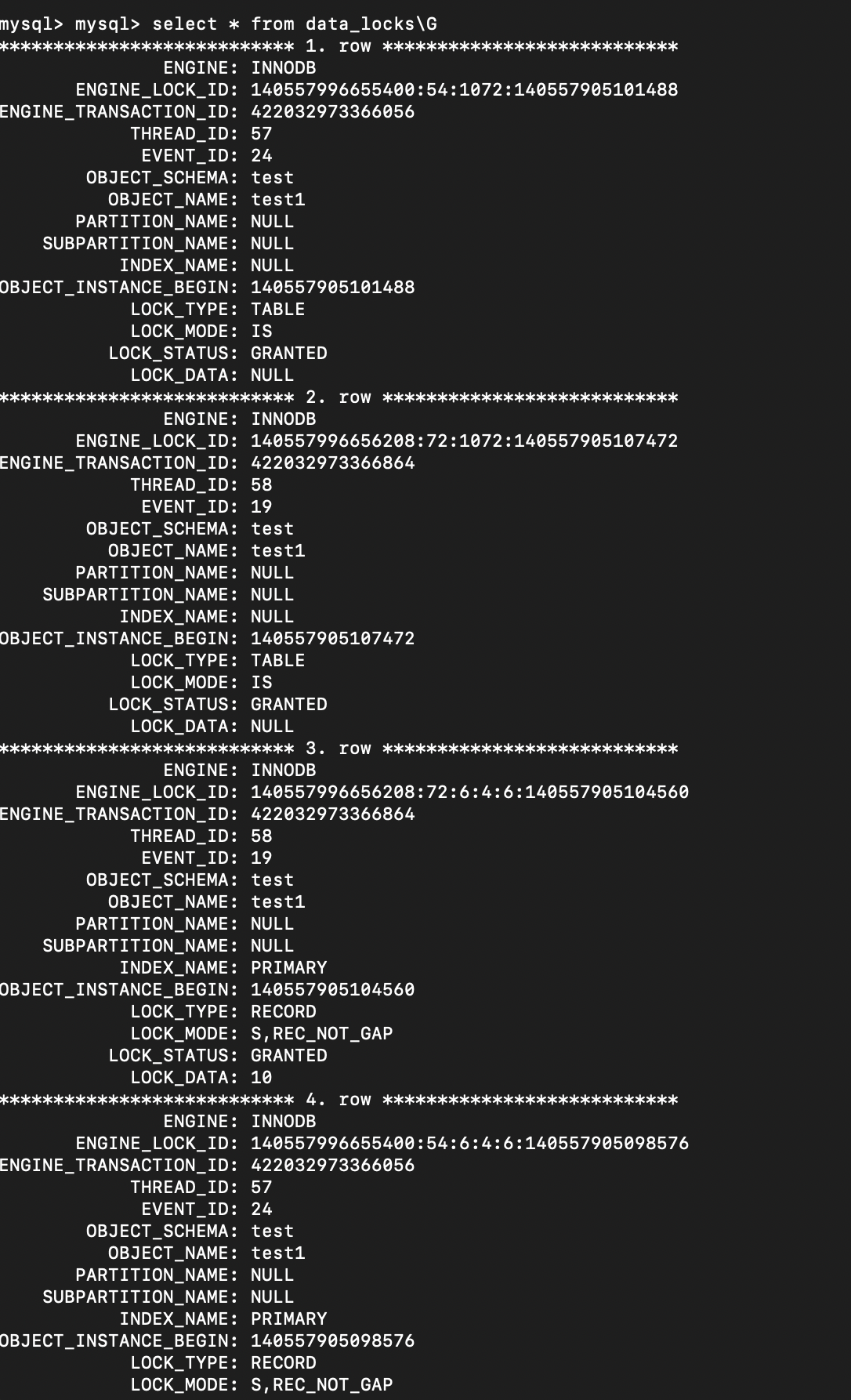
可以看到thead_id=57和thead_id=58 都给表test1加了意向共享锁,并且都给行id=10的记录加了共享锁。
表明共享锁是兼容的。
行共享锁 互斥 行排它锁
在上一小节的基础上,在开一个终端
use test;
select connection_id();
select * from performance_schema.threads where processlist_id=connection_id();
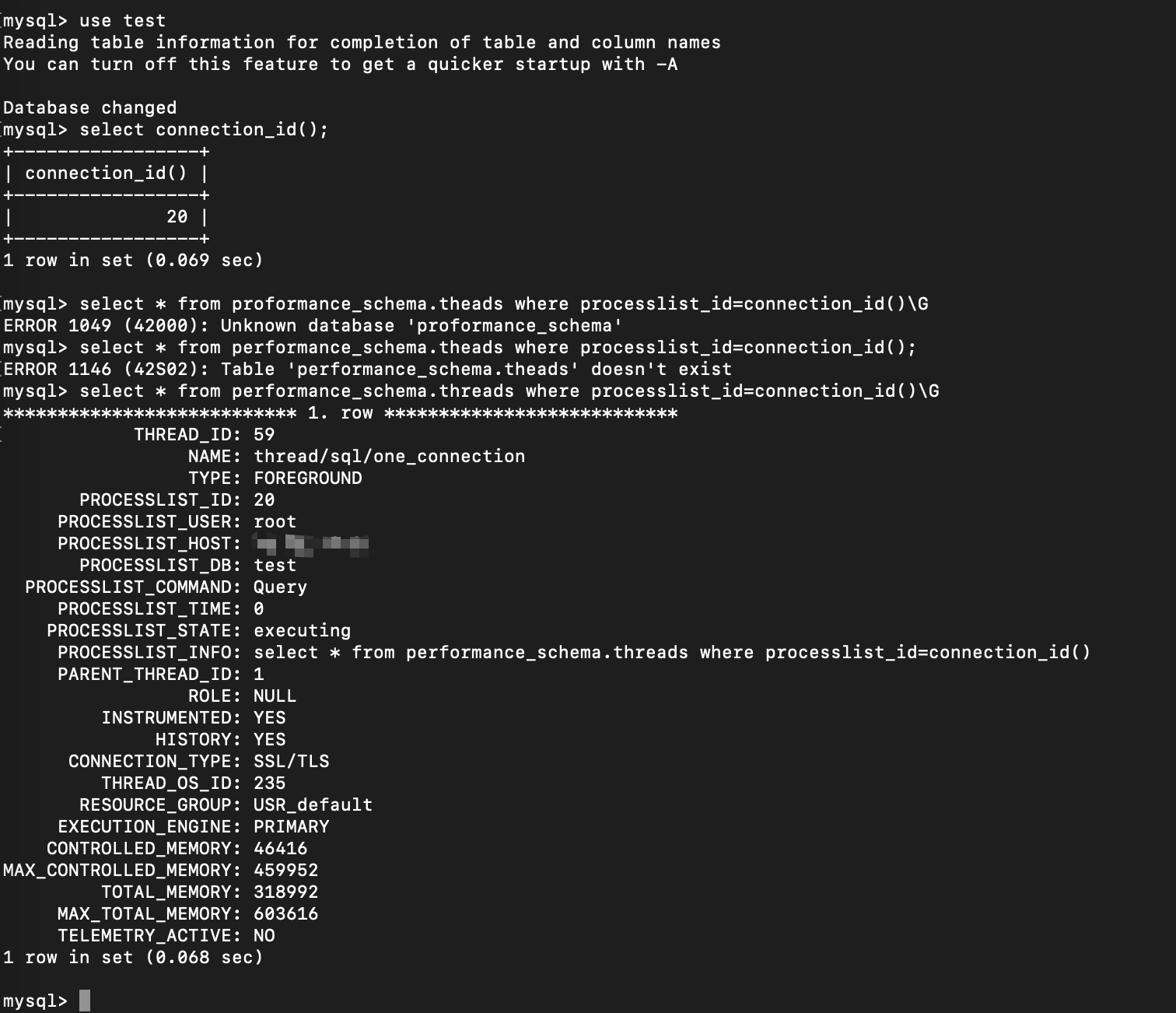
thread_id=59
执行如下语句增加排它锁
begin;
select * from test1 where id=10 for update;
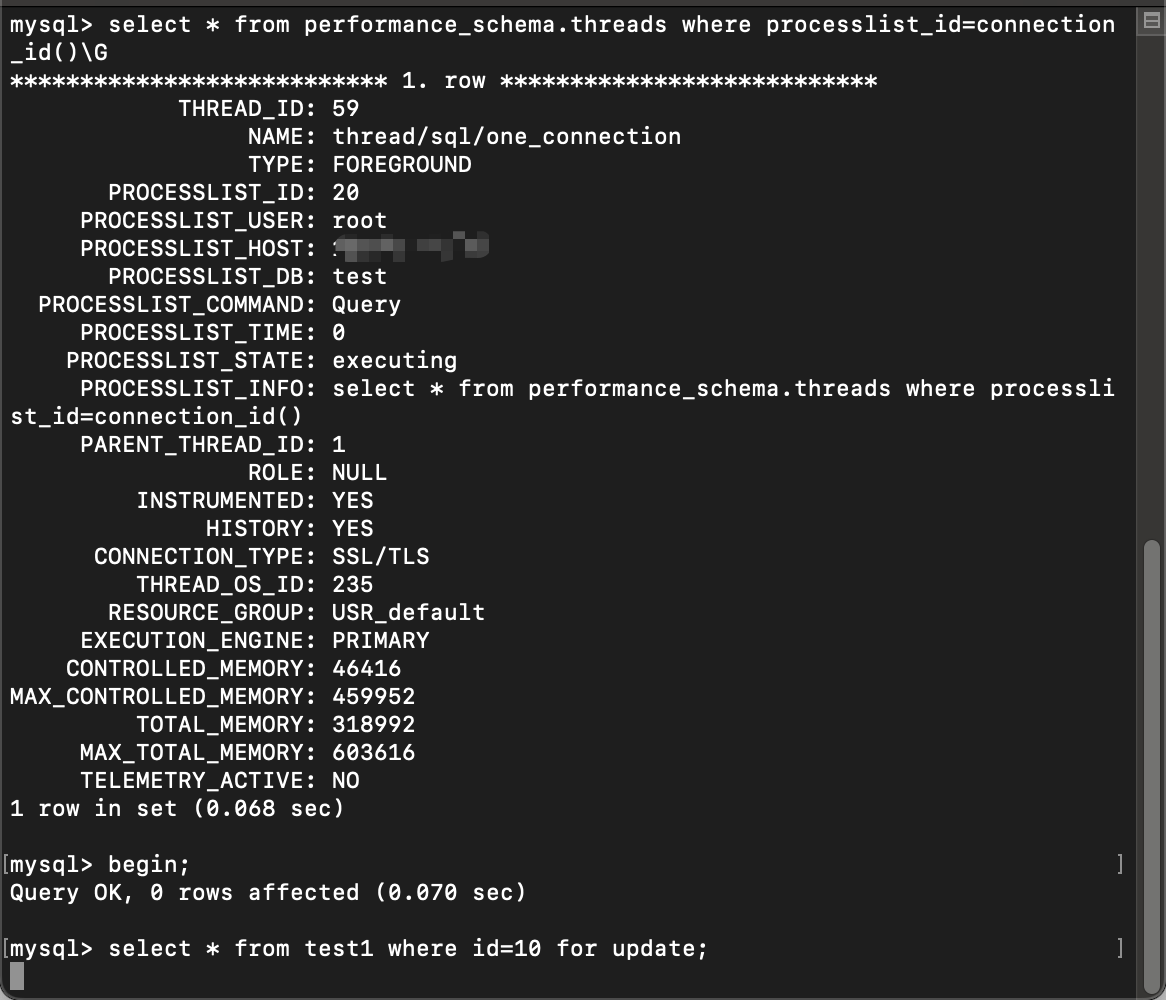
被阻塞了
此时查看锁信息

Thread_id=57: 表test1的意向共享锁持有;行记录id=10的行共享锁持有。
Thread_id=58: 表test1的意向共享锁持有;行记录id=10的行共享锁持有。
Thread_id=59: 表test1的意向排它锁持有;行记录id=10的行排它锁阻塞。
如果你查询的速度比较快的话,那么可能会查询到 thread_id=59 的 行记录的排它锁的等待状态
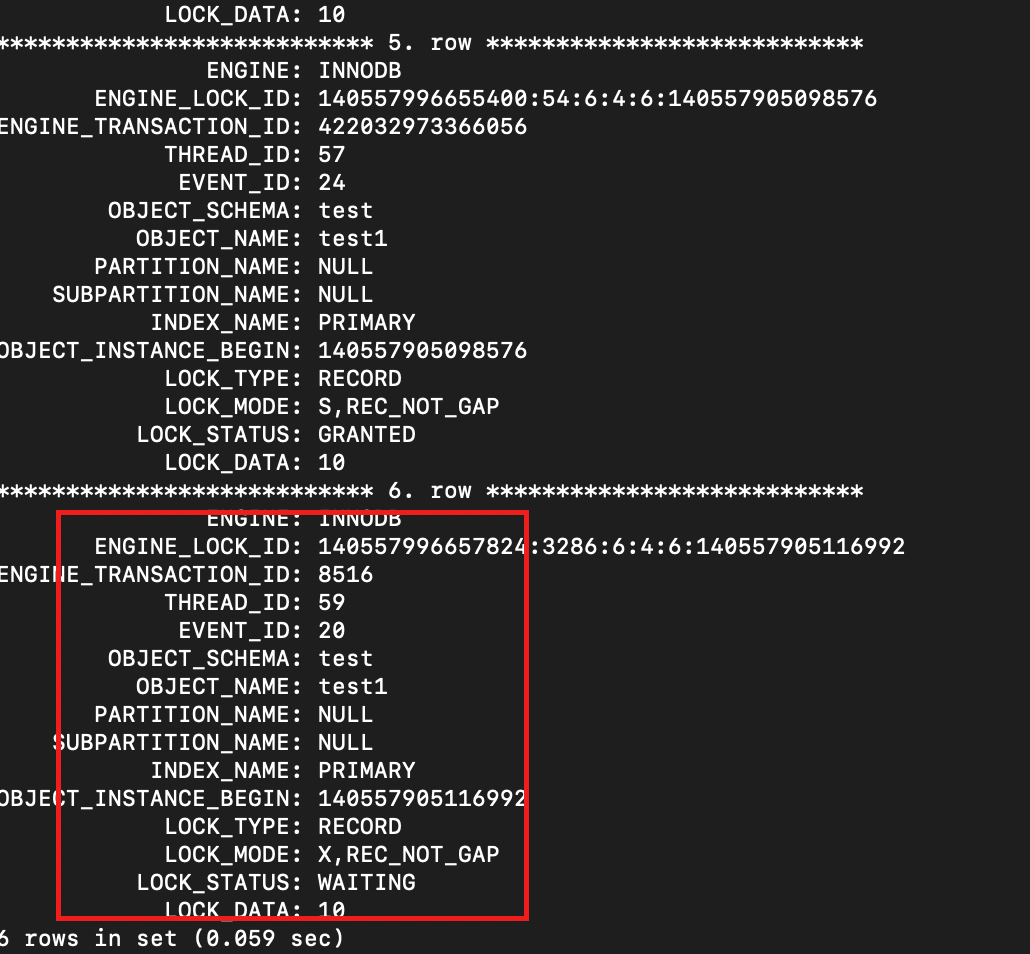
当超过一定的时间,排它锁的锁等待会超时
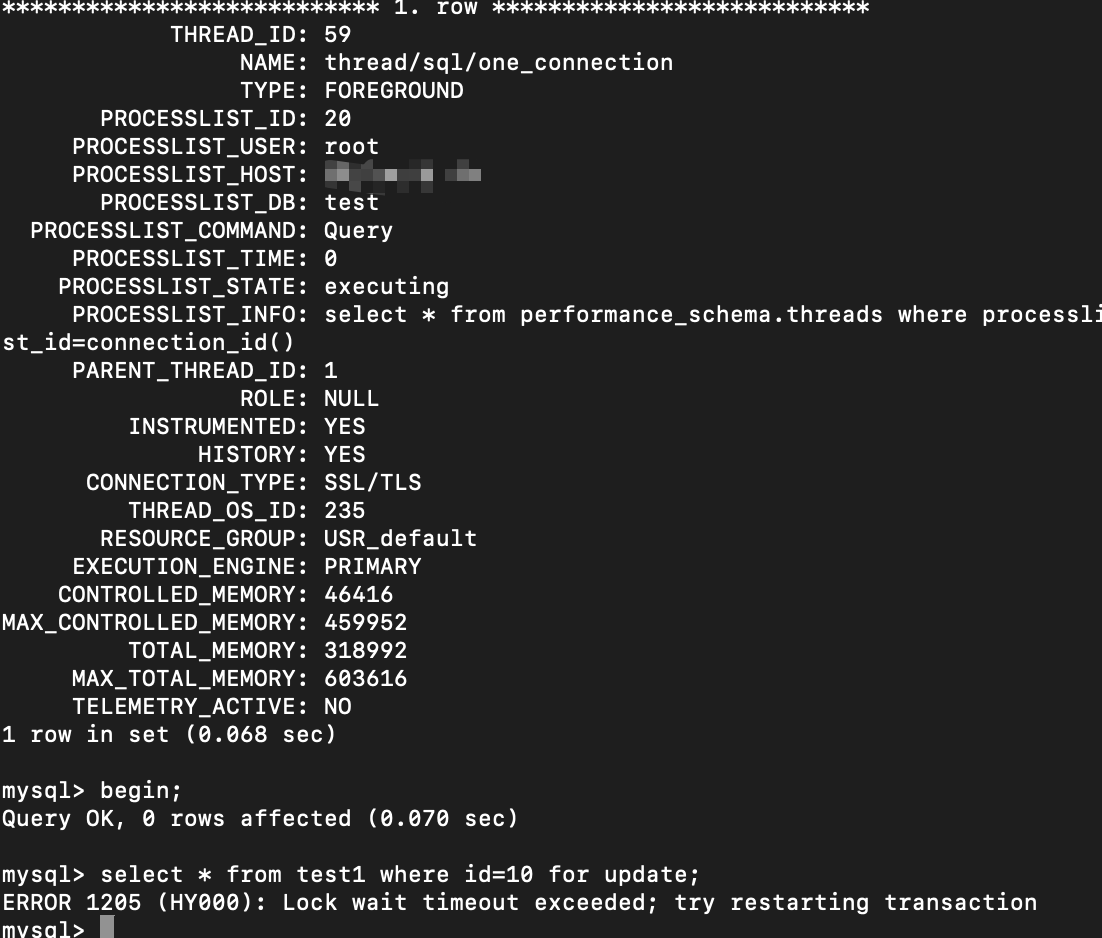
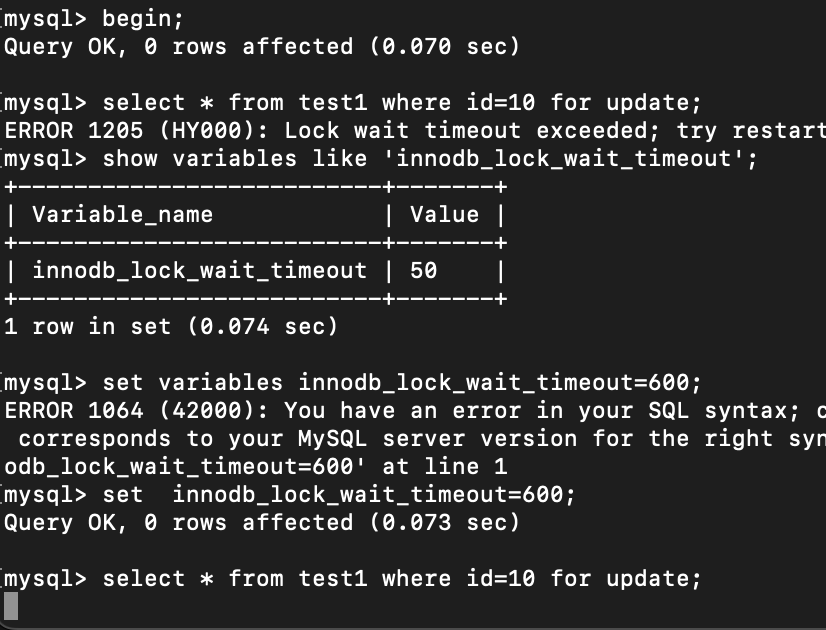
执行 下面的语句,查看超时时间
SHOW VARIABLES LIKE 'innodb_lock_wait_timeout';
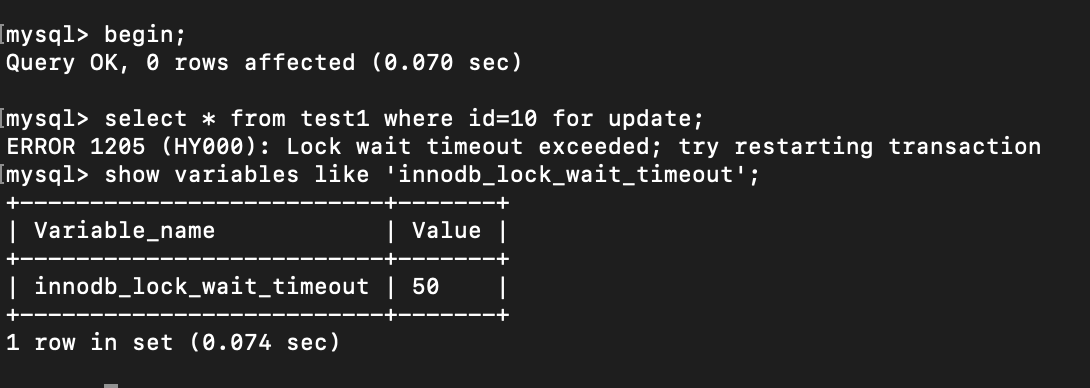
超时时间为 50 秒,超过50 秒自动放弃。
可以设置超时时间为一个比较大的值
set variables innodb_lock_wait_timeout=600;
设置为10分钟的超时时间
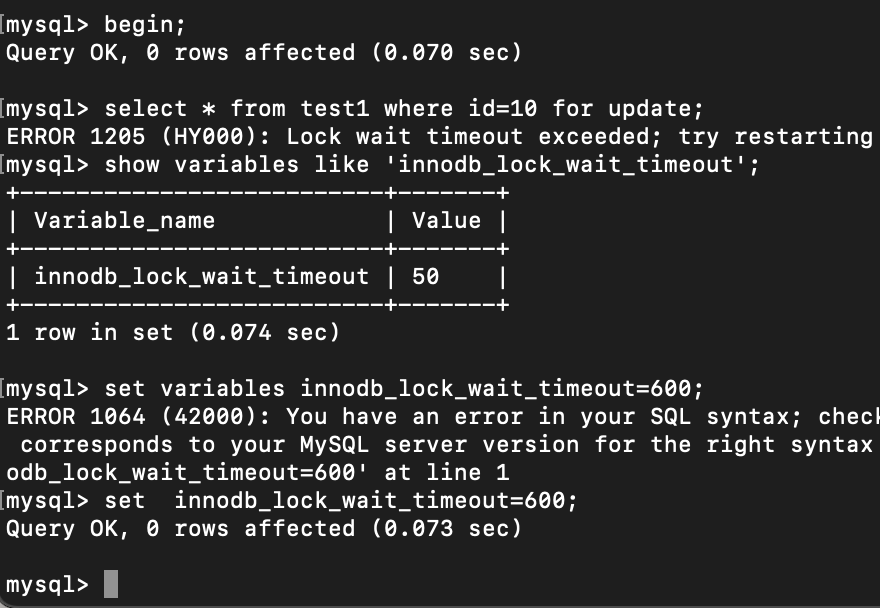
然后再次加锁
查询锁信息

Thread_id=59在等待行记录的共享锁释放。
OK,回滚加了行记录共享锁的事务
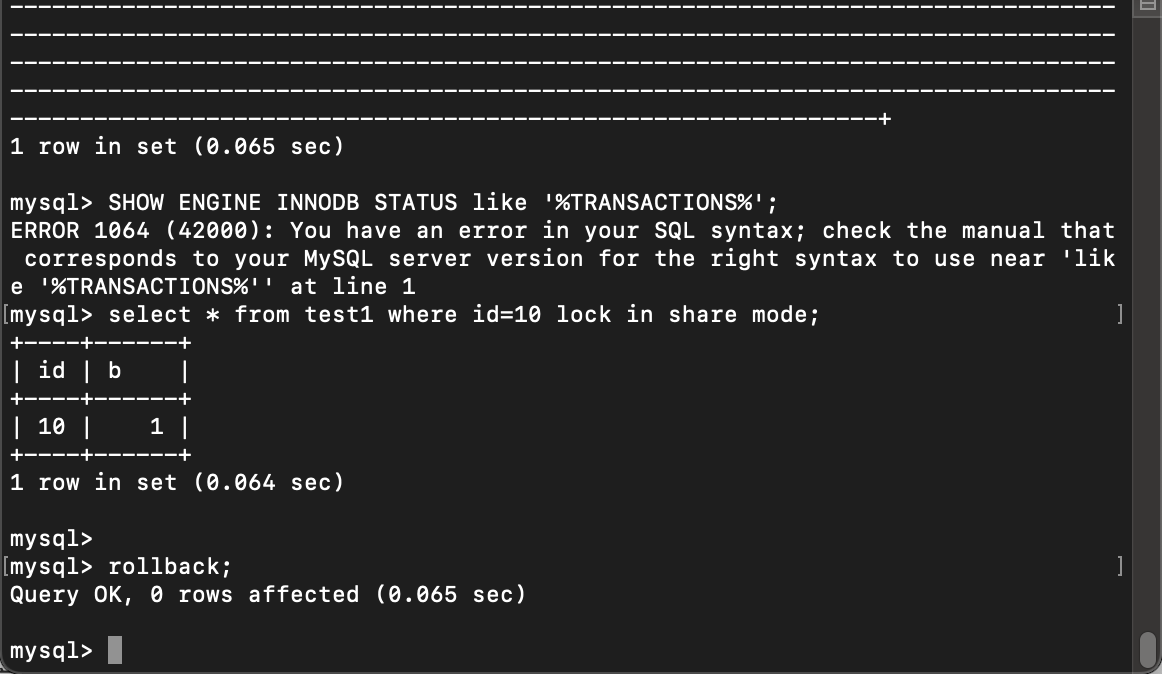
Thread_id=57释放锁

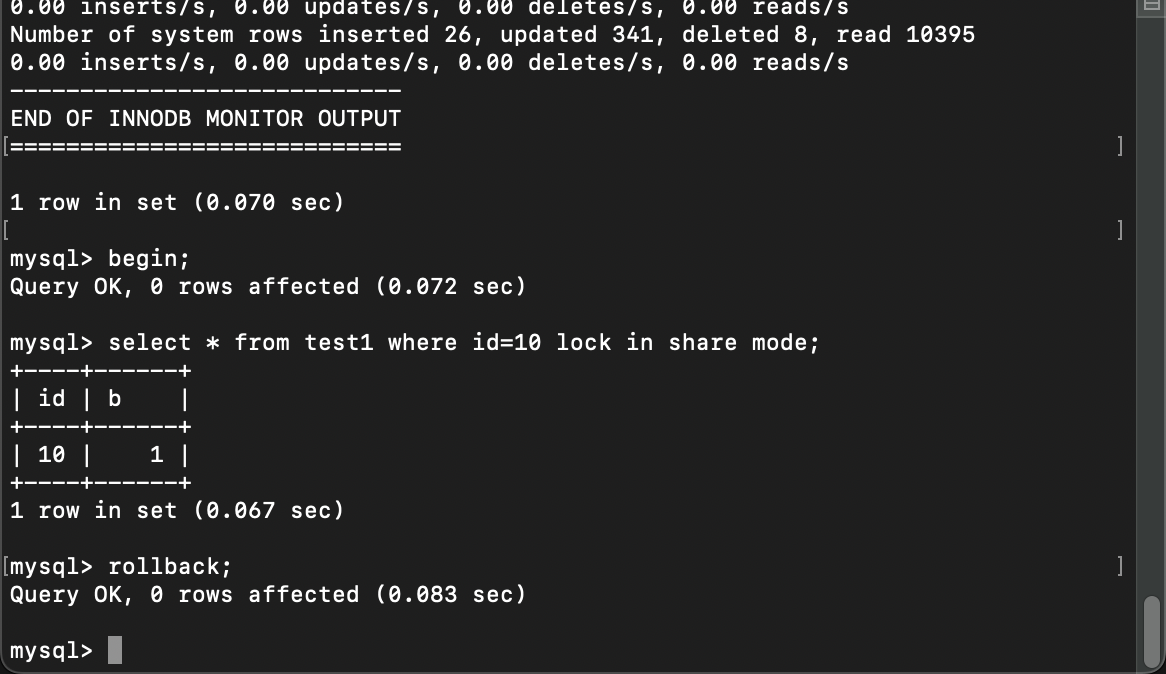
Thread_id=58释放锁

Thread_id=59 获得锁
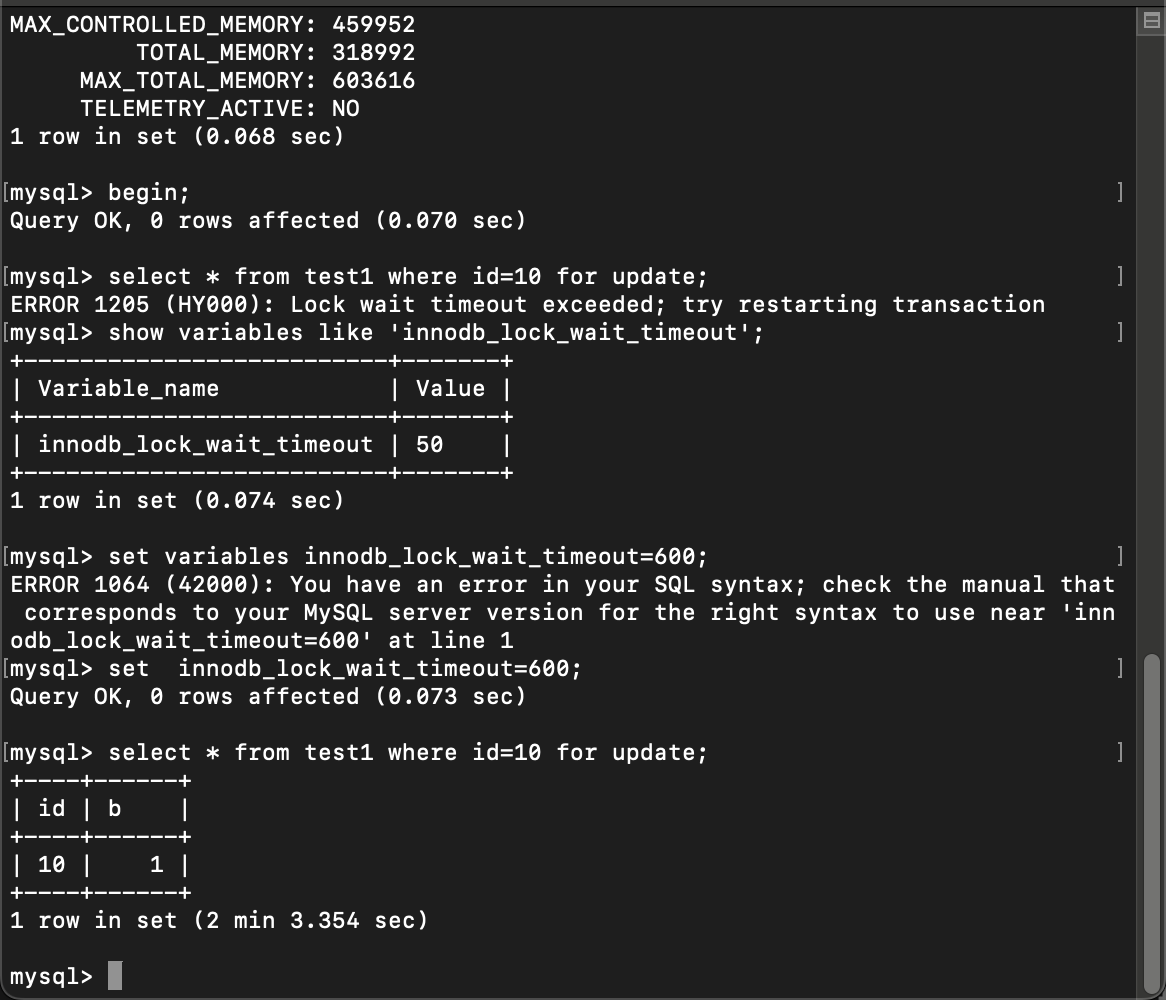
说明意向锁共享锁和意向排它锁兼容,但是行记录的共享锁和排它锁互斥。
行排它锁 互斥 行排它锁
首先给id=10的记录加行排它锁
use test;
begin;
select * from performance_schema.threads where processlist_id=connection_id();
select * from test1 where id=10 for update;
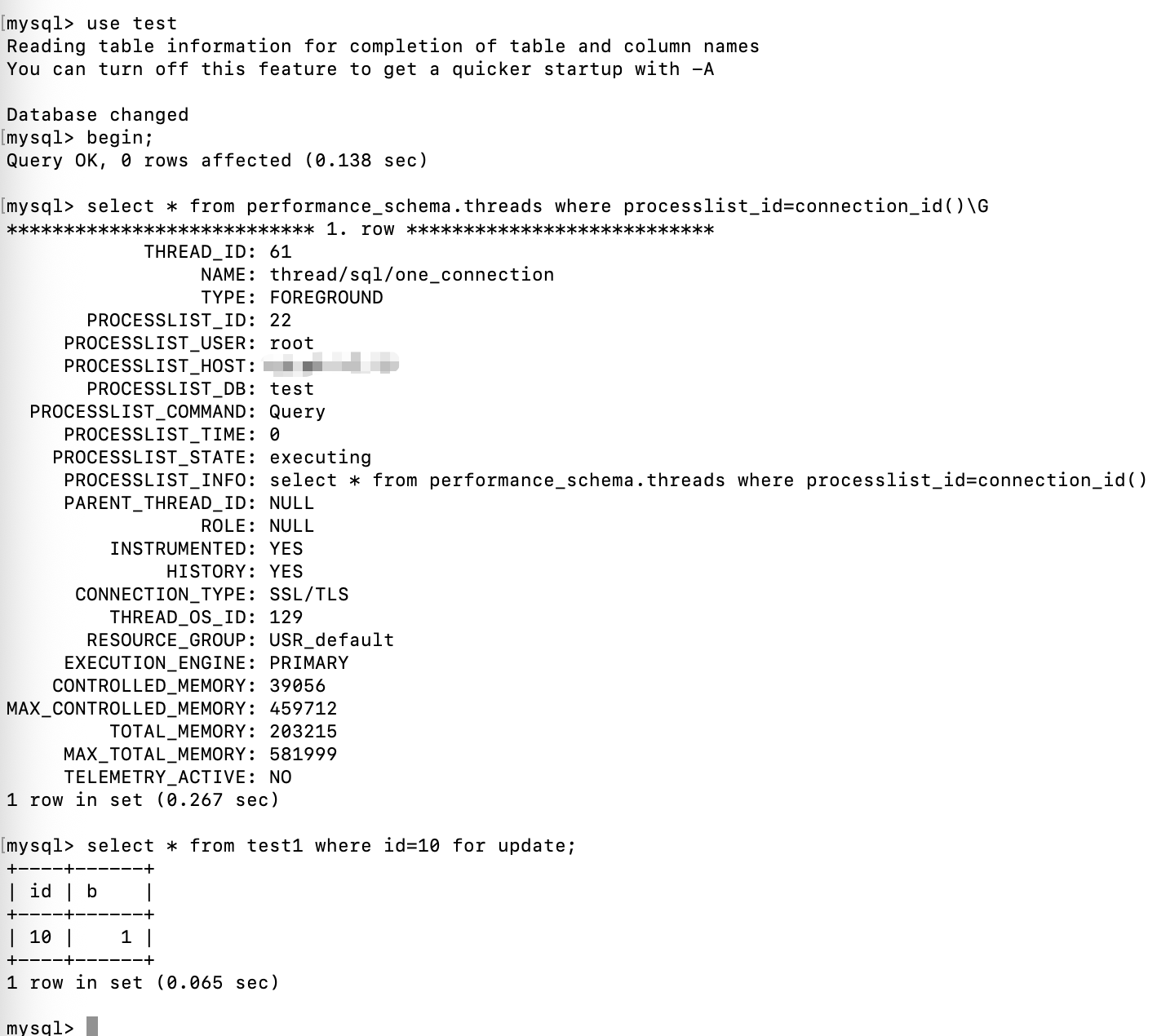
查看锁信息

Thread_id=61的事务,持有意向排它锁,以及id=10的行排它锁(x锁)
接着打开第二个终端,尝试加行排它锁,记得设置事务等待锁的超时时间(innodb_lock_wait_timeout)
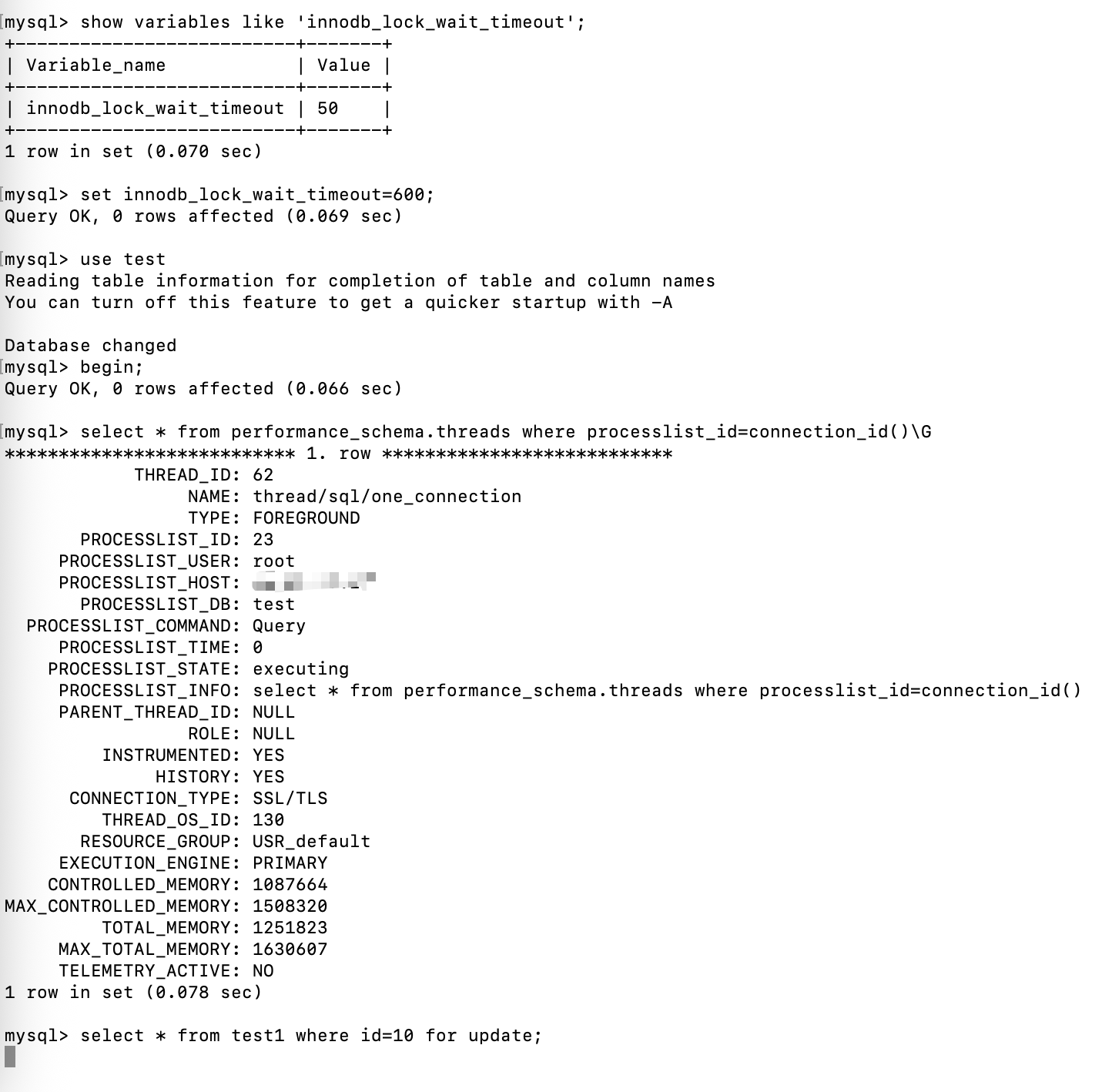
第二个终端在阻塞等待id=10的行排它锁(x锁)
查看锁信息

表共享锁 兼容 表共享锁
共享锁和排它锁,除了行记录可以加,也可以对整个表加锁。
lock tables test1 read;
lock tables test1 write;
上面语句可以对整张表加表共享锁和表排它锁。
首先打开一个终端,对表 test1 加表共享锁
use test;
begin;
select * from performance_schema.threads where processlist_id=connection_id();
lock tables test1 read;
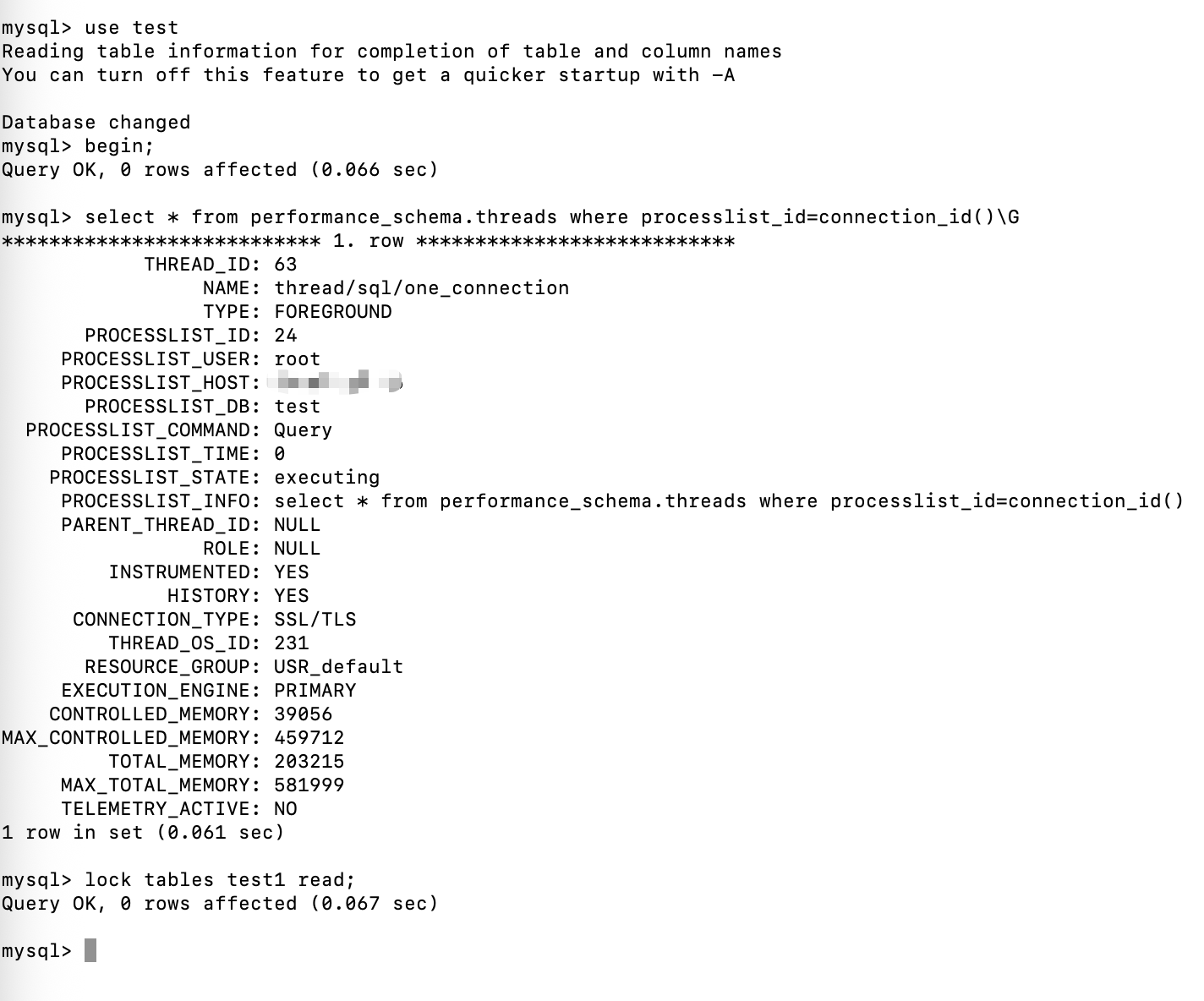
查看锁信息
lock tables test1 read是mysql服务的锁,不是 innodb的锁,所以表的共享锁和表排它锁,在 performance_schema.metadata_locks表中

可以看到 thread_id=63的事务,持有表 test1 的表共享锁。
在开一个终端,查看表共享锁和表排他锁的锁等待时间lock_wait_timeout
默认是 31536000秒,也就是一年。
show variables like 'lock_wait_timeout';
use test;
begin;
select * from performance_schema.threads where processlist_id=connection_id();
lock tables test1 read;
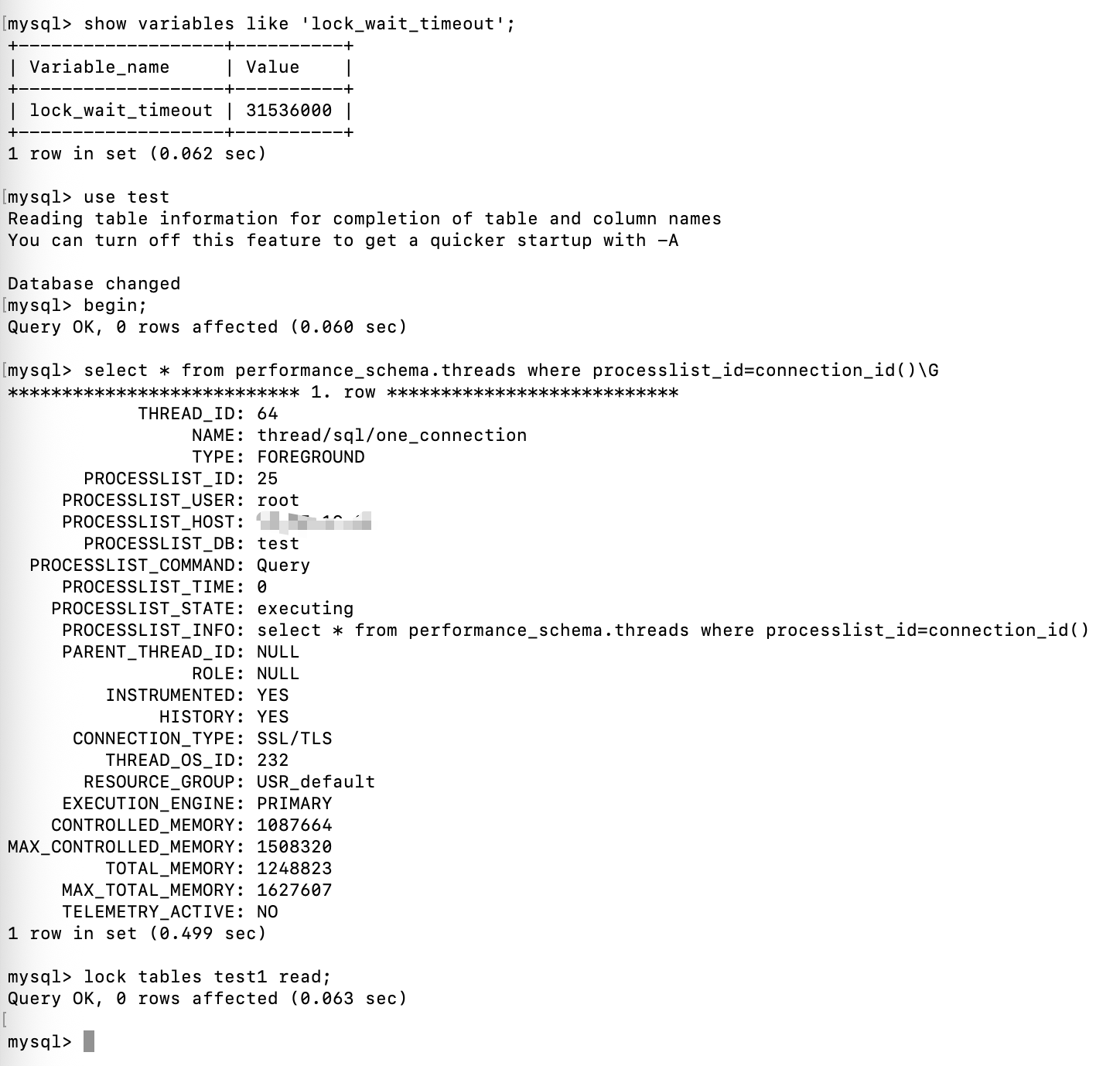
查看锁信息

可以看到 thread_id=63,和 thread_id=64 的事务,都获取到了表 test1 的表共享锁。
表共享锁 互斥 表排它锁
在前面的基础上,在开一个终端,使用lock tables test1 write获取表排它锁
use test;
begin;
select * from performance_schema.threads where processlist_id=connection_id();
lock tables test1 write;
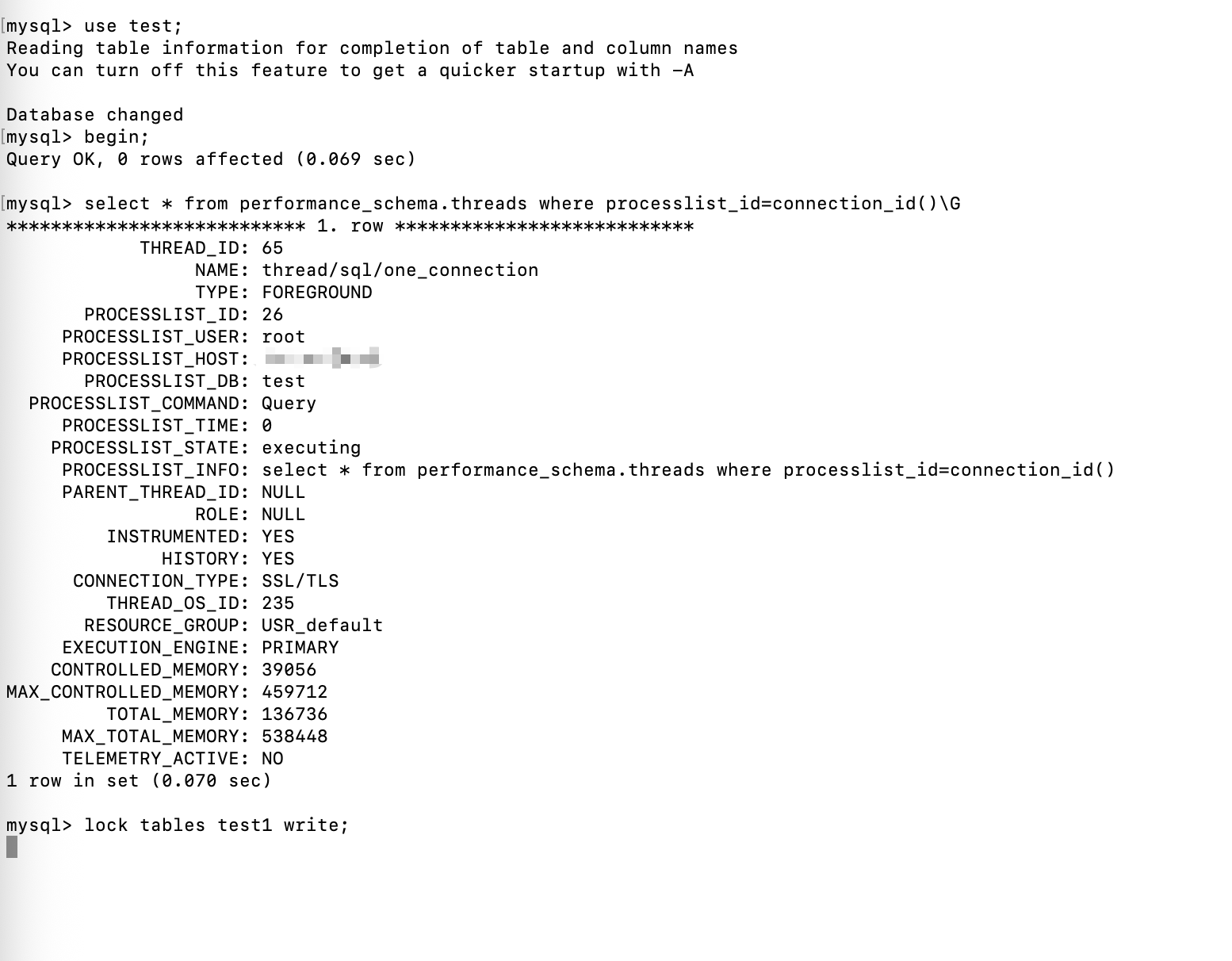
阻塞等待表排它锁,查看锁信息

Object_type 等于 global和schema的后面在看,先看 object_type=table的,在获取表排它锁的时候,阻塞等待。
现在释放 thread_id=63和64的表共享锁

可以看到thread_id=65的事务,获取到了表排它锁。
表排它锁 互斥 表排它锁
在 thread_id=65的基础上,在开一个终端,尝试获取表排它锁
use test;
begin;
select * from performance_schema.threads where processlist_id=connection_id();
lock tables test1 write;
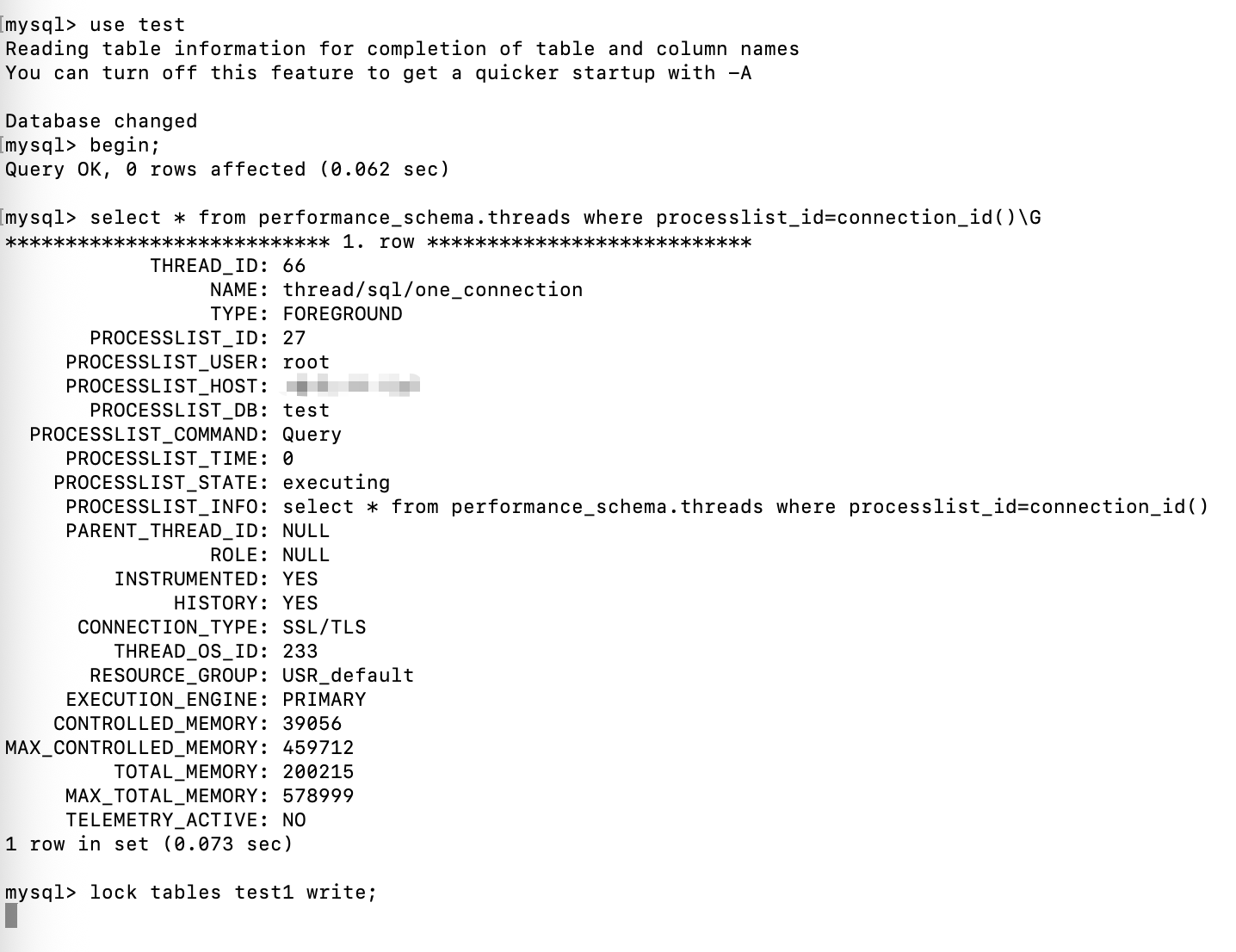
Thread_id=66的事务,阻塞等待表test1的表排它锁。
查看锁信息

Thread_id=66的事务在等待获取表test1的排它锁
现在释放 thread_id=65的表排它锁

Thread_id=66的事务获取到了表排它锁。
行共享锁 兼容 表共享锁
开一个终端,给id=10的记录加行共享锁
use test;
begin;
select * from performance_schema.threads where processlist_id=connection_id();
select * from test1 where id=10 lock in share mode;
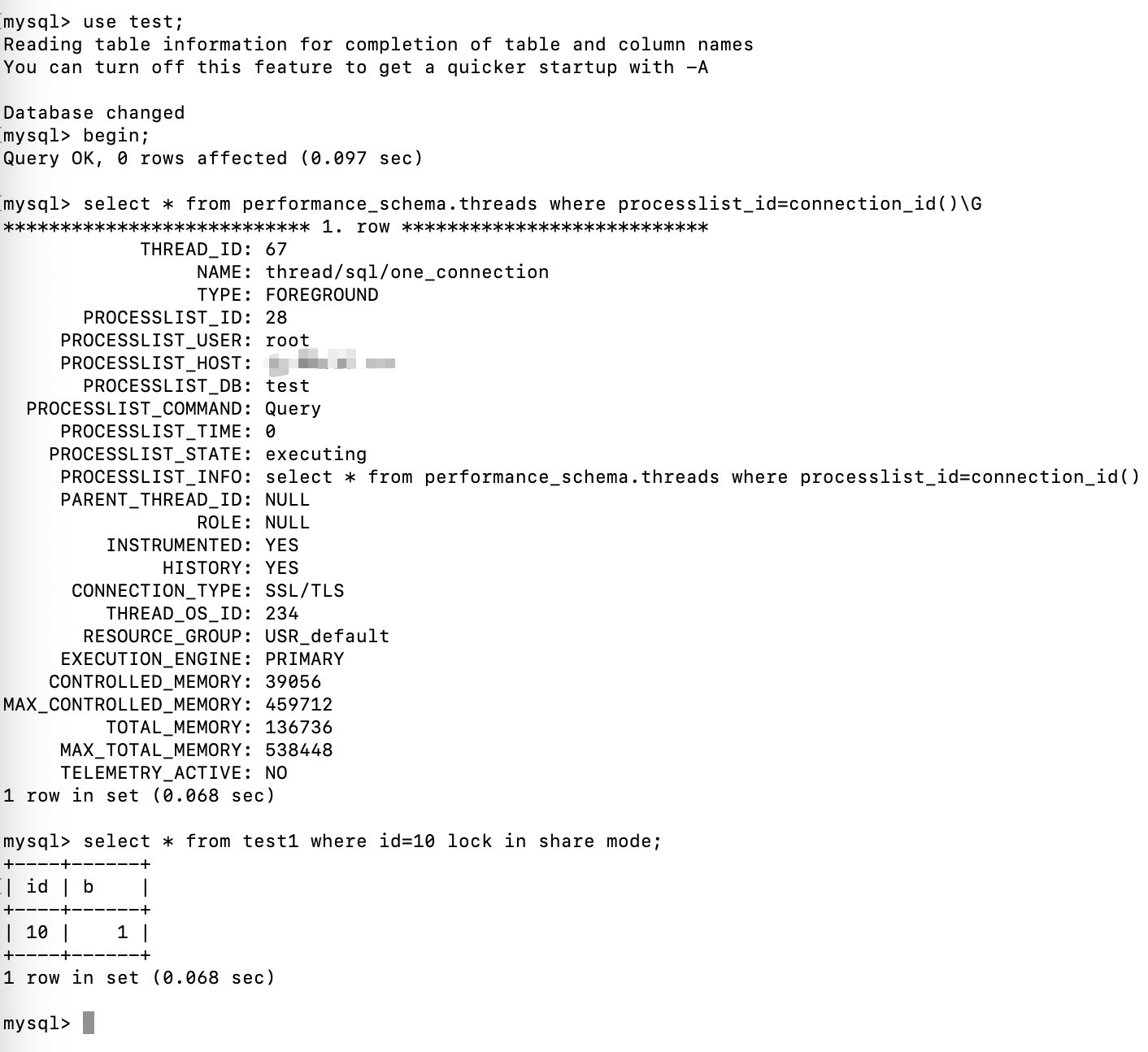
thread_id=67的事务获取到了表test1的意向共享锁和id=10的行共享锁。
查看锁信息(performance_schema.data_locks)

接着在开一个终端,尝试获取表共享锁
use test;
begin;
select * from performance_schema.threads where processlist_id=connection_id();
lock tables test1 read;
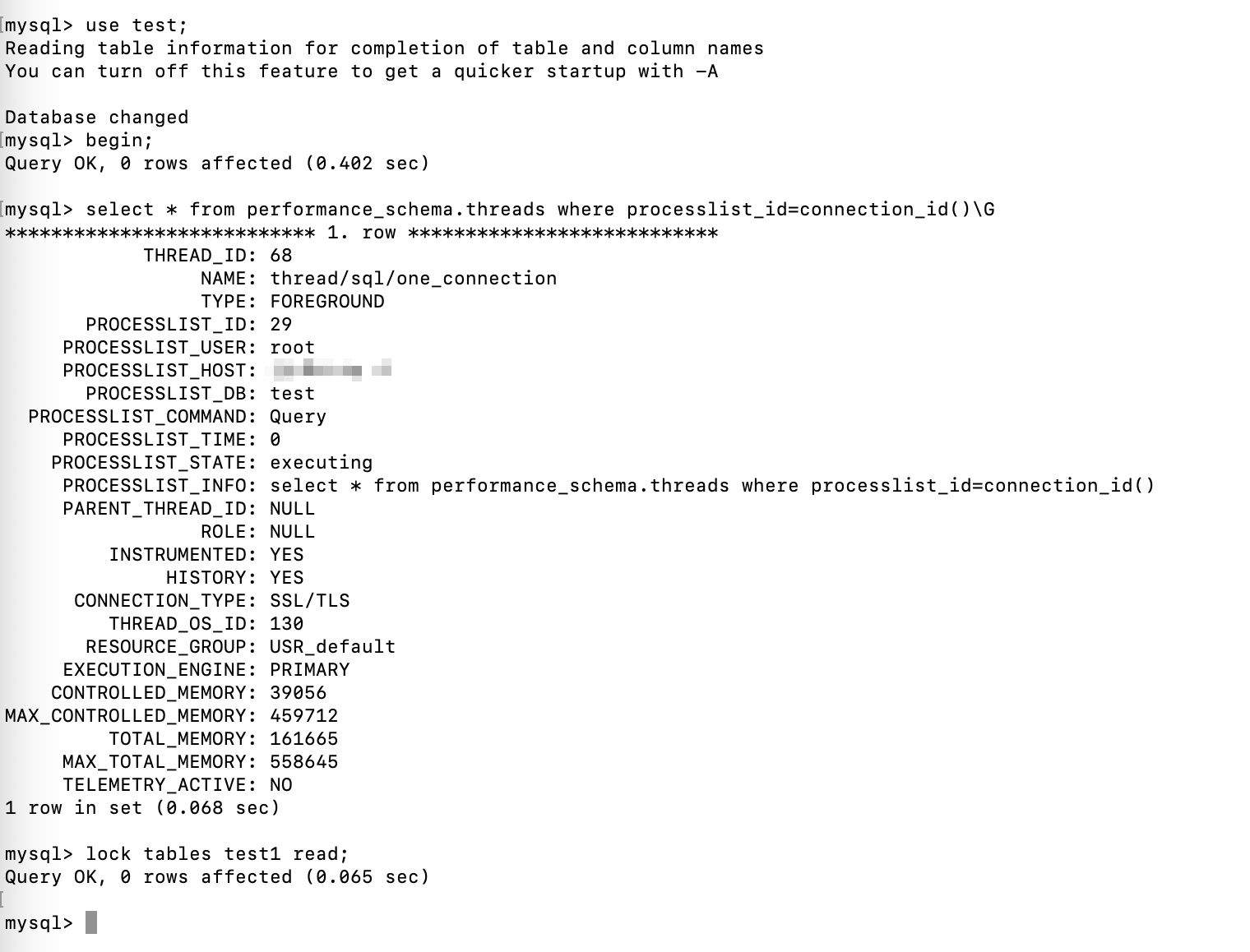
Thread_id=68的事务获取到了表test1的表共享锁
查看锁信息(performance_schema.metadata_locks)

可以看到 thread_id=67 拿到了表 test1 的共享锁,thread_id=68拿到了表test1的共享锁。
Thread_id=67还有表test1的意向共享锁和id=10的行共享锁。
说明行共享锁兼容表共享锁。
反过来呢?
释放 thread_id=67的锁,但是继续保持 thread_id=68的表共享锁。

在开一个终端,尝试获取id=10的行共享锁
use test;
begin;
select * from performance_schema.threads where processlist_id=connection_id();
select * from test1 where id=10 lock in share mode;
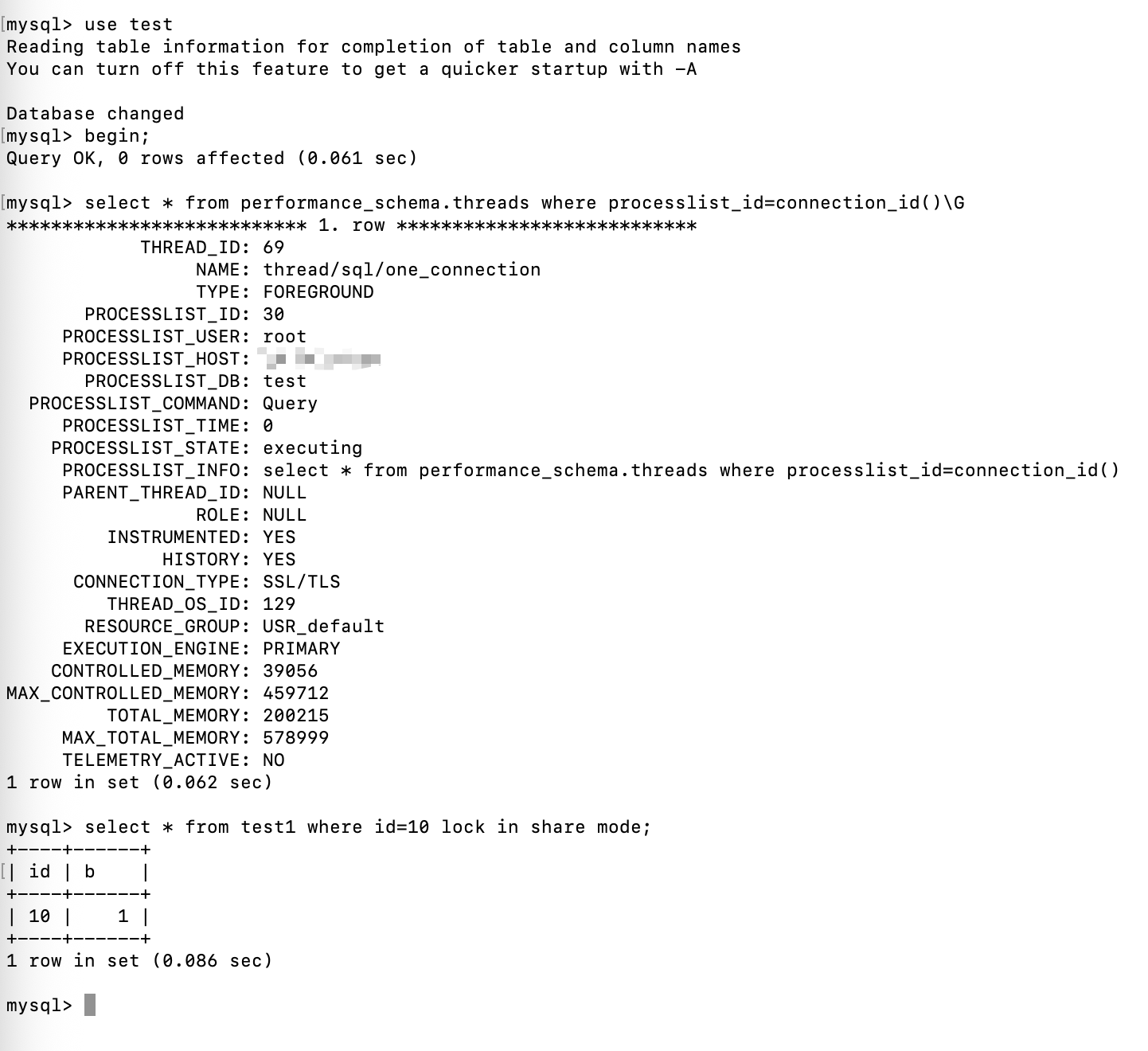
成功获取了锁
查看锁信息
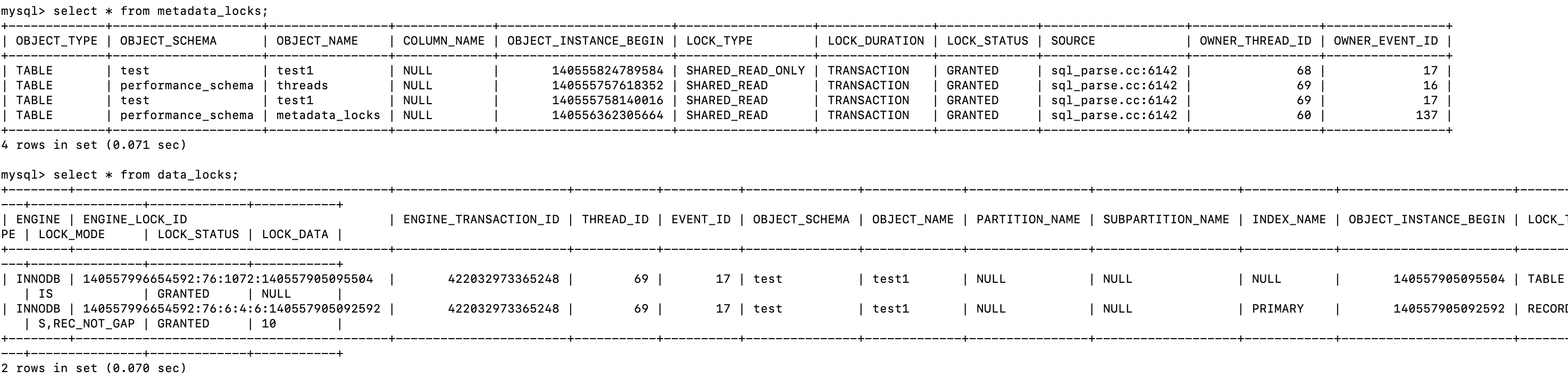
行共享锁 和 表共享锁 相互兼容。
行共享锁 互斥 表排它锁
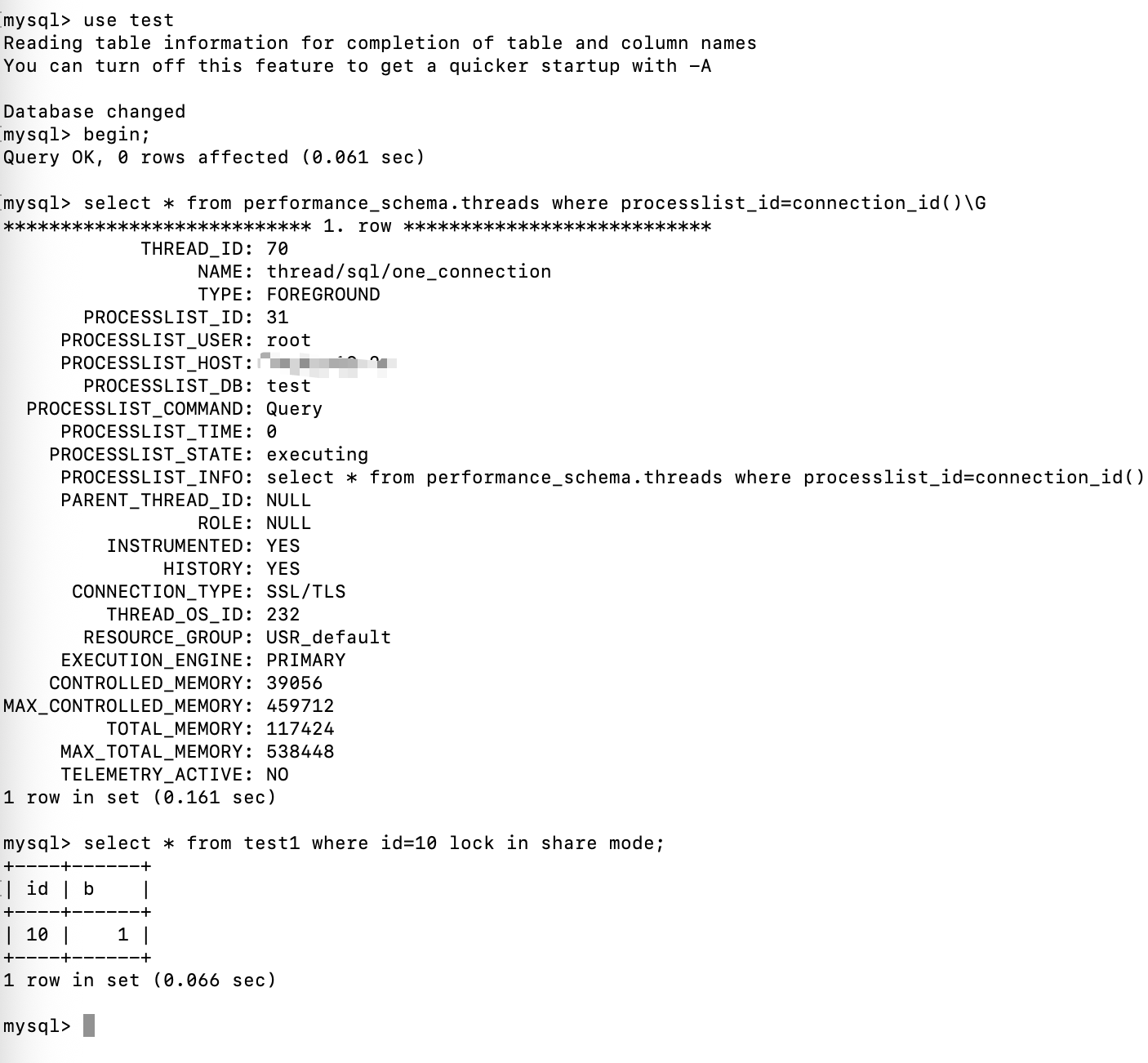
首先给id=10加行共享锁
use test;
begin;
select * from performance_schema.threads where processlist_id=connection_id();
select * from test1 where id=10 lock in share mode;
在开一个终端给表test加表排它锁
use test;
begin;
select * from performance_schema.threads where processlist_id=connection_id();
lock tables test1 write;
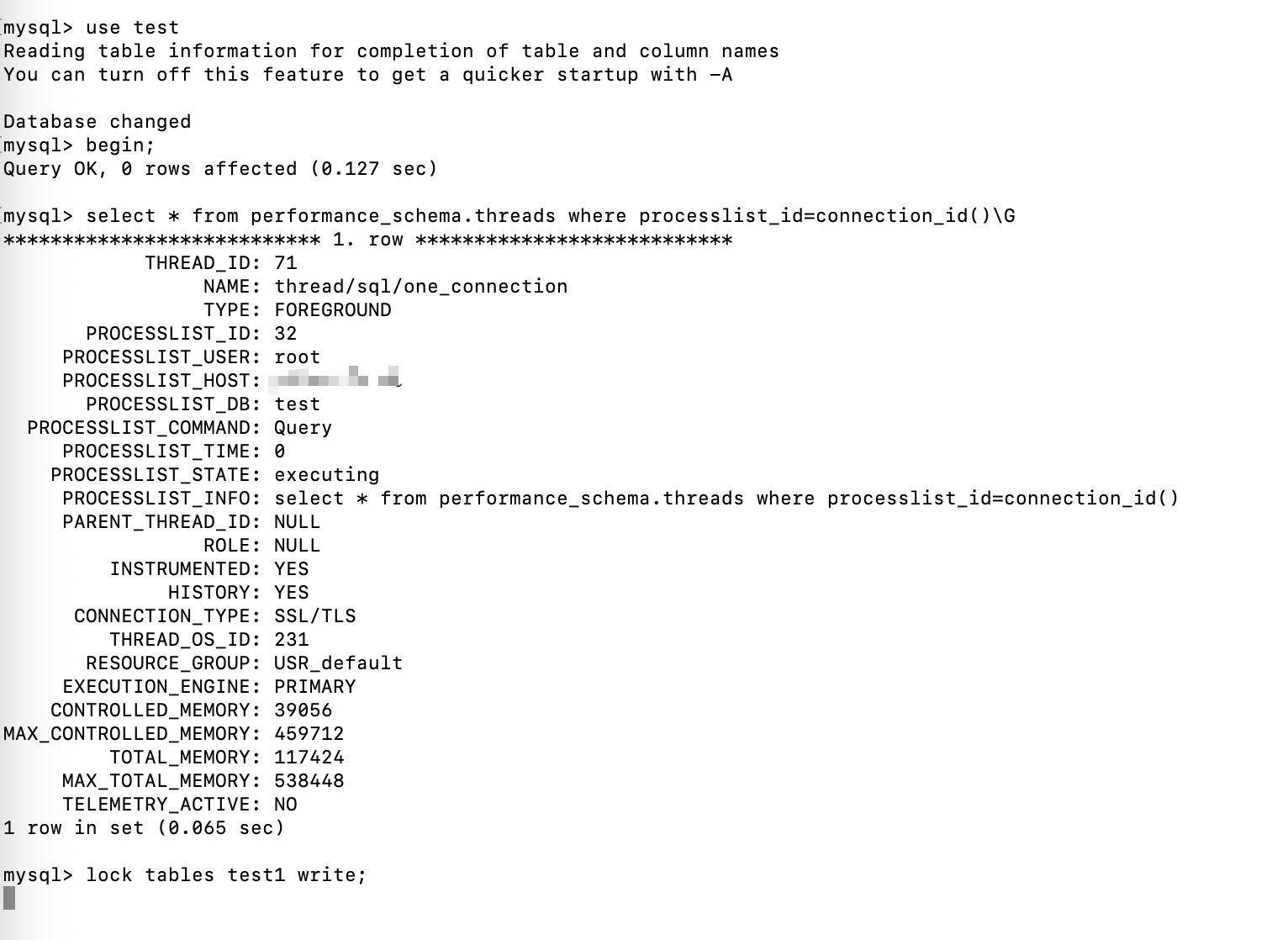
Thread_id=70 获取了表test1 的意向共享锁,表test1的共享锁,行id=10的行共享锁
Thread_id=71 尝试获取表test1的排它锁阻塞
查看锁信息
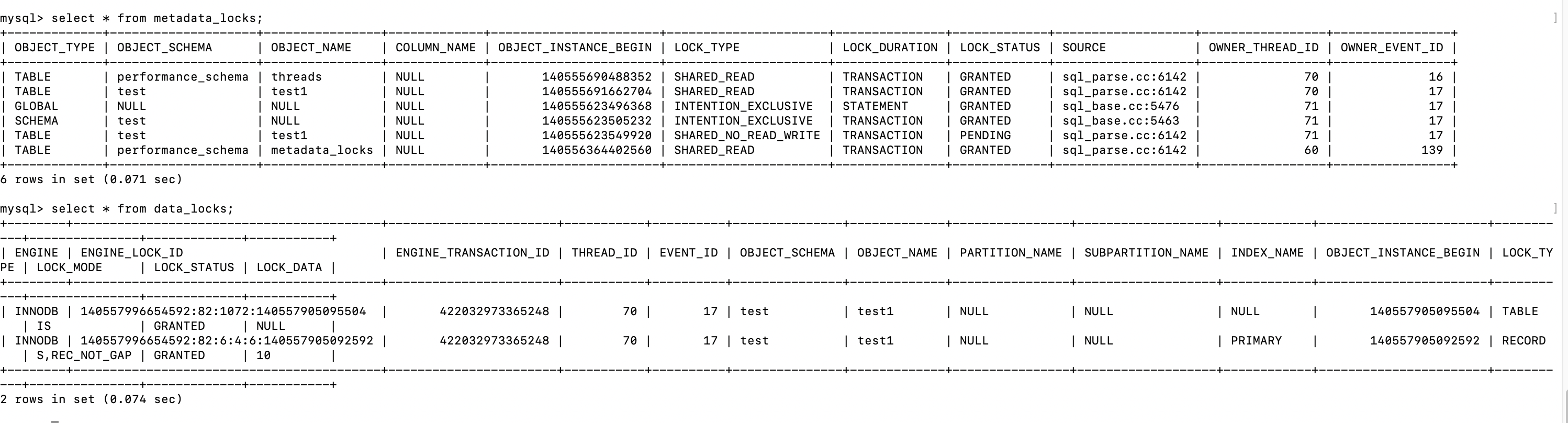
释放thread_id=70的共享锁
thread_id=71 获取到了表排它锁

行排它锁 互斥 表排它锁
首先给id=10的记录加行排它锁
use test;
begin;
select * from performance_schema.threads where processlist_id=connection_id();
select * from test1 where id=10 for update;
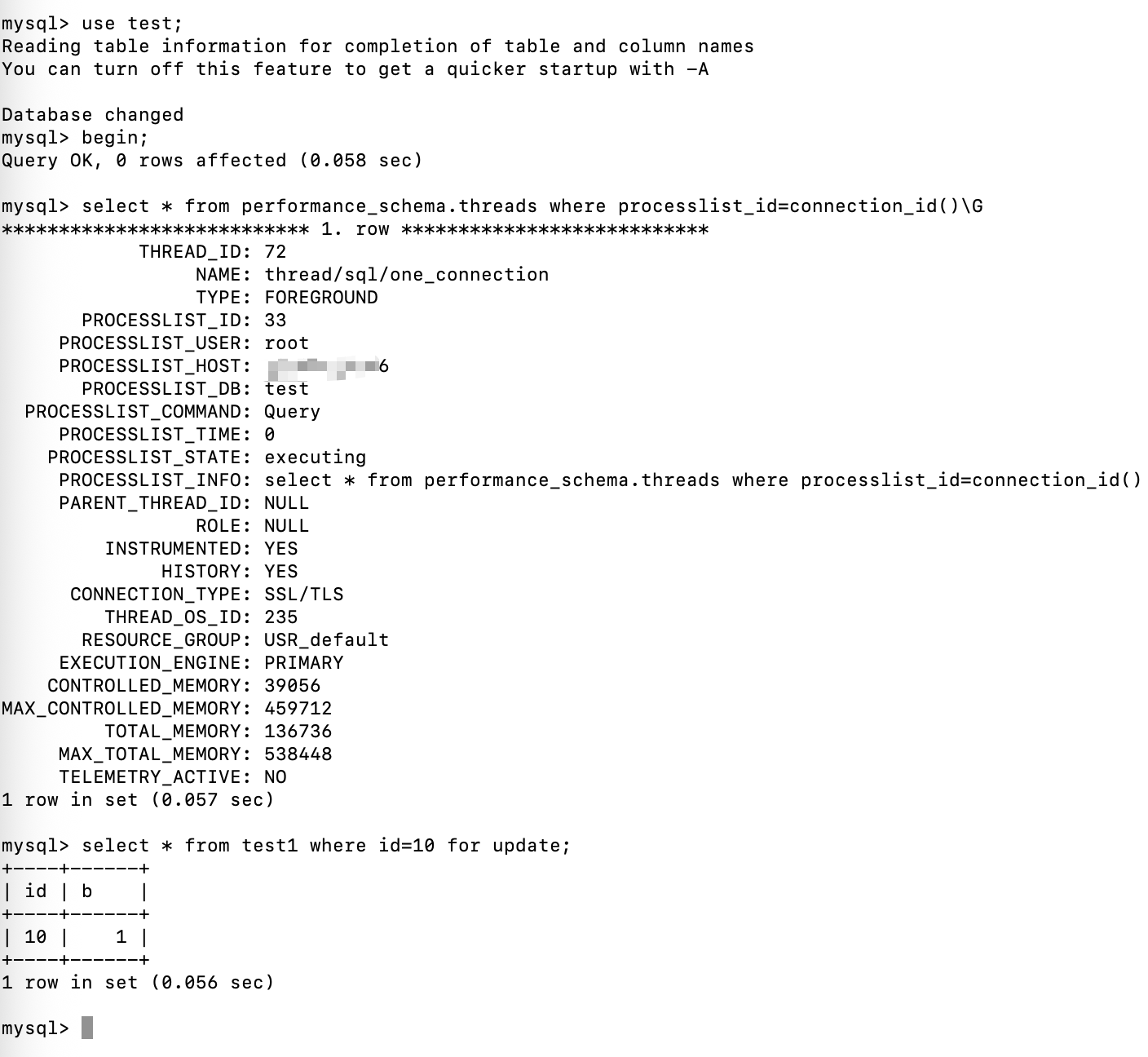
给表 test1 加排它锁
use test;
begin;
select * from performance_schema.threads where processlist_id=connection_id();
lock tables test1 write;
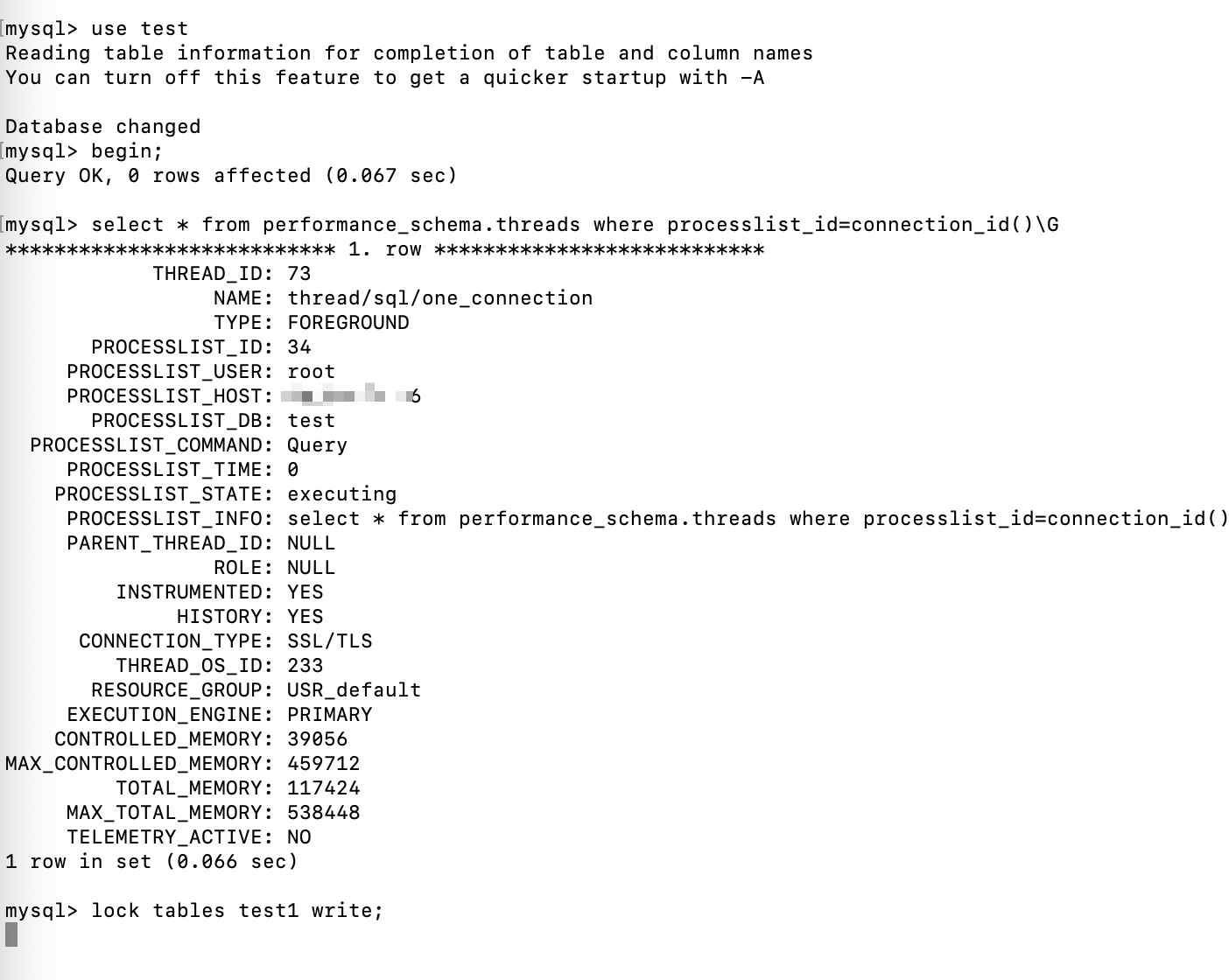
Thread_id=73阻塞等待获取表test1的排它锁
查看锁信息
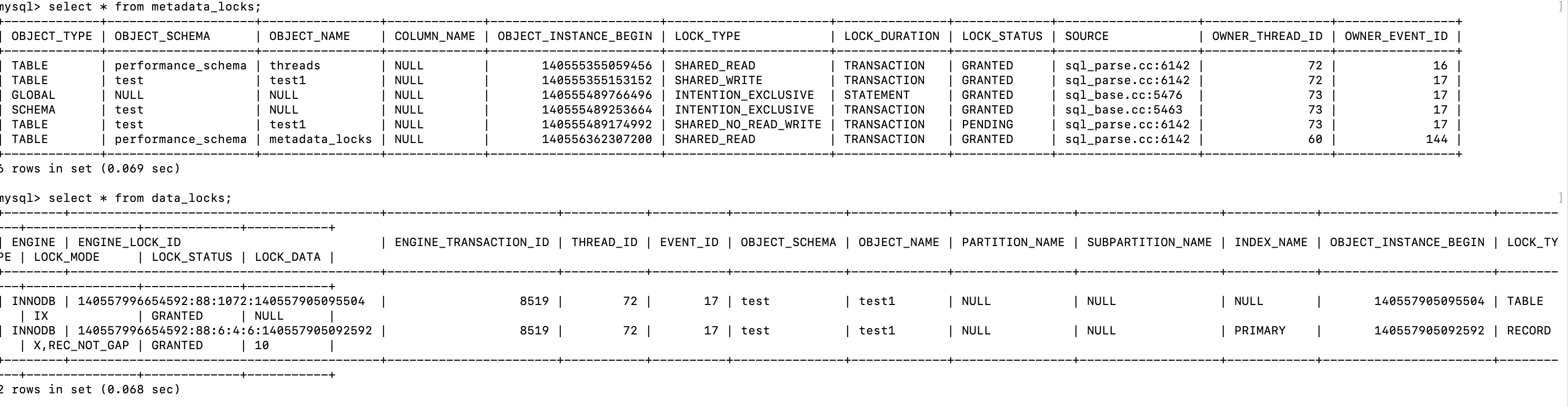
释放 thread_id=72的行排它锁
thread_id=73拿到了锁

总结
意向锁互相兼容。
共享锁互相兼容。
排它锁互相排斥。
共享锁和排它锁互相排斥。
记录锁 & 间隙锁 & 插入意向锁 & 临键锁
- 记录锁(Record Lock):单个记录的锁,也就是行锁
- 间隙锁(Gap Lock):锁定一个范围但是不包含记录本身(开区间)
- 插入意向锁(Insert Intention Lock):间隙锁的一种,是在插入一行之前由insert操作设置的一种锁,主要是为了解决幻读。
- 临键锁(Next-Key Lock):可以理解为间隙锁+记录锁,锁定的也是一个范围,包含记录本身。
记录锁
记录锁也就是行锁,之前在共享锁和排它锁的时候,就见到过
use test;
begin;
select * from performance_schema.threads where processlist_id=connection_id();
select * from test1 where id=10 lock in share mode;
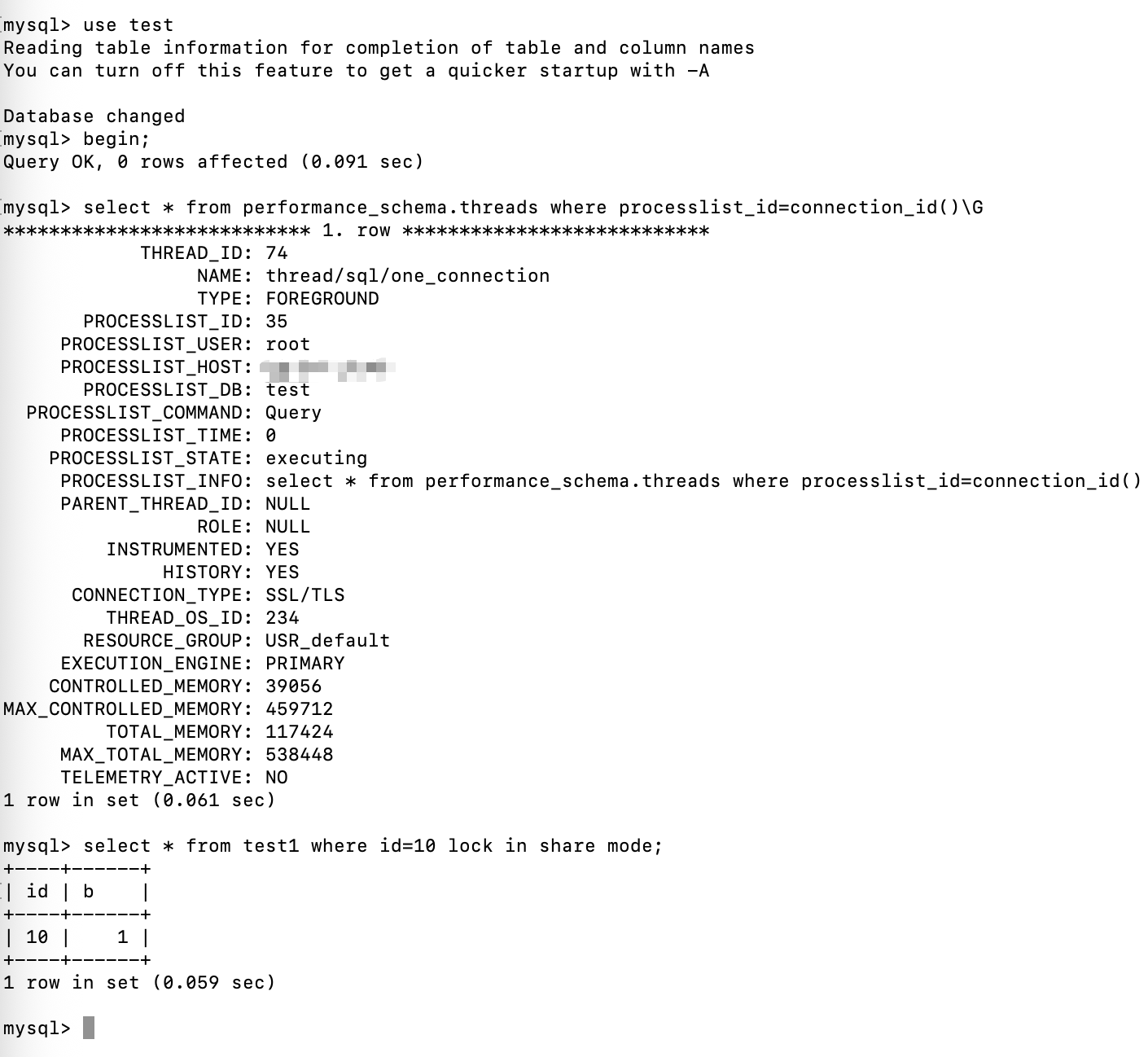
查看锁信息(performance_schema.data_locks)

Lock_type=record
表示行锁,lock_data=10,表示锁的是表 test1的id=10的记录。
间隙锁
间隙锁锁定的是范围。
use test;
begin;
select * from performance_schema.threads where processlist_id=connection_id();
select * from test1 where id > 3 and id < 10 lock in share mode;
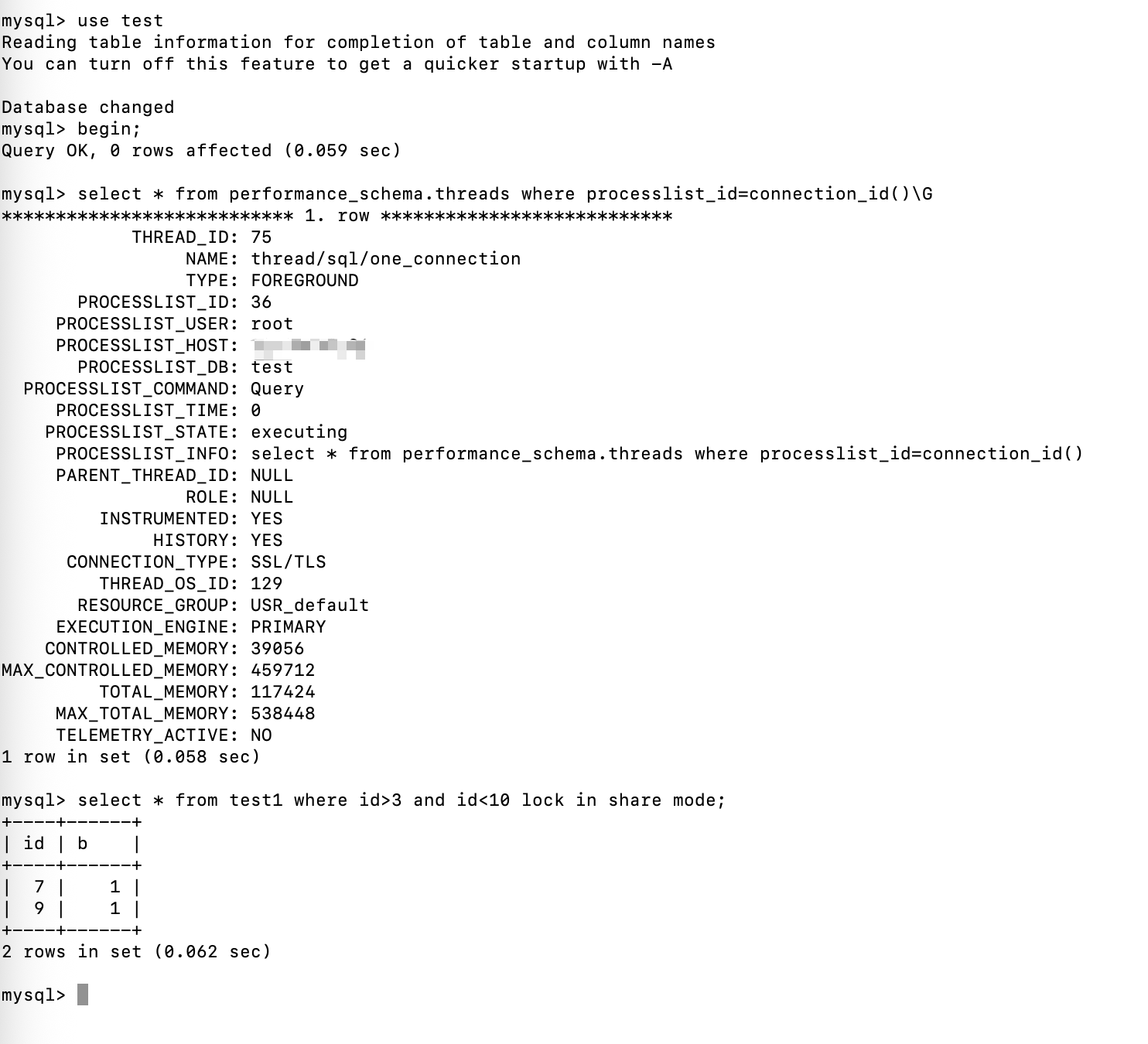
查看锁信息
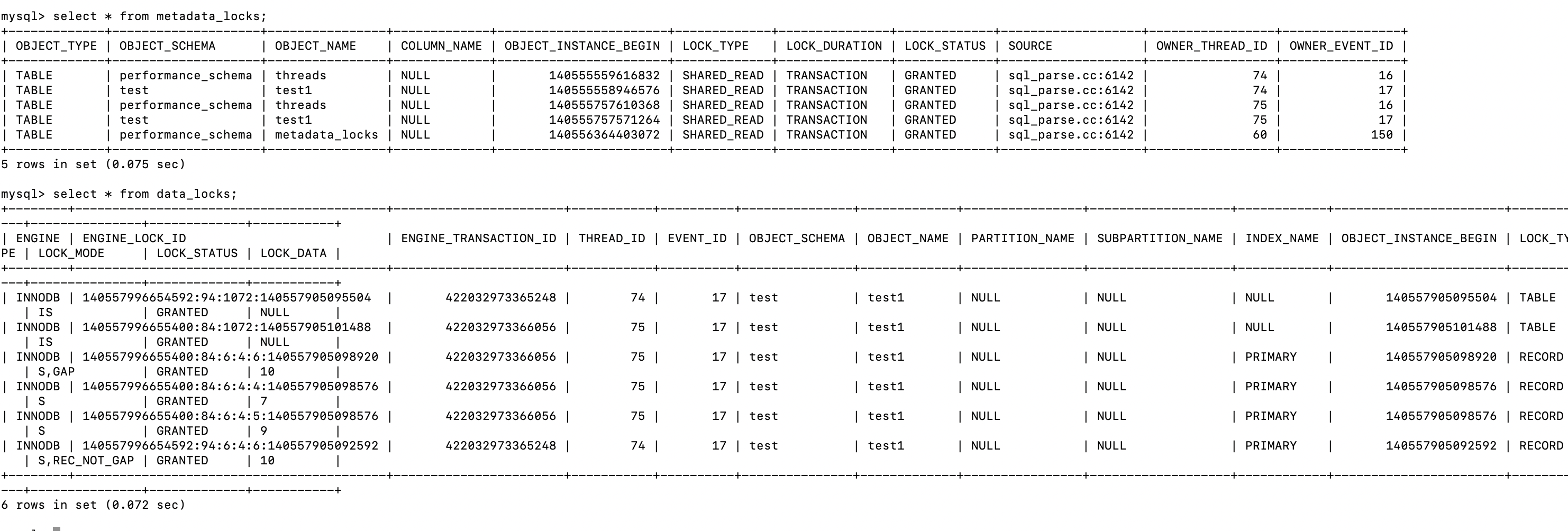
可以看到 thread_id=74 ,持有 意向共享锁,同时持有id=10的行记录锁。
Thread_id=75,持有意向共享锁,同时持有id=10的间隙锁,id=7和id=9的共享锁(不是行记录锁)
默认情况下,InnoDB在Repeatable read隔离级别下工作,并且会以临键锁的方式对数据进行加锁,这样可以有效防止幻读的发生。
记录锁,间隙锁,插入意向锁和临键锁都是排它锁,并且锁是加在索引上的,如果没有索引可用,就会升级为表级别的锁。
只有在 Repeatable read隔离级别下,InnoDB才会有间隙锁和临键锁。
MDL
MDL的全称是MetaData Lock ,元数据锁,也叫字典锁。
MDL的主要作用是管理数据库对象的并发访问和确保元数据的一致性。
MDL的使用对象包含表、存储过程、函数、触发器和表空间等。
MDL的使用会有一定的性能损耗,对同一个对象的访问越多,锁竞争的情况就越多。
MDL的加锁规则:
- 语句串行获取MDL,但不同时获取,在获取的过程中执行死锁检测。
- DML语句按照语句中表出现的顺序来获取锁。
- DDL语句、lock tables 和其他类似语句按名称顺序获取锁,隐式使用的表(如外键关系中也必须锁定的表)可能会以不同的顺序获取锁。
- DDL的写锁请求优先级高于DML的。
DDL 优先级高于 DML
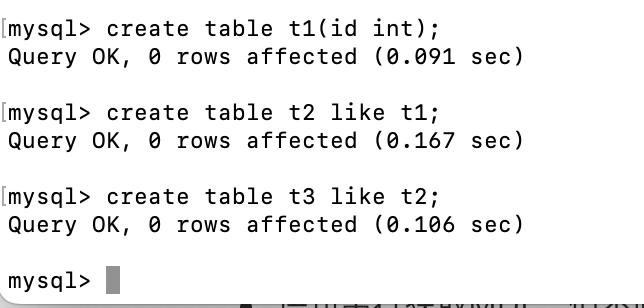
创建三张表
use test;
create table t1(id int);
create table t2 like t1;
create table t3 like t1;
开一个事务,按照顺序锁表 t1,t2
use test;
begin;
select * from performance_schema.threads where processlist_id=connection_id();
lock table t1 write, t2 write;
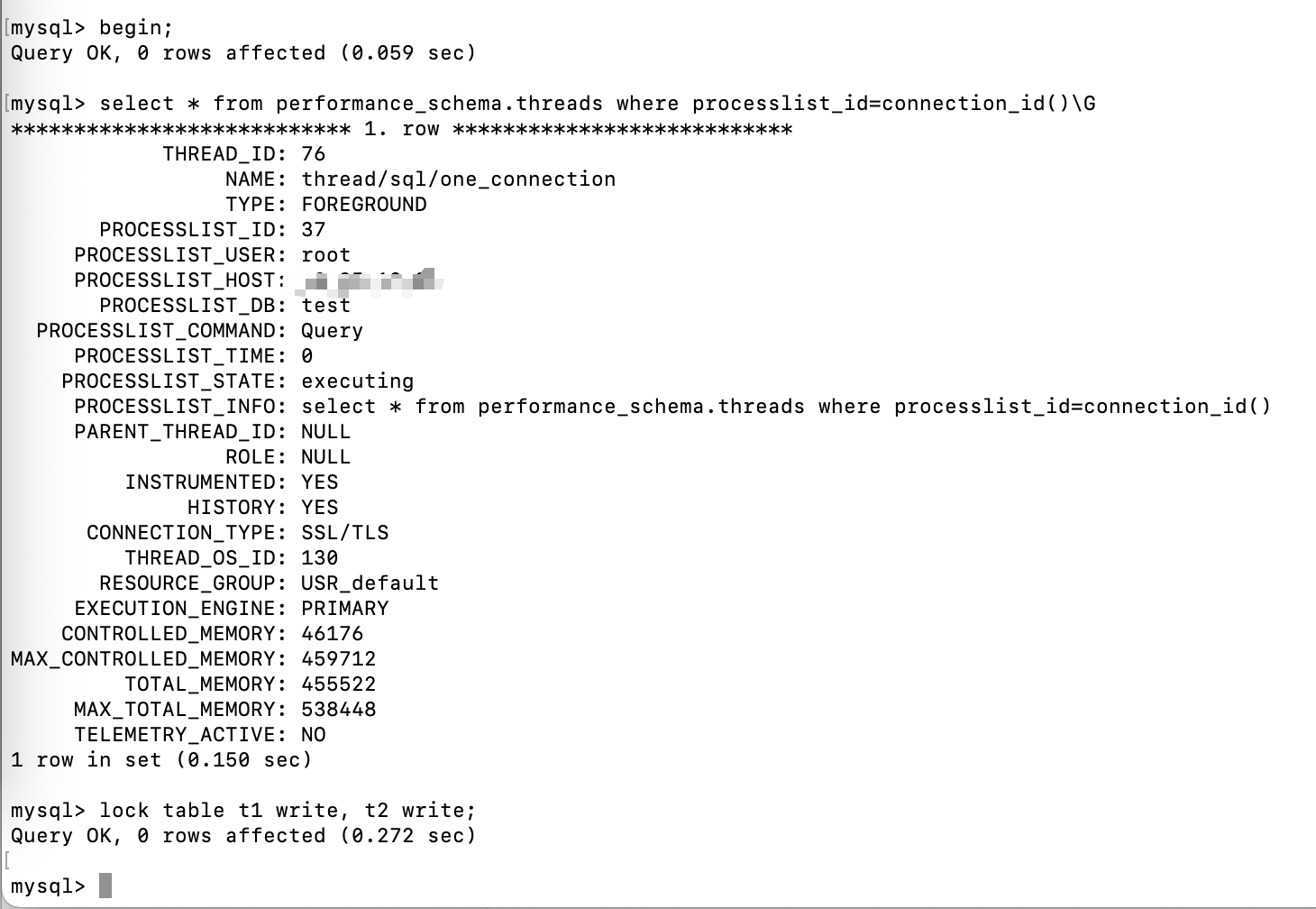
查看锁信息(performance_schema.metadata_locks)

thread_id=76 对 t1和t2都加锁了。
在开一个事务,给表t1插入一行数据(DML)
use test;
begin;
select * from performance_schema.threads where processlist_id=connection_id();
insert into t1 values(1);
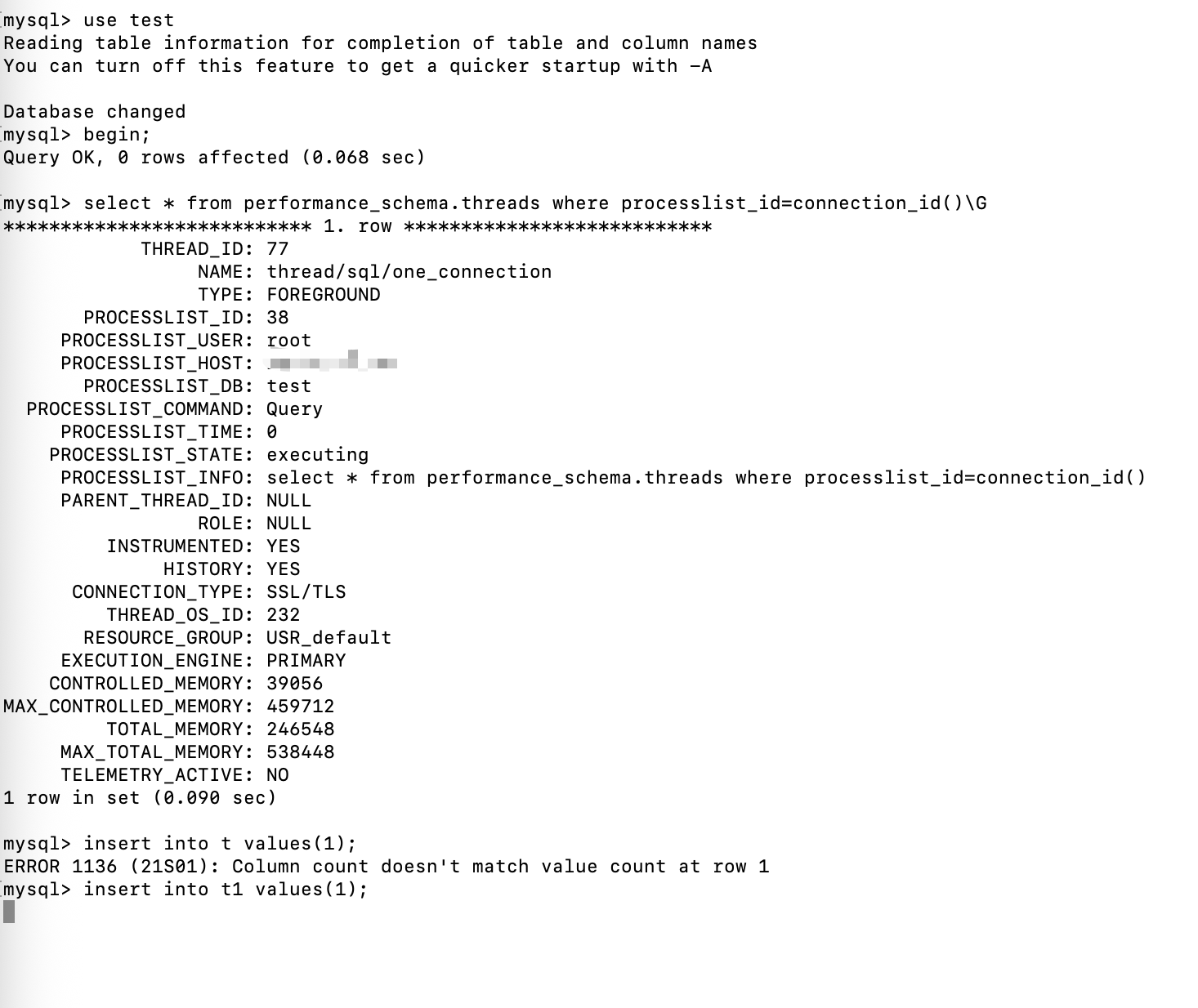
thread_id=77的事务阻塞等待获取锁
查看锁信息:
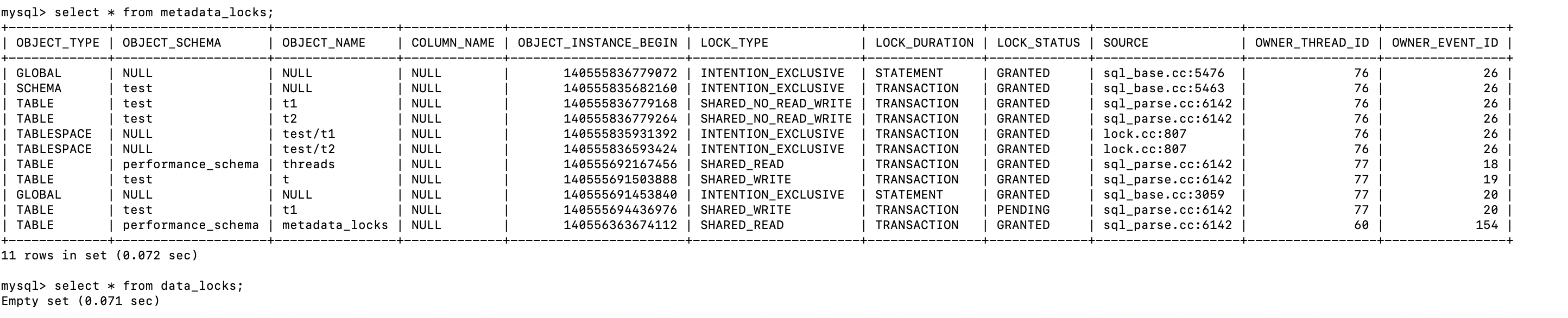
thread_id=77在等待获取t1的写的锁。
在开一个事务,对表进行重命名: t1 -> t0 ,t2 -> t1,(DDL)
use test;
begin;
select * from performance_schema.threads where processlist_id=connection_id();
rename table t1 to t0, t2 to t1;
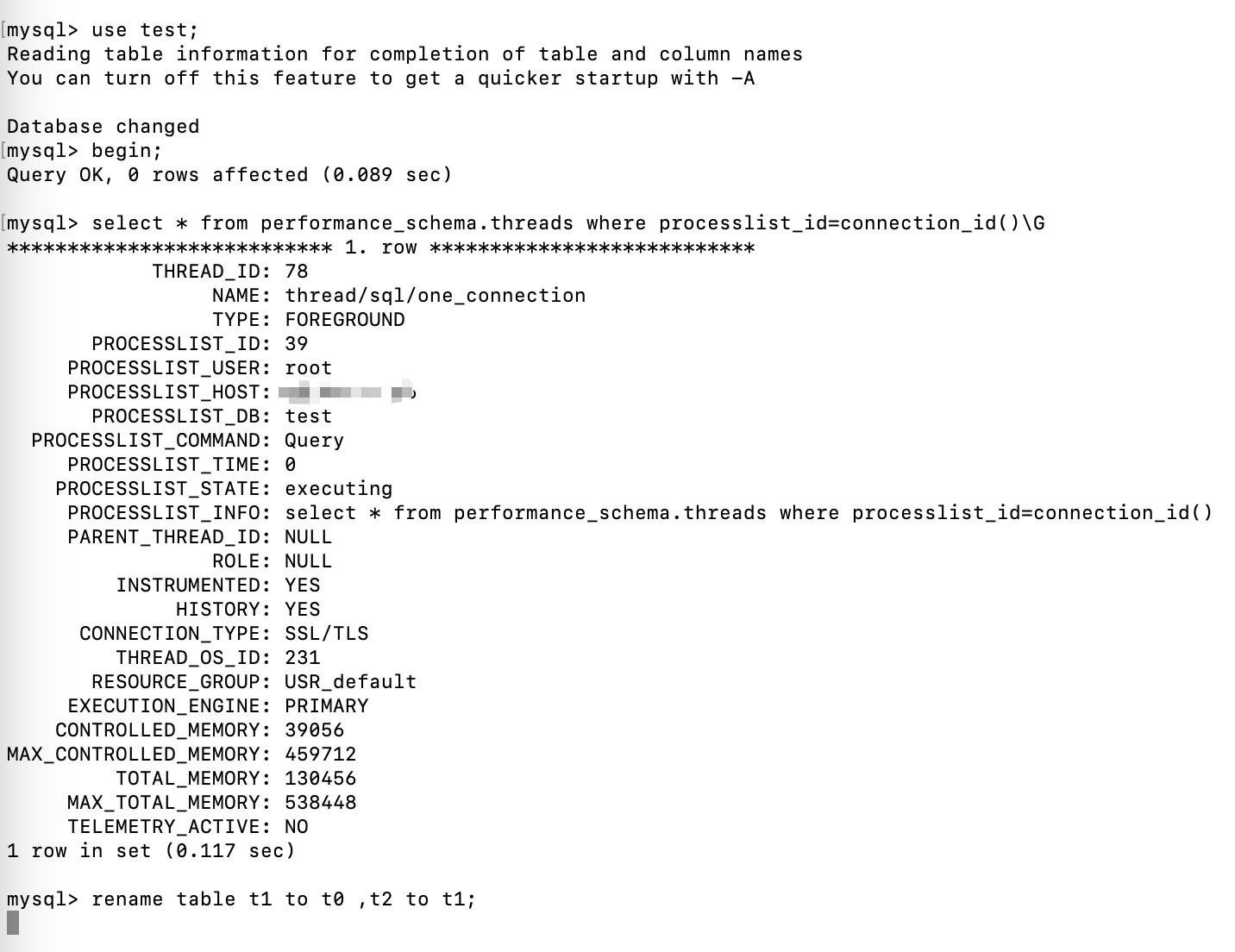
查看锁信息
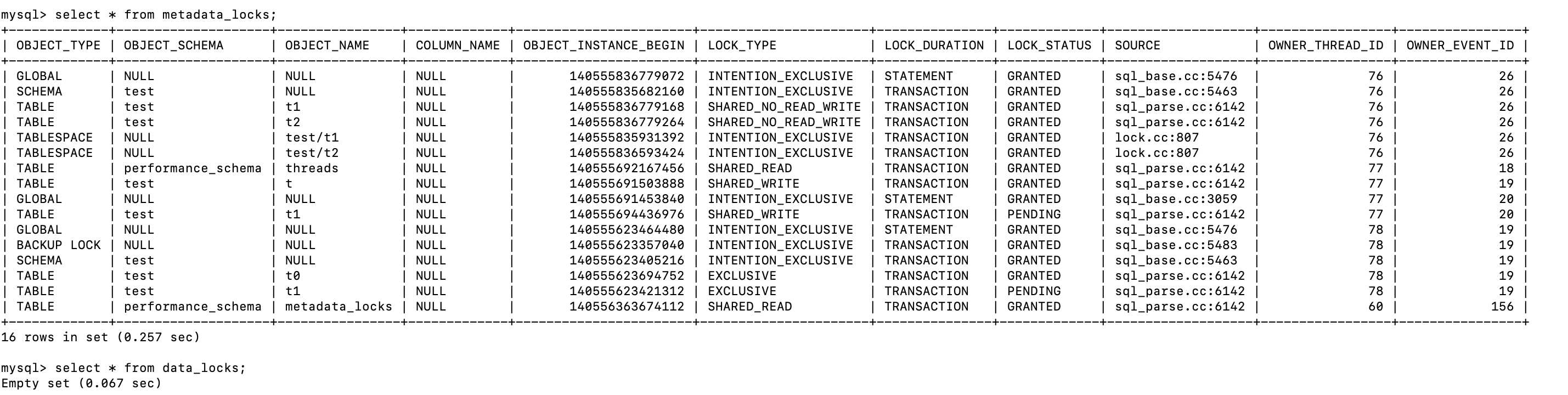
现在 thread_id=77 和 thread_id=78的事务都在获取t1的锁
现在释放thread_id=76的锁unlock tables
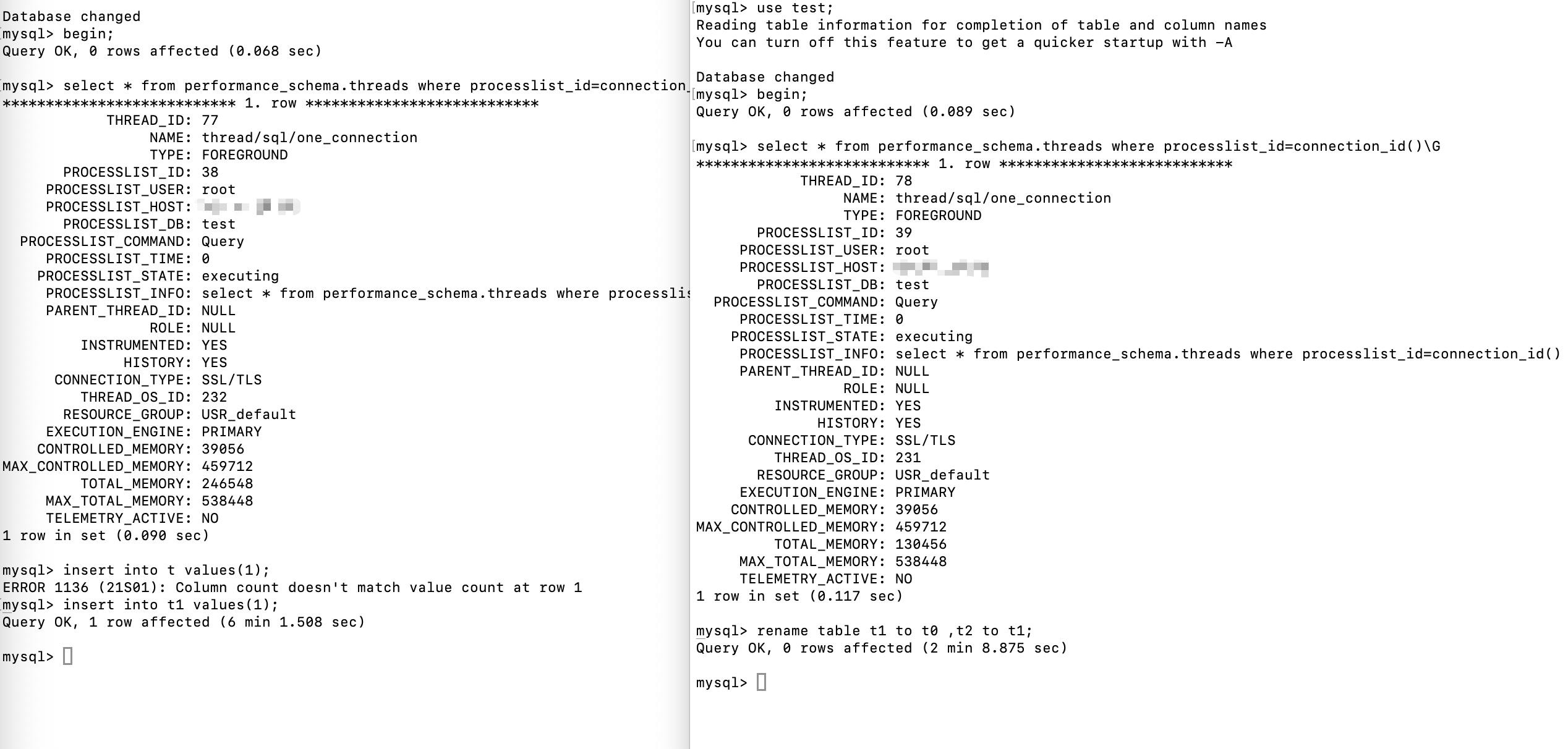
Thread_id=78先获得锁,执行完成后释放,接着thread_id=77获得锁。
DDL 优先级高于DML。
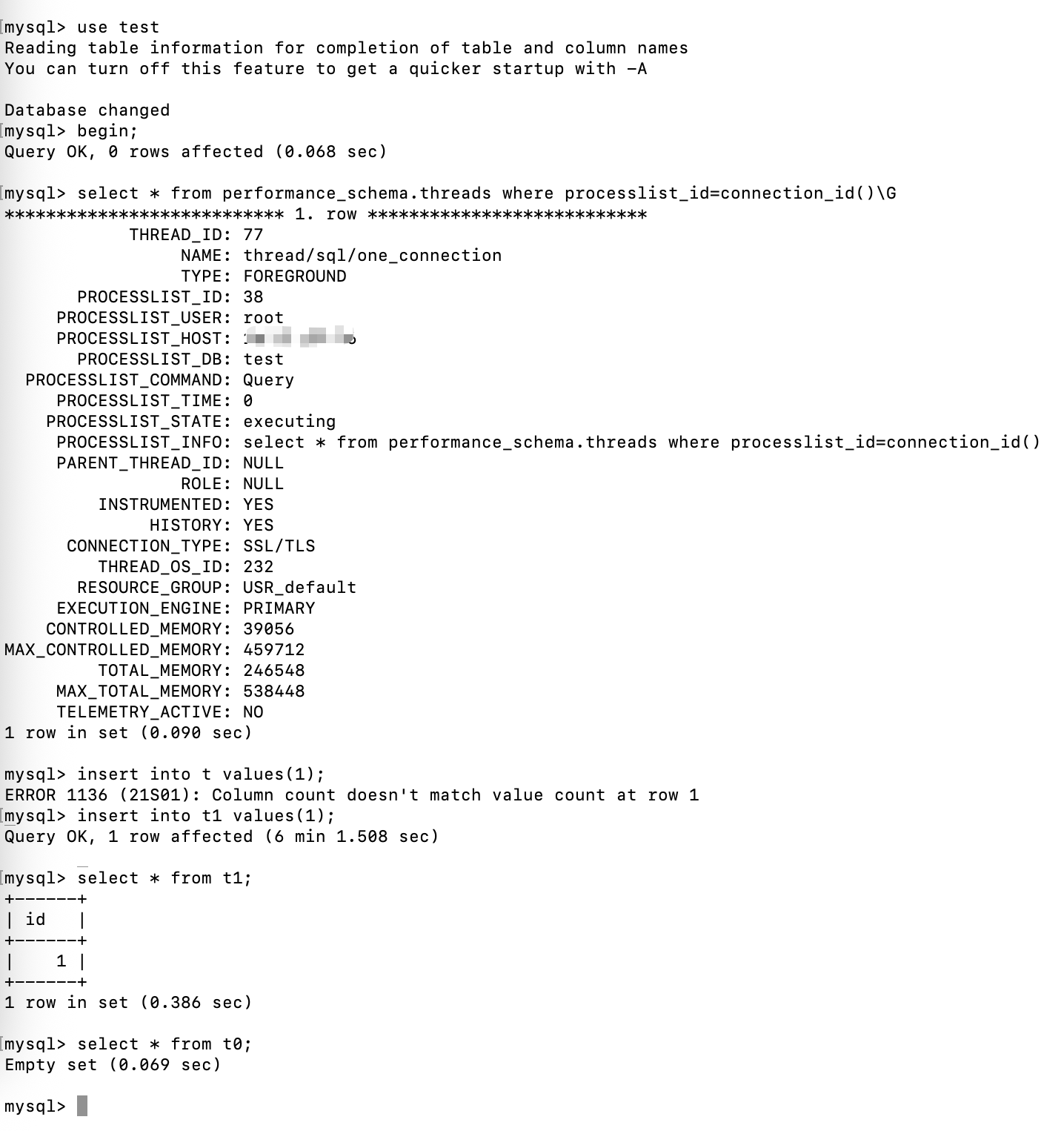
通过查询数据,也能证明DDL是先于DML执行的。
表名顺序获取锁
创建如下三张表
create table r_t(id int);
create table s_t like r_t;
create table t_t like r_t;
三张表的表名有顺序的
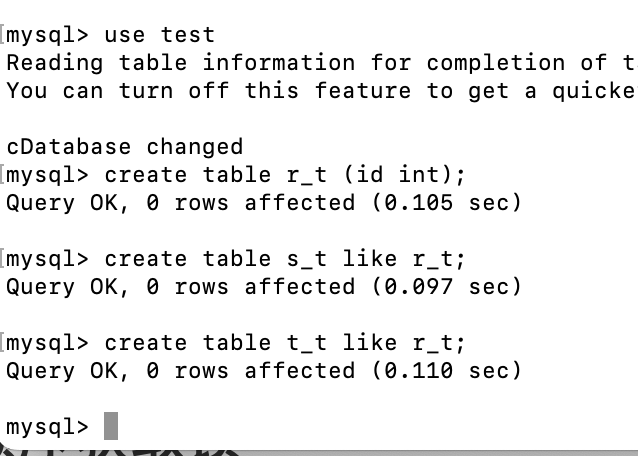
开一个事务对表名加锁,按顺序加锁
use test;
begin;
select * from performance_schema.threads where processlist_id=connection_id();
lock table t_t write,r_t write;
按顺序 r_t , t_t 加锁
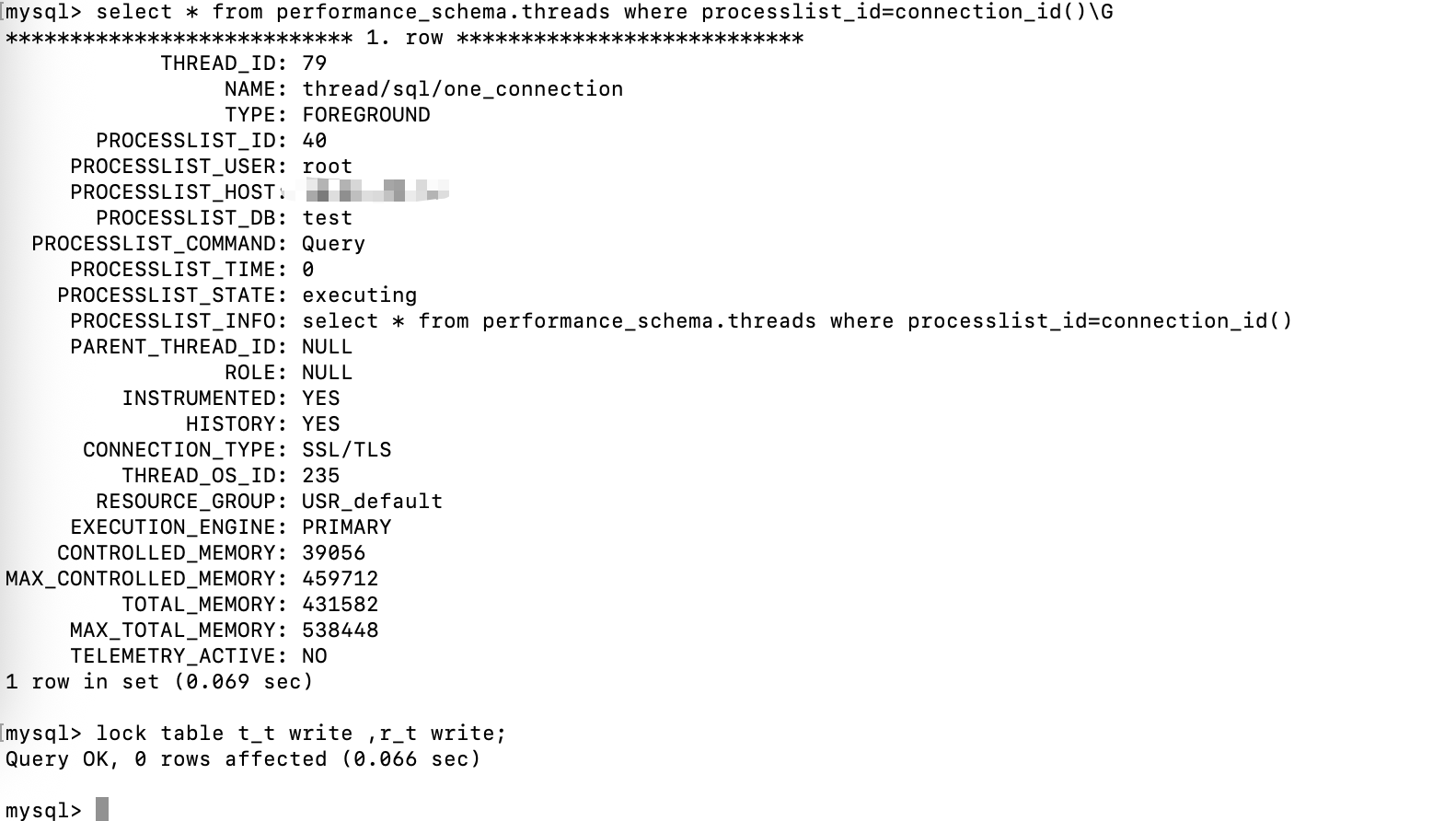
查看锁信息

接着开一个事务,获取t_t的DML锁
use test;
begin;
select * from performance_schema.threads where processlist_id=connection_id();
insert into t_t values(1);
thread_id=80,等待t_t的锁
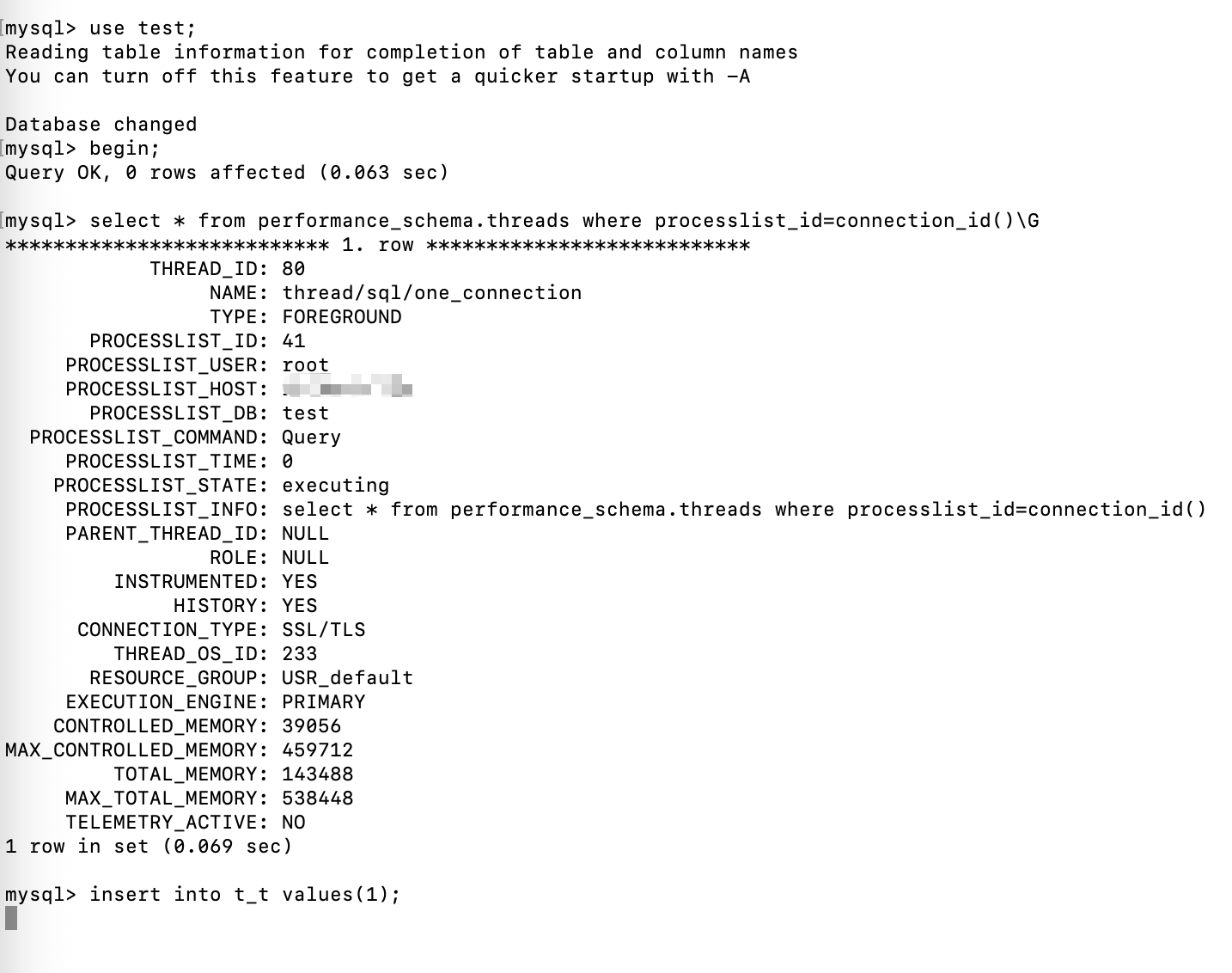
在开一个事务,对表进行改名(按顺序获取锁)
use test;
begin;
select * from performance_schema.threads where processlist_id=connection_id();
rename table t_t to old_t, r_t to t_t;
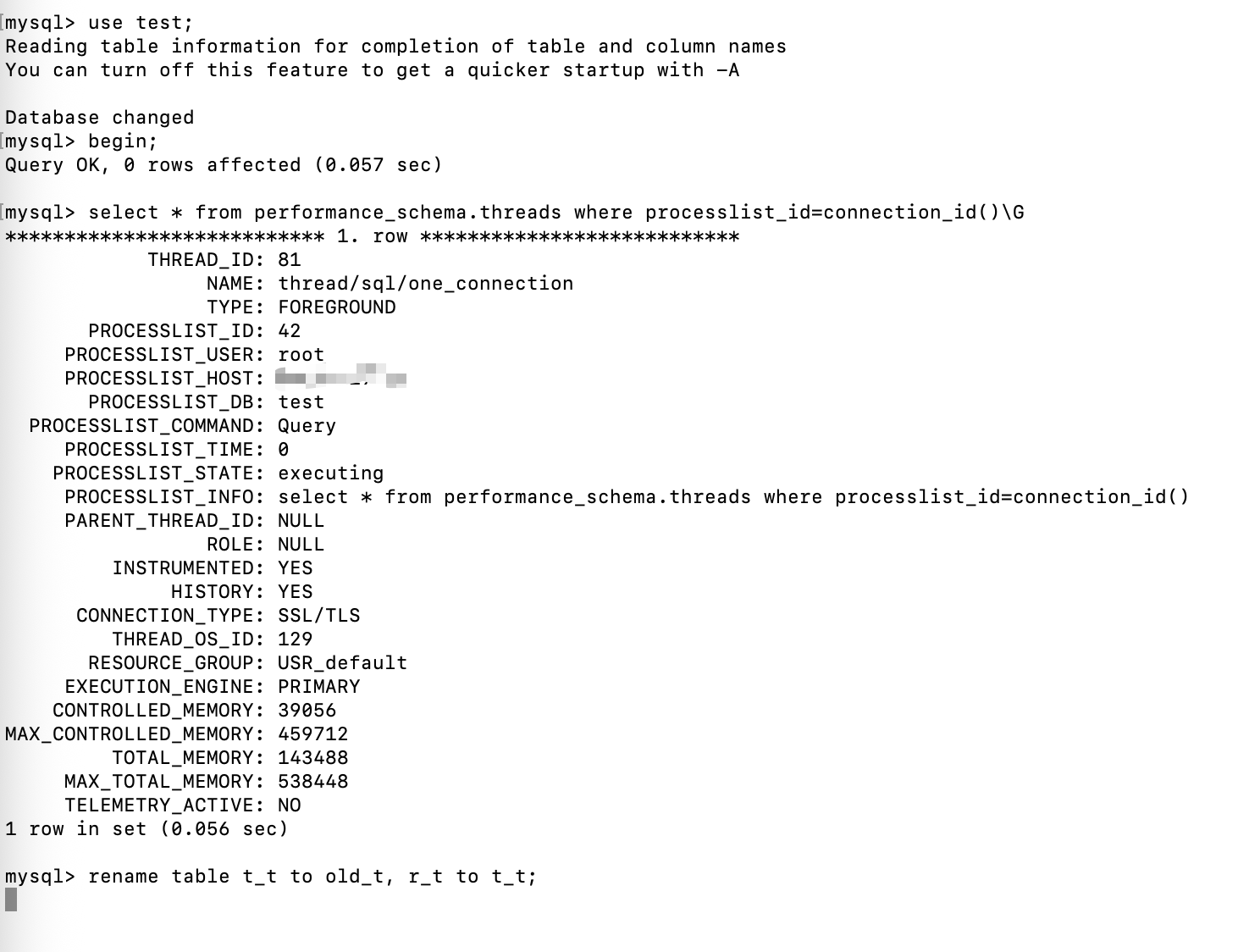
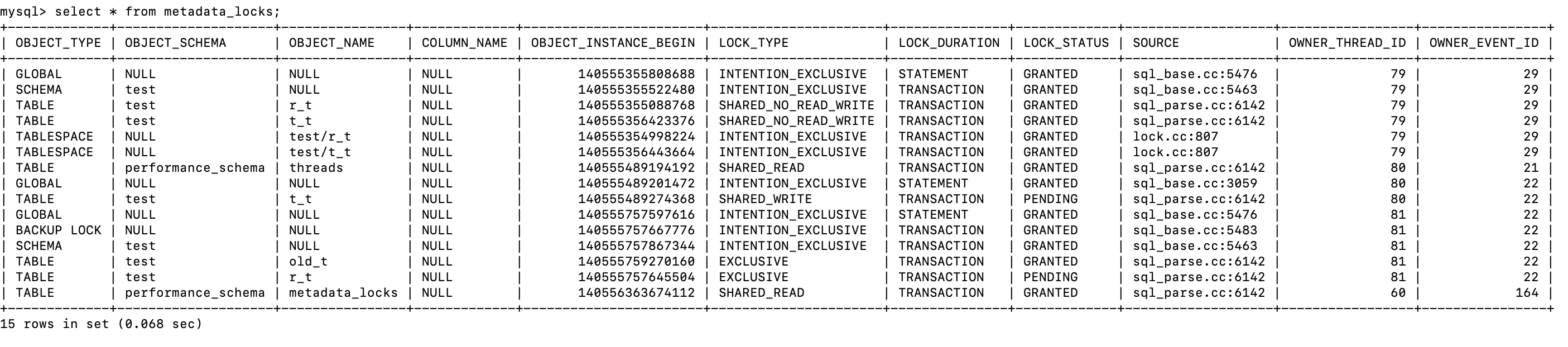
查看锁信息
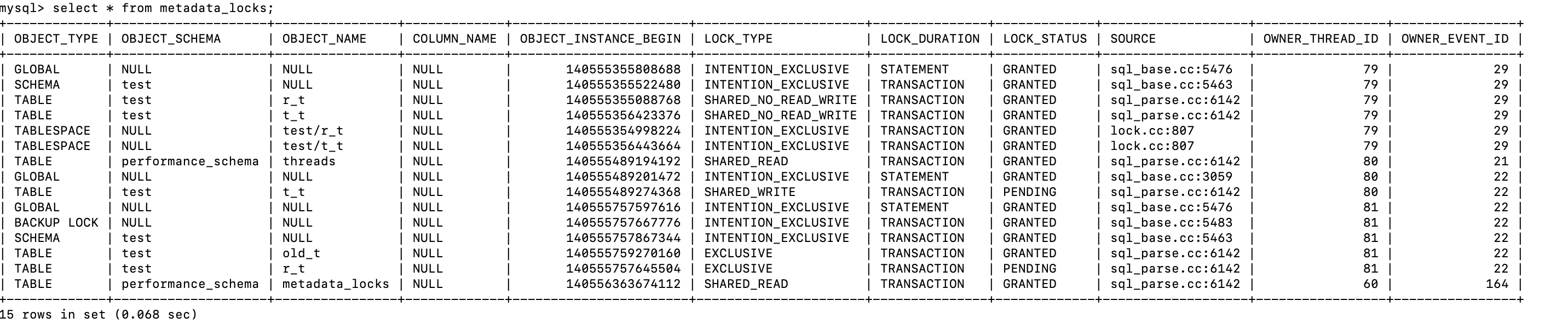
Thread_id=79 持有 r_t和t_t的锁
Thread_id=80 请求 t_t 的锁
thread_id=81 请求 old_t , r_t,t_t 的锁,因为 old_t 没有表,没有锁,已经获取了。
当 thread_id=79 释放了 r_t 和 t_t 的锁,此时 thread_id=80 请求 t_t 的锁成功,thread_id=81申请 r_t的互斥锁成功,但是申请 t_t的互斥锁阻塞

Thread_id=80 获取了 t_t的写锁
Thread_id=81获取了r_t的互斥锁,但是获取 t_t 的互斥锁阻塞
提交 thread_id=80的事务
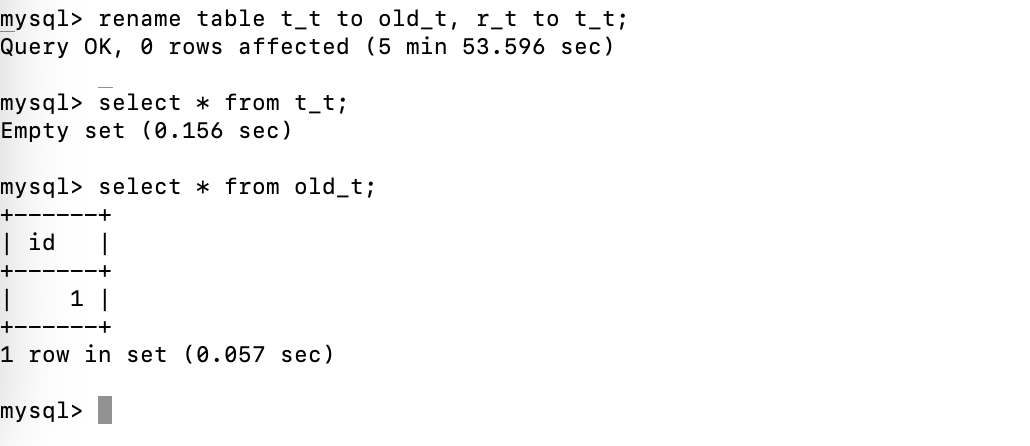
Thread_id=81也获取了t_t的互斥锁,rename操作成功
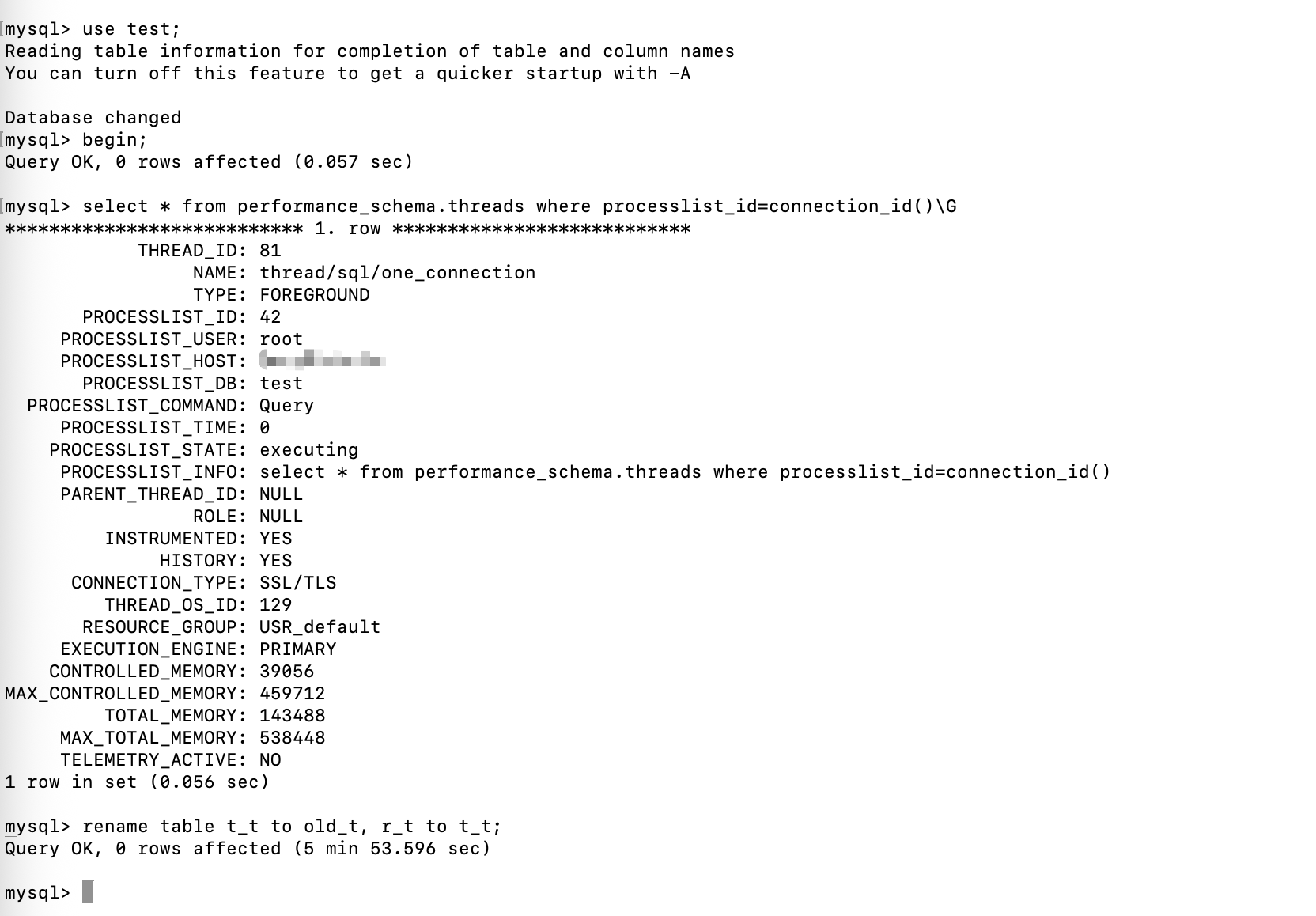
从数据上来验证,此时DML先于DDL,应该是 old_t 表有数据
总结
前面两个例子,执行的操作完全相同,都是三个线程,第一个线程锁两张表,第二个线程插入数据,第三个线程对表进行改名。
但是当第一个线程释放锁后,表现的结果确不同。
关键点在于竞争锁的顺序上:
DDL 优先级高于 DML例子中,第二个线程和第三个线程都在竞争 t2 ,同一张表的锁,此时受到优先级的影响。
表名顺序获取锁例子中,第二个线程和第三个线程竞争的锁不同,第三个线程需要先竞争 r_t 的锁,然后竞争 t_t 的锁,受到表名的自然顺序的影响。
MDL的监控
默认在 performance_schema.metadata_locks表中,默认开启。
select * from performance_schema.setup_consumers where name='global_instrumentation';

优化MDL
MDL 一旦发生就会对业务造成极大的影响,因为后续所有对该表的访问都会被阻塞,造成连接积压。
- 开启 metadata_locks 表记录MDL
- 将参数 lock_wait_timeout 设置为一个比较小的值,当出现阻塞的时候,主动放弃(默认是一年)
- 及时提交事务,避免使用大事务
- 增强监控告警,发现MDL及时处理
- DDL操作及备份操作放在业务低峰
死锁
手动试验死锁,提前准备一些数据
use test;
drop table if exists `dl`;
create table `dl` (
`id` int not null auto_increment,
    `a` int not null,
    `b` int not null,
    `c` int not null,
    primary key(`id`),
    key `idx_c`(`a`)
)engine=innodb default charset=utf8mb4;
drop table if exists `dl_insert`;
create table `dl_insert`(
`id` int not null auto_increment,
    `a` int not null,
    `b` int not null,
    `c` int not null,
    primary key (`id`),
    unique key `uniq_a`(`a`)
)engine=innodb default charset=utf8mb4;
insert into `dl`(`a`,`b`,`c`) values(1,1,1),(2,2,2);
drop table if exists `dl_l`;
create table `dl_1` like `dl`;
insert into `dl_1` select * from `dl`;
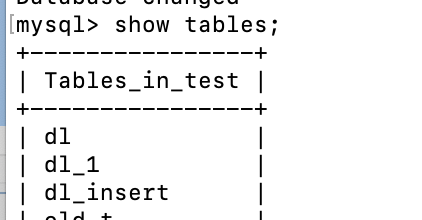
同一张表的死锁
执行如下操作
| session1 | session2 |
|---|---|
begin; |
begin; |
select * from dl where a=1 for update; |
select * from dl where a=2 for update; |
select * from dl where a=2 for update;阻塞等待 |
|
| session2死锁回滚后,session1成功返回结果 | select * from dl where a=1 for update;提示死锁 |
commit; |
commit; |
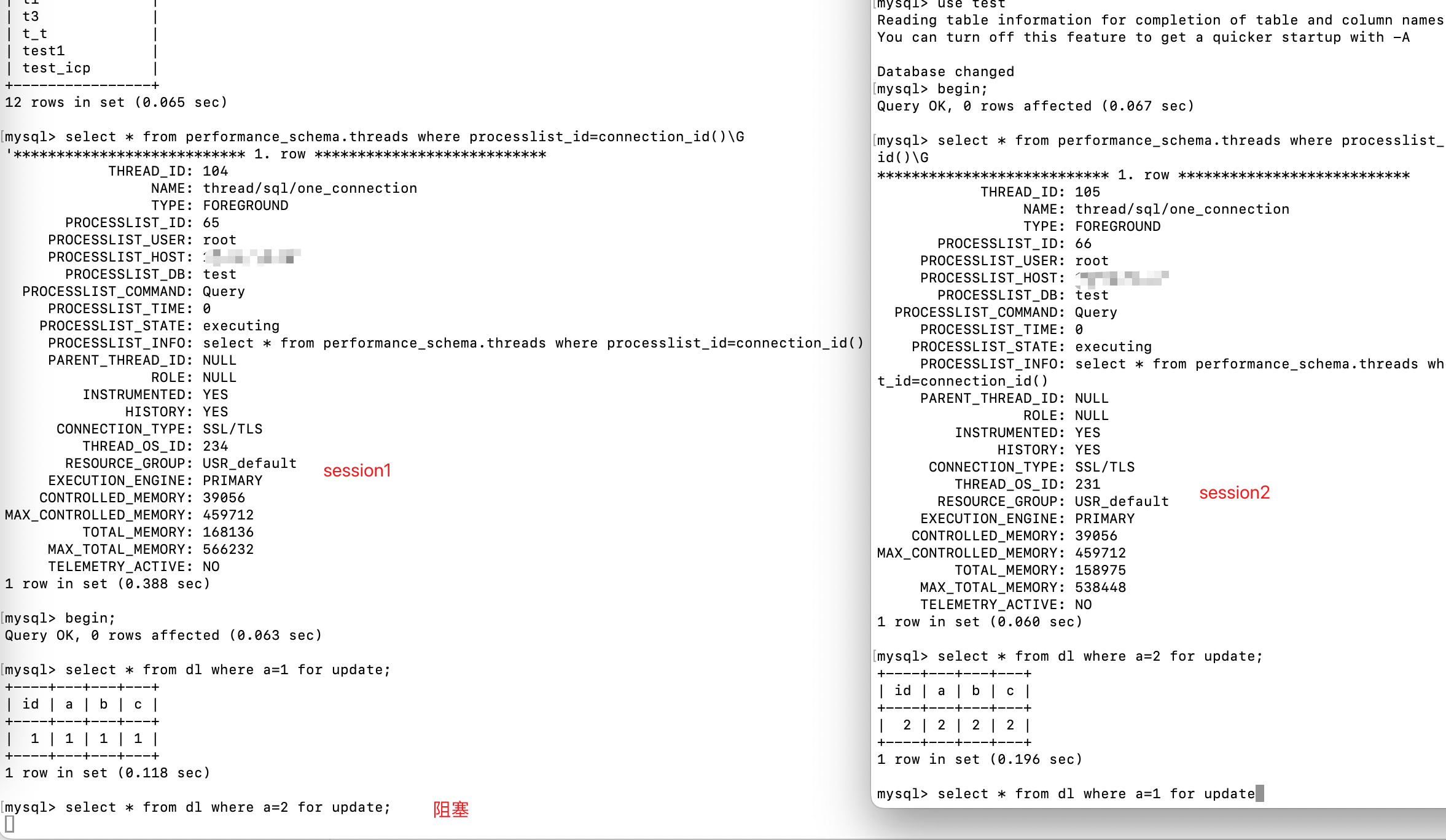
查看锁信息
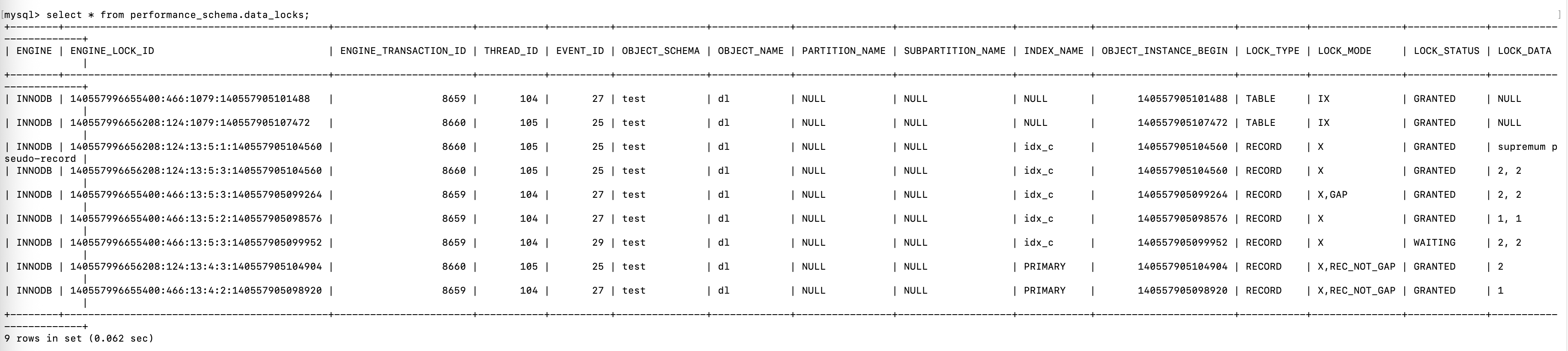
使用 for update 会对表加 意向排它锁,并且加行锁
接着执行session2

session2 提示到死锁,回滚后session1拿到了锁
查看锁信息
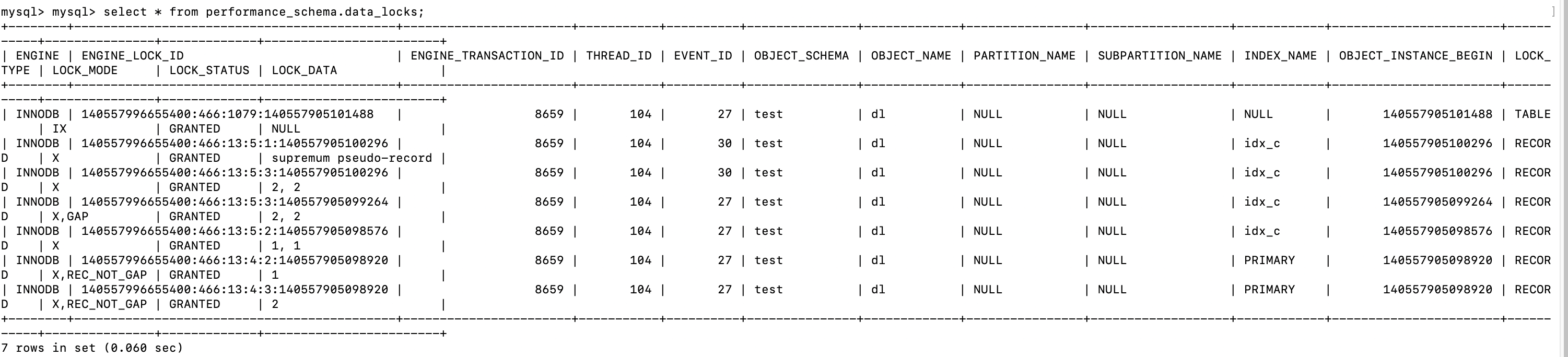
同一张表针对行锁相互竞争,产生死锁。
不同表的死锁
| session1 | session2 |
|---|---|
begin; |
begin; |
select * from dl where a=1 for update; |
select * from dl_1 where a=1 for update; |
select * from dl_1 where a=1 for update; |
|
| session2提示死锁回滚后,session1成功返回结果 | select * from dl where a=1 for update;提示死锁后回滚 |
commit; |
commit; |
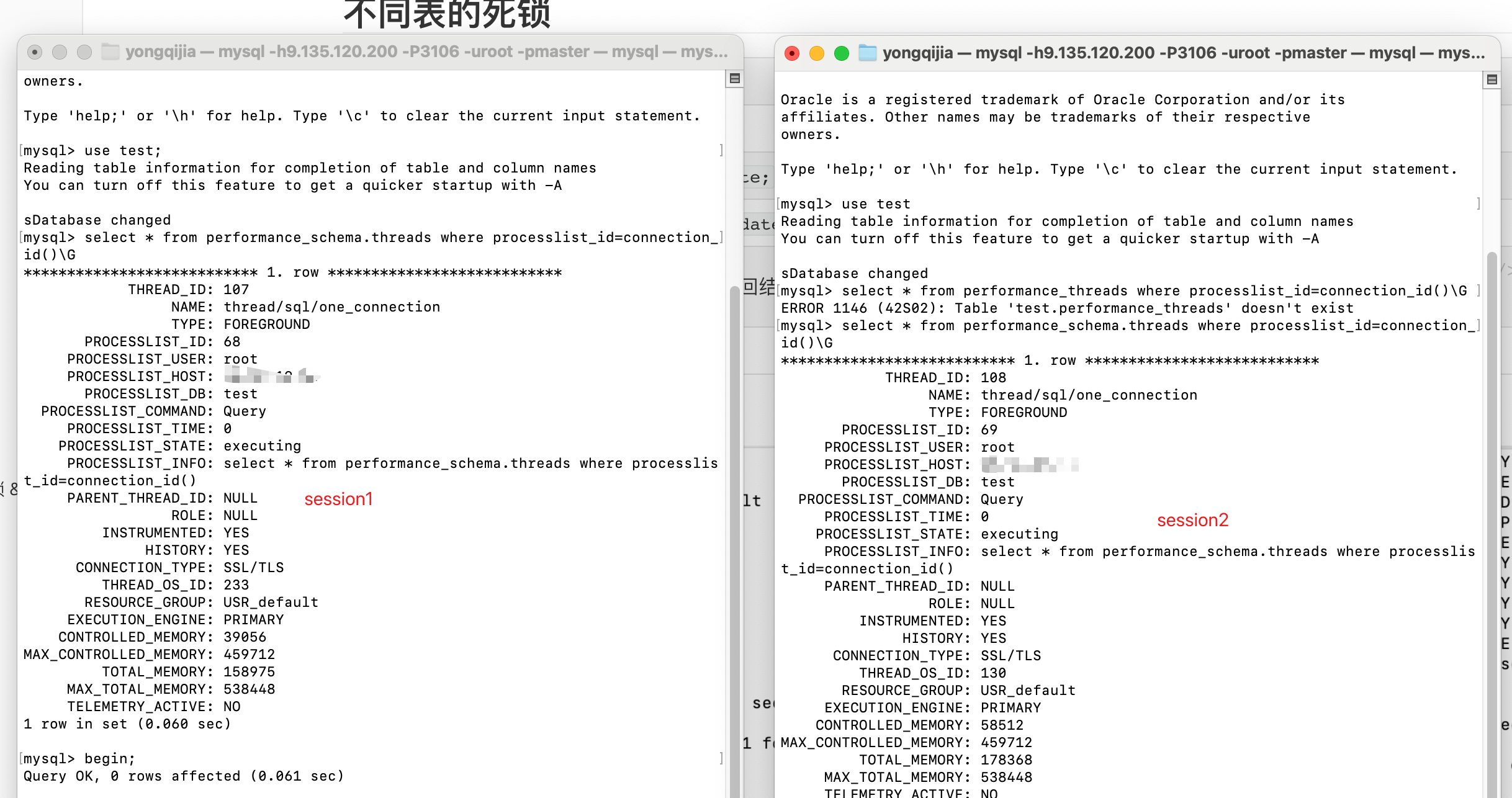
因为session2已经对 dl_1表的a=1的记录加了排它锁,所以session1在尝试加排它锁的时候,阻塞了。
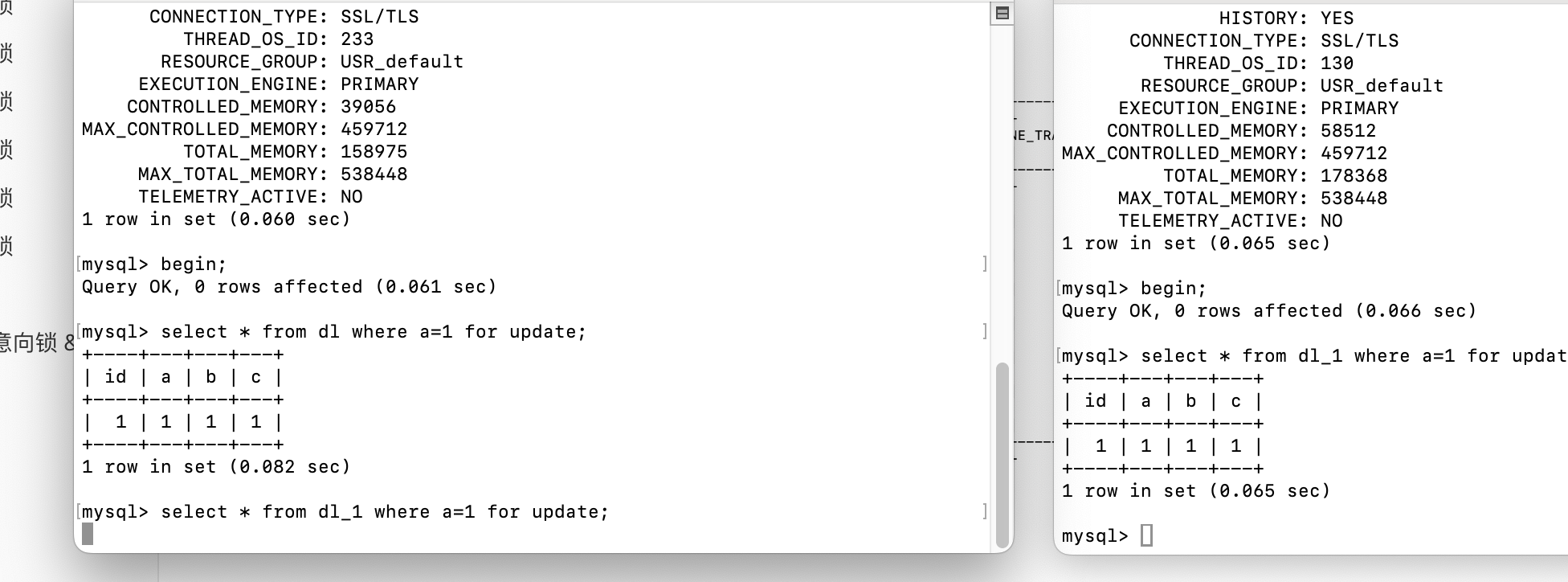
此时查看锁信息
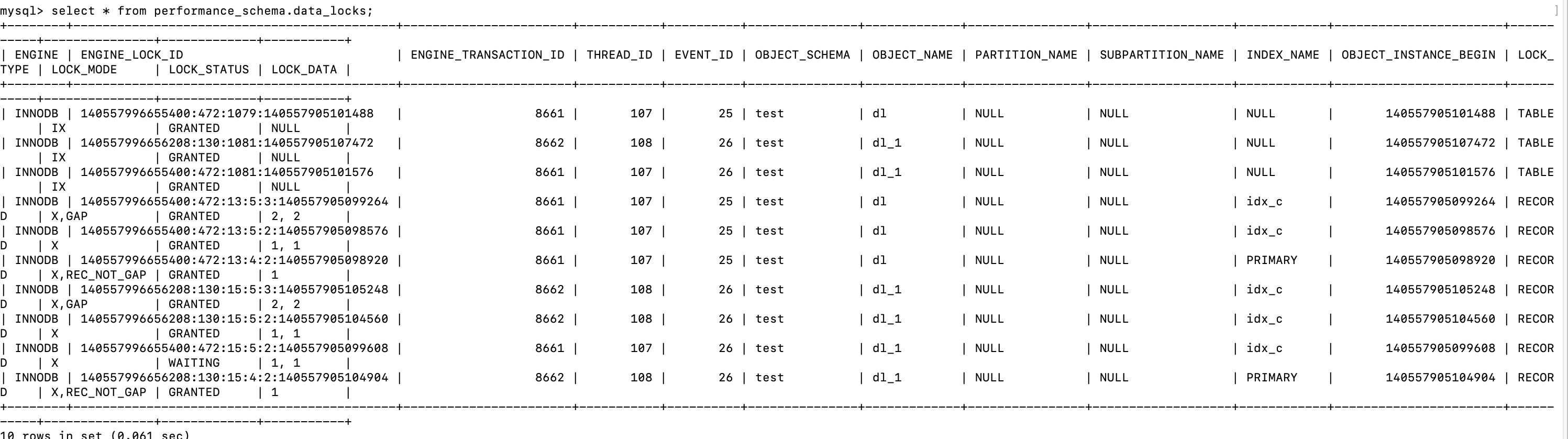
session2尝试对表 dl的a=1加排它锁,提示死锁,回滚

session2回滚后,session1拿到了锁
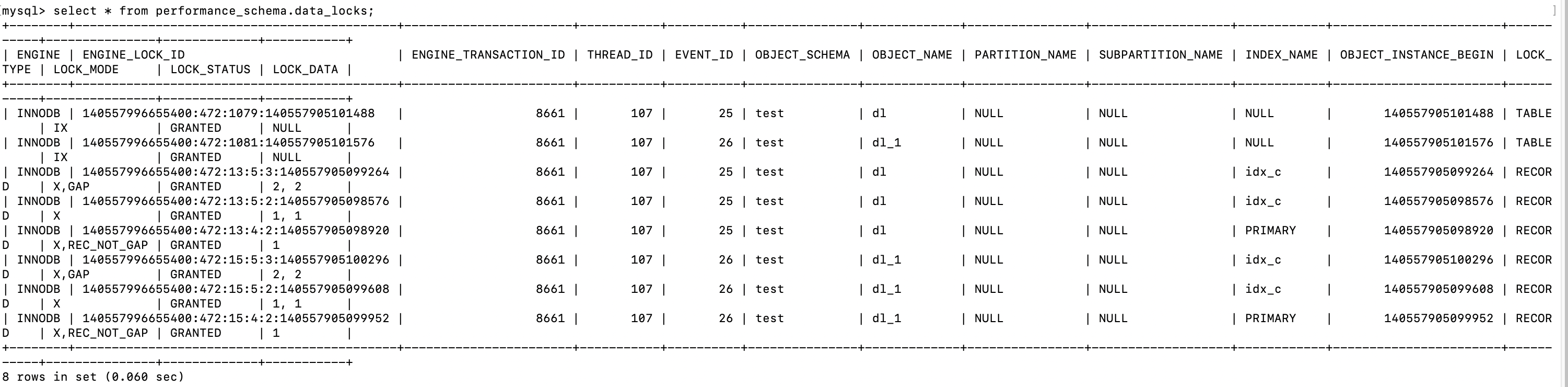
参与的表增加了,但是本质上还是对同一行数据加锁竞争。
间隙锁导致的死锁
在 前面两个case中,因为隔离级别一直是 Repeatable-Read ,所以for update加了排它锁后,还会加间隙锁
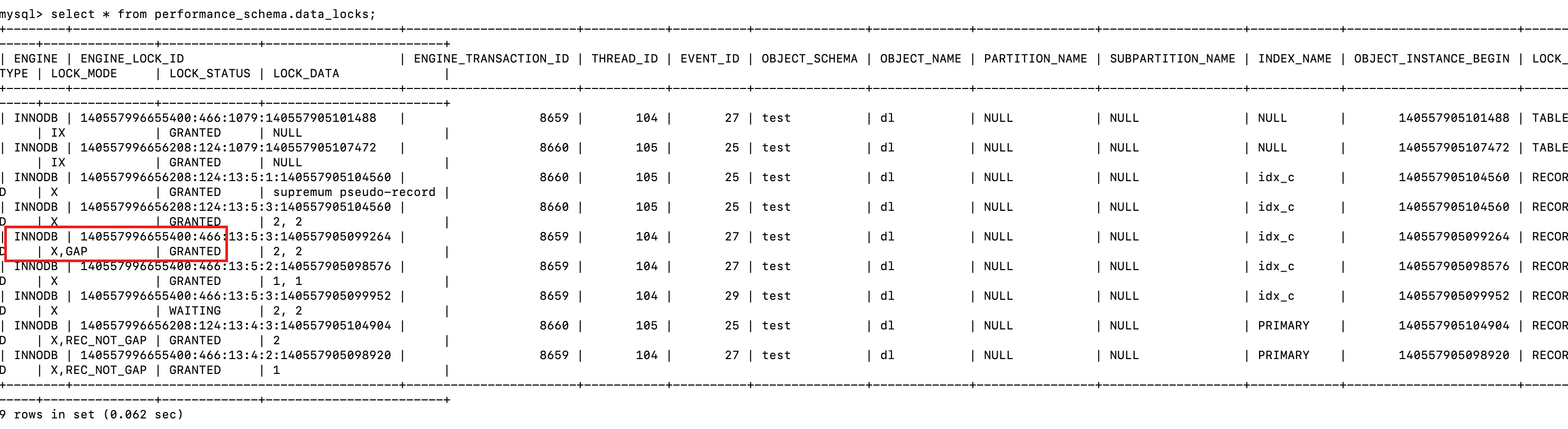
阻塞的事务在对同一行数据尝试加排它锁的时候,不仅仅是 排它锁冲突,还有间隙锁冲突。
前面的例子可能不明显,在尝试一下
| session1 | session2 |
|---|---|
set session transaction_isolation='REPEATABLE-READ'; |
set session transaction_isolation='REPEATABLE-READ'; |
begin; |
begin; |
select * from dl where a=1 for update; |
select * from dl where a=2 for update; |
insert into dl(a,b,c) values (2,3,3);阻塞等待 |
|
| session2提示死锁回滚后,session1成功返回结果 | insert into dl(a,b,c) values(1,4,4);死锁冲突,回滚 |
commit; |
commit; |
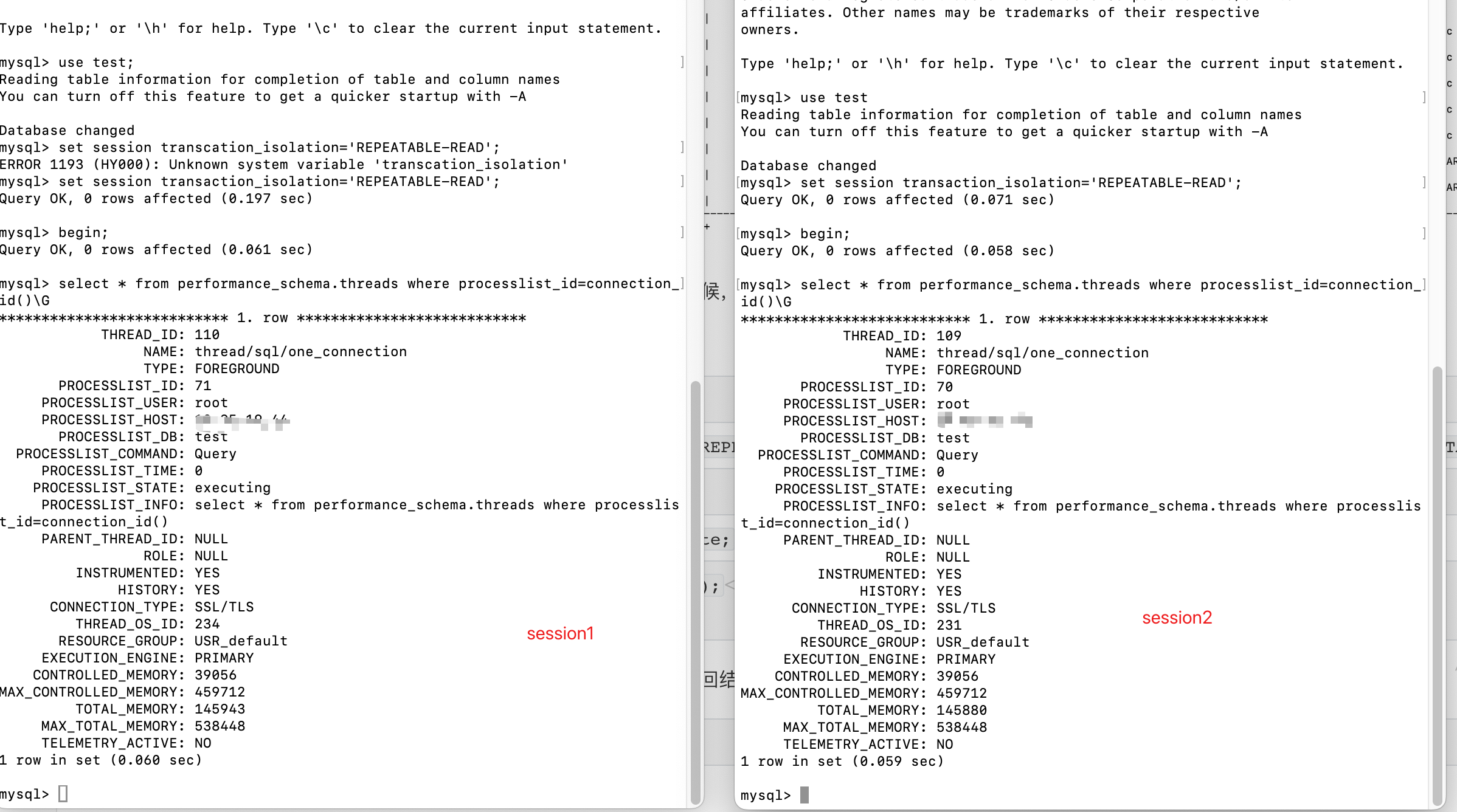
当session1对 a=1 的记录加锁后,session 2也对 a=2 的记录加锁

此时查看锁信息,session2持有数据a=2的GAP锁
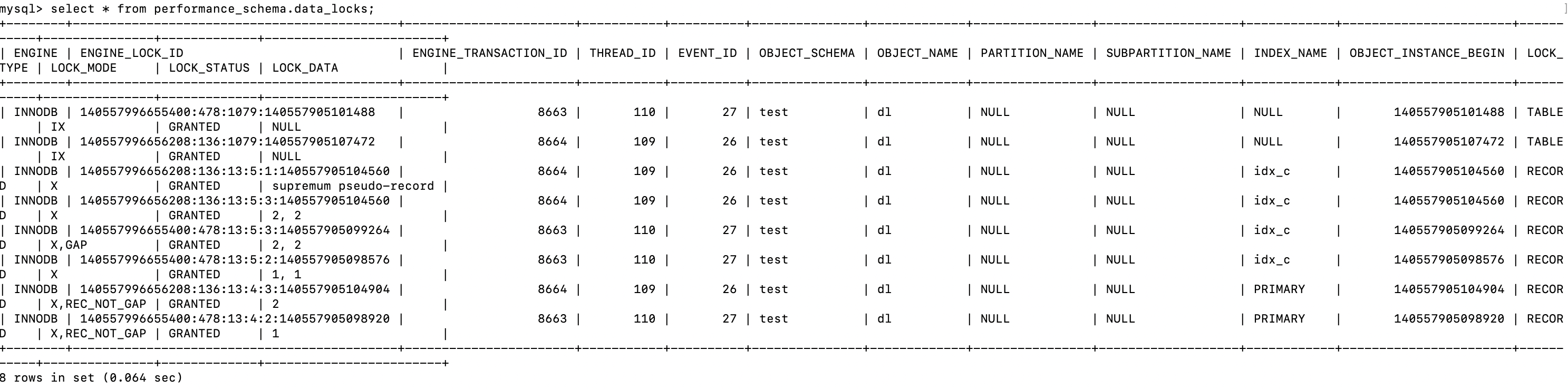
session 1 插入数据,此时阻塞

查看锁信息,阻塞在针对a=2的记录,加插入的锁等待
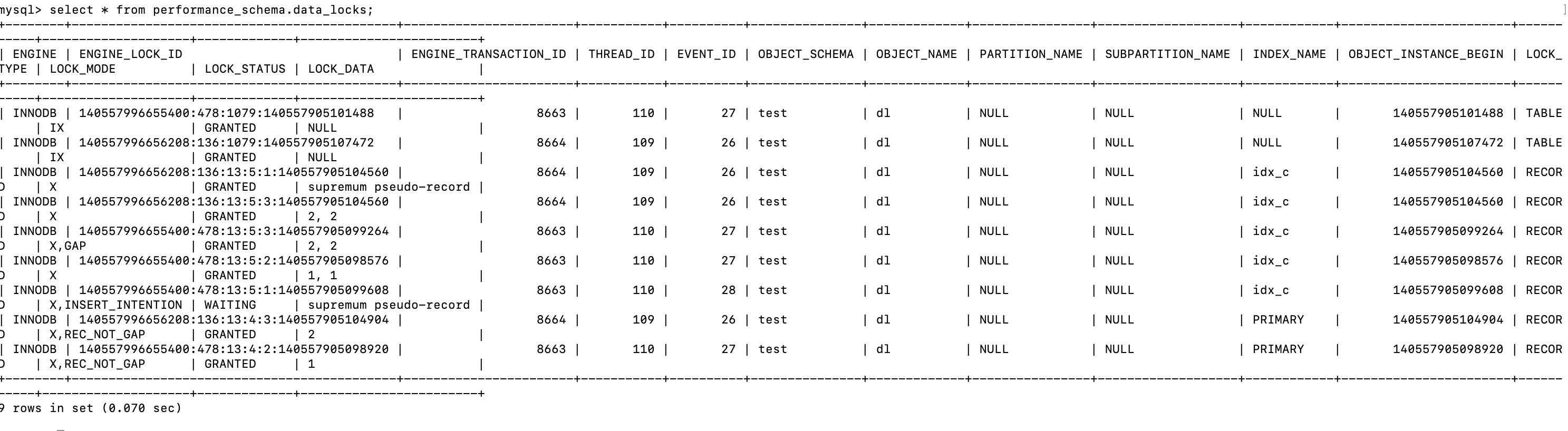
当session2也想插入数据,并尝试获得 a=1的锁,检测到死锁,session2回滚,session1拿到了锁

查看锁信息,session2都已经释放了

insert 语句死锁
首先清空dl_insert 表
truncate table `dl_insert`;
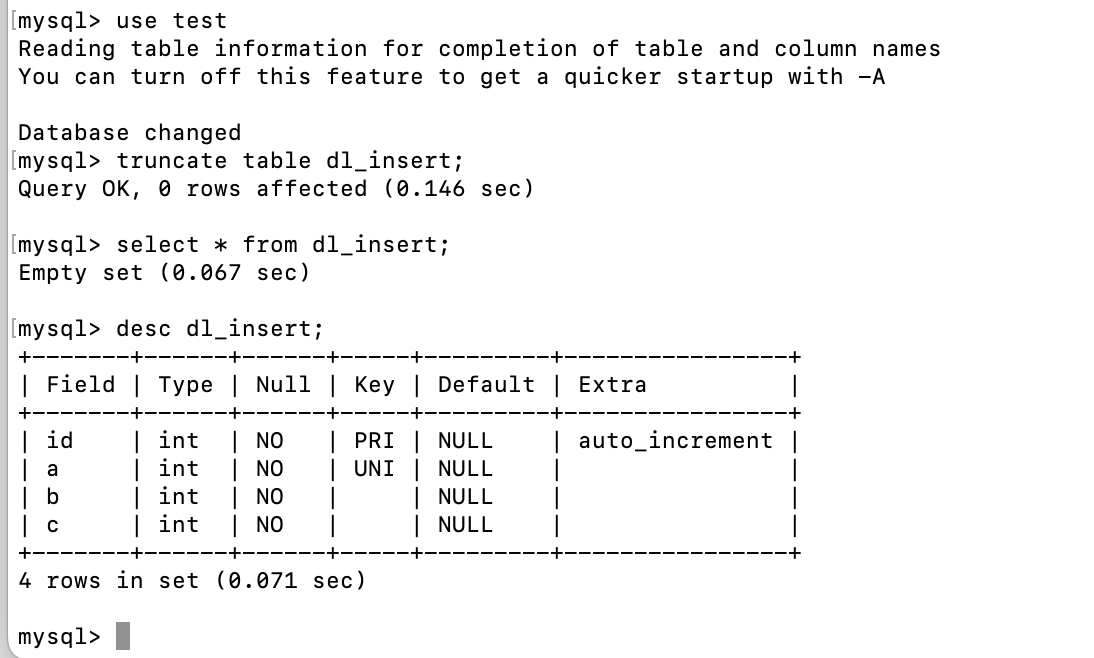
表 dl_insert 中的 a 字段有唯一索引。
| session1 | session2 | session3 |
|---|---|---|
begin; |
||
insert into dl_insert(a,b,c) values(3,3,3); |
||
insert into dl_insert(a,b,c) values(3,3,3);等待 |
insert into dl_insert(a,b,c) values(3,3,3);等待 |
|
rollback; |
执行成功 | 检测到死锁,回滚 |
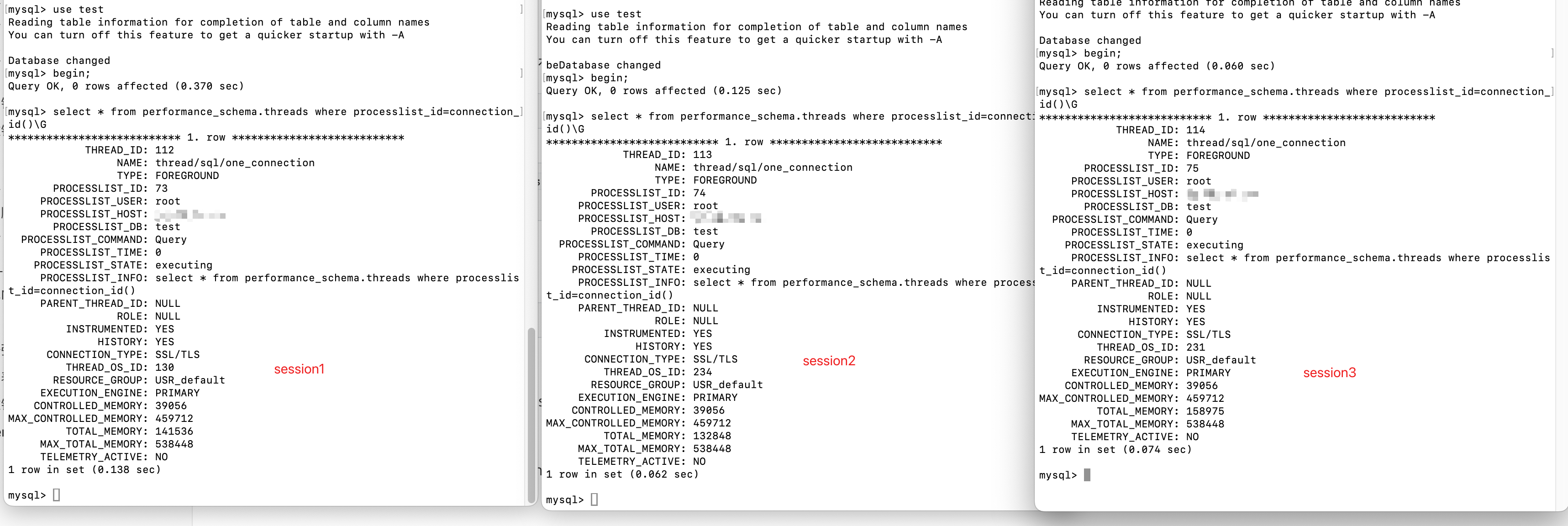
a字段有唯一索引。当session1执行完insert 语句时,会在索引 a=3上加行锁


当session2执行同样的insert语句时,唯一键冲突,加锁读锁


同样,session3也会加读锁
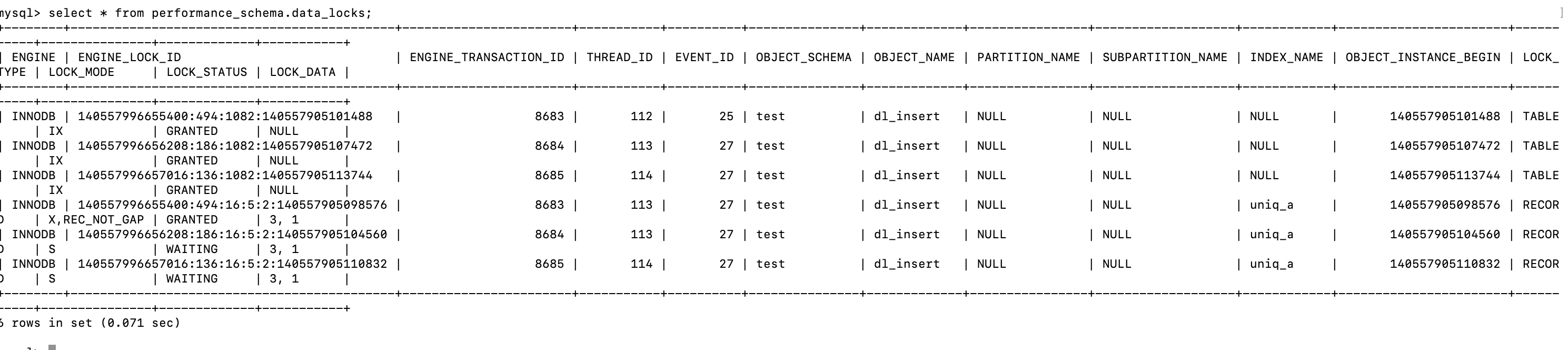
当 session1 回滚释放锁后,session2和session3竞争产生死锁(上图中的 uniq_a)

Session2 检测到死锁后回滚,session3拿到了锁,插入成功。

有“AI”的1024 = 2048,欢迎大家加入2048 AI社区
更多推荐


 33
33 0
0- 0


 已为社区贡献6条内容

所有评论(0)